What to know
- Edition upgrades are available before and during Early Access
- You only pay the difference between editions
- Upgrades are done through your Hytale account
- All cosmetics unlock instantly after upgrading
Upgrading your edition in Hytale is designed to be simple and flexible. If you start with a lower-tier edition and later decide you want more cosmetic content, you won’t need to rebuy the game.
How edition upgrades work in Hytale
First, you buy your initial edition by purchasing either the Standard, Supporter, or Cursebreaker version. Later, if you decide you want a higher-tier edition, you can choose to upgrade at any time. When upgrading, you only need to pay the price difference between the editions rather than the full cost again. Once the payment is complete, the new edition’s cosmetics unlock automatically in your account.
How to upgrade your Hytale edition
Here is how you can upgrade your Hytale edition:
Step 1: Sign in to Hytale account
Purchase the edition you’re comfortable with from the official Hytale store. All editions include full game access.
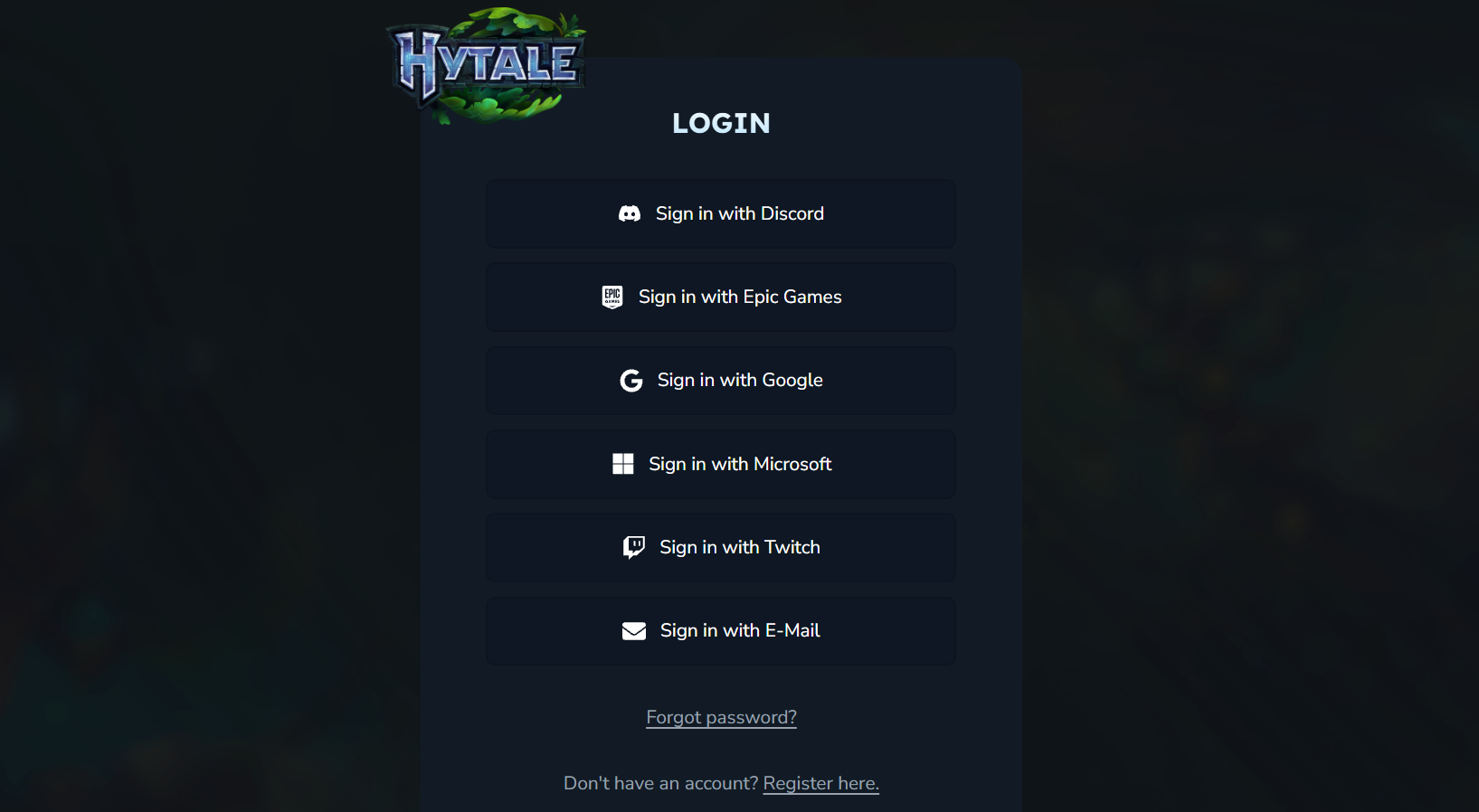
Sign in on the official Hytale website using the account linked to your purchase.
Step 2: Open your account or store page
Navigate to your profile or store section where your current edition is displayed. The store will automatically calculate the price difference, not the full cost.
Step 3: Select the upgrade option
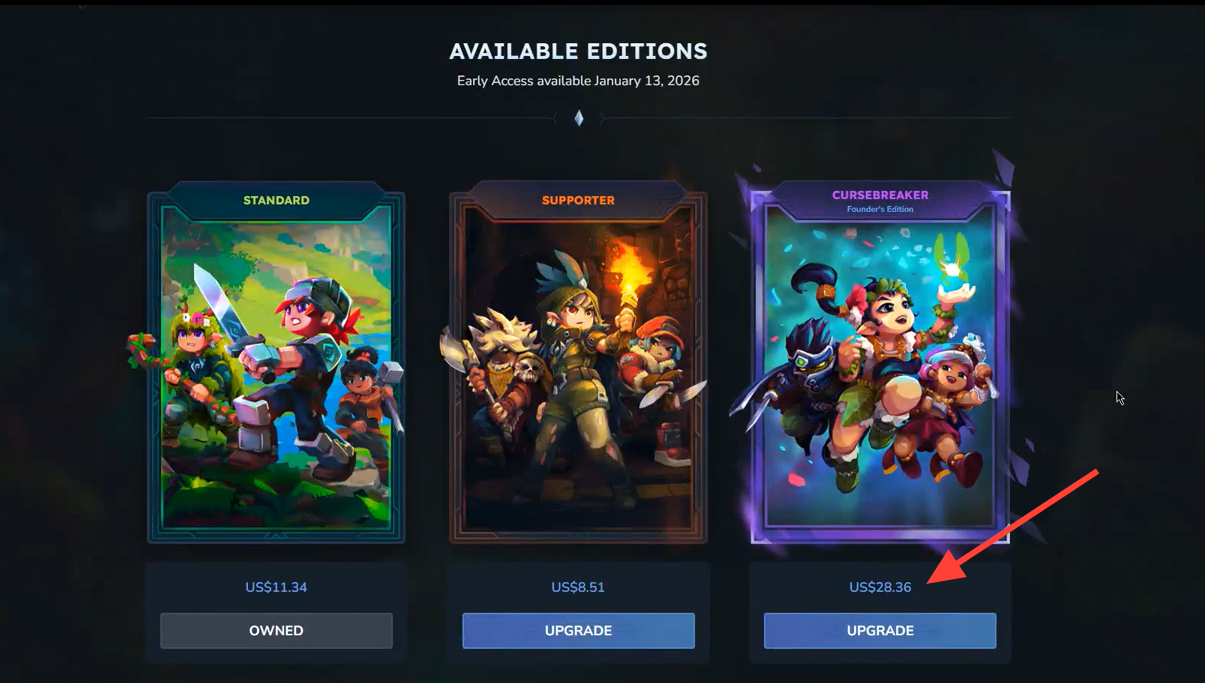
Choose the higher-tier edition you want. Confirm the edition you want to upgrade to. Here we are going from Standard to Supporter edition.
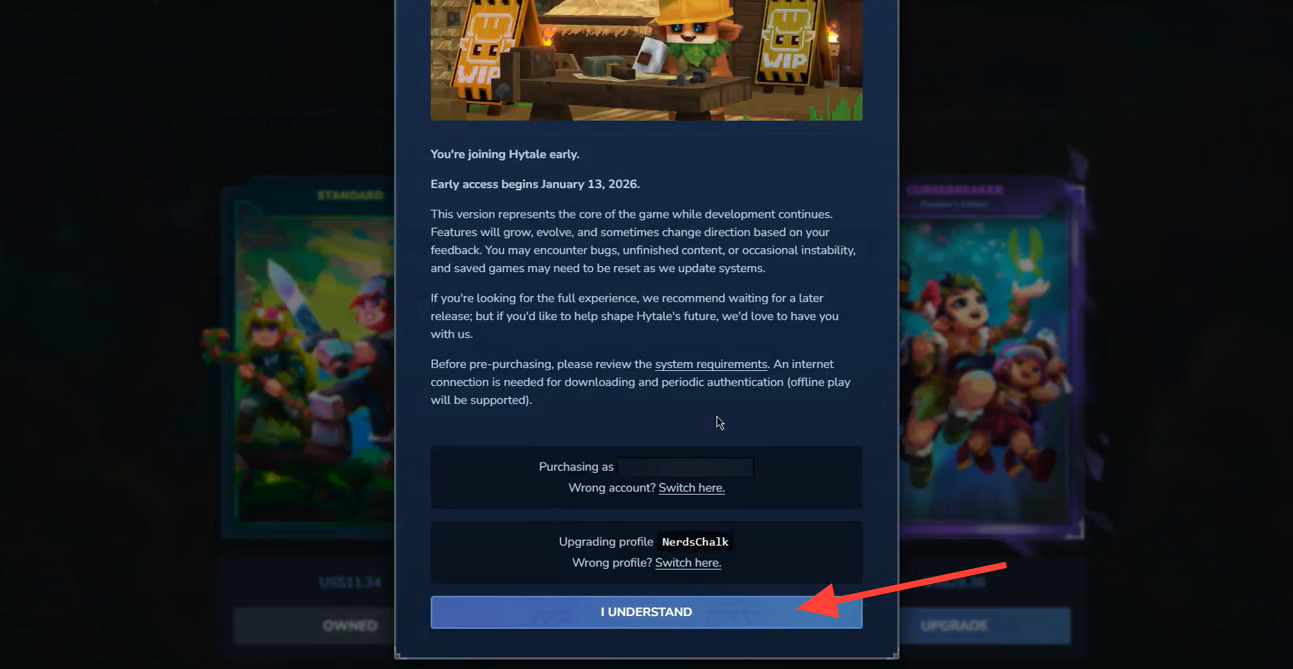
Step 4: Complete checkout
Finish the payment. Once confirmed, the additional cosmetics and bonuses unlock instantly on your account.
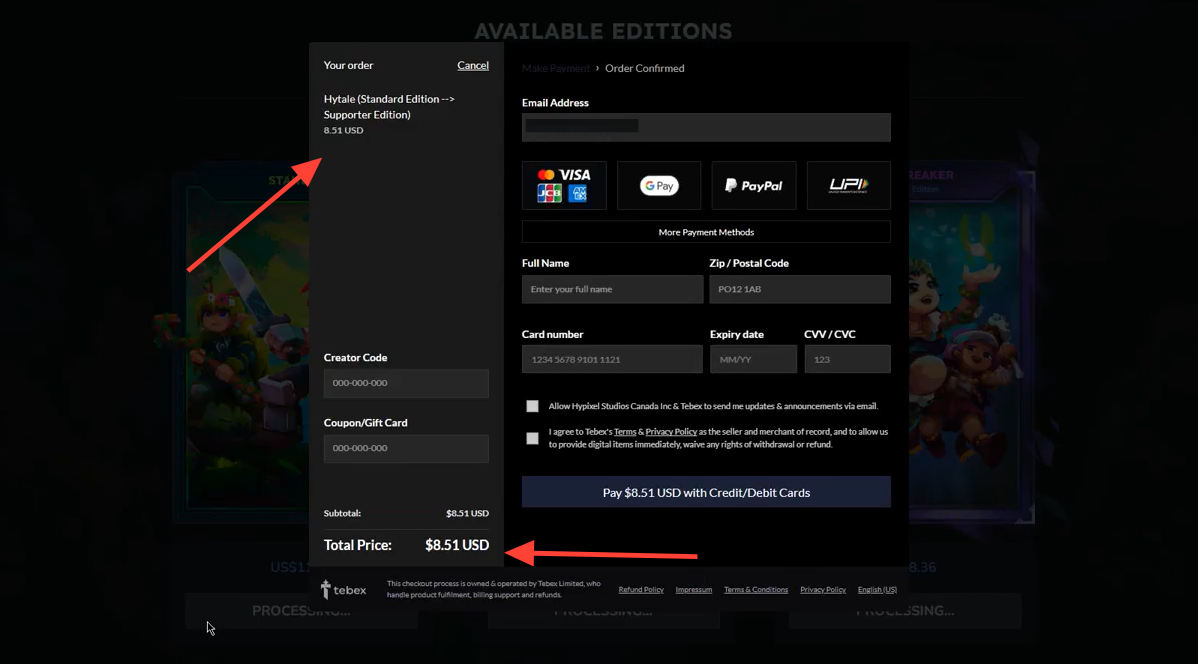
Example upgrade costs
- Standard → Supporter: ~$8
- Supporter → Cursebreaker: ~$15
- Standard → Cursebreaker: ~$28.3
Things to Keep in Mind
- These edition upgrades and purchases are tied to your Hytale account, not Steam (because Hytale isn’t launching on Steam at early access).
- Any cosmetic items or extras from the edition you upgrade to will remain available even after Early Access ends.
Hytale’s upgrade system lets you start small and support the game more later without penalty. If you’re unsure which edition to buy, you can safely begin with Standard and upgrade whenever you feel the extra cosmetics are worth it.
Thanks for taking the time to go through this edition upgrading guide for Hytale. If it helped you understand things better, do share your thoughts, impressions, or doubts in the comments section. We keep a close watch and try to respond promptly to ensure you always get the support you need.