

What to know
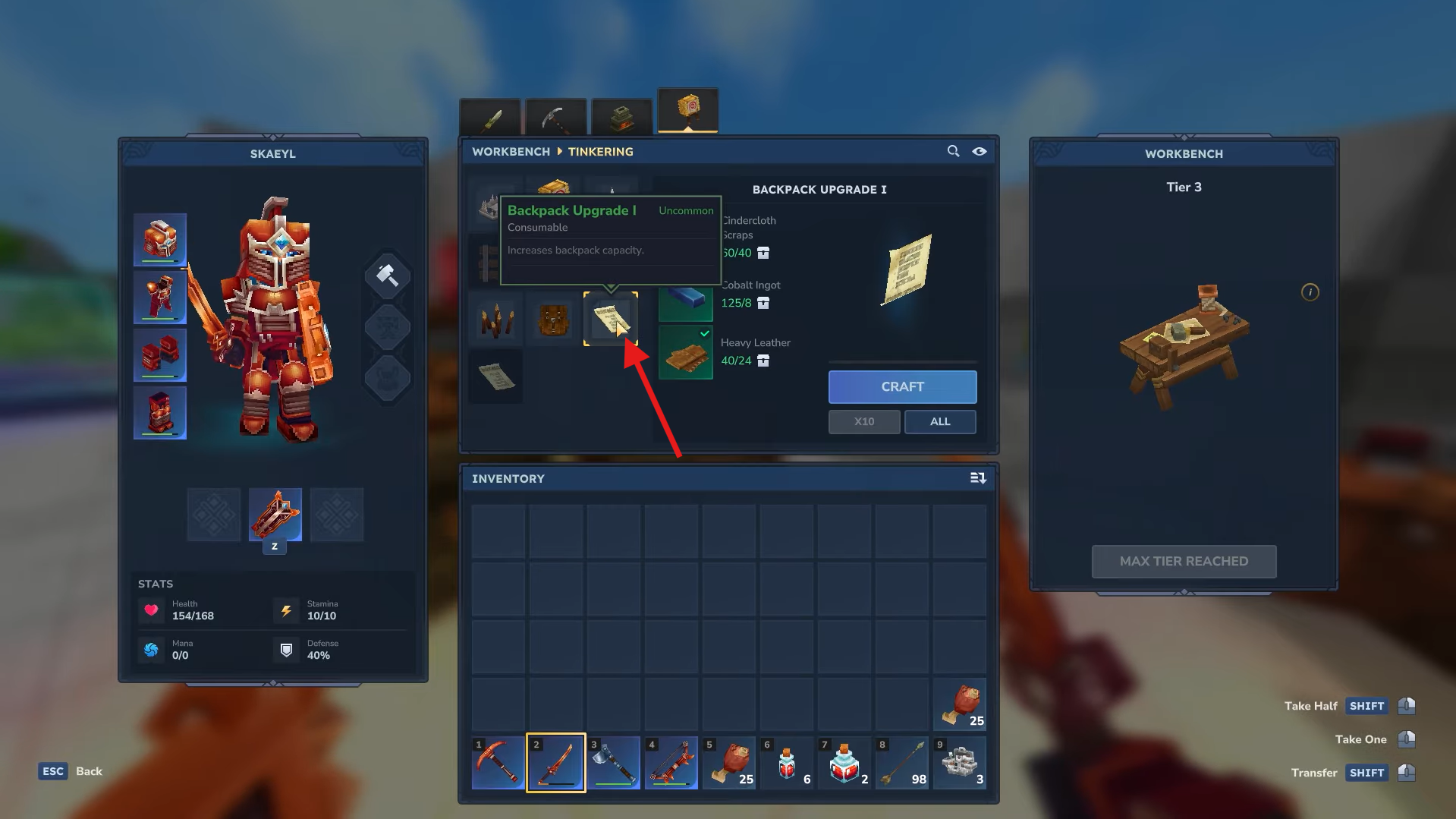
- You need a Workbench to craft the backpack and upgrades in the “Tinkering” tab.
- The Backpack is a permanent upgrade for your character, not a hotbar item you use in the world.
- Right‑clicking the Backpack consumes it and unlocks a new Backpack inventory row in your character menu.
- By default you get one row, then one more with the first upgrade, and a third with the second upgrade.
Inventory space fills up fast in Hytale, and that’s where the Backpack system helps. With a few simple crafts at the Workbench, you can permanently expand your storage and carry more gear and loot as you explore. This guide shows you how to unlock and upgrade your Backpack the right way.
How to craft a Backpack upgrade
Follow the steps below to craft a Backpack upgrade in Hytale with ease:
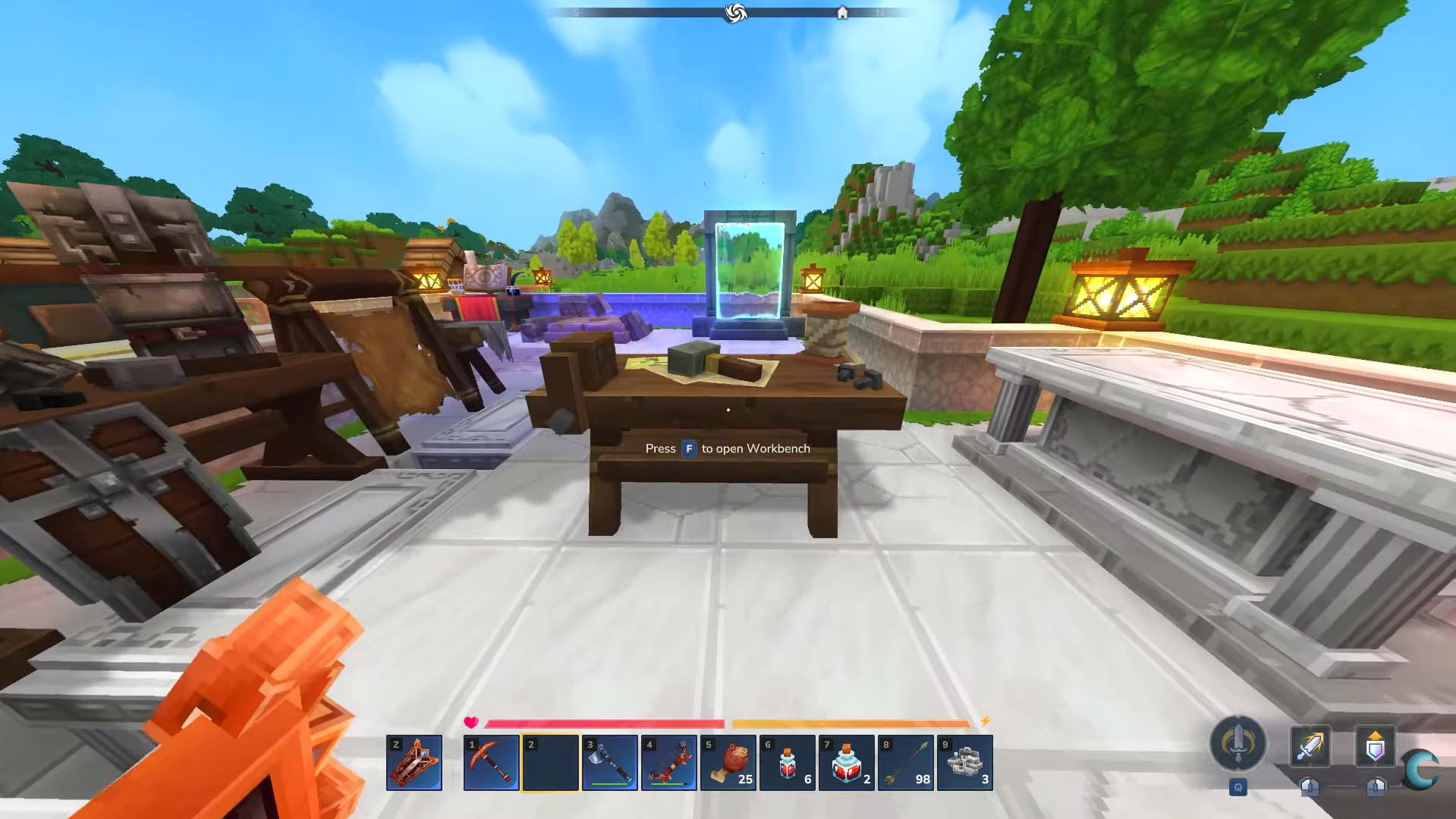
Step 1: Place and open a Workbench
Set down a Workbench if you don’t have one, then interact with it to open the crafting menu.
Step 2: Open Tinkering & craft the Backpack
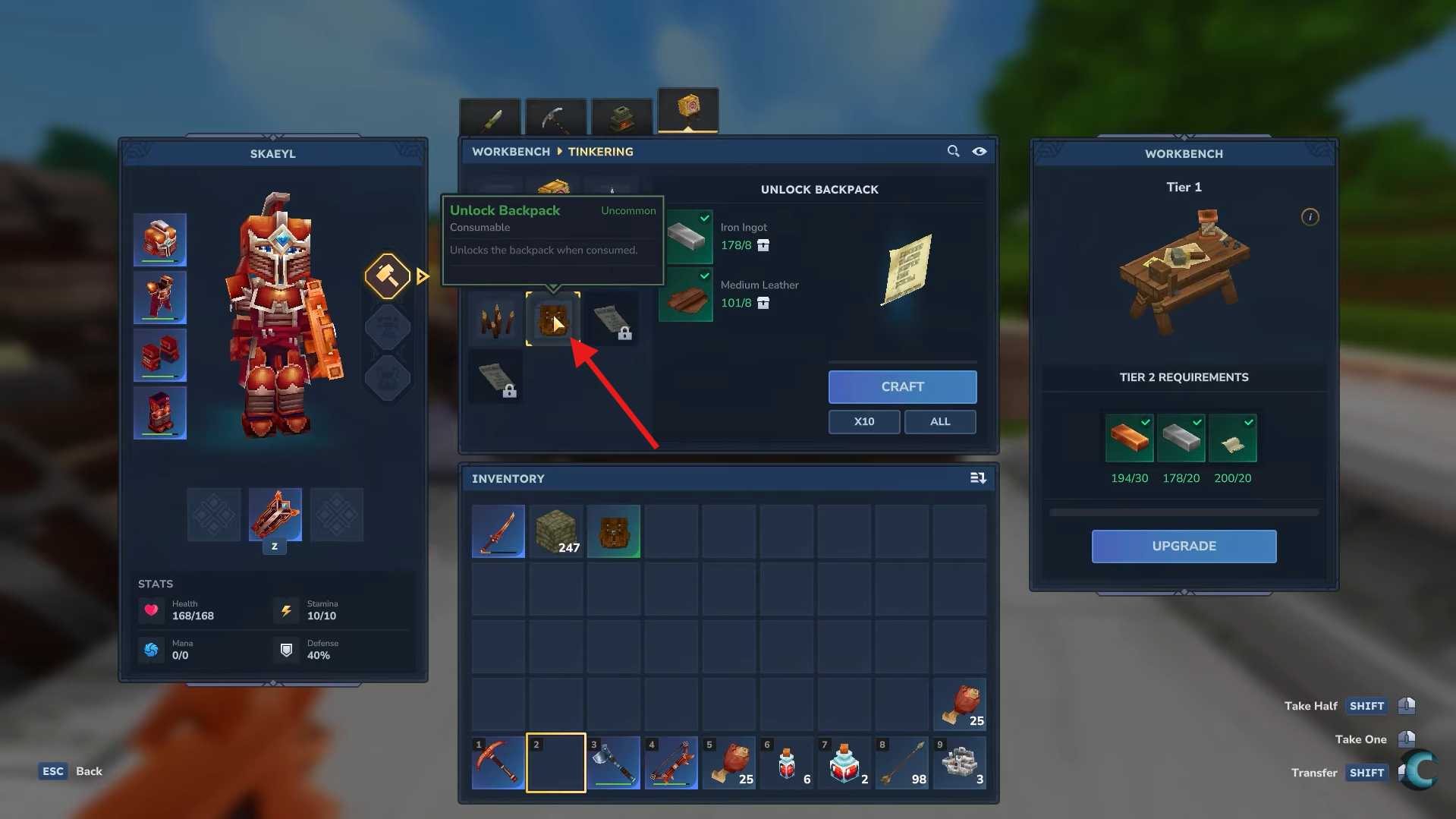
Open the Workbench, go to the Tinkering tab, then craft the Backpack using x8 Iron Ingots and x8 Medium Leather.
Step 3: Consume the Backpack Item
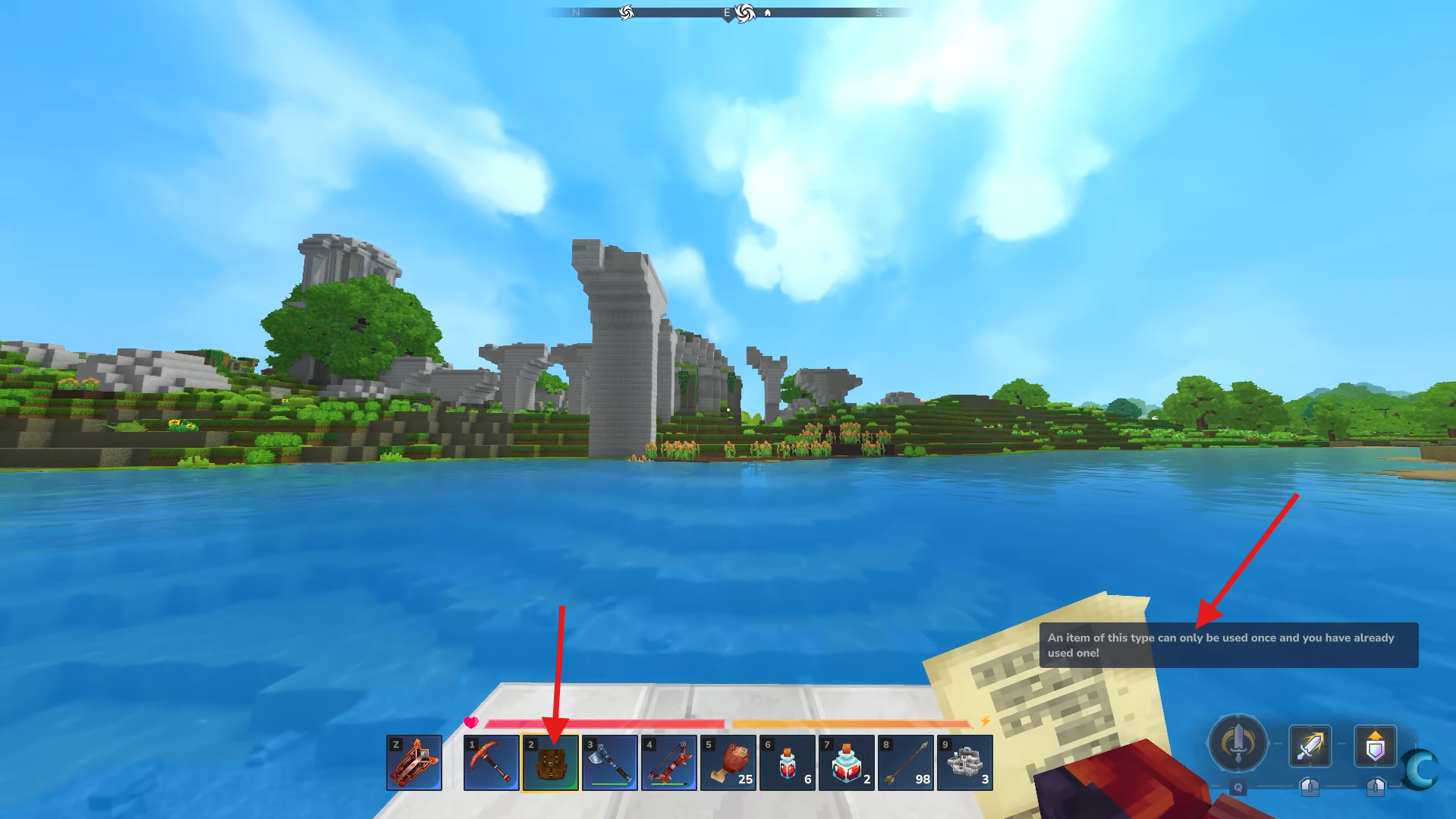
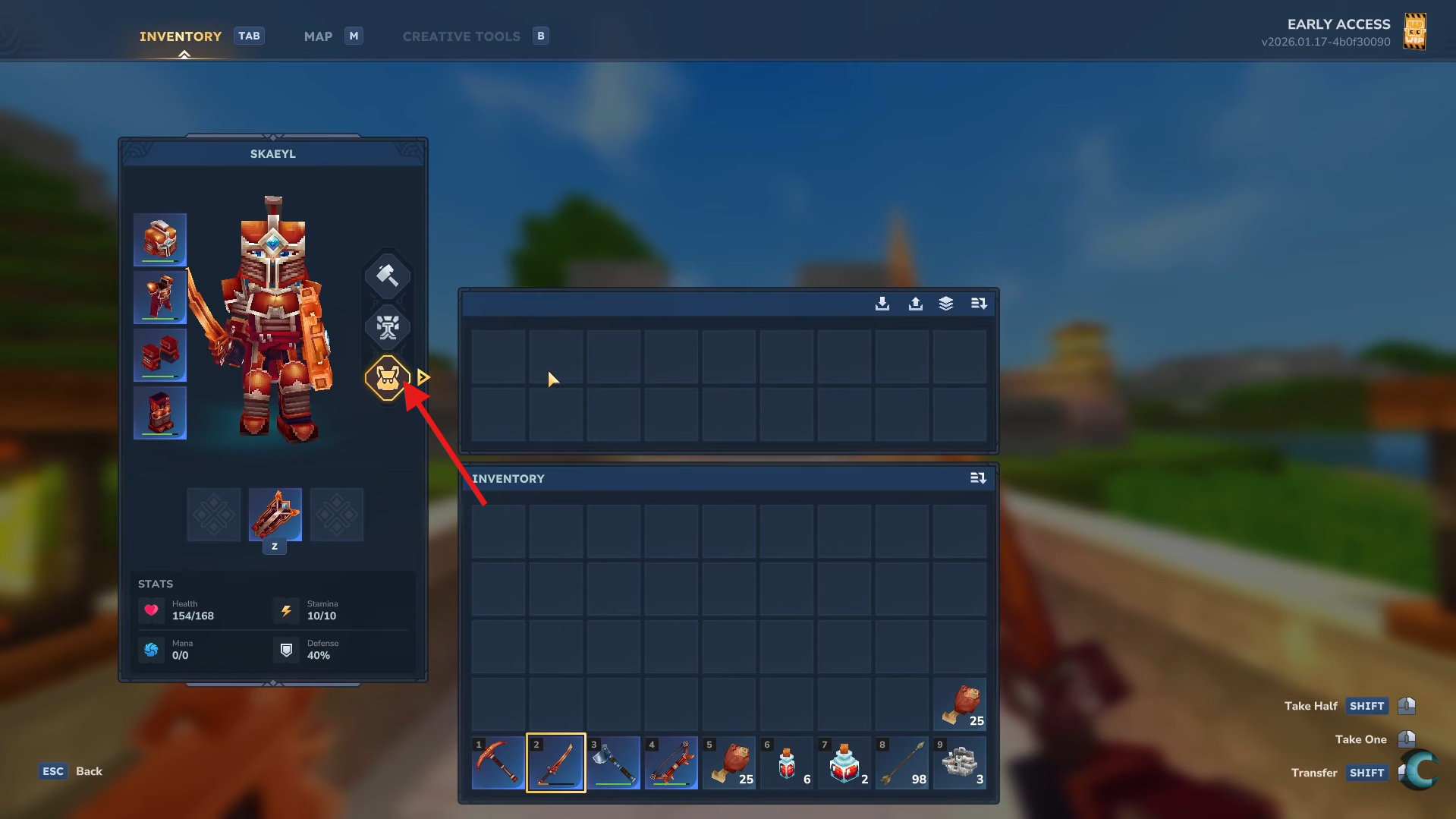
Open your inventory and right-click (use) the Backpack. This permanently unlocks backpack storage.
Step 4: Access Your Extra Space
Open your inventory and switch to the Backpack tab to store items in the new slots.
Step 5: Upgrade Further
- Default: 1 row of backpack space
- First upgrade: adds a 2nd row
- Second upgrade: adds a 3rd row
Craft and use additional backpacks to increase your total storage.
How to upgrade the Backpack
Backpack upgrades are crafted in the Tinkering tab at the Workbench. Since these are higher-tier items, you may need to upgrade your Workbench first. After crafting an upgrade, right-click it in your inventory to consume it, each one permanently adds another row of backpack slots to your character.
How the Backpack Interface Works
After you unlock and use your first backpack, a new backpack icon/tab appears in your inventory screen next to your Memories tab. Clicking this opens a second grid of slots that functions like extra inventory space. You can move items between the main inventory and backpack manually, and anything placed there stays safe and accessible as you travel.
This system allows you to keep more items with you without having to drop or discard anything important, which is especially useful when exploring remote areas, gathering rare materials, or doing extended builds.
Tips for inventory space
- Backpack and Backpack upgrades are permanent unlocks, not reusable items.
- Once you use one, you can’t unequip it or give it to another character.
- Don’t use a backpack or upgrade unless you mean to permanently unlock that space for this character.
- If you already have backpack space, using another backpack again will just waste it.
Expanding your inventory in Hytale
If you’re running out of space in Hytale, the backpack system has you covered. Craft a Backpack and its upgrades from the Tinkering tab at your Workbench, then use them from your inventory to permanently unlock extra rows. It’s the simplest way to carry more gear, loot, and resources as you explore.
Hope this answered your major questions. Drop your comments for feedback or support—we’re actively responding and always ready to help you further.



