


- What to know
- Quick overview of the Sweet Dreams With A Mossy Pillow highlight reel
- Highlight reel photo ops in Pokopia
- Locations where moss environments commonly appear
- How to unlock the Sweet Dreams With A Mossy Pillow highlight reel
- How photo frames work in Pokopia
- Default photo frames available early
- Photo frames unlocked from highlight reels
- Tips to trigger sleeping Pokémon moments more reliably
- Completing your Pokopia highlight reel collection
What to know
- The “Sweet Dreams With A Mossy Pillow” highlight reel is triggered by photographing a Pokémon sleeping on moss.
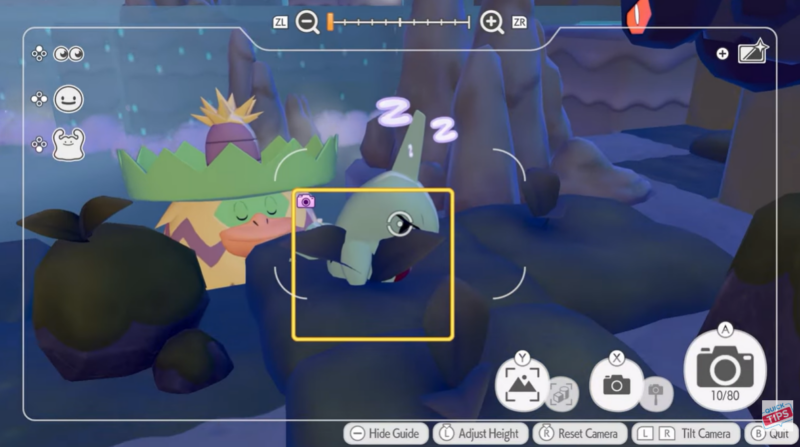
- A Larvitar sleeping on a moss patch is a confirmed way to trigger the photo op.
- Completing highlight reel photo ops contributes to your Highlight Reel collection.
- Some highlight reels reward special photo frames used in the game’s photo mode.
Capturing highlight reel moments is one of the most creative side activities in Pokémon Pokopia. These special photography challenges appear when certain environmental conditions and Pokémon behaviors align. One such moment is the charming “Sweet Dreams With A Mossy Pillow” highlight reel, which focuses on photographing a Pokémon peacefully sleeping on moss. If you are trying to complete your highlight reel collection or unlock additional photo customization options, this moment is worth pursuing.
Quick overview of the Sweet Dreams With A Mossy Pillow highlight reel
| Feature | Details |
|---|---|
| Highlight Reel Name | Sweet Dreams With A Mossy Pillow |
| Objective | Photograph a Pokémon sleeping on moss |
| Confirmed Pokémon | Larvitar |
| Requirement Type | Highlight Reel Photo Op |
| Reward Type | Highlight Reel completion and possible photo frame |
| Gameplay Feature | Camera Photo Mode |
Highlight reel photo ops in Pokopia
Highlight Reel photo ops are special photography opportunities that appear during gameplay when specific Pokémon behaviors occur in the right environment. When these moments happen, the game briefly signals that a photo opportunity is available, allowing you to open the camera and capture the scene.
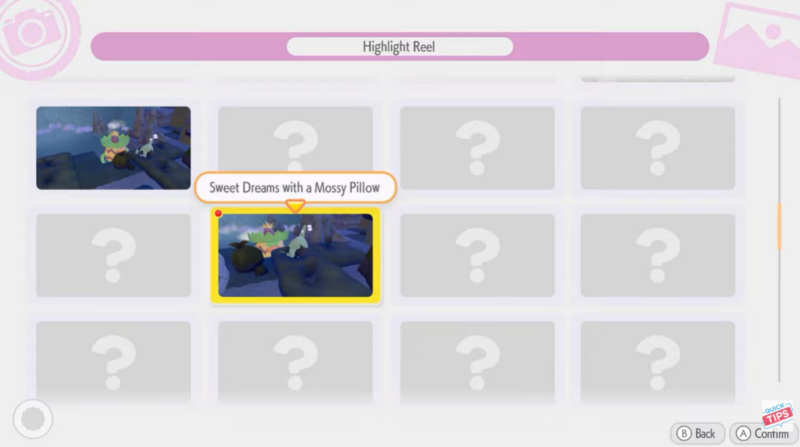
These moments are not scripted cutscenes. Instead, they rely on a combination of Pokémon actions, location conditions, and environmental objects such as grass, water, sand, or moss. Because of this system, some highlight reels may feel rare until you understand what interaction the game is looking for.
The “Sweet Dreams With A Mossy Pillow” moment is one of the more relaxing highlight reels, focusing on the peaceful interaction between a Pokémon and the environment.
Locations where moss environments commonly appear
Moss patches appear most frequently in lush or forest-like areas where vegetation and moisture are present. These areas usually include shaded cliffs, forest floors, or rocky regions where moss grows along the ground or stone surfaces.

When exploring these regions, you may notice Pokémon occasionally wandering near moss patches. Some Pokémon can sit, relax, or fall asleep while idle, which is exactly the behavior required for this highlight reel.
Because Pokémon routines are partially dynamic, you may need to spend time in these areas watching their behavior before the correct moment occurs.
How to unlock the Sweet Dreams With A Mossy Pillow highlight reel
Step 1
Explore an area that contains visible moss patches on the ground or on rocky surfaces. Moss environments are important because the highlight reel specifically requires the Pokémon to be resting on moss.

Step 2
Locate a Pokémon that can naturally wander near the moss. The most commonly demonstrated example is Larvitar, which has been shown sleeping on moss in the highlight reel example.

Step 3
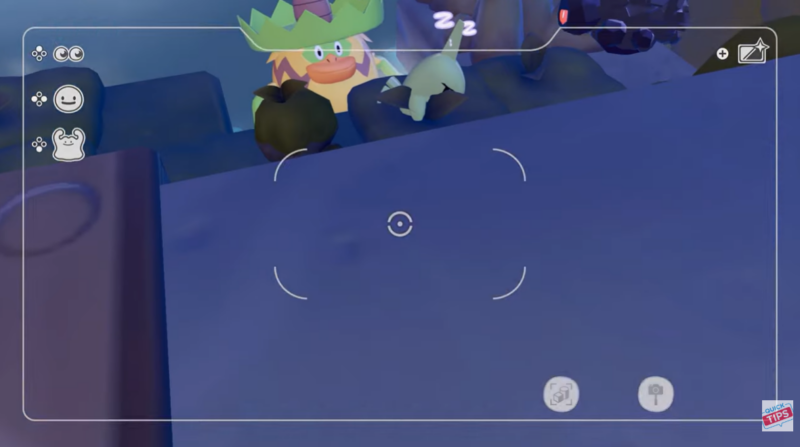
Allow the Pokémon to remain undisturbed for a short period. Pokémon in Pokopia have idle animations, and if they stay comfortable in a location long enough, they may sit down or fall asleep.
Step 4
Watch carefully for the sleeping animation. Once the Pokémon settles onto the moss and falls asleep, you have reached the correct moment required for the highlight reel.
Step 5
Open your camera immediately and frame the sleeping Pokémon clearly. Make sure the moss patch is visible beneath it to emphasize the environmental interaction.
Step 6
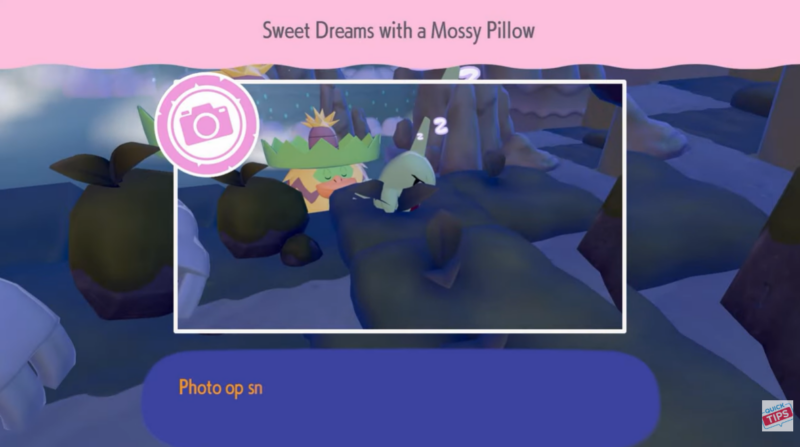
Take the photo while the Pokémon remains asleep. Capturing this moment should register the Sweet Dreams With A Mossy Pillow highlight reel and add it to your collection.
How photo frames work in Pokopia
Photo frames are decorative borders that you can apply to images taken in the game’s photo mode. They allow you to customize the presentation of your pictures, giving them themed styles that match certain moments or environments.
Some frames are available from the start, while others are unlocked by completing specific photo challenges.

Highlight reel photo ops are the main method for unlocking additional frames. When you successfully capture a highlight reel moment, the game may reward a unique frame that you can apply to future photos.
Default photo frames available early
| Frame Name | Availability |
|---|---|
| Wood Frame | Default |
| White Frame | Default |
| Gold Frame | Default |
| Marble Frame | Default |
| Tall Grass Frame | Default |
| Antique Frame | Default |
| Music Notes Frame | Default |
| Garden Frame | Default |
| Hearts Frame | Default |
| Sparkly Pink Frame | Default |
| Snowflakes Frame | Default |
| Cinematic Frame | Default |
These frames are available immediately when using the camera, so you can start decorating your photos even before unlocking highlight reel rewards.
Photo frames unlocked from highlight reels
Certain highlight reels reward themed frames that match the captured moment. These frames become available in the camera menu once the highlight reel has been successfully completed.
| Highlight Reel | Frame Reward |
|---|---|
| Toasty Warm by the Campfire | Fire Spin Frame |
| Punching Past the Sound Barrier | Impact Frame |
| Greetings from Beyond the Grave | Mysterious Frame |
| Nothing Like a Quick Dip | Bubbles Frame |
| Fun in the Sand | Dusty Cloud Frame |
| Drawn to the Light | Neon Frame |
| A Head Full of Blooming Flowers | BAM Frame |
Not every highlight reel guarantees a frame reward, but completing many of them significantly expands your photography customization options.
Tips to trigger sleeping Pokémon moments more reliably
Patience plays a major role in photography challenges like this one. Pokémon need time to perform their idle animations, and sleeping is one of the rarer ones.
If you want to increase your chances of capturing the moment, spend time observing Pokémon that linger around moss areas and avoid startling them with sudden movement. Staying nearby without interacting can allow the natural animation cycle to progress until the Pokémon eventually lies down.
You can also reposition your camera in advance so that when the Pokémon falls asleep, you are ready to capture the moment quickly before it wakes up.
Completing your Pokopia highlight reel collection
The highlight reel system encourages exploration and creativity. Each photo op represents a unique interaction between Pokémon and their surroundings, turning everyday gameplay moments into collectible memories.
The “Sweet Dreams With A Mossy Pillow” highlight reel is a great example of how subtle environmental storytelling works in Pokopia. A simple scene of a Pokémon sleeping peacefully on moss can become a permanent entry in your highlight reel, while also helping you unlock new photo frames for future snapshots.




