- What to know
- Common AIC facility issues in Arknights
- Why your AIC facility may not be unlocked yet
- Power generation problems stop production instantly
- Assigning a production job properly
- Missing materials will halt the entire process
- Full output storage automatically pauses production
- Fixing potential UI or interface glitches
- Base expansion limits can silently block operation
- Complete troubleshooting checklist
- Getting your AIC production back online efficiently
What to know
- The AIC Facility won’t operate unless it’s properly unlocked and researched in the technology tree.
- Power shortages are the most common reason production stops.
- Missing materials, no assigned task, or full storage will instantly halt output.
- Base expansion limits can silently block new or upgraded facilities.
If your AIC Facility in Arknights Endfield isn’t producing anything, the issue is usually mechanical rather than a bug. Most problems come down to power, research progression, task assignment, or storage management. Below, you’ll find a structured breakdown of every confirmed cause and how you can fix it quickly.
Common AIC facility issues in Arknights
| Problem | What It Means | Immediate Fix |
|---|---|---|
| Facility Not Unlocked | Node not researched in AIC plan | Unlock via Technology tab |
| Insufficient Power | Base power generation < consumption | Build/upgrade generators |
| No Task Assigned | Facility idle with no job selected | Select production task |
| Missing Materials | Required inputs unavailable | Supply required materials |
| Full Output Storage | Storage slots maxed | Clear or expand storage |
| UI Glitch | Interface not refreshing | Reopen menu and reassign |
| Base Space Limit | Expansion cap reached | Unlock expansion nodes |
Why your AIC facility may not be unlocked yet
The most overlooked issue is progression gating. The AIC system in Arknights Endfield is tied directly to your main story progress and AIC Factory Plan research tree. Even if you have built the structure physically in your base layout, it will not function unless the corresponding node is researched.
Open the Technology tab, navigate to your AIC Factory Plan, and confirm that the correct production branch has been unlocked. Some production tiers require deeper progression into story chapters before they become available. If you are early in the campaign, you may simply need to advance the main questline.
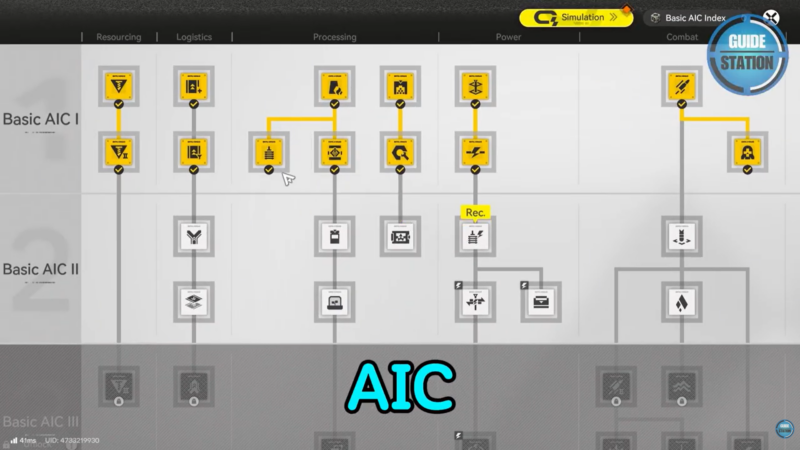
If the node appears locked, check its prerequisites. You may need to unlock earlier nodes first before the production chain becomes operational.
Power generation problems stop production instantly
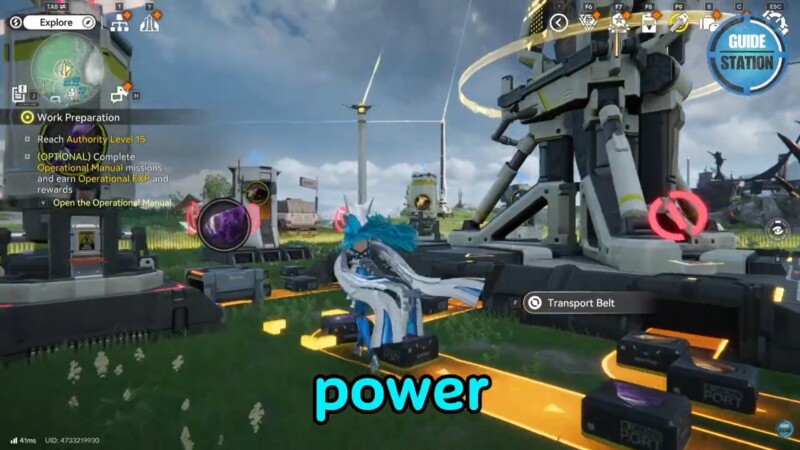
Power is the backbone of your base. The AIC facility consumes energy continuously while running production jobs. If your total power consumption exceeds generation, the system automatically disables certain structures.
Open your base map overview and compare total generation versus total usage. If consumption is higher, the AIC facility will stall even if everything else is correct.
You can fix this by:
- Building additional generators
- Upgrading existing power facilities
- Reducing unnecessary power usage from non-essential buildings
Always maintain a small surplus of power rather than running at equal values. A buffer prevents sudden shutdowns when you add new production lines.
Assigning a production job properly
Even a fully powered and unlocked AIC facility will not operate without an assigned job. After placing the structure, open its interface and check whether a production task is selected.
If the panel shows idle status, manually choose a valid production blueprint. Some blueprints may be unavailable if you lack materials or research progress, so verify that the recipe you want is actually selectable.
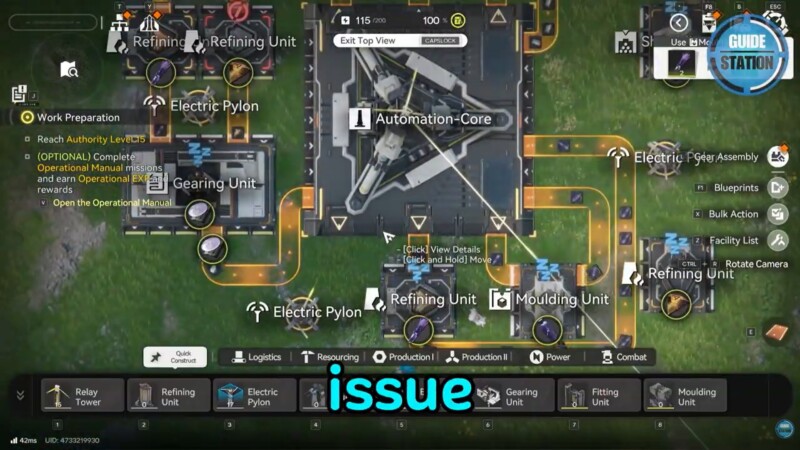
If the job appears selected but nothing happens, cancel it and reassign it. Sometimes refreshing the task resolves minor interface desynchronization.
Missing materials will halt the entire process
Every AIC production task requires input materials. If even one required resource is missing or insufficient, production will not begin.
Open the recipe details and check the required inputs carefully. Confirm that:
- The materials exist in your inventory
- They are not allocated elsewhere
- Supply routes are correctly configured
If materials are stored in remote sections of your base, make sure they are properly connected or transferred into the facility’s supply system. Some players overlook logistics flow, which can silently block production even when materials technically exist.
Full output storage automatically pauses production
Production stops immediately if output storage is full. This is an automatic safety mechanism.
Open the facility and inspect the output slots. If they are maxed out, remove completed items or expand your storage capacity. You may need to unlock storage upgrades through the AIC Factory Plan.
Regularly clearing output prevents chain interruptions, especially when running long production cycles.
Fixing potential UI or interface glitches
Occasionally, the facility may appear inactive due to a visual interface issue rather than a real mechanical problem.
If everything looks correct but production hasn’t started:
Close the facility interface completely.
Reopen it.
Cancel and reassign the task.
In most cases, this refresh resolves temporary interface desync without requiring a restart.
If the issue persists, exiting to the main menu and re-entering your base can also force a refresh.
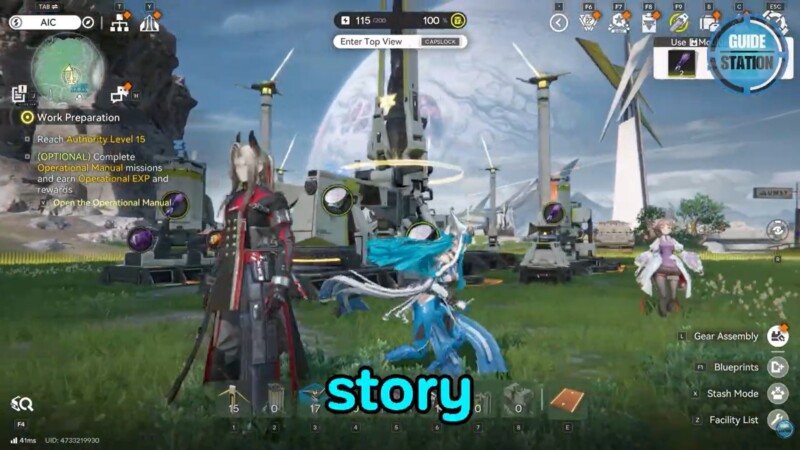
Base expansion limits can silently block operation
The AIC system is tied to your base’s expansion nodes. If you have reached structural capacity limits, certain facilities may not activate properly.
Check the AIC Factory Plan for expansion nodes that increase base space. If you’ve hit a limit, unlock the next expansion tier. This not only allows more structures but also ensures current facilities operate within system limits.
Expansion is particularly important in mid-to-late game when power grids, logistics, and production lines scale upward.
Complete troubleshooting checklist
Before assuming the AIC Facility is bugged, confirm the following:
- Your facility node is researched.
- Your base generates surplus power.
- A valid production job is assigned.
- All required materials are present.
- Output storage is not full.
- The interface has been refreshed.
- Base expansion capacity is not capped.
If all seven conditions are satisfied, the facility should operate normally under current game mechanics.
Getting your AIC production back online efficiently
In Arknights Endfield, base systems are tightly interconnected. A failure in one area—power, logistics, research, or storage—can cascade into production downtime. The fastest way to resolve AIC issues is to treat it like a systems checklist rather than a single building problem.
Once you align research progression, power surplus, assigned tasks, and storage flow, your facility will resume production immediately. Keeping an eye on these systems regularly prevents repeated shutdowns and keeps your resource pipeline stable.