

What to know
- The PC in the Pokémon Center stops working due to water flooding from above.
- You must collect blocks and place them strategically to block the water flow.
- The goal is to redirect the water toward the side gates instead of the PC area.
- Once the flooding stops, the PC becomes functional again and can be used normally.
When you first encounter the broken PC in Pokémon Pokopia, it can be confusing because the issue is not caused by the computer itself. Instead, the problem comes from water flooding into the Pokémon Center from above, which disables the PC system. The solution is surprisingly simple once you understand the environmental mechanic involved. By placing blocks to redirect the water flow, you can stop the flooding entirely and restore the PC to working condition.
This small environmental puzzle is one of the earliest utility challenges in the game. It teaches players how to manipulate terrain and objects to solve problems in Pokopia’s sandbox-style world.
| Element | Details |
|---|---|
| Quest Type | Environmental puzzle |
| Location | Pokémon Center |
| Main Objective | Stop water flooding over the PC |
| Required Item | Any building block |
| Difficulty | Very easy |
| Estimated Time | 1–2 minutes |
| Result | PC becomes usable again |
Understanding why the Pokémon Center is flooding
Before solving the puzzle, it helps to understand the situation. When you arrive at the Pokémon Center, the PC terminal appears broken. However, the actual issue is that water is flowing from an upper section of the building and pouring directly into the center area.
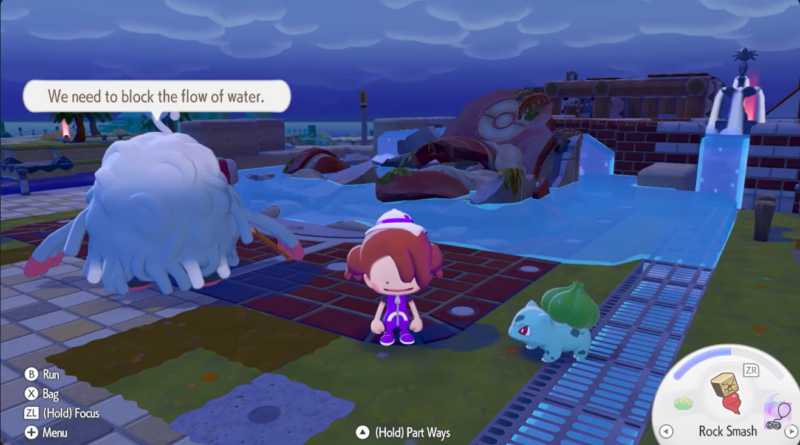
Because the water falls right over the PC location, it prevents the system from operating. The developers designed this small challenge to encourage players to interact with the environment. Stopping the water flow restores the building’s functionality, allowing the PC system to boot normally.
The puzzle works using simple physics mechanics. Water flows through open spaces and downward paths. If you place blocks to block those paths, the water will naturally reroute to another available exit.
Location of the flooding puzzle
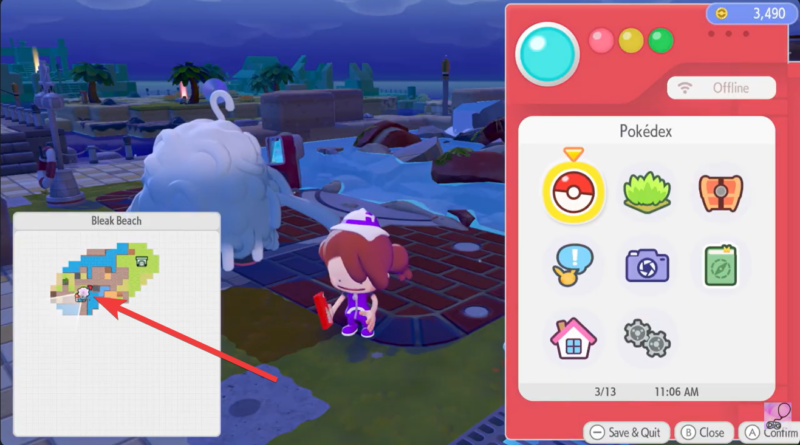
The flooding issue occurs inside the Pokémon Center where the PC is installed. The water originates from an opening above the center area and flows downward toward the computer terminal. Nearby structures include side gate channels that are designed to carry water away from the building. These side gates become important because they are the correct destination for the redirected water flow. Your goal is to create a barrier that forces the water to move toward these exits instead of pouring into the central room.
How to stop the flooding and fix the PC in Pokémon Pokopia
Step 1
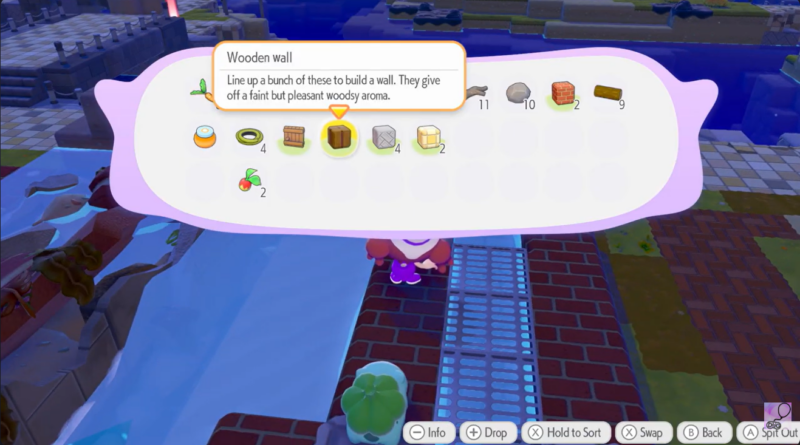
Start by collecting any type of building block available in your inventory or nearby environment. The game does not require a specific material, so any basic block can be used to solve the puzzle. These blocks will act as barriers that control where the water flows.
Step 2
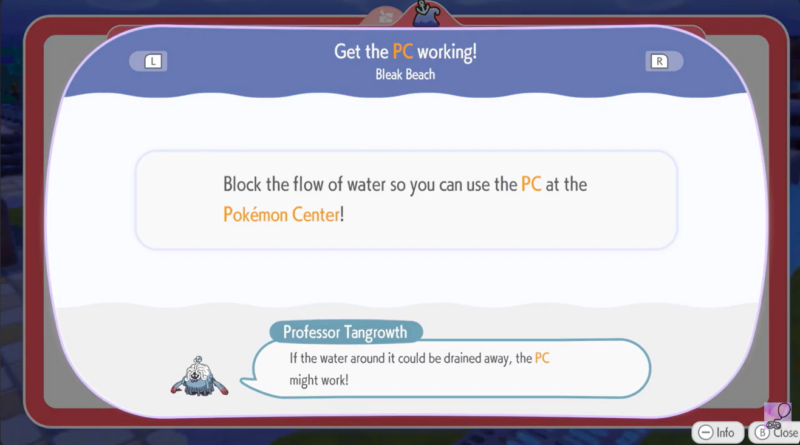
Move toward the area where the water is falling into the Pokémon Center. You will notice open gaps where the water is pouring down onto the PC location. These gaps are the key points that must be blocked.
Step 3
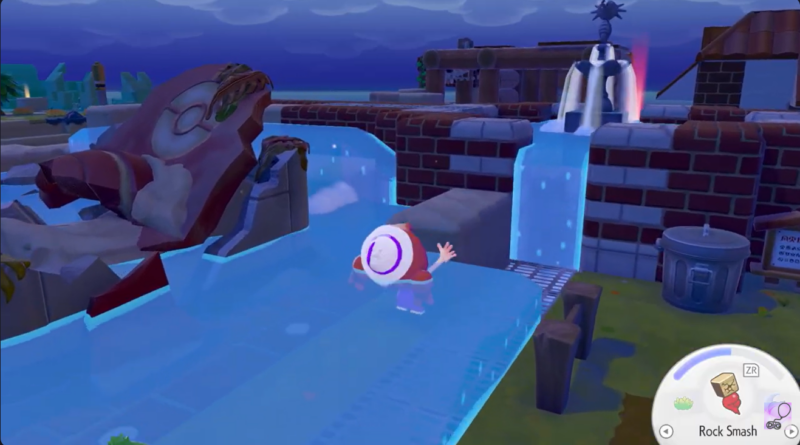
Place the blocks directly into the openings where the water is flowing. The goal here is to seal the downward path that allows the water to flood the central area. As soon as the blocks are positioned correctly, the water will begin searching for another direction to flow.
Step 4
Adjust the block placement so that the water redirects toward the side gates rather than the middle of the building. This step is important because the side gates are designed drainage paths that safely carry water away from the Pokémon Center.
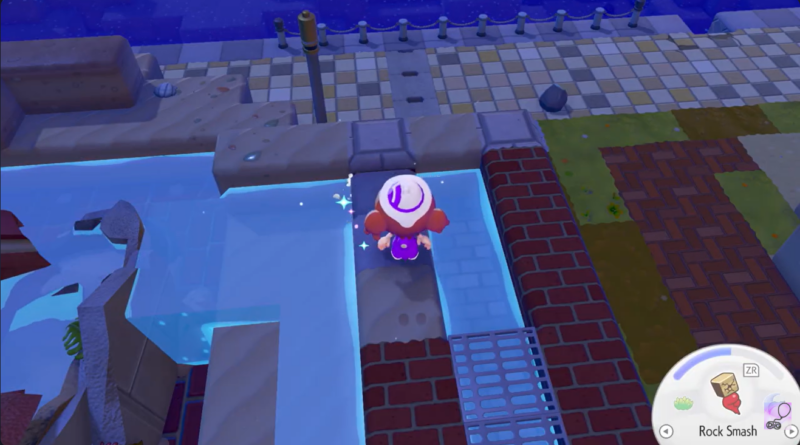
If the water still flows toward the PC, reposition the blocks until the flow shifts completely toward the gate channels.
Step 5
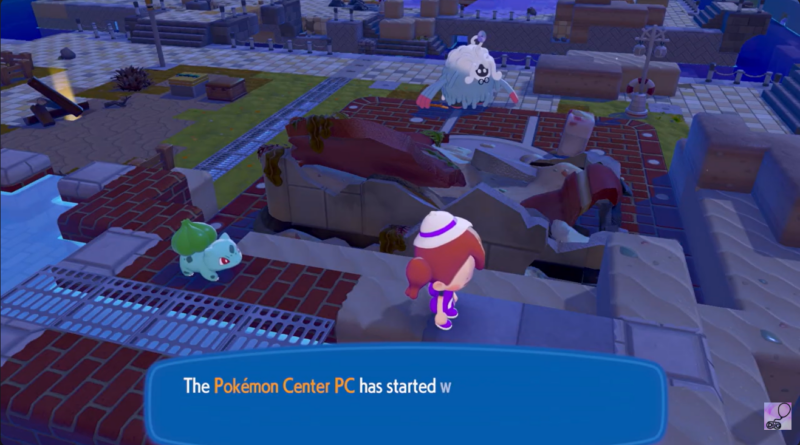
Once the water stops pouring over the PC area, the flooding will immediately cease. At this point, the PC system will automatically become functional again, allowing you to access it normally.
What happens after fixing the PC
After the flooding is resolved, the Pokémon Center returns to its normal operational state. The PC system becomes usable, letting you manage Pokémon storage and other PC-related features in the game.
This small puzzle also introduces players to an important gameplay concept. Pokopia frequently uses environmental mechanics such as water flow, building blocks, and terrain manipulation to solve problems. Learning how to redirect water early in the game prepares you for more complex puzzles later on.
Why this puzzle exists in Pokopia
The flooding puzzle is designed as an introductory environmental challenge. Instead of relying purely on battles or quests, Pokopia mixes sandbox-style building mechanics with exploration.
By forcing players to stop the flooding manually, the game demonstrates that simple tools like blocks can influence the world around you. This mechanic becomes more useful later when players begin constructing structures, controlling terrain, and solving larger environmental obstacles.




