


Managing your inventory efficiently is key to any sandbox game, and Hytale is no exception. This quick tip will help you master the art of splitting item stacks, making your crafting and organization much smoother.
How to Split Stacks in Hytale
To split an item stack in Hytale, follow these simple steps:
Step 1
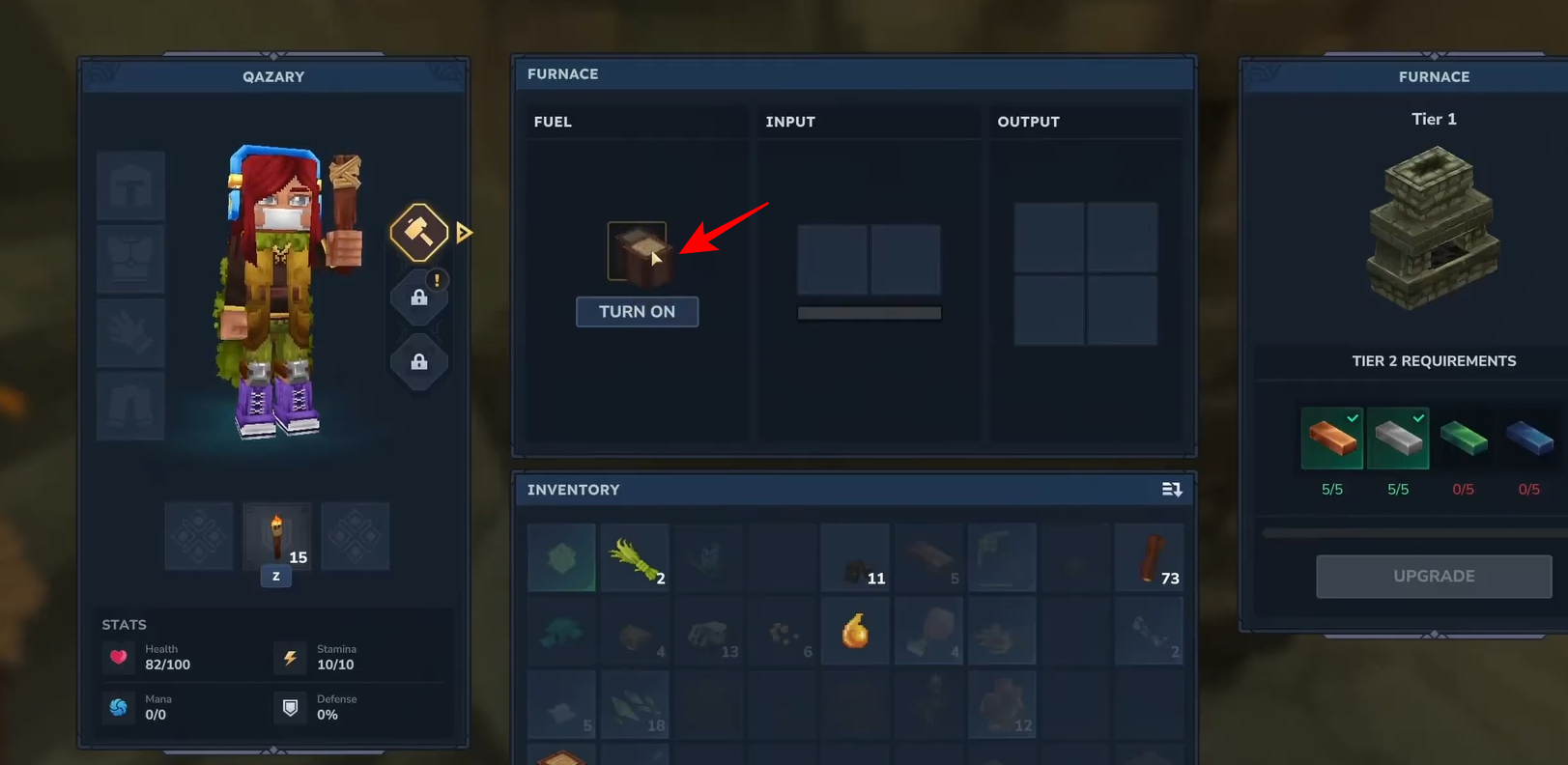
Right-Click and Hold: Hover over the stack you want to split and hold down the right-click button.
Step 2
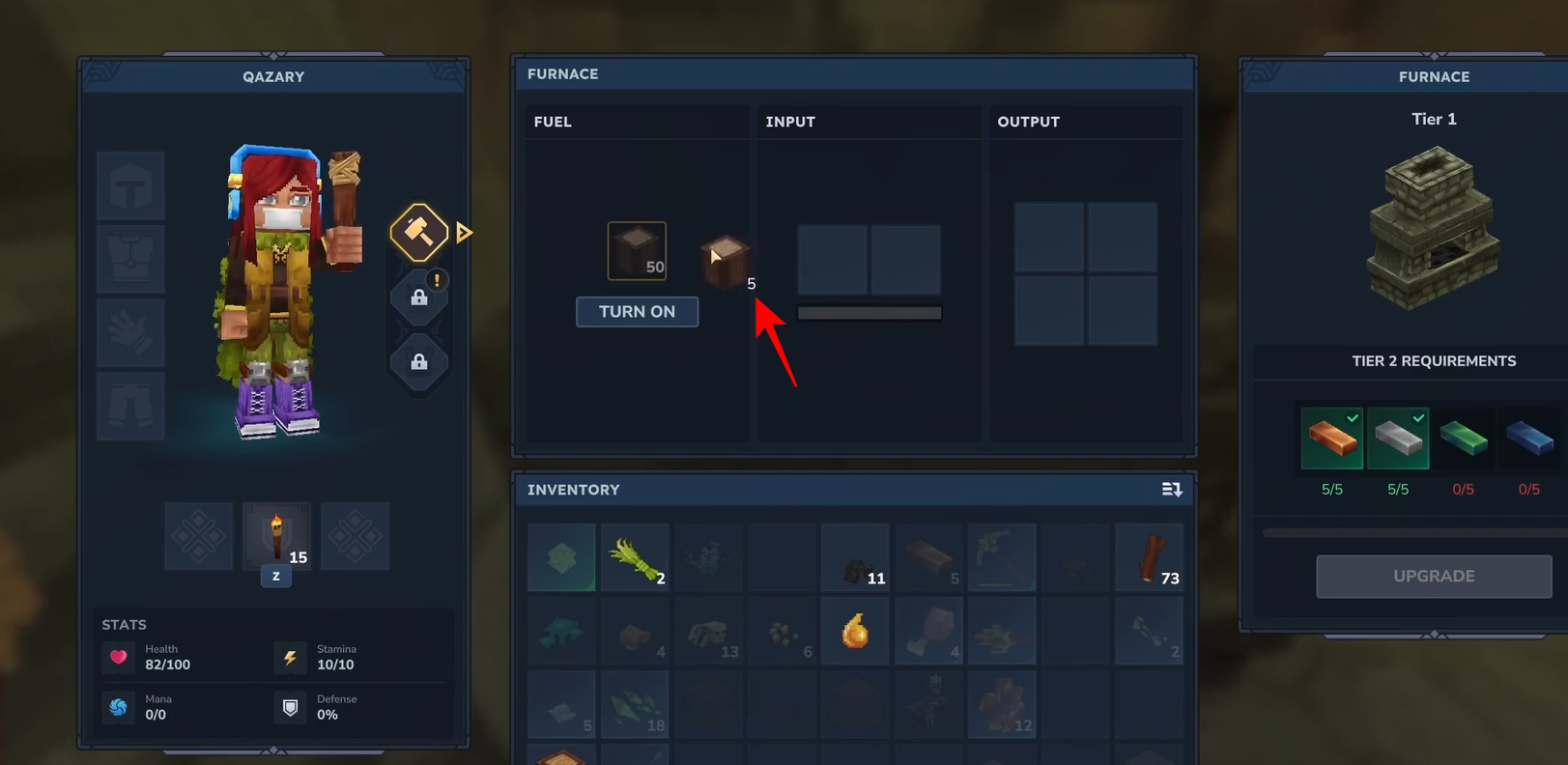
Scroll to Adjust: While holding right-click, use your mouse wheel to scroll. This allows you to precisely select the number of items you want to take from the stack.
Step 3
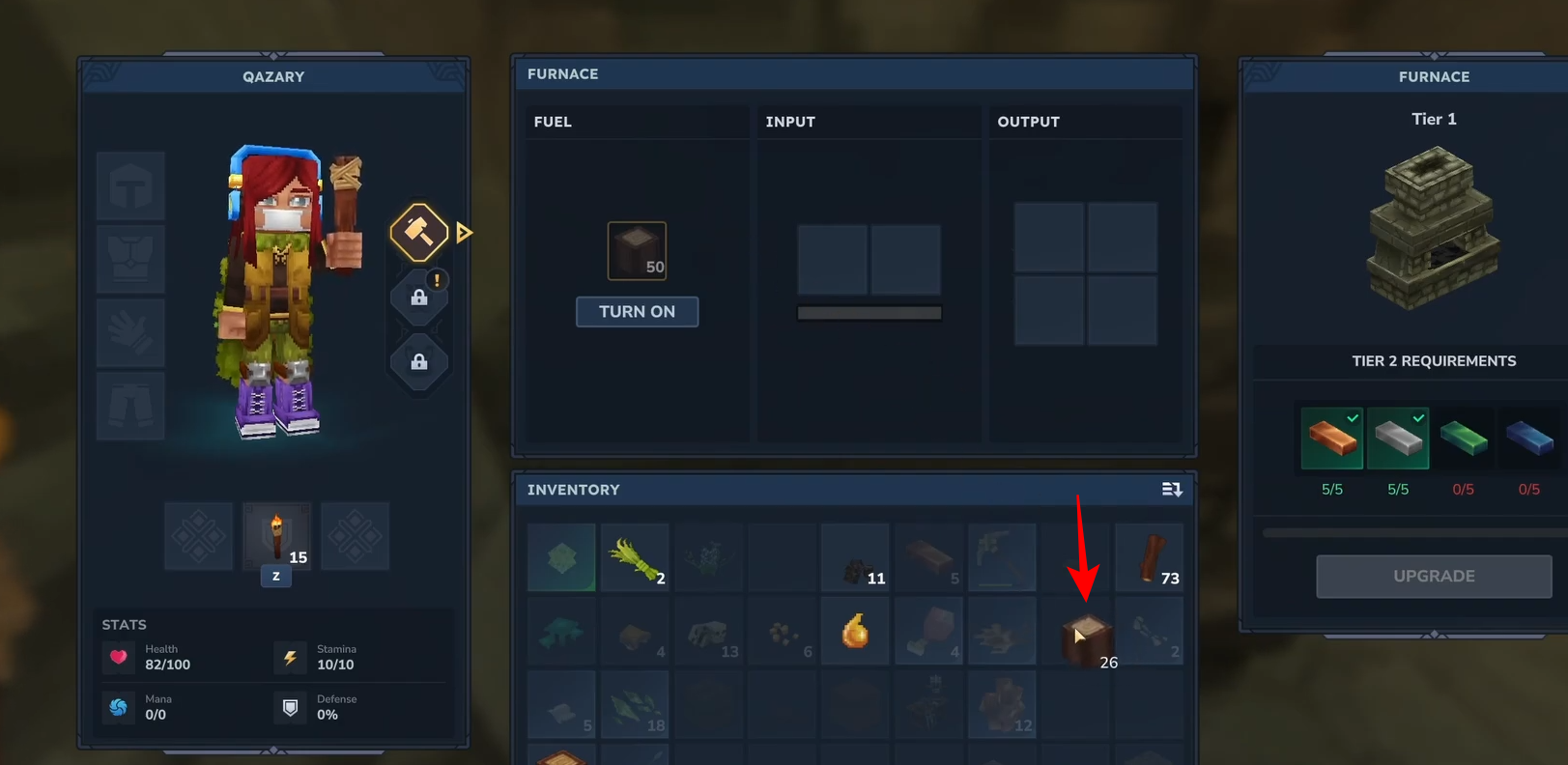
Drop on Empty Space: Once you’ve selected the desired amount, release right-click over an empty slot in your inventory or storage.
Speed Up Splitting with Shift
Need to split items in larger quantities? Use the Shift key for faster adjustments:
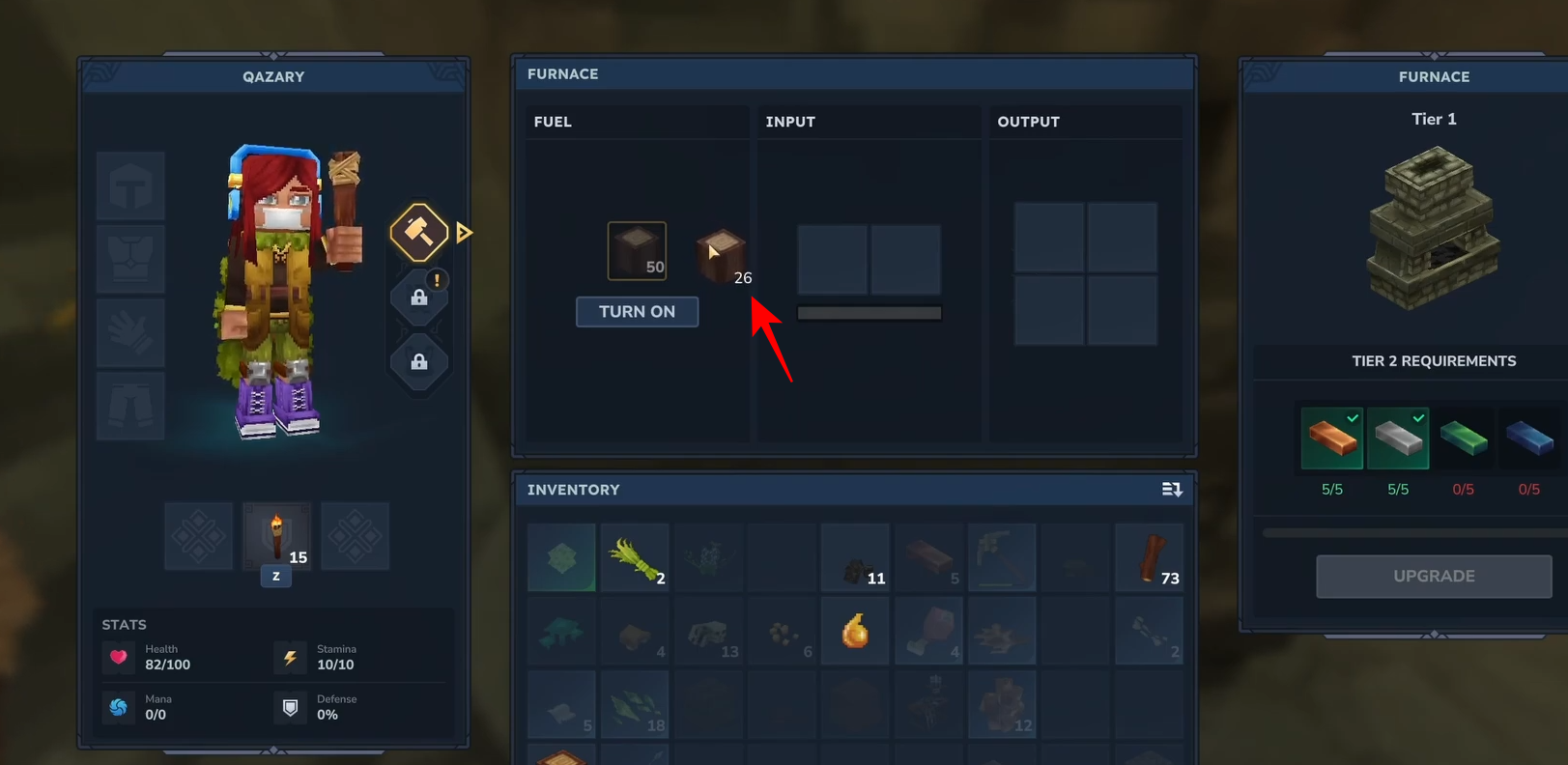
Hold Shift and Scroll: By holding Shift while scrolling, you can increment or decrement the amount by five. This is perfect for quickly grabbing larger stacks without having to scroll through each item individually.
Mastering these simple controls will save you time and keep your inventory organized as you explore and create in the world of Hytale. Happy gaming!




