

What to know
- NPC spawning uses in-game chat commands, no mods required
- The spawn console lets you choose NPCs, items, or models
- You can control rotation and spawn multiple NPCs at once
- Spawning too many or hostile NPCs can cause lag or instant combat
Hytale gives you powerful developer-style tools even in normal gameplay, and NPC spawning is one of the most useful if you want to experiment, build scenarios, or test mechanics.
Below is a step-by-step breakdown based entirely on how the NPC spawning system works in the current build.
Quick overview of NPC spawning in Hytale
| Aspect | Details |
|---|---|
| Command used | /npc spawn |
| Where to type | In-game chat log |
| NPC selection | Dropdown menu in spawn console |
| Extra controls | Rotation, quantity, spawn type |
| Risk factors | Lag from high counts, hostile NPC attacks |
How NPC spawning works in Hytale
NPC spawning is handled through a hidden spawn console accessed via chat commands. This console is primarily intended for testing and creative experimentation, but it’s fully usable during gameplay if commands are enabled.
You don’t need special items or crafting stations. Everything happens through the chat interface and the NPC menu.
How to spawn NPCs using chat commands
Press the chat key to bring up the in-game chat window. This is where all commands are entered.
Step 1: Enter the NPC spawn command
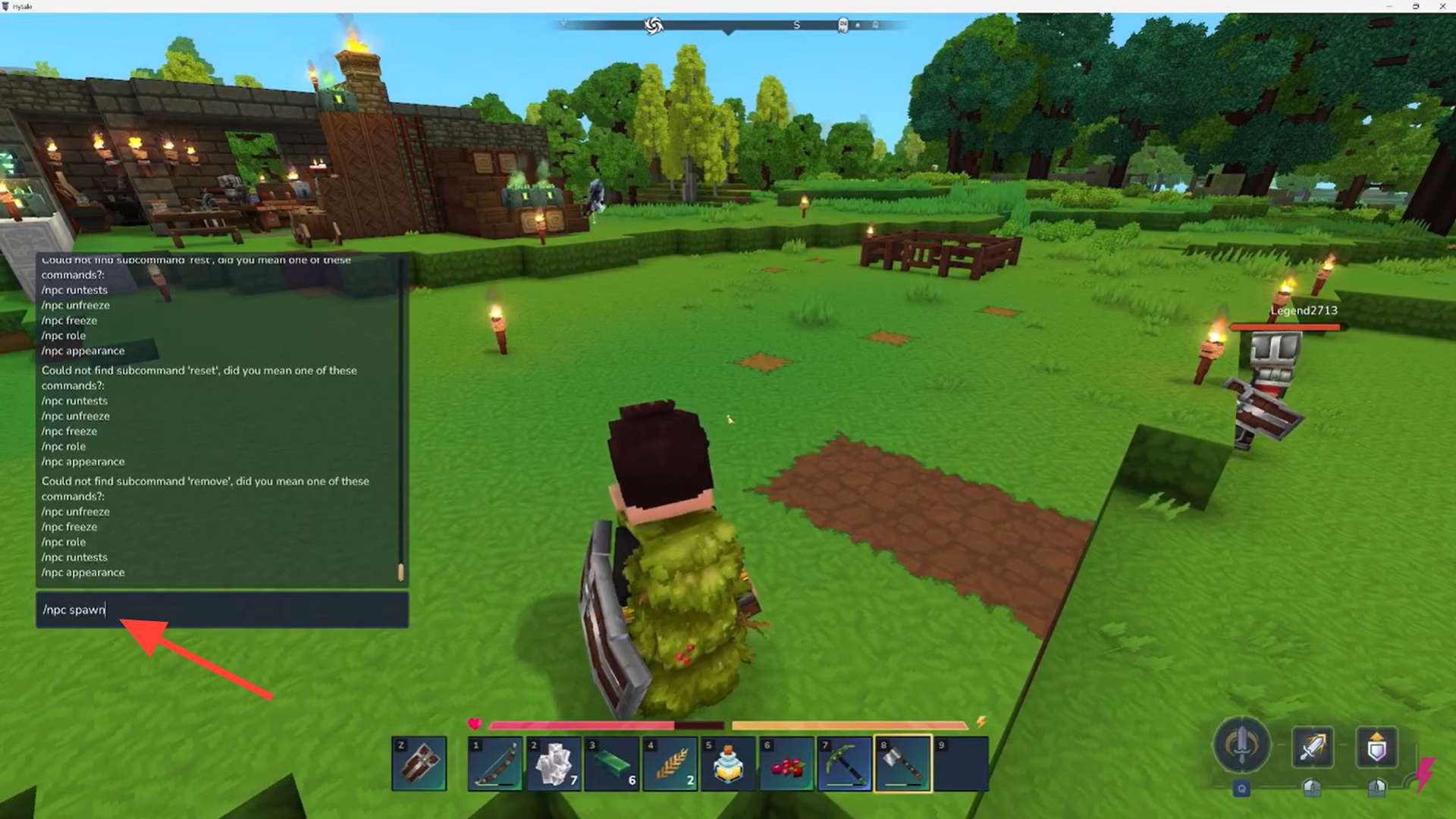
Type: /npc spawn in chat box. Then press Enter. This opens the NPC spawn console.
Step 2: Switch to the NPC tab
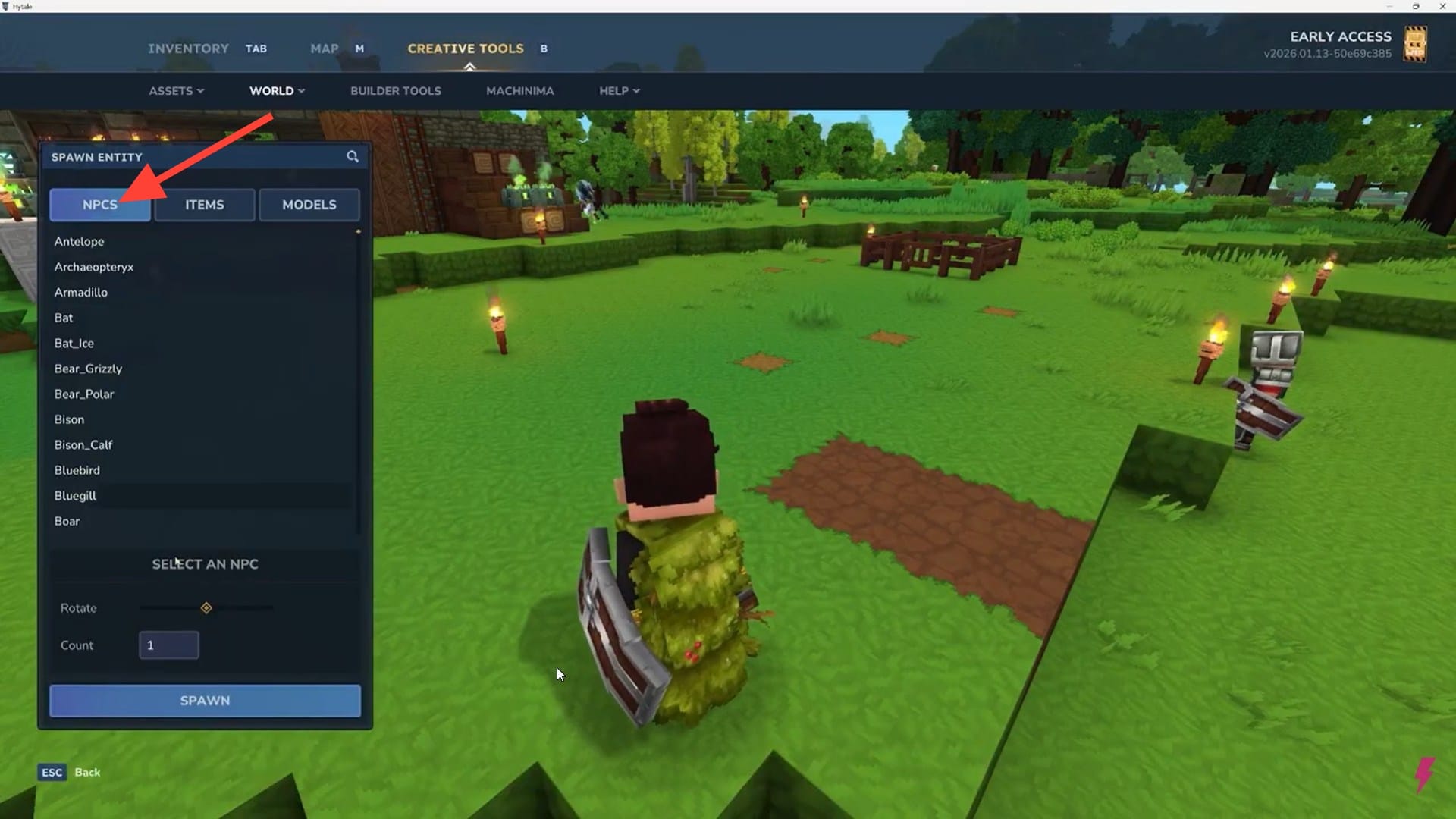
At the top of the spawn console, you’ll see options for:
- NPCs
- Items
- Models
Make sure NPCs is selected.
Step 3: Choose the NPC you want
Use the dropdown list to browse available NPCs. This includes:
- Friendly villagers
- Neutral creatures
- Hostile enemies
Select the NPC you want to spawn.
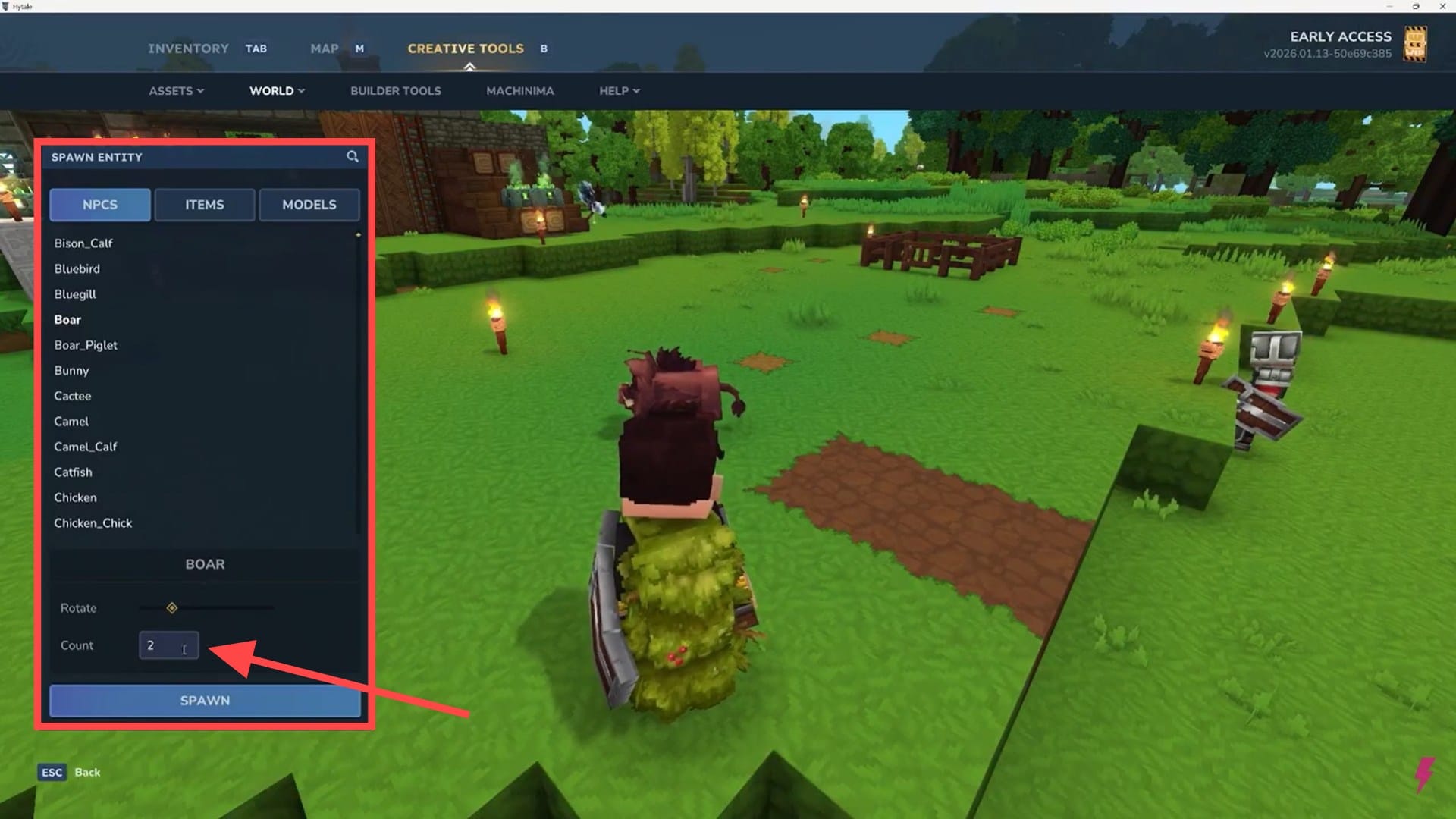
Before spawning, you can:
- Rotate the NPC to face a specific direction
- Increase the spawn count to create multiple NPCs
Keep the number reasonable. Large spawns can noticeably impact performance.
Step 4: Spawn the NPC
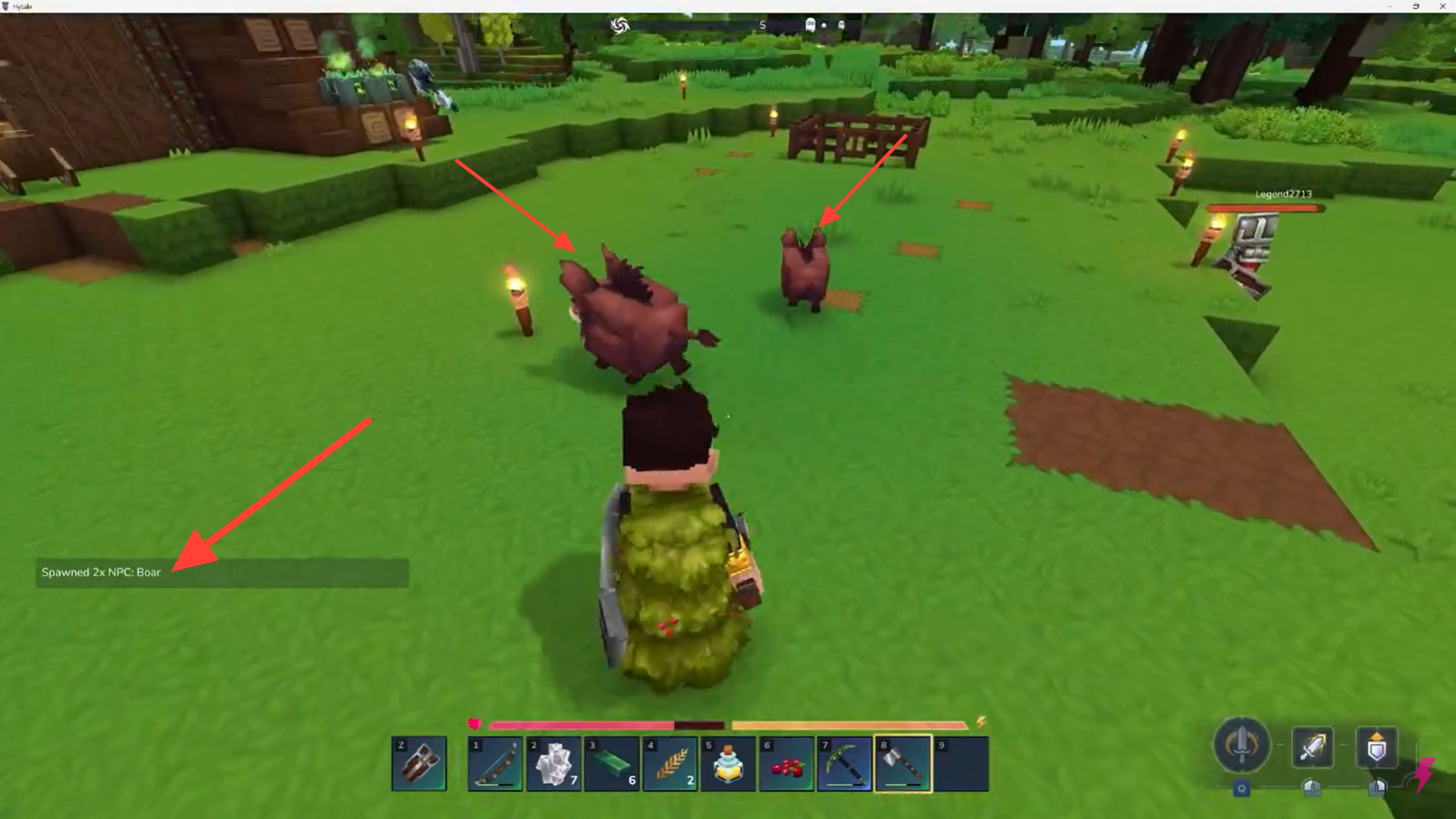
Click the Spawn button. The NPC (or group of NPCs) will appear immediately at your targeted location.
NPC behavior and combat warnings
Hostile NPCs and animals will attack instantly after spawning. There is no grace period, so be prepared for combat or spawn them at a safe distance.
Spawning large numbers of NPCs—especially enemies—can:
- Cause frame drops
- Overwhelm AI processing
- Make areas unstable during testing
If performance drops, remove NPCs before continuing.
How to manage and remove NPCs
The NPC system includes additional commands beyond spawning.
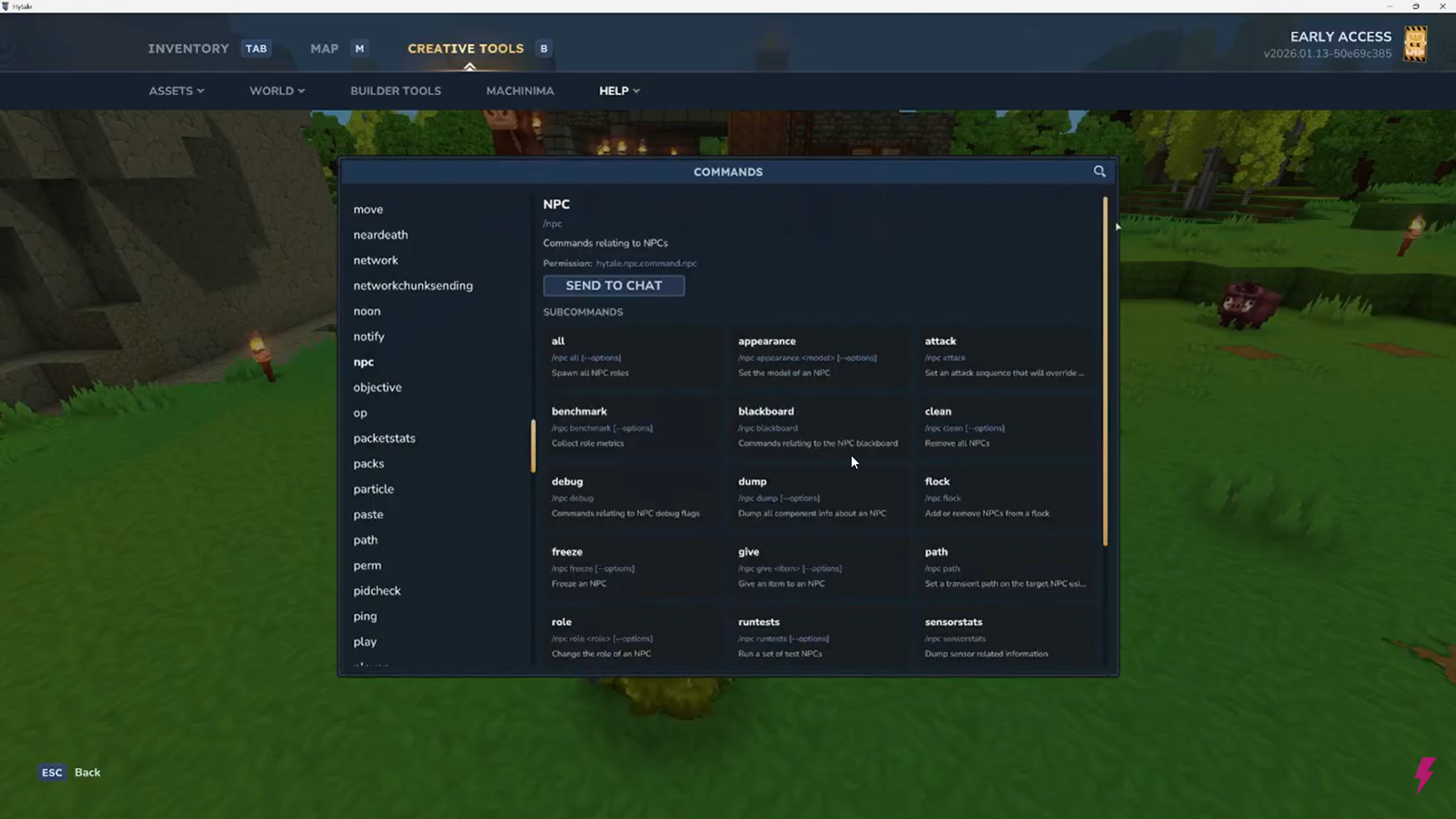
Open chat and type: /help
Navigate to the NPC section to find commands that allow you to:
- Remove spawned NPCs
- Change attack behavior
- Adjust NPC targeting patterns
- Clean up test environments
These tools are especially useful if you’re building quests, testing combat balance, or staging encounters.
When NPC spawning is most useful
NPC spawning shines when you want to:
- Test weapons or armor builds
- Create custom encounters
- Populate towns for screenshots or roleplay
- Experiment with AI behavior
It’s a powerful feature, but best used deliberately rather than excessively.
Thanks for taking the time to go through this how to spawn NPCs guide for Hytale. If it helped you understand things better, do share your thoughts, impressions, or doubts in the comments section. We keep a close watch and try to respond promptly to ensure you always get the support you need.




