


- What to know
- Quick overview of viewing set bonuses in Nioh 3
- Where set bonus information is located in the equipment menu
- How to show set bonus details on gear and weapons
- Understanding set bonus tiers and how they scale
- Why regularly checking set bonuses matters
- Taking control of set bonuses in Nioh 3
What to know
- Set bonuses are not shown by default and must be manually toggled in the equipment menu.
- Only certain armor pieces and weapons belong to sets, marked by a chain-style icon.
- Bonuses activate based on how many pieces of the same set you equip.
- You can view all bonus tiers directly from the equipment screen without changing gear.
In Nioh 3, set bonuses are one of the most important systems for increasing damage, survivability, and overall build efficiency. Many powerful builds rely less on individual stat rolls and more on stacking the right set effects. However, the game does not immediately display set bonuses when you inspect gear, which can make them easy to overlook. Once you understand how the interface works, checking set bonuses becomes a fast and reliable part of managing your loadout.
Quick overview of viewing set bonuses in Nioh 3
| Action | Purpose |
|---|---|
| Open Equipment menu | Access weapons and armor details |
| Hold Left Trigger (L2) | Enables alternate item information views |
| Press D-pad Left / Right | Switches between stat and set bonus panels |
| Chain-style icon | Indicates the item belongs to a set |
| Set bonus panel | Shows activation requirements and effects |
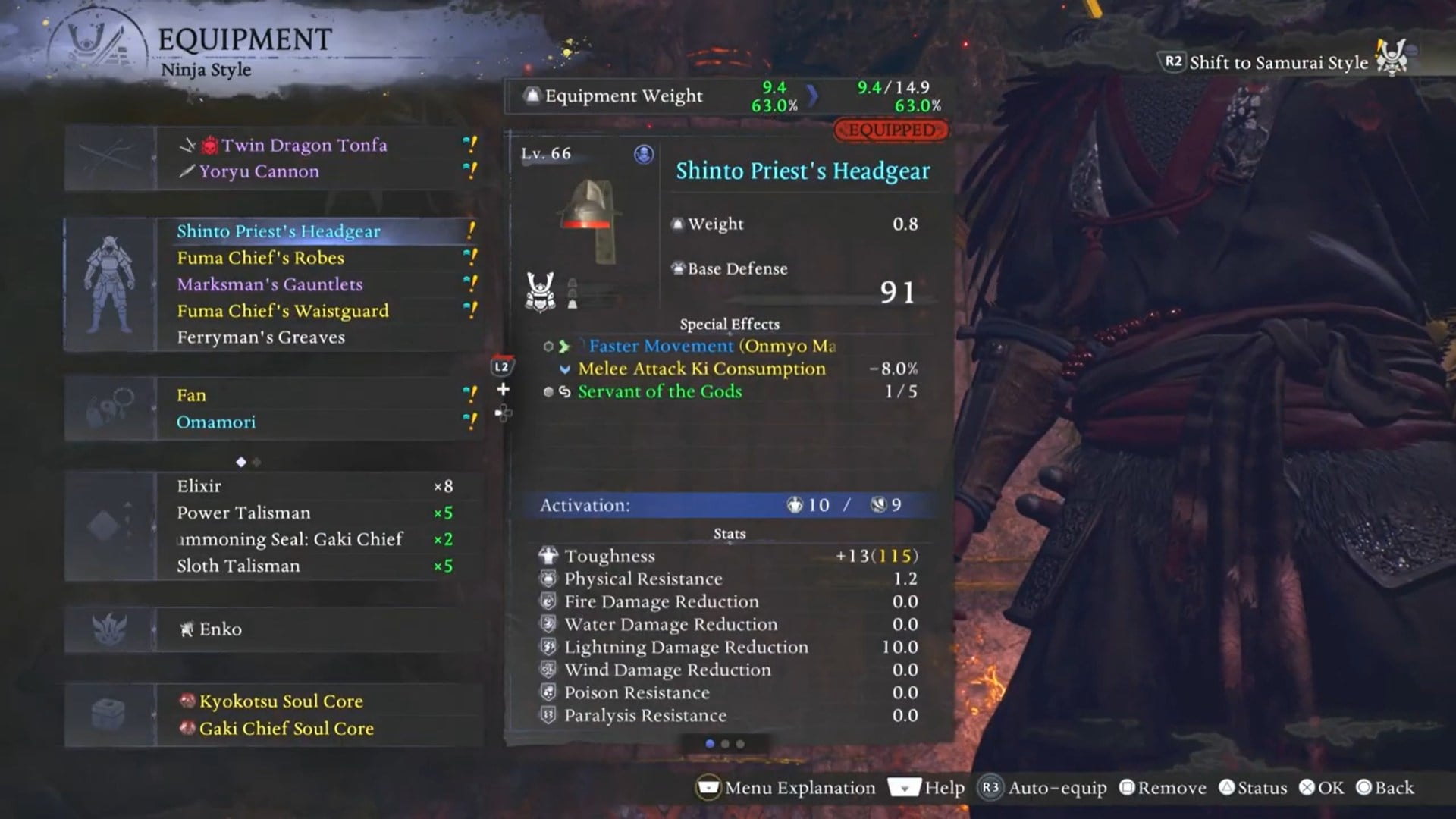
When you inspect a weapon or armor piece in the Equipment menu, the game initially shows core stats, such as attack power, defense, weight, and special affixes. This screen does not include set bonuses, even if the item belongs to one. Instead, set bonus details are placed on a secondary information panel that you must manually access.
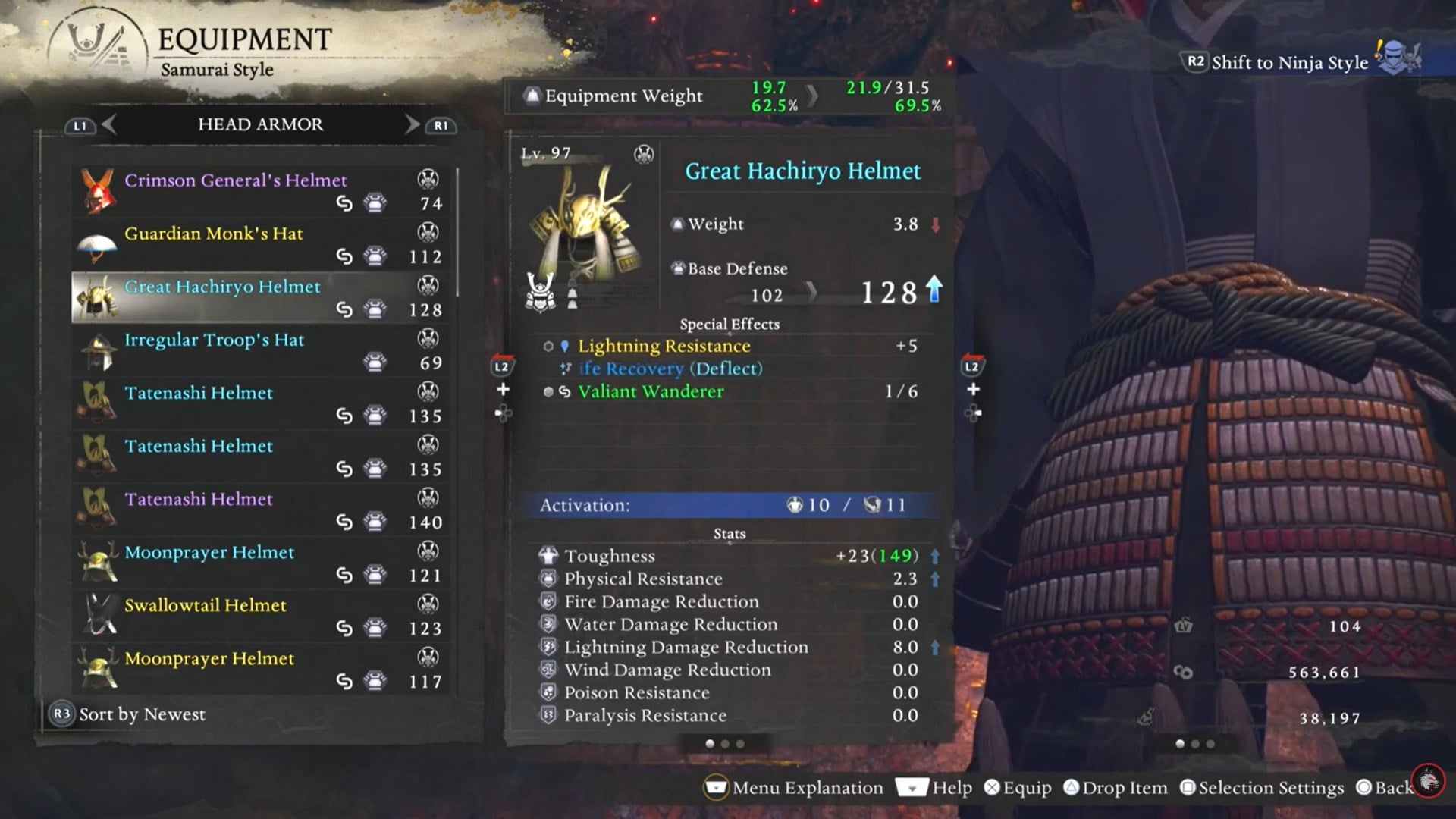
Items that contribute to a set are marked with a small chain-like symbol near the item name or icon. This symbol is your main indicator that the gear piece can activate additional bonuses when combined with matching items. Both armor and weapons can be part of sets, which is especially important for builds that rely on reaching higher bonus tiers without filling every armor slot with the same set.
How to show set bonus details on gear and weapons
Step 1
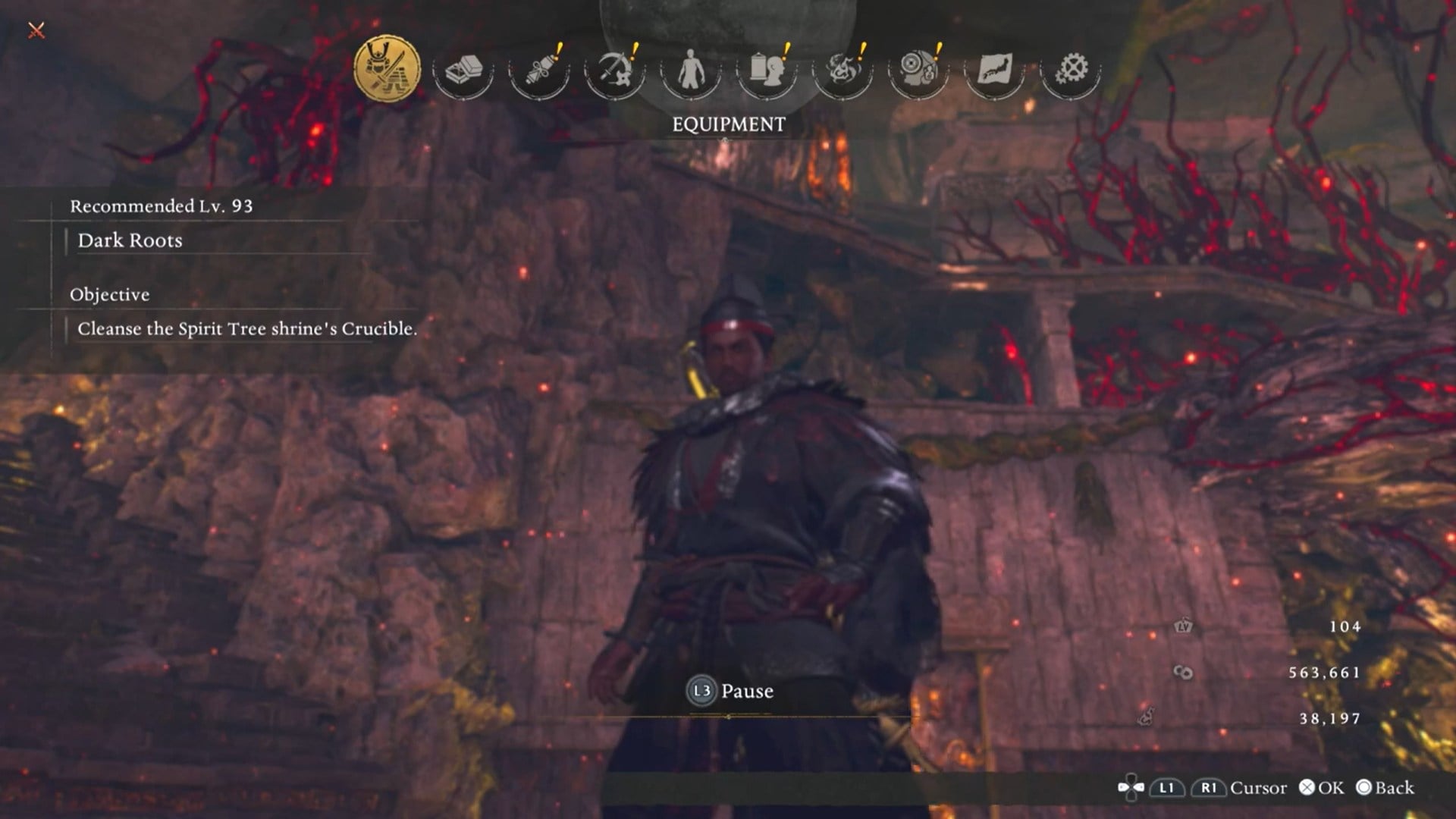
Open the Equipment menu and highlight the weapon or armor piece you want to inspect. You do not need to equip or remove the item.
Step 2
Hold down the Left Trigger (L2). This unlocks additional information layers for the selected item.
Step 3
While holding L2, press Left or Right on the D-pad to cycle through the available information panels.
Step 4
Stop on the panel that displays Set Bonus information. If the item belongs to a set, the set name and bonus tiers will now be visible.
Step 5
Review the listed bonuses and note how many pieces are required to activate each tier. The game clearly shows which effects unlock at two, three, four, five, or six equipped pieces.
Understanding set bonus tiers and how they scale
Set bonuses in Nioh 3 are tier-based and cumulative. Equipping more pieces from the same set unlocks progressively stronger effects. Early tiers usually provide general stat improvements, such as increased Ki recovery, damage boosts, or defensive bonuses. Mid-tier effects often enhance specific playstyles, including Yokai abilities, Ninjutsu efficiency, or elemental damage. High-tier bonuses are typically the most impactful, offering unique effects or large multipliers that significantly influence combat performance.
Because weapons can count toward set totals, you can often reach higher tiers without committing every armor slot to the same set. This flexibility allows you to mix defensive pieces, utility gear, or complementary bonuses without breaking your core synergy.
Why regularly checking set bonuses matters
Failing to check set bonuses can lead to unintentional mistakes, such as replacing a single armor piece and breaking an active bonus tier. In many cases, a full or partial set bonus provides more power than higher-level gear with better individual stats. By reviewing set bonus details before changing equipment, you can make smarter decisions about upgrades, reforging, and long-term build planning.
Taking control of set bonuses in Nioh 3
Knowing how to show set bonus gear and weapon details removes one of the biggest sources of confusion in Nioh 3’s equipment system. By using the Left Trigger and D-pad toggle, watching for the chain icon, and understanding bonus tiers, you gain full visibility into how your gear works together. Once this becomes routine, building and maintaining strong, efficient loadouts becomes far easier and more rewarding.




