


What to know
- Press the forward slash (/) on your keyboard to open the command console.
- Type “time” followed by a space and the desired hour to change the time of day.
- Press Enter to apply the time change to the world.
- This command allows you to set the world to any time, such as 9:00 a.m., providing full control over the in-game clock
Controlling the environment in Hytale can significantly impact your gameplay experience. Whether you need more light for building projects or want to skip the dangers of the night, knowing how to set the time to day is an essential skill. The game’s built-in command system makes this task quick and easy, allowing you to manage the world’s clock with precision.
How to Set Time to Day in Hytale
To change the time to day in Hytale, follow these simple steps:
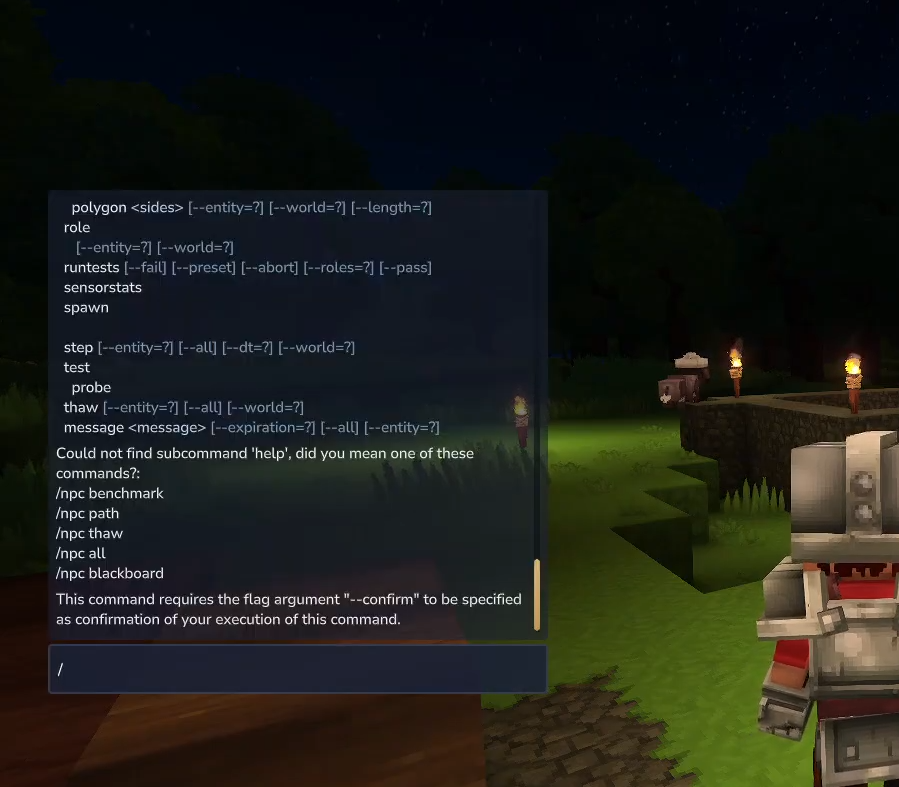
Step 1: Open the Command Console
While in the game, press the forward slash (/) key on your keyboard. This will activate the input field for entering commands.
Step 2: Input the Command
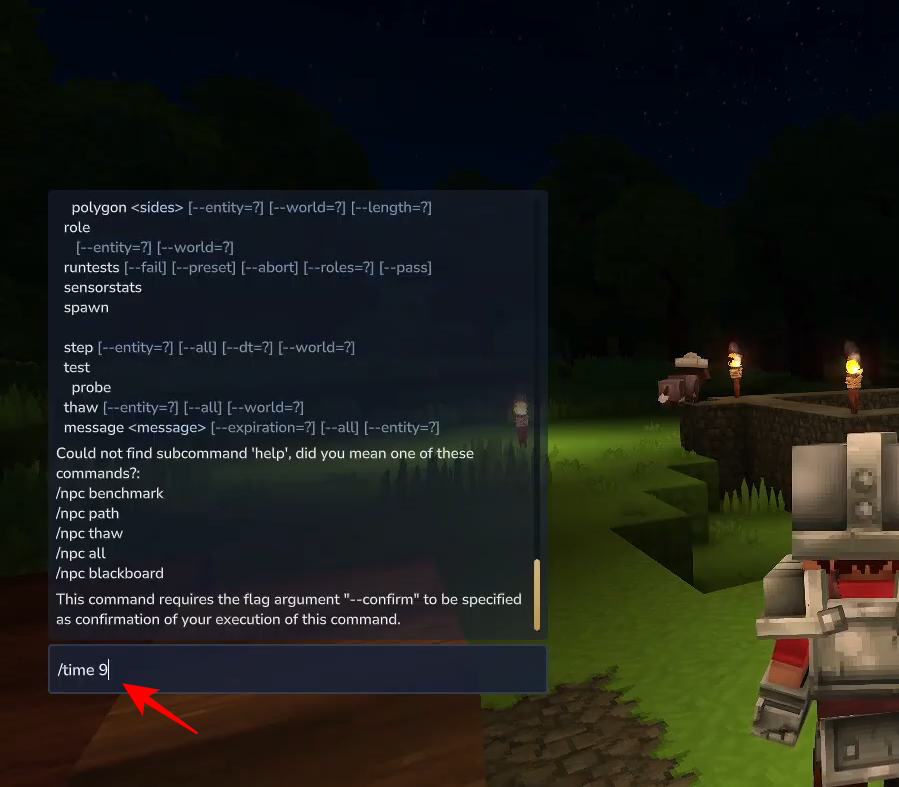
Type the word “time” followed by a space. Then, enter the specific hour you want to set the world to. For example, to set the time to 9:00 a.m., you would type /time 9
Step 3: Apply the Change
Press the Enter key to execute the command. You will see a confirmation message, and the world’s lighting will immediately shift to the selected time.
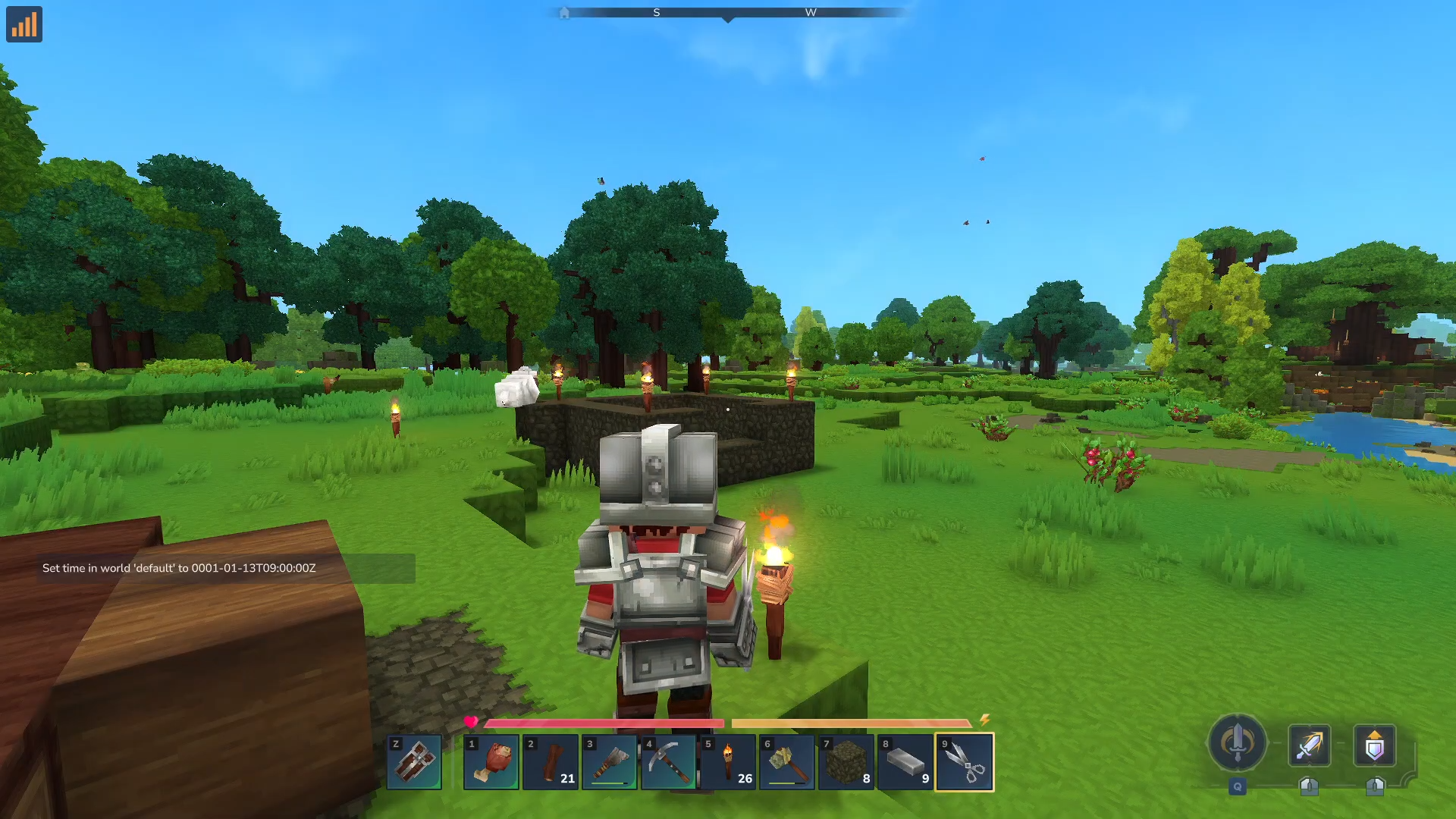
This method gives you the flexibility to choose any hour, ensuring you always have the perfect lighting for your adventures or construction tasks.
By mastering the /time command, you can easily control the day-night cycle in Hytale, making it a valuable tool for any player. Whether you’re a builder, explorer, or server administrator, these steps provide a quick way to manage the world’s time to suit your needs.




