

Adjusting your screen settings can significantly enhance your gaming experience. Here’s a quick and easy guide on how to set Hytale to full screen:
How to play Hytale in Full Screen
Step 1
Start the game and head to the main menu.
Step 2
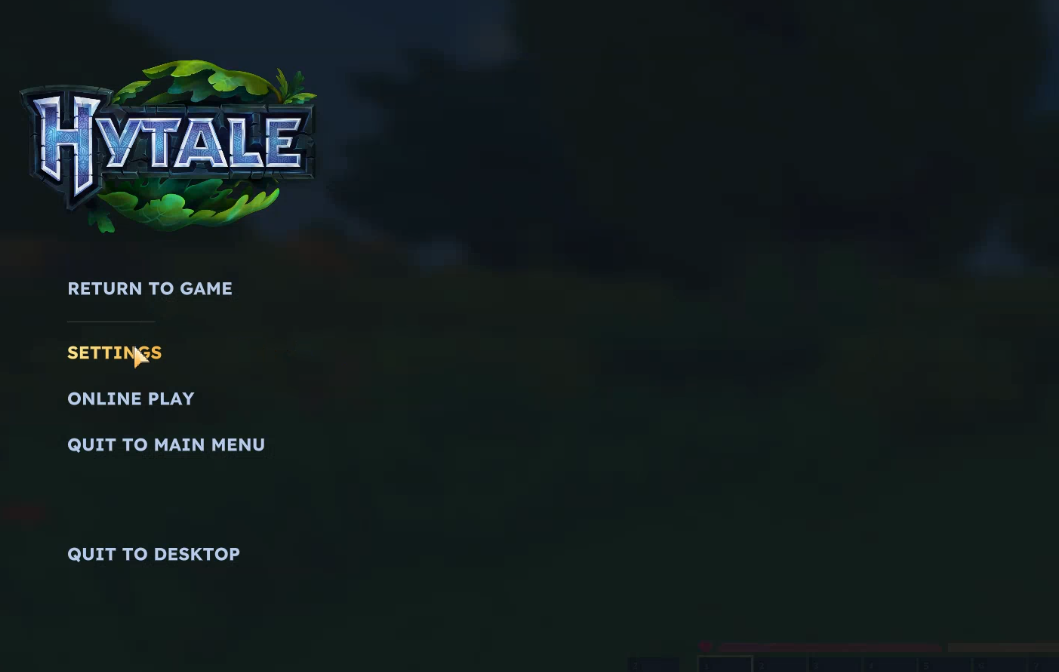
Click on the Settings option.
Step 3
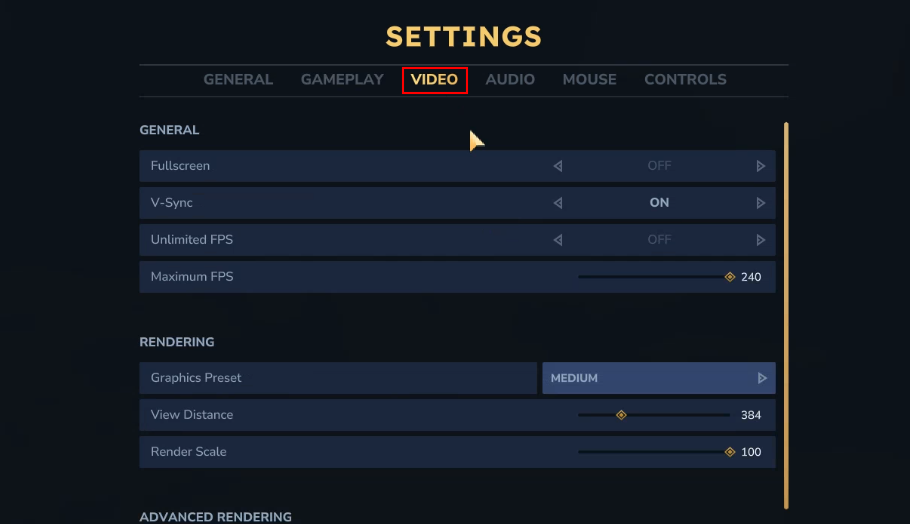
Once in the settings menu, click on the Video tab at the top.
Step 4
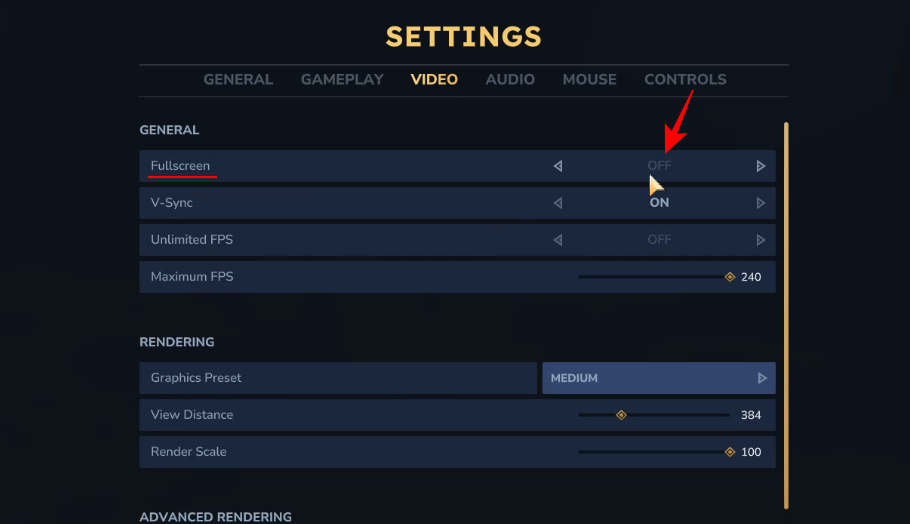
Look for the Fullscreen option under the General section. Even if it appears unclickable or greyed out, simply clicking on it should toggle it between OFF and ON.
Step 5
After toggling the setting to ON, make sure to click the Save Changes button in the bottom-right corner to apply the setting.

And that’s it! You will now be able to play Hytale in full screen.




