
What to know
- Create a Hytale account now at the official site to prepare for username tokens and pre-purchases opening ahead of early access.
- Reservations use email tokens (sent to early sign-ups) or occur post-pre-purchase; first-come, first-served with strict rules on characters and length.
- Usernames must be 3-16 characters using letters, numbers, underscores only; case-insensitive initially, adjustable later without cooldown.
- Reserved names lock to your profile after buying the game; no reselling or squatting allowed, or risk revocation per ToS.
You can snag your ideal Hytale username right now through the account system, especially if you signed up early for a token or plan to pre-purchase soon. With early access hitting January 13, 2026, acting fast avoids missing out on popular names.
How to create your Hytale account
Usernames enforce 3-16 characters, letters (a-z), numbers (0-9), and underscores (_); no spaces, specials, or offensive terms. Developers reserve rights to revoke abusive reservations.
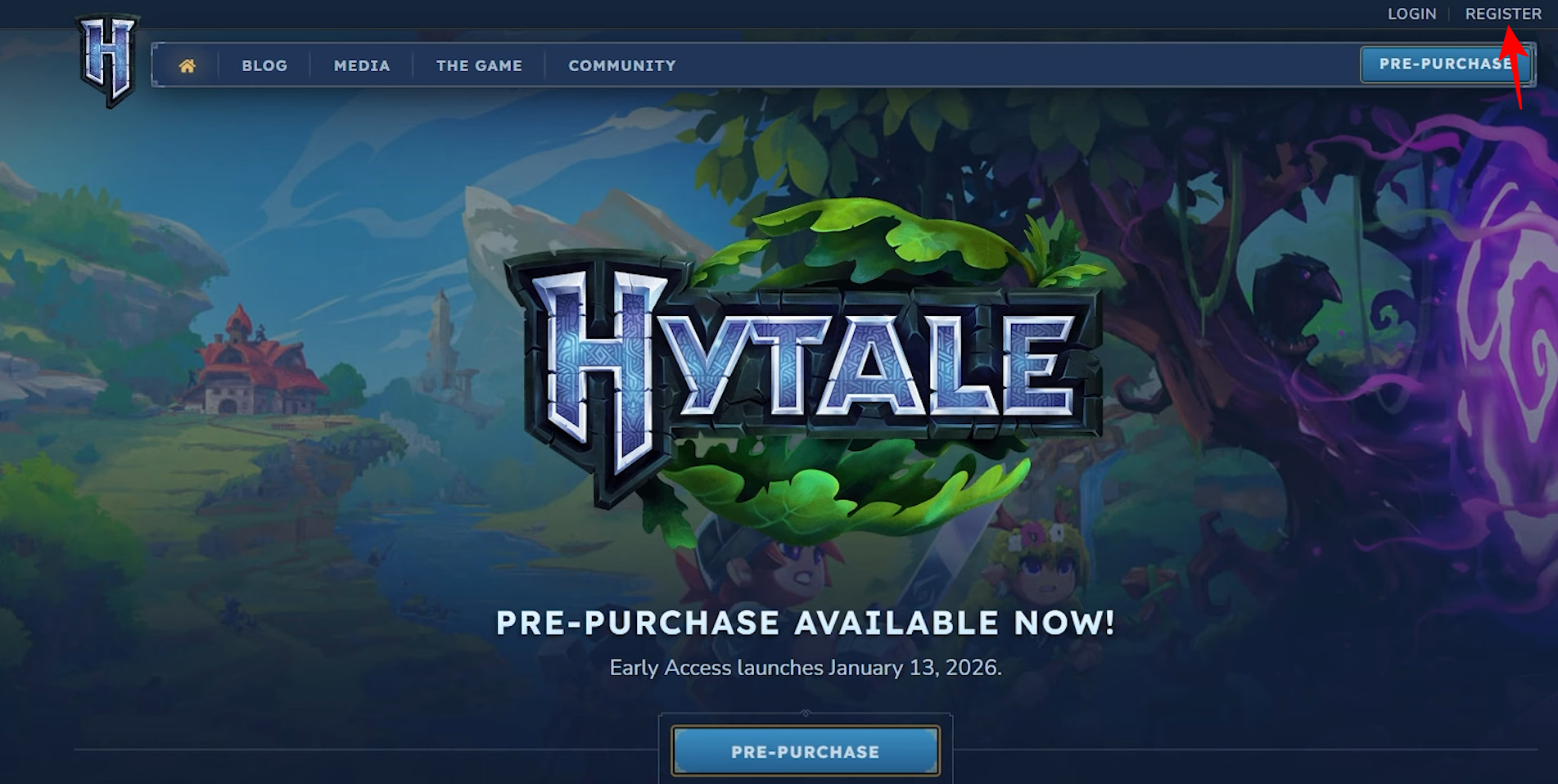
Step 1: Head to the official site
Navigate to hytale.com and click “Register” in the top right corner.
Step 2: Choose signup method
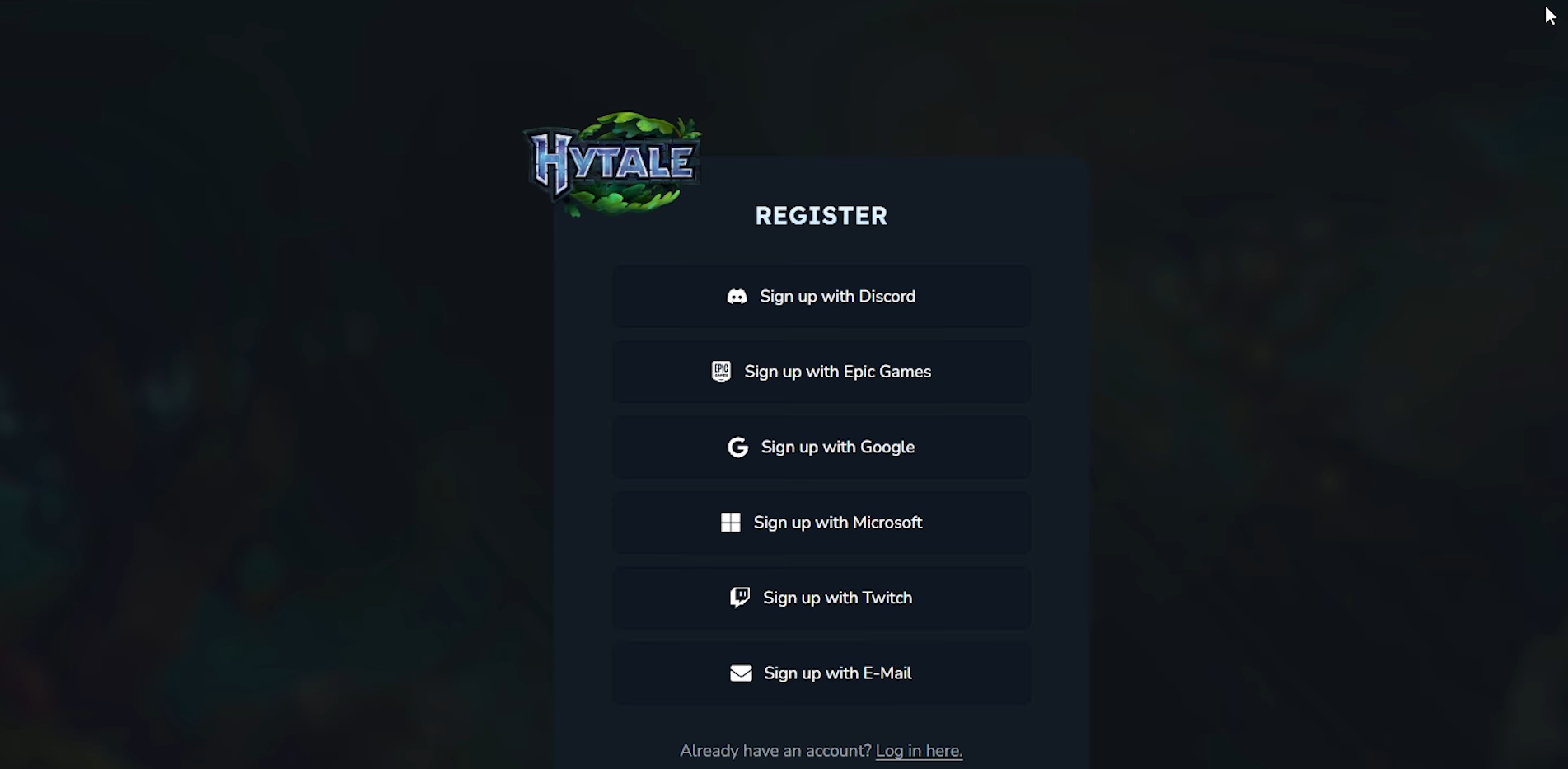
Select Discord, Google, Microsoft, Twitch, Epic, or email; fill details and submit.
Step 3: Confirm your email
Check inbox (and spam) for “Your Hytale account is ready!”—click CONFIRM within 24 hours.
Step 4: Subscribe to newsletter
In account settings, opt-in for tokens via email (key for early reservations).
How to reserve with a token (early access)
If you have a token from signup/newsletter.
Step 1: Log into accounts dashboard
Go to accounts.hytale.com or site login; access “Usernames” in sidebar.
Step 2: Enter reserve mode
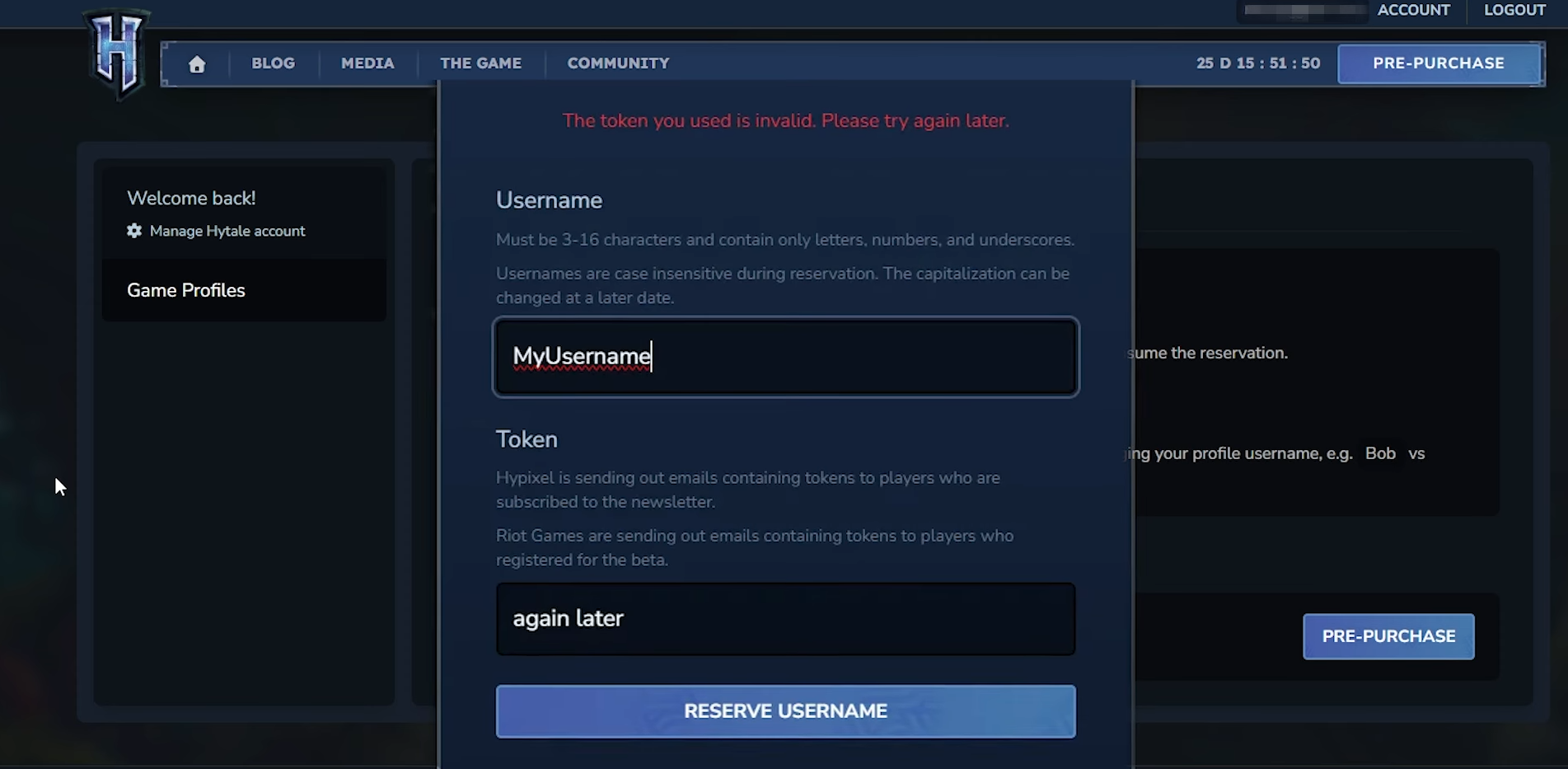
Click “Reserve Username” if token-ready.
Step 3: Input details
Type desired username (check rules); paste token code.
You can check if a username is taken by searching for it on the website hytalenames.org.
Step 4: Submit and confirm
Click reserve—name locks temporarily until profile assignment.
How to claim username after pre-purchase
For non-token users or finalizing.
Step 1: Pre-purchase Hytale
Buy via official store (opened December 2025); creates temporary profile.
Step 2: Access game profiles
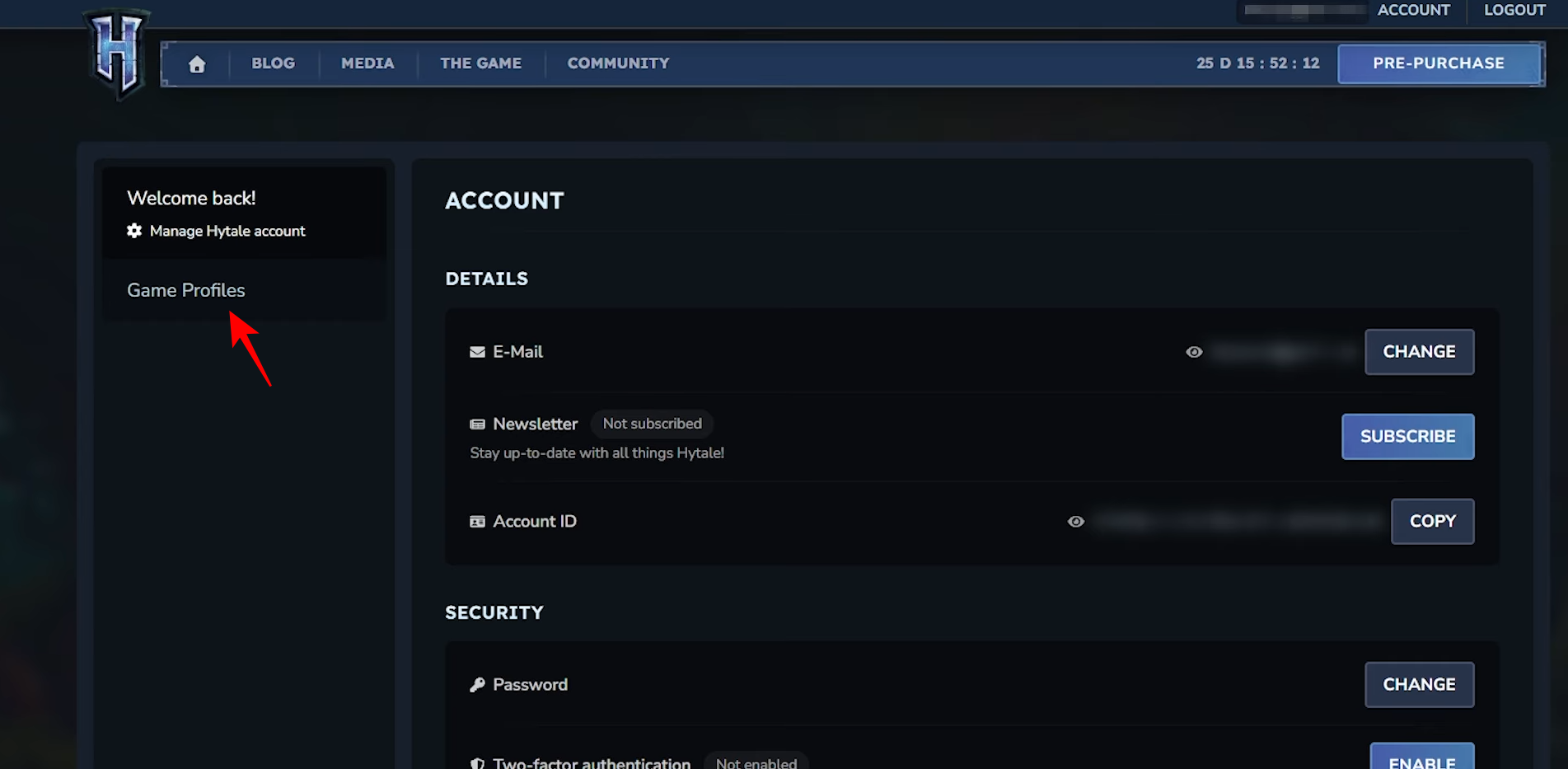
Log in, select “Account” > “Game Profiles” sidebar.
Step 3: Change username
Click “Change Username”; pick reserved or new valid name.
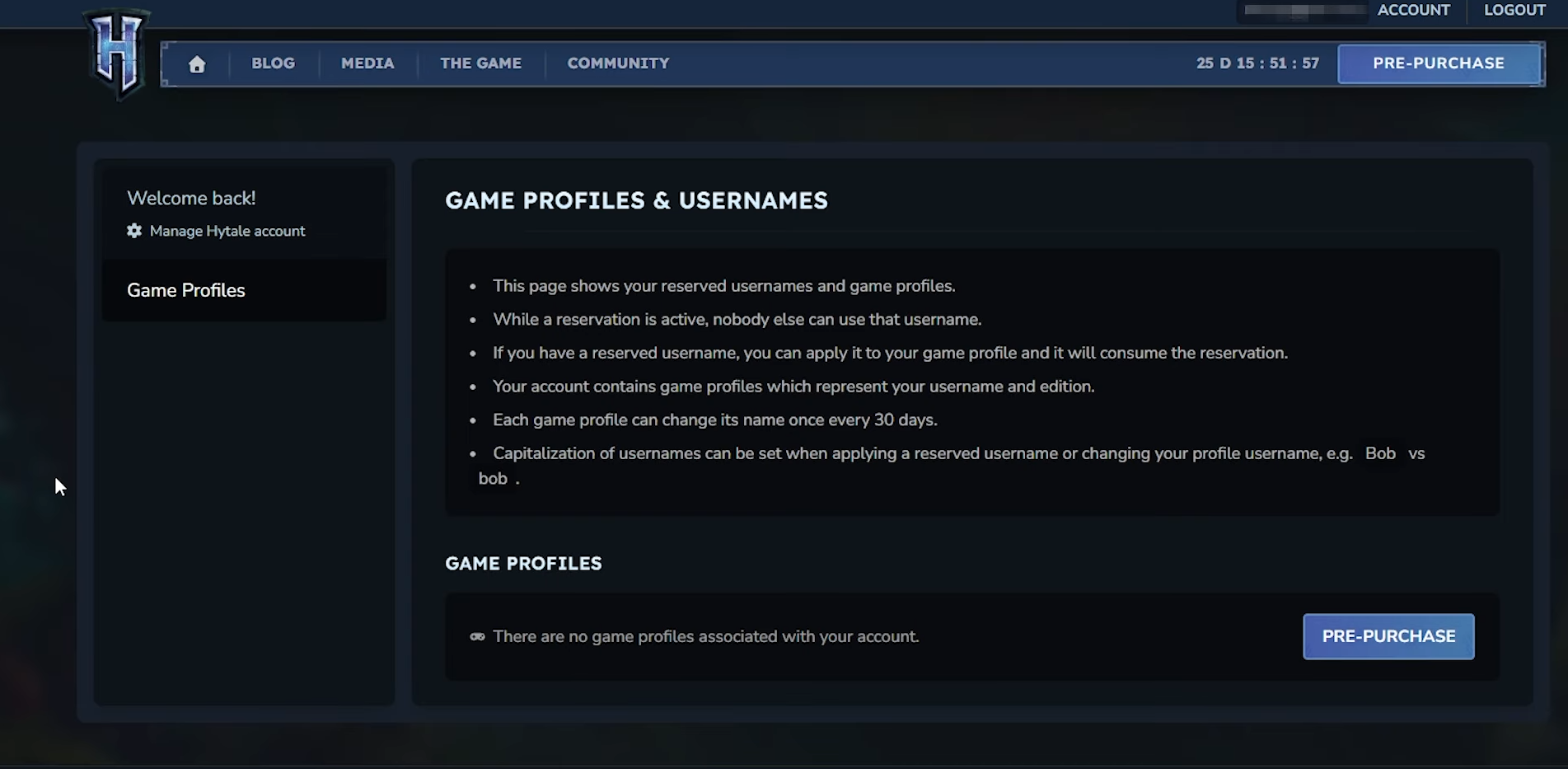
Step 4: Adjust capitalization
Use “Change Capitalization” anytime—no cooldown hit.
Pre-purchase ensures seamless transition—download launcher early to jump in at 7 AM PT January 13, 2026 (5:30 PM IST for you). Double-check your account, grab that token if eligible, and pre-purchase to lock everything in before servers fill with a million players. You’re set for adventure once early access drops tomorrow.