
- What to know
- Repairing a Shared Facility – Node mission details
- What counts as a Shared Facility
- How to find a Shared Facility in the open world
- How to reach the Shared Facility
- How to repair a Shared Facility in Arknights Endfield
- Shared Facility Node mission rewards
- What are Node Missions in Arknights Endfield
- Common issues and tips for Node missions
What to know
- Shared facilities are structures built by other players in the same region
- You must physically travel to the facility to interact with it
- Repairing costs basic materials, not premium resources
- Completing one repair instantly clears the Node mission
The Repair any shared facility 1 time Node mission is designed to familiarize you with community-built infrastructure in Arknights Endfield. Shared facilities appear in the open world and can be used, repaired, or supported by other players. This mission is straightforward, but if you don’t know what qualifies as a shared facility or how to repair one, it can feel confusing at first.
Below is a complete breakdown of how the mission works, where to find shared facilities, and how to complete it efficiently.
| Requirement | Details |
|---|---|
| Mission name | Repair any shared facility 1 time |
| Mission type | Node / Progression task |
| Objective | Repair one shared facility |
| Location | Open world regions with player-built structures |
| Completion condition | Successfully repair any shared facility once |
| Repeatable | No (one-time mission) |
Shared facilities are structures constructed by other players and synced into your world instance. These are not part of your personal base or story-only structures.
Common shared facilities include:
- Zipline pylons
- Power relay nodes
- Logistics or transport structures
- Utility facilities connected to exploration routes
When you interact with them, the interface clearly shows that they belong to other users, along with a count of how many shared facilities exist in that area.
Shared facilities are easiest to locate once you understand how the game presents them through the map and environmental cues. When exploring a region, open the regional map and look for facility icons that are not linked to your personal base. These icons usually represent infrastructure placed by other players rather than story-specific or personal structures.
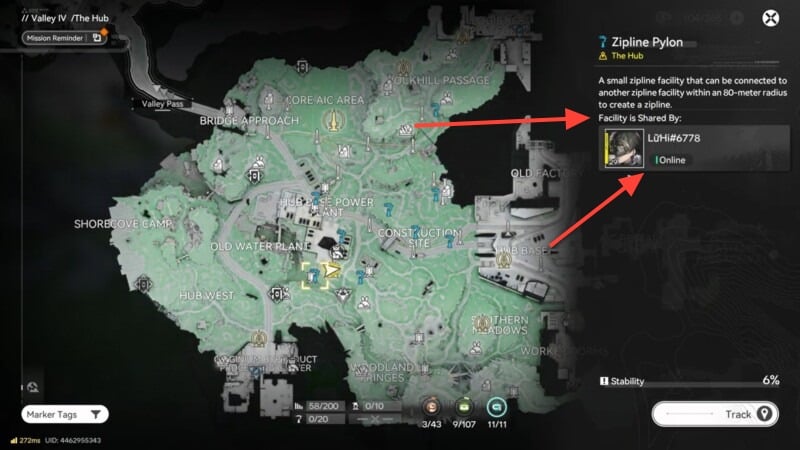
Some shared facilities do not appear on the map immediately. In many cases, they only become visible once you move closer to the area, encouraging exploration instead of pure map scanning. When you interact with one of these structures, the information panel clearly indicates that it is a shared facility, often showing details about other users’ facilities in the same area.
Among all shared structures, zipline pylons are the most common and reliable option. They are frequently placed in traversal-heavy zones such as cliffs, valleys, and elevated paths, making them easy to find during normal exploration.
After locating a shared facility, you must physically travel to its position in the open world. This usually involves following natural terrain paths or using existing traversal tools like ziplines to reach higher or more remote areas.
If the facility is located in a hostile zone, it’s a good idea to clear nearby enemies first to avoid interruptions while interacting with the structure. Once you are close enough, an interaction prompt will appear, allowing you to access the facility menu.
Once you are next to the shared facility, repairing it only takes a few steps.
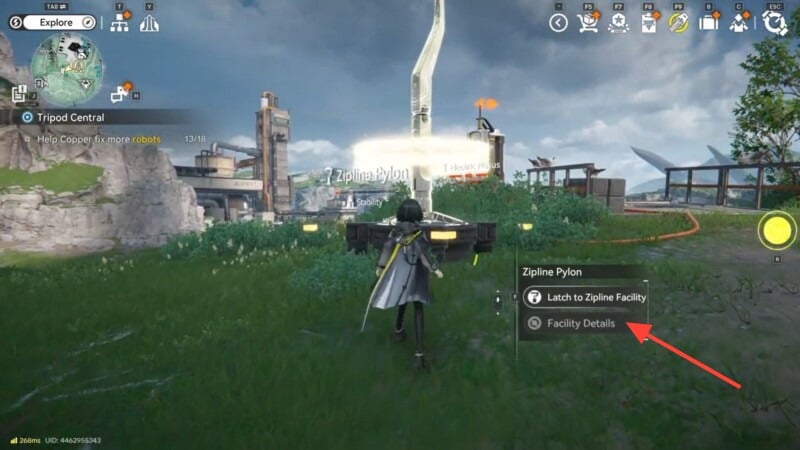
Step 1: Interact with the facility
Approach the structure and open its interaction menu. You will see options such as Facility Details.
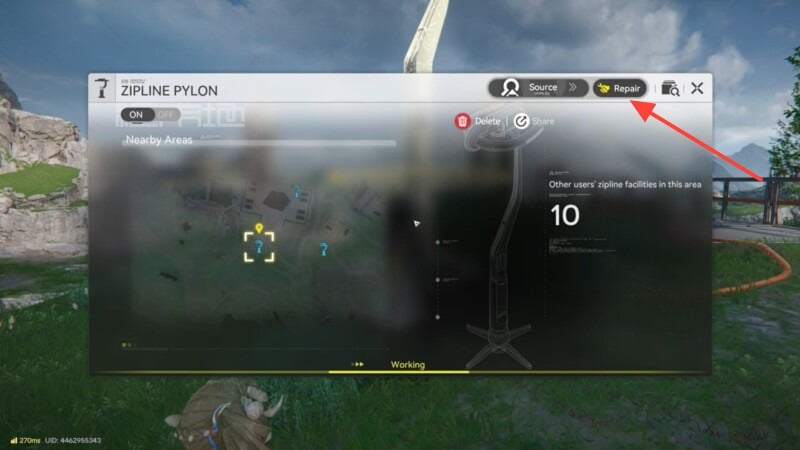
Step 2: Select the repair option
Choose Repair if the facility is damaged or partially degraded. The game will show the required materials.
Step 3: Complete the repair
Repairs typically cost basic resources that you already collect through exploration. No rare or premium items are required. Once confirmed, the repair completes instantly. The facility status updates to Working or Operational.
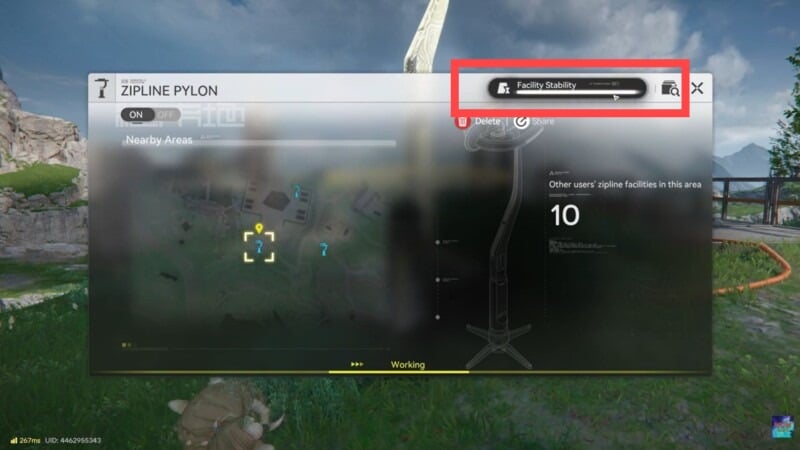
At this moment, the Node mission condition is fulfilled.
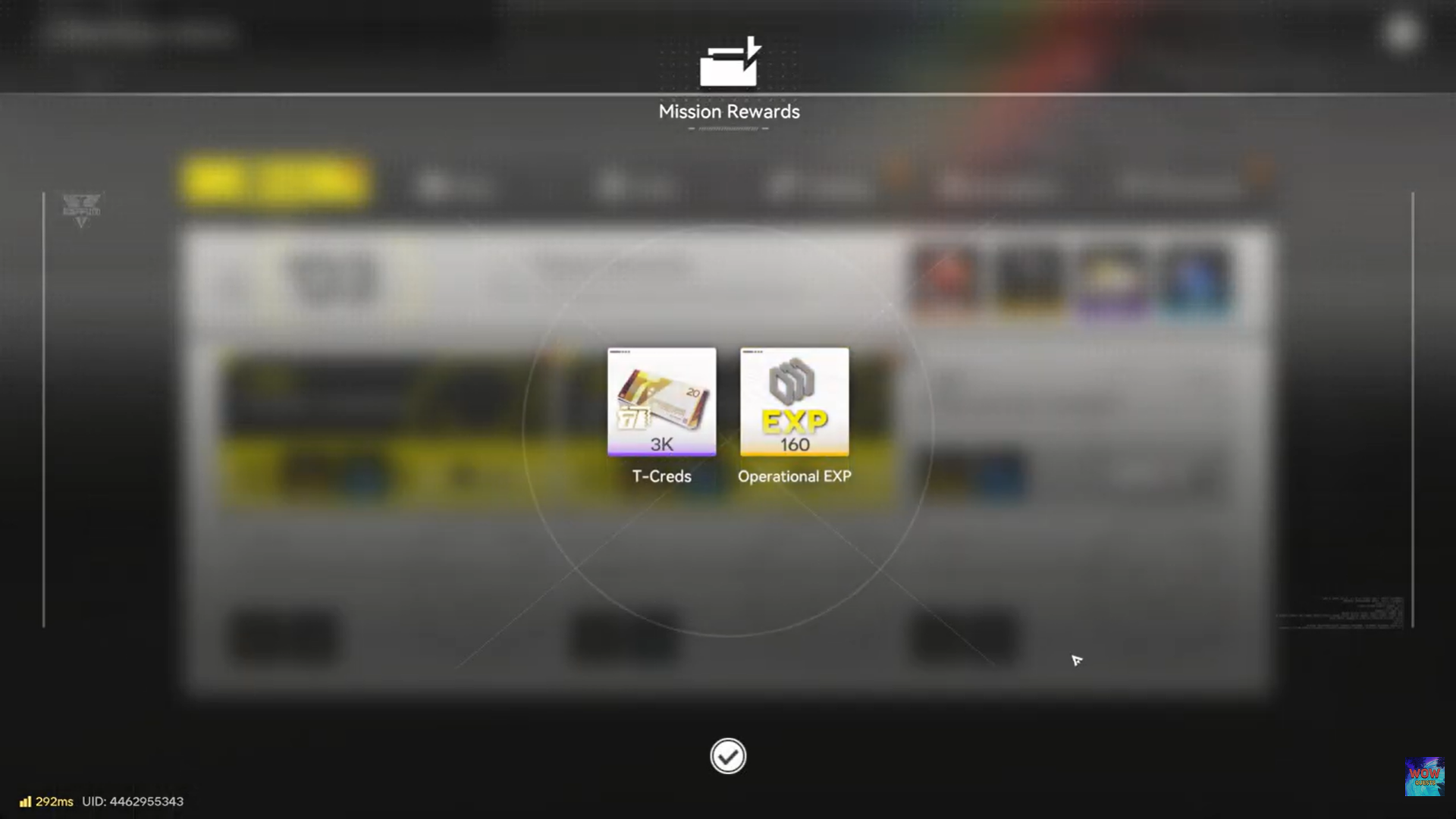
After repairing the shared facility, the Node mission completes automatically and rewards are granted immediately.
| Reward | Amount | Use |
|---|---|---|
| T-Creds | 3,000 | General currency for upgrades and purchases |
| Operational EXP | 160 | Progresses operational and system-level growth |
These rewards are modest but valuable early on, especially as Node missions stack up for overall progression.
What are Node Missions in Arknights Endfield
Node missions are structured progression tasks in Arknights: Endfield that guide you through the game’s core systems while steadily unlocking rewards and mechanics.
At their core, Node missions function as milestones rather than traditional side quests. Each Node focuses on a specific system—exploration, logistics, base operations, combat utilities, or shared-world features—and asks you to perform a clearly defined action at least once. This ensures you learn how every major mechanic works through direct interaction, not tutorials alone.
Most Node missions are one-time objectives. Once completed, they permanently advance your overall progression. Examples include repairing a shared facility, expanding storage capacity, activating infrastructure, or interacting with world systems like power networks and transport tools. The emphasis is on understanding systems, not grinding enemies or repeating content.
Node missions are usually short and practical. You are not required to follow a strict questline or speak to NPCs in a specific order. Instead, they integrate naturally into open-world exploration. Often, you will complete a Node mission without realizing it, simply by engaging with the environment the way the game intends.
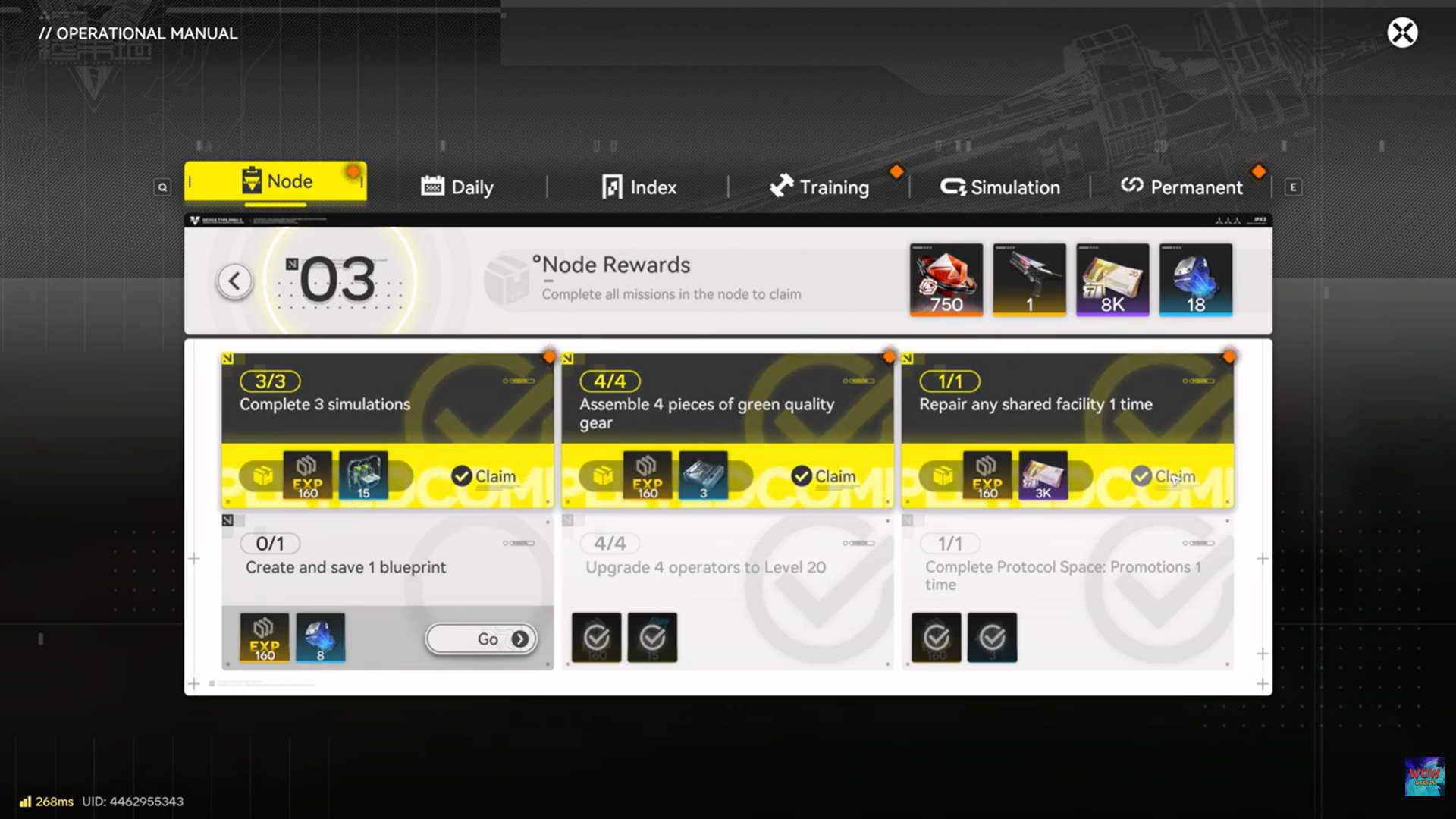
Rewards from Node missions are modest but important. They commonly grant T-Creds, Operational EXP, or unlocks tied to account-wide progression. While individual rewards may seem small, completing multiple Nodes steadily accelerates growth and access to advanced features.
Another key role of Node missions is system validation. Certain mechanics—like shared facilities or logistics networks—do not fully “count” toward progression until their related Node mission is completed. This prevents players from missing essential systems while still allowing freedom of exploration.
Common issues and tips for Node missions
Repairing a shared facility once is a quick, low-risk task that introduces an important system in Arknights: Endfield. Find a shared structure, travel to it, repair it, and collect your rewards. Once done, you can move on knowing how to take full advantage of community-built infrastructure during exploration.
- If the Repair option does not appear, the facility may already be fully operational
- Try another shared facility if one cannot be repaired
- Zipline pylons are the fastest option because they are common and easy to access
- You only need to repair one facility to complete the mission
This mission is less about difficulty and more about teaching you how shared infrastructure works. Later exploration becomes significantly easier when you understand how to interact with, maintain, and benefit from facilities placed by other players.
Completing it also encourages cooperative world-building without forcing multiplayer coordination.
Thanks for taking the time to go through this how to repair Shared Facility guide for Arknights Endfield. If it helped you understand things better, do share your thoughts, impressions, or doubts in the comments section. We keep a close watch and try to respond promptly to ensure you always get the support you need.