Assigning an item to your hotbar in Arknights: Endfield is done from the Backpack menu by selecting an item and using the “Place in Hotbar” option, then choosing a slot.
What to know
- You can only add something to the hotbar after opening your Backpack and selecting the item you want.
- Use the in-menu option labeled “Place in hotbar,” then pick the slot you want it assigned to.
- On controller, you can bring up/view the hotbar using L1 (as shown in the video).
- Many early objectives expect you to hotbar a buildable structure (for example, a tower) so you can place it quickly in the world.
Right now, you’re essentially doing a quick “equip to hotbar” action from your inventory, then using the hotbar overlay/slot to access that item during gameplay.
Quick reference table
| Action | What you do | What you should see |
| Open inventory | Open Backpack | Backpack UI opens |
| Choose item | Highlight/select item | Item details/options appear |
| Assign | Click “Place in hotbar” | Slot selection appears |
| Use/view | Exit + press L1 (controller) | Hotbar shows with assigned item |
Where the hotbar assignment happens in the UI
The hotbar assignment is handled inside the Backpack interface, not by dragging items onto the bar during normal movement/combat (at least in the flow shown). The key action is selecting the item first, then choosing the dedicated option to place it in the hotbar.
How to place items in the hotbar (step-by-step)
Step 1
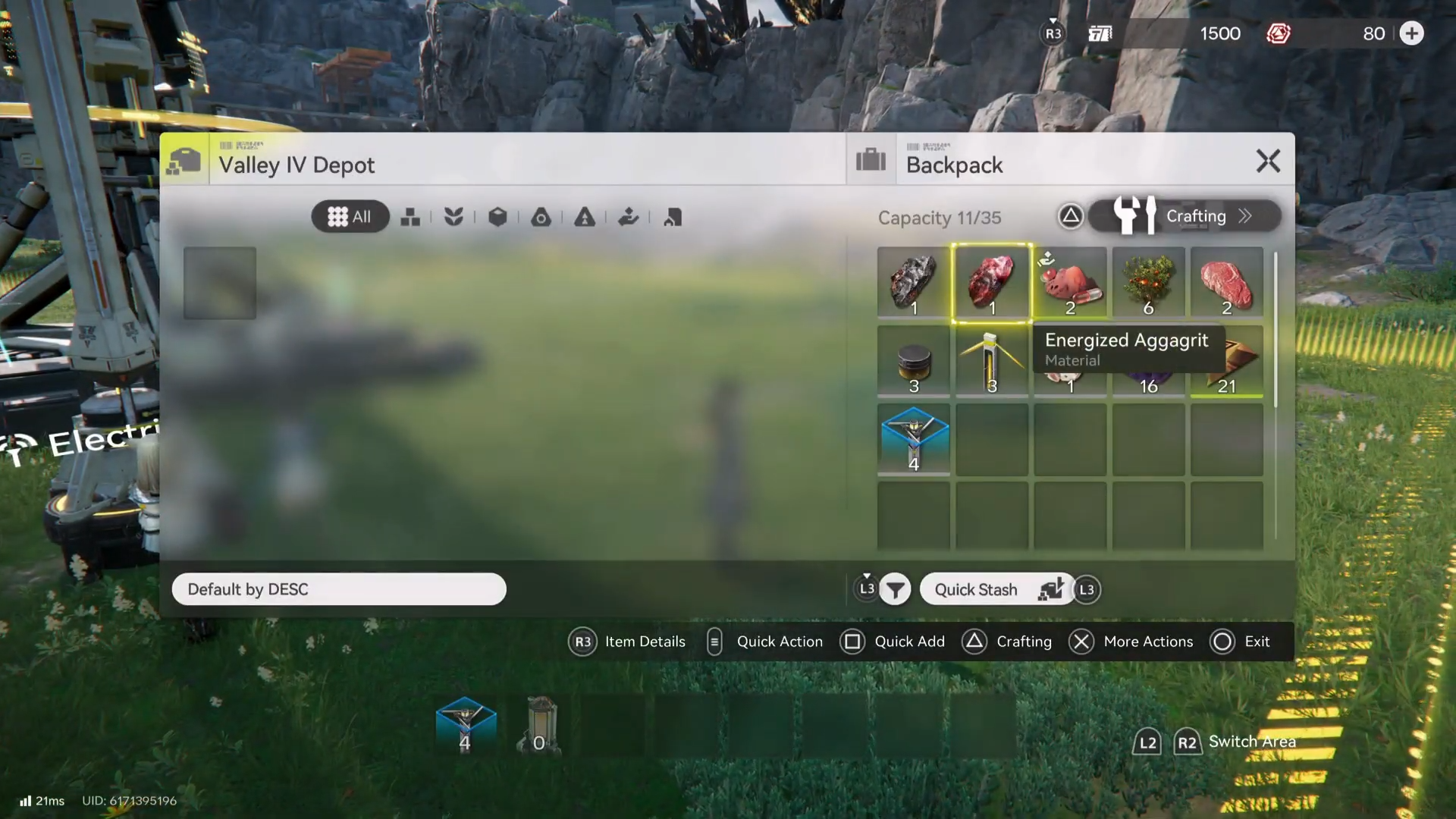
Open your Backpack from the game’s menu/inventory interface.
Step 2
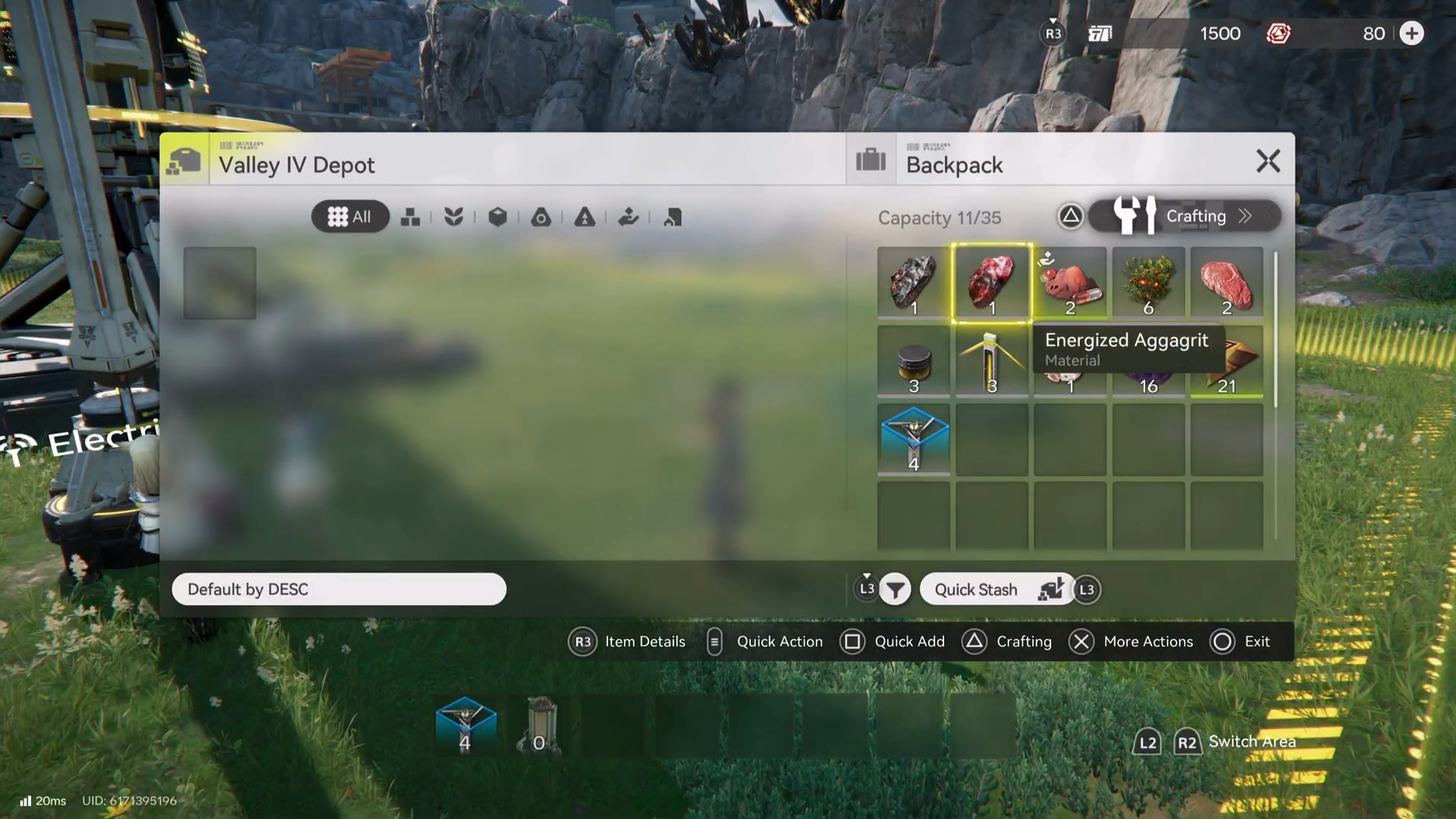
Select the item you want to assign (the video example uses a tower/structure item).
Step 3
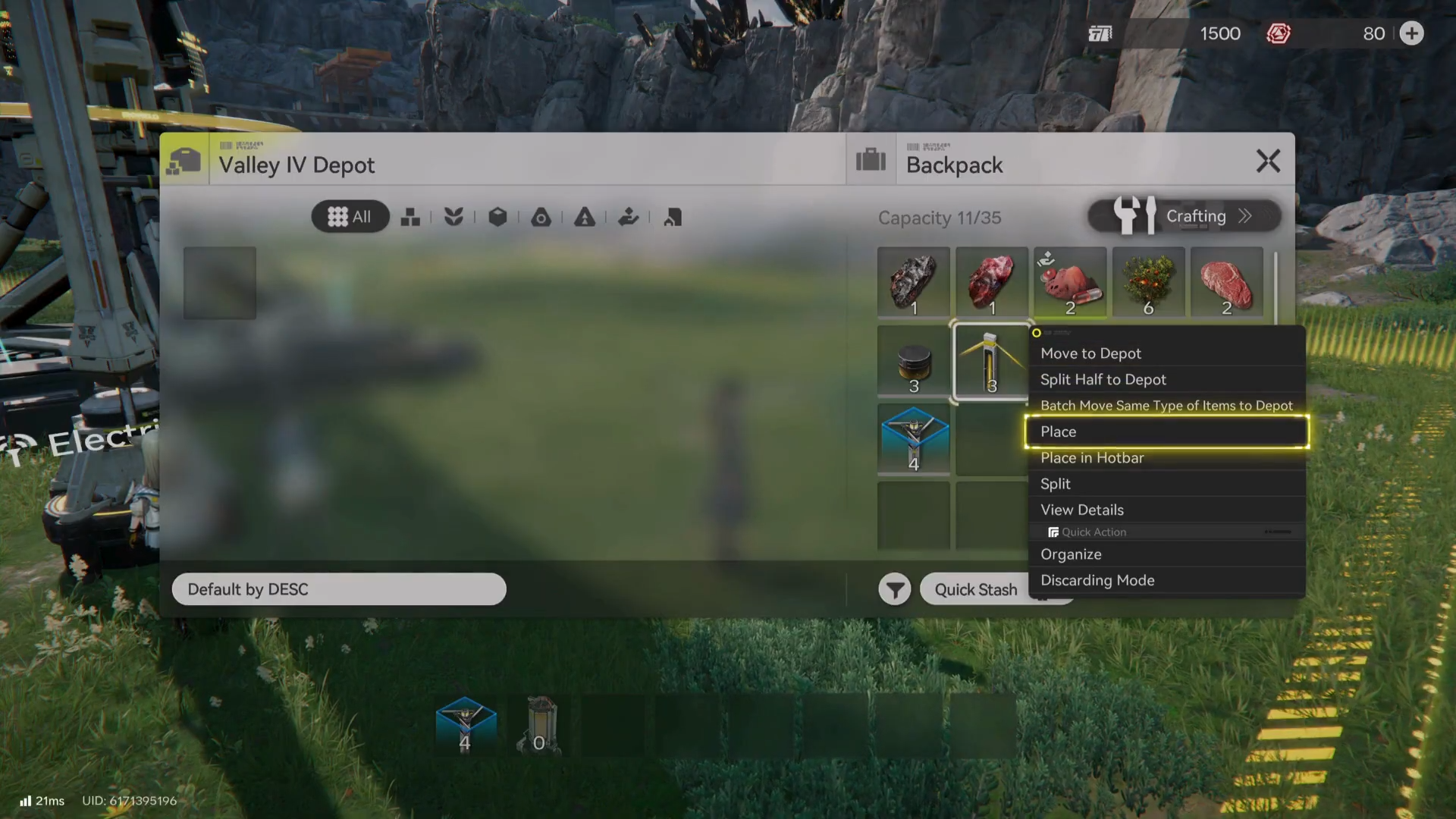
Choose the option that says “Place in hotbar.”
Step 4
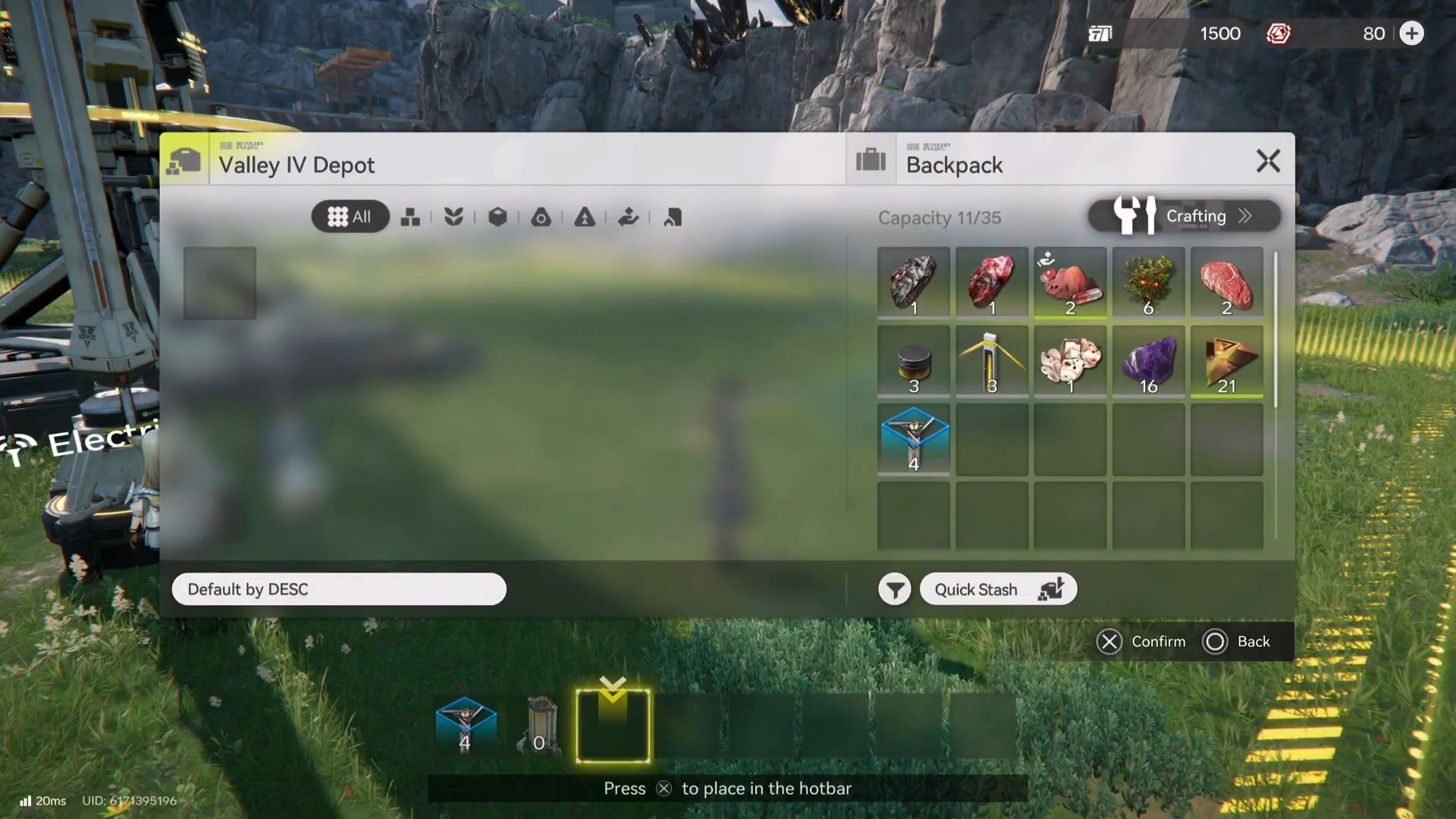
Pick the hotbar slot you want to assign it to (choose an empty space or overwrite an existing slot if the game allows it).
Step 5
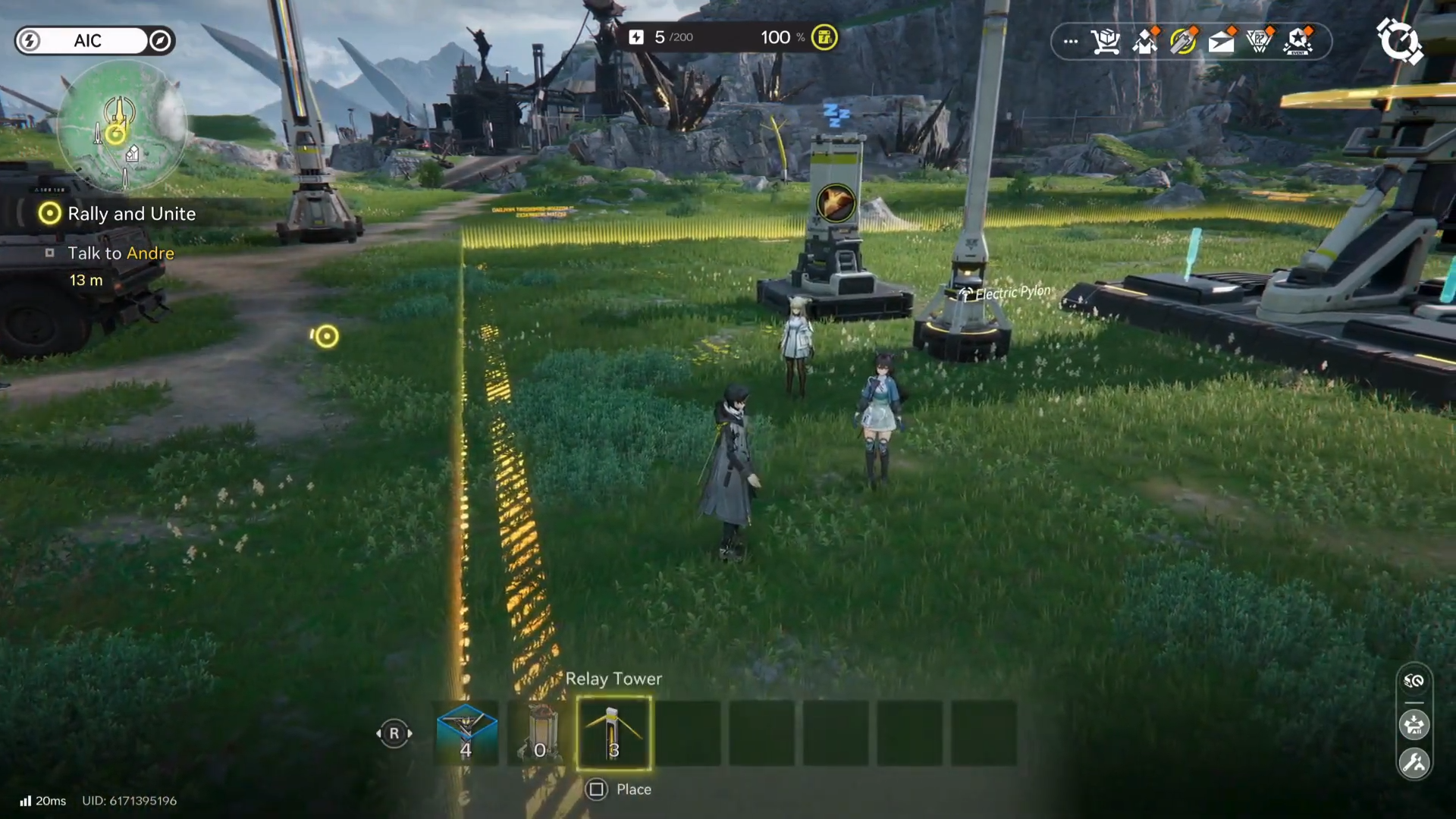
Exit the Backpack and bring up/view the hotbar in gameplay (the video demonstrates using L1 on controller).
Common reasons it “doesn’t work”
If the “Place in hotbar” option doesn’t appear, it may be because the selected item isn’t a hotbar-eligible item (some games only allow consumables/tools/buildables). Also, some mission steps specifically expect you to hotbar a required structure (for example, a relay/tower-type item) before you can place it efficiently, so make sure you’re selecting the correct mission item.