

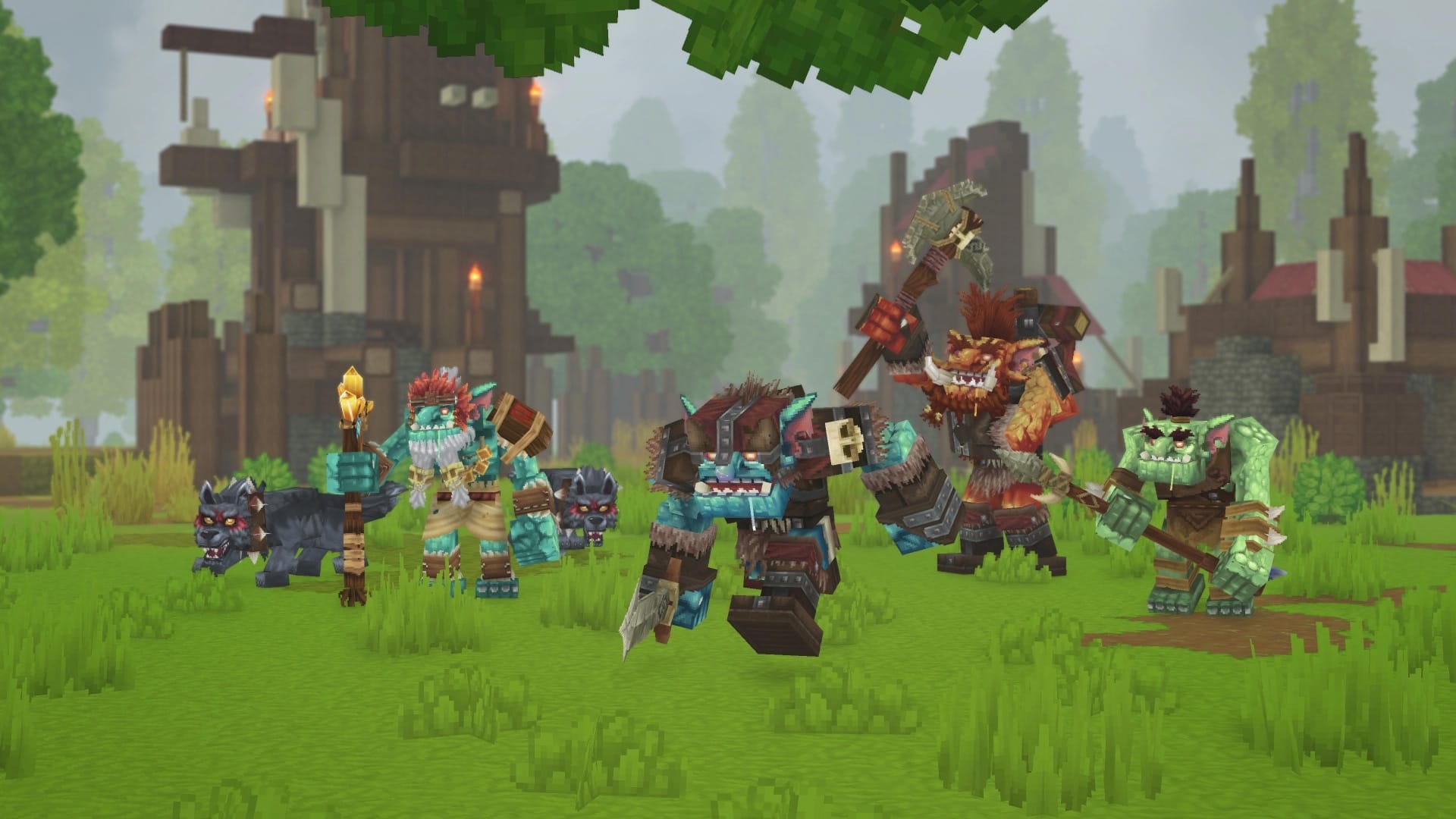
Playing with friends is a major part of the Hytale experience. You can easily start an online world for free and have your friends join you using a simple invite code. Here is how to set it up:
How to Host an Online World
If you want to be the host, follow these steps:
Step 1
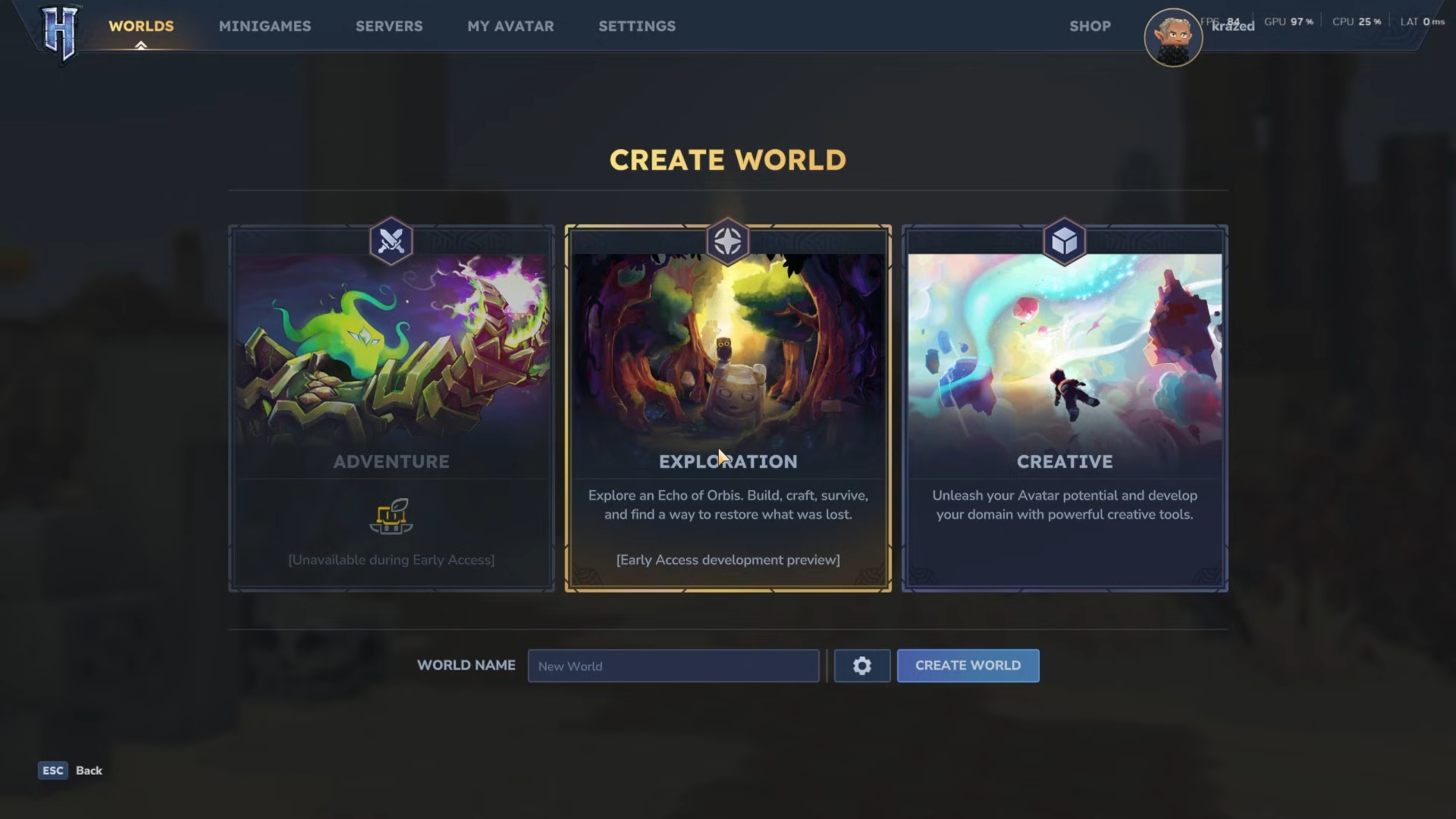
From the main menu, select Worlds, then Create New World. Choose Exploration and name your world.
Step 2
Load into your newly created world.
Step 3
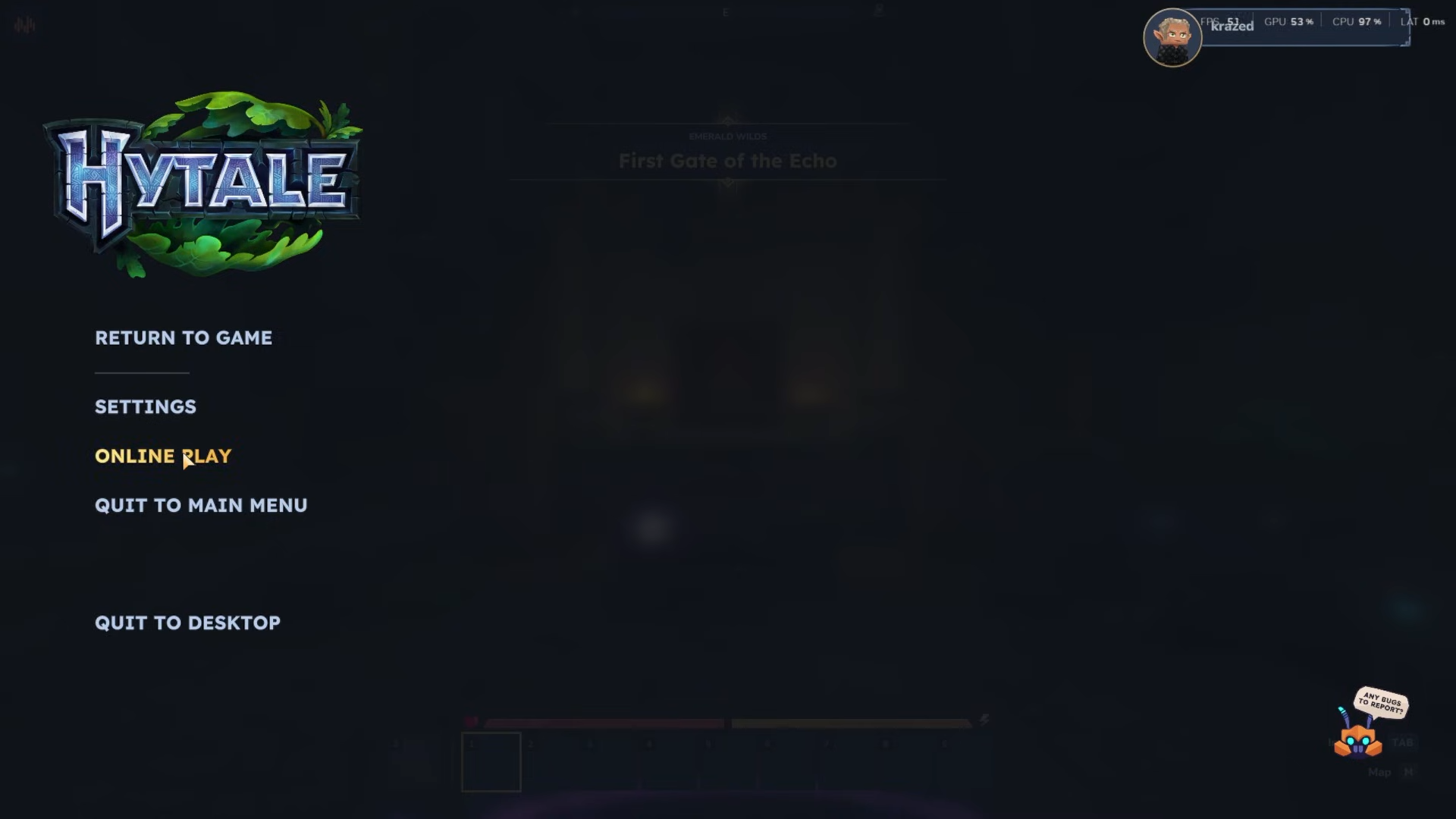
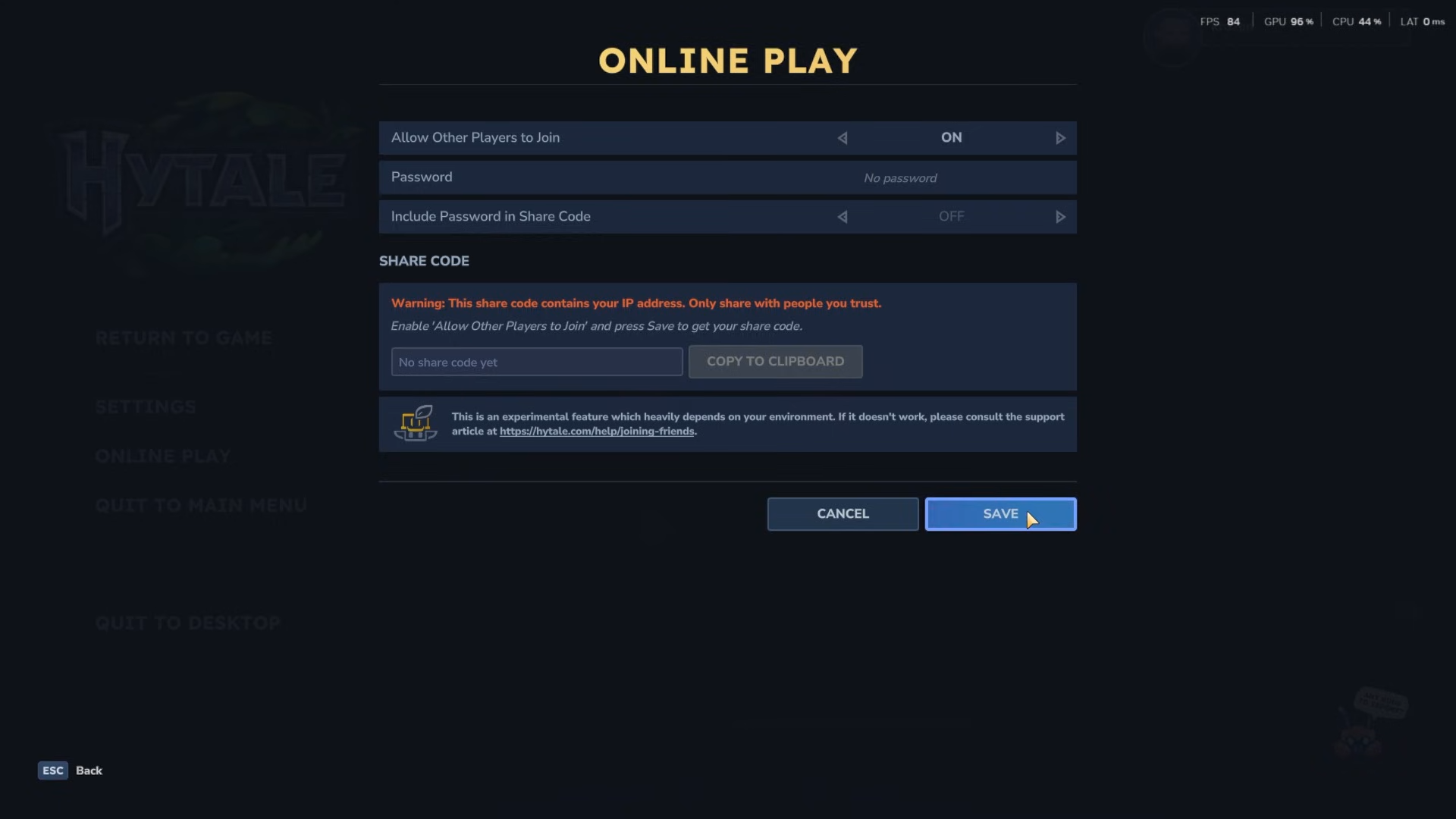
Once in-game, press Escape and select Online Play.
Step 4
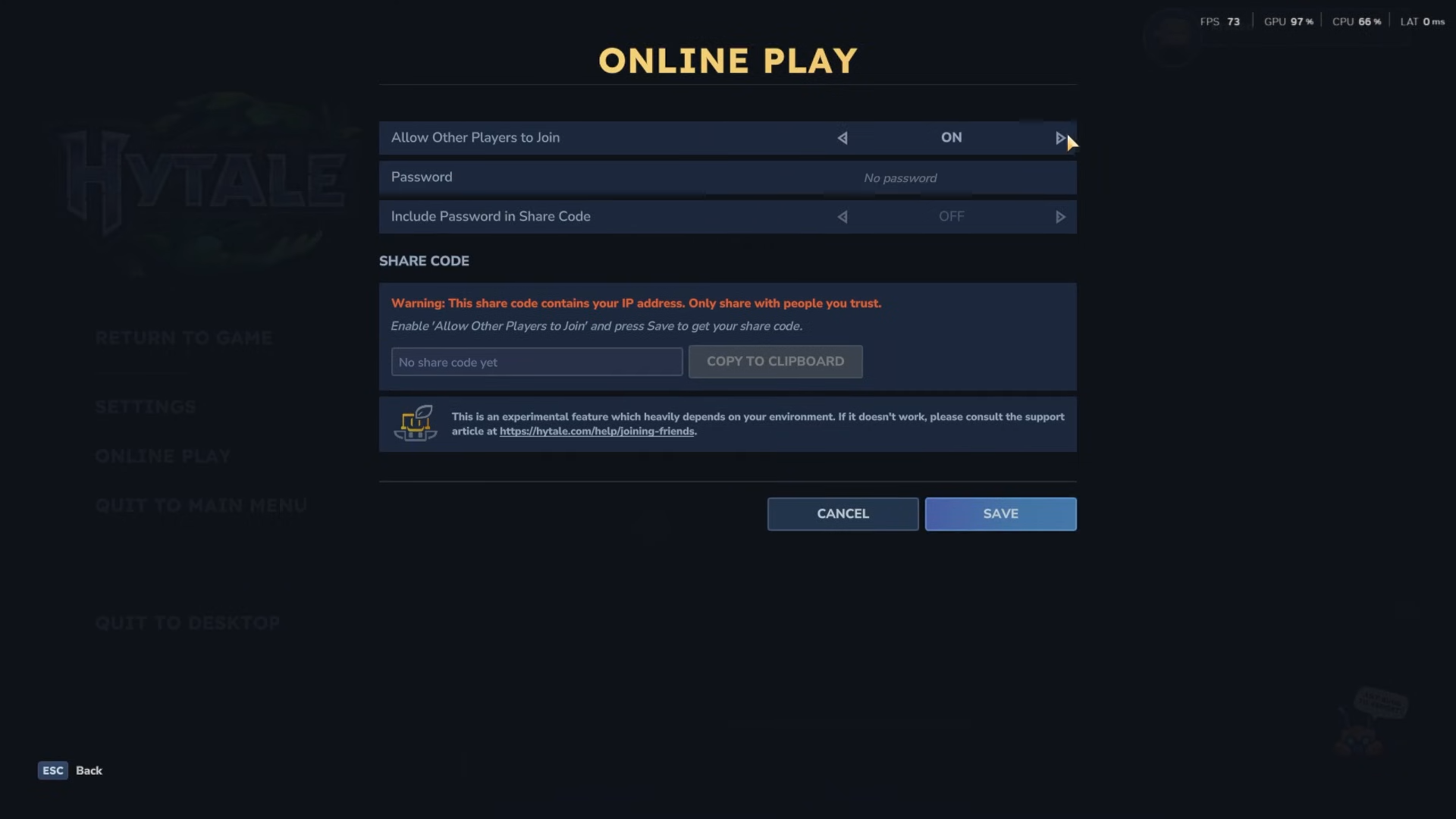
Toggle the option Allow other players to join to ON.
Step 5
You can add a password if you want to restrict who can enter.
Step 6
Click Save, then click the blue Copy to Clipboard button. This will copy your unique invite code to send to your friends.
How Your Friends Can Join
Once your friend has the invite code, they need to:
Step 1
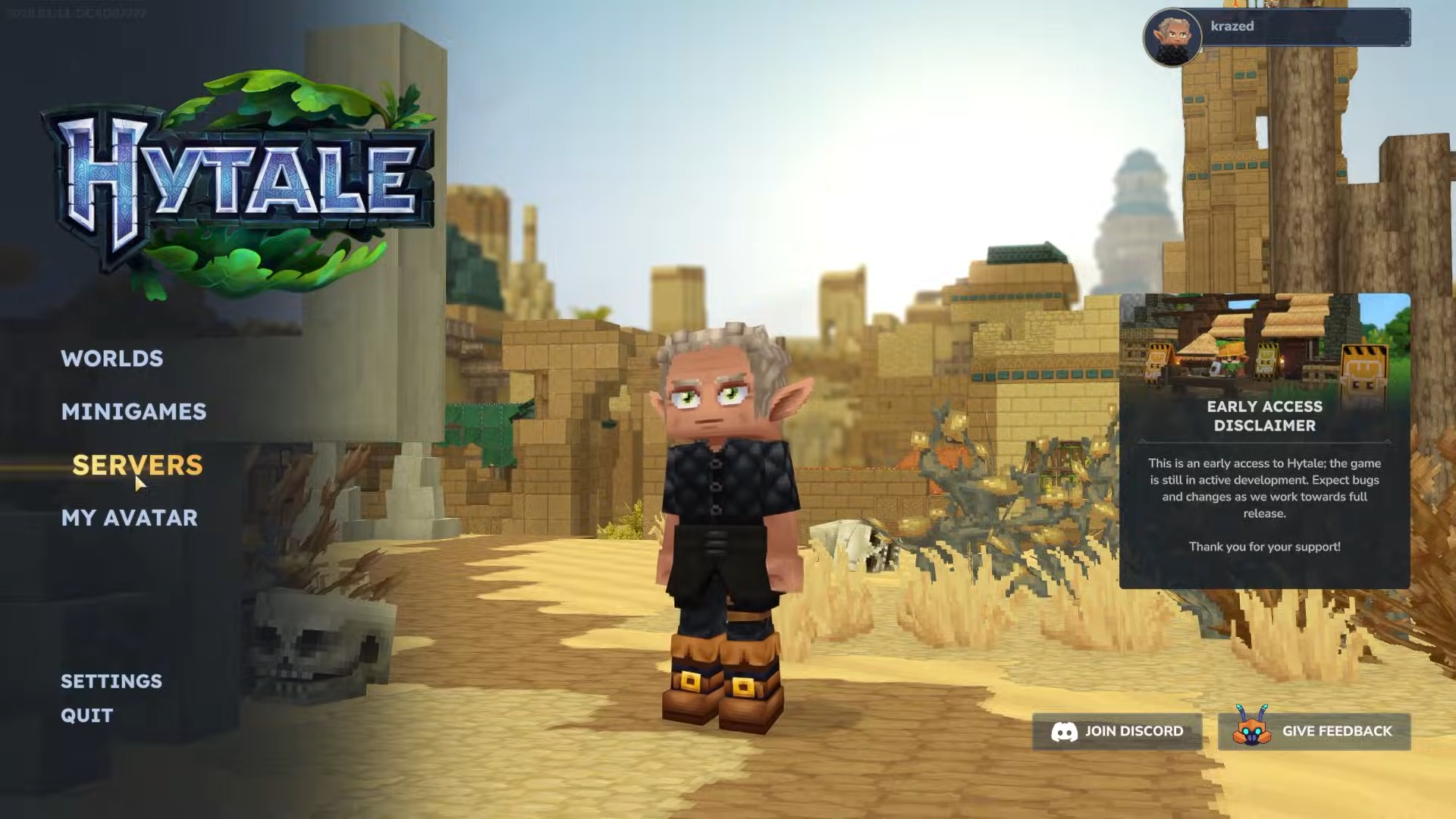
From the main menu, select the Servers tab.
Step 2
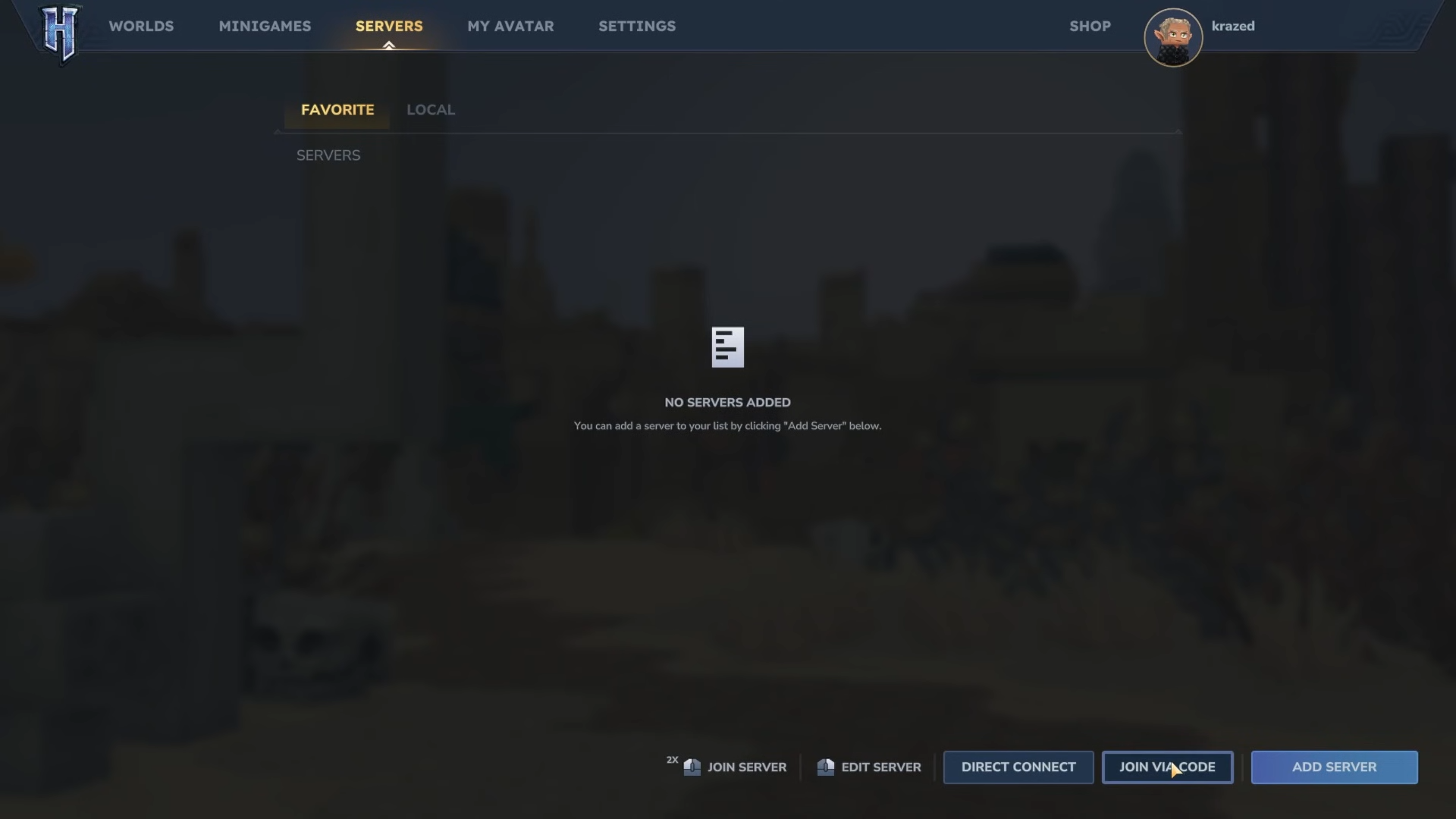
Click the Join via Code button.
Step 3
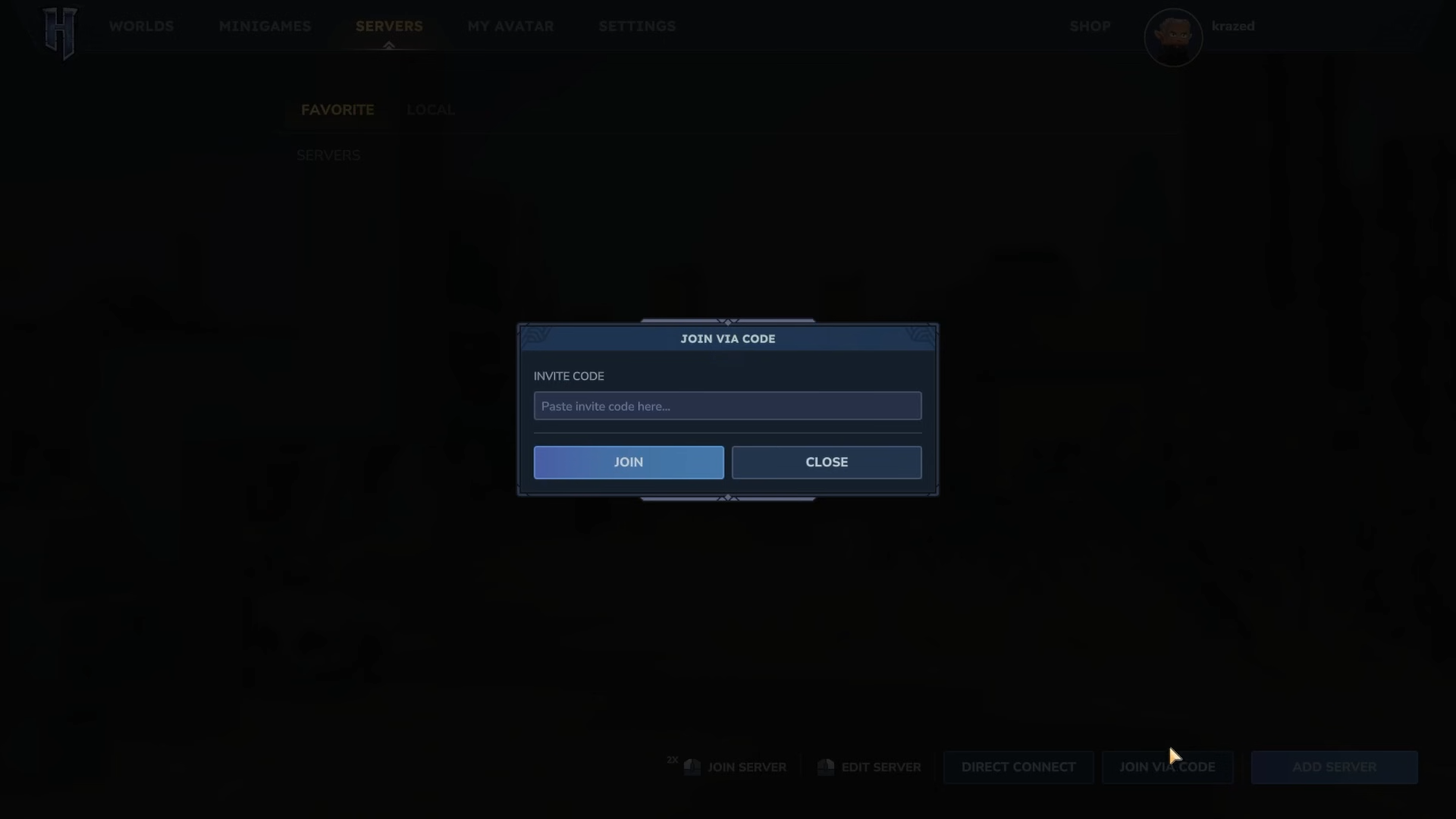
Paste the invite code you sent them into the text box and click Join.
That’s it! You and your friends are now ready to explore the world of Hytale together.




