

- What to know
- How power works in Arknights: Endfield
- Early warning signs you need more power
- Core power sources in the AIC
- Unlocking the required structures
- The correct way to fuel Thermal Banks
- Using Splitters for efficient power generation
- Optimal Thermal Bank ratios (important)
- Alternative input method: Bus Unloader
- Expanding the power grid with Relay Towers
- Layout optimization: reducing power waste
- Scaling power step by step (recommended approach)
- Common power problems and fixes
- Why power scaling matters long-term
- Advanced mindset: power as infrastructure
- Powerup in Arknights Endfield
What to know
- Power is shared region-wide inside the AIC, not per machine
- Thermal Banks are the main scalable early–mid game power source
- Splitters ensure even fuel distribution and prevent bottlenecks
- Smart layout and relay towers matter as much as raw generation
Power management is one of the first real factory skill checks in Arknights: Endfield. You can mine efficiently, refine perfectly, and still hit a wall if your electricity output can’t keep up. When power dips, machines stall, belts clog, and automation collapses.
This guide explains how power works, how to generate more of it, and how to scale your grid cleanly using Thermal Banks, Splitters, relay towers, and proper AIC planning.
How power works in Arknights: Endfield
Electricity in Endfield is regional, not local. This is critical to understand.
- All machines within the same AIC region draw from the same power pool
- Power generated anywhere in that region contributes to the total
- If total demand exceeds supply, everything slows or stops
This means you don’t need to place generators next to machines—but you do need enough generation overall.
Early warning signs you need more power
You’re underpowered if you notice:
- Machines starting and stopping repeatedly
- Belts backing up for no obvious reason
- Refineries or Packaging Units pausing mid-cycle
- “Insufficient power” alerts in the AIC UI
When this happens, adding more belts or depots won’t help. You need more electricity.
Core power sources in the AIC
While Endfield introduces multiple power options over time, most players rely on Thermal Banks for early and mid-game scaling.
Thermal Banks (core generator)
Thermal Banks convert Originium Ore into electricity.
Key properties:
- Consume 1 Originium Ore every ~8 seconds
- Produce ~150 power per cycle
- Require constant fuel input to stay active
They are simple, reliable, and easy to scale—if you feed them correctly.
Unlocking the required structures
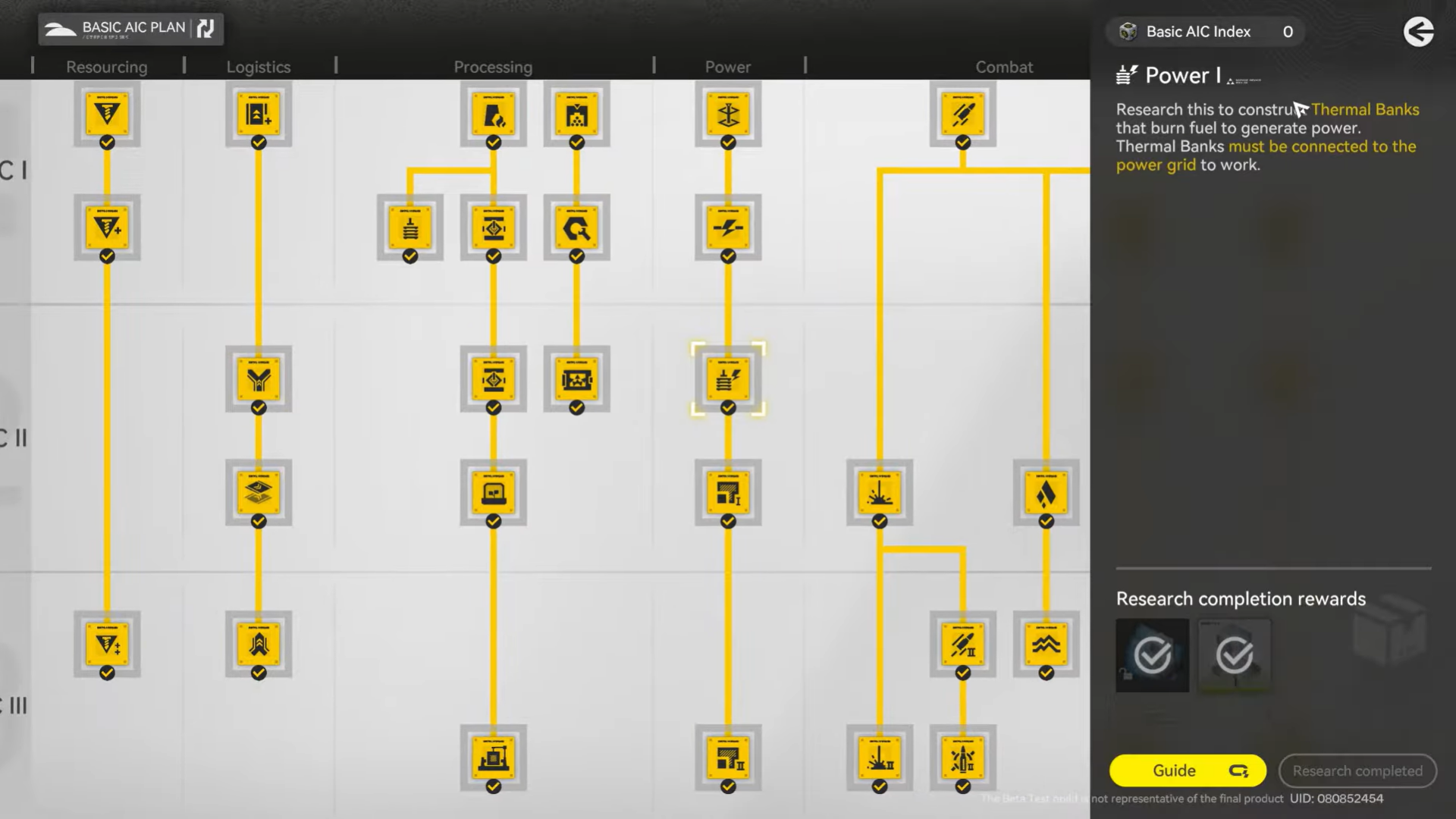
Before scaling power, make sure you’ve unlocked:
From the AIC Plan
- Thermal Bank (under Power)
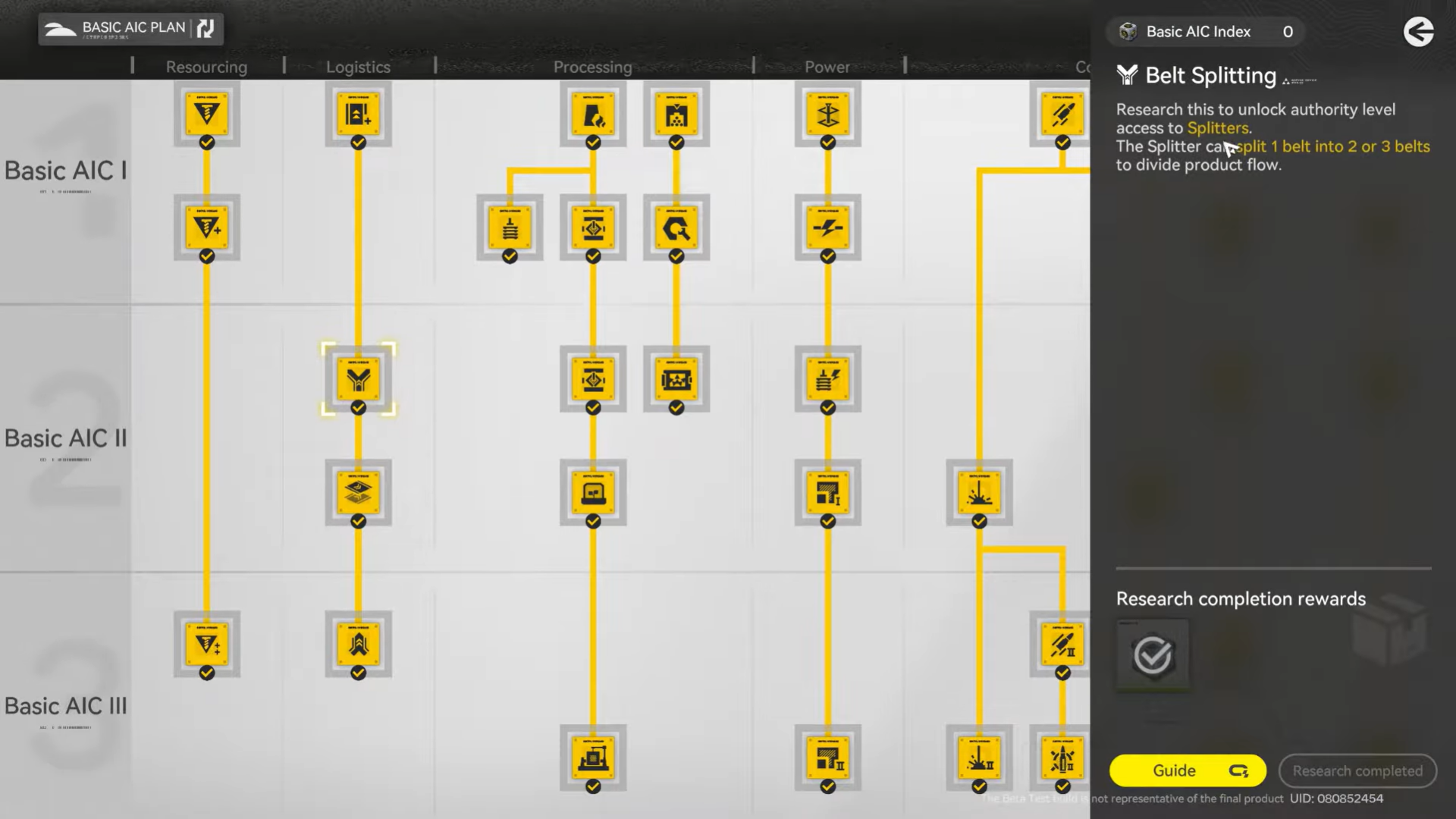
- Splitter (under Logistics)
Optional but useful later:
- Relay Towers
- Bus Loaders / Bus Unloaders
If you don’t see these yet, continue story and AIC Plan progression—power scaling is intentionally gated.
The correct way to fuel Thermal Banks
The most common mistake players make is uneven fuel distribution.
If one Thermal Bank gets too much Originium and another starves, overall output drops. This is where Splitters come in.
Using Splitters for efficient power generation
What Splitters do
A Splitter has:
- 1 input
- 3 outputs
It divides incoming items evenly across outputs, which is perfect for feeding generators.
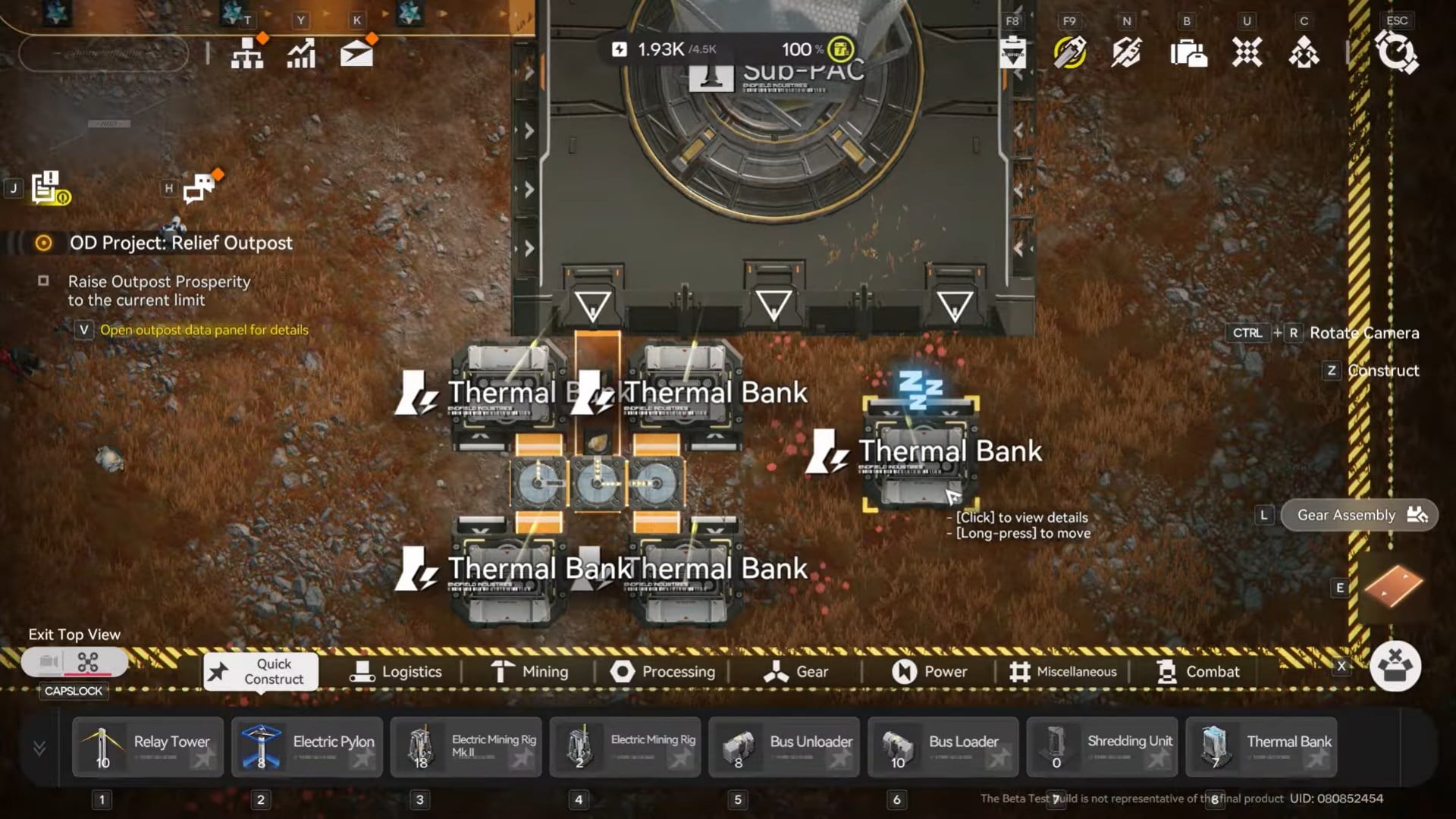
Basic Splitter → Thermal Bank setup
- Feed Originium Ore into a Splitter
- Connect each output to a Thermal Bank
- Ensure all banks are powered and within the same region
This guarantees:
- Equal fuel delivery
- No single bank hogging resources
- Stable, predictable power output
Optimal Thermal Bank ratios (important)
Based on fuel consumption and belt throughput, the most stable setup is:
Maximum: 4 Thermal Banks per input line
Why this matters:
- Each bank consumes ore at a fixed rate
- Too many banks cause fuel starvation
- Too few banks waste belt capacity
A 1:1 balance between input throughput and generator demand prevents Originium from piling up or generators from idling.
Directional placement tips (small but important)
Thermal Banks have directional output arrows.
Best practice:
- Place banks so arrows face away from the input belt
- Group them in an “output row” configuration
- Keep inputs clean and direct
This avoids accidental belt looping and makes debugging easier.
Alternative input method: Bus Unloader
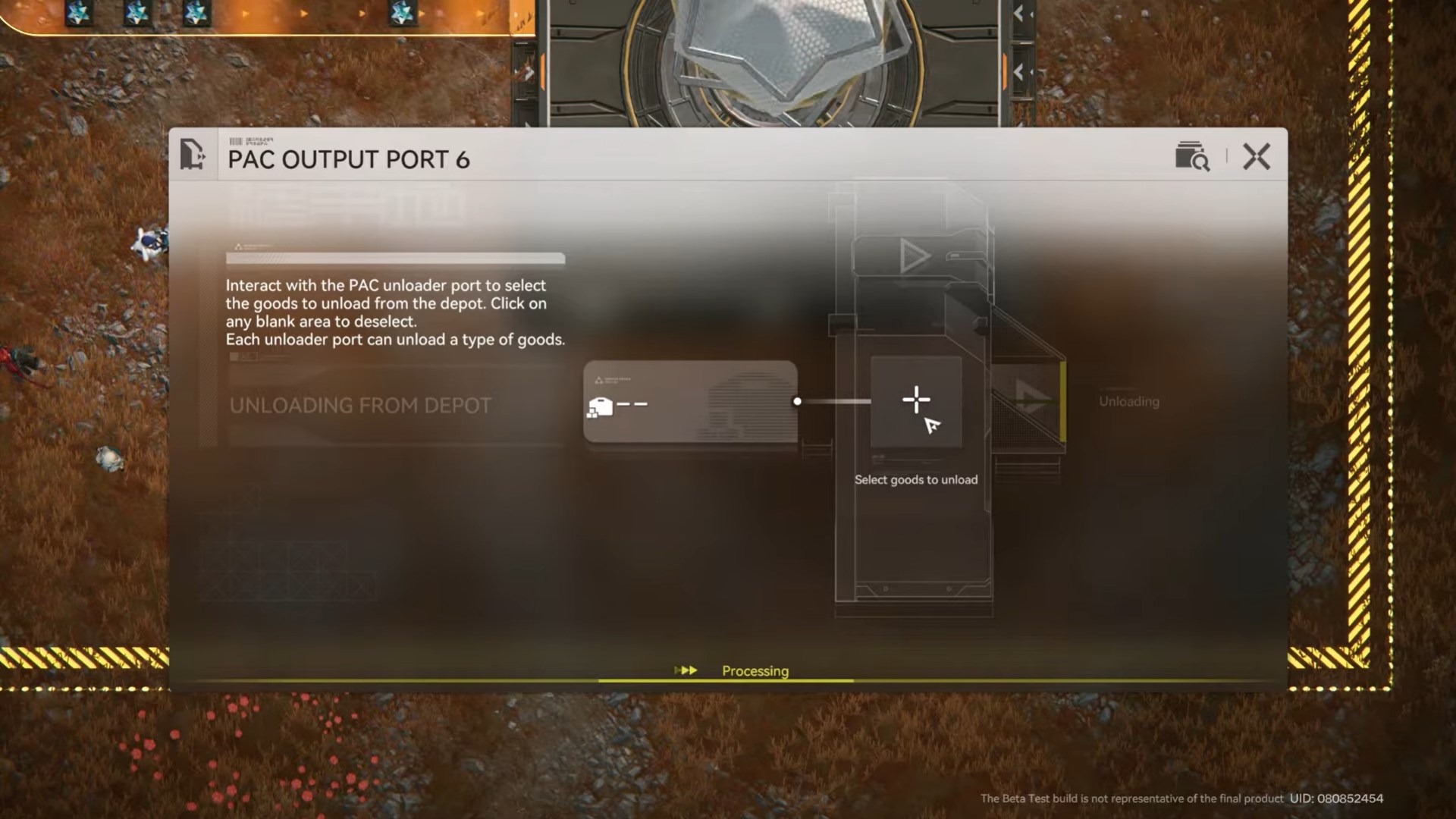
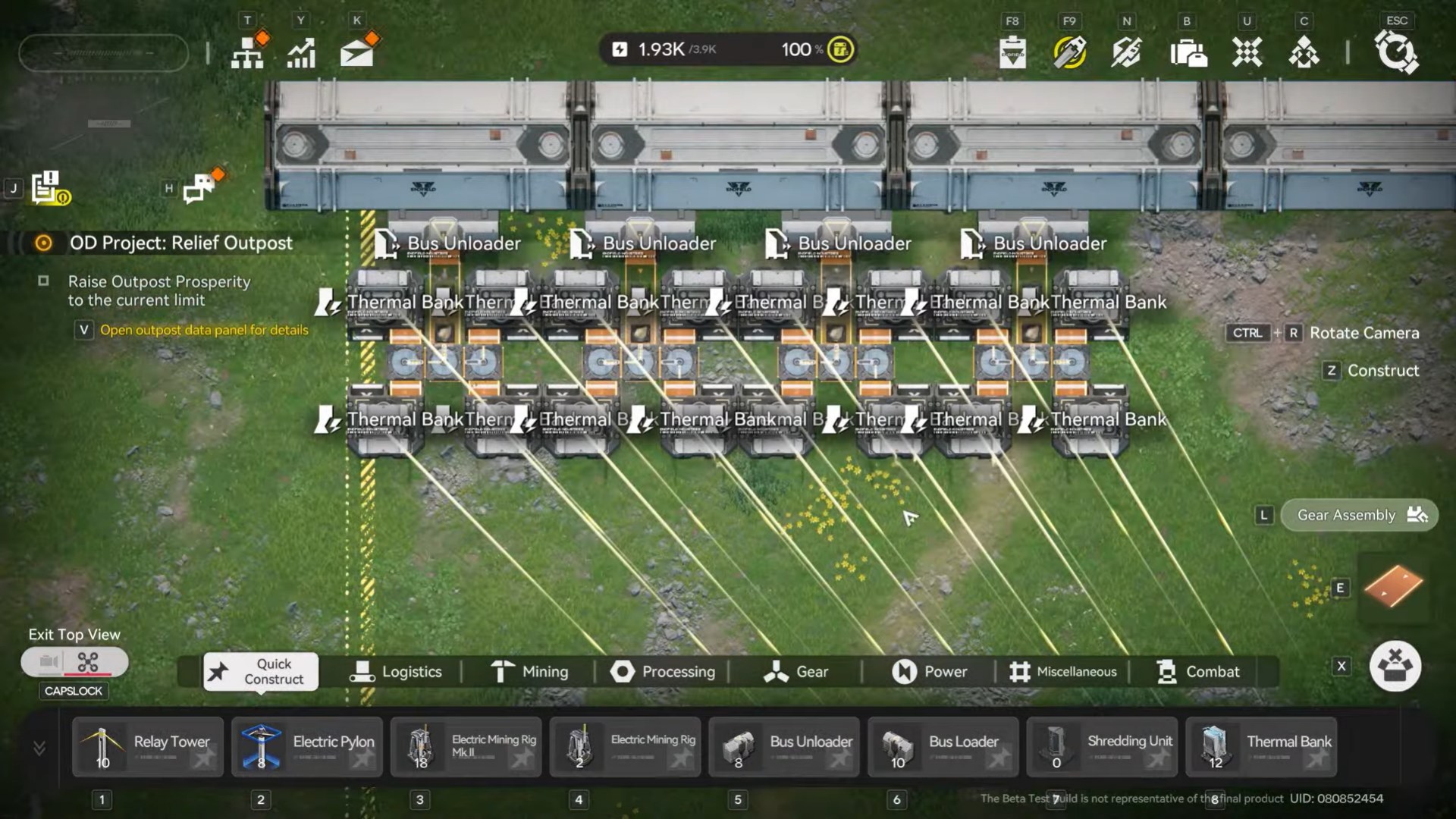
Once you unlock the logistics bus system, you can replace standard outputs with a Bus Unloader.
How it works
- Connect the Bus Unloader to the logistics bus
- Feed Originium directly from centralized storage
- Output behaves like a normal belt
This is ideal for:
- Large factories
- Centralized fuel management
- Cleaner layouts
Bus systems shine later, but Thermal Banks work fine without them early on.
Expanding the power grid with Relay Towers
As your factory grows, you’ll need power in new areas.
Relay Towers explained
Relay Towers:
- Connect separate power zones
- Do not require cables
- Can be chained over long distances
How to use them
- Place one Relay Tower within your existing powered region
- Place another in the new area you want to power
- Chain additional towers if needed
Once connected, both areas share the same power pool.
Layout optimization: reducing power waste
Generating power is only half the equation. Reducing unnecessary draw matters too.
Smart layout tips
- Avoid redundant machines running idle
- Use belts that serve multiple inputs where possible
- Centralize heavy power users (Packaging, Shredding)
- Dismantle unused portables for materials
Every inactive machine still contributes to clutter and planning overhead.
Scaling power step by step (recommended approach)
Step 1: Stabilize current demand
Check total power usage vs output. Don’t expand until it’s stable.
Step 2: Add Thermal Banks in sets
Add generators in balanced groups (2–4 at a time).
Step 3: Upgrade fuel logistics
Use Splitters or Bus Unloaders to ensure equal distribution.
Step 4: Expand grid with Relay Towers
Only expand regions after confirming generation surplus.
Step 5: Monitor during peak load
Watch what happens when all machines run at once—this is your real baseline.
Common power problems and fixes
“Generators are on but power is still low”
- Check fuel supply
- Look for uneven splitter connections
- Verify all banks are in the same region
“Originium is backing up”
- Too many banks for one input line
- Add another belt or reduce bank count
“New area has no power”
- Missing Relay Tower connection
- Towers placed outside region boundaries
Why power scaling matters long-term
Power is the silent limiter of Endfield’s automation.
As you unlock:
- Packaging Units
- Advanced Shredding
- Multi-stage crafting chains
Power demand spikes hard. Players who build scalable grids early avoid painful factory rebuilds later.
Advanced mindset: power as infrastructure
Experienced players treat power like roads:
- Overbuild slightly
- Centralize generation
- Leave space for expansion
A stable grid turns the AIC from a chore into a background system that just works.
Powerup in Arknights Endfield
Increasing power output in Arknights: Endfield isn’t about spamming generators—it’s about balance, distribution, and planning. Thermal Banks provide reliable electricity, Splitters keep fuel flowing evenly, and Relay Towers let you scale without chaos.
Once your power grid is stable, everything else—mining, refining, packaging, trading—falls into place.




