

What to know
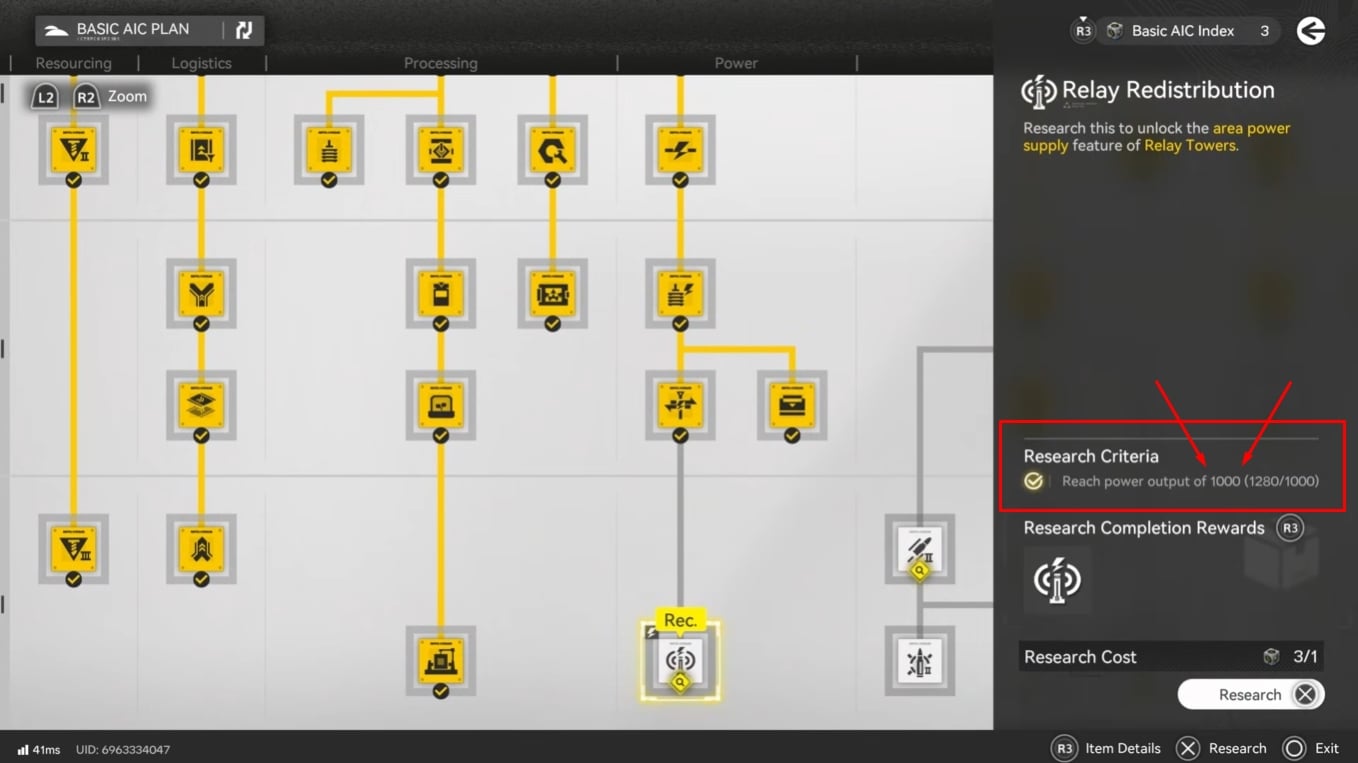
- Relay Redistribution sits in the Basic AIC III plan and enables powering a wider area using a Relay Tower.
- The research may appear “locked” until the base hits a power output requirement of 1000.
- Thermal Banks are a fast way to spike power output, especially when fueled by batteries instead of ore.
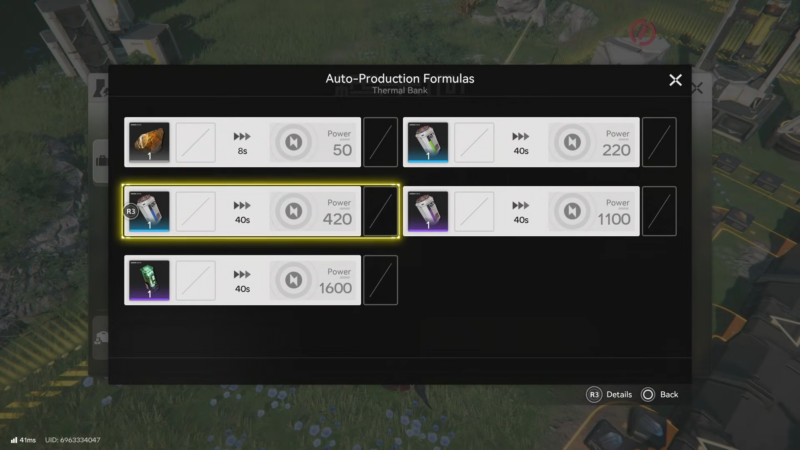
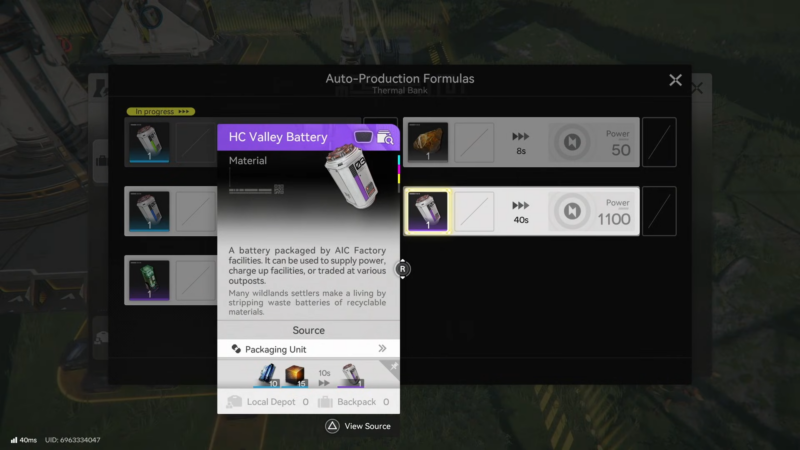
- Battery fuel values commonly referenced for Thermal Banks are LC 220, SC 420, and HC 1100 power (each over 40 seconds).
In Arknights: Endfield, A reliable way to hit 1000 power output quickly is to add Thermal Banks at a buildable base and feed them higher-yield battery fuels until the total output crosses the threshold.
Quick reference for this unlock
Relay Redistribution requirement and purpose
| Item | Where it is | What it does | What blocks research |
|---|---|---|---|
| Relay Redistribution | Basic AIC III (Basic AIC plan) | Supplies power over a wider area using a Relay Tower | Must reach 1000 power output before it can be purchased/researched |
Thermal Bank fuel values
| Fuel input | Processing time | Power output |
|---|---|---|
| Originium Ore | 8s | 50 power |
| LC Valley Battery | 40s | 220 power |
| SC Valley Battery | 40s | 420 power |
| HC Valley Battery | 40s | 1100 power |
How to reach power output 1000 with Thermal Banks
Step 1: Open the Basic AIC plan and locate Relay Redistribution
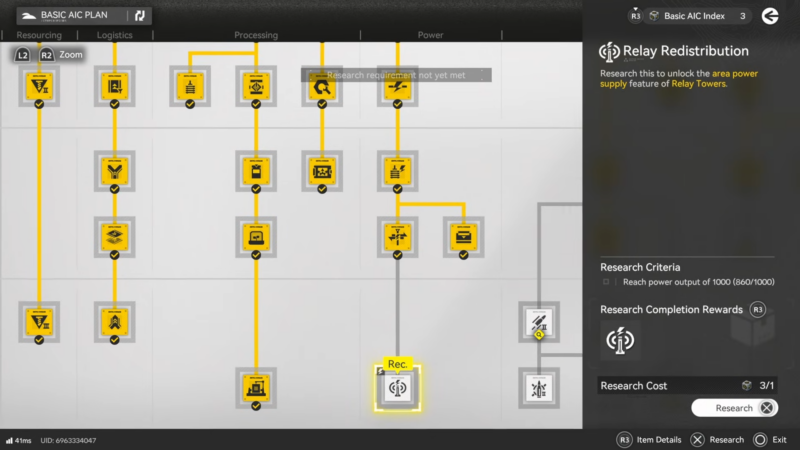
Relay Redistribution appears as one of the later upgrades in the Basic AIC plan, and it’s tied to a Basic AIC index like other upgrades.
Step 2: Attempt to research it and confirm the criteria message
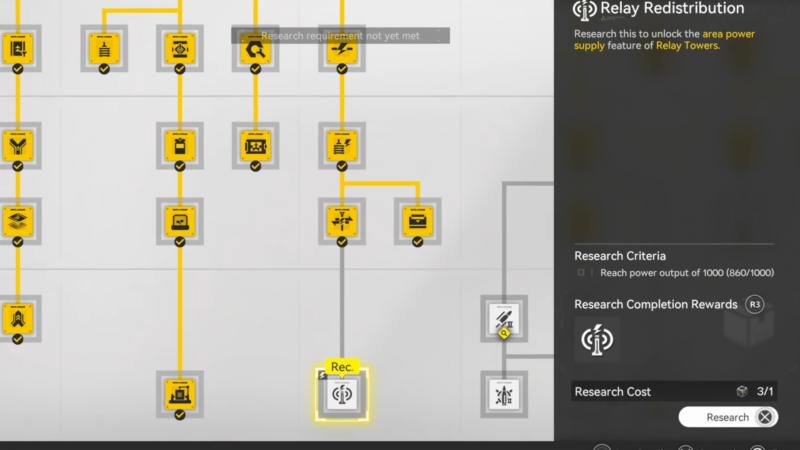
When trying to research it, the criteria can show that power output must reach 1000 before the upgrade can be purchased.
Step 3: Return to a base with building access and find (or place) an output port
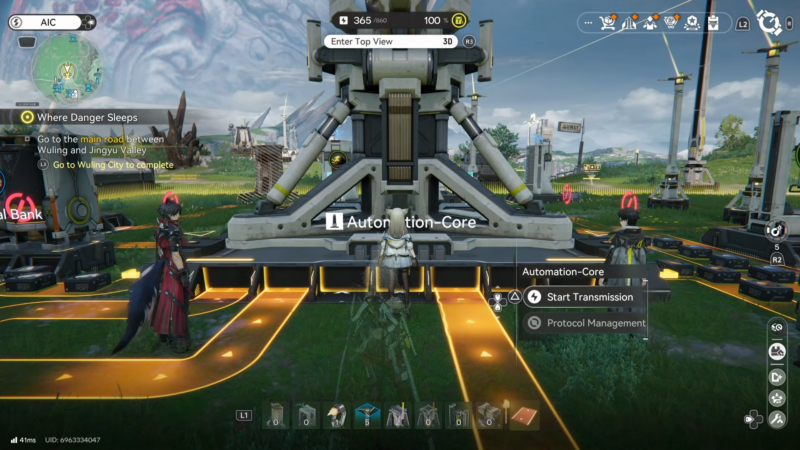
Head to a base where construction is allowed, then locate an empty output port; if none is available, create one to support the setup.
Step 4: Place multiple Thermal Banks from the Facilities list
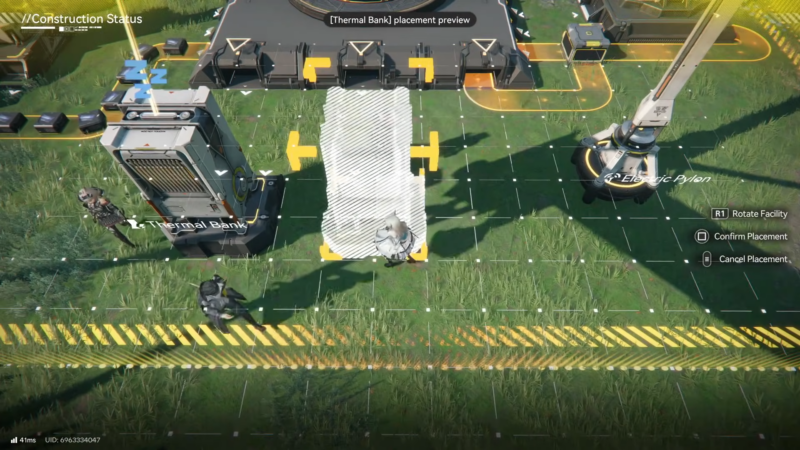
Thermal Banks are placed from the facilities/build menu, and using two is a common start; depending on current output and fuel, a third may be needed.
Step 5: Connect belts from a Depot or the AIC output port into each Thermal Bank
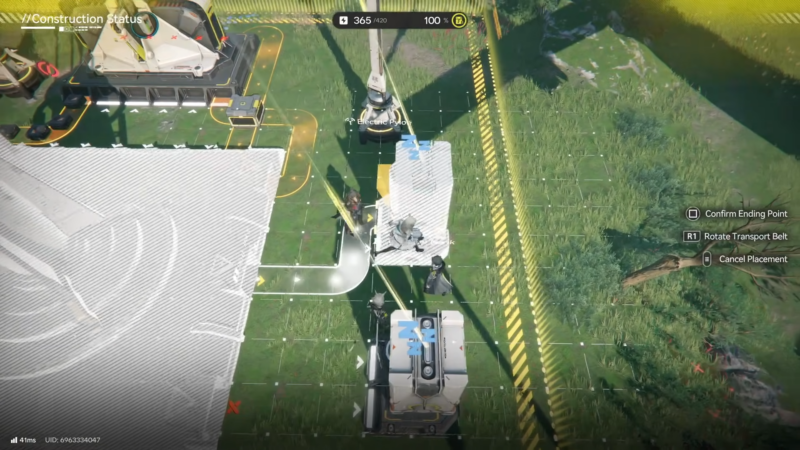
Run transport belts into the Thermal Bank(s) from a Depot or directly from the AIC output port so fuel items can be delivered consistently.
Step 6: Pick the fuel item by checking each bank’s recipe/production list
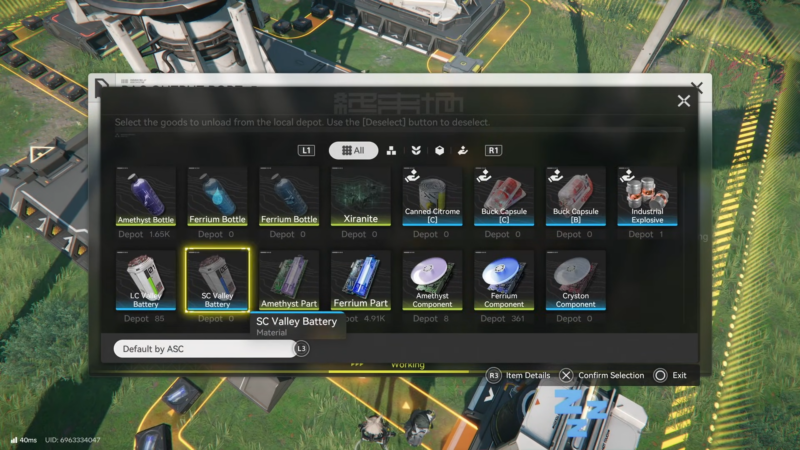
Different inputs provide different power, so open the Thermal Bank and check the production list/recipe to see which item yields more power.
Step 7: Prioritize batteries for faster scaling (LC/SC/HC)
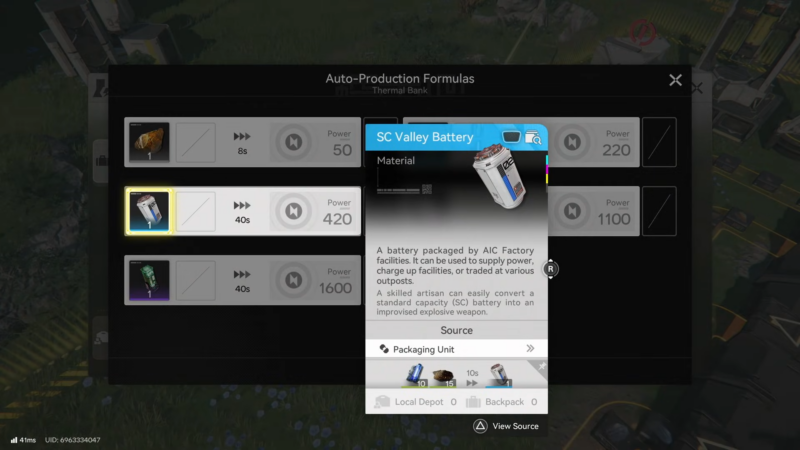
Batteries are emphasized as the best option for scaling output, with higher-tier batteries providing much larger power contributions than basic ores.
Step 8: Ensure every Thermal Bank is actually filled, then wait briefly for output to update
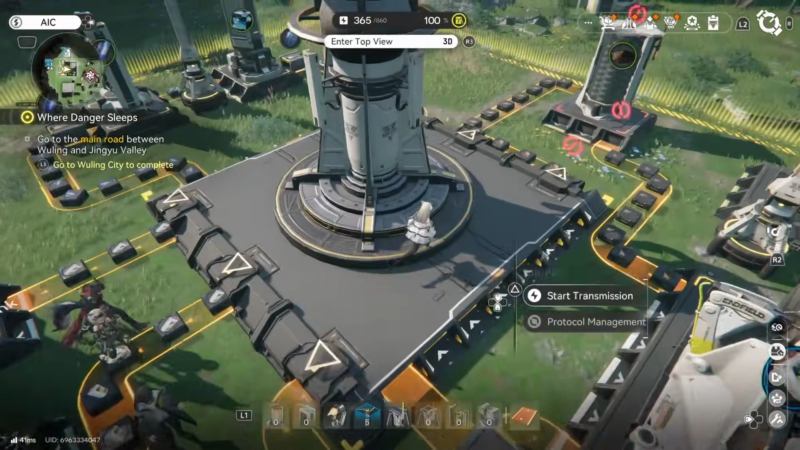
After inserting or feeding batteries, it can take a short time for the items to enter and “charge up,” at which point the power output rises.
Step 9: Add another Thermal Bank (or swap to higher battery tier) until the total exceeds 1000
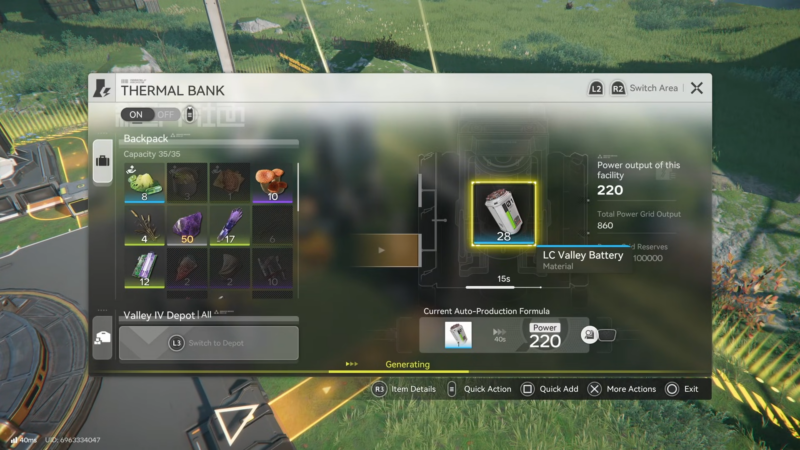
If the output is still below 1000, place an additional Thermal Bank and feed it another battery type (for example, mixing SC and HC where available) until the requirement is met.
Step 10: Return to the Basic AIC plan and purchase Relay Redistribution
Once the base shows power output at or above 1000, the Relay Redistribution upgrade becomes purchasable.
Battery-based combinations (using Thermal Banks)
| Setup idea | Why it works |
|---|---|
| 1 Thermal Bank + HC battery | A single HC battery can provide 1100 power, clearing the requirement alone. |
| 3 Thermal Banks + SC batteries | Three SC batteries total 1260 power (3 × 420), typically enough if all are active. |
| Mix SC + lower batteries across multiple banks | More banks compensate for lower per-item output when higher-tier batteries aren’t available. |
Common mistake checks
| Symptom | Likely cause | Fix |
|---|---|---|
| Output stuck below target | Not all banks have fuel inside | Ensure each Thermal Bank has a battery/fuel item loaded. |
| Output increases slowly | Delay while items enter/charge | Wait briefly after delivery so the displayed output updates. |
| Belts running but no fuel arrives | No valid input selected or supply not routed | Confirm fuel item selection in the bank and belt routing from Depot/output port. |
Rewards
| Activity completed | Reward shown/awarded |
|---|---|
| Reach 1000 power output and purchase the upgrade | Relay Redistribution (Basic AIC III upgrade) |
Next steps after unlocking Relay Redistribution
Relay Redistribution is useful because it allows powering an area using just a Relay Tower, helping with wider-area power coverage.
If power distribution is still constrained by placement limitations, Electric Pylons can also help solve shortages in areas where Relay Towers are hard to place.




