

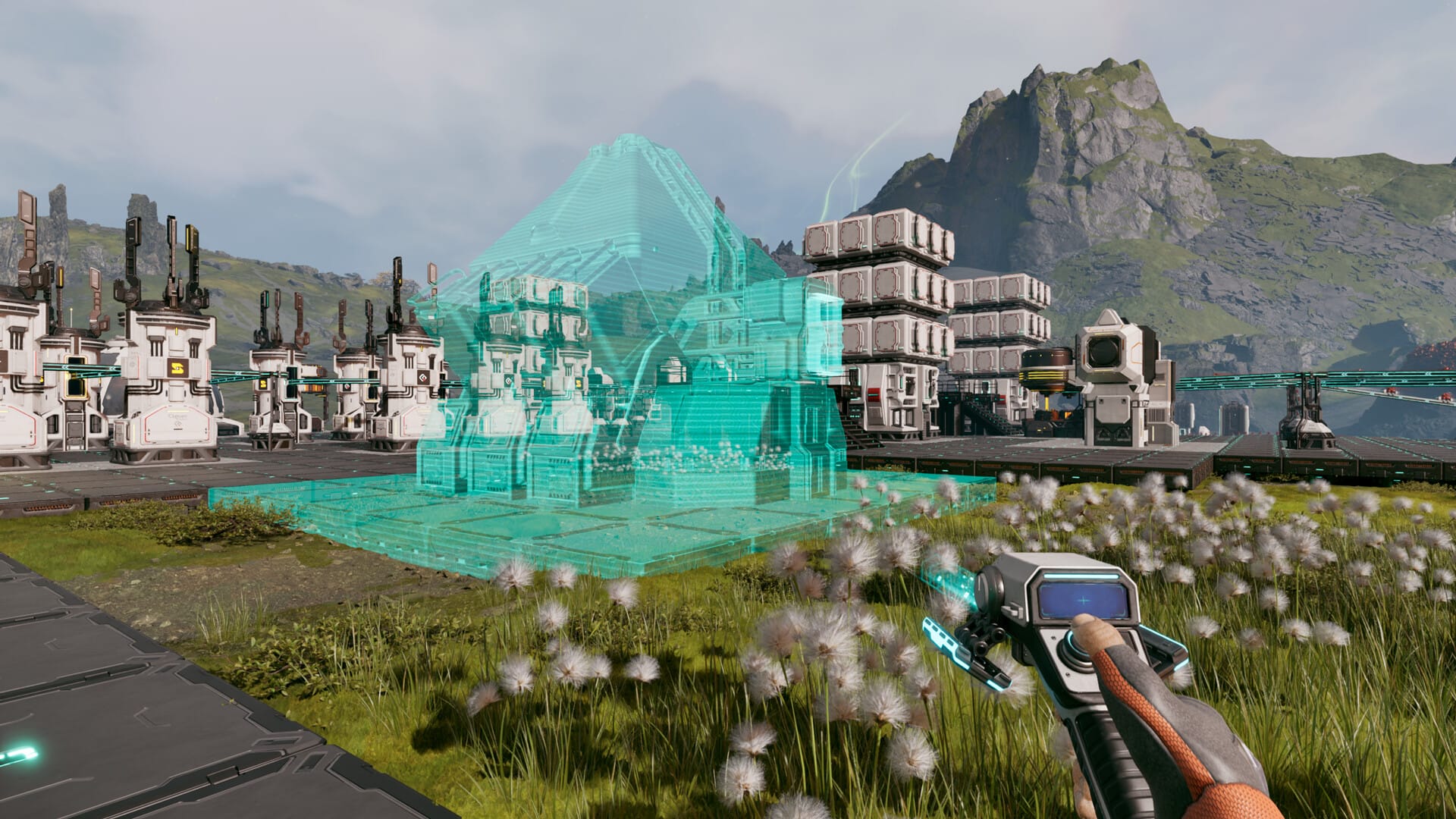
- What to know
- Details of Cargo Dispatcher & Cargo Receiver in StarRupture
- What the Cargo Dispatcher and Receiver actually do
- How to unlock Cargo Dispatcher and Cargo Receiver
- How to craft Cargo Dispatcher and Cargo Receiver
- How to use Cargo Dispatcher and Cargo Receiver properly
- Recommended naming scheme for receivers
- Power and base core overheat considerations
- How to manage overheat limits
- What happens if you exceed overheat limits
- Practical use cases for Cargo Dispatchers and Receivers
- Current limitations and future potential
- Why Cargo Dispatchers are worth the investment
- About StarRupture
What to know
- Cargo Dispatchers send items wirelessly to Cargo Receivers anywhere on the map
- You can unlock both through Clever Robotics corporation progression
- Power and base core overheat are the main limiting factors
- Ideal for your long-distance logistics, outposts, and multiplayer support
StarRupture’s Cargo Dispatcher and Cargo Receiver form one of the most impactful mid-game logistics systems. Once unlocked, they let you move items across vast distances without belts, vehicles, or manual hauling, making expansion and automation far smoother.
Details of Cargo Dispatcher & Cargo Receiver in StarRupture
| Feature | Cargo Dispatcher | Cargo Receiver |
|---|---|---|
| Role | Sends items | Receives items |
| Transport type | Wireless | Wireless |
| Power usage | 40 power | 40 power |
| Core overheat cost | 40 | 40 |
| Item types | Single item per unit | Matches dispatcher |
| Automation input | Manual or rails | Outputs to storage/machines |
What the Cargo Dispatcher and Receiver actually do
The Cargo Dispatcher packages items and sends them instantly to a linked Cargo Receiver. There’s no physical connection required, which means terrain, distance, and hostile zones no longer block your logistics. Each dispatcher can send only one item type, and the receiver must be selected manually.
How to unlock Cargo Dispatcher and Cargo Receiver
To access both machines, you need to progress through the Clever Robotics corporation.
Step 1: Reach Clever Robotics level 7
Earn reputation by exporting materials, completing corporation objectives, and using data points at analysis stations until Clever Robotics reaches level 7.
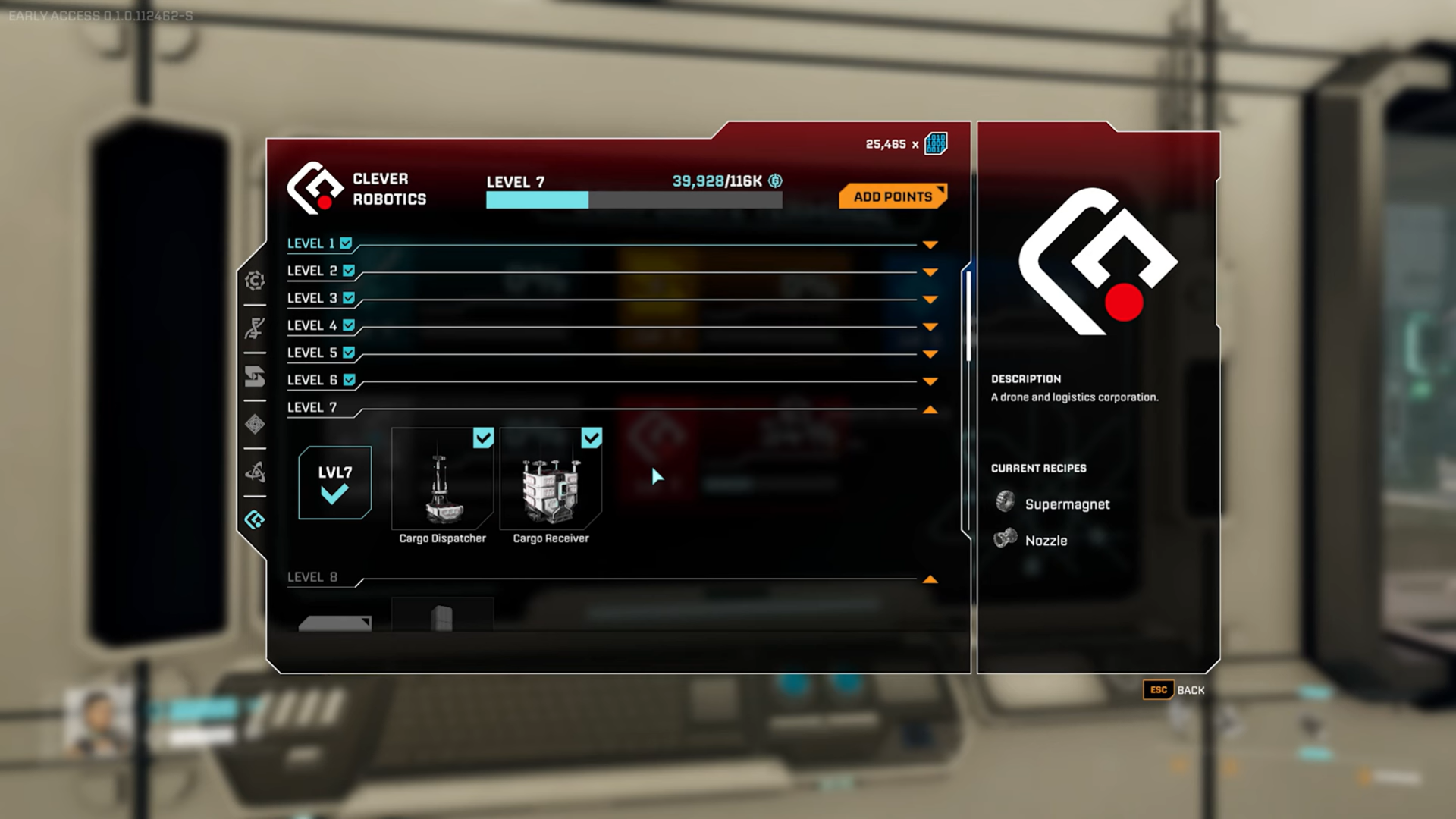
Step 2: Unlock logistics crafting
Once unlocked, both machines appear in the logistics tab of the building menu.
Step 3: Prepare intermediate materials
The recipes require multiple intermediate components. These can be crafted using basic item printers or mass pressors, which unlock later through Selenium corporation progression.
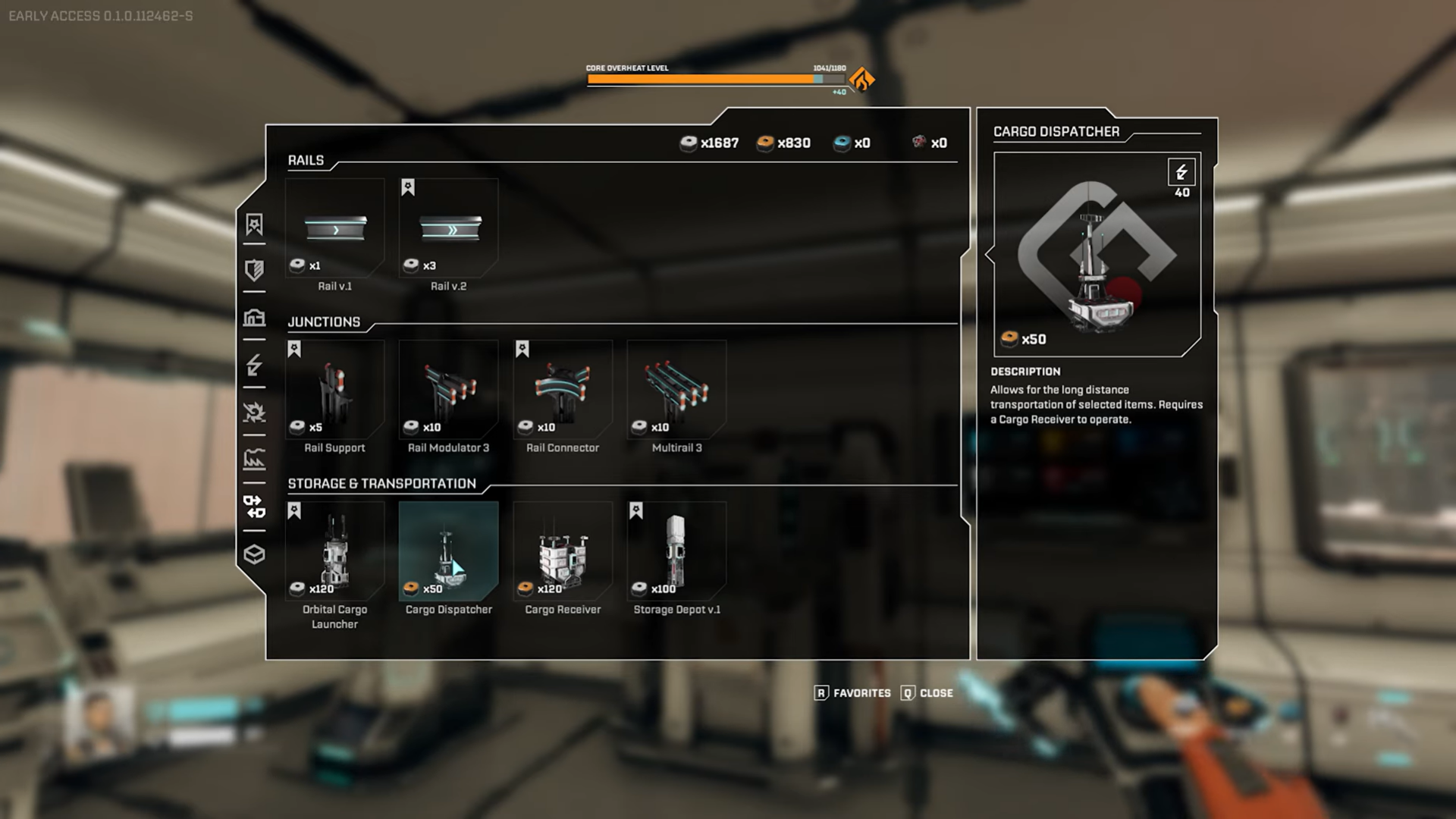
How to craft Cargo Dispatcher and Cargo Receiver
Both structures are mid-game builds and require:
- Multiple intermediate components
- Access to logistics crafting
- A stable power grid
The recipes are material-dense, so it’s best to prepare a small production chain before committing to multiple units.
How to use Cargo Dispatcher and Cargo Receiver properly
Step 1: Place both machines
Place the Cargo Dispatcher near the item source and the Cargo Receiver at the destination base, factory, or outpost.
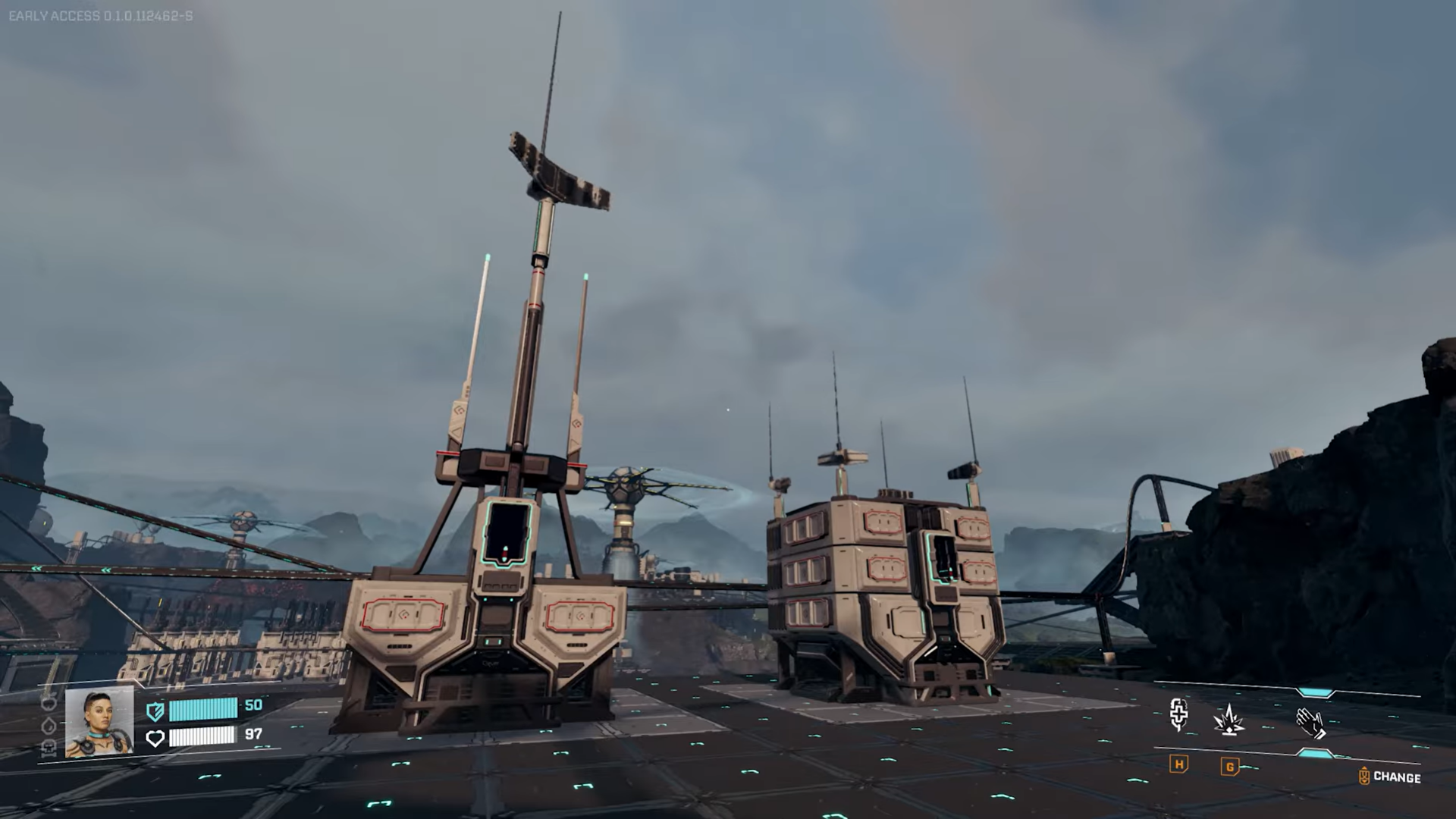
Step 2: Select the item to send
Interact with the dispatcher and choose the single item type it will package and send.
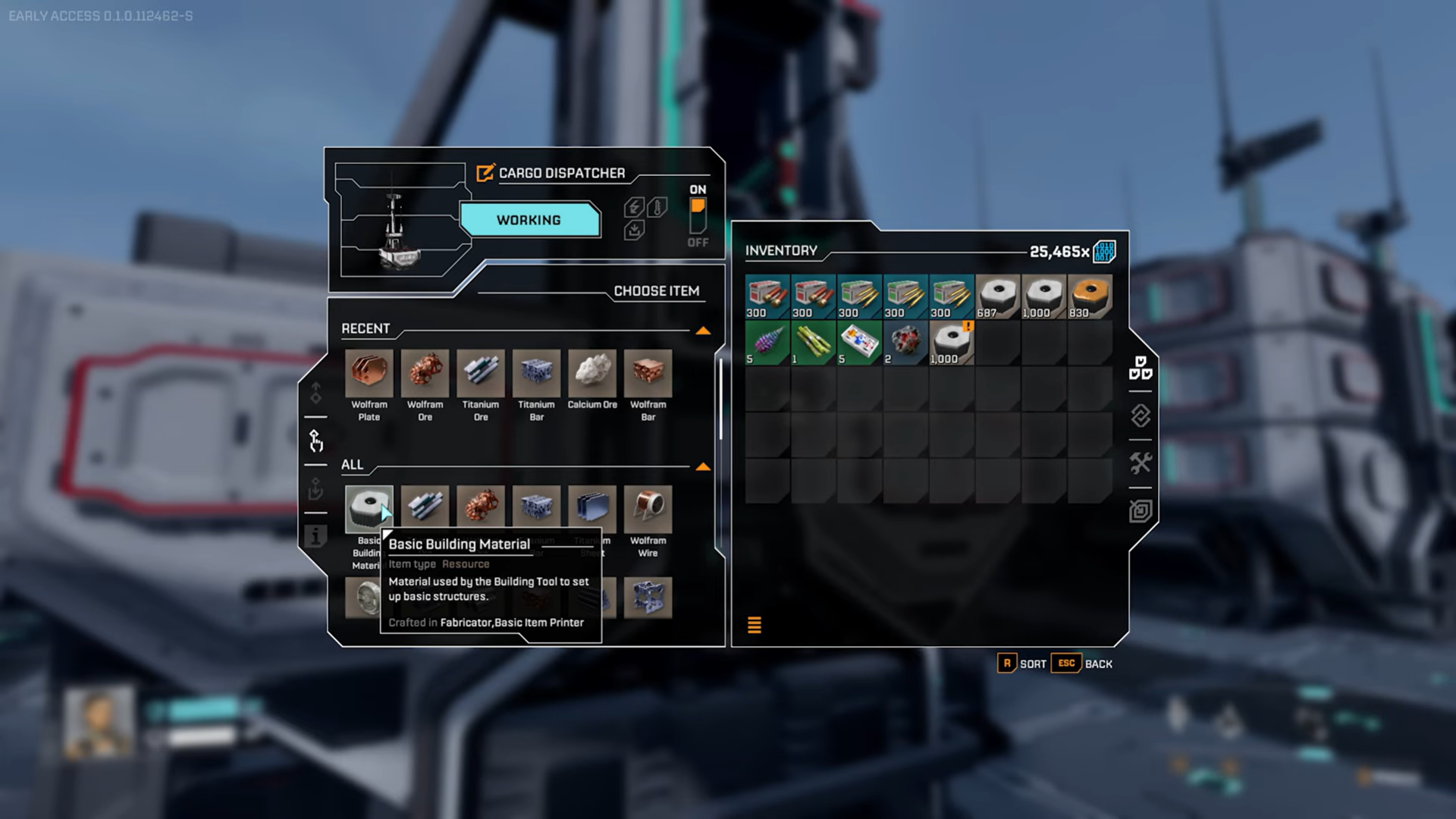
Step 3: Link a Cargo Receiver
From the dispatcher interface, select the target receiver you want items sent to.
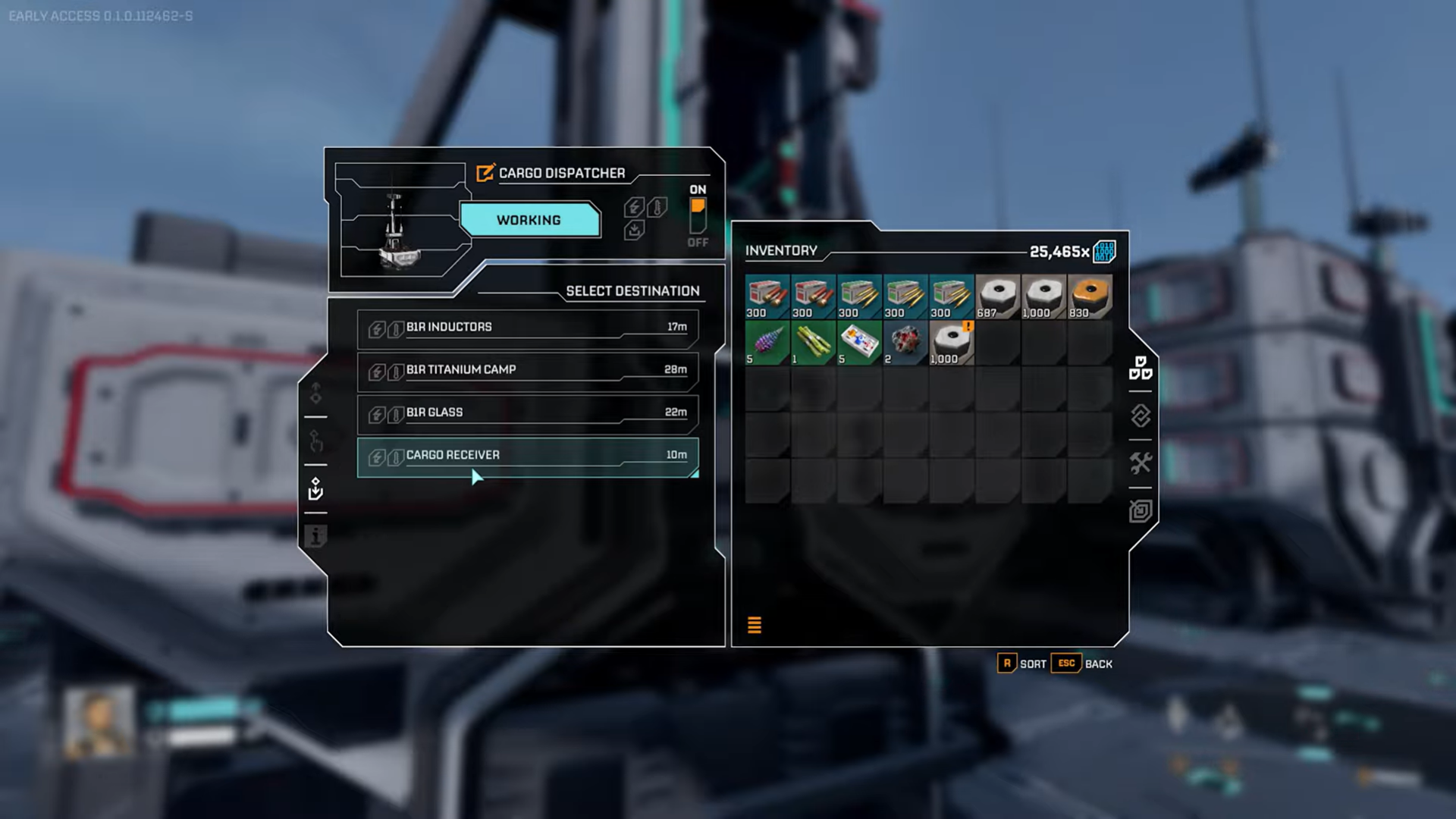
Step 4: Feed items into the dispatcher
Items can be inserted manually or via rails and automation lines.
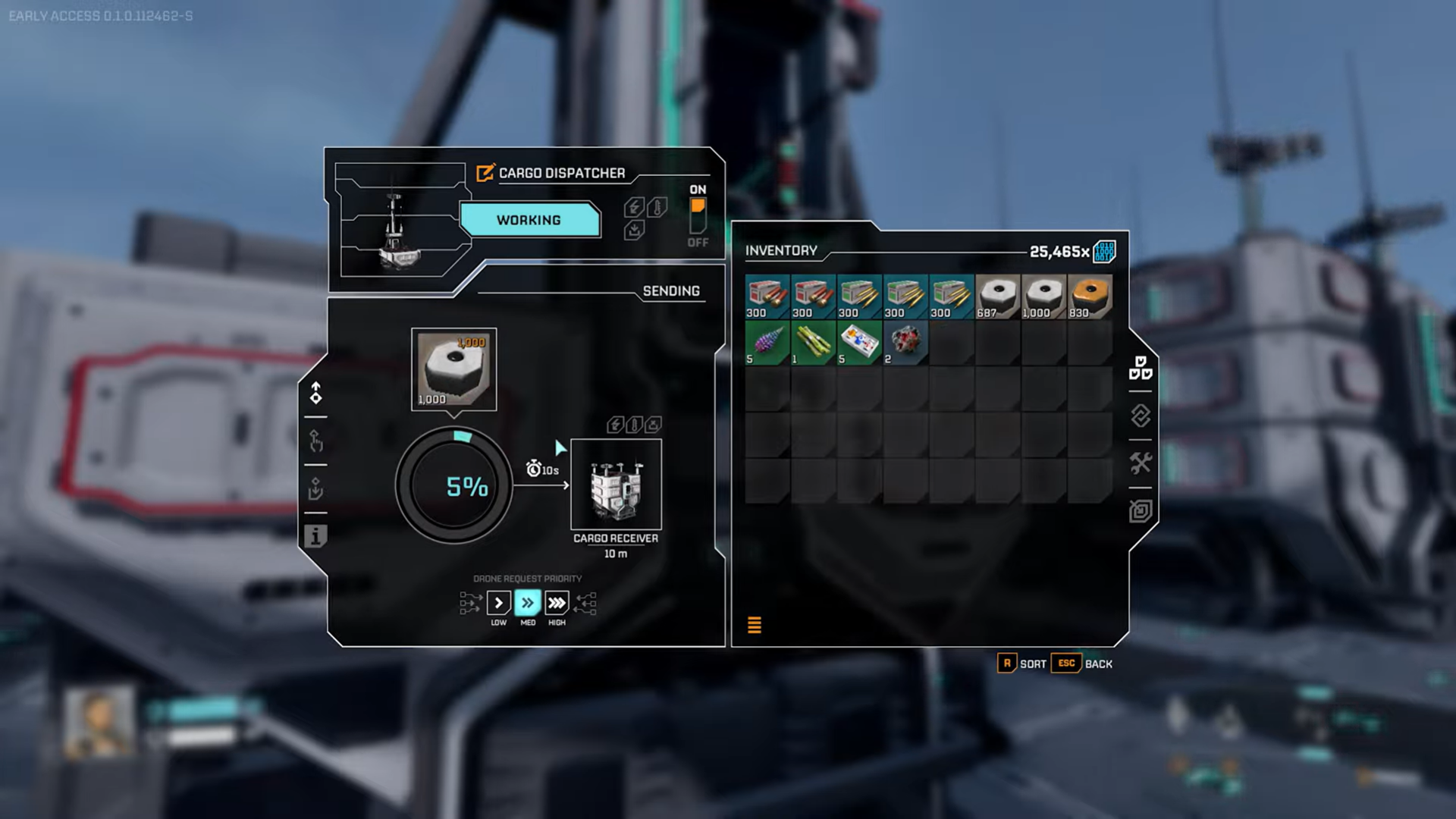
Step 5: Manage package size
Adjust package size to control delivery speed. Smaller packages send faster, while larger ones reduce dispatch frequency. Send away your items.
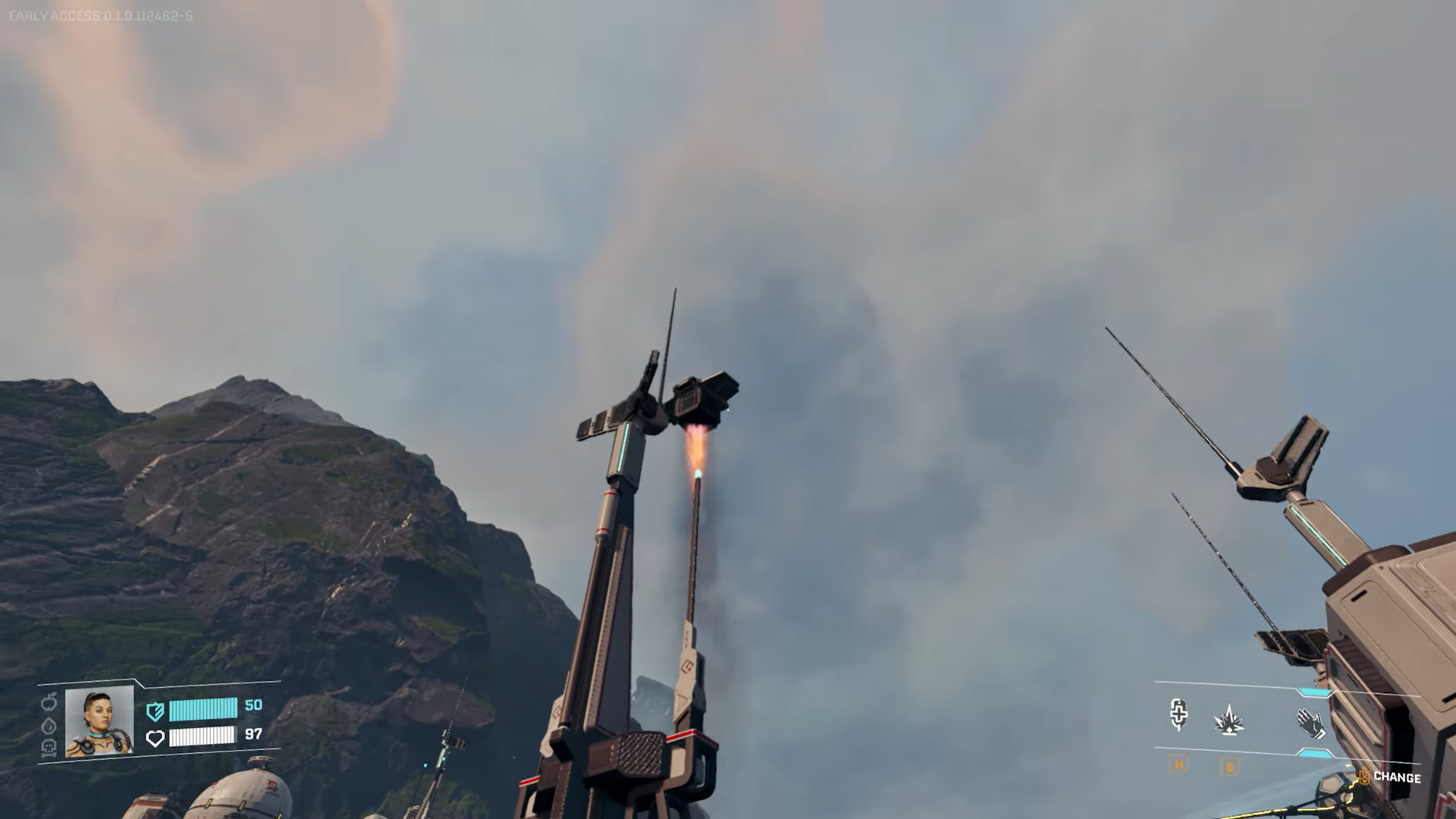
Step 6: Handle full receivers
If the receiver storage is full, the dispatcher pauses automatically until space is available.
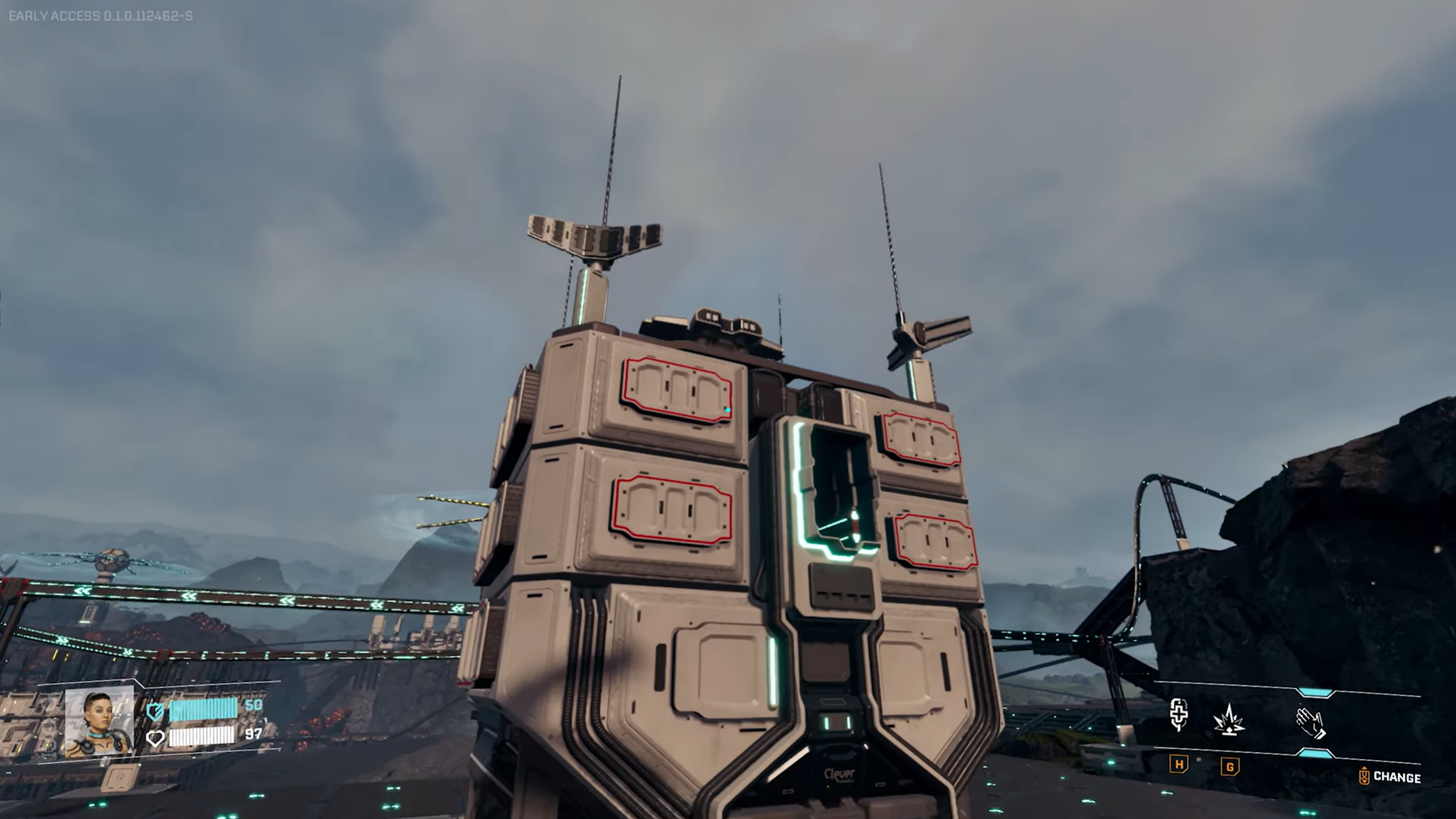
Recommended naming scheme for receivers
Using consistent names makes large networks manageable. A simple system works best:
- B1R = Base 1 Receiver
- O2R = Outpost 2 Receiver
- FOBR = Forward Operating Base Receiver
Clear naming prevents misrouting and saves time when managing multiple dispatchers.
Power and base core overheat considerations
Both the Cargo Dispatcher and Cargo Receiver require 40 power each. Wind turbines can comfortably support several units, so power is rarely the main issue.
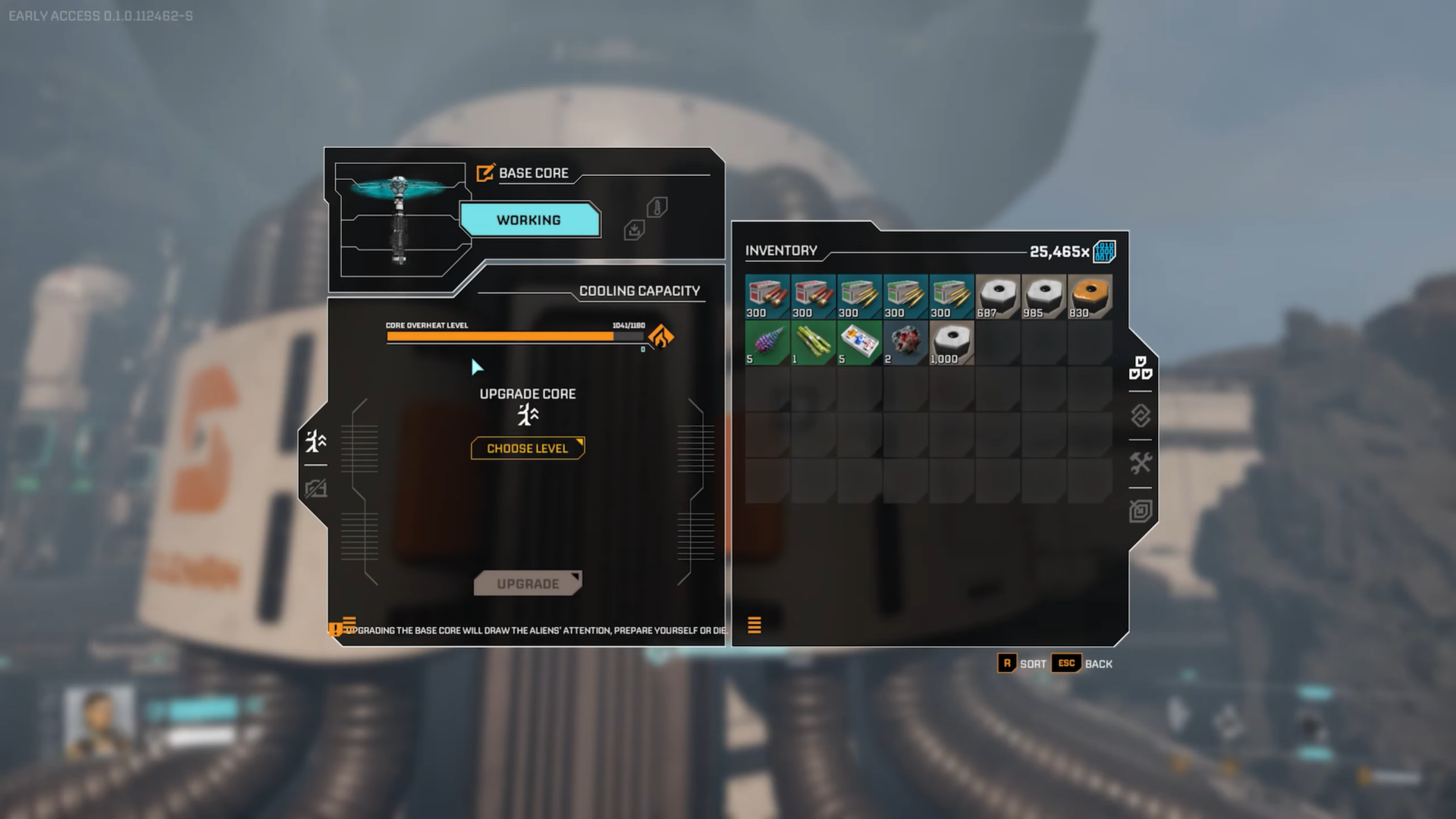
The real constraint is base core overheat.
Each unit consumes 40 overheat capacity, making wireless logistics one of the most heat-intensive systems in the game.
How to manage overheat limits
- Upgrading increases heat capacity but costs significant resources and may attract hostile activity.
- Distributing logistics buildings across several base cores reduces overheat strain on a single base.
- Core amplifiers increase heat capacity by 20 each. Since one cargo unit needs 40, you’ll need two amplifiers per dispatcher or receiver.
What happens if you exceed overheat limits
In the current early access version, exceeding the overheat limit doesn’t shut systems down. Instead, buildings take longer to cool after rupture events, making the penalty manageable for now.
Practical use cases for Cargo Dispatchers and Receivers
Internal factory logistics
Send crafted parts like glass, titanium housing, or inductors directly to your main base without running belts across large factory layouts.
Long-distance resource transport
Move rare materials such as Wolfram bars from distant mining nodes straight to your central production hub.
Outpost and FOB resupply
Set up forward bases that receive steady material shipments, especially useful for exploration and multiplayer coordination.
Current limitations and future potential
At present:
- Each dispatcher handles only one item type
- Not all items are eligible for wireless transport
- There is no remote reconfiguration or linking
You must physically travel to dispatchers and receivers to change destinations. Future updates may introduce remote control or player teleportation, but for now, planning ahead is essential.
Why Cargo Dispatchers are worth the investment
Despite their cost and heat usage, Cargo Dispatchers and Receivers dramatically reduce logistical friction. Once integrated properly, they let you focus on expansion, defense, and optimization instead of constant hauling.
About StarRupture
| Field | Details |
|---|---|
| Official Title | StarRupture |
| Developer | Creepy Jar |
| Publisher | Creepy Jar |
| Release Stage | Early Access |
| Launch Date | January 6, 2026 |
| Platform | Steam (PC) |
| Genre | First-person open-world survival, base building, exploration |
| Game Modes | Single-player, Online Co-op (up to 4 players) |
| Core Focus | Base building, automation, resource management, combat vs alien creatures |
| Setting | Hostile alien planet with dynamic environmental hazards |
| Early Access Note | Active development; content and mechanics may change |
Thanks for staying till the end! If the Cargo Dispatcher & Cargo Receiver guide for StarRupture made things easier or gave you useful insights, we’d love to hear your thoughts. Drop your feedback or questions in the comments—we’re always active and ready to assist with anything that still feels unclear.



