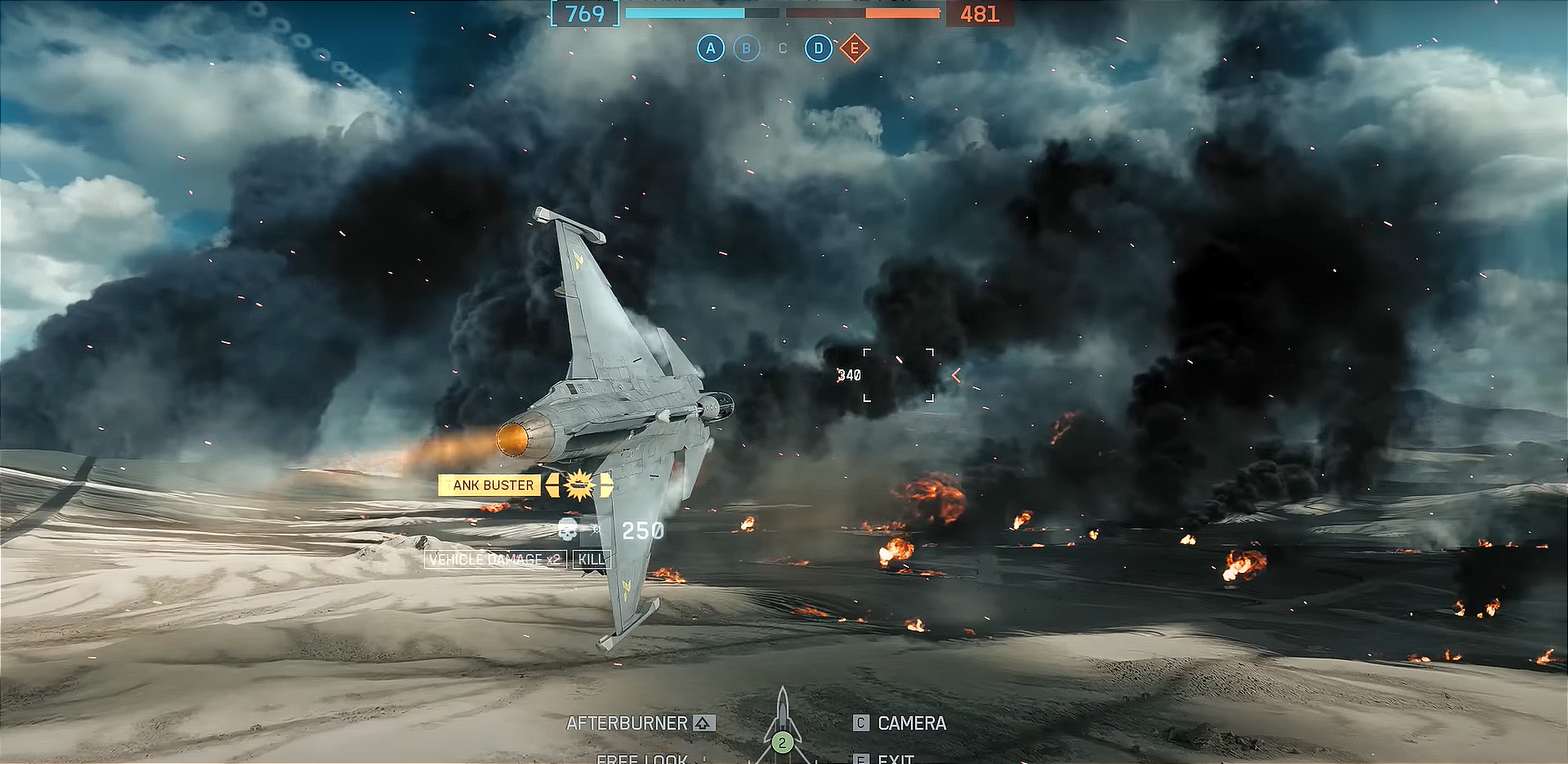
Master the basics of flying jets in Battlefield 6 with tips on controls, speed management, and combat tactics to dominate the skies.
What to know
- Jets in Battlefield 6 become available around 60 seconds into a match and require quick deployment.
- Effective jet control involves managing speed carefully, especially keeping close to a “sweet spot” speed for tight turns.
- Players should use a combination of pitch, roll, and yaw for precise maneuvers, with speed bursts and thrust vectoring playing key roles.
- Practice in custom game modes with settings adjusted for less damage and more respawn opportunities to improve flying skills.
Flying jets in Battlefield 6 can be both exhilarating and challenging—especially with so many changes from previous Battlefield entries. You’ll spot intense dogfights and need to manage speed, altitude, and your weapons arsenal all at once. But with a patient, step-by-step approach, any pilot can build their skills and confidently rule the skies.
Flying a jet in Battlefield 6: Quick overview
| Key Section | Core Tips | Why It Matters |
|---|---|---|
| Getting a Jet | Deploy immediately after match start — jets are limited and claimed fast. | Securing an aircraft early ensures you enter the air before enemy pilots or teammates take the available slots. |
| Controls & Setup | Customize bindings, lower sensitivity for precision, test control presets. | Fine-tuned controls make flying smoother and targeting easier, especially in high-speed engagements. |
| Practicing Flight | Train in custom or bot lobbies with instant respawns and no pressure. | Builds confidence and muscle memory for maneuvers and weapon usage without risking match performance. |
| Basic Flying Techniques | Balance throttle and maintain optimal speed during turns. | Prevents stalls, increases cornering efficiency, and helps you keep visual contact with enemies. |
| Dogfighting & Combat | Use afterburner sparingly, combine pitch and roll for tight maneuvers, deploy flares on lock-on. | Mastering energy control and countermeasures lets you outlast opponents and evade missiles. |
| Weapons Usage | Fire in short, controlled bursts; track cooldowns and overheat limits. | Maximizes accuracy, reduces spread, and ensures sustained combat readiness. |
| Repairs & Survival | Return to base or use repair zones when damaged; avoid predictable flight paths. | Extends your operational uptime and prevents being picked off during retreat. |
| Latest Updates | Recent patches adjusted control curves and improved countermeasure timing. | Staying informed ensures you adapt to new balance changes and fly at peak efficiency. |
How to get a jet at match start
Usually, only one or two jets spawn per team. Wait roughly 60 seconds after match start for the alert “Aircraft Available for Deployment.” When it appears:
Stay glued to the HQ spawn menu during the countdown.
Immediately hit the Deploy button as soon as the jet is available—competition is fierce for aircraft slots.
How to master jet flying in Battlefield 6
You can avoid fighting the controls by customizing keybinds and sensitivity for jet handling.
Go to Settings > Controller or Mouse & Keyboard > Aircraft.
Select a control preset or fully remap controls to match your style. Lower sensitivity often helps with smoother tracking. Experiment in a practice lobby—this will let you tweak without combat pressure.
Tip 1 – Practicing jet flight safely
Setting up a low-stress environment helps rapid improvements. Open Battlefield Portal and create a Custom Game with jets enabled on big maps (like Hourglass).
Set match to Solo/Co-op (bots or none), and drop vehicle and damage multipliers to zero for undisturbed flying. Adjust respawn timers for instant jet retrieval after crashes.

Tip 2 – Explore basics
Throttle up from runway, shallow climbs, and turning while maintaining speed (optimal turning often around 300 km/h; too slow or fast hampers maneuverability).

Tip 3 – Dogfighting and surviving in combat
Once basic handling is down, focus on combat maneuvers. Use afterburners strategically—escape danger or climb, don’t spam them constantly.
- In dogfights, pitch up with spacebar (or right stick on controller), using yaw (A/D or left/right) for fine corrections.
- Practice thrust vectoring to pull off advanced maneuvers like the cobra—rapid angle changes that shake pursuers.
- Mask your jet with terrain to break line of sight and reduce missile lock times; when under threat, pop flares and change altitude fast.
- Prioritize enemy aircraft for air superiority, then strafe ground targets when safe.

Tip 4 – Weapon selection and rearm tactics
Learn your jet’s autocannon and missile timing—use short bursts and avoid shooting during hard turns for better accuracy.
- Monitor bomb and missile cooldowns for continuous attack runs; bombs recharge automatically now.
- If your jet takes critical damage, fly low and fast to base or repair station—engineer upgrades can help with in-air repairs, but resupply at base is fastest.

Battlefield 6 flight control reference guide
| Function | Default (PC) | Default (Console) | Gameplay Tip |
|---|---|---|---|
| Throttle Up | W or Shift | RT / R2 | Use short bursts to maintain speed without overheating engines. |
| Throttle Down | S or Ctrl | LT / L2 | Slow down before tight turns to improve maneuverability. |
| Pitch Up / Down | Mouse or Arrow Keys | Right Stick | Always pitch up slightly during turns to maintain lift. |
| Yaw Left / Right | A / D | Left Stick (Horizontal) | Use gentle yaw input for fine directional adjustments. |
| Roll Left / Right | Q / E | Left Stick Tilt | Combine roll with pitch for faster banking maneuvers. |
| Afterburner | Spacebar | A Button | Use sparingly — reserve for escapes or dogfight bursts. |
| Fire Primary Weapon | Left Mouse Button (LMB) | RT / R2 | Fire in short bursts to manage recoil and spread. |
| Fire Secondary Weapon | Right Mouse Button (RMB) | LT / L2 | Time missile launches carefully for lock-on accuracy. |
Keep practicing to get air superiority in Battlefield 6
With practice, quick reflexes for deployment, and a clear understanding of jet handling, you can take command of Battlefield 6’s skies. Master custom settings and safe solo lobbies for practice, and you’ll soon pull off the iconic dogfights and bombing runs that define Battlefield airpower.