


What to know
- Open the settings menu and navigate to the gameplay tab.
- Find the “Enable Utility Quick Swap” setting under the gameplay section.
- Toggle the setting to “On” to enable utility quick swap.
- Once enabled, tapping the designated keybind will instantly switch to the next item in your utility wheel.
Hytale is an upcoming game with a variety of gameplay features, and one of the most useful is the utility quick swap. This feature allows you to quickly switch between items in your utility wheel without having to hold down a button to open the menu.
How to Enable Utility Quick Swap
Step 1
Open the settings menu in Hytale by pressing the Escape key and selecting “Settings” from the menu.

Step 2
Navigate to the “Gameplay” tab. This section contains various settings related to how the game is played, including accessibility options.
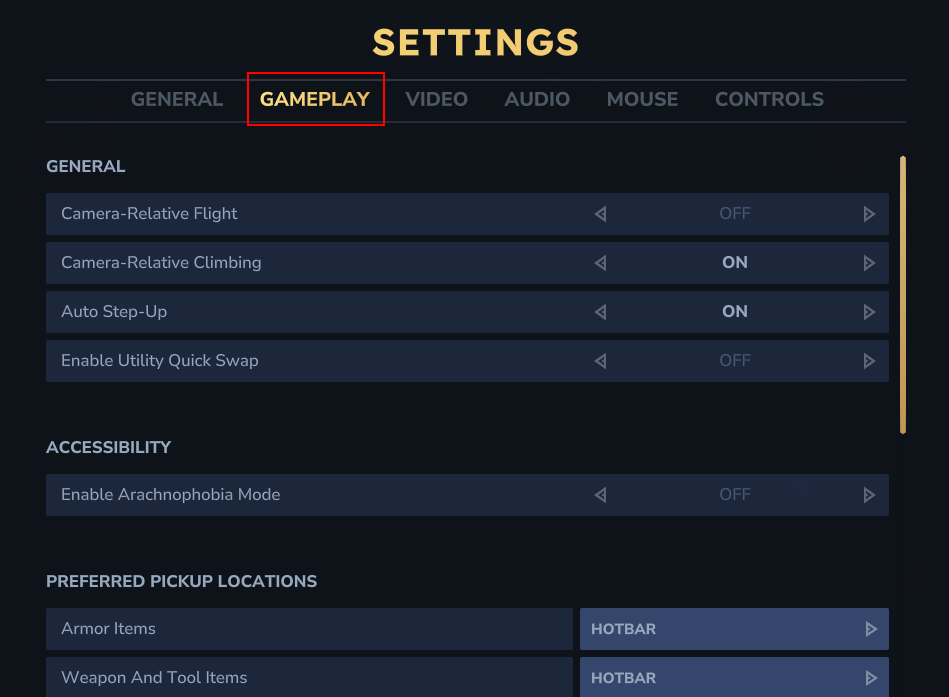
Step 3
Under the gameplay section, you’ll find the “Enable Utility Quick Swap” setting. Simply toggle this option to “On” to enable it.
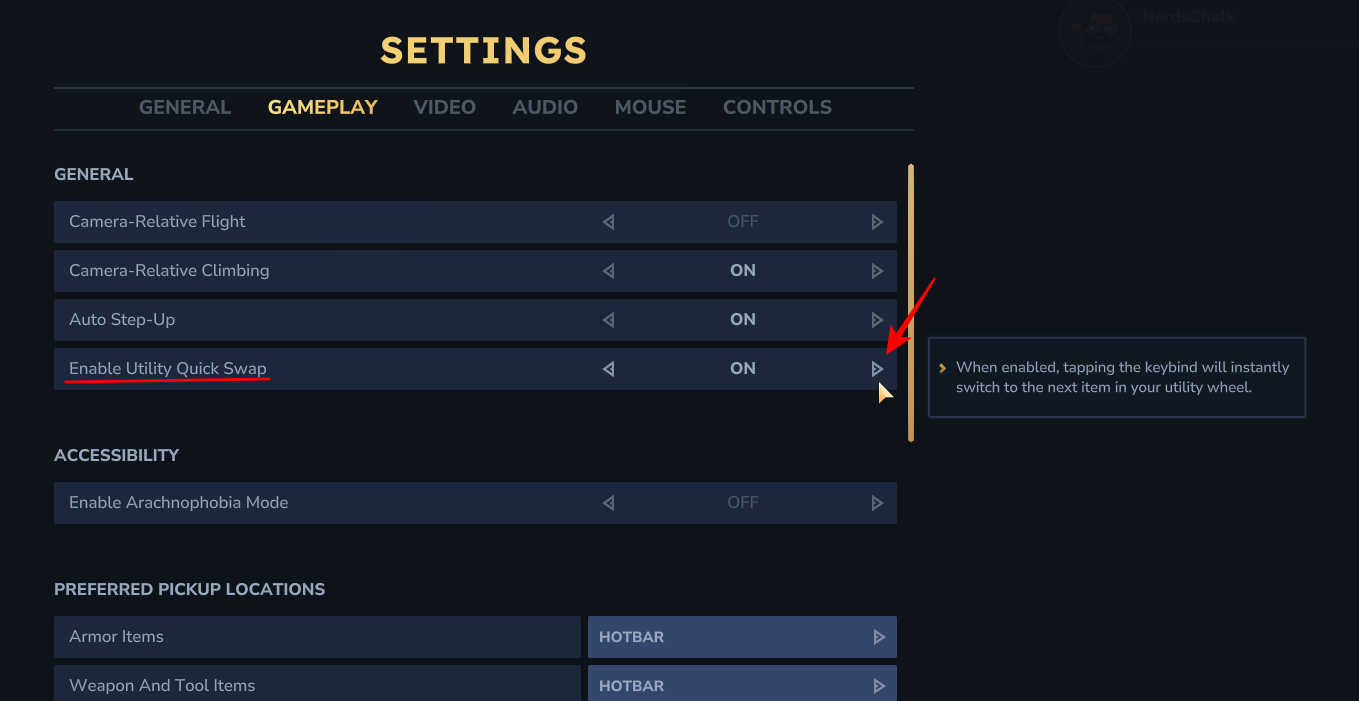
Once enabled, tapping the designated keybind will instantly switch to the next item in your utility wheel.
Using Utility Quick Swap
With utility quick swap enabled, you can now easily switch between items in your utility wheel. For example, if you have a shield and a torch in your utility wheel, you can simply tap the designated keybind to switch between the two.

This can be especially useful in combat or when you need to quickly access a specific item.
Utility quick swap is a great feature that makes Hytale more accessible and enjoyable for all players. By following these simple steps, you can easily enable this mode and enjoy exploring the world of Hytale with greater ease and efficiency.




