

What to know
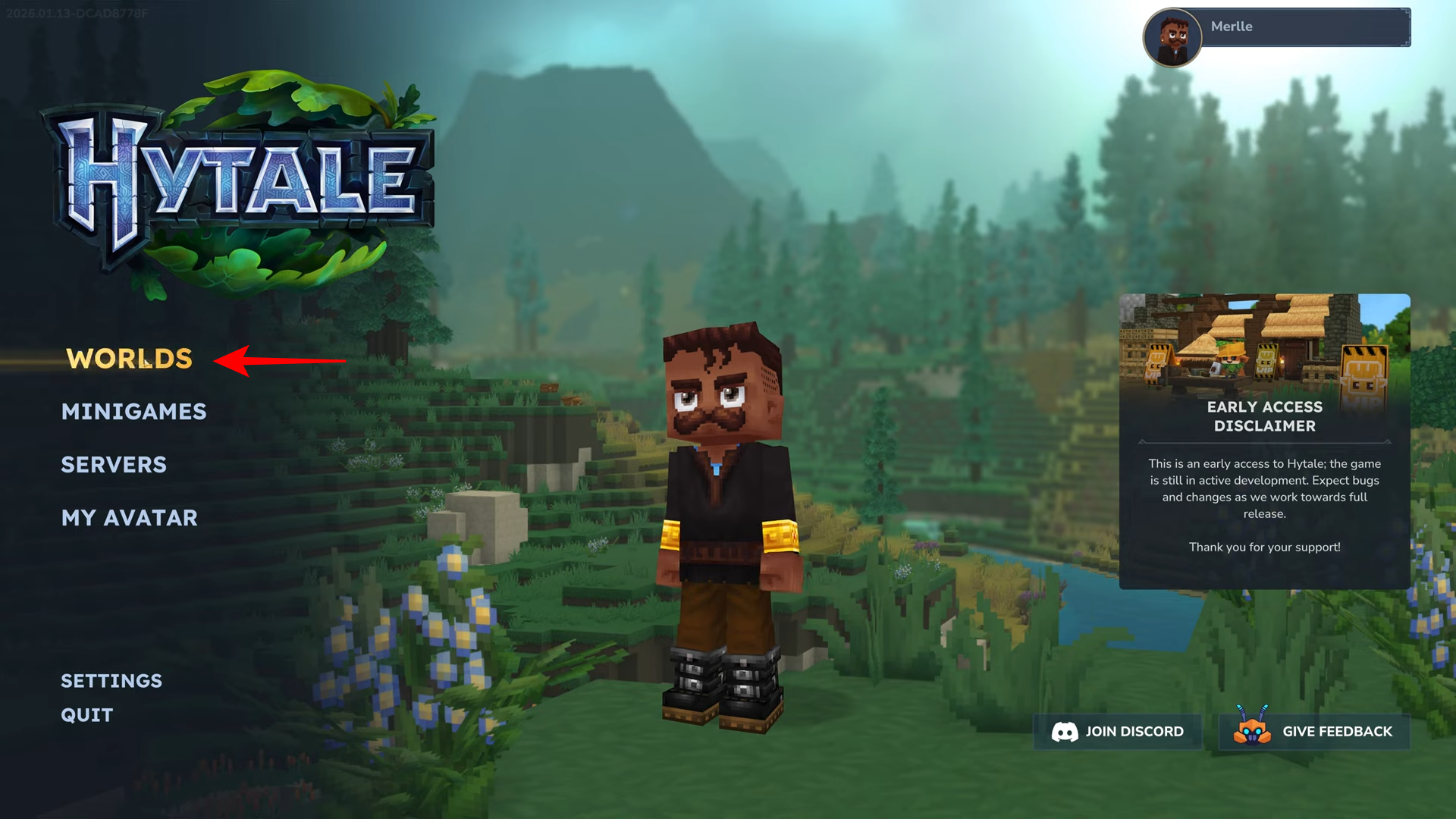
- Start from the main menu and click on the “Worlds” tab.
- You can enable PvP when creating a new world or by editing an existing one.
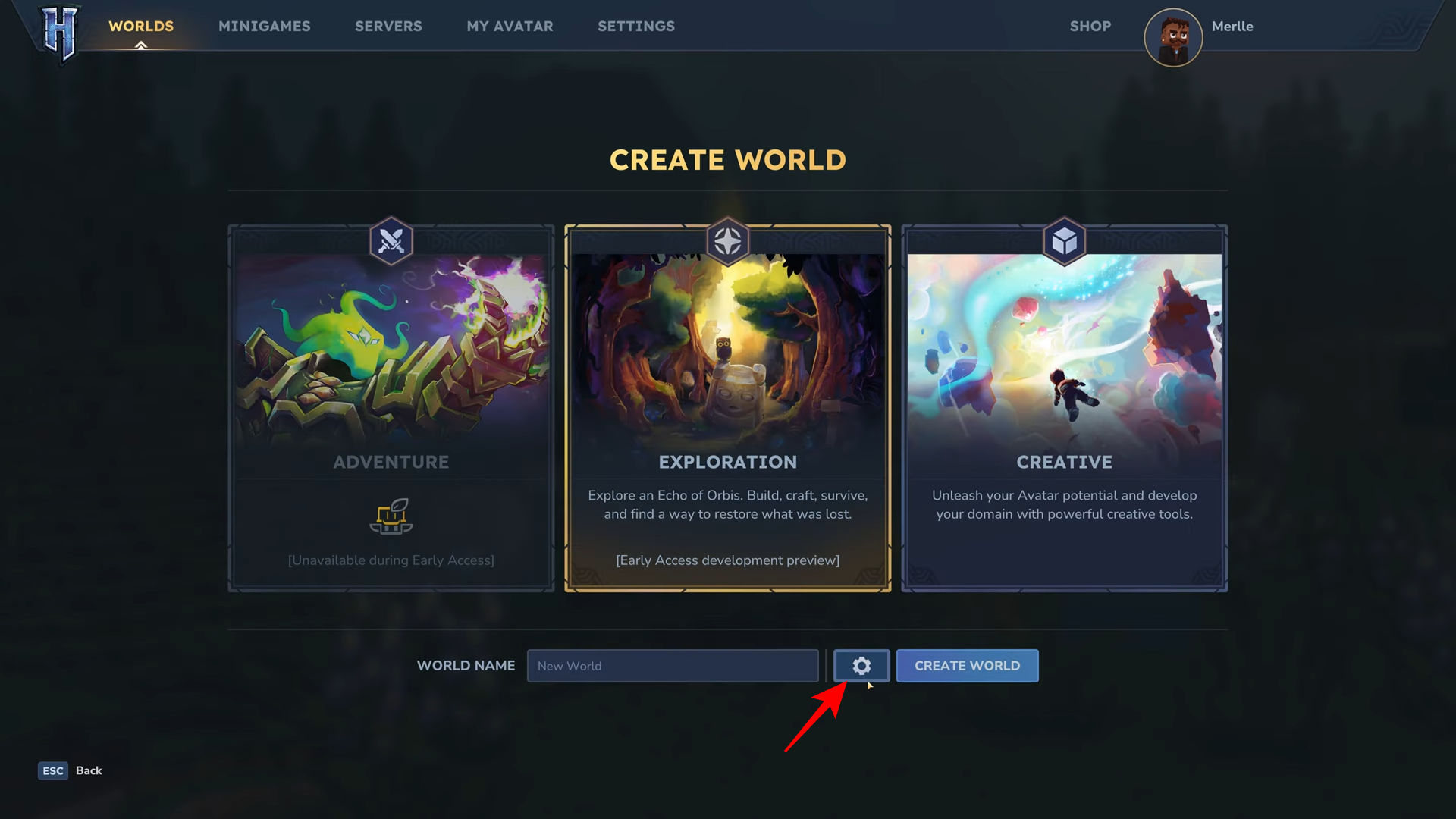
- Look for the gear icon to open the world-specific settings menu [00:03].
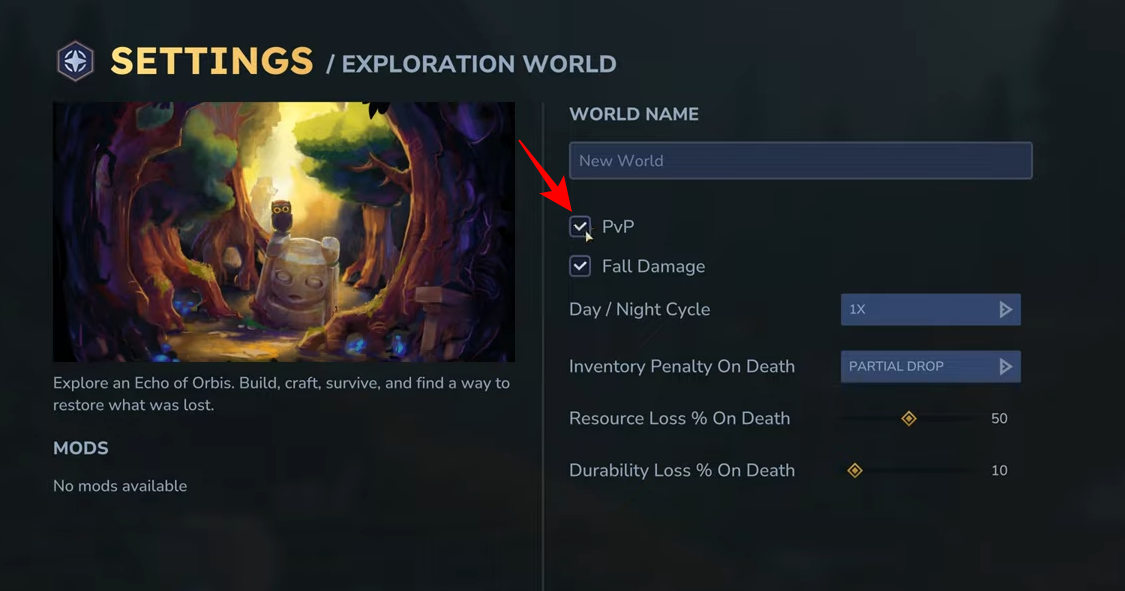
- In the settings menu, check the box next to “PvP” to enable player-versus-player combat.
Engaging in combat with other players is a core part of many multiplayer experiences, and Hytale allows you to toggle this feature to suit your playstyle. Whether you want to host a competitive arena or simply allow for friendly duels within your world, enabling PvP is a simple adjustment in the world settings.
How To Enable PvP In Hytale
By default, this option may be disabled, so knowing where to find it is essential for customizing your gameplay environment.
To enable PvP in your Hytale world, follow these steps:
Step 1
From the Hytale main menu, select the “Worlds” option to view your saved worlds or start a new one.
Step 2
If you are creating a new world, click “Create World” and then look for the gear icon near the world name field. If editing an existing world, select it and click “Edit World”.
Step 3
Within the “Settings / Exploration World” menu, locate the “PvP” checkbox. Click the box to add a checkmark, which enables player-versus-player damage.
Step 4
Once you have checked the box, click “Apply Settings” at the bottom right to save your changes and activate PvP for that world.
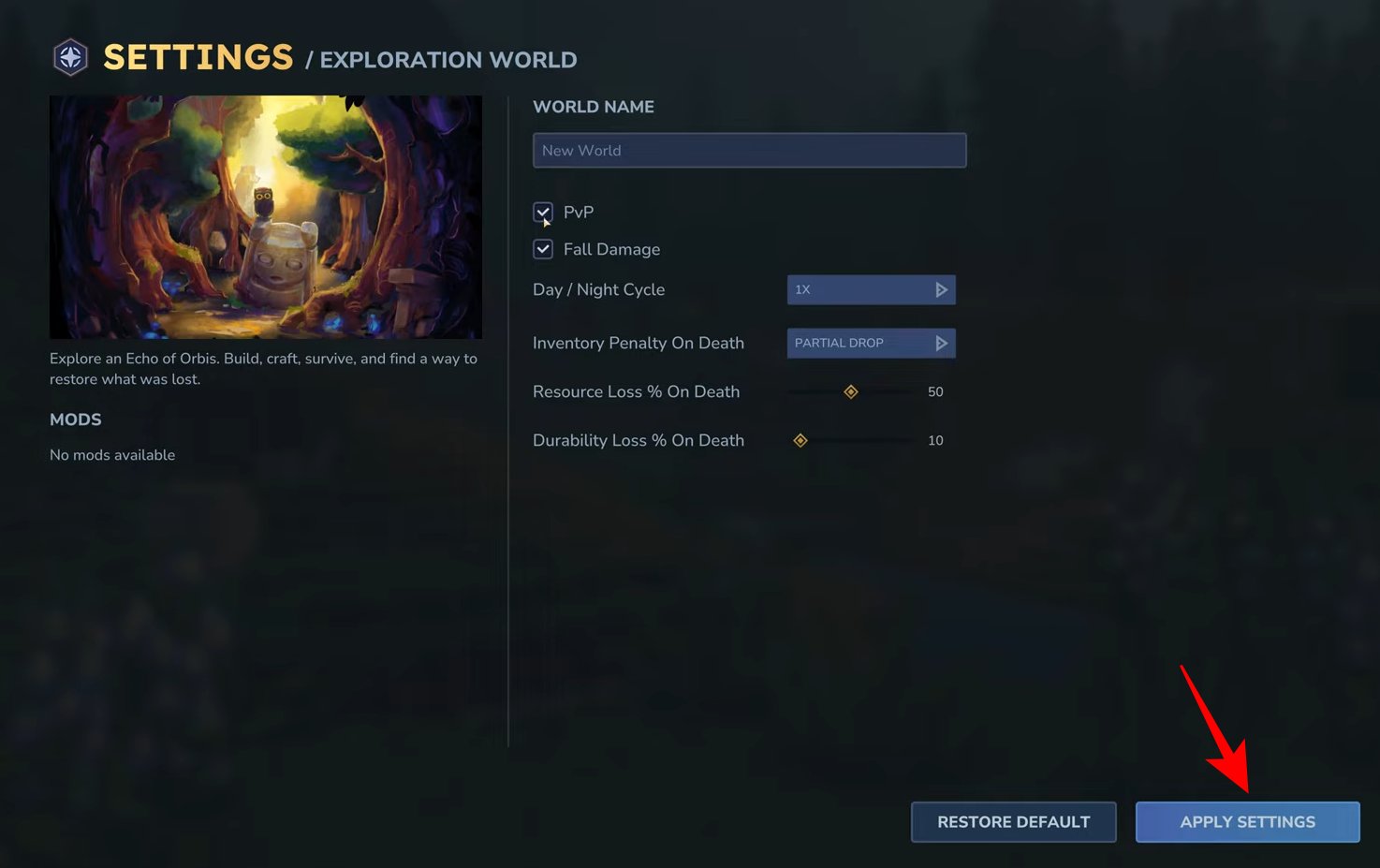
By checking the PvP box in your world settings and applying the changes, you can successfully enable player-versus-player combat in Hytale.




