

What to know
- Enemy health bars are disabled by default in Hytale
- There is an official in-game toggle to enable them
- Health bars appear above any damaged entity
- They help you judge danger, timing, and resource use
Combat in Hytale is more tactical than it first appears. Enemies vary widely in strength, behavior, and abilities, and knowing how close a fight is to ending can change your decisions. That’s where enemy health bars come in—they give you clear feedback during combat without relying on guesswork.
How to enable enemy health bars in Hytale
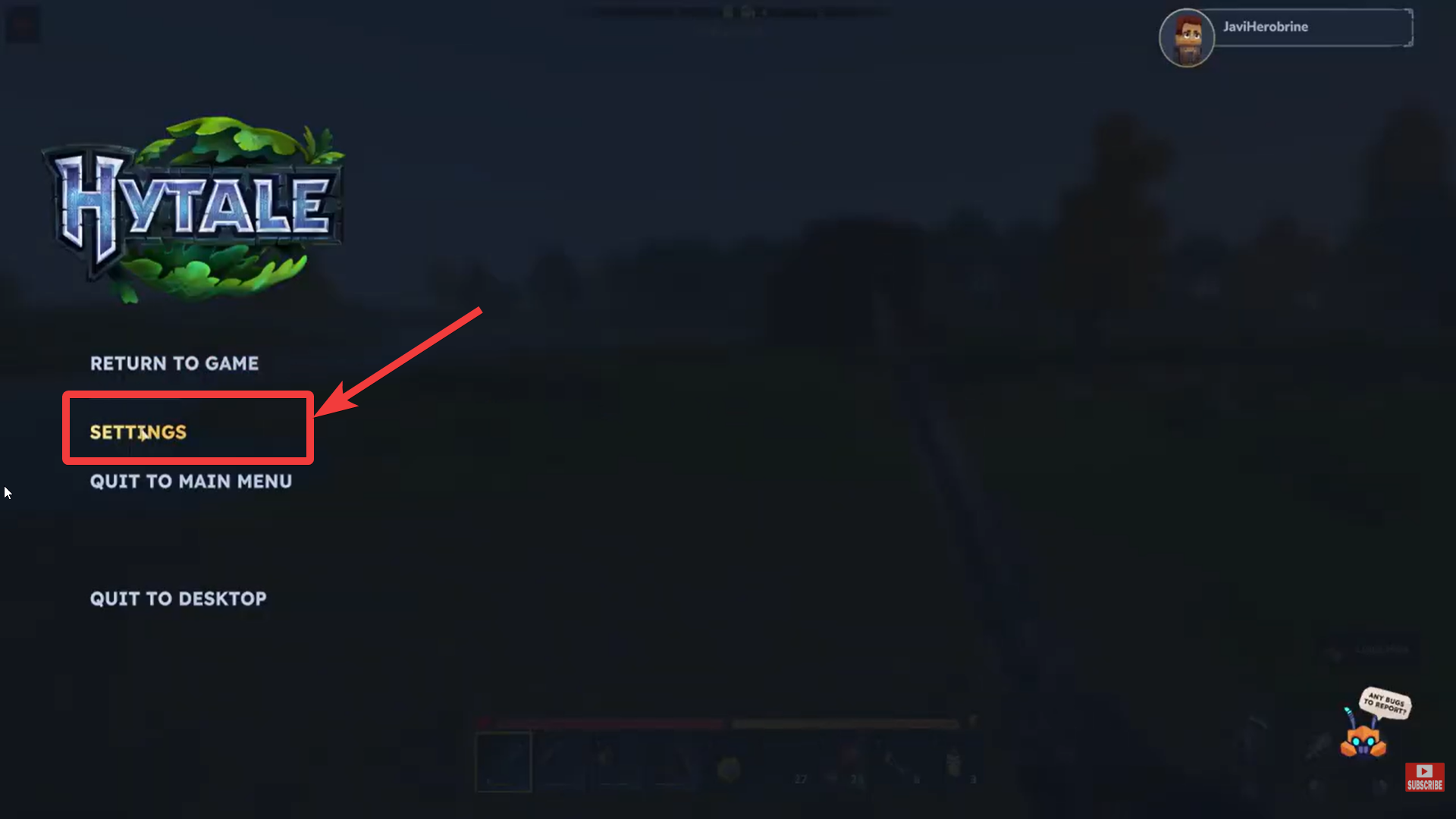
Step 1 – Go to Settings
Press Escape to open the pause menu while in-game. Select Settings from the menu on the left side.
Step 2 – Search for Entity Health bar
Make sure you are on the General tab. Scroll down until you find the option labeled Show Entity Health Bars.
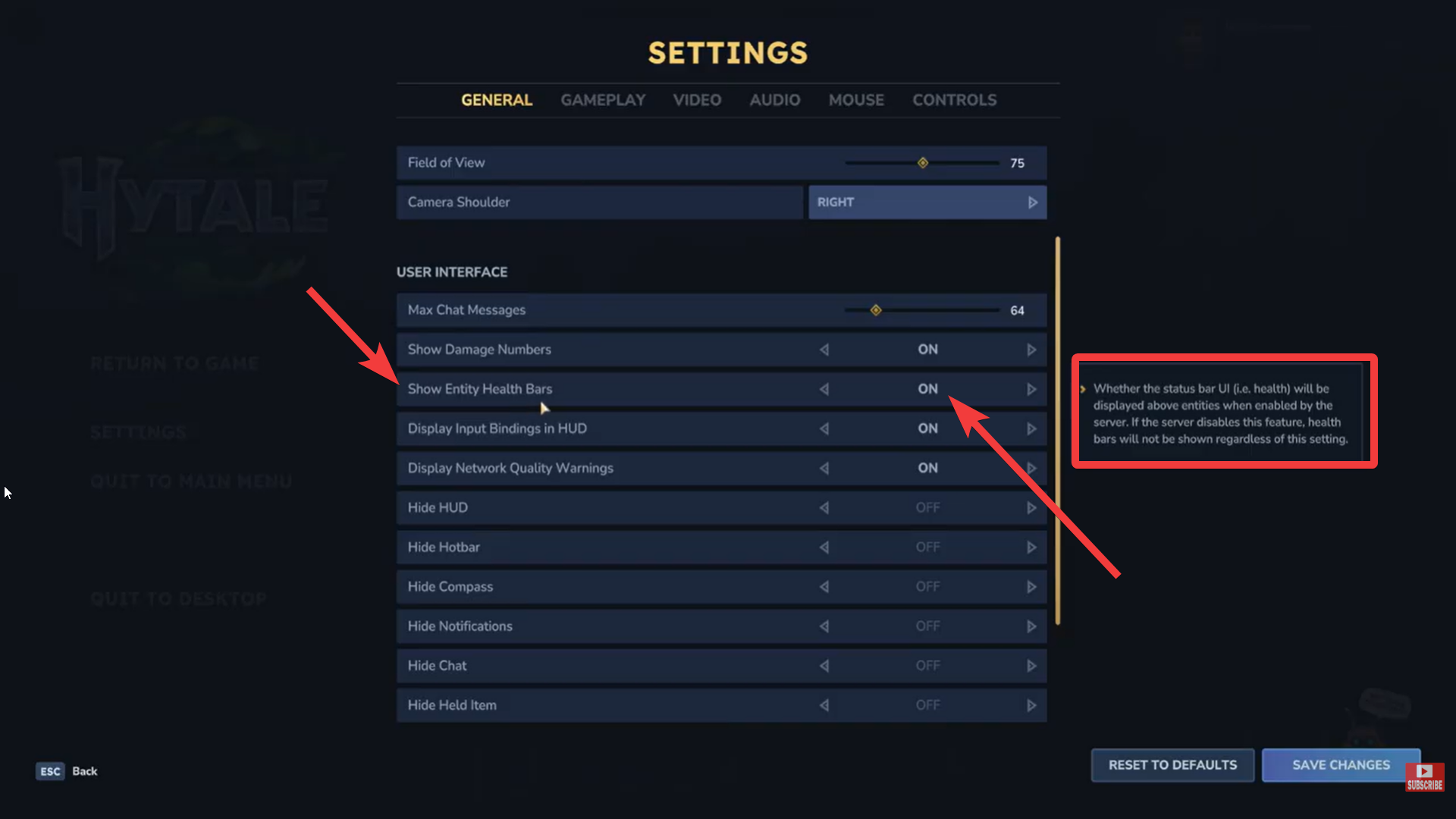
Toggle the setting ON and exit the menu.
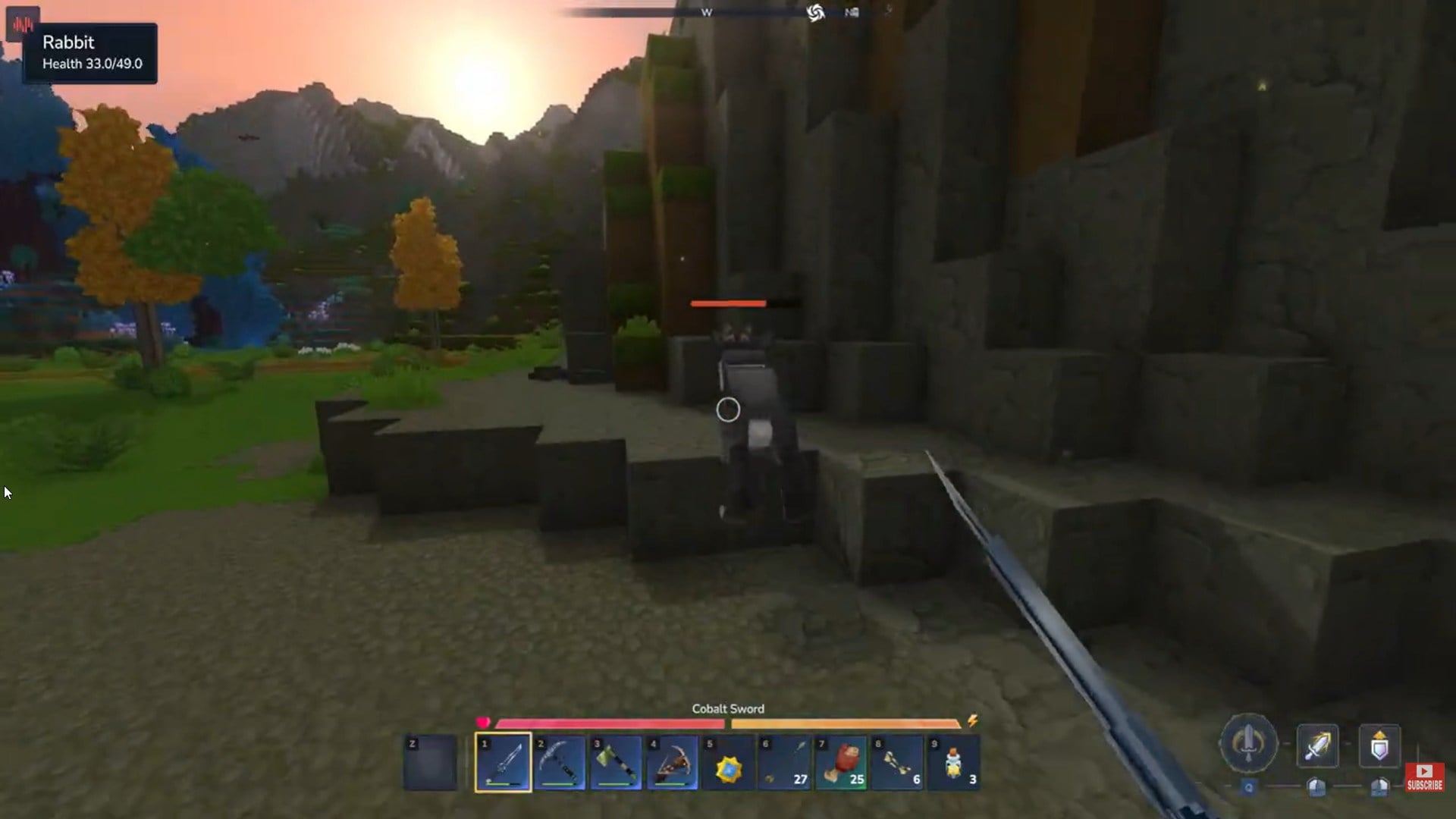
Once enabled, a health bar will appear above any entity you damage. If no bar is visible, the creature is currently at full health.
How enemy health bars behave in combat
Enemy health bars in Hytale are context-sensitive. Even with the setting enabled:
- Health bars typically appear after an enemy takes damage
- Passive creatures, such as small animals, also show bars when hit
- Bars disappear again when the entity returns to full health or combat ends
This keeps the screen clean while still giving you important combat feedback.
Why enemy health bars matter in Hytale
Better combat decision-making
Seeing an enemy’s remaining health helps you decide whether to commit to a fight, retreat, or switch weapons. This is especially useful against tougher mobs or groups.
Efficient resource usage
Health bars prevent wasted attacks. You can avoid overusing stamina, durability, or consumables on enemies that are already close to defeat.
Learning enemy difficulty
Early on, health bars help you quickly understand which enemies are meant for your current gear level and which ones signal danger.
Improved multiplayer coordination
In co-op or party play, visible health bars make it easier to focus targets, time finishing blows, and avoid splitting damage inefficiently.
Enemy health bars vs playing without them
Enemy health bars are a small setting with a big impact. Enabling them gives you better control over combat pacing, reduces unnecessary risk, and helps you learn the game’s enemies faster. Whether you’re exploring early zones or facing tougher threats later on, this single toggle can noticeably improve your experience.
| Gameplay style | With health bars | Without health bars |
|---|---|---|
| Combat clarity | High | Low |
| Risk awareness | Clear | Guess-based |
| Immersion | Slightly reduced | Higher |
| Learning curve | Easier | Steeper |
Some players prefer keeping health bars off for immersion, while others enable them permanently for clarity—Hytale supports both approaches.
Thanks for taking the time to go through this Enemy health bar setting guide for Hytale. If it helped you understand things better, do share your thoughts, impressions, or doubts in the comments section. We keep a close watch and try to respond promptly to ensure you always get the support you need.




