


While auto-jump can be helpful for new players, many experienced gamers prefer to have full control over their character’s movements. If you find auto-jump to be more of a hindrance than a help, here’s how to disable it in Hytale:
How to disable Auto Jump
Step 1
Press the Escape key to bring up the pause menu. Click on the Settings option.
Step 2
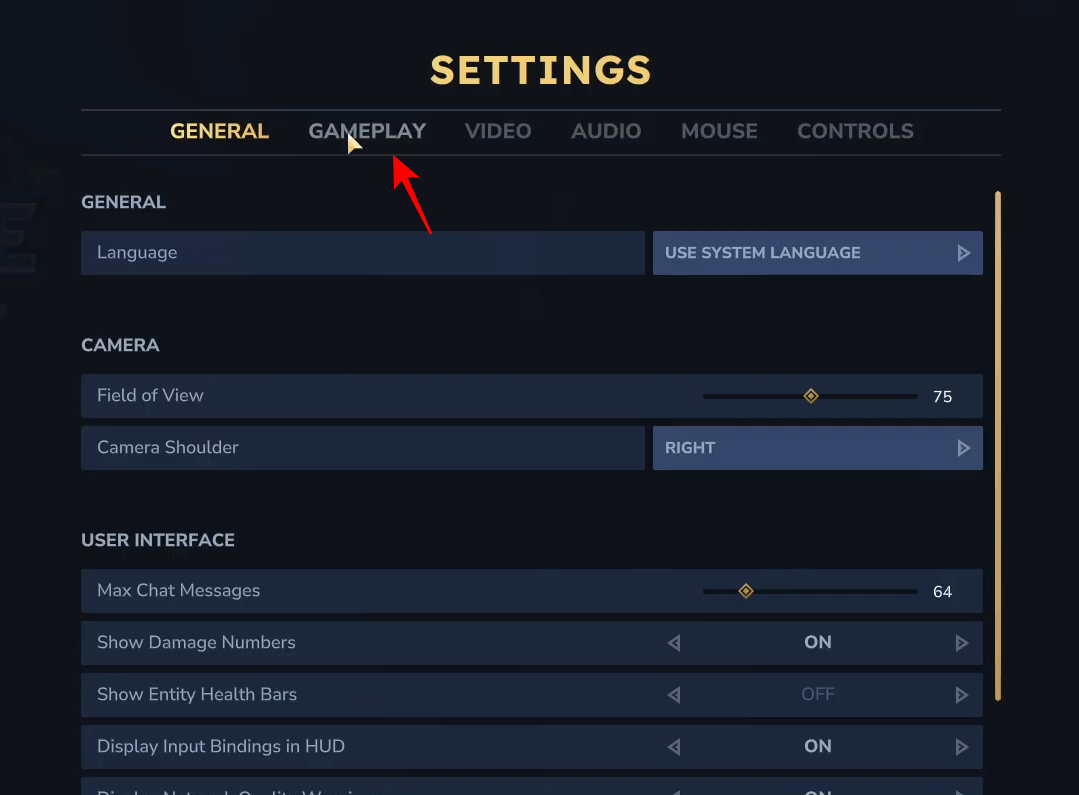
Select the Gameplay tab from the top of the settings menu.
Step 3
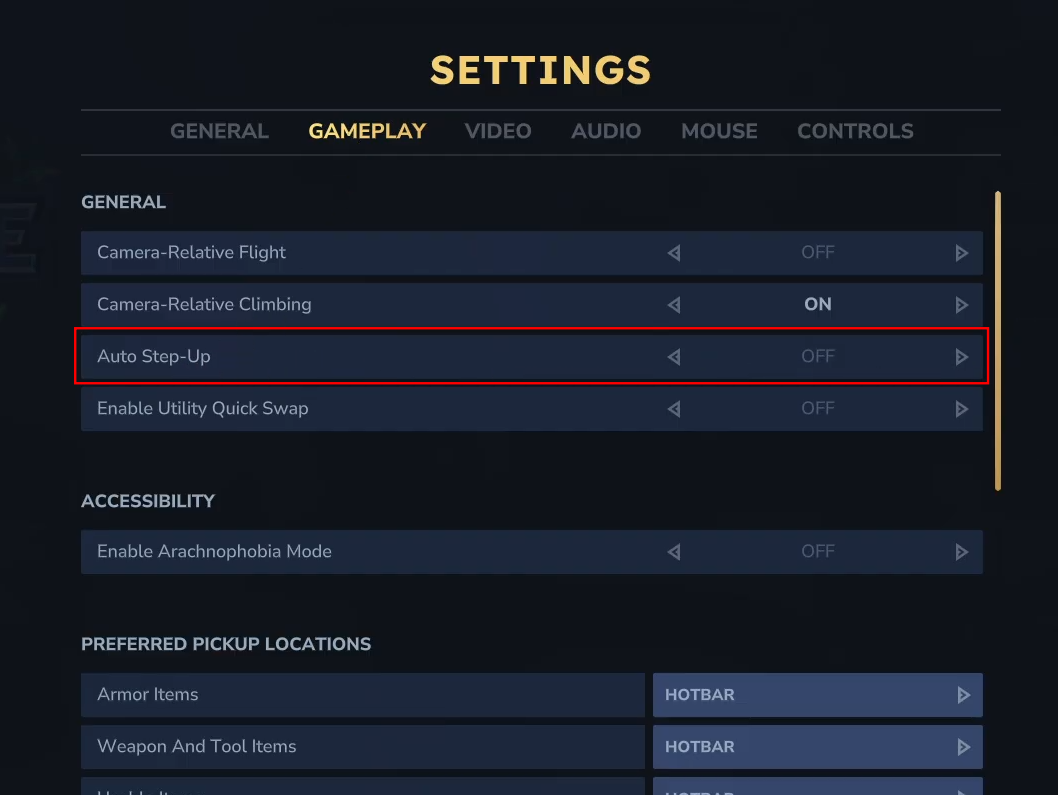
Look for the Auto Step-Up option under the General section. Click on the toggle to switch it from ON to OFF.
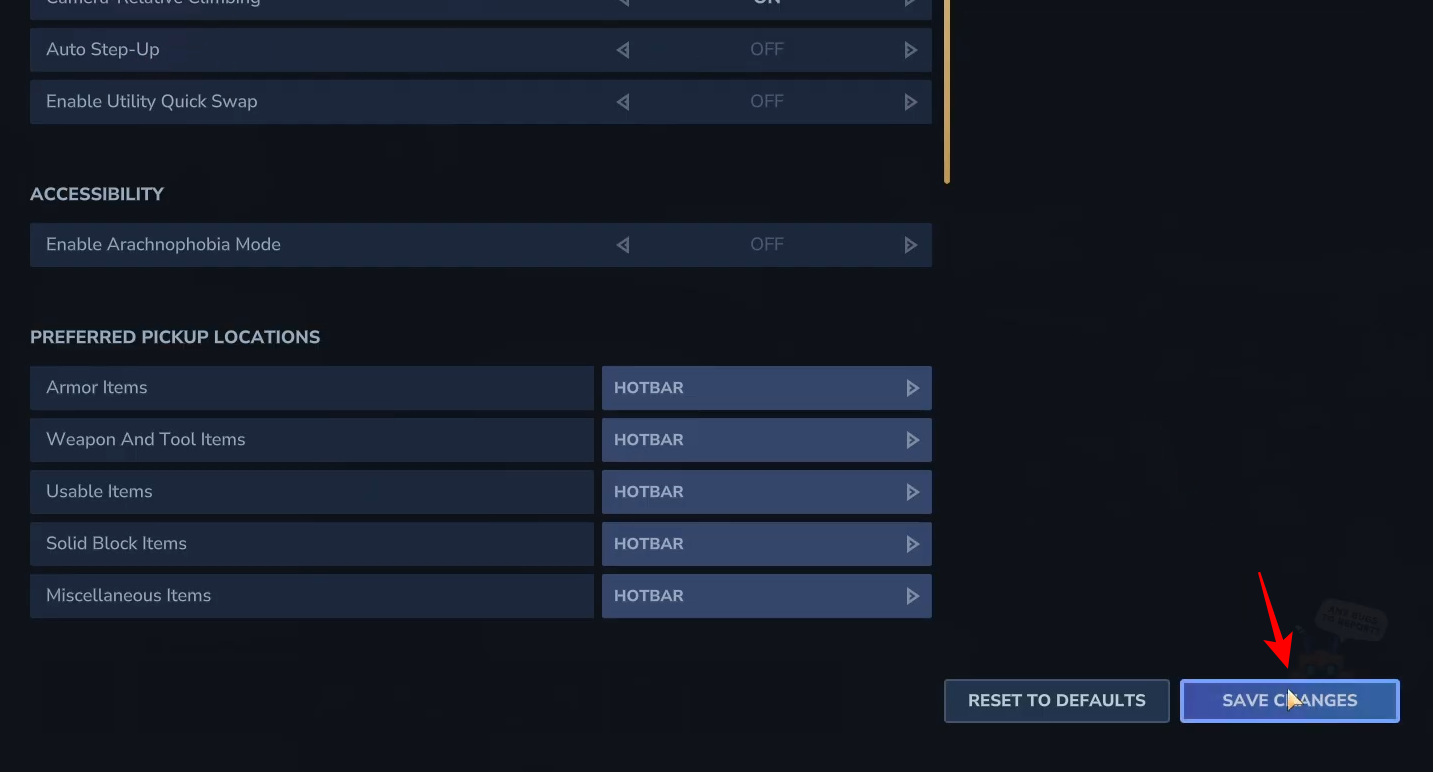
Don’t forget to click the Save Changes button in the bottom-right corner to apply the setting.
Why Disable Auto-Jump?
- Precise Movement: Disabling auto-jump gives you more control over when your character jumps, which is essential for parkour and navigating tricky terrain.
- Avoiding Unintentional Jumps: Auto-jump can sometimes trigger when you don’t want it to, leading to accidental falls or missed jumps.
By disabling auto-jump, you’ll have a more deliberate and controlled movement experience in Hytale. Happy exploring!




