

What to know
- Start by opening the world menu from the main screen.
- Right-click on the specific world you wish to remove to see your options.
- Select the delete option from the menu.
- Confirm the action to permanently delete the world.
Hytale is a game that encourages exploration and creativity, but sometimes you might find yourself wanting to clear out some of your older or unwanted worlds. Whether you are looking to save space or just want to start fresh, knowing how to delete a world is an essential skill for any Hytale player.
How to delete a Hytale world
Step 1
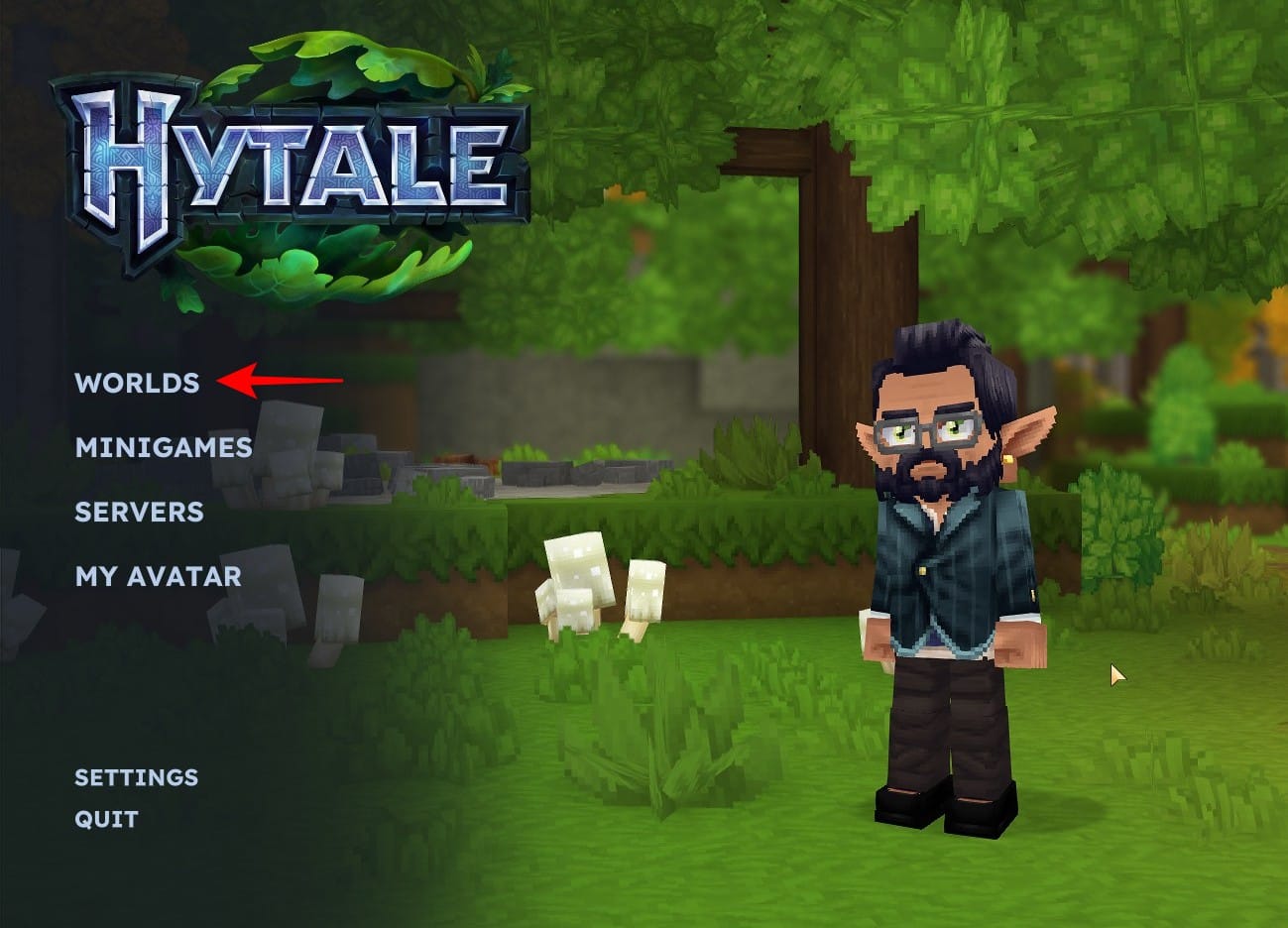
To delete a world, you will first need to open the world menu in Hytale. You need to be in the Main Menu for this. Select the Worlds option.
Step 2
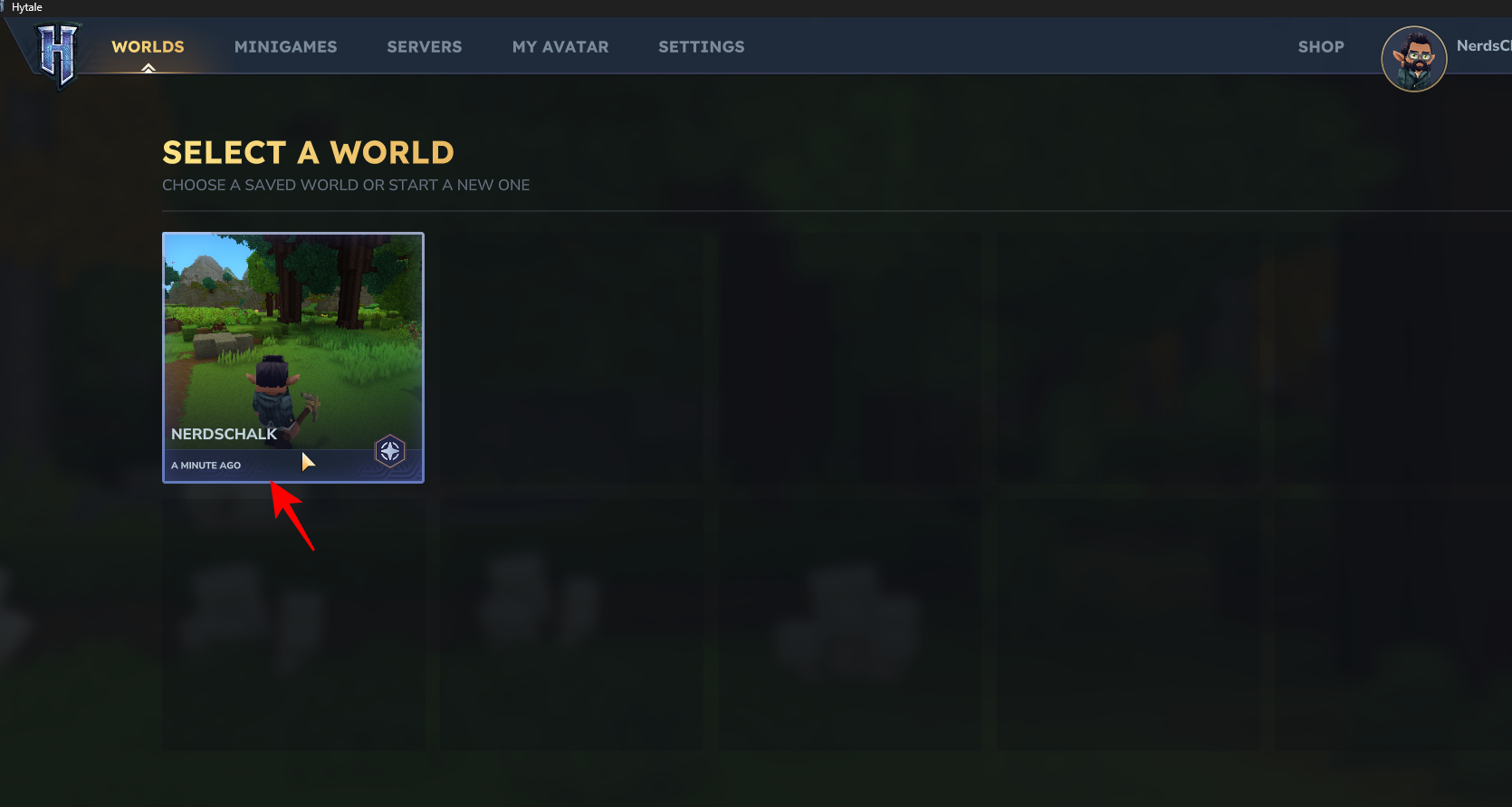
You will see a list of all your saved worlds. To delete one, simply right-click on it to open the context menu.
Step 3
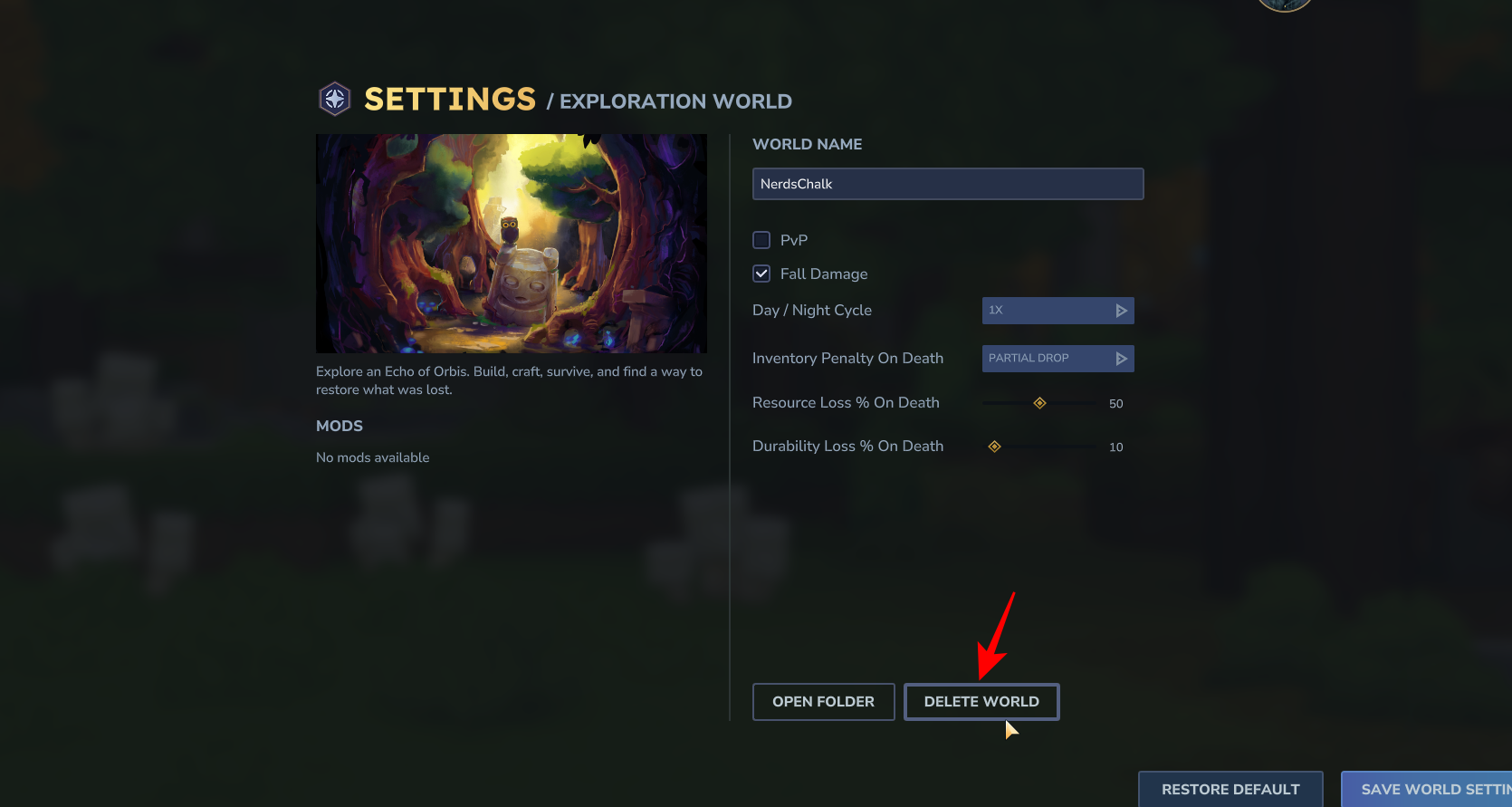
Select the Delete World option at the bottom.
Step 4
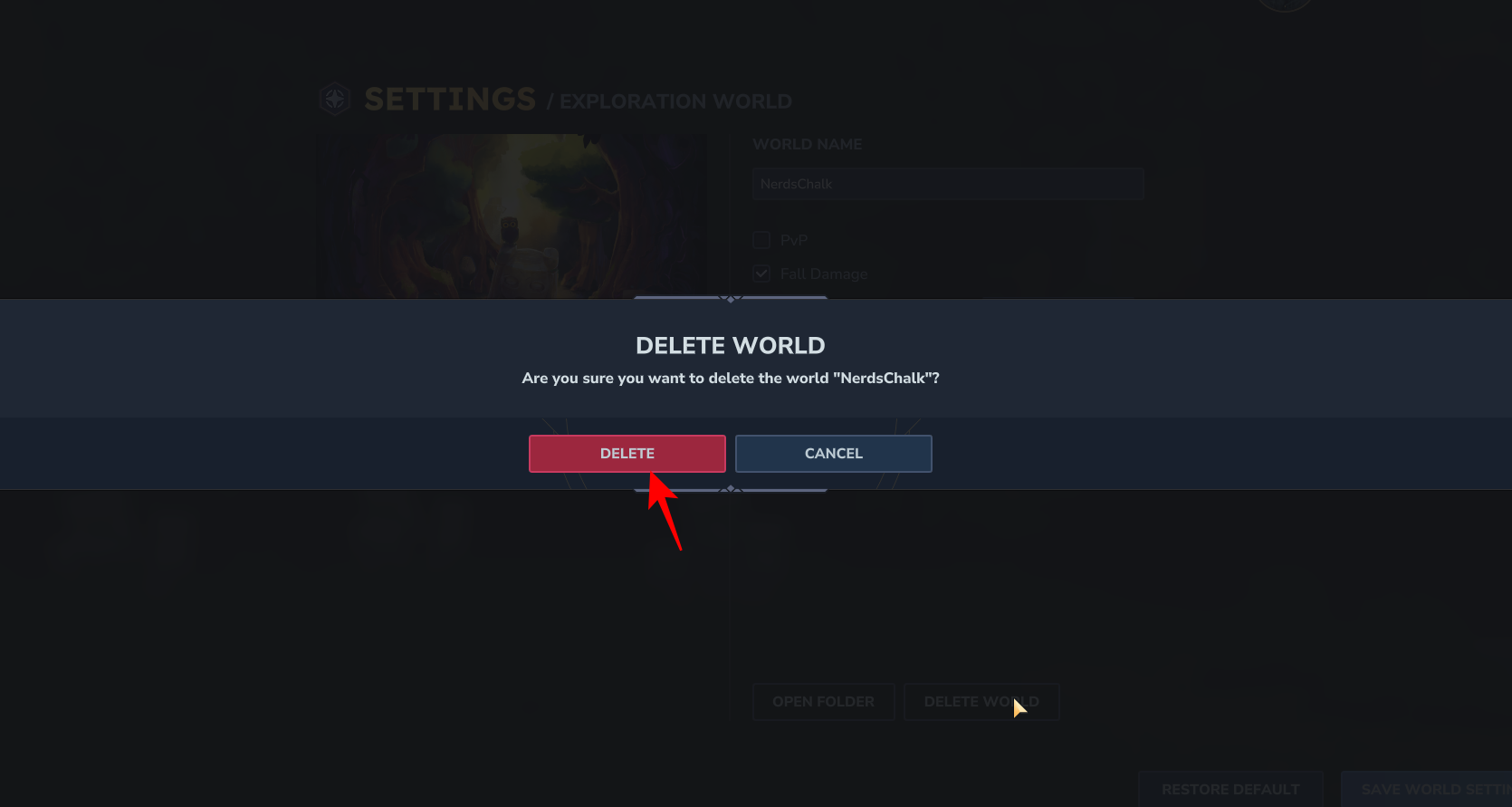
A window will appear, asking you to confirm that you want to delete the world. Be sure to double-check that you have selected the correct world, as this action cannot be undone. Once you are sure, click on the delete button to permanently remove the world from your game.
Deleting a world in Hytale is a quick and easy process that can help you stay organized and make room for new adventures. By following these simple steps, you can easily manage your saved worlds and keep your gaming experience fresh and exciting.




