

What to Know
- Walls are specialized building blocks used for defense and decoration in Hytale.
- They are produced using a Builder’s Workbench; they cannot be made in your basic inventory.
- You can create different styles of walls by using various types of raw stone as input.
Walls are essential for creating boundaries and adding architectural detail to your Hytale structures. Unlike standard full blocks, these wall pieces have a unique shape that connects to adjacent blocks.
How to Craft a Wall
Follow the steps below to craft a wall in Hytale:
Craft a Builder’s Workbench
To craft a wall, you must progress through two stages of crafting stations:
Step 1
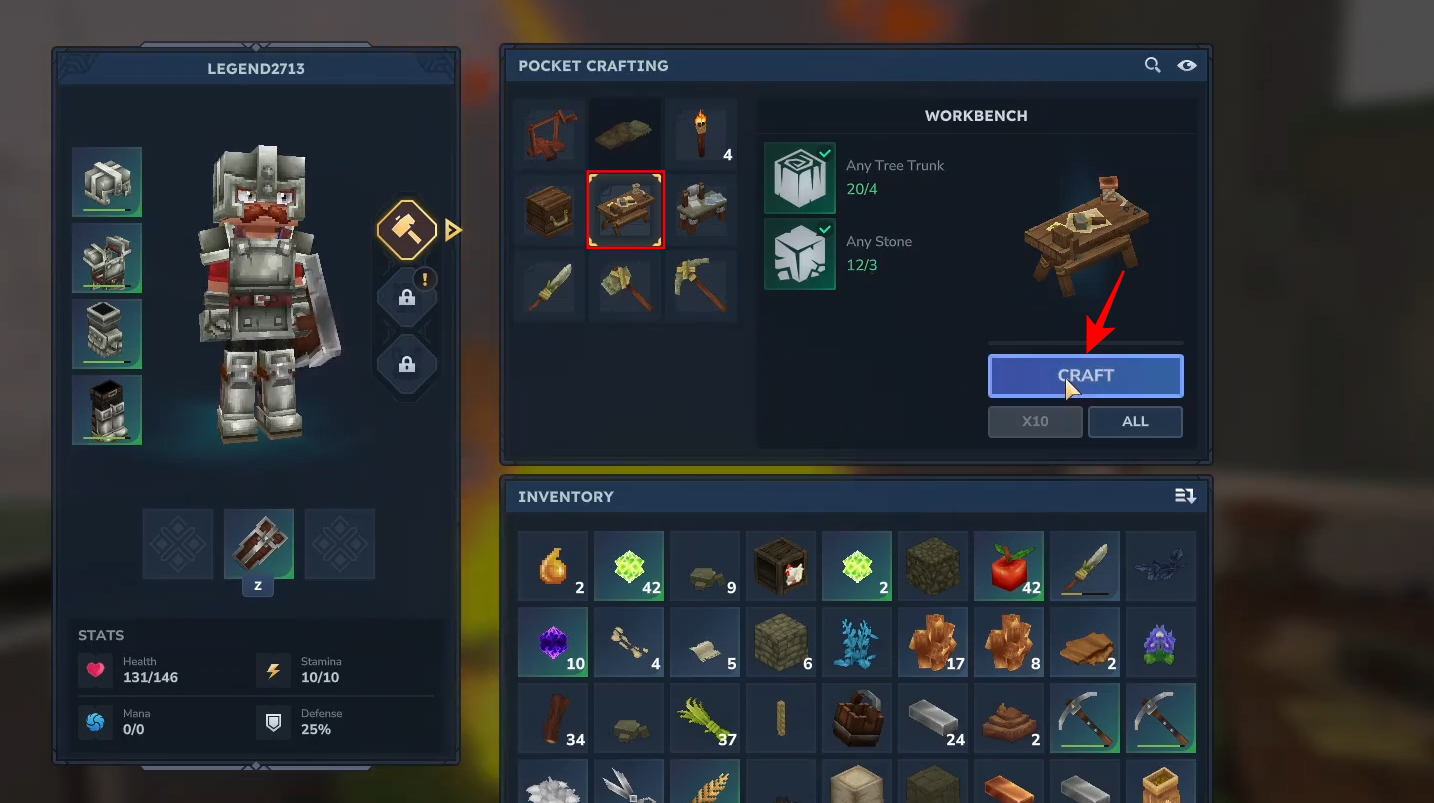
Press the Tab key to open your pocket crafting menu. Use 4 tree trunks and 3 stone pieces to craft the basic Workbench.
Step 2: Build a Builder’s Workbench
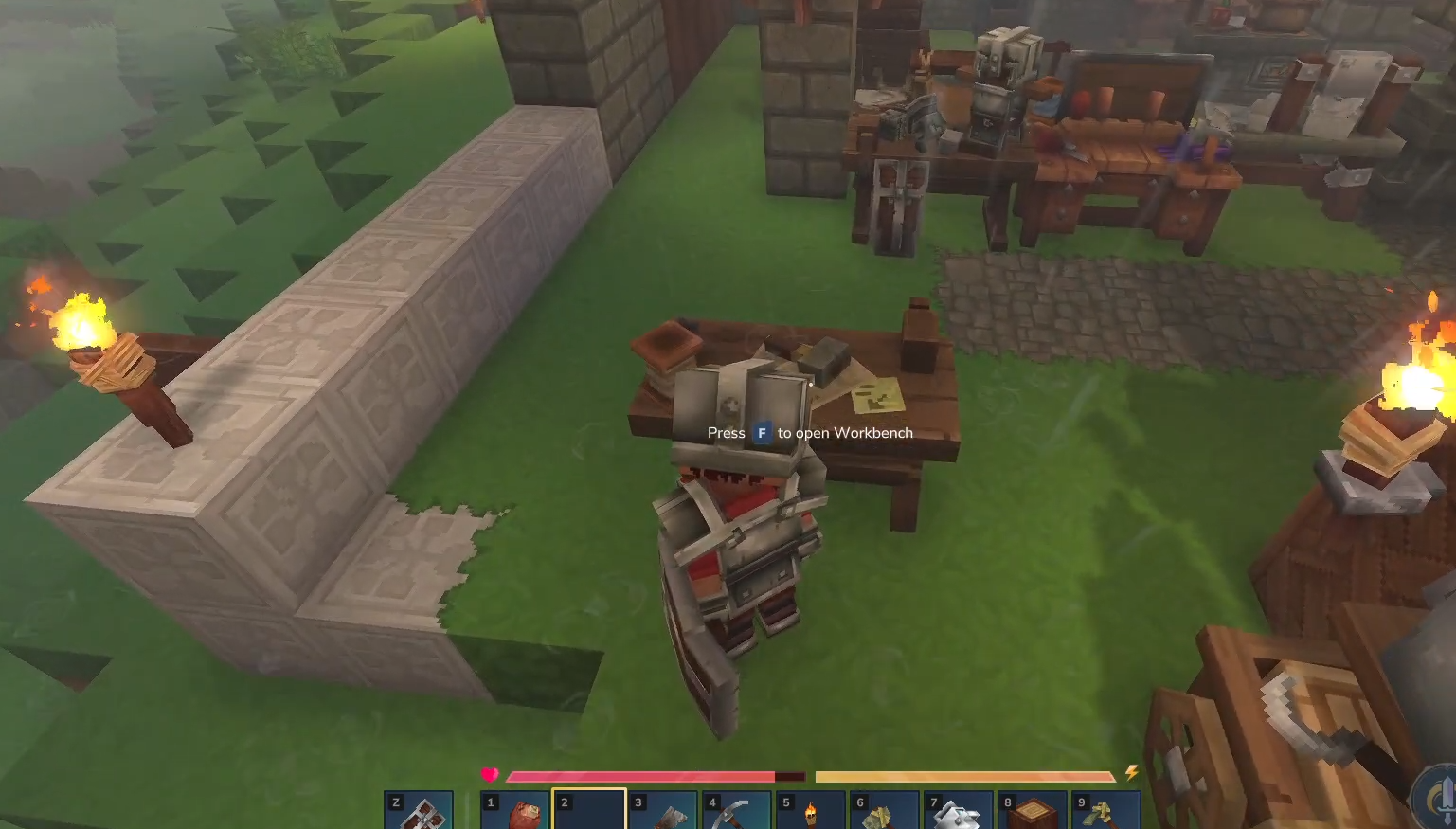
Place your standard Workbench and press F to open it.
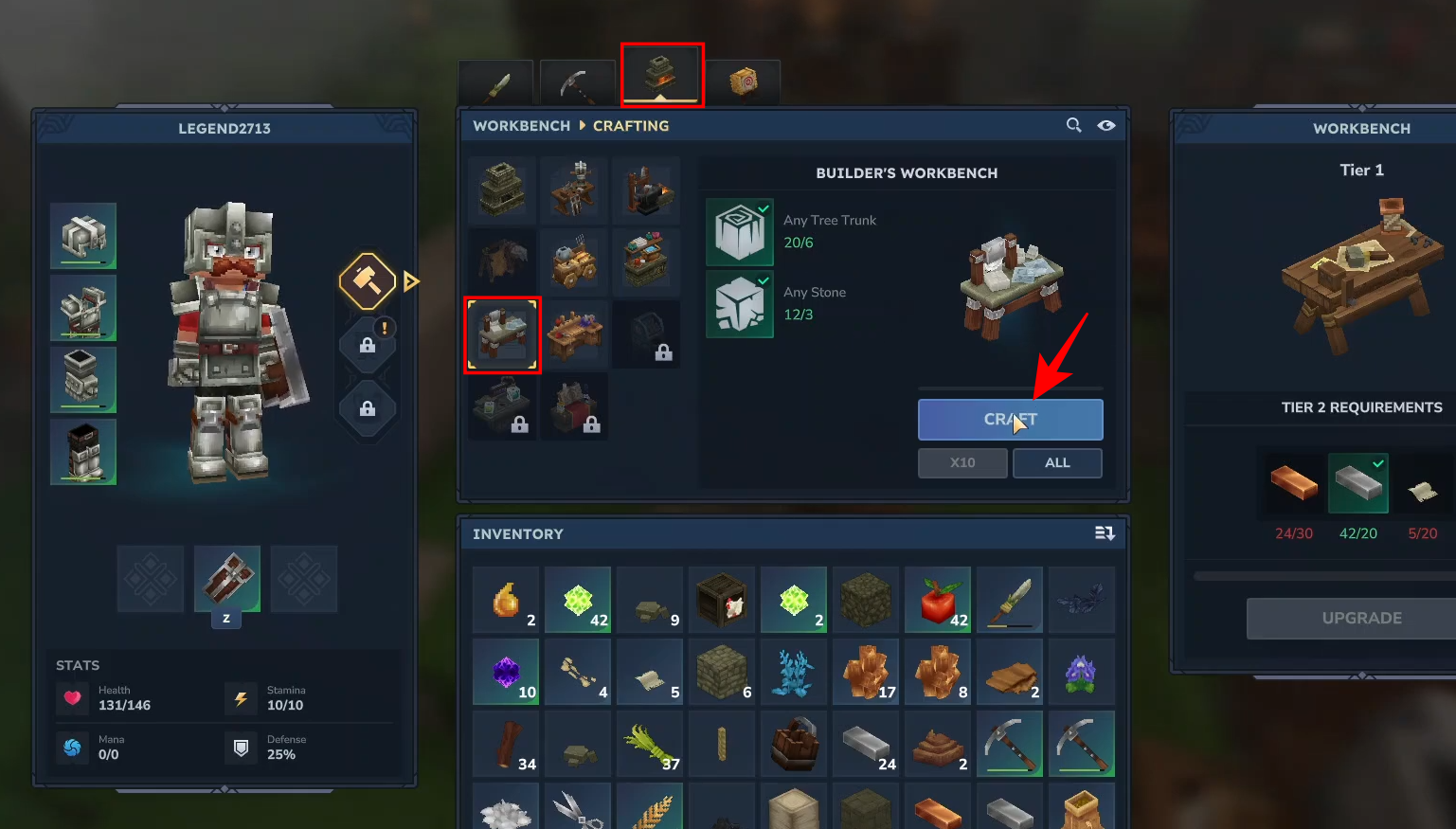
Select the Builder’s Workbench icon—requiring 6 tree trunks and 3 stone—and craft it.
Crafting the Wall
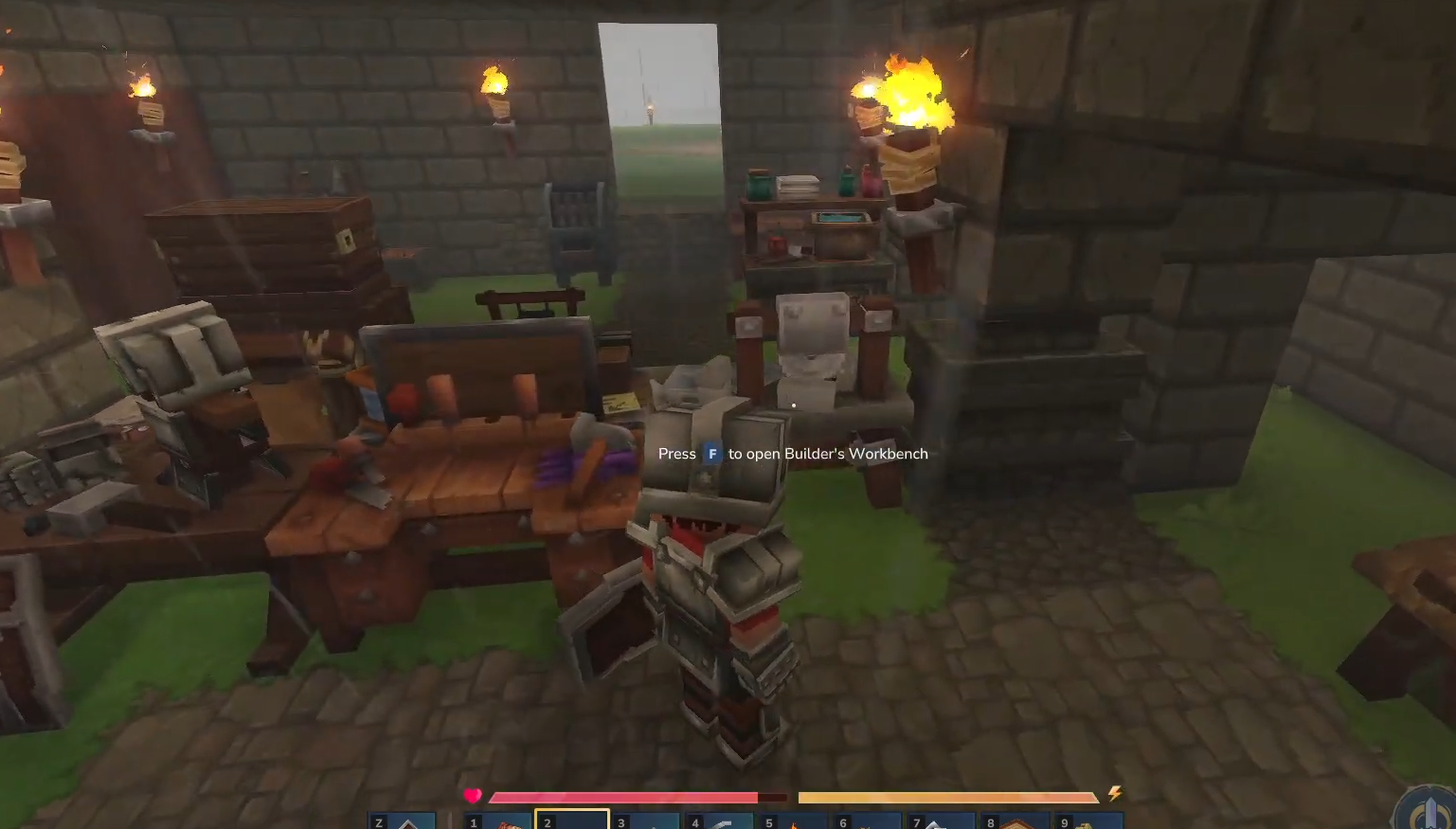
Once your Builder’s Workbench is placed, press F to open the Builder’s Workbench interface.
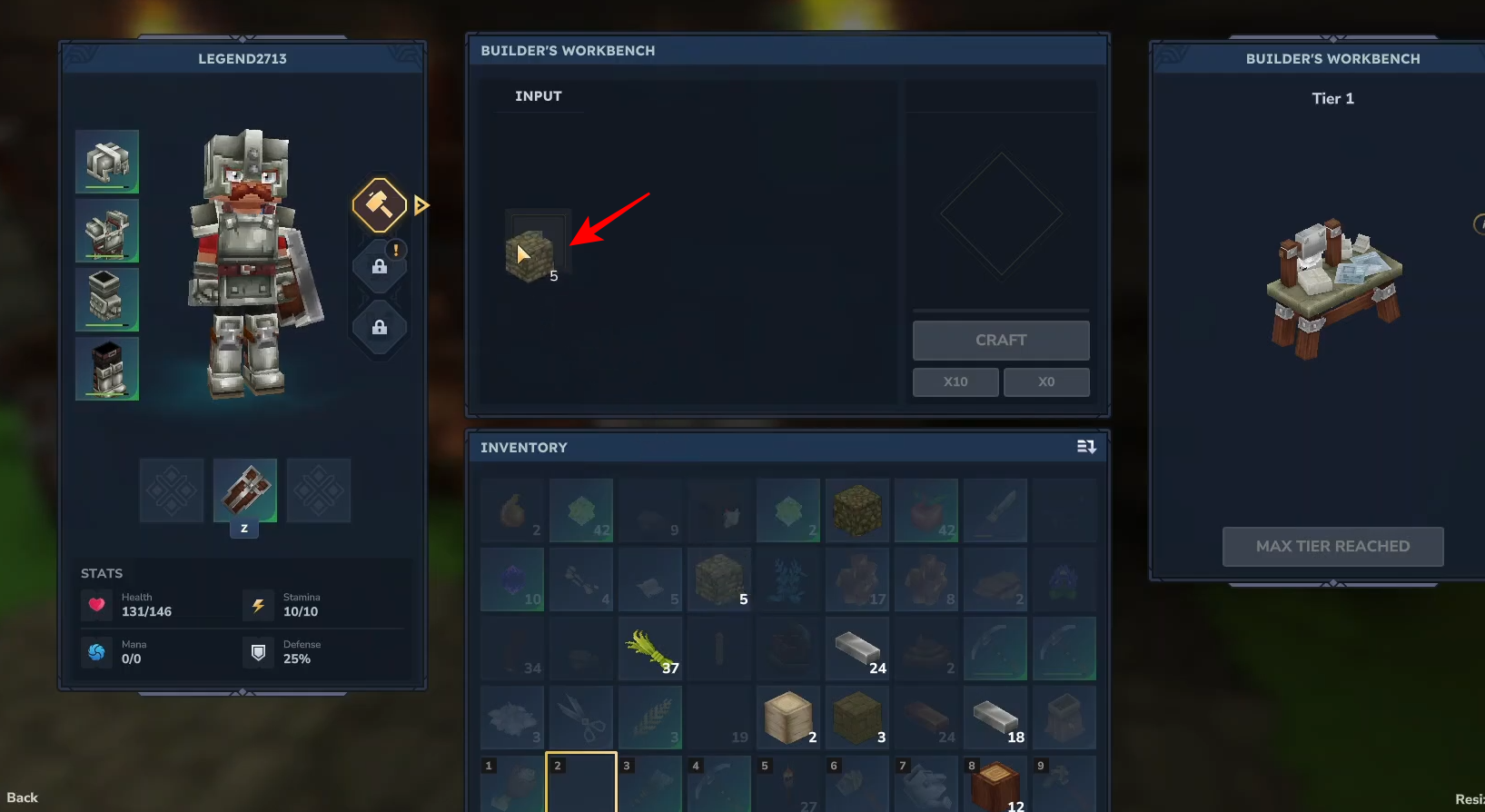
Place your stone blocks (like cobblestone) into the input slot.
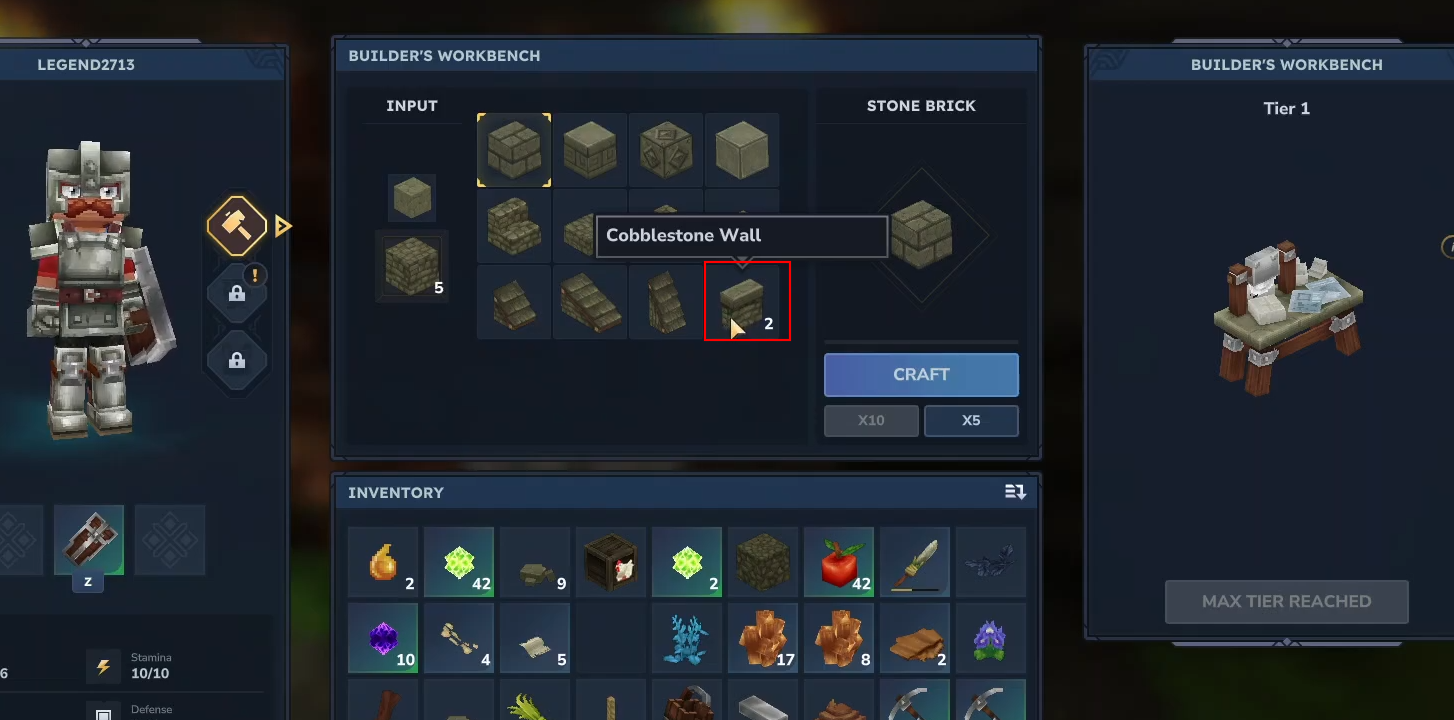
The wall option will appear in the output menu.
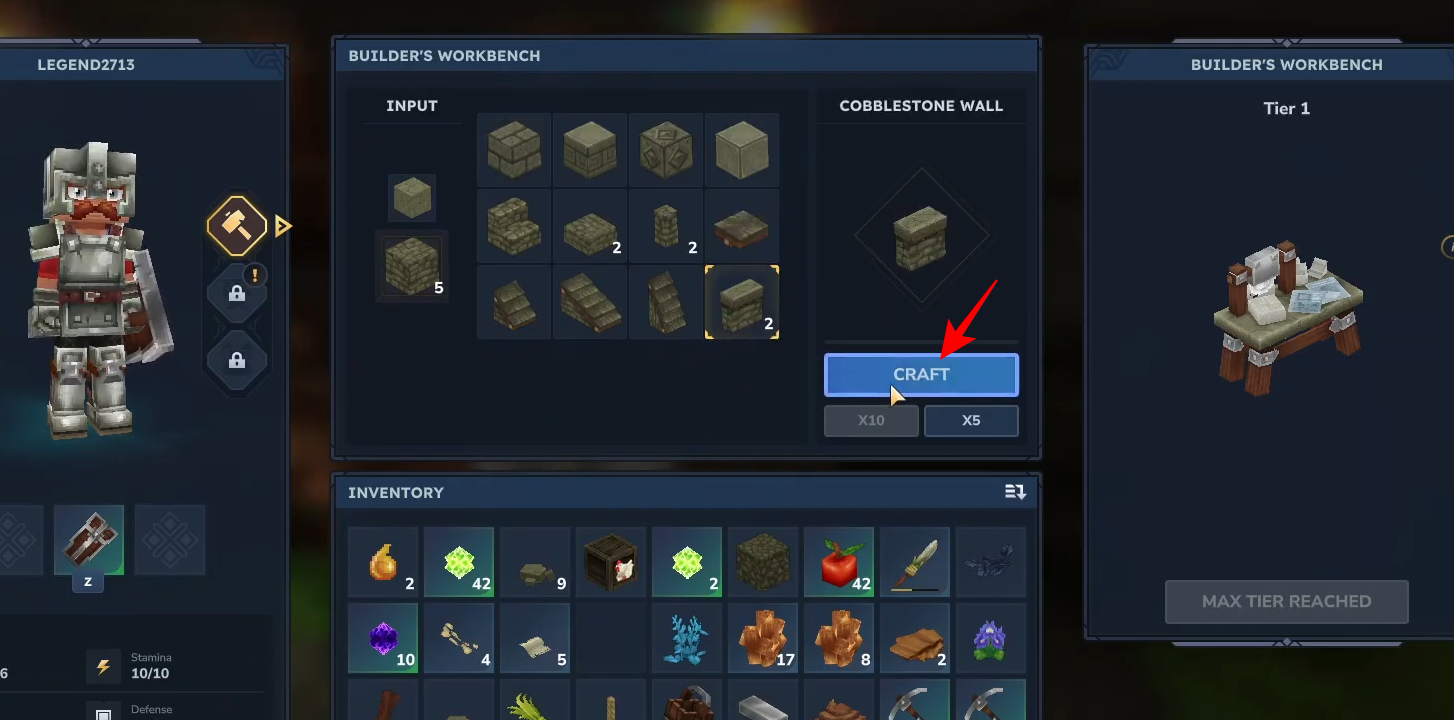
Click on craft to create the wall segments and add them to your inventory.
Placing walls
Equip the walls from your inventory and right-click on the ground to place them. They are designed to connect seamlessly to each other as you build.
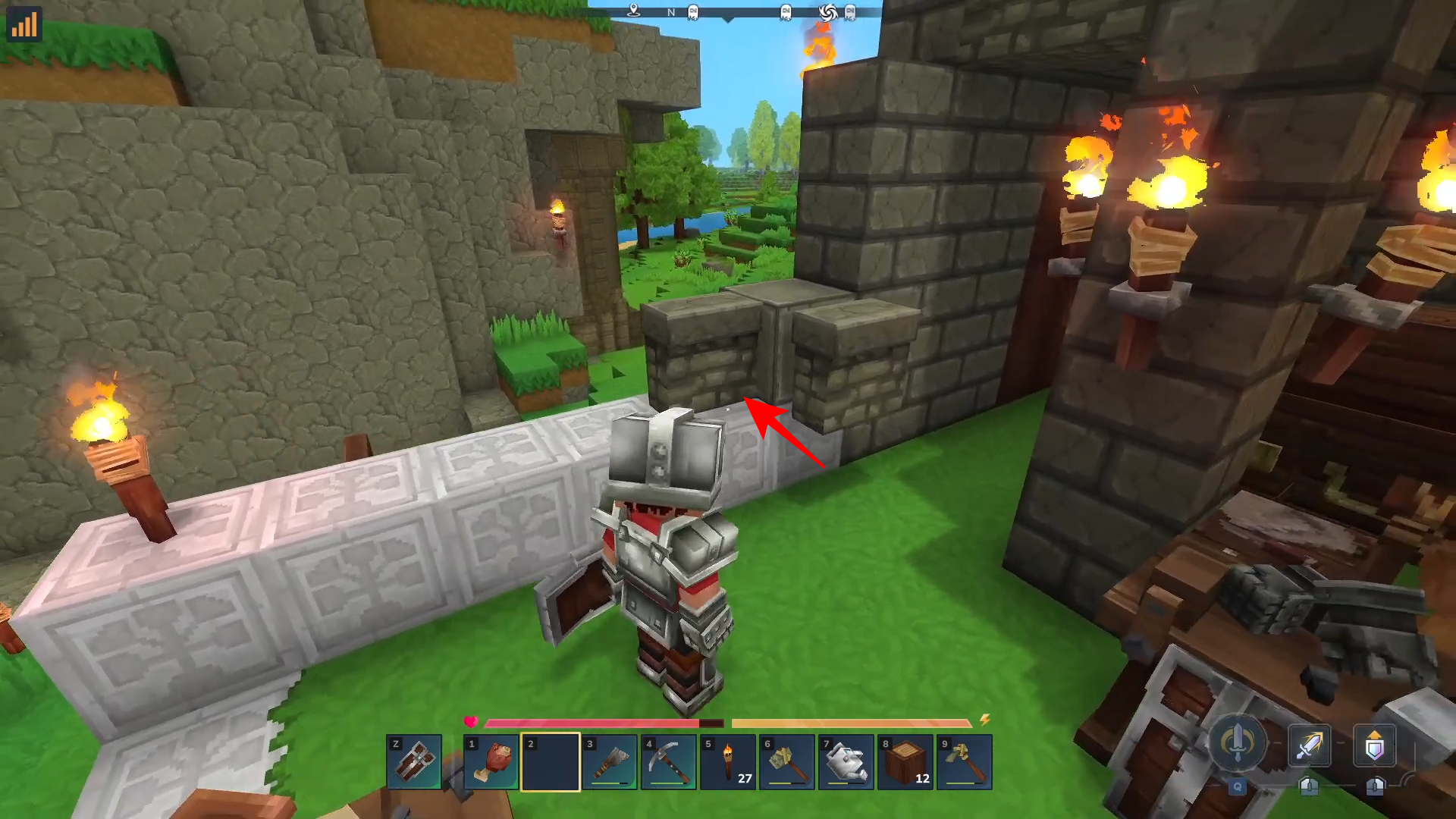
Crafting walls is a simple process once you have a Builder’s Workbench established. By using different types of stone, you can customize the look of your fortifications to match your base’s design.




