

What to Know
- Crafting a gate requires a specific progression through crafting stations: first a standard Workbench, followed by a Builder’s Workbench.
- The primary materials needed for these stations are tree trunks (logs) and stone.
- Gates are produced by placing raw logs into the input slot of the Builder’s Workbench.
A gate is a functional addition to any fence line or outdoor enclosure in Hytale, providing easy access while keeping your areas secure. Like other decorative and functional wooden items, gates require the use of specialized crafting stations.
How to craft a gate in Hytale
Follow the steps given below to craft a gate in Hytale.
Gather Basic Materials
To begin, you will need to gather basic resources from the world:
- Tree Trunks: Collect at least 10 logs by chopping down trees.
- Stone: Mine at least 6 pieces of stone from the ground or rocky outcrops.
Prepare the Crafting Stations
Ladders and gates cannot be made directly from your inventory. Follow this setup:
Step 1: Standard Workbench
Press Tab to open your pocket crafting menu. Select the Workbench and use 4 tree trunks and 3 stone to craft it.
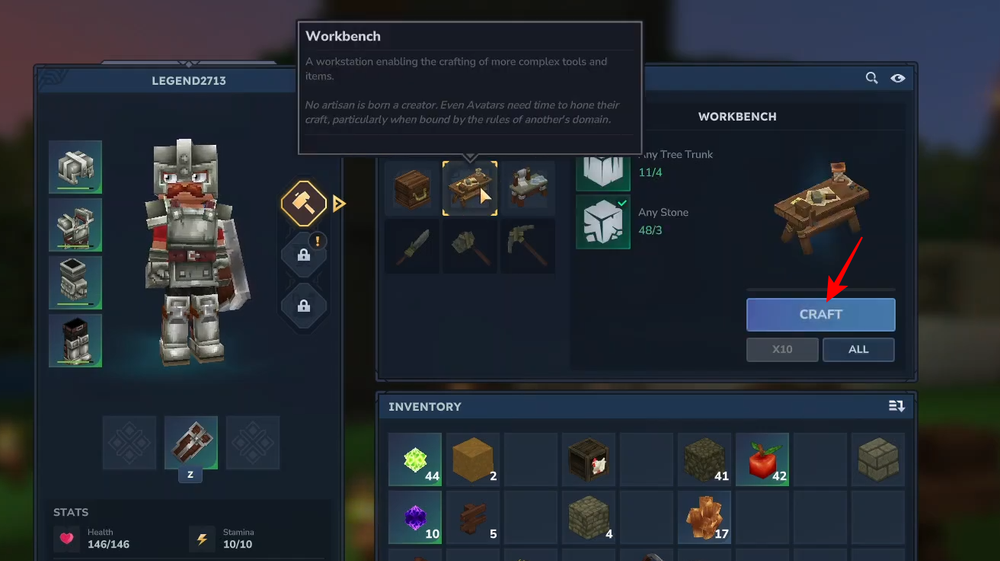
Step 2: Builder’s Workbench
Place your standard Workbench and press F to interact with it.
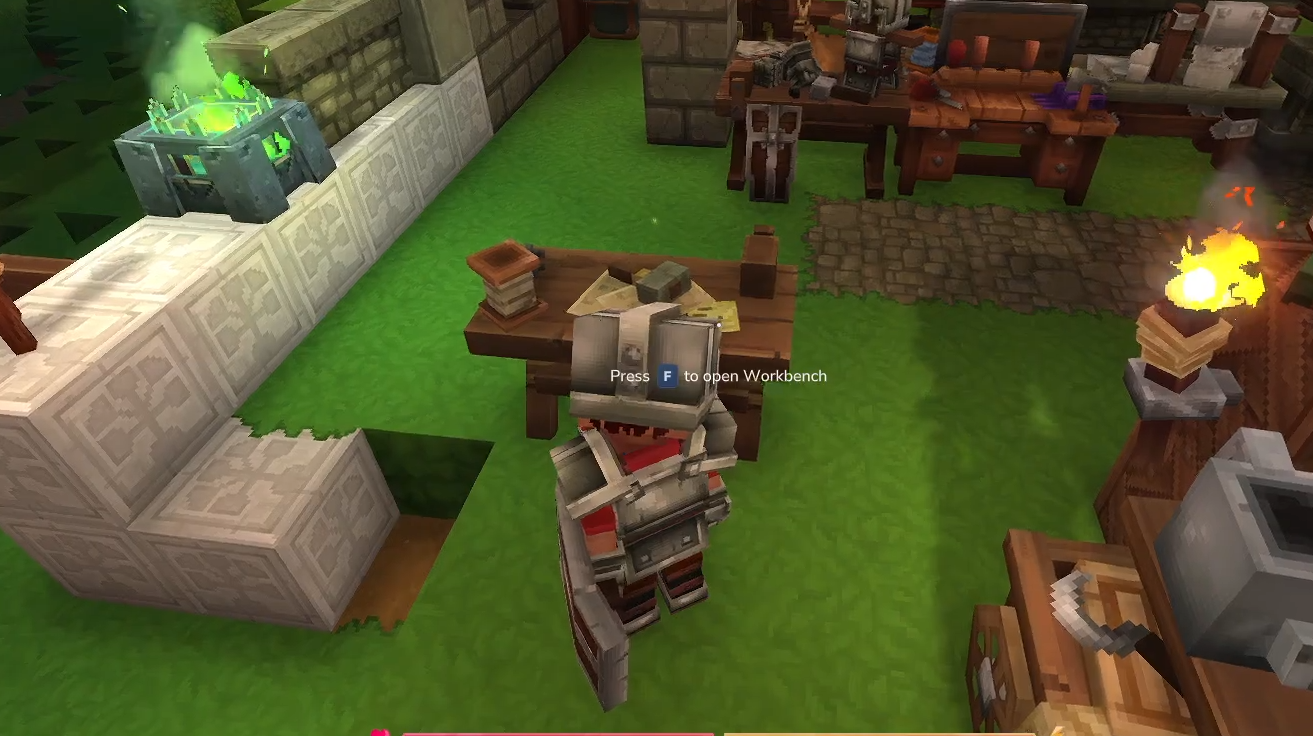
Select the Builder’s Workbench icon and use 6 tree trunks and 3 stone to craft it.
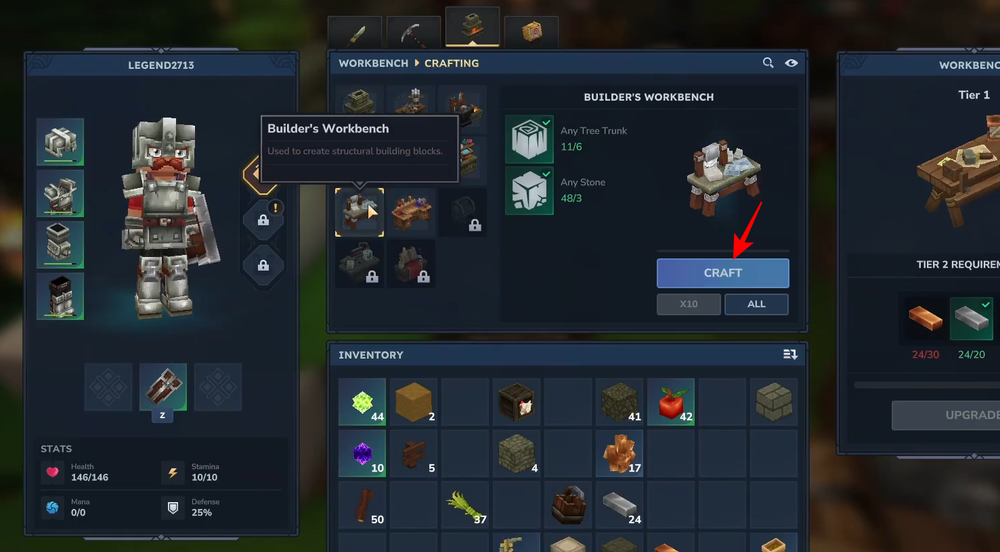
Crafting the Gate
Once your Builder’s Workbench is placed, press F to open the Builder’s Workbench menu.

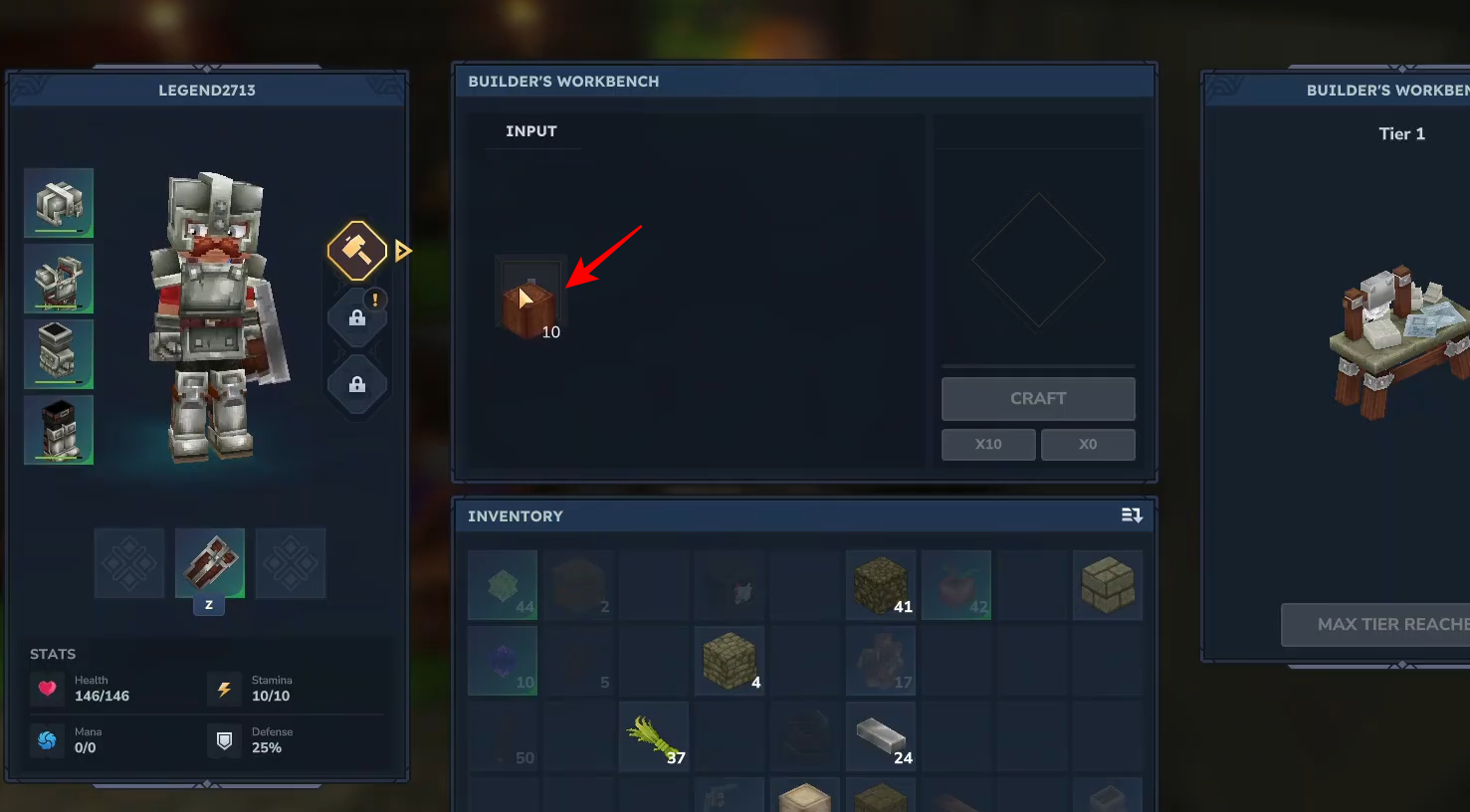
Place your tree trunks into the Input slot.
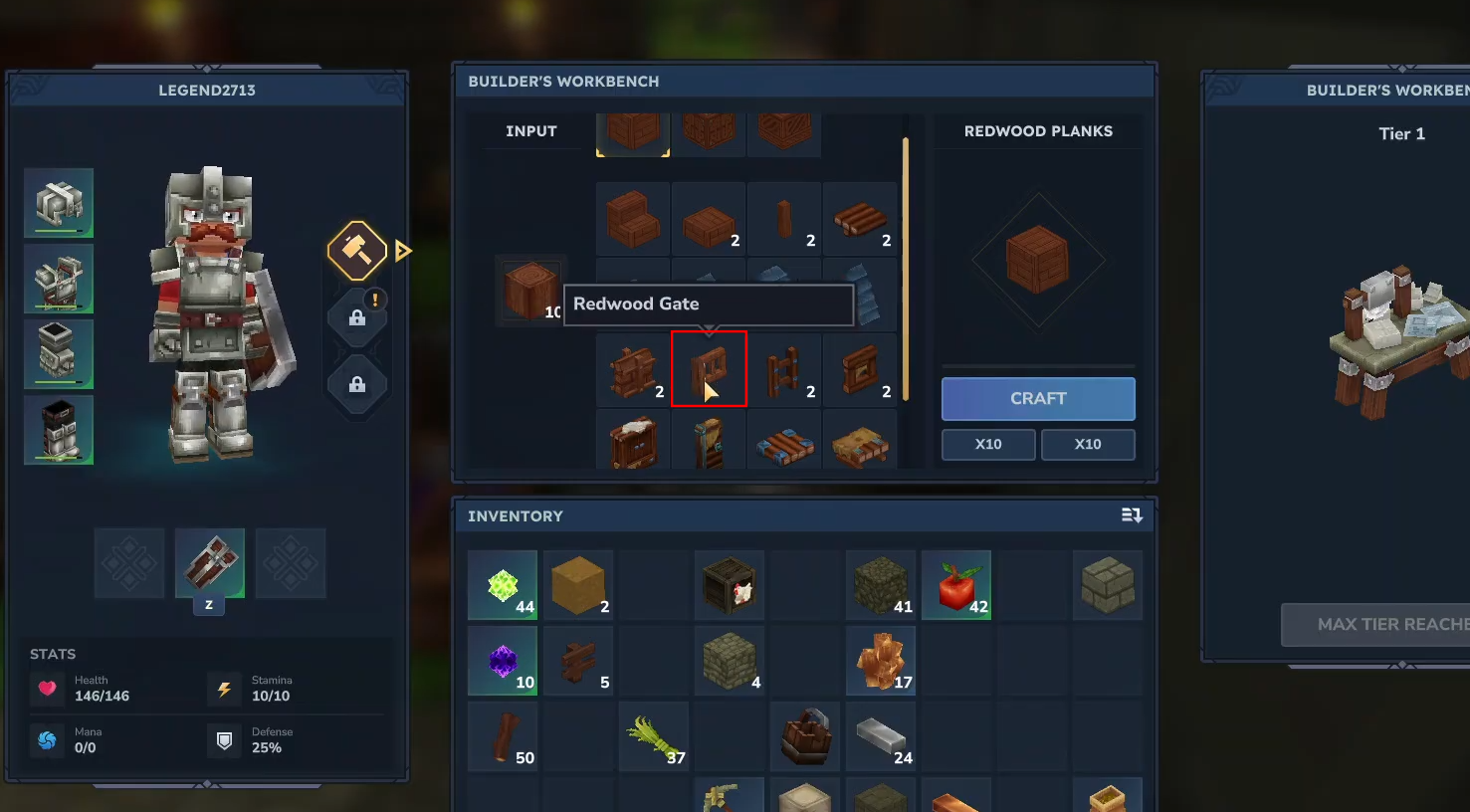
Look for the gate icon in the resulting output list.
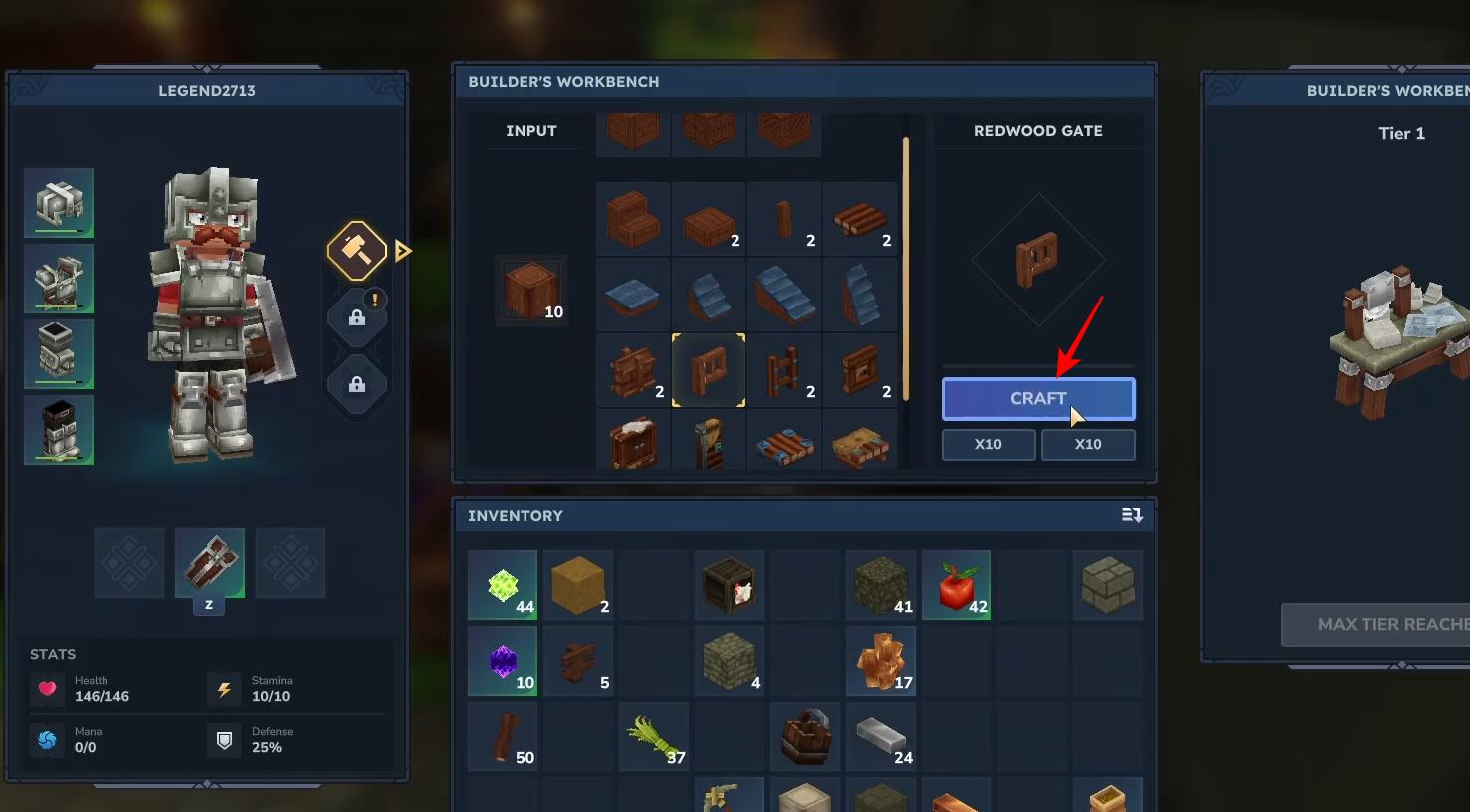
Click Craft to create the gate and add it to your inventory.
How to use the Gate
Equip the gate and Right-Click on a surface, typically between two fence posts, to install it.
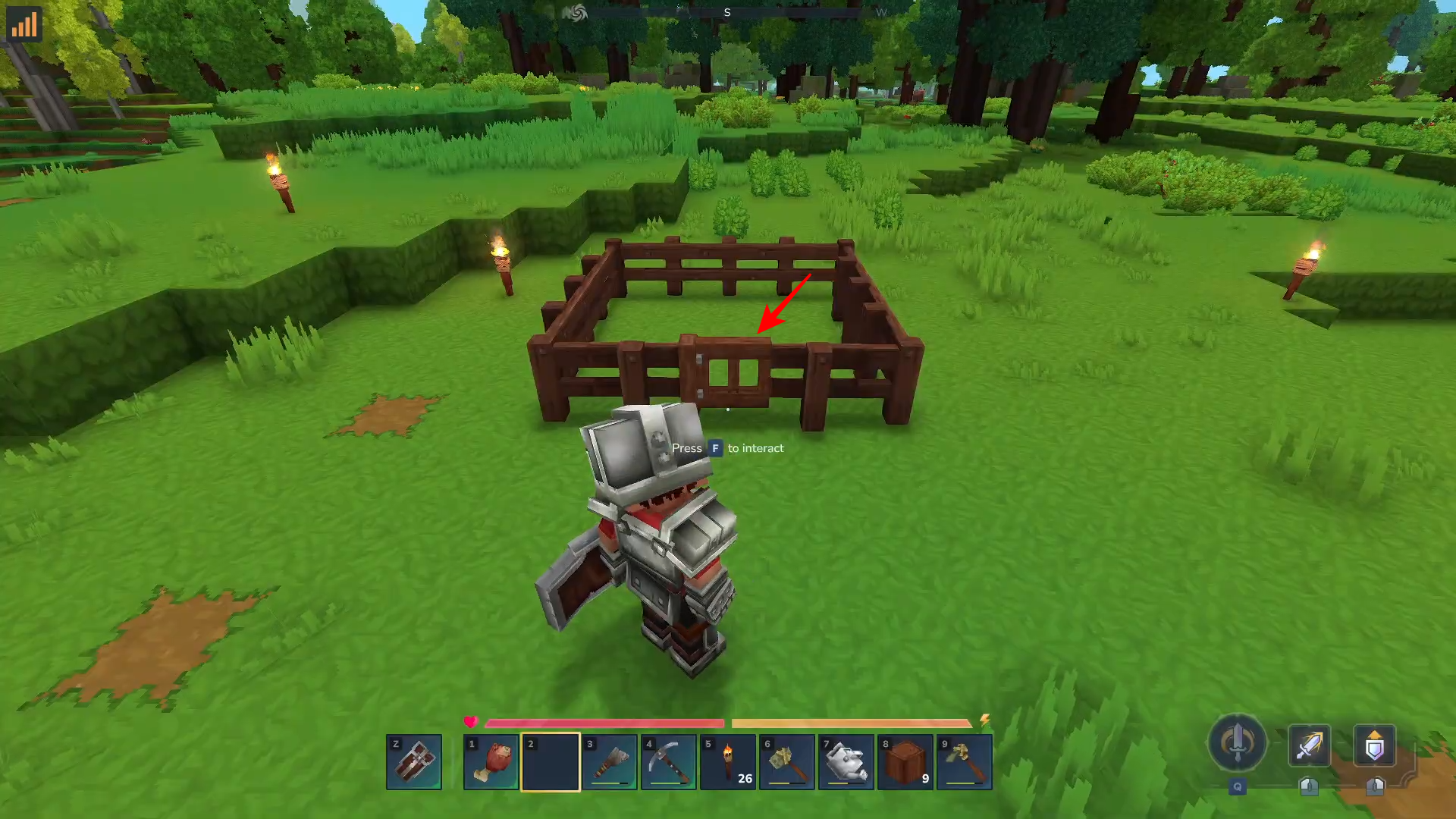
Look at the gate and press F to open or close it.
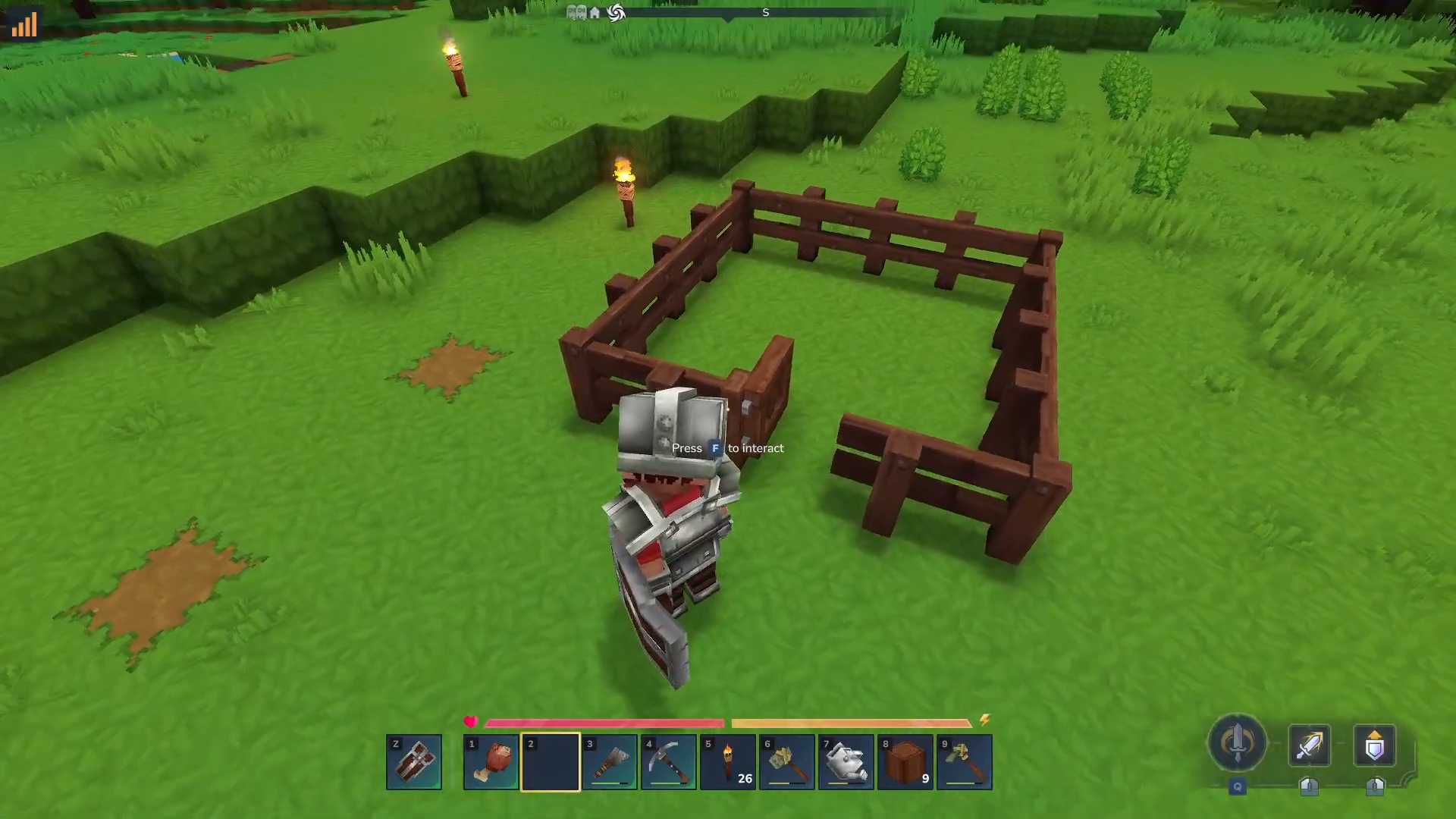
Crafting a gate is a simple process that highlights the utility of the Builder’s Workbench. By following the standard station progression, you can create functional entryways for any fenced area in your Hytale world.




