


What to know
- Access settings via the main menu or ESC key, then navigate to the Game tab for Guide Settings.
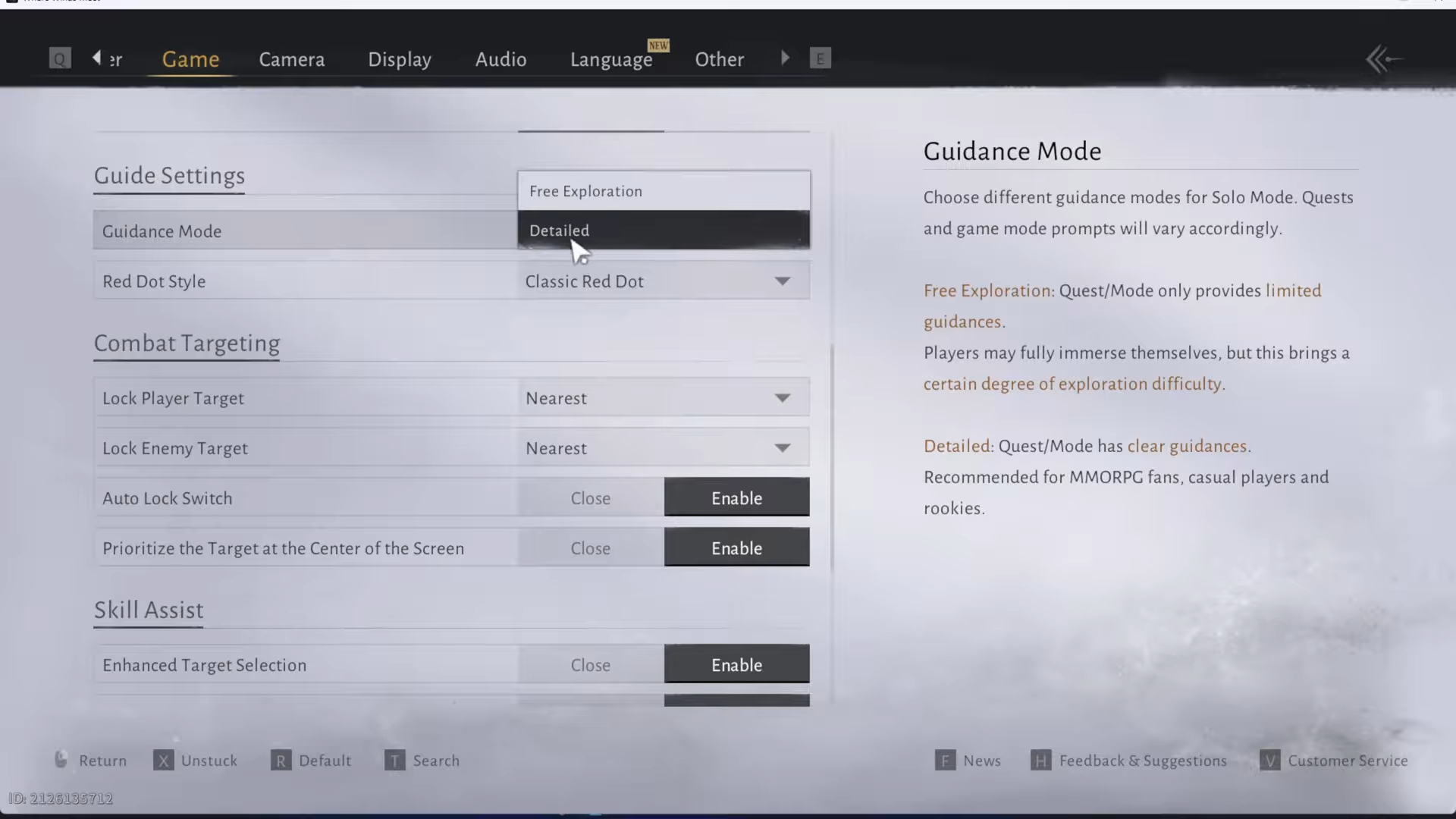
- Toggle between Detailed Exploration (beginner-friendly with tooltips) and Free Exploration (immersive with minimal aids).
- Customize Red Dot Style: Sonic (subtle) or Classic (directive) for better visibility.
- Changes apply instantly, enhancing exploration without hand-holding.
Guidance Mode in Where Winds Meet controls how much on-screen help you receive during exploration and quests, letting you choose between guided assistance or pure immersion as you roam the open world.
How to change guidance mode
Open the settings menu anytime in-game to tweak this on the fly, ensuring your adventure feels just right.
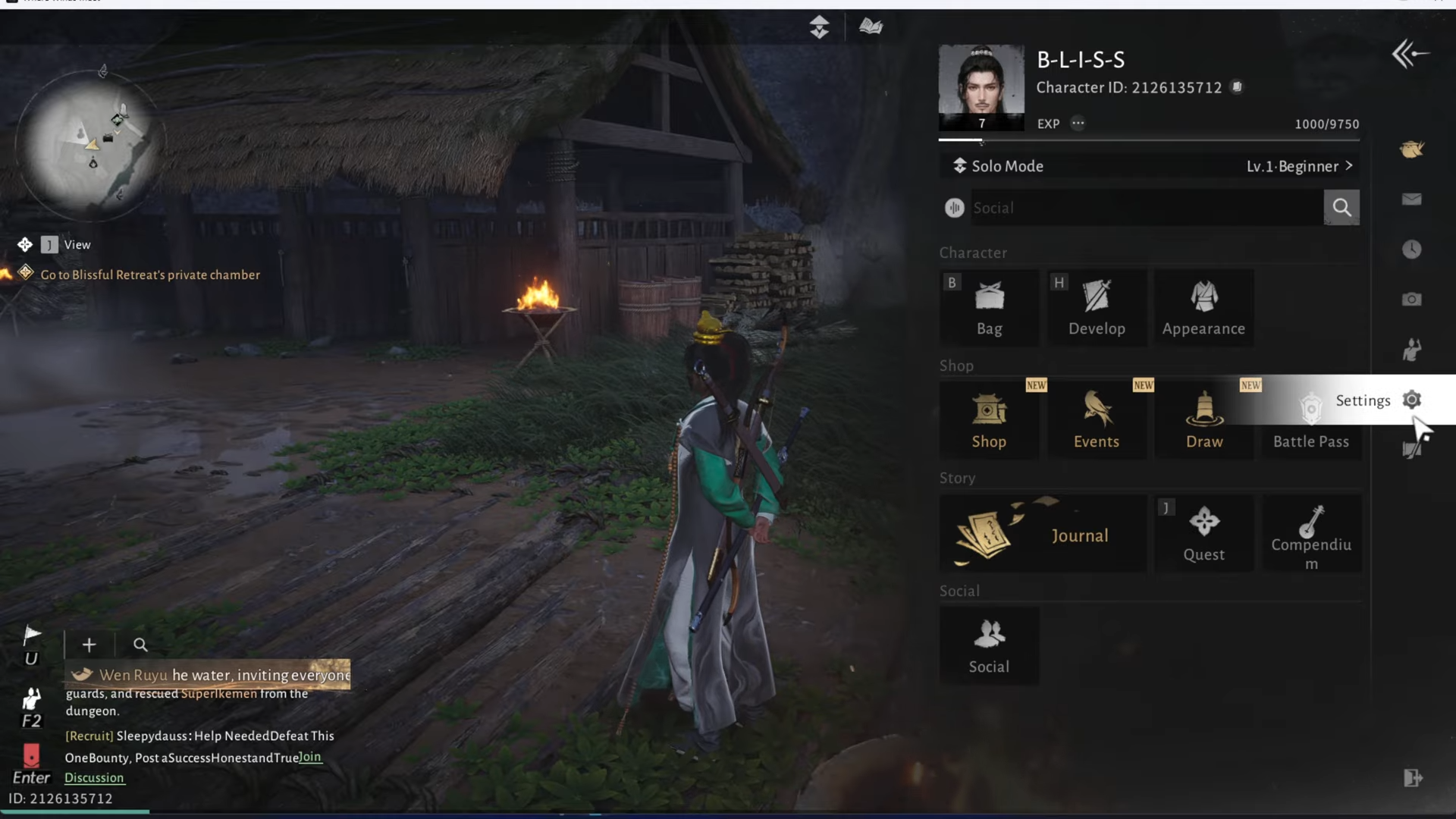
Step 1: Open settings
Press ESC (PC) or access from the top menu bar to bring up the pause menu, then select Settings.
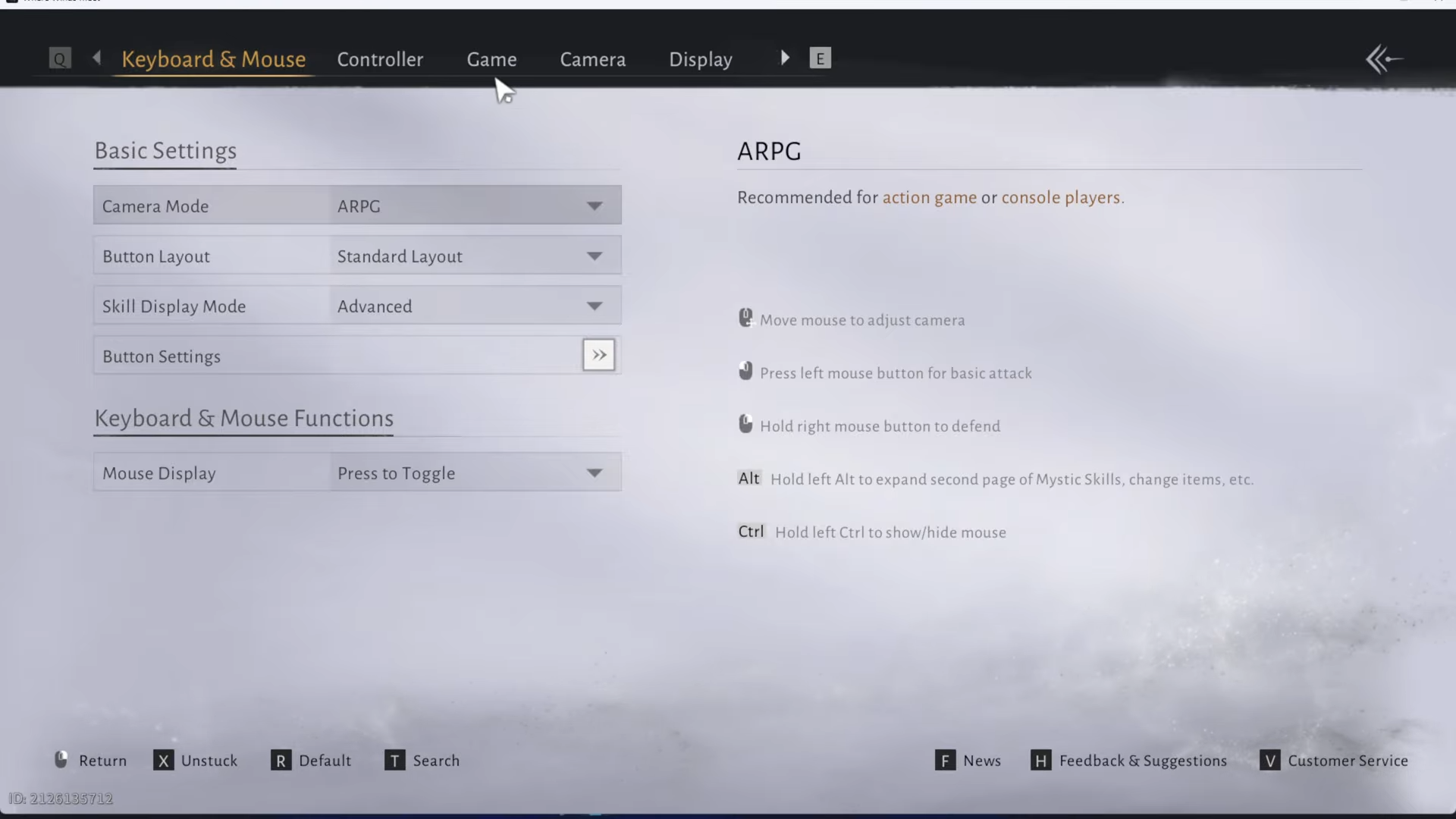
Step 2: Go to Game section
Navigate to the Game tab in the Settings menu.
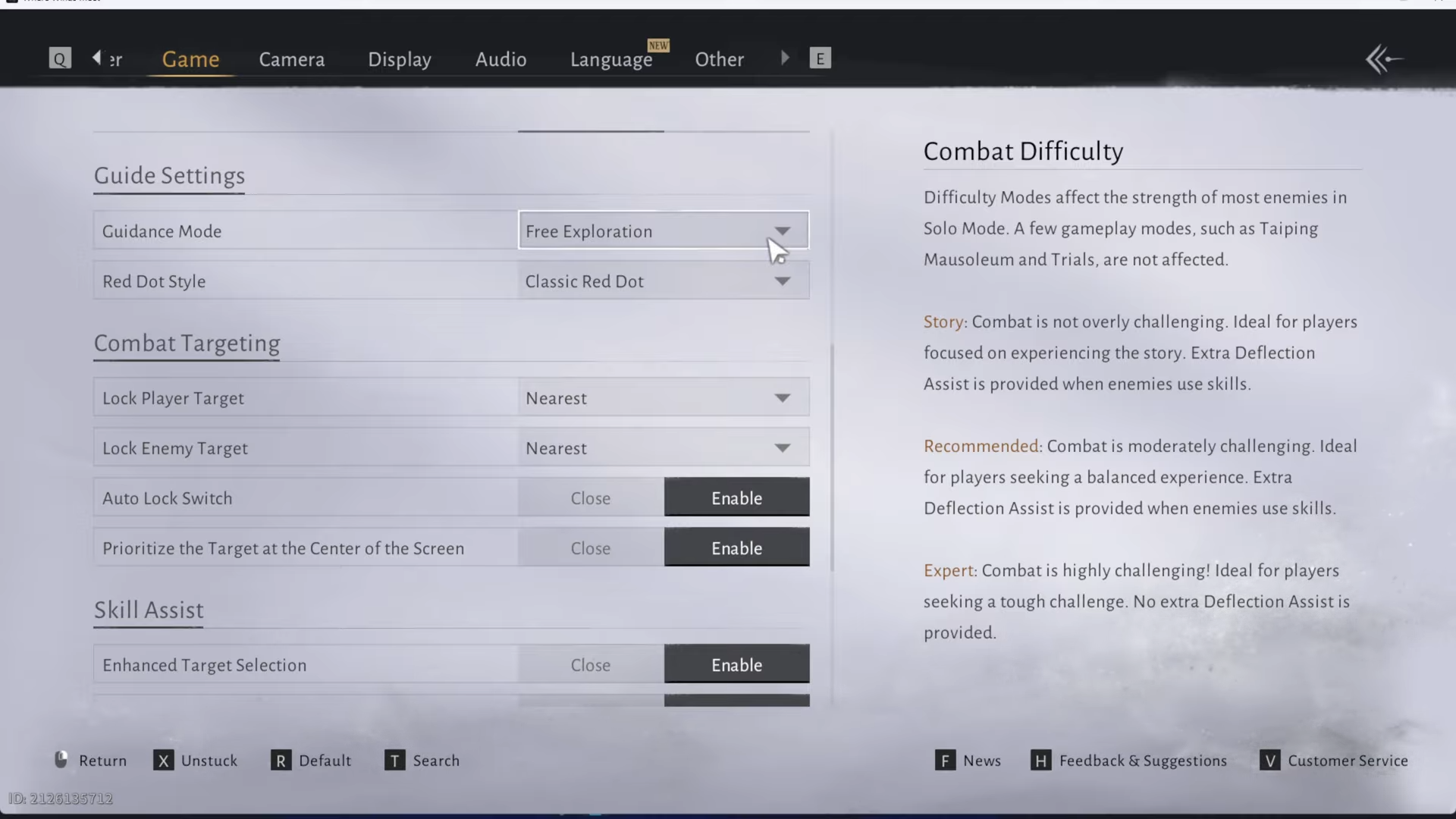
Step 3: Locate Guide Settings
Scroll to find the Guidance Mode option.
Step 4: Select your mode
Choose Detailed for more help or Free Exploration for less; adjust Red Dot Style as needed.
Step 5: Apply changes
Settings update immediately—no restart required. Test in-game to confirm.
Detailed suits beginners avoiding confusion in vast landscapes, while Free appeals if you crave discovery without spoilers. Pair with target locking (Nearest) for combat ease. Tailor Guidance Mode to balance help and challenge, making every step in Where Winds Meet’s wuxia world uniquely yours.




