

What to know
- Access the settings menu and navigate to the controls tab.
- Find the crouch behavior setting in the general section.
- Select either hold or toggle mode for crouching.
- Remember to save your changes after making your selection.
Hytale provides a range of options to tailor your gameplay experience, and changing your crouch mode is one way to customize your character’s movement. Whether you prefer the convenience of toggling or the control of holding, Hytale makes it simple to switch between the two.
How to change crouch mode
Step 1
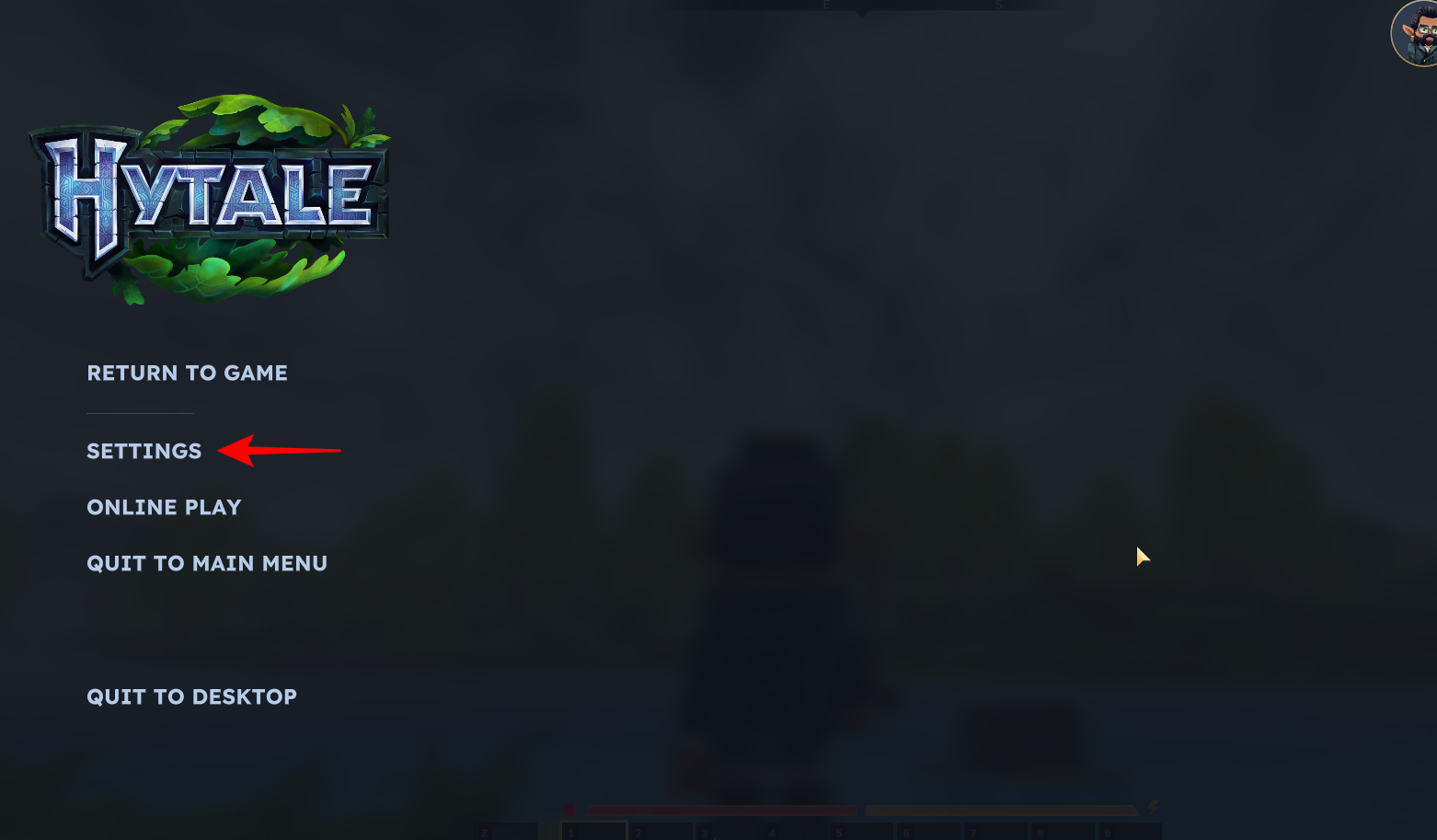
To get started, open the settings menu in Hytale by pressing the Escape key and choosing “Settings” from the menu.
Step 2
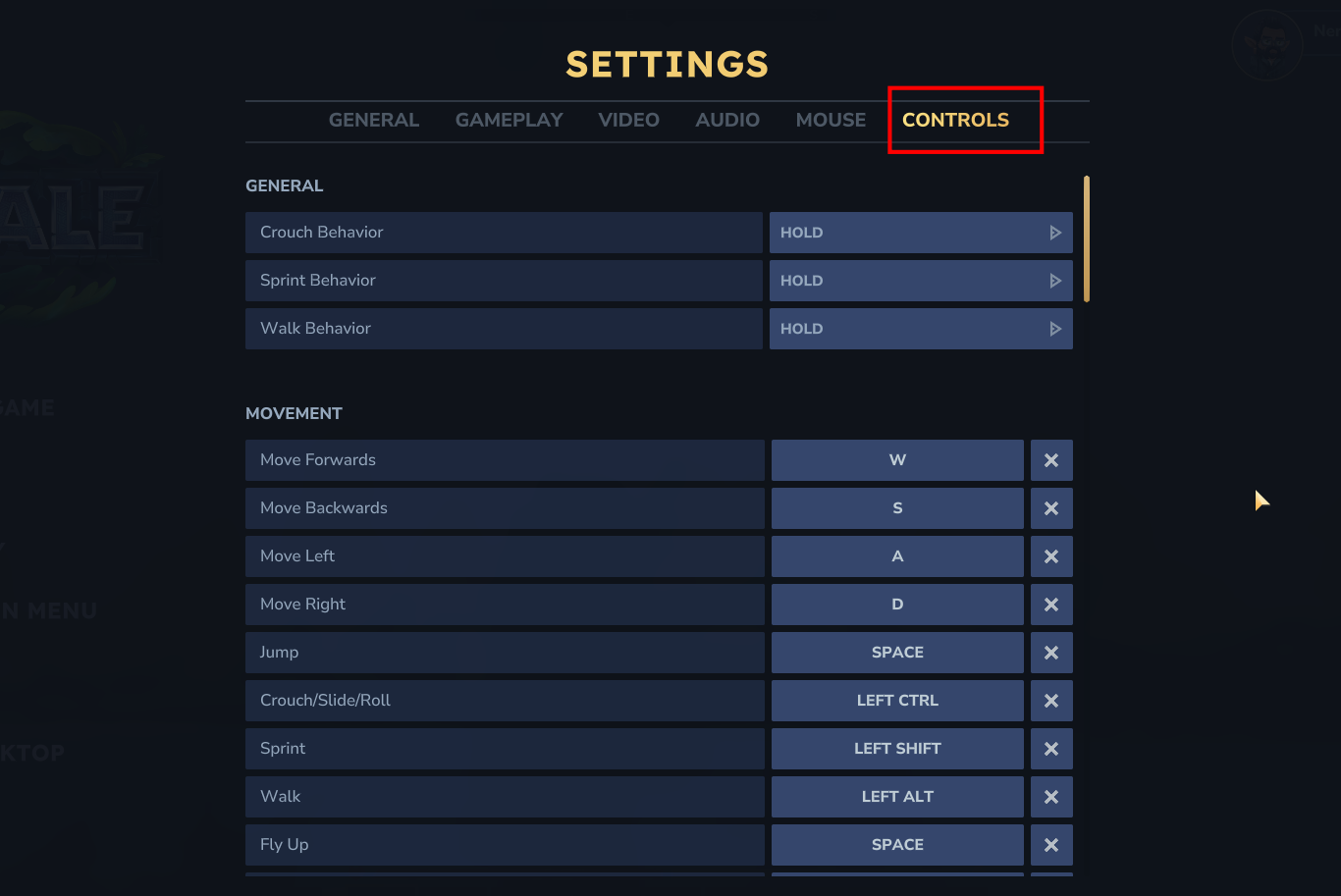
Once you’re in the settings menu, head to the “Controls” tab. Here, you’ll find various settings related to movement and actions.
Step 3
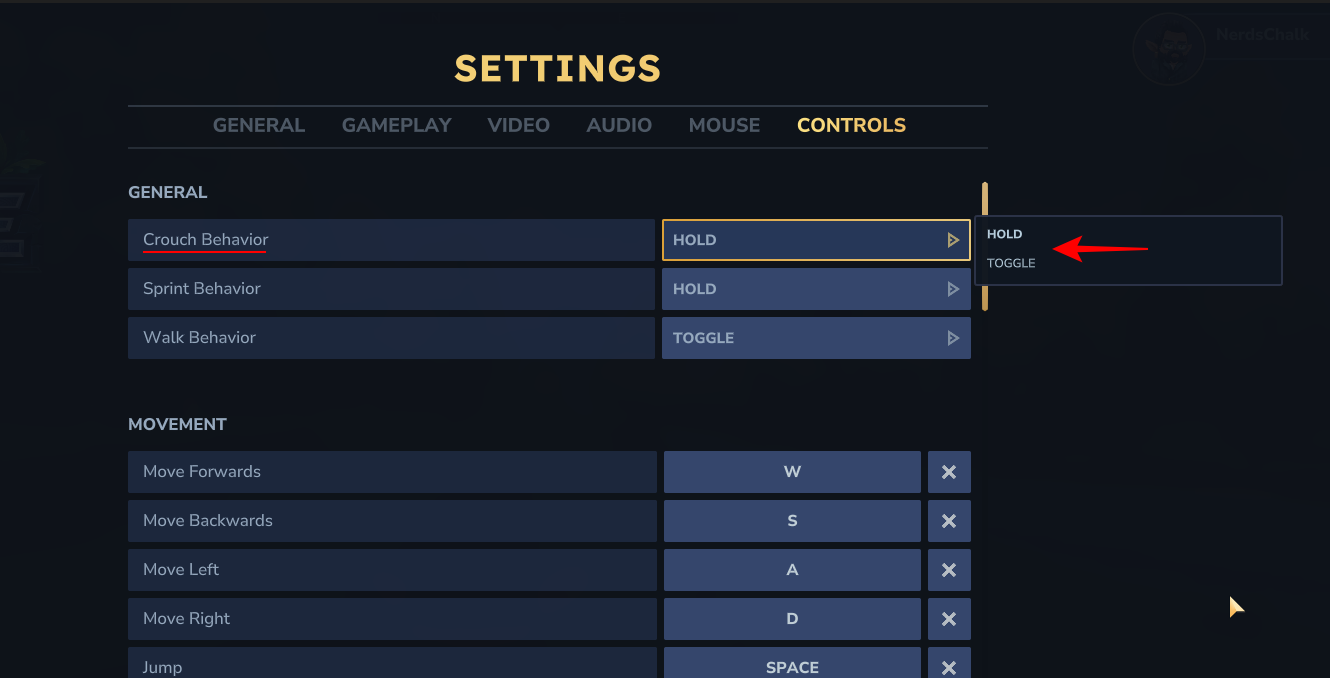
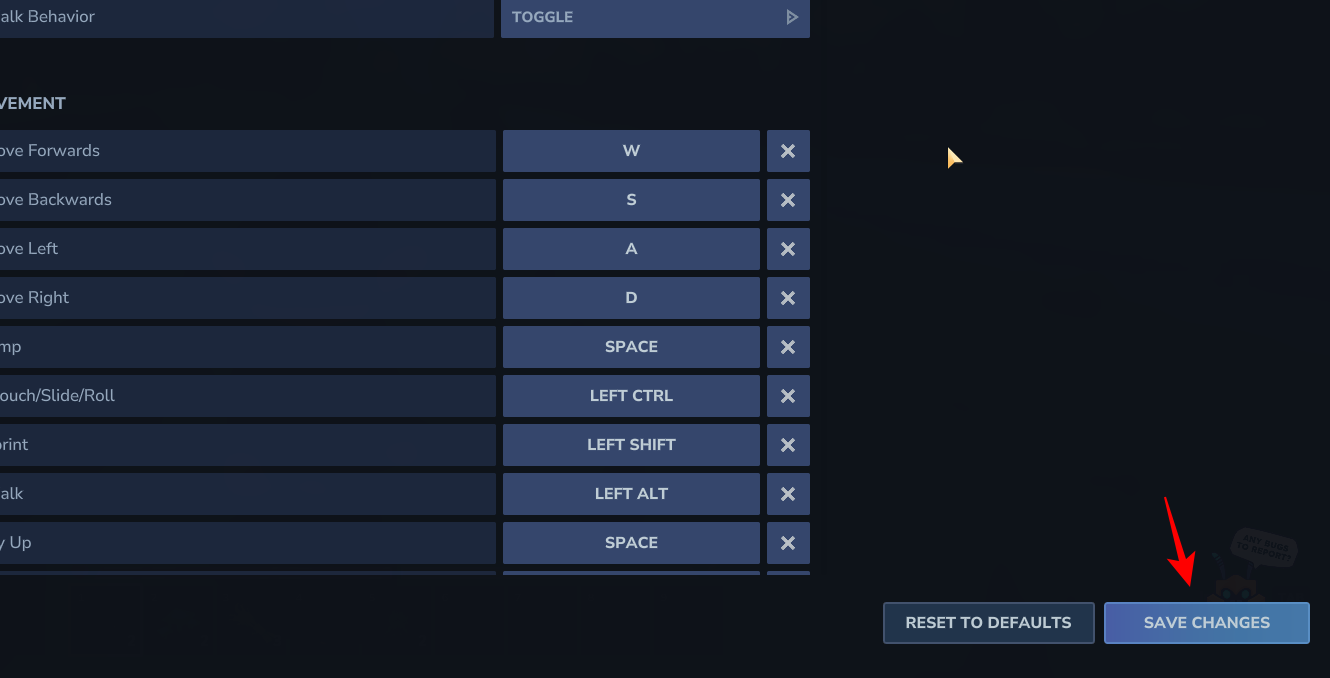
Under the general section, you’ll see the “Crouch Behavior” setting. You can choose between two modes:
- Hold: In this mode, you’ll need to keep the crouch button pressed for the entire duration you want your character to stay crouched.
- Toggle: In this mode, you can press the crouch button once to enter crouch mode and press it again to stand back up.
Step 4
After you’ve selected your preferred crouch mode, don’t forget to click the “Save Changes” button. Your new crouch behavior will now be active in the game.
Customizing your crouch mode is a simple yet effective way to enhance your Hytale experience. By choosing the mode that best suits your playstyle, you can move through the world with greater ease and precision.




