


Hytale penalizes you whenever you die by taking away some of your inventory, resources, and durability. However, this is one of the many game settings that you can change. You can also remove the death penalty entirely. Here’s how:
How to Change Inventory Death Penalty in Hytale
Step 1
Start the game. Then create a new world.
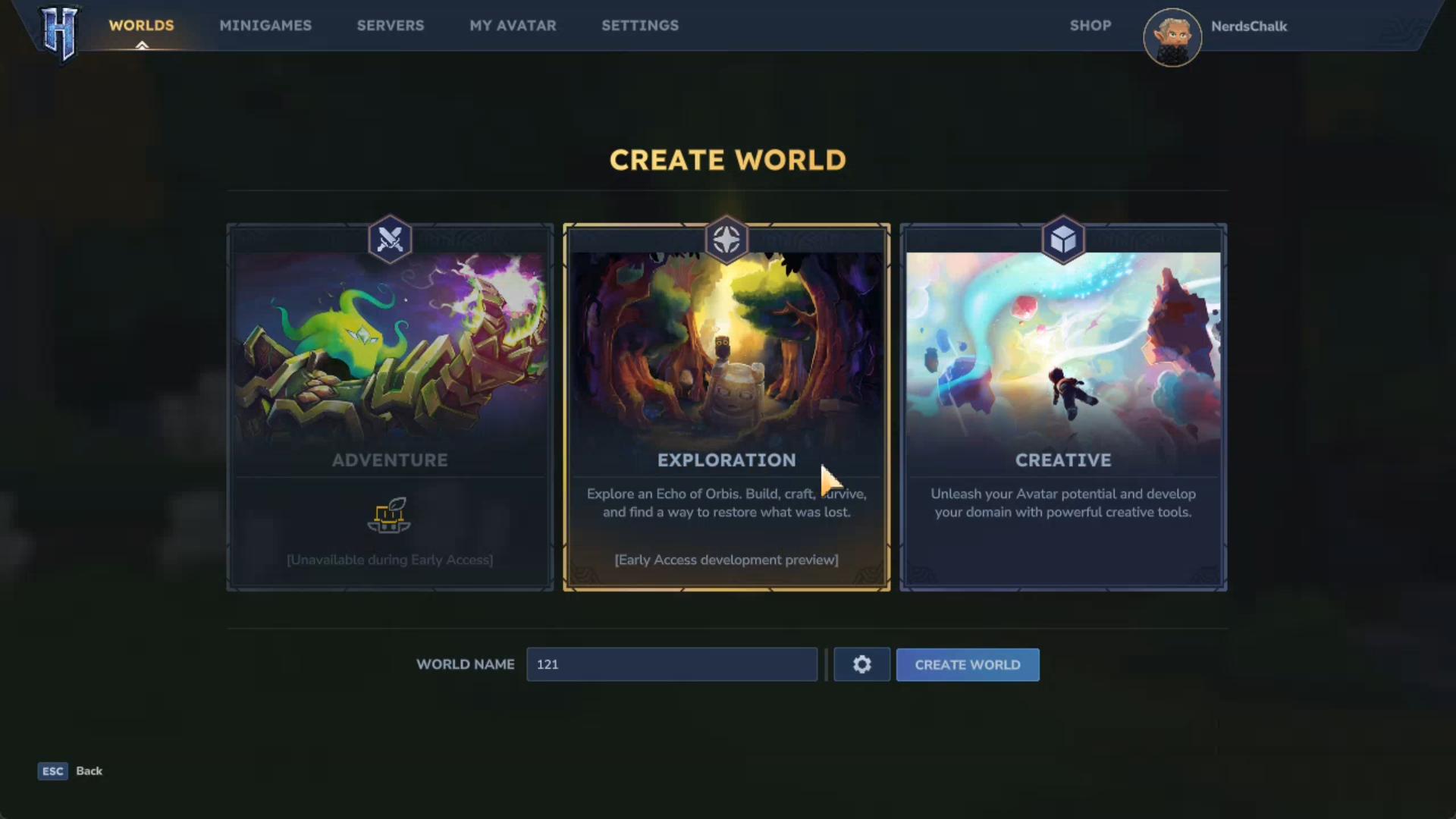
Alternatively, go to the Worlds tab to choose a saved world.
Step 2
Right-click on it.
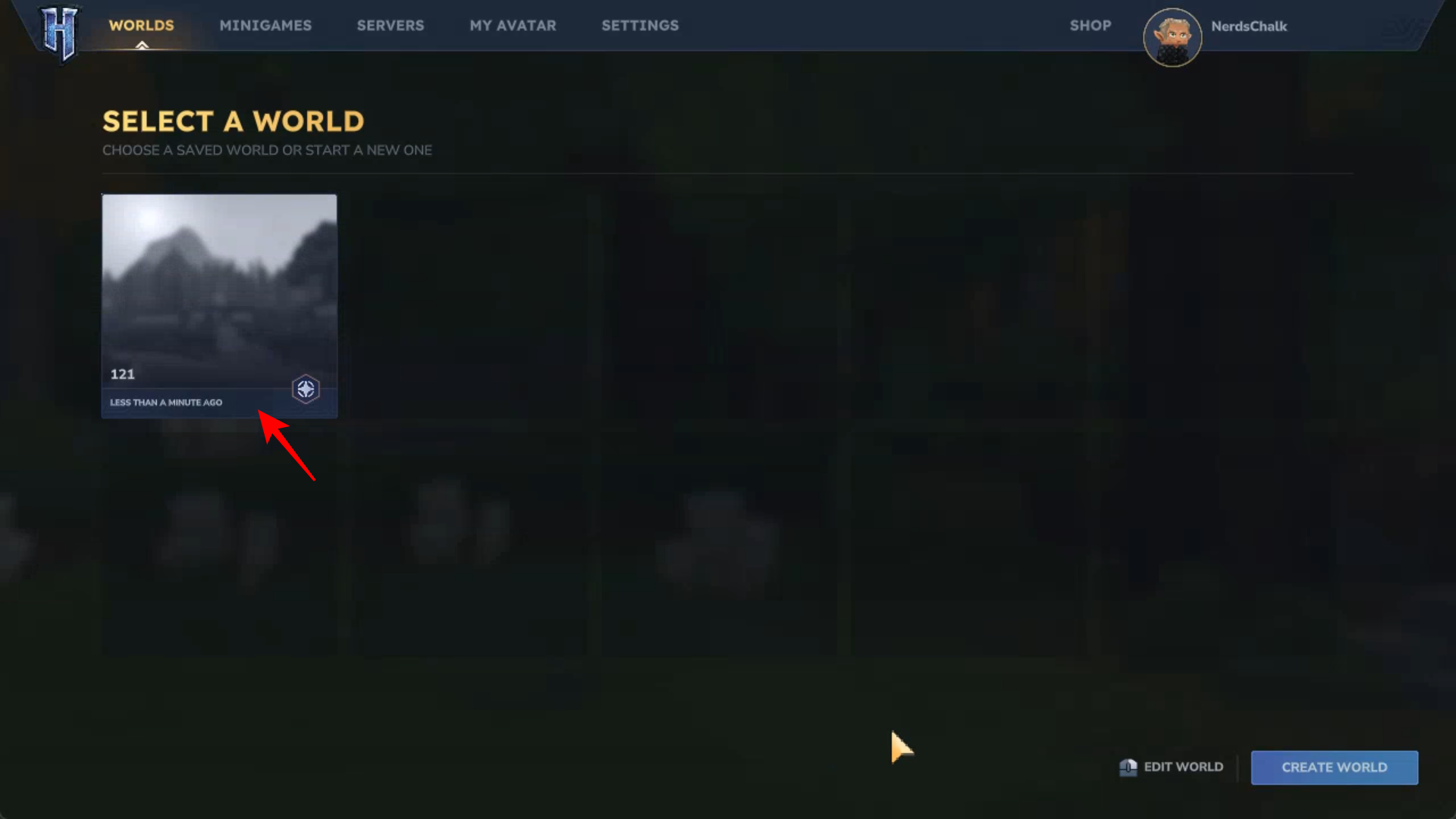
Or click on the Edit World option in the bottom right corner.
Step 3
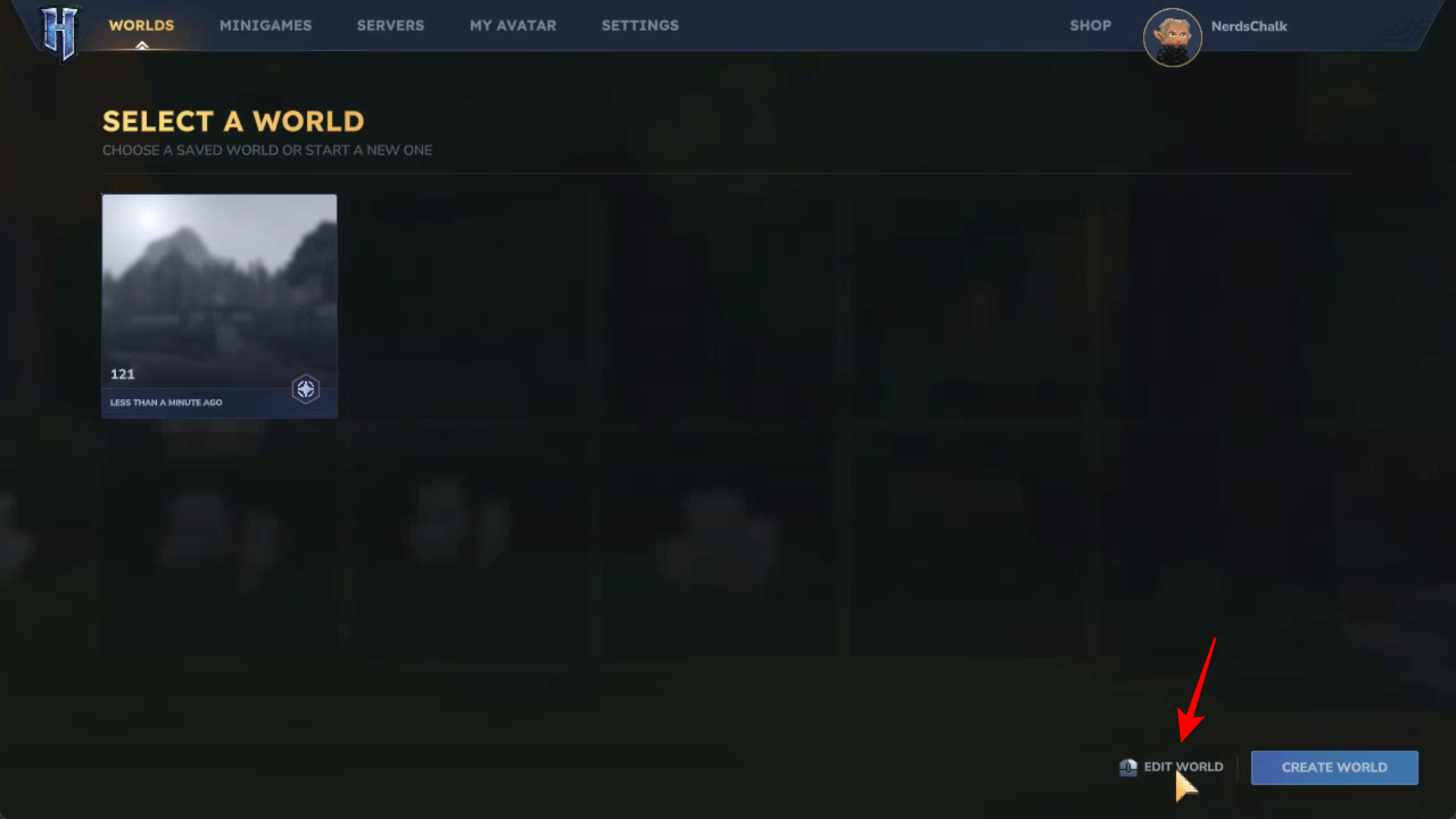
Make sure the Inventory Penalty on Death option is set to Partial Drop.
Step 4
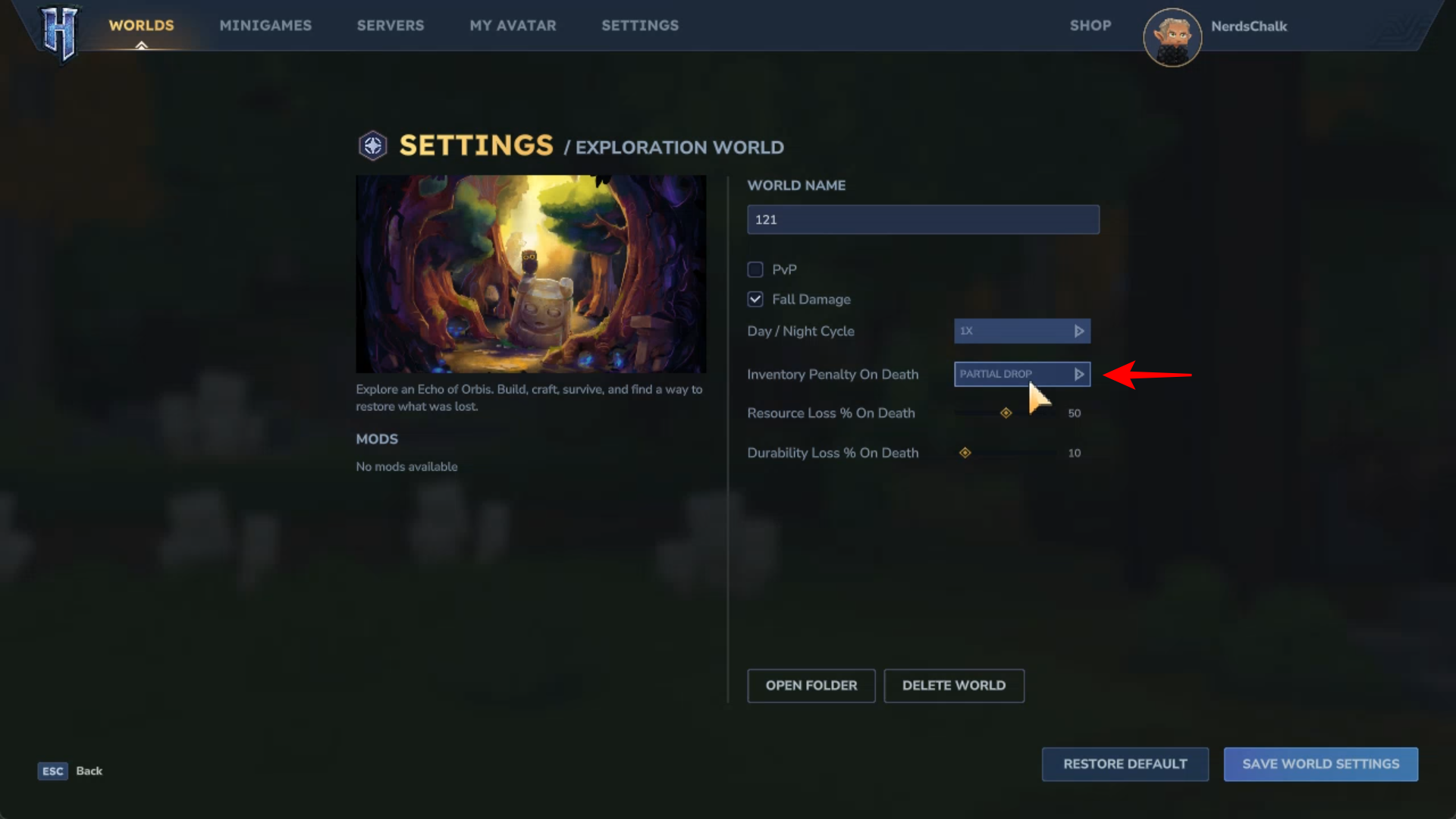
Then change the sliders for:
- Resource Loss % on Death
- Durability Loss % on Death
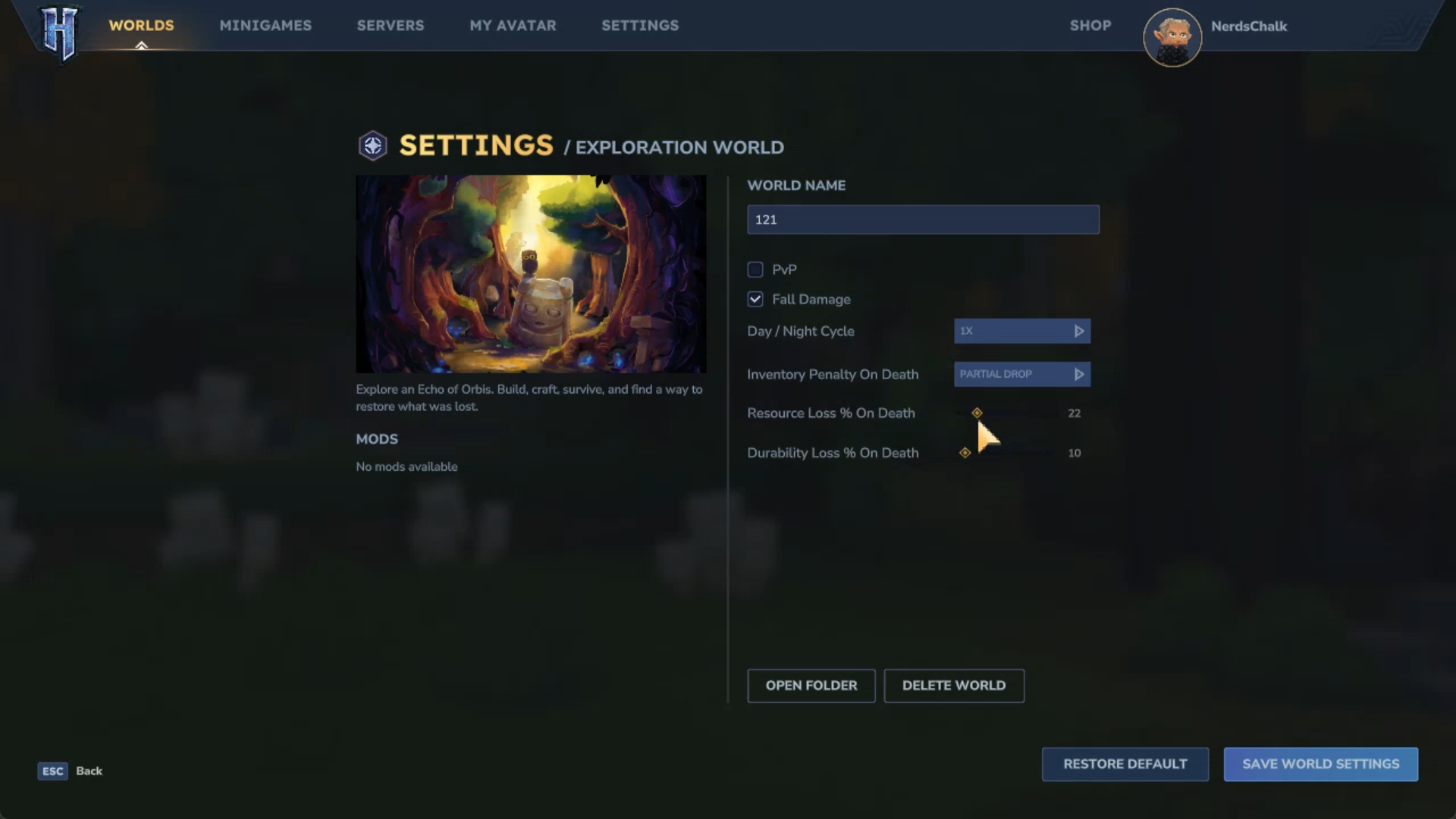
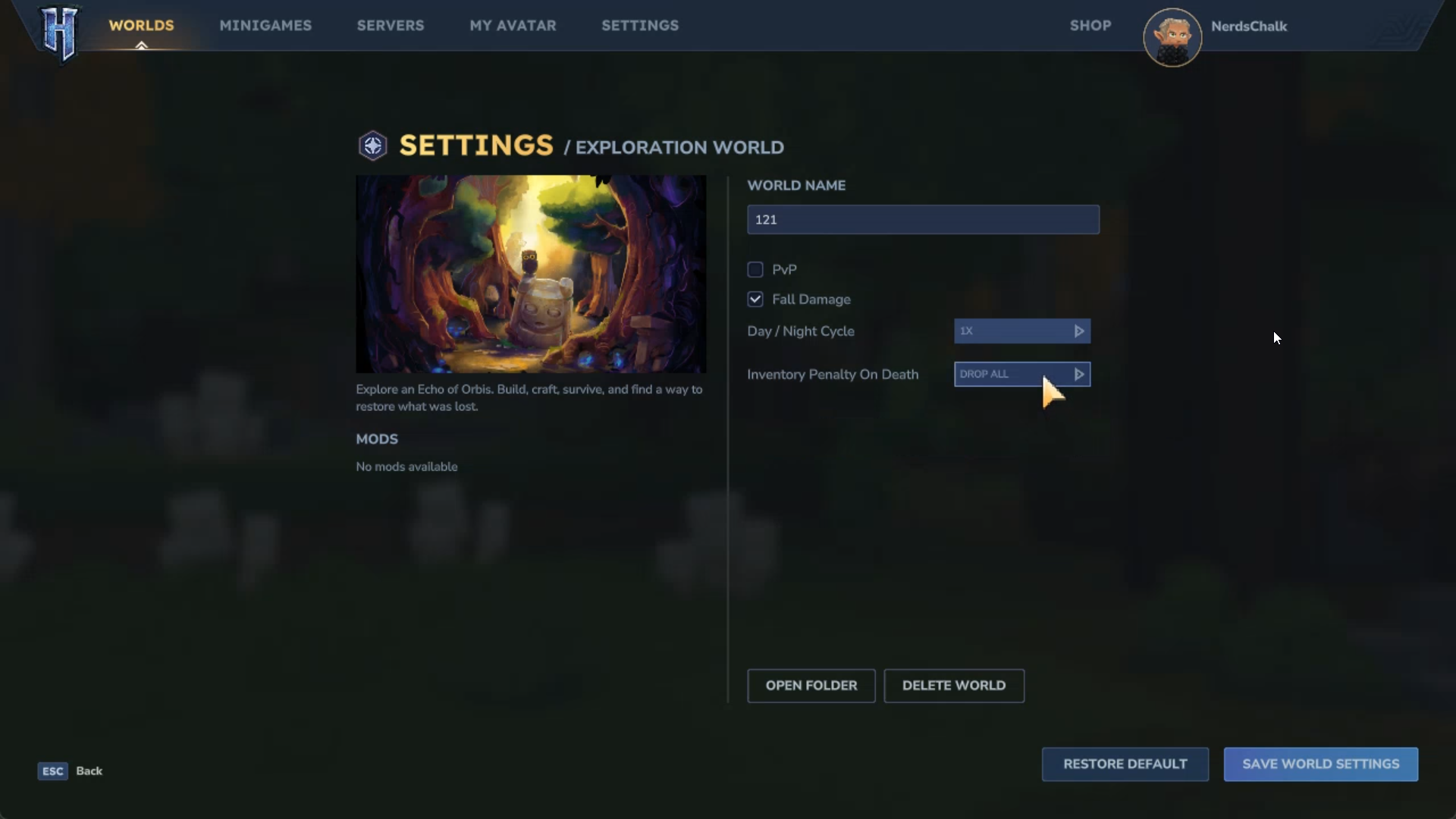
If you’re feeling too confident, you can change it to Drop All for an even more unforgiving gameplay.
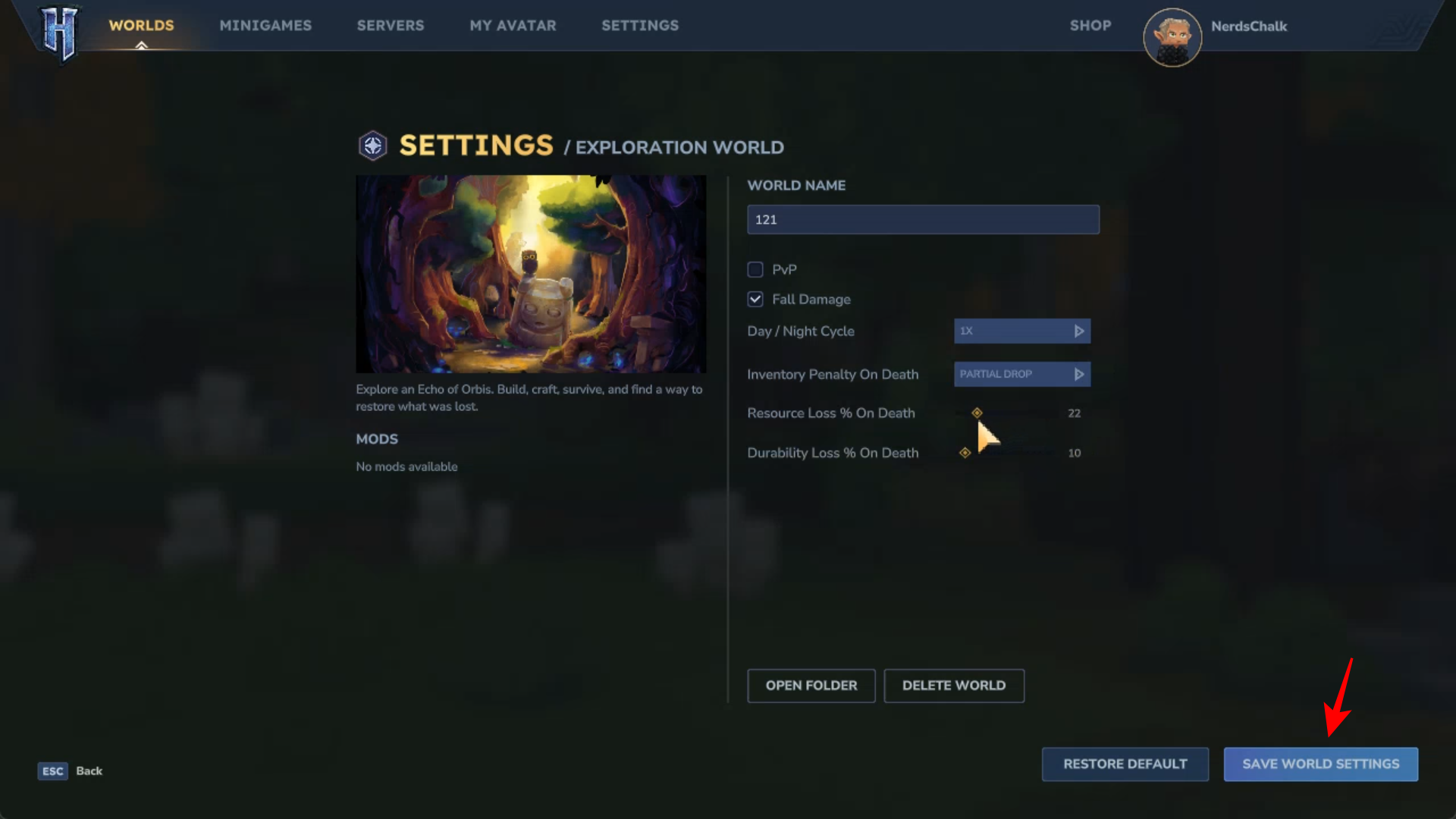
Step 5
Click Save World Settings.
How to Remove Inventory Death Penalty in Hytale
You can also remove the Death Penalty entirely from the World settings. Here’s how:
Step 1
Start the game. Then create a new world. Alternatively, go to the Worlds tab to choose a saved world.
Step 2
Right-click on it. Or click on the Edit World option in the bottom right corner.
Step 3
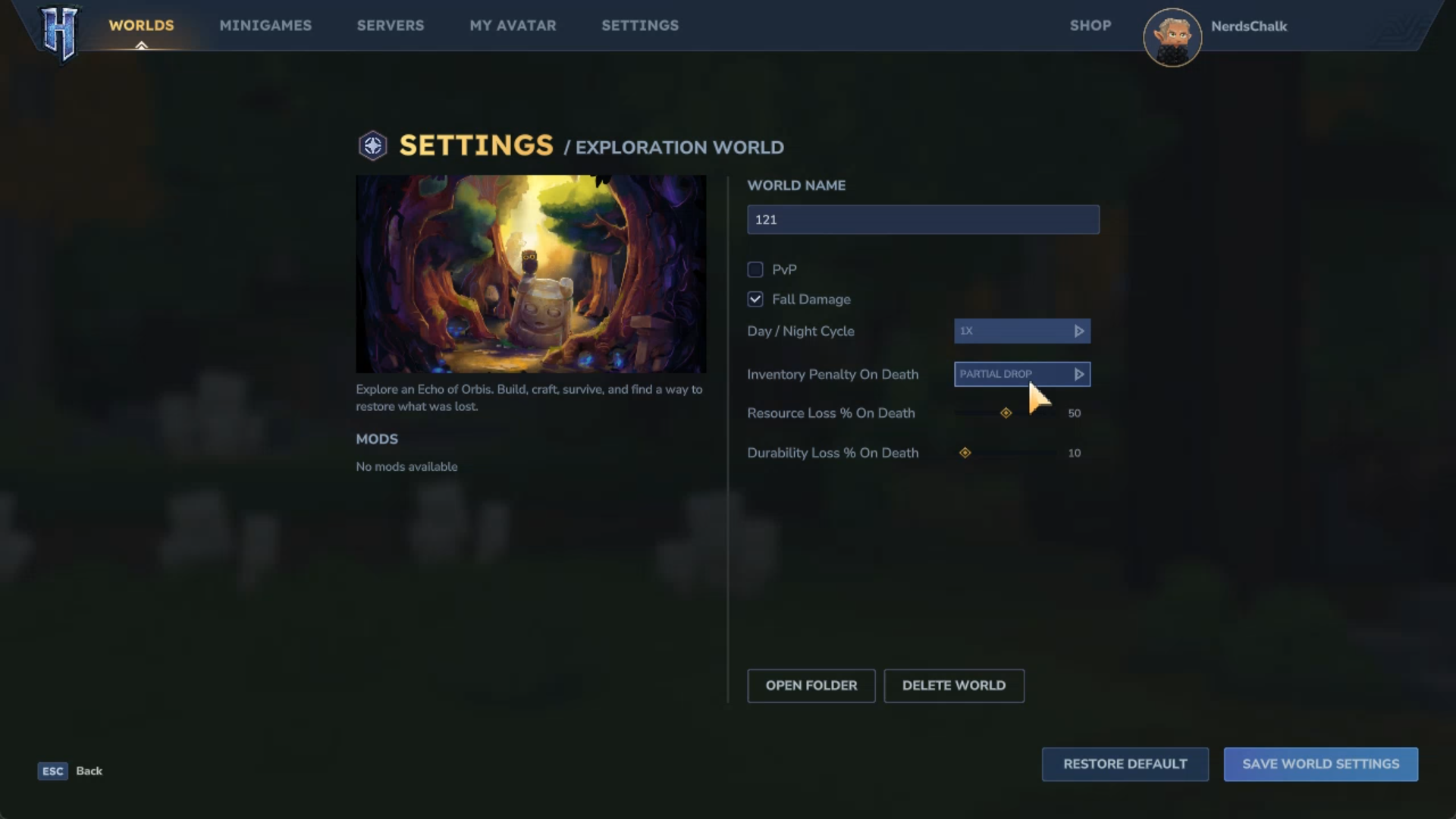
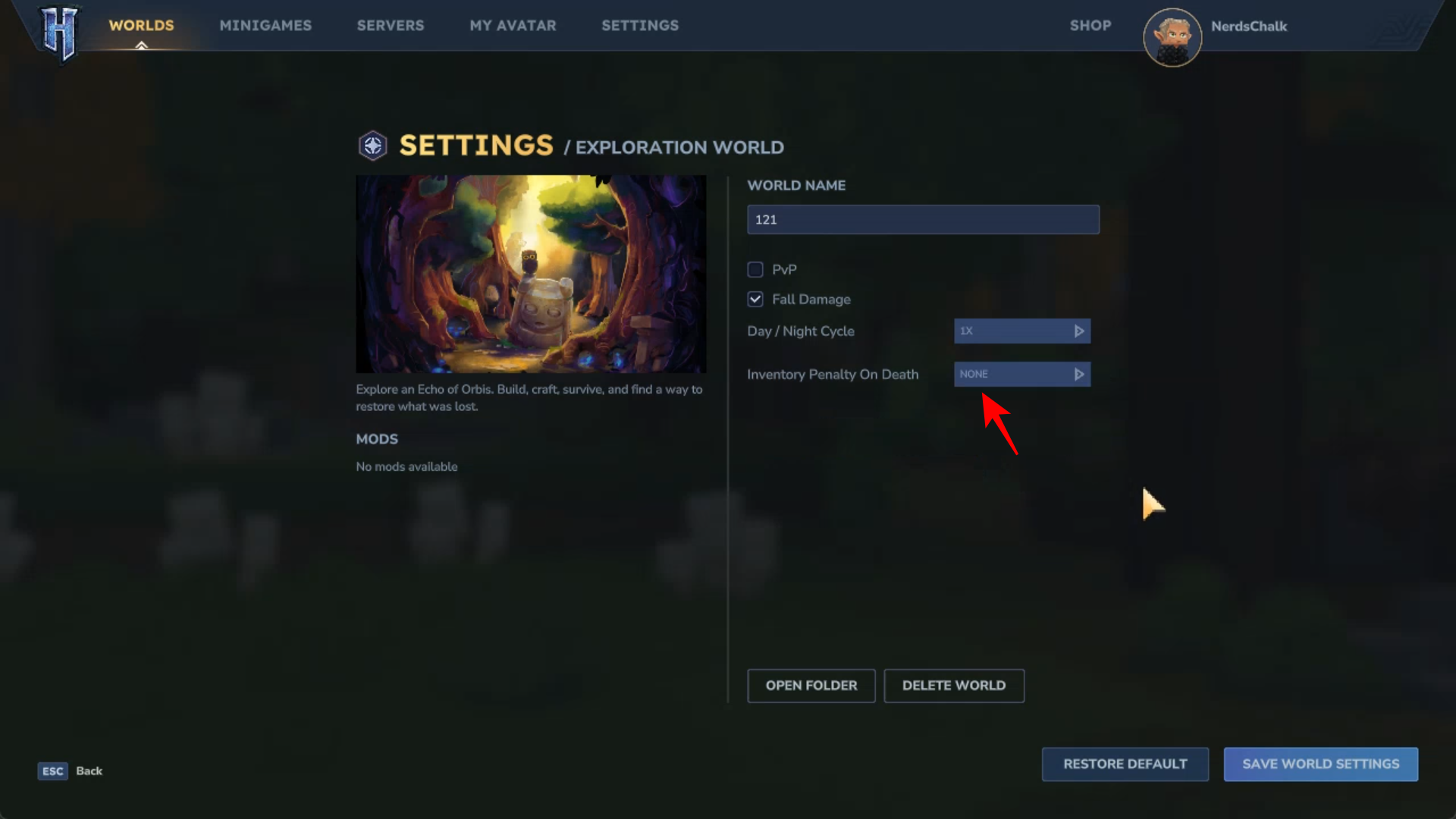
Then click on Inventory Penalty on Death option.
Step 4
Change it to None.
Step 5
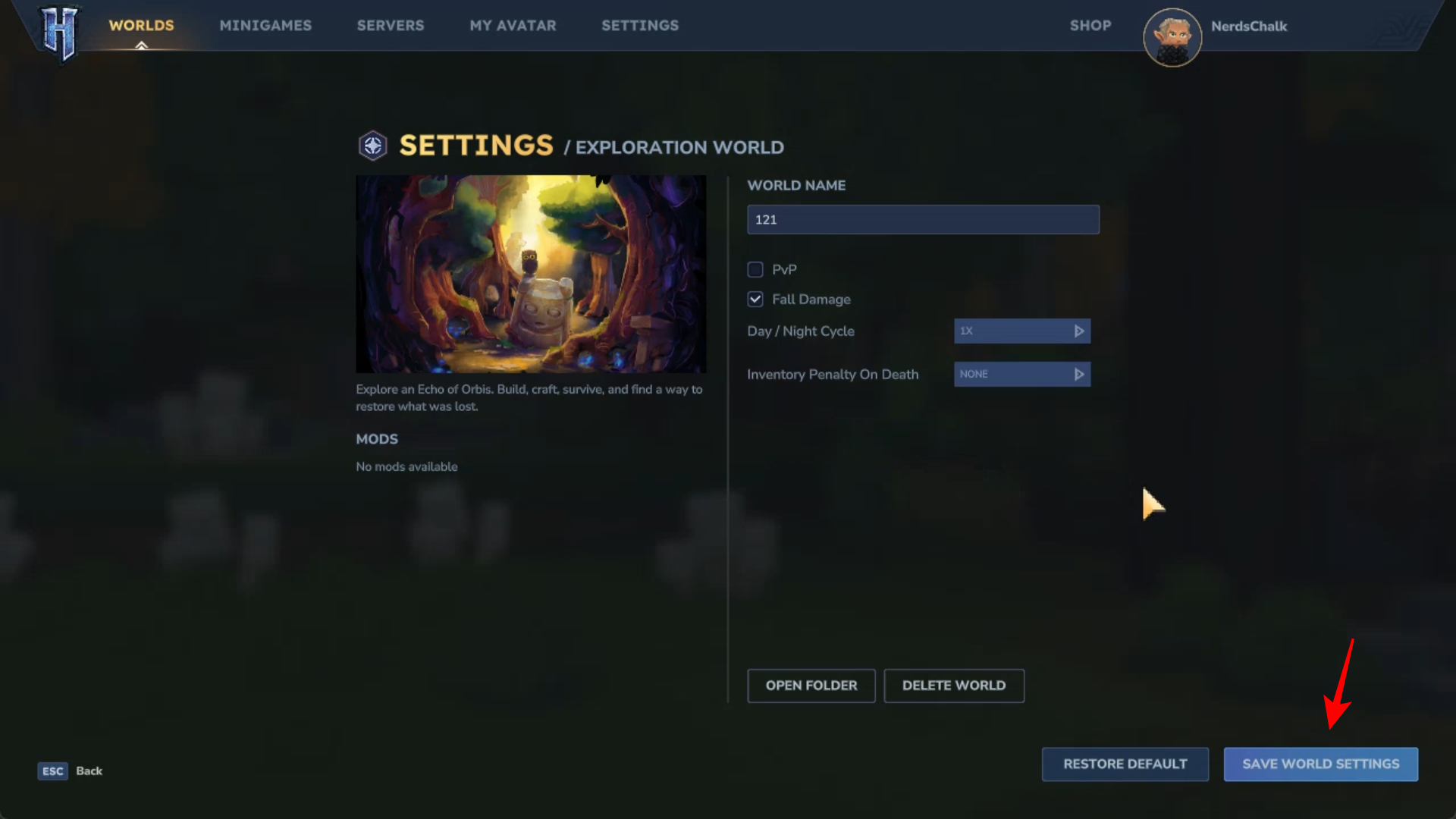
Finally, Save Word Settings.
And that is how you change or remove the Death Penalty in Hytale.




