

Follow this simple guide to learn how to build a house in Where Winds Meet with ease.
Building your first house in Where Winds Meet starts with unlocking Construction Mode through the “One Last Job” quest, which hands over starter materials and a hands-on tutorial. From there, dive into Solo World to build freely using the Construction Mode or place blueprints like the Low-Level Inn, auto-complete material checks, craft materials, and piece it together step by step.
How to unlock Construction Mode
To unlock Construction Mode, complete the Building: One Last Job Exploration Quest—it serves as your building tutorial and activates the feature. Finishing the quest also grants a generous bundle of starter materials so you can begin building without any early grinding.
Key requirements:
- You must reach around level 25 to unlock the building feature.
- Look for the “Building: One Last Job” quest in your Exploration → Quest menu.
- This quest sends you to Halo Peak and to speak with an NPC named Yang Yuan.
- You’ll collect items (like Pebbles) and craft a Stone Pagoda Piece to kickstart the building lesson.
- Once done, you’ll unlock the construction mode and building mechanics.
How to build a house in Where Winds Meet
Follow the steps below to successfully build a house in Where Winds Meet:
Step 1
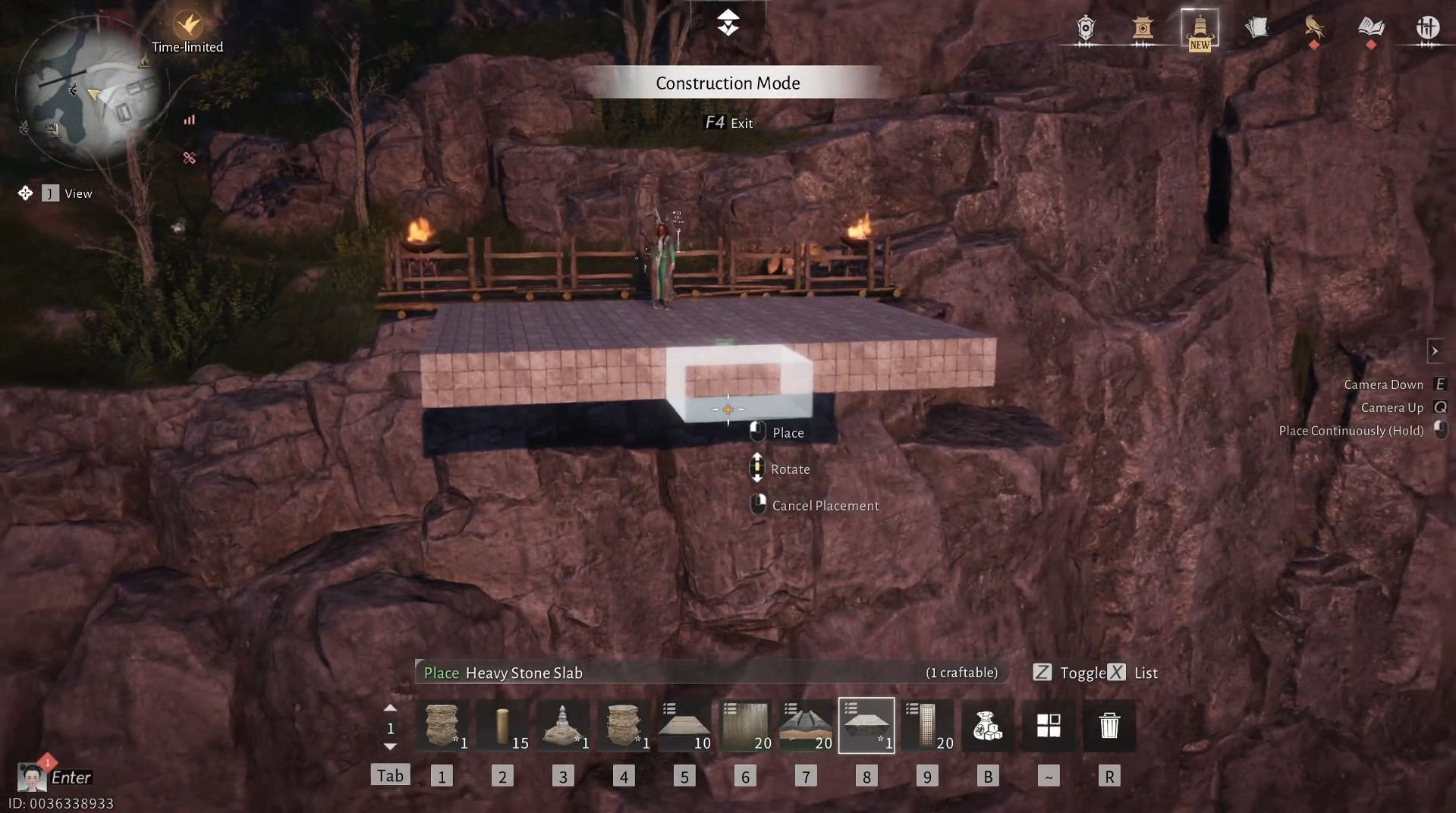
Enter Solo World, select a cleared spot (use foundations to remove trees). Activate construction mode to access menus for floors, walls, and roofs. Press F4 on PC to open the Construction (Build) menu.

Step 2
You can either freely build using any materials and layout you prefer, or choose a ready-made Diagram from the Preset tab after activating Construction Mode.


Screenshots by: NerdsChalk
Step 3
We chose to construct the house using the Low-Level Inn Diagram.

Step 4
Place the structure’s Blueprint wherever you like, then start the construction.
Screen recording by: NerdsChalk
Step 5
Press the “Auto Completion” option to instantly view all the materials required to finish the selected Diagram.


Screenshots by: NerdsChalk
Step 6
If you’re missing materials, select the item you need and use Manual Crafting to create it from the required raw resources.
Screen recording by: NerdsChalk
Step 7
Once you have all the required materials, enter Construction Mode, click on each part of the structure, and choose Fill to automatically place the correct building pieces.
Screen recording by: NerdsChalk
Step 8
Gradually place each piece to assemble your base step by step.

How to farm materials effectively
- Chop down trees and bamboo to gather wood materials.
- Collect any raw ores you find while exploring.
- Visit Xiao Yuan in Kaifeng City, where you can purchase up to 99 of each raw material to speed up construction.


Screenshots by: NerdsChalk
Player Housing vs Open-World Building
Player Housing (Rental)
- After you unlock Kaifeng City in the main story, you can rent a home inside the city.
- Visit the vendor on Southern Gate Avenue to choose from apartments, small houses, or mansions (with monthly Commerce Coin rent).
- These rented homes serve as private spaces with decorative building features inside them.
Open-World Building
- Use construction mode anywhere appropriate to build structures and your custom house with full freedom.
- This mode supports placing structural pieces and furniture directly in the world.
Tips for Building Fast
- Choose a good spot near fast travel or important NPCs.
- Farm materials in advance (timber/stone).
- Use auto-complete in the build menu to spend materials for quick placement.
- Save blueprints to reuse builds anywhere.
We hope this How to Build a House guide for Where Winds Meet was informative and helped you progress without confusion. If you’d like to share ideas, experiences, or any doubts, the comments section is open. We review comments regularly and respond to ensure you receive timely support whenever required.




