
What to know
- You must authenticate your Hytale server before it can run and let players join.
- Authentication is done through a link shown in the server console after starting it.
- You’ll need to log in to your Hytale account and approve the server on the Hytale website.
- Once approved, the server will fully start and be ready to play on.
Before anyone can join your Hytale server, it needs to be authenticated with your Hytale account. This is a quick, one-time process that links the server to you and allows it to start properly. In this guide, we’ll walk you through how to authenticate a Hytale server using a hosting provider like BisectHosting, explain what the authorization link is, and show you when your server is ready to play.
How to authenticate a Hytale server
Follow the steps below to learn how to authenticate a Hytale server when using a hosting provider like BisectHosting.
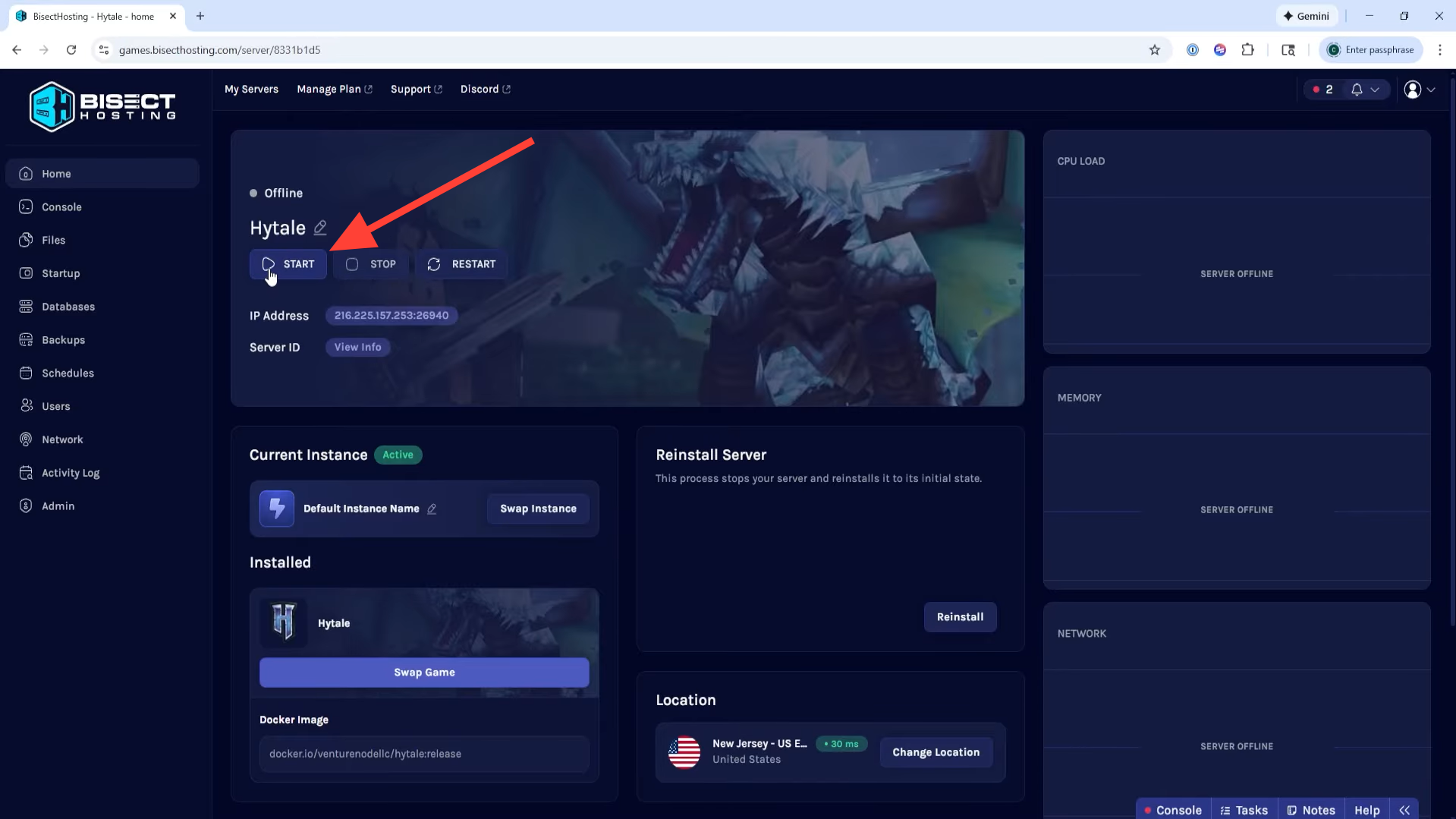
Step 1: Start your server
Log in to your hosting provider’s control panel (such as the BisectHosting Starbase panel), locate your Hytale server, and click Start to launch it.
Step 2: Get the authorization link
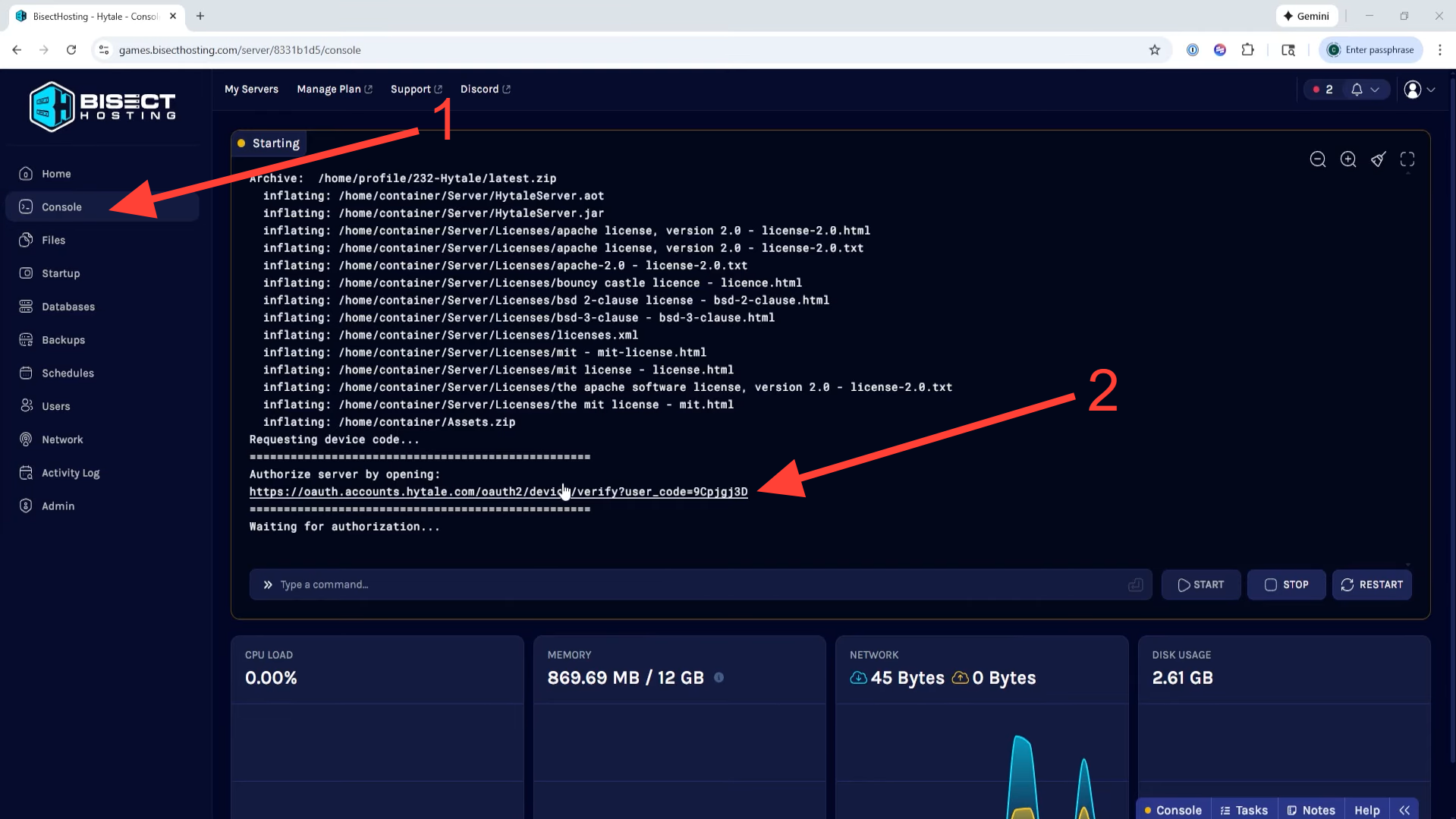
Once the server begins starting, open the Console tab. After a short moment, you’ll see a message with an authorization link. Click the link or copy and paste it into your browser.
Step 3: Approve the server
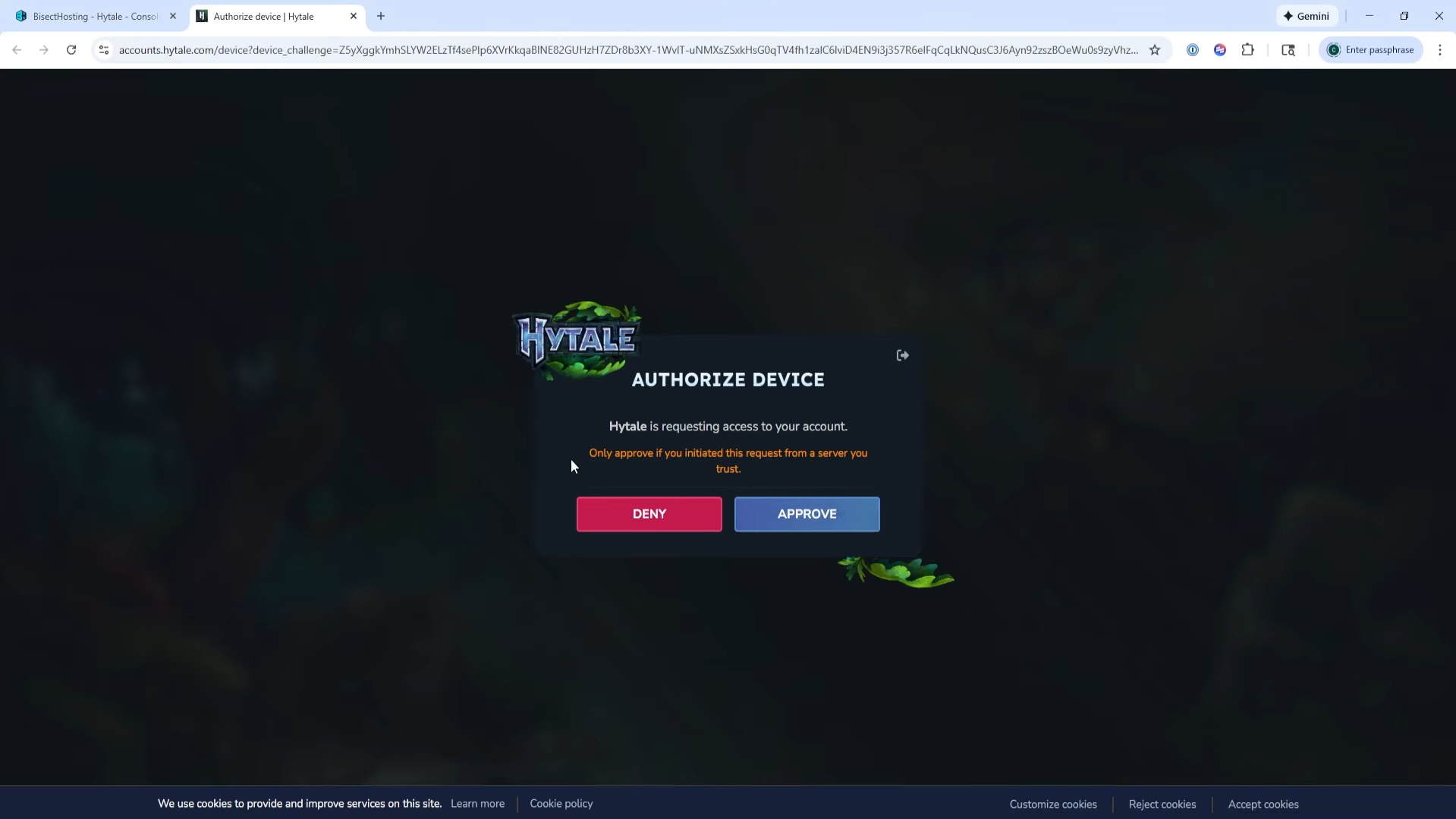
The link will take you to the Hytale website. Click Approve and sign in to your Hytale account using your preferred login method to authorize the server.
Step 4: Finish Setup and Play
After signing in, you’ll see a “Device authorized” confirmation. The server will complete its startup and be ready to join. You can now connect to your Hytale server in-game and start playing.
What happens after authentication
Once the server is authenticated, it stays linked to your Hytale account.
You don’t need to repeat this step every time you restart the server, unless the hosting provider requires re‑auth for some reason (like a long shutdown or account change).
After authentication, players can join the server normally through the Hytale client.
Play ready server
Authenticating a Hytale server is a one‑time step that proves you own the account and lets the server run fully.
Just start the server, open the auth link from the console, log in, and approve it on the Hytale site, then your server is ready to play on.
Thanks for reaching the end! Share your experience or doubts in the comments below—we read them closely and try to reply as quickly as possible.