


- What to know
- How blueprints fit into the AIC Factory loop
- The “factory truth” blueprints don’t replace
- System Blueprints vs My Blueprints
- How blueprint placement actually works in practice
- Power and connectivity still decide success
-
How to unlock and start using blueprints
- Step 1: Progress until the AIC Factory is unlocked
- Step 2: Use the starter blueprint once to get a functional baseline
- Step 3: Learn what the blueprint is producing (and why)
- Step 4: Verify power coverage first, then place the blueprint
- Step 5: Confirm routing: inputs, outputs, storage, and anti-jam tools
- Step 6: Save improvements as “My Blueprints”
- Step 7: Share/import via codes for rapid iteration
- How Batch Mode changes blueprint usage
- Common blueprint pitfalls and how to avoid them
- When you should build manually instead
- A blueprint-focused way to think about factory design
- Your next steps if you want to get good at blueprints
What to know
- Blueprints are primarily an AIC Factory planning tool meant to speed up setting up production lines, not to bypass progression.
- There are preset System Blueprints earned from simulations, plus player-made “My Blueprints” you can save and share via codes.
- Blueprint use is supported by Batch Mode tools that let you blueprint/copy/move/stash chunks of your factory for fast redesigns.
- You still need the right unlocks and enough construction materials/power/logistics for the blueprint to function when placed.
Arknights: Endfield’s AIC Factory is an automation sandbox where you mine, process, and assemble items through connected facilities, and the blueprint system exists to make that planning repeatable and scalable. If you’re the kind of player who likes optimizing, blueprints let you iterate quickly. If you’re not, blueprints let you stay functional without micromanaging every belt and port.
| Quick overview | What it means for you |
|---|---|
| What a blueprint is | A saved “snapshot” of a factory layout (facilities + connections) you can place again. |
| Main purpose | Quickly set up full production lines and expand development faster across regions. |
| Types | System Blueprints (earned) and My Blueprints (your saved layouts). |
| Sharing | You can share/import layouts using blueprint sharing codes. |
| Editing support | Batch Mode enables blueprinting/copying/moving/stashing layouts for large-scale edits. |
| Key limitation | Placement still requires power coverage, unlocked tech, and enough materials to build everything. |
How blueprints fit into the AIC Factory loop
The AIC Factory is where your account’s long-term strength comes from, because it produces gear materials, construction materials, consumables, and outpost supplies over time (including while you’re exploring or offline).
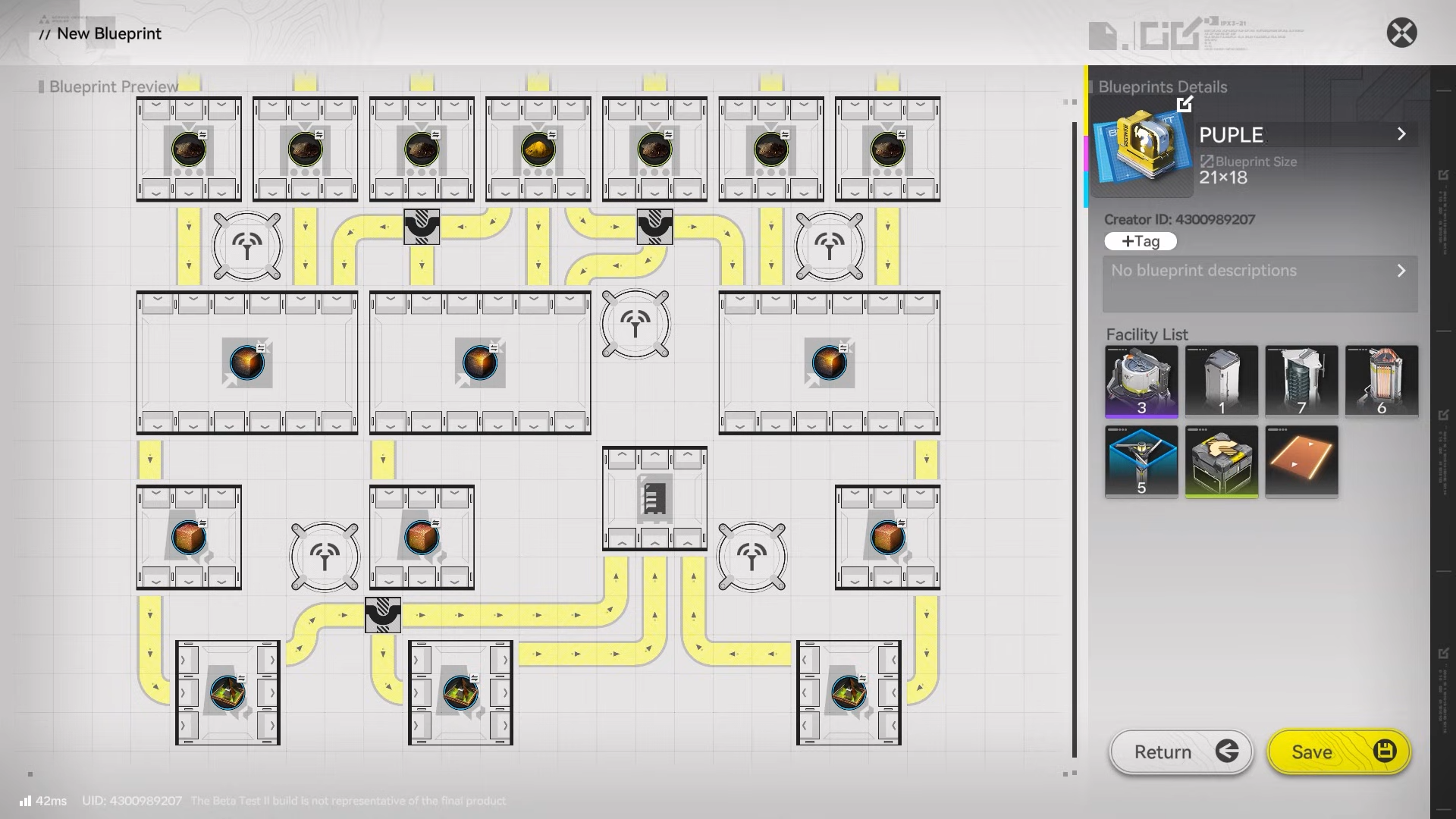
In practical terms, a blueprint is your shortcut from “I know what I want to produce” to “the whole line is placed,” so you can spend more time validating throughput and less time rebuilding the same structure.
The “factory truth” blueprints don’t replace
A blueprint can place a layout, but it can’t magically solve the core AIC requirements: power delivery, correct input/output routing, and storage/flow control so the line doesn’t jam. You’ll still progress through the AIC Plan/simulations to unlock more tools and features, which is also where some System Blueprints come from.
System Blueprints vs My Blueprints
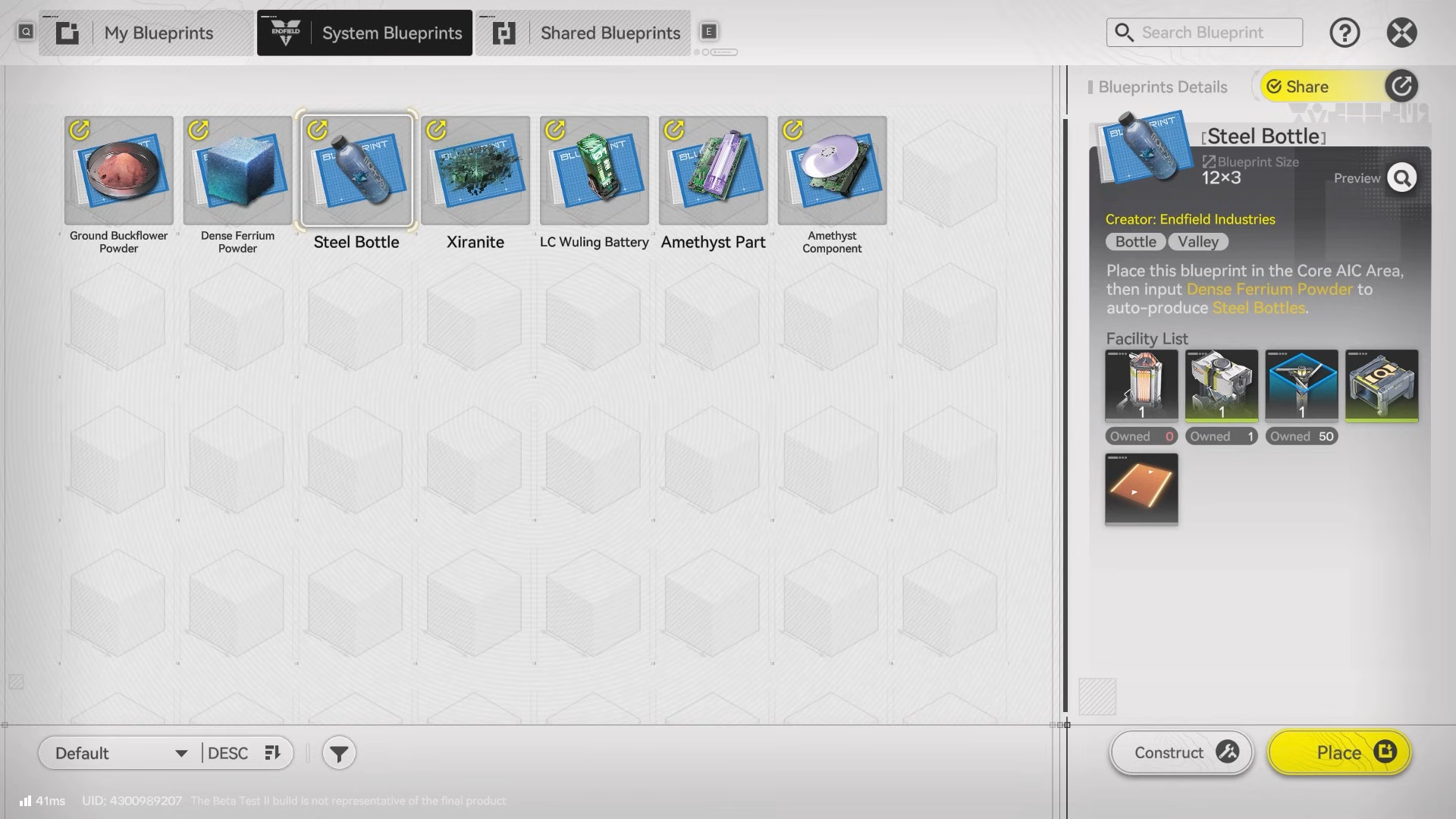
System Blueprints are developer-provided layouts you earn by completing certain simulations, and they range from basic setups to more complex assembly lines. They’re designed to help you stand up a working line quickly, especially early on when you’re learning ports, belts, and power distribution.
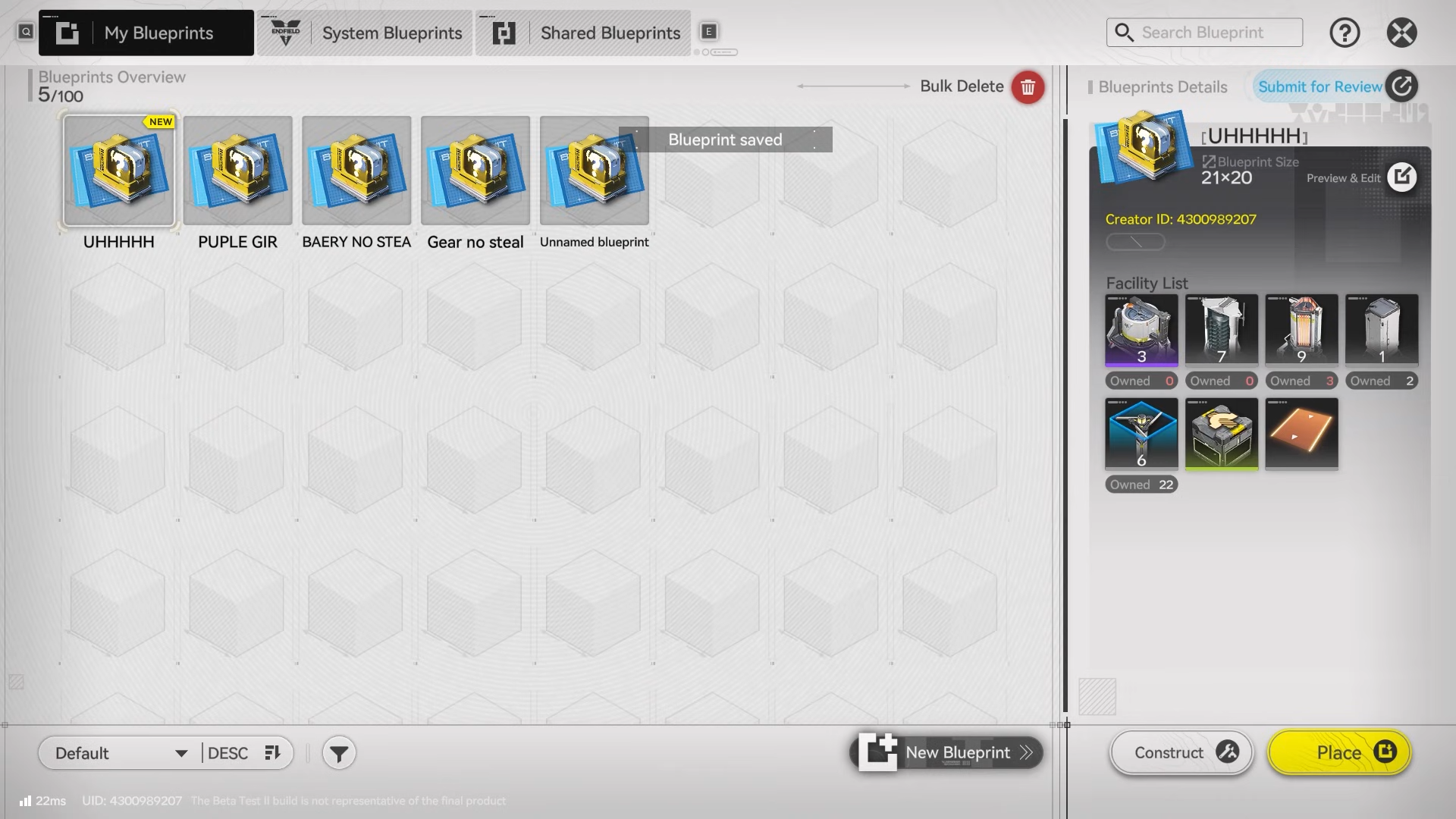
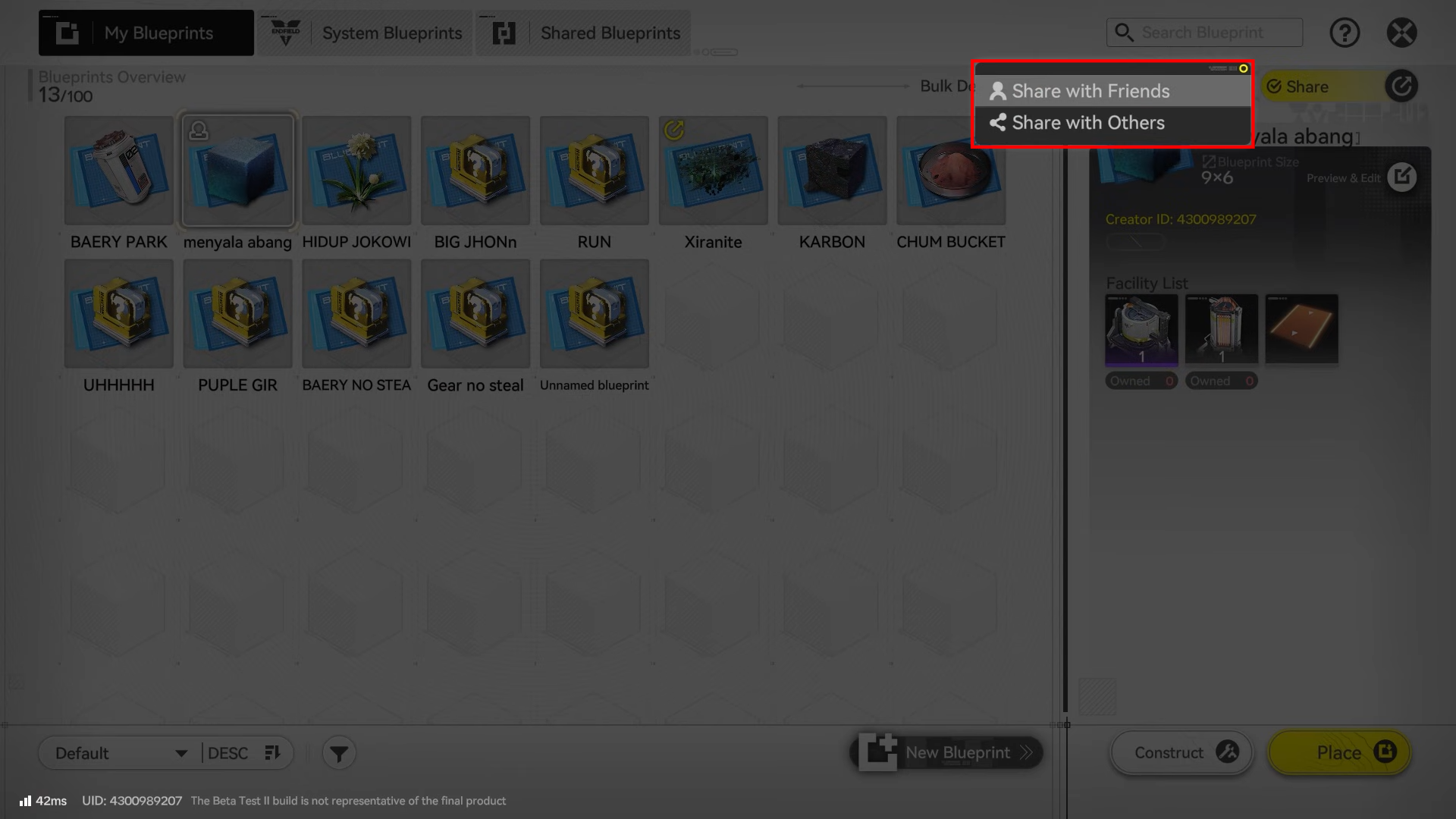
My Blueprints are your own saved layouts; you can store them and share them with friends (and outside the game) so other players can replicate or adapt your design. You can also import other players’ layouts using blueprint sharing codes, which is effectively how “community meta factories” spread.
How blueprint placement actually works in practice
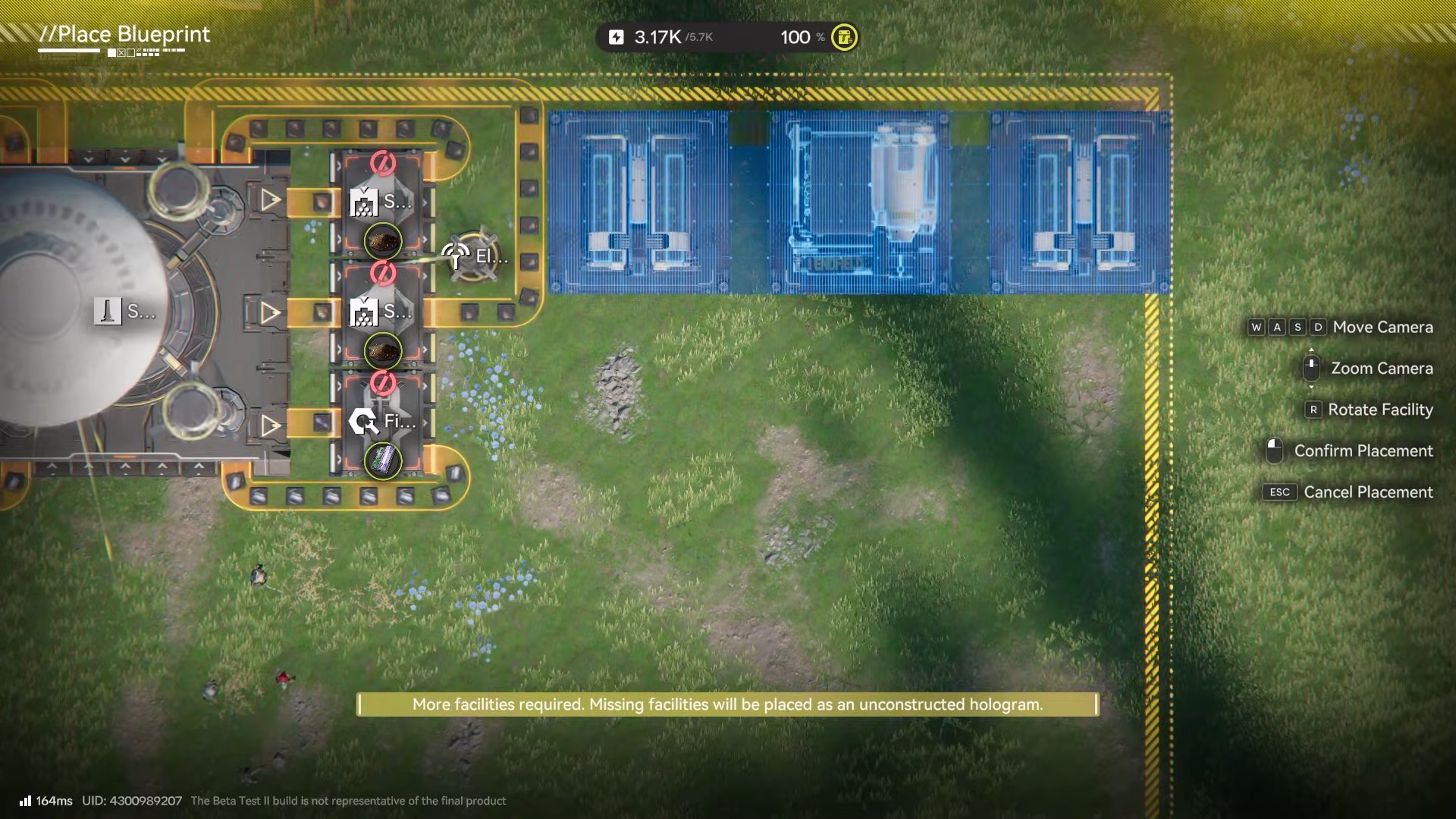
Blueprint placement is best understood as “plan and place,” then “validate and supply,” rather than a single-click perfection button. When you go to construct a blueprint, you’re still bound by the same rules as manual building—resources must exist, power must reach the facilities, and the layout must physically fit the space you’re placing it into.
Power and connectivity still decide success
Your factory power originates from your PAC (and Sub-PACs at outposts), then extends through Relay Towers and local distribution via pylons, with terrain/line-of-sight affecting tower placement. If a blueprint assumes strong power coverage but you drop it in a poorly powered zone, parts of the line may sit idle even though the blueprint placed correctly.
How to unlock and start using blueprints
Here’s how you can unlock and use Blueprints.
Step 1: Progress until the AIC Factory is unlocked
You’ll access the AIC system through early progression, and the game provides an initial blueprint meant to get you started quickly.
Step 2: Use the starter blueprint once to get a functional baseline
If you don’t want to design immediately, placing the first blueprint can stand up the “minimum viable factory” so production begins.
Step 3: Learn what the blueprint is producing (and why)
Before copying community layouts, confirm the output goal (construction materials, refined ore, gear parts, etc.) so you don’t build a huge line that doesn’t match your current bottleneck.
Step 4: Verify power coverage first, then place the blueprint
Make sure Relay Towers/pylons (or regional equivalents) can power the full footprint, because an unpowered blueprint is “built” but not productive.
Step 5: Confirm routing: inputs, outputs, storage, and anti-jam tools
Even with good layouts, you’ll eventually need logistics tools (splitters/control ports and similar flow management) to prevent backups and keep the line stable.
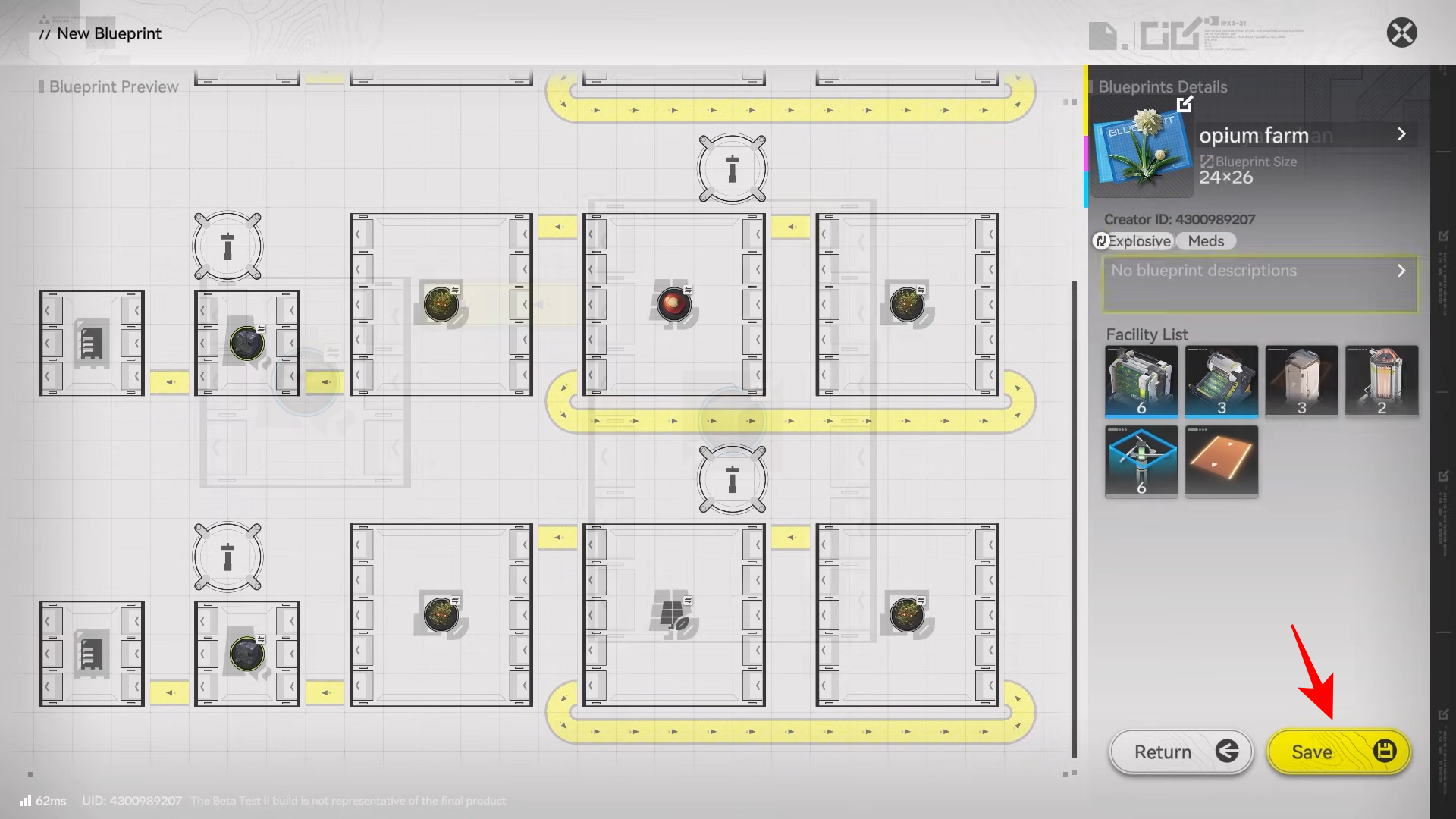
Step 6: Save improvements as “My Blueprints”
Once you adjust for your space, unlocks, and preferred outputs, save that working variant so you can redeploy it later as your “personal standard module.”
Use blueprint sharing codes to swap layouts with friends or bring in community-optimized lines, then adapt them to your region, unlock stage, and resource situation.
How Batch Mode changes blueprint usage
Batch Mode is effectively the editing backbone for blueprint-driven factories. It lets you blueprint, copy, move, and stash existing production lines so you can reorganize entire sections quickly. This matters because most factory redesign pain comes from midgame “rebuilds,” and batch tools reduce the cost of experimentation—especially when you need to re-route belts, widen corridors, or relocate a line closer to storage/power.
Common blueprint pitfalls and how to avoid them
- Placing a blueprint before you’ve unlocked the required facilities: you may end up with missing pieces or a layout you can’t complete yet.
- Underestimating power and terrain: Relay tower line-of-sight and range issues can break otherwise good designs.
- Copying a layout without matching your goal: a “great” blueprint for one product can be inefficient or irrelevant for your current progression bottleneck.
- Skipping flow control as you scale: larger lines usually need better logistics controls to avoid jams and idle time.
When you should build manually instead
Manual building is still valuable when you’re learning AIC fundamentals (ports, belts, power), when you’re working in awkward terrain, or when your current unlock level can’t fully support a blueprint you found online. A practical approach is to use a blueprint to get to “working,” then manually tune the last 20% (belt length, storage placement, flow control) to match your real constraints.
A blueprint-focused way to think about factory design
Treat each blueprint as a “module” with a single job (smelt X ore, refine Y, assemble Z), then connect modules rather than trying to blueprint your entire base as one mega-layout. This modular mindset pairs naturally with Batch Mode because you can move or replace a whole module when you unlock better tech, without tearing down everything else.
Your next steps if you want to get good at blueprints
- Use the starter blueprint early to stabilize production, then replace it piece-by-piece as you unlock better logistics.
- Maintain at least one “starter module” blueprint and one “scaled module” blueprint for the same product, so upgrades are a swap, not a rebuild.
- Import one community blueprint at a time and test it against your constraints (power reach, space, current unlocks) before committing your whole factory to it.
Blueprints are Endfield’s way of turning factory layouts into reusable assets. You earn preset templates from simulations, save your own, and share/import designs via codes to scale production lines faster. You’ll get the best results when you treat blueprints as a fast baseline, then validate power, routing, and flow control so the line stays stable at your current progression stage.



