


What to know
- Google relaunched and expanded Flow into a full AI creative studio for images and videos.
- New editing features (lasso text edits, extend, camera control) and an updated UI improve precision and workflow.
- The Nano Banana image model and Veo 3.1 video model power high-quality generation and editing.
- Flow access has broadened (free tier + paid limits), and Workspace users now can create AI videos.
You can now think of Flow AI as a unified creative workspace from Google — not just a video generator but a multi-modal studio that handles text, image, and video from one interface.
Google has relaunched and expanded Flow as an all-in-one AI creative tool where you can generate, edit, and organize media — from static images to animated videos — in a single workflow. Experimental image tools like Whisk and ImageFX are being folded into Flow, and Google plans automatic project transfers from those tools early in March 2026.
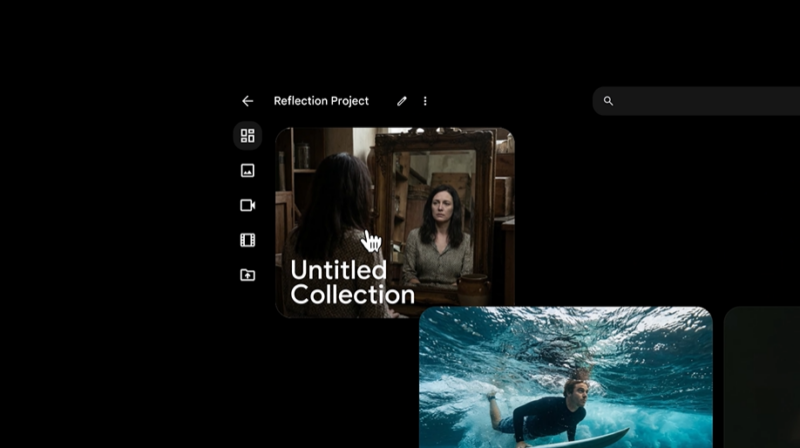
The interface includes a refreshed UI and asset grid for managing visuals and projects, letting you tag, sort, and group assets easily.
Flow is powered by Google’s Nano Banana image model and the Veo series text-to-video models. Nano Banana allows you to generate high-fidelity images that can serve as “ingredients” for videos.
The Veo 3.1 video model — a successor to Veo 3 — brings enhanced audiovisual quality and creative control to video creation inside Flow. Veo integrates richer audio, stronger prompt fidelity, and more realistic textures and sound, and it powers multiple video workflows like “Ingredients to Video” and “Frames to Video”.
Google added natural editing controls that let you refine visuals by writing prompts directly on specific areas of images or videos.
- The lasso tool lets you select a region and apply conversational prompts like “remove the man” or “add koi fish” to images.
- Video tools let you extend clips, control camera motion, and make scene adjustments mid-generation.
These tools aim to reduce the gap between the first draft and polished results, offering creators more intuitive control without complex workflows.
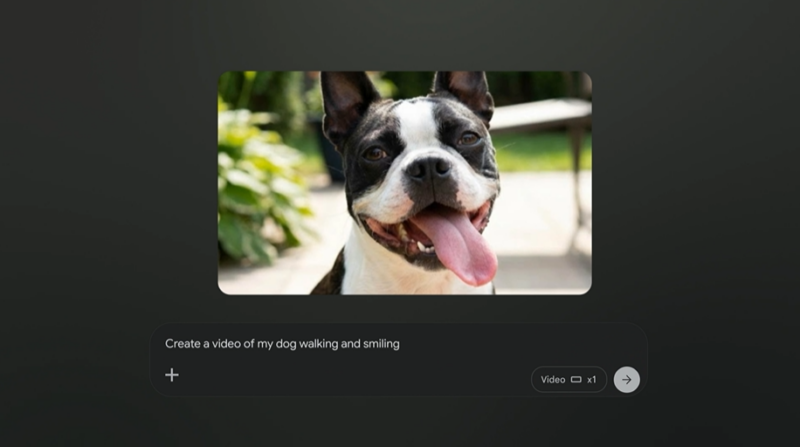
Flow remains free to use after signing up, with optional paid plans that unlock higher usage limits and all features.
Importantly, Google is expanding Flow access to more users: subscribers on business, enterprise, education, and Workspace plans now can generate videos and create content using Flow’s tools.
Google’s generative AI creative stack — including Flow — is connected to the broader family of AI models like Gemini and Veo. However, the growth of this space also brings competition and legal scrutiny; for example, Google was sued over alleged trademark issues related to its “Flow” branding in AI movie-making software.
Overall, the most recent updates position Flow AI as a more complete and collaborative media creation platform for casual creators, designers, and developers — blending image generation, editing precision, and video production in one tool.




