

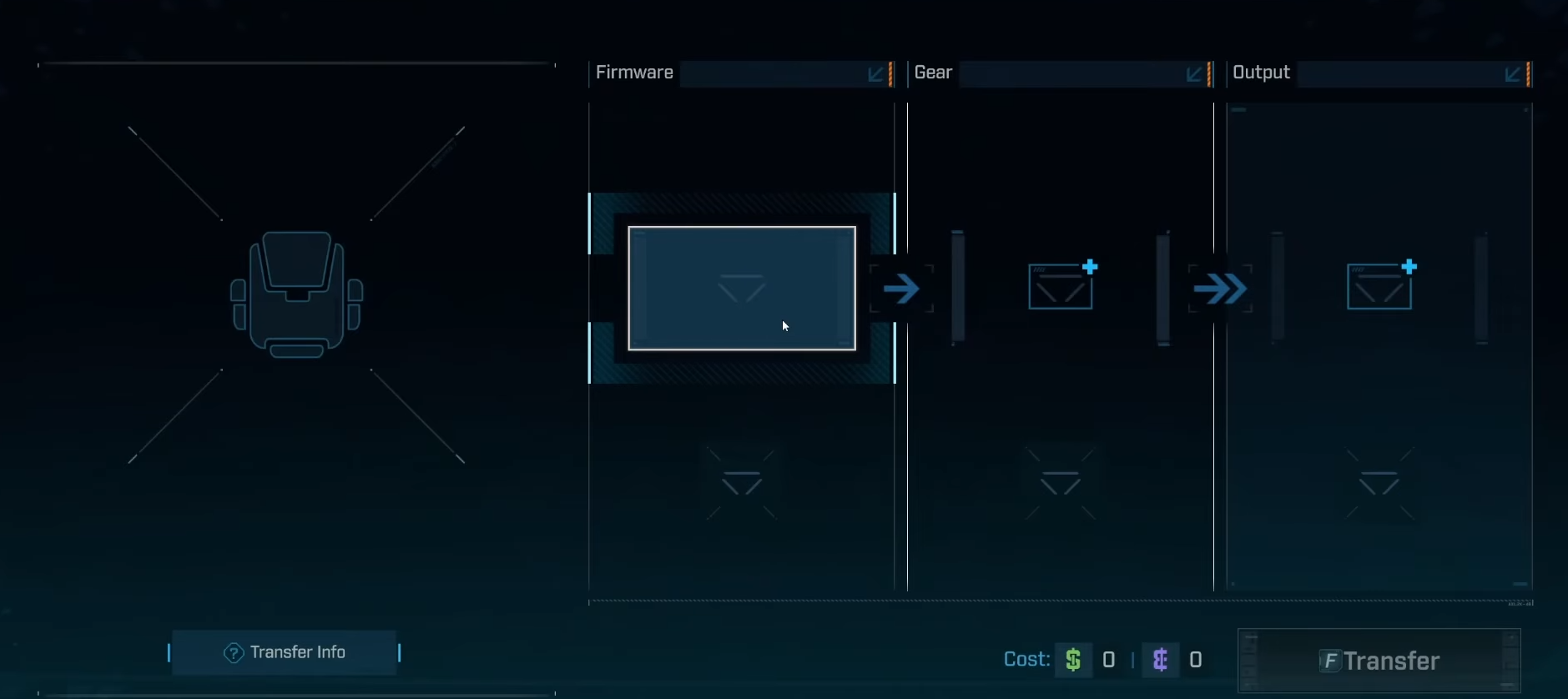
A late-game feature in Borderlands 4, the Firmware Transfer Machine lets you move firmware between non-weapon gear to optimize set bonuses.
What to know
- Firmware set bonuses apply only to equipment: repkits, ordnance, class mods, shields, and enhancements, not weapons.
- The Firmware Transfer Machine appears after completing main missions and part of Ultimate Vault Hunter Mode.
- Transferring firmware costs in-game currency and destroys the original item used as a firmware source.
- Firmware can only be transferred between matching gear types (e.g., shield to shield).
In Borderlands 4, firmware is a crucial mechanic that grants set bonuses when multiple pieces of gear share the same firmware. After the main campaign, players gain access to a Firmware Transfer Machine that allows transferring firmware from one gear item to another, helping customize and improve builds.
How to unlock the Firmware Transfer Machine
The Firmware Transfer Machine becomes accessible once the player completes all main story missions. Then, four additional missions unlock the Ultimate Vault Hunter Mode. Completing the first of these missions unlocks the Transfer Machine feature, enabling firmware transfer between items.
How to use the Firmware Transfer Machine
Step 1
Locate the Transfer Machine in faction towns or the Sanctuary, where the characters like Amara reside.

Step 2
Select the item with the desired firmware as the source. Be aware, the source item will be destroyed during the process.

Step 3
Choose the target gear of the same type (e.g., repkit, ordnance, shield) to receive the firmware transfer.

Step 4
Check the final outcome.

Step 5
Pay the transfer cost and confirm the transfer.

Step 6
The firmware will be permanently installed onto the new gear item.

Gear types that can carry firmware
Firmware does not appear on weapons. Instead, it rolls on non-weapon gear, starting around level 25.
| Gear type | Examples |
|---|---|
| Shields | Defensive gear of all rarities |
| Repkits | Healing or revival items |
| Ordnance | Throwables and explosives |
| Class Mods | Class-specific modifiers |
| Enhancements | Special augment items |
Firmware set bonuses and their effect on gameplay
Firmware provides various bonuses that scale depending on how many pieces of the same firmware are equipped.
| Set Bonus Example | 1 Piece Bonus | 2 Piece Bonus | 3 Piece Bonus |
|---|---|---|---|
| Action Fist | +15% Melee Damage | +10% Action Skill Damage | +25% Action Skill Damage on melee kill for 8s |
| Airstrike | +20% Splash Radius | +20% Splash Damage | Drop a missile strike on kill |
| Risky Boots | -30% Damage Taken <35% | +35% Movement Speed <35% | +100% Damage and +5% Lifesteal <35% HP |
Players can equip combinations such as a 3-piece bonus and a 2-piece bonus simultaneously for more diverse benefits.
Tips for efficient transfers
- Save every piece of gear with firmware, even low-rarity items, as they may be valuable donors.

- Think carefully before overwriting a recipient’s firmware — the previous one is lost permanently.
- Plan your endgame gear layout so firmware bonuses align with your class and build.
- Keep extra bank space open to store potential donor items until you reach Ultimate Vault Hunter Mode.
Where to farm firmware
Some fast bosses and locations, such as the Splash Zone or Ripper Drill Sites, drop many items with firmware. Repeatedly defeating them and resetting helps gather firmware gear efficiently.

The Firmware Transfer Machine is a vital feature for customizing and maximizing your character’s gear sets in Borderlands 4. By unlocking this feature post-campaign and utilizing it strategically, superior set bonuses can be achieved through targeted firmware transfers across your equipment. Careful management of firmware items can greatly enhance endgame performance.




