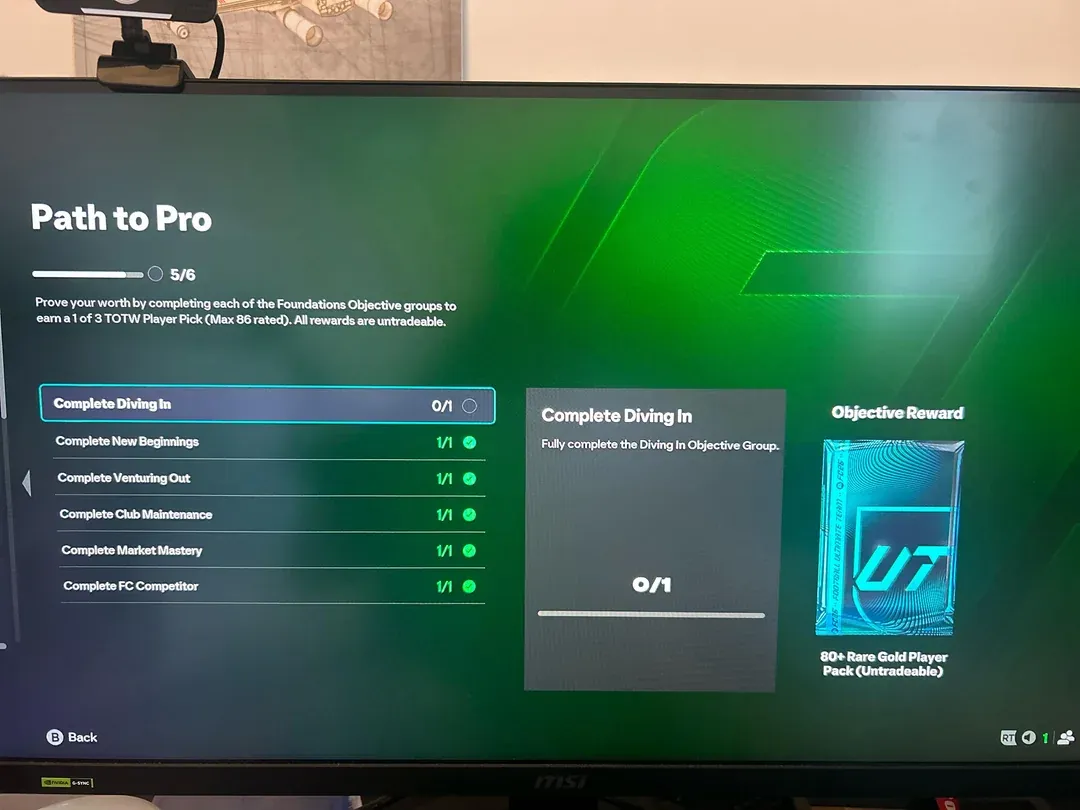
Frustrated with Path to Pro glitches in EA FC 26? You’re not alone—objectives like “Diving In” often fail to register, blocking rewards despite completion.
What to know
- Many have completed FC 26’s Path to Pro but can’t claim rewards or see progress, especially after completing “Diving In” and “Venturing Out” objectives.
- Restarting the game, console, or app often doesn’t solve the bug, but it has sometimes resolved itself for some users after waiting.
- EA is aware of the issue but hasn’t released a guaranteed fix as of late September 2025.
- Workarounds include reinstalling, repairing, clearing the cache, and waiting for server-side updates.
If Path to Pro is stuck or not working, know that this is a common, active issue impacting the FC 26 player community. EA is aware and likely working on a solution. But affected users are, understandably, searching for steps to temporarily get around the problem. To that end, here are the issues and the workarounds you can try to make ‘Path to Pro’ work.
What is Path to Pro in FC 26 (Foundations objectives)
“Path to Pro” (or the Foundations objective track) is a set of tasks or “objective groups” that players must complete in order to unlock rewards or progress toward “Pro” status in FC 26. These objective groups include tasks like “New Beginnings,” “Venturing Out,” “Diving In,” etc.
Comment
by
u/Scoman8900 from discussion
in
EASportsFC
Because the bug appears in these Path to Pro objectives, it is specifically blocking progression or proper crediting of those tasks.
Reasons Path to Pro is not working
Several possible causes have been identified by the community and technical support:

- Objective progress not tracking, even after meeting the requirements.

- Rewards and boxes staying unchecked despite completion.
- Some players see “0 out of 10” matches played, even after playing many games.
- Occasional glitches may resolve on their own after waiting a day or two.
- System glitches may relate to outdated game files, corrupted cache, or installation problems.
How to fix or troubleshoot Path to Pro issues
While there isn’t a guaranteed fix for everyone until an official patch arrives, these steps may help resolve the issue for some:
Step 1
Restart the game and platform (console or PC). Log out and back into your EA account, then try again.
Comment
by
u/Scoman8900 from discussion
in
EASportsFC
Step 2
If on PC, close the EA App, delete the EA Desktop folder. Open the RUN dialog box (press Win+R). type and enter %programdata%, then delete the EA Desktop folder.

Then reopen the game and log in. Be aware this deletes cached files.
Step 3
Use the EA App’s “Repair” option: Right-click EA FC 26 in the library, select “Manage,” then click “Repair” to check for and automatically fix corrupted files.

Step 4
Try uninstalling and reinstalling the game, preferably to the default directory. Some users have reported installation path or permissions issues impacting progress tracking.
Step 5
Clear the app cache: In the EA App, click on the three lines (top left corner) for Help > select “App Recovery,” > clear cache. This removes lingering files that may cause problems.

Step 6
Patience may be needed: Some reported the issue fixing itself overnight or after server updates. If none of the above work, waiting a day or two can sometimes help.
Comment
by
u/Scoman8900 from discussion
in
EASportsFC
Step 7
Check for EA’s official updates and patch notes, and report your bug on the EA forums to assist the development team and receive updates.
What is currently confirmed by community and support
- Several users that completing the objectives is not always recorded, and that waiting is (as of now) the only option.
- A few found that clearing cache or repairing the game occasionally works.
- EA has acknowledged the bug but hasn’t rolled out a universal fix as of September 27, 2025.

This is a known and active issue with EA FC 26’s Path to Pro mode. Trying the common troubleshooting steps can sometimes help, though waiting for EA’s patch remains the surest path. Staying updated via our blog and the official support channels will keep you notified when an official solution arrives.