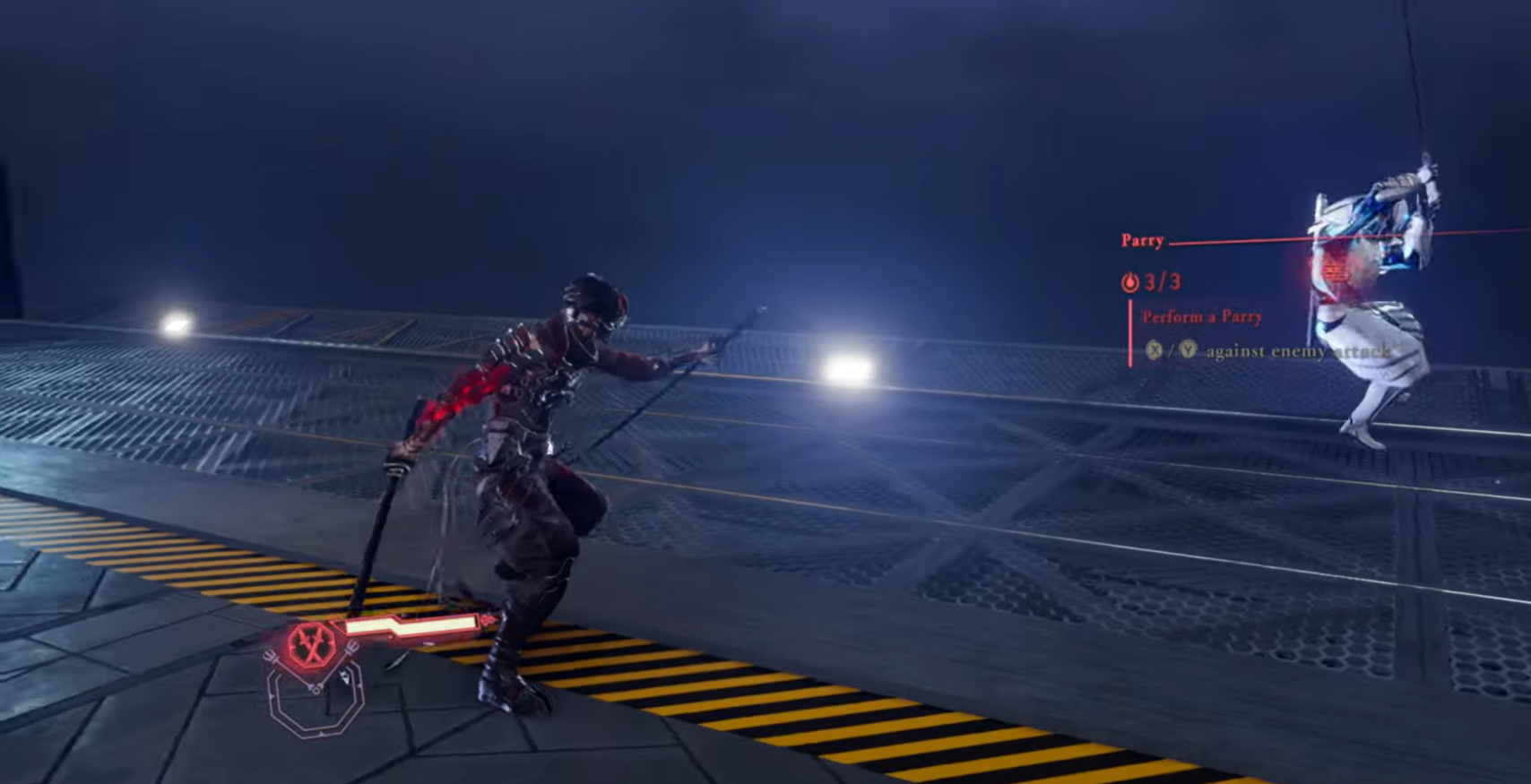
A must-read for ninjas wanting to master perfect dodges, parries, and flash strikes in Ninja Gaiden 4.
What to know
- Perfect double dodge relies on mastering Just Dodge and Dodge Offset mechanics.
- Parries are timing-based counter strikes triggered simultaneously with enemy attacks.
- Flash Strike (Fatal Flash) is an upgradeable parry-based counter move.
- Training Room practice and Bloodraven Form skills refine timing and execution.
In Ninja Gaiden 4, combat mastery revolves around flawless reflexes and timing. Whether you play as Ryu or the Bloodraven ninja Yakumo, executing perfect defense-to-offense transitions defines your edge in high-difficulty missions. Here’s how to nail the perfect double dodge, parry, and Flash Strike moves.
Double dodge controls in Ninja Gaiden 4
| Action / Step | Xbox Controls | PlayStation Controls | PC (Keyboard / Controller) Controls | Notes / Tips |
|---|---|---|---|---|
| First Dodge (Just Before Impact) | Double-tap Left Stick opposite enemy | Double-tap Left Stick (L3) opposite enemy | Double-tap A / D or arrow key opposite enemy | Activates first dodge i-frames to avoid damage. |
| Second Dodge (Just Dodge) | Press B within 0.25 s of first roll | Press Circle (○) within 0.25 s window | Press Space / Dodge Key again quickly | Grants extended i-frames + slow-motion feedback if timed perfectly. |
| Dodge Offset (Follow-Up Combo) | Press X right after second dodge | Press Square (□) after second dodge | Press Left Mouse / Light Attack after dodge | Keeps combo flow and cancels guard breaks mid-string. |
How to perform the perfect double dodge
Ninja Gaiden 4 introduces advanced dodge mechanics like Just Dodge and Dodge Offset, building on earlier games while expanding your agility and recovery options.
Step 1
Double-tap the left stick in the direction opposite to the enemy’s attack right before impact. This triggers the first dodge.
Step 2
Immediately press the dodge button (typically B or Circle) again within 0.25 seconds during the invincibility frame of the first roll. This activates a Just Dodge, providing extended i-frames and brief slow-motion visual feedback to confirm timing.
Step 3
Chain into Dodge Offset if mid-combo by pressing a light attack button (X or Square) directly after the second dodge to continue your offense uninterrupted. Successful double dodges can even cancel guard breaks, offering full repositioning and combo continuation.

Perfect parry controls in Ninja Gaiden 4
| Action / Step | Xbox Controls | PlayStation Controls | PC (Keyboard / Controller) Controls | Notes / Tips |
|---|---|---|---|---|
| Timing Strike (Parry) | Press X / Y as attack hits | Press Square / Triangle (△) at impact | Press Left / Right Mouse Button at impact | Perfect timing cancels enemy damage and staggers them for a counter. |
| Defensive Hold | Hold LT after parry | Hold L2 after parry | Hold Right Mouse / Block Key | Keeps guard up against follow-ups or multi-hit strikes. |
| Counter Readiness | Release then press Y for riposte | Release then press Triangle (△) for riposte | Release then press Heavy Attack Key for riposte | Converts a parry into a counterattack opening Flash Strike. |
How to parry effectively
Parrying in Ninja Gaiden 4 is one of the most rewarding and precise mechanics. It turns an enemy’s attack into your opportunity for lethal counters and creates openings for Flash Strikes.
Step 1
Press your attack button at the exact frame an enemy attack connects. The blades will clash, nullifying damage and staggering your opponent. This requires precise timing—too early or too late, and you’ll take a hit.
Step 2
Use parry primarily against single, aggressive enemies or bosses. Unlike dodge, parrying maintains offensive pressure and can cancel heavy swings.
Step 3
Practice timing in the Training Room. The parry window in Ninja Gaiden 4 is slightly more generous than in Soulslike games, allowing early learners to find rhythm faster.

Fatal Flash controls in Ninja Gaiden 4
| Action / Variant | Xbox Controls | PlayStation Controls | PC (Keyboard / Controller) Controls | Notes / Effects |
|---|---|---|---|---|
| Fatal Flash (Base) | After parry, press Y | After parry, press Triangle (△) | After parry, press Right Mouse / Heavy Attack | Single-target counter that kills weakened foes. |
| Fatal Flash (Bloodraven) | After parry, hold RB + Y | Hold R1 + Triangle (△) | Hold Shift + Right Mouse | Adds invisibility frames and faster execution animation. |
| Perfect Fatal Flash | After perfect parry, press Y | After perfect parry, press Triangle (△) | After perfect parry, press Heavy Attack | Expands parry window + counter range. |
| Perfect Fatal Flash (Bloodraven) | Hold RB + Y in Berserk mode | Hold R1 + Triangle (△) in Berserk mode | Hold Shift + Right Mouse in Berserk mode | Adds AoE dismemberment + cinematic Bloodbath finisher. |
How to master Flash Strike (Fatal Flash)
Flash Strike, known as Fatal Flash, is an advanced counter skill derived from parry mastery and can be upgraded through Bloodraven forms.
Step 1
After a successful parry, press the heavy attack button (Y or Triangle) during your opponent’s stagger to trigger the Fatal Flash.
Step 2
Unlock higher variants through Raven Mentor Tyrant in exchange for NinjaCoin:
| Skill Name | Cost (NinjaCoin) | Effect |
|---|---|---|
| Fatal Flash | 900 | Standard single-target counter |
| Fatal Flash (Bloodraven) | 9,000 | Adds invisibility frames and faster execution |
| Perfect Fatal Flash | 27,000 | Expands parry window and counter reach |
| Perfect Fatal Flash (Bloodraven) | 36,000 | Adds AoE dismemberment and Bloodbath kill effects in Berserk mode |
Step 3
If executed in Perfect Bloodraven form, Fatal Flash becomes a Flash Strike that clears multiple enemies with cinematic flair and temporary invulnerability.

When to use each technique
- Use double dodge when surrounded, to escape or reset spacing.
- Use parry during duels or one-on-one boss attacks.
- Use Flash Strike when an enemy’s attack ends and your parry connects—this maximizes counter damage and grants crowd control effects.
Mastering defensive offense in Ninja Gaiden 4
Perfect execution of double dodge, parry, and Flash Strike transforms you into a combat artist. Each mechanic blends defense and aggression, letting you manipulate battle flow rather than react to it. With enough practice in the Training Room and investment in Fatal Flash upgrades, you’ll effortlessly dismantle even Bloodraven elites.