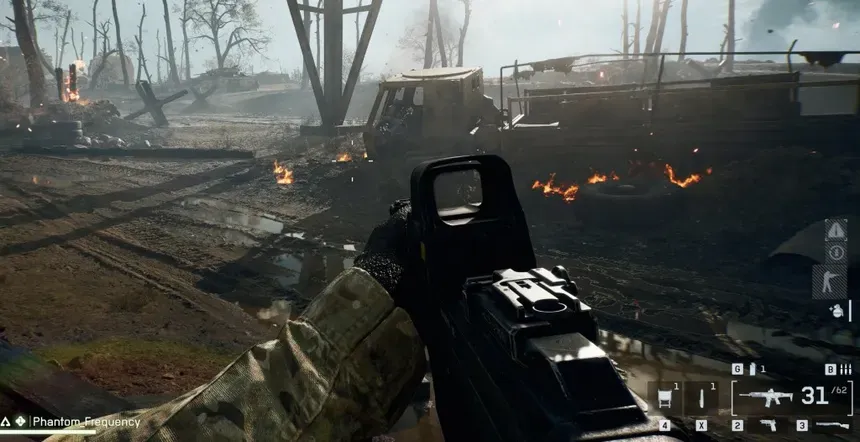
Learn how to remove the weapon depth of field blur in Battlefield 6 by editing a simple config file for improved visual clarity.
What to know
- Depth of field for weapons in Battlefield 6 can’t be turned off via in-game settings.
- You must edit the “PROFSAVE_profile” file in the Battlefield 6 settings folder on your PC.
- Change the value of “WeaponDOF” from “1” (on) to “0” (off).
- Changes will take effect after restarting the game but may reset if graphics settings are changed in-game.
Battlefield 6 does not provide an option within the game itself to disable depth of field on weapons. To remove this effect, you need to manually modify a config file located in your Documents folder. This method is only available on PC and applies specifically to weapon depth of field, which creates a blur effect on weapons when aiming down sights.
How to turn off weapon depth of field in Battlefield 6 on PC
Here is how to turn off depth of field in Battlefield 6:
Step 1
Open the Documents folder on your PC and navigate to the Battlefield 6 directory, then open the subfolder “settings”.

Step 2
Find the file named “PROFSAVE_profile”.

Step 3
Right-click on “PROFSAVE_profile” and open it with Notepad or your preferred text editor.

Step 4
Press “Ctrl + F” to bring up the search dialog and type in “WeaponDOF” or “GstRender.WeaponDOF” to locate the line controlling the weapon depth of field.

Step 5
You’ll see a line that looks like this: GstRender.WeaponDOF 1GstRender.WeaponDOF 1 Change the value from 1 to 0 so it reads: GstRender.WeaponDOF 0
Save the file and close the text editor.

Step 6
Launch Battlefield 6 to experience the effect with weapon depth of field disabled.
If you adjust any graphics settings in the game later, this change might revert, so you may need to repeat the process.
Additional tips for improving visibility in Battlefield 6
Besides disabling depth of field, you can enhance clarity in Battlefield 6 by:
- Disabling motion blur, film grain, vignette, and chromatic aberration.
- Setting texture filtering and mesh quality to “Overkill” for sharper details.
- Adjusting sharpness around 70 to 80 for crisp visuals.
- Using high shadow quality for good lighting without heavy performance costs.
These combined settings make spotting enemies and reacting faster much easier.
Why disable depth of field in Battlefield 6?
Depth of field effects can sometimes add a pleasing cinematic look but often introduce blurriness that negatively impacts target visibility and aiming precision. Disabling this effect removes the weapon blur, making targets clearer and aiming easier—particularly valuable for players focused on competitive multiplayer gameplay or who prefer a cleaner HUD view.