


- What to know
- Quick overview of the headgear visibility feature in Crimson Desert
- Where to find the headgear visibility setting in-game
- How to hide helmet or headgear in Crimson Desert
- Understanding each headgear visibility option
- Why this feature matters for players
- Upcoming feature: hiding weapons on your back
What to know
- Patch 1.02.00 introduces a new “Headgear Visibility” setting.
- You can control when helmets or headgear appear on your character.
- Four visibility options allow flexible customization.
- A weapon visibility toggle is planned for a future update.
Right after the latest update, Crimson Desert gives you much more control over how your character looks during gameplay and story moments. If you’ve ever felt that helmets ruin your character’s appearance during cutscenes—or just wanted a cleaner look while exploring—you now have a simple way to fix that.
Quick overview of the headgear visibility feature in Crimson Desert
| Feature | Details |
|---|---|
| Update Version | Patch 1.02.00 |
| Setting Location | Settings → Language & Gameplay |
| Feature Name | Headgear Visibility |
| Options Available | Always Show, Show in Combat, Hide in Cutscenes, Always Hide |
| Applies To | Helmets, hats, and other headgear |
| Future Update | Weapon visibility toggle (planned) |
Where to find the headgear visibility setting in-game
The new option is tucked inside the main settings menu, making it easy to access at any time. You don’t need to progress through any quests or unlock anything—this feature is available immediately after installing Patch 1.02.00.
To locate it, open your settings and navigate to the Language & Gameplay section. This is where all immersion and UI-related toggles are grouped together, including the newly added headgear customization.
How to hide helmet or headgear in Crimson Desert
Step 1
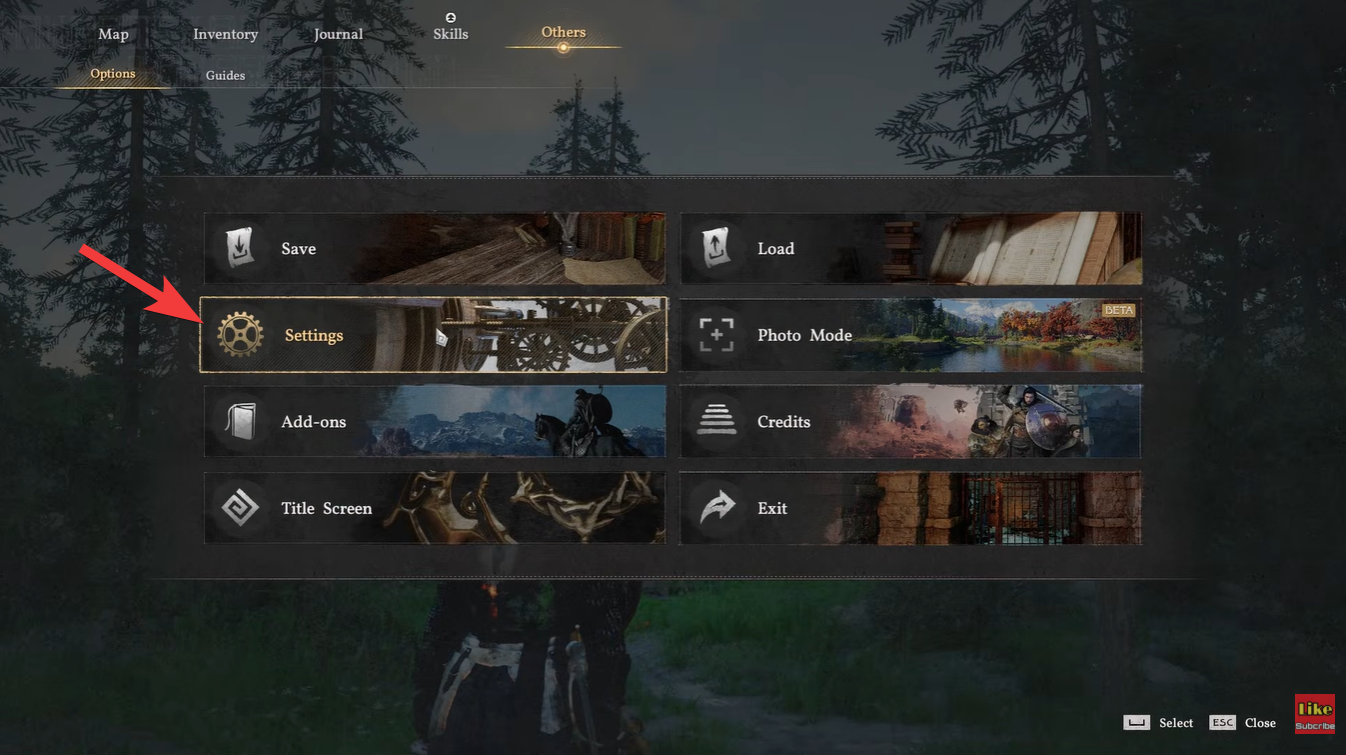
Open the main menu and go to Settings. This is usually accessible from the pause menu or system tab.
Step 2
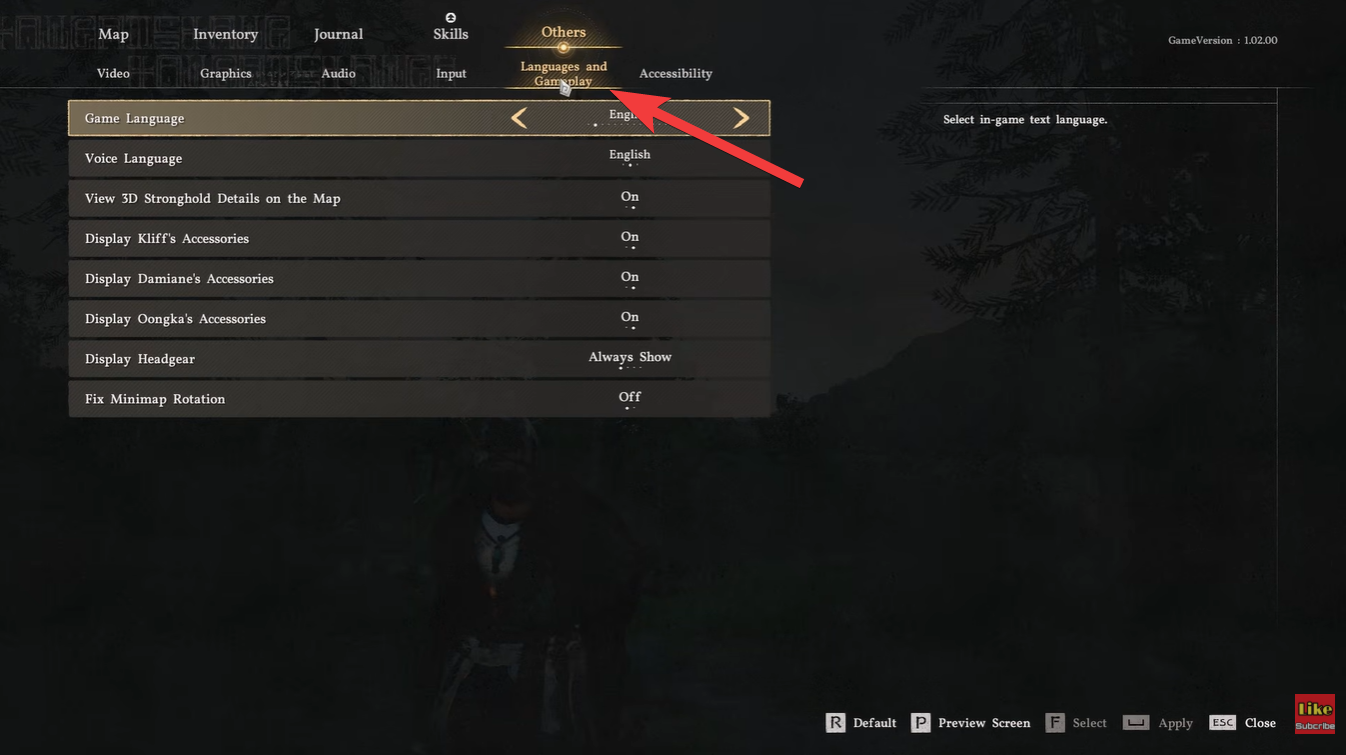
Navigate to Language & Gameplay. This section contains gameplay-related display and immersion options.
Step 3
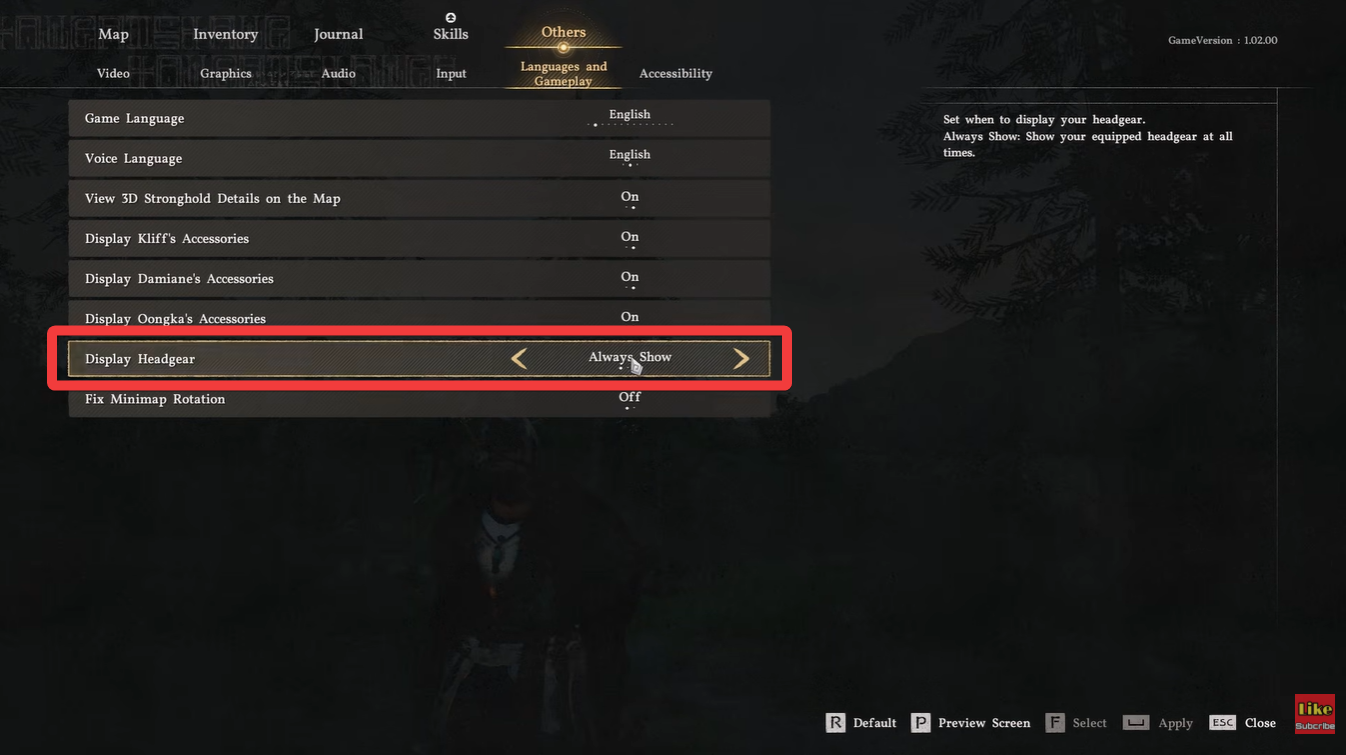
Scroll until you find Headgear Visibility. The option is clearly labeled and easy to spot.
Step 4
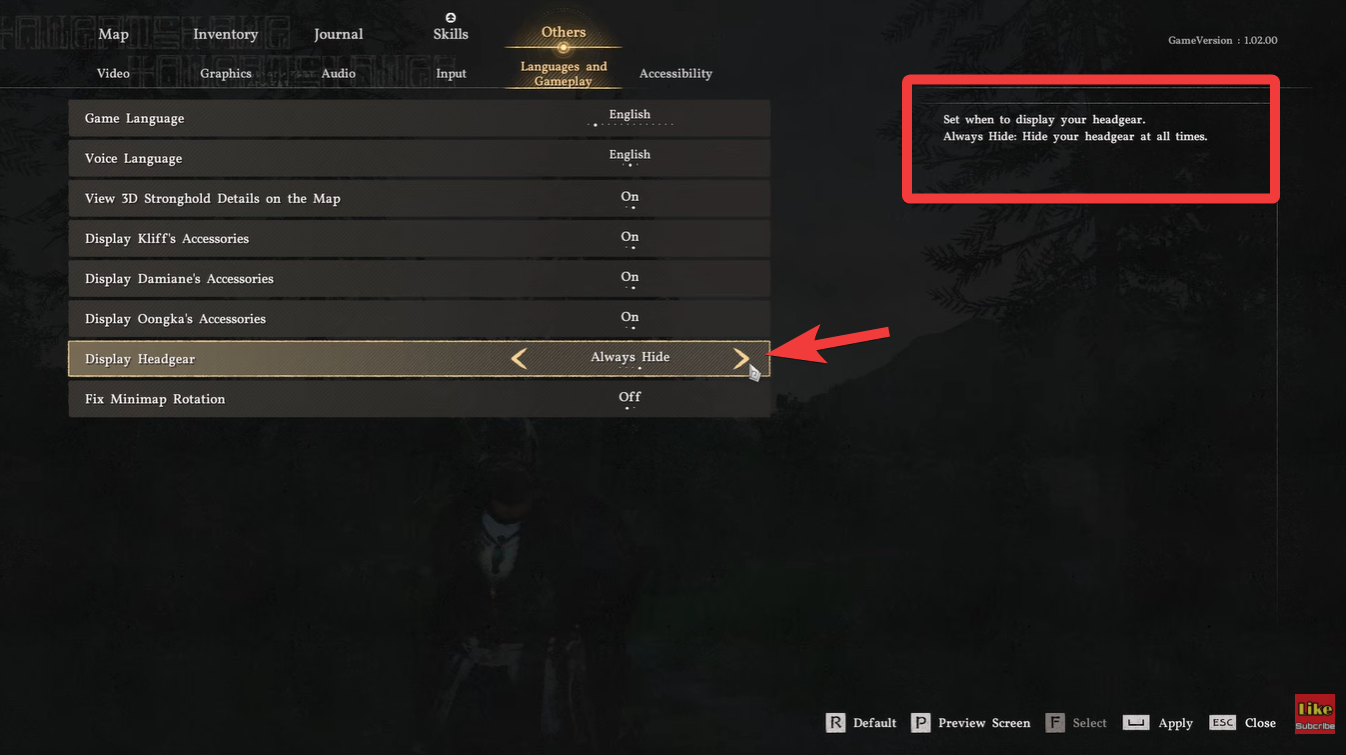
Select your preferred visibility mode. You can instantly preview changes on your character model depending on where you are in the game.
Step 5
Exit the menu and continue playing. Your selection is saved automatically, so there’s no need to confirm separately.
Understanding each headgear visibility option
The update doesn’t just give you a simple on/off toggle—it offers multiple modes tailored to different playstyles. This flexibility is what makes the feature especially useful.
| Option | What it does | Best for |
|---|---|---|
| Always Show | Headgear is always visible | Players focused on stats and realism |
| Show in Combat | Visible only during fights | Balanced immersion and visuals |
| Hide in Cutscenes | Hidden during story scenes | Cinematic storytelling |
| Always Hide | Never shows headgear | Full character customization |
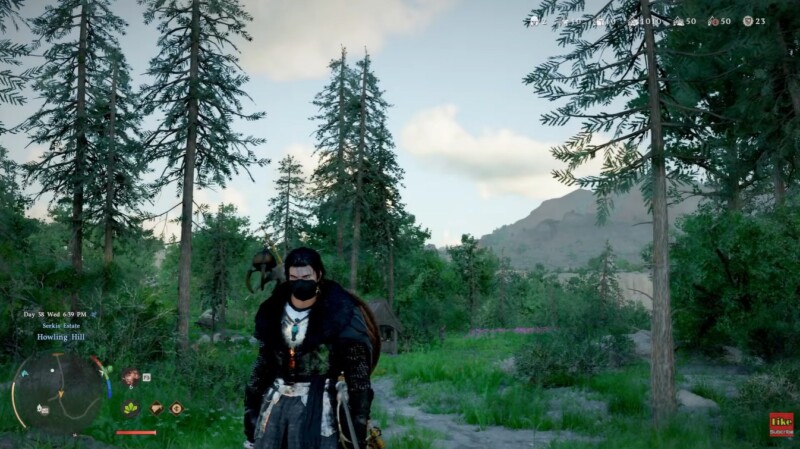
When you choose “Hide in Cutscenes,” for example, your character will automatically remove their helmet during dialogue and story sequences, making emotional moments feel more natural. On the other hand, “Show in Combat” ensures that you still see your gear during battles while keeping exploration visually clean.
Why this feature matters for players
At first glance, this might seem like a small quality-of-life update, but it actually solves a long-standing issue in RPGs. Players often have to choose between optimal gear stats and character aesthetics, and this feature removes that trade-off entirely.
You can now equip the strongest helmet in your inventory without worrying about how it looks during important scenes. This enhances both immersion and personalization, especially if you’ve spent time customizing your character’s face and style.
Upcoming feature: hiding weapons on your back
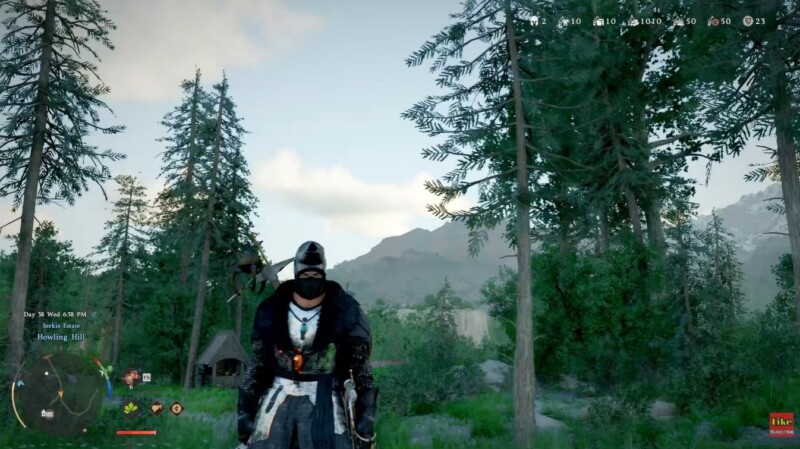
Alongside the headgear toggle, the Crimson Desert developers have confirmed that a weapon visibility option is currently in development. This means you’ll soon be able to hide weapons that appear on your character’s back when not in use.
This upcoming addition is highly requested because back-mounted weapons can sometimes clutter your character’s appearance, particularly in cutscenes or exploration. Once implemented, it will likely work similarly to the headgear system, offering multiple visibility modes.



