


What to know
- Weapon display customization is now available in the settings menu.
- You can control how melee and ranged weapons appear on your character.
- Dynamic holstering removes unused gear from your character model.
- This update improves visual clarity and overall immersion.
The Crimson Desert 1.03 update introduces a long-requested feature that gives you much more control over how your character looks during exploration and combat. If you’ve ever been bothered by shields or extra weapons awkwardly sitting on your character’s back, this system directly addresses that issue. You now have the flexibility to fine-tune your gear visibility, making your character look cleaner, more immersive, and tailored to your playstyle.
Here is a quick overview of weapon display customization in Crimson Desert:
| Feature | What it does | Why it matters |
|---|---|---|
| Selective Melee Display | Show all melee weapons or only the active one | Reduces clutter and improves realism |
| Smart Ranged Toggle | Ranged weapons appear only when in use | Keeps your character visually clean |
| Dynamic Holstering | Weapons disappear when sheathed | Enhances immersion |
| Visual Customization | Combine with helmet hiding | Full control over character aesthetics |
How the new weapon display system improves immersion
This update significantly enhances how your character visually interacts with the world. Previously, all equipped weapons—especially shields and off-hand gear—would remain visible, even when not in use. This often created a cluttered or unrealistic look.
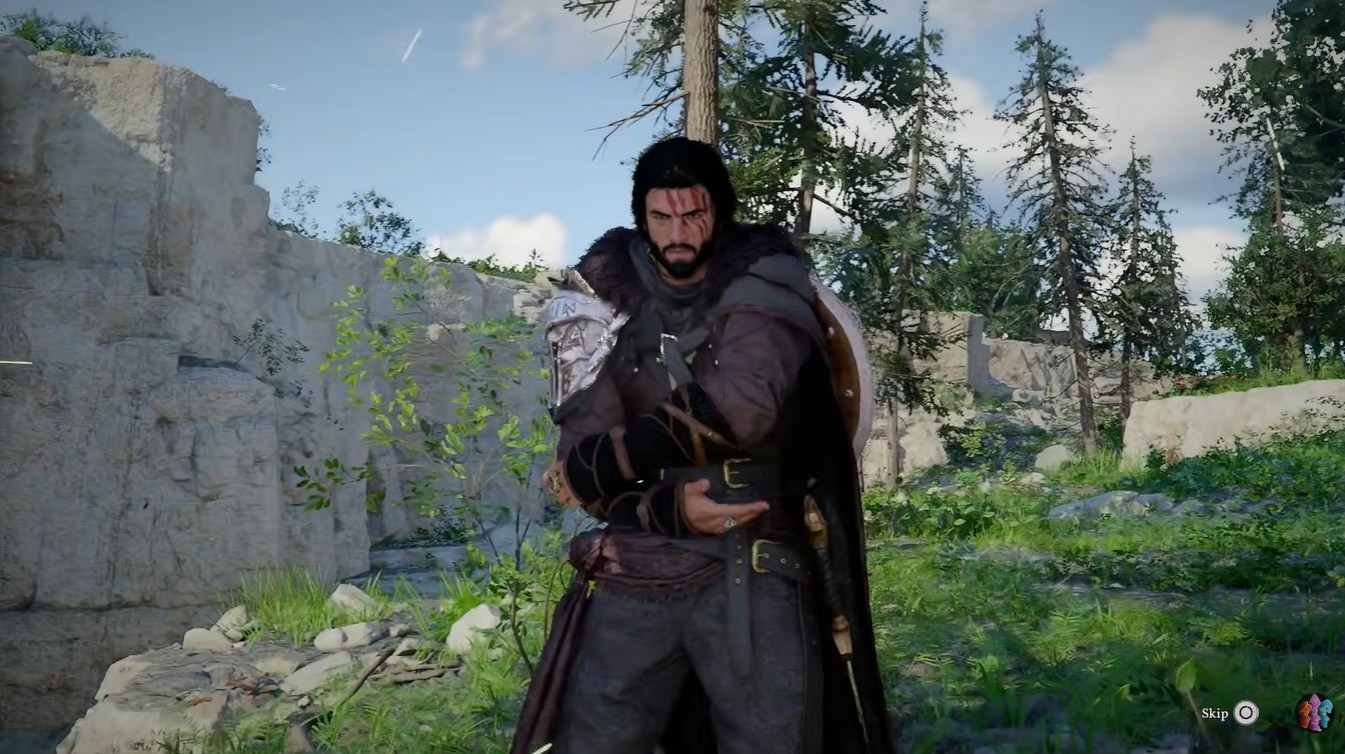
Now, you can decide exactly what appears on your character model and when. When you sheath your weapon, it can completely disappear instead of sticking awkwardly to your back. This creates a smoother and more cinematic experience, especially during exploration or cutscenes.
The system also complements roleplaying. If you prefer a minimalist warrior look or want your character to appear lightly equipped while traveling, this feature gives you that freedom without affecting gameplay stats.
How to adjust weapon display settings in Crimson Desert
Step 1
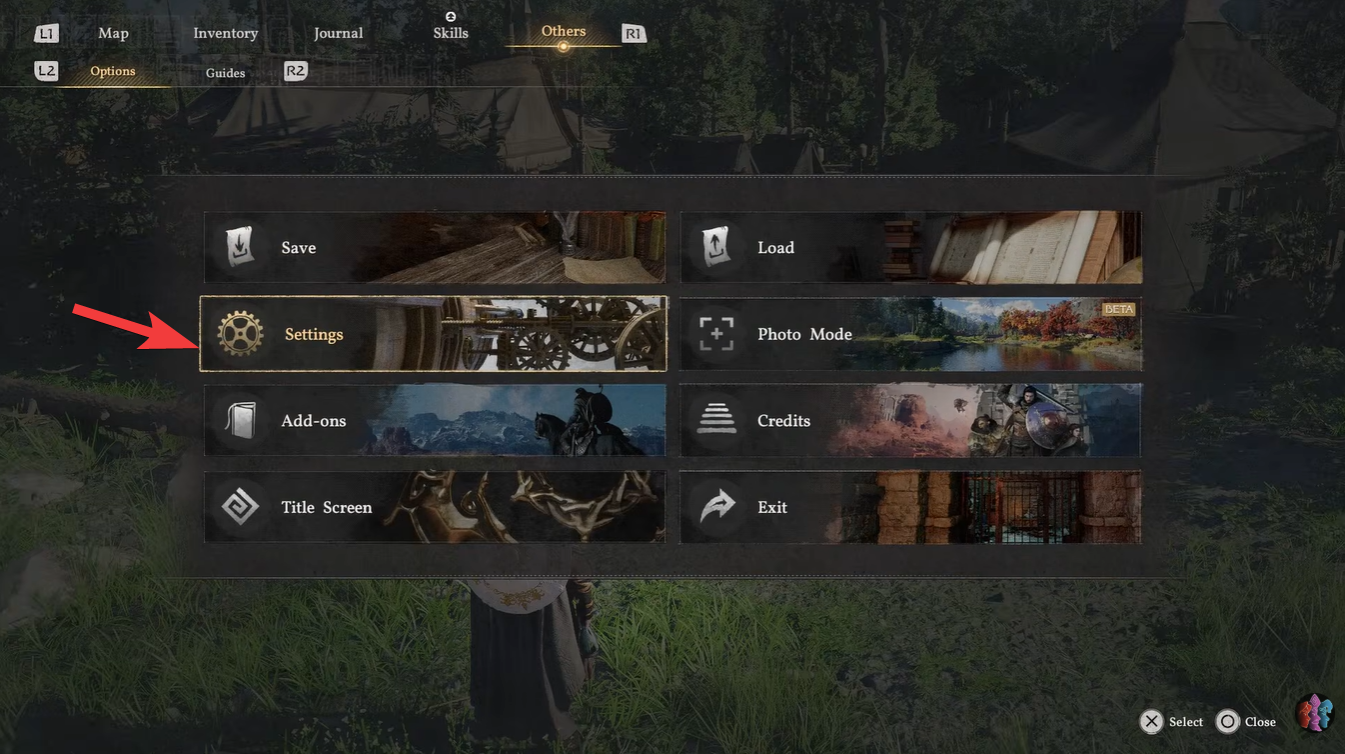
Open the main menu and navigate to the settings section. This is where all gameplay and visual customization options are located.
Step 2
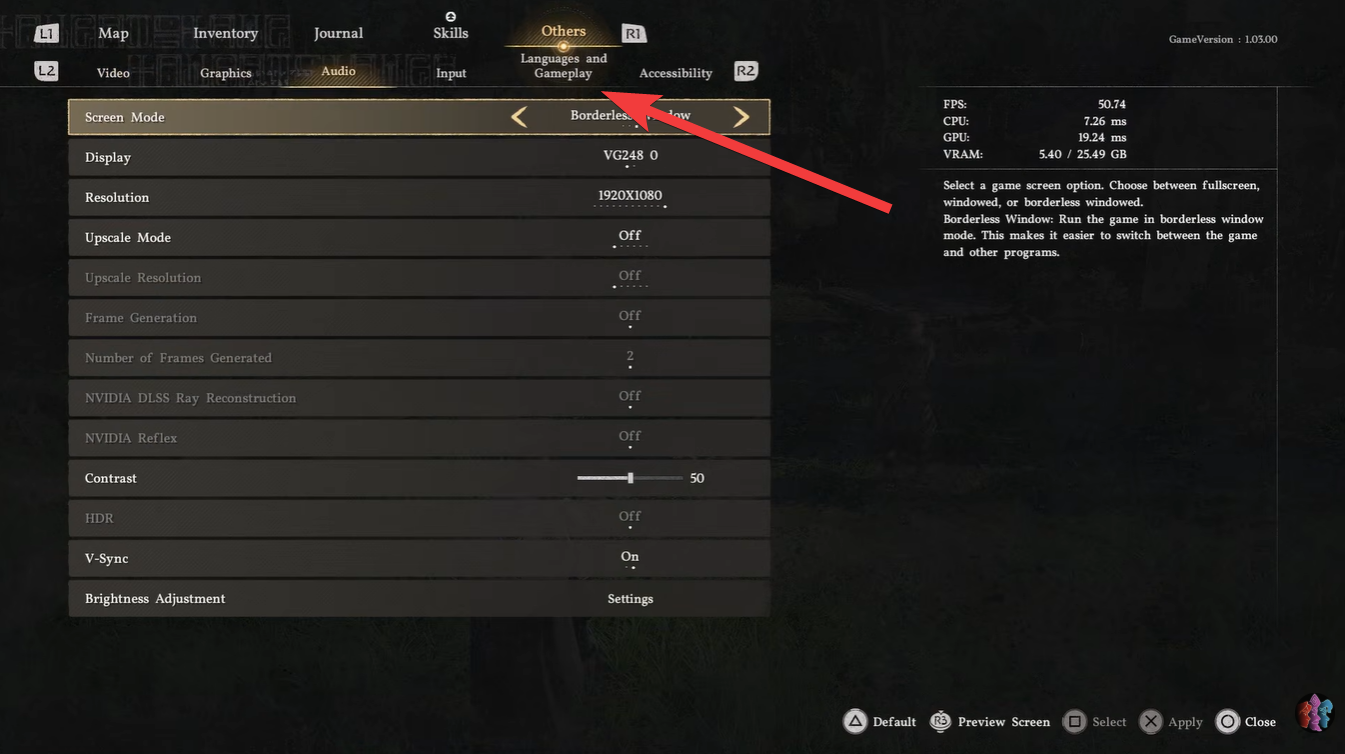
Locate the weapon display or equipment visibility settings. This new section was added in update 1.03 and focuses specifically on gear appearance.
Step 3
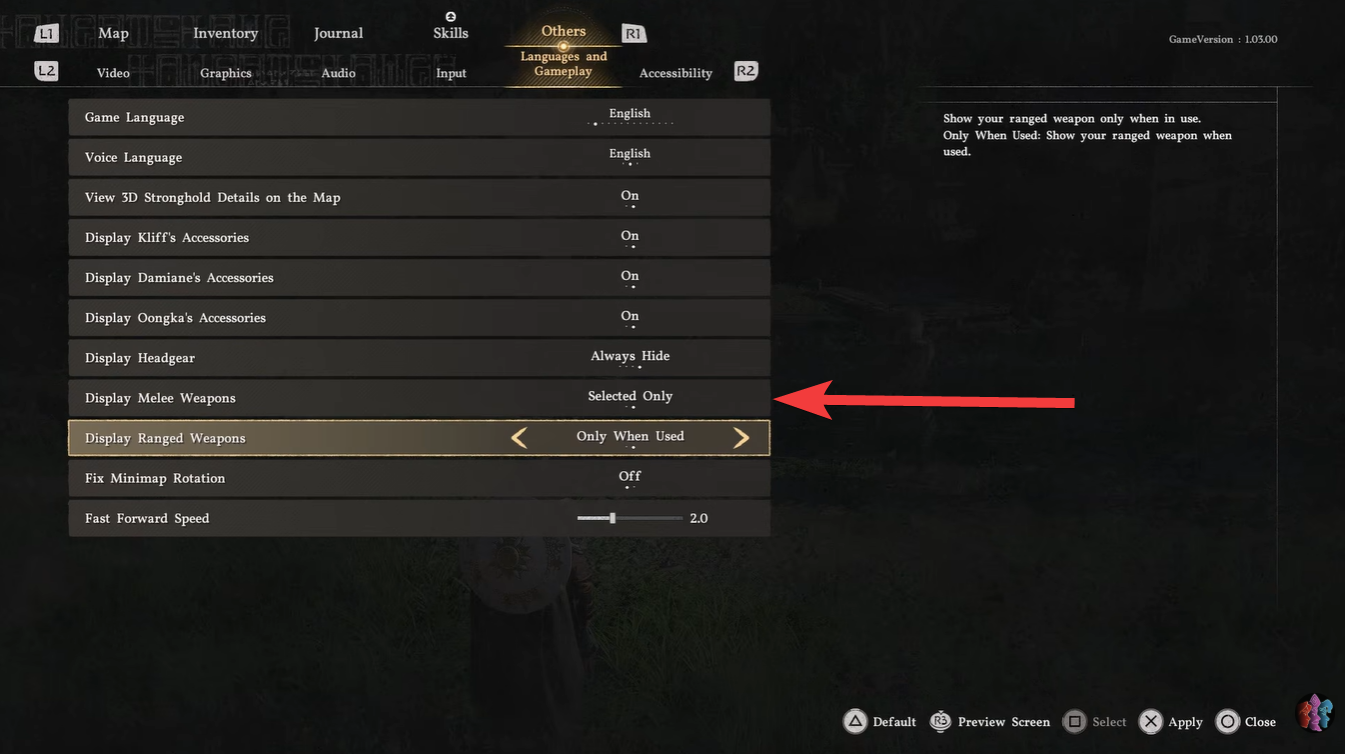
Choose your melee weapon display preference. You can either show all equipped melee weapons or limit visibility to only the currently active one.
Step 4
Enable or disable the ranged weapon visibility toggle. Setting this to “active only” ensures bows or other ranged gear appear only when you actually use them. Combine these settings with helmet visibility options. This allows you to fully customize your character’s visual presentation.
Understanding selective melee display and why it matters
Selective melee display is one of the most impactful additions in this update. Instead of showing every weapon you have equipped, you can limit visibility to just the one you’re actively using.
This means no more oversized weapon stacks on your character’s back, which often broke immersion. You get a cleaner silhouette and a more realistic representation of combat readiness.
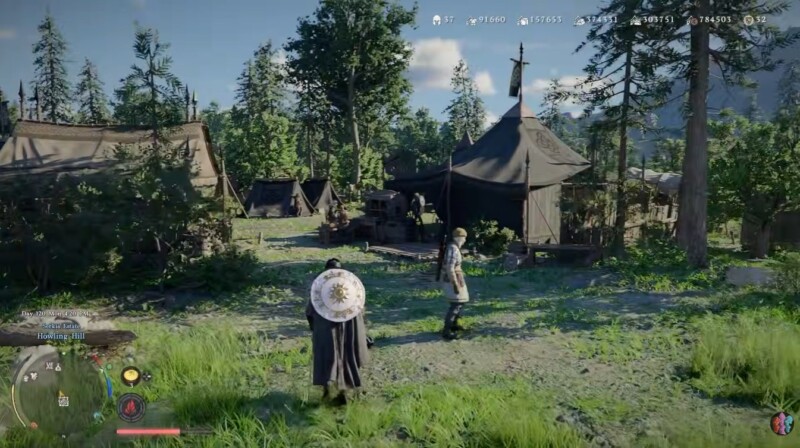
If you prefer a more traditional RPG look, you can still display all weapons. The key benefit is flexibility—you choose what fits your style.
Smart ranged weapon behavior adds realism
Ranged weapons now behave more intelligently thanks to the new toggle system. When enabled, your bow or ranged gear will only appear when actively used in combat.
This change is subtle but powerful. It prevents unnecessary visual clutter while keeping gameplay functionality intact. You still have instant access to your ranged weapons—they just don’t remain visible when idle.
For players who value immersion, this is one of the most satisfying improvements in the update.




