- What to know
- For a Better Tomorrow quest item bug explained
- How to recognize you’re stuck vs progressing normally
- Fixes for For a Better Tomorrow Quest progression
- What to do when item numbers don’t update
- Common mistakes that make the quest feel broken
- How to avoid similar bugs in future quests
- Quests fixes in Patch 1.00.03 of Crimson Desert
What to know
- The quest may fail to update objectives or NPC triggers mid-progress.
- Item counts can appear stuck or not decrease—this is a known visual bug.
- Despite the item bug, submitting required materials still completes the quest.
- Reloading and carefully retriggering events fixes most progression issues.
As you move through Crimson Desert’s narrative quests, “For A Better Tomorrow” stands out for an issue that can confuse even careful players. The quest combines scripted events with item submission mechanics, and when either breaks, progression can feel completely blocked. However, even when things look bugged—especially with item tracking—the quest is often still completable.
| Aspect | Details |
|---|---|
| Quest Name | For A Better Tomorrow |
| Issue Type | Progression bug + item tracking bug |
| Common Trigger | NPC interaction failure or item submission phase |
| Visual Bug | Item count not updating or decreasing |
| Actual Outcome | Quest still completes upon submission |
| Fix Availability | Partial (no fix for item counter bug) |
For a Better Tomorrow quest item bug explained
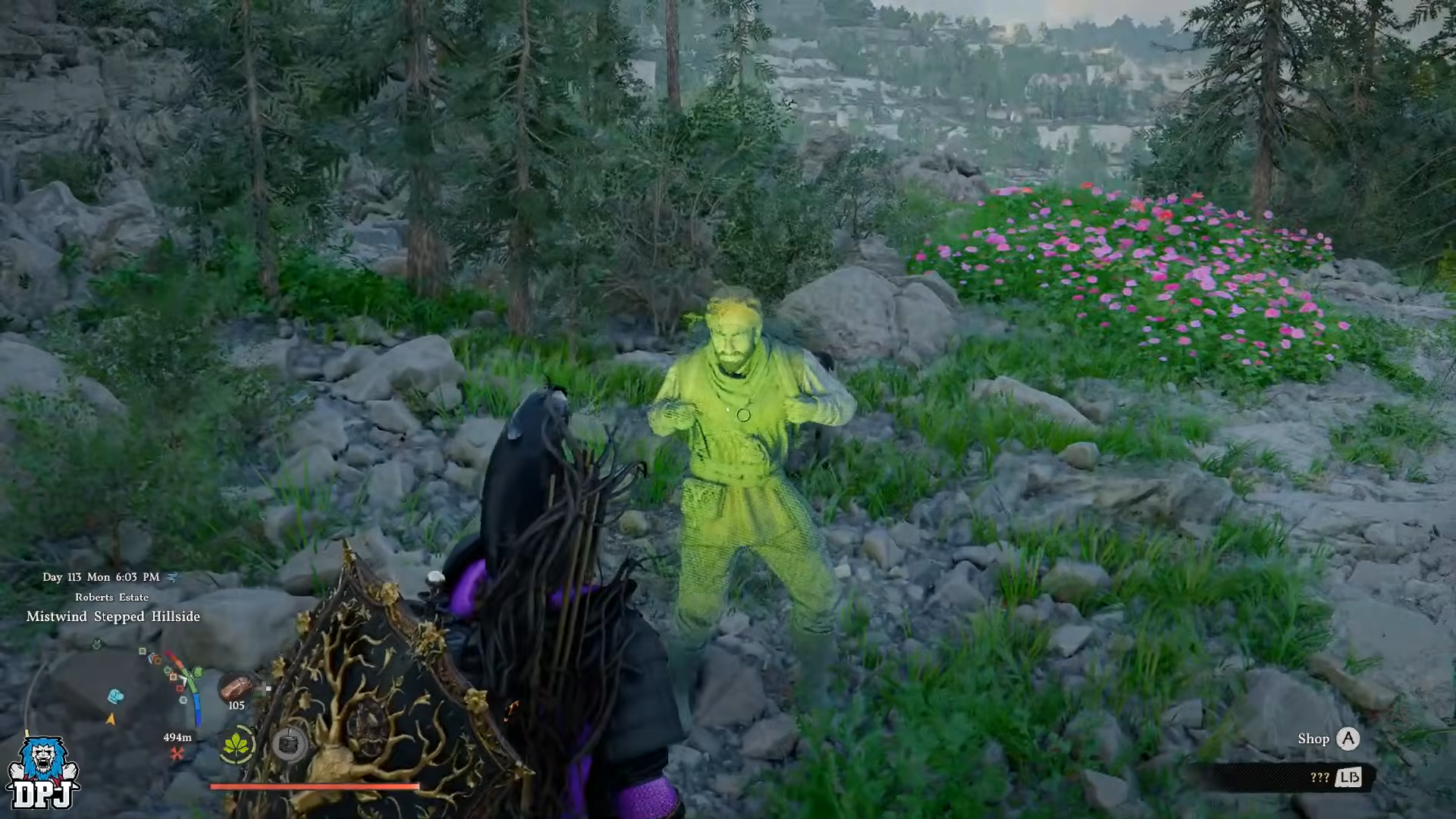
One of the most confusing aspects of this quest is the item tracking bug. When you gather required materials, the displayed quantity may remain unchanged—even after submission. Naturally, this makes it seem like the quest is broken beyond repair.

However, this is purely a visual bug with no functional impact on completion. As soon as you deliver the required items to the correct NPC or location, the quest automatically completes, regardless of what the item counter shows.
There is currently no fix for this issue, so the best approach is to ignore the incorrect item numbers and proceed with submission as instructed.
How to recognize you’re stuck vs progressing normally
You might think the quest is completely broken if objectives don’t update, markers disappear, or NPCs stop reacting. That’s a genuine progression issue.
But if your only problem is item numbers not decreasing or updating, then you are still on track. The key difference is that submission still works even when the UI appears incorrect.
Understanding this distinction helps you avoid unnecessary restarts.
Fixes for For a Better Tomorrow Quest progression
Fix 1
Reload your most recent save or checkpoint to reset the quest state. This often resolves minor trigger failures instantly.
Fix 2
Leave the quest area completely and return after a short delay. This forces NPCs and scripts to reload correctly.
Fix 3
Approach the objective slowly and allow time for dialogue or events to trigger. Avoid sprinting into markers or skipping ahead.
Fix 4
Follow NPCs closely without overtaking them. Maintaining proper positioning ensures the next sequence activates.
Fix 5
Avoid skipping dialogue or cutscenes, even on repeat attempts. These sequences are tightly linked to progression triggers.
What to do when item numbers don’t update
If you notice that your collected items are not decreasing or updating, do not panic or restart the quest. Instead, continue normally and submit the required materials when prompted.
The quest will complete automatically once submission conditions are met, even if the UI still shows incorrect values. This behavior has been consistently observed and is currently the intended workaround.
Common mistakes that make the quest feel broken
| Mistake | Result |
|---|---|
| Restarting due to item counter bug | Wastes time unnecessarily |
| Ignoring NPC positioning | Prevents trigger activation |
| Skipping cutscenes | Breaks progression flow |
| Rushing into objectives | Causes scripts to fail |
| Assuming items aren’t counted | Leads to confusion |
Most frustration comes from misunderstanding the item bug rather than an actual hard lock.
How to avoid similar bugs in future quests
Crimson Desert’s quest system depends heavily on timing and scripted transitions. To reduce issues, always allow scenes to play out fully, follow characters at a steady pace, and avoid rushing through objectives.
It’s also helpful to keep multiple save points whenever possible. This gives you flexibility to recover quickly if something genuinely breaks.
Most importantly, learn to distinguish between visual bugs and actual progression failures. Not every glitch requires a restart.
Quests fixes in Patch 1.00.03 of Crimson Desert
Recent updates have already addressed multiple quest-breaking issues similar to this one. Patch 1.00.03 specifically focused on fixing progression blockers and improving quest reliability across several chapters.
Here’s a quick look at the quests that received fixes:
| Quest Name | Fix Applied | Impact |
|---|---|---|
| Reunion (Chapter 2) | Fixed NPC (cat) stopping mid-path | Prevents progression lock |
| Mysterious Pot (Chapter 4) | Improved generator puzzle timing | Ensures proper completion trigger |
| Turnali’s Request | Fixed completion bug with refined item | Quest now completes correctly |
| General Quest System | Improved crime status notifications | Prevents hidden progression blocks |
These fixes show that the developers are actively addressing quest-related bugs, especially those tied to NPC behavior and completion triggers, which are the same systems affecting “For A Better Tomorrow.”