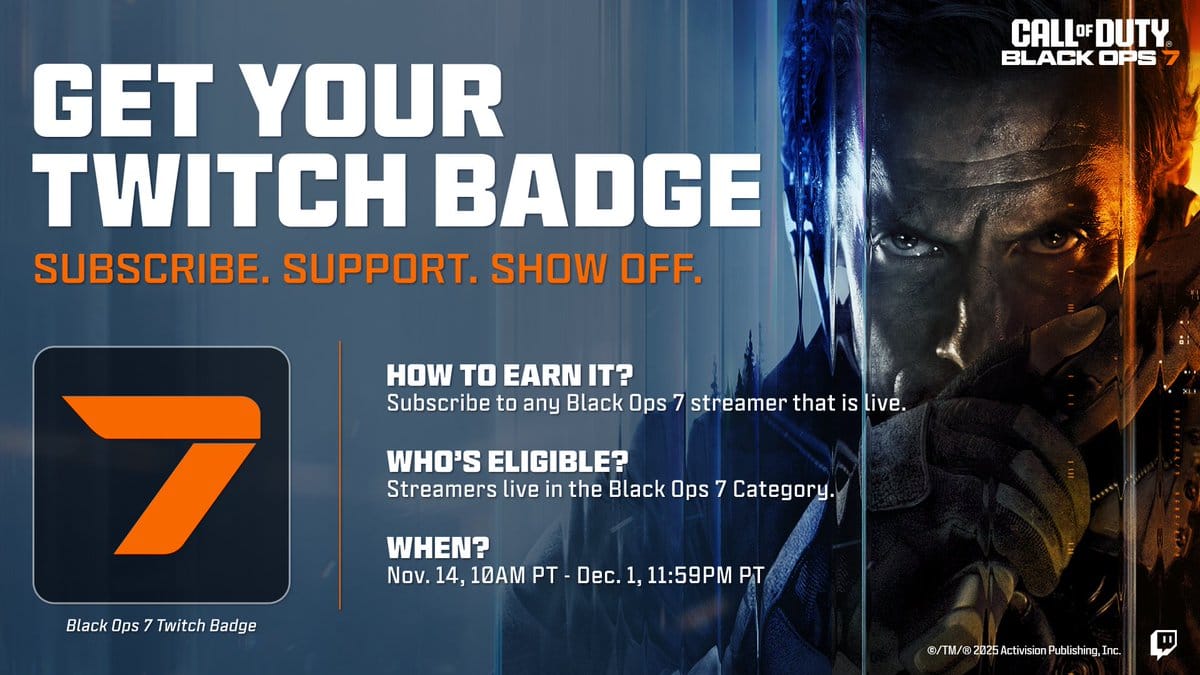
Grab exclusive rewards for Call of Duty: Black Ops 7 by joining in on the official Twitch Drops campaigns. Get emblems, calling cards, charms, and even early access by following easy steps.
Right at launch and during special events, Call of Duty: Black Ops 7 offers several Twitch Drop campaigns. These campaigns let you claim in-game items (weapon skins, charms, cards, emblems) if you watch official streams for the required amount of time. With another major Twitch Drop event running for the November 2025 launch period, make sure to follow the steps below and ensure you don’t miss out on any limited items.
Available Twitch Drop rewards and watch times
Activision has structured the Twitch Drop campaigns for Black Ops 7 around specific rewards unlocked by watching for set periods. Here are some of the most recent rewards and their requirements:
| Reward | Required watch time |
|---|---|
| To Battle! charm | 1 hour |
| Black Ops Swirl calling card | 2 hours |
| Armed to the 7th emblem | 3 hours |
| Surge weapon skin | 4 hours |
Both general Black Ops 7 streams and special launch events (such as the Monster Launch Party Stream on November 15) will offer Drops-enabled rewards for viewers. Make sure you complete the required watch time within the event window (Nov 13–Dec 1) and follow the claim steps (below).

How to link your accounts for eligibility
Accurate linking is crucial for claiming Twitch Drops. Here’s how to do so:
Step 1
Go to your Activision profile on the Call of Duty website and log in. Then open your profile.

Step 2
Navigate to the “Account Linking” section.

Step 3
Link your preferred gaming platform (PlayStation, Xbox, Battle.Net) and social networks if you haven’t already.

Step 4
Link your Twitch account by following the given prompts.

Step 5
Double-check your connections, ensuring Twitch and Activision show as connected before starting to watch streams.
How to claim Black Ops 7 Twitch Drop rewards
The process to earn and claim rewards is straightforward, but each step must be completed for your rewards to appear in-game.
Step 1
Find official Call of Duty streams or approved content creators with the “Drops Enabled” tag on Twitch.

Step 2
Watch the streams for the required amount of time per reward category. Only one stream can be watched at a time for progress to count.
Step 3
Monitor your progress in Twitch’s Drops Inventory page, which updates as you watch.

Step 4
When you see the claim notification (top of Twitch navigation), click it to finalize each reward.
Step 5
For rewards like beta codes, check your Twitch notifications (not Drops Inventory) to receive unique codes. Follow the Call of Duty redemption process, entering your code on the redemption page, then selecting your chosen platform and region to receive a new code for your console or PC.
Step 6
Normal in-game rewards become available automatically after claiming. If they’re missing, recheck account links or the Claims page and relaunch your game.
What to do if rewards do not appear
- First, confirm your Twitch and Activision accounts are correctly linked.
- Ensure the Drops were claimed in the specified window and check both Drops Inventory and Twitch notifications.
- Some rewards (like codes) may take time to appear, especially during large campaigns—wait up to 24 hours and recheck your notifications.
- If the issue persists, try unlinking and relinking your accounts, then contact Activision support if necessary.
Participating in Twitch Drops campaigns not only provides cool cosmetic items but can also offer early access to betas or exclusive blueprints not found through regular gameplay. For competitive players and collectors, these events are a must-watch, especially during launch windows.