- What to know
- Search just grew an app layer
- Intent now compiles directly into tools
- Coding becomes a side effect of thinking
- Live web data becomes part of the interface
- The real disruption is to “no-code,” not pro dev tools
- Search becomes a place to stay, not just pass through
- The guardrails and gaps that still matter
- How to think about Canvas as a user right now
- Why Canvas in AI mode feels like a genuine game-changer
- A brief look ahead for search-native app building
What to know
-
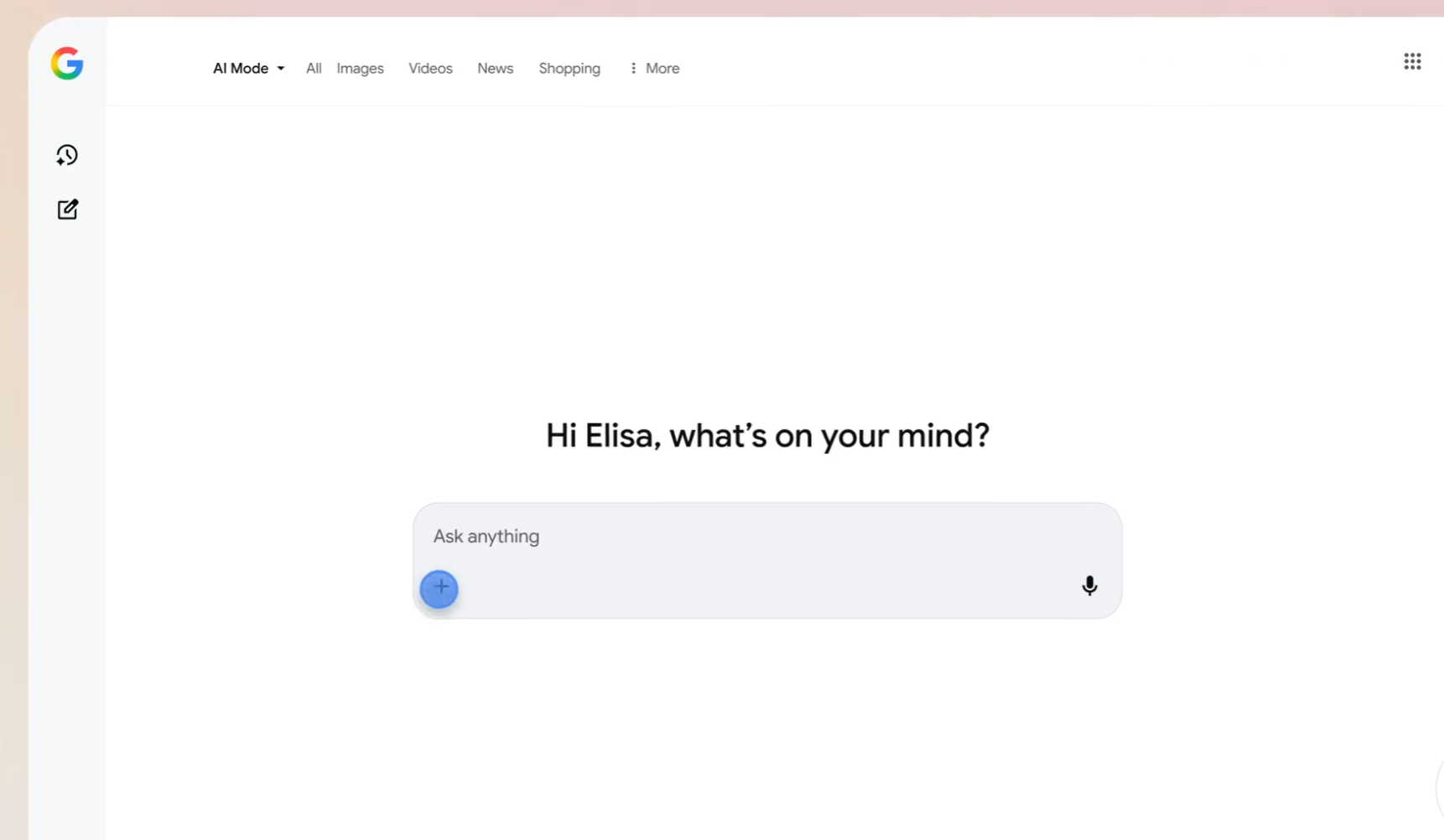
Canvas in AI Mode is now live for all U.S. users in English and lives directly inside Google Search’s AI Mode interface.
-
The feature lets people draft documents, generate and edit code, and spin up interactive tools or dashboards from a plain-language description.
-
Results appear as a live prototype in a side panel, where the underlying HTML or React code can be inspected, tested, and refined through conversation.
-
By collapsing “searching,” “building,” and “iterating” into one workflow, Canvas pushes Search into app-creation territory and challenges traditional no-code and IDE-based development.
Canvas in AI Mode is being framed as a productivity feature, but the more interesting story is what it does to the boundary between searching for information and building software on top of that information. This launch marks an early glimpse of search becoming a programmable surface for everyone, not just developers.
Search just grew an app layer
Google describes Canvas as “a dedicated, dynamic space to organize your plans and projects over time,” with new abilities for creative writing and coding. The key is where this workspace lives: directly inside Google Search’s AI Mode, a place already wired into live web data and Google’s Knowledge Graph.
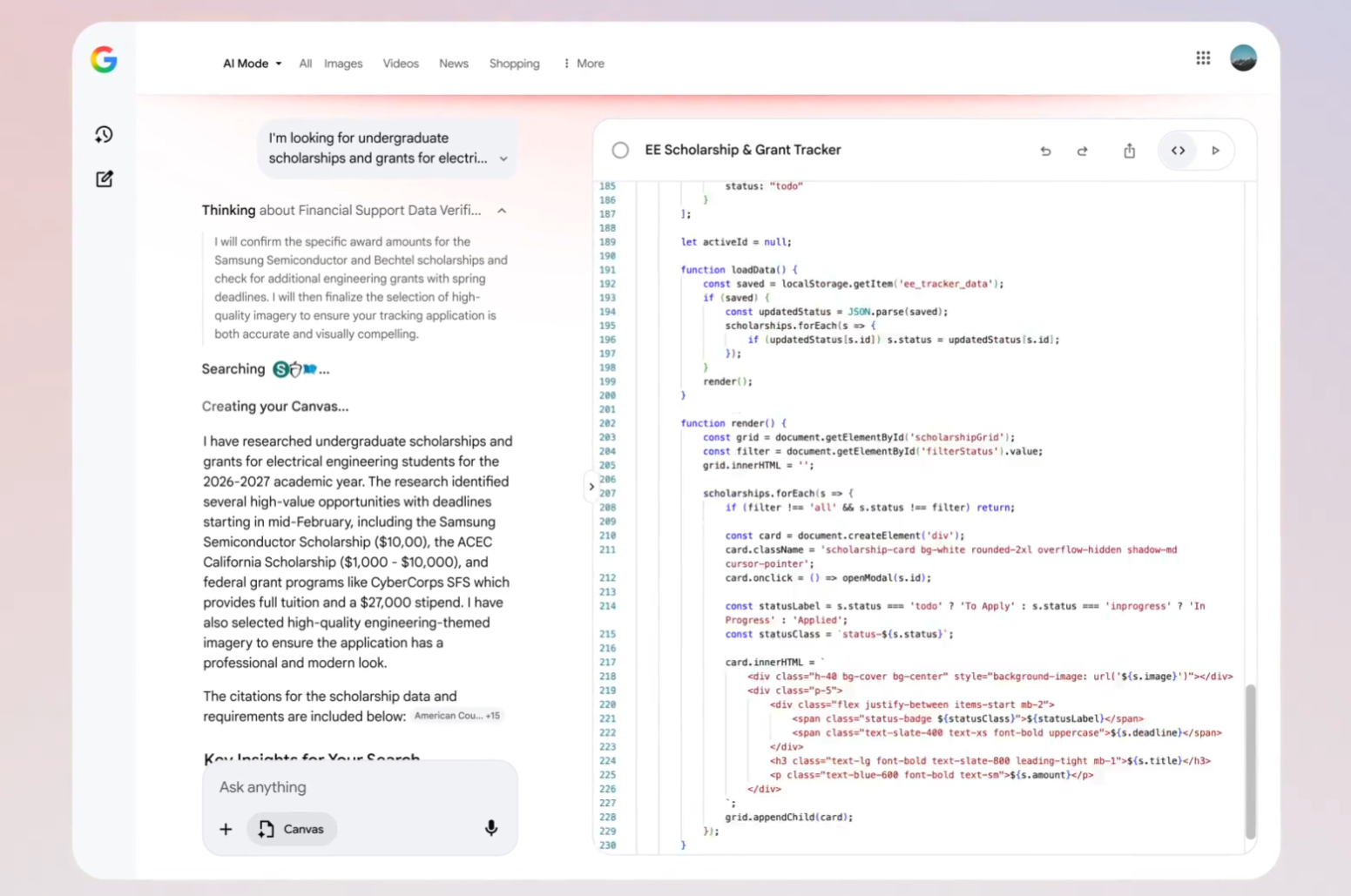
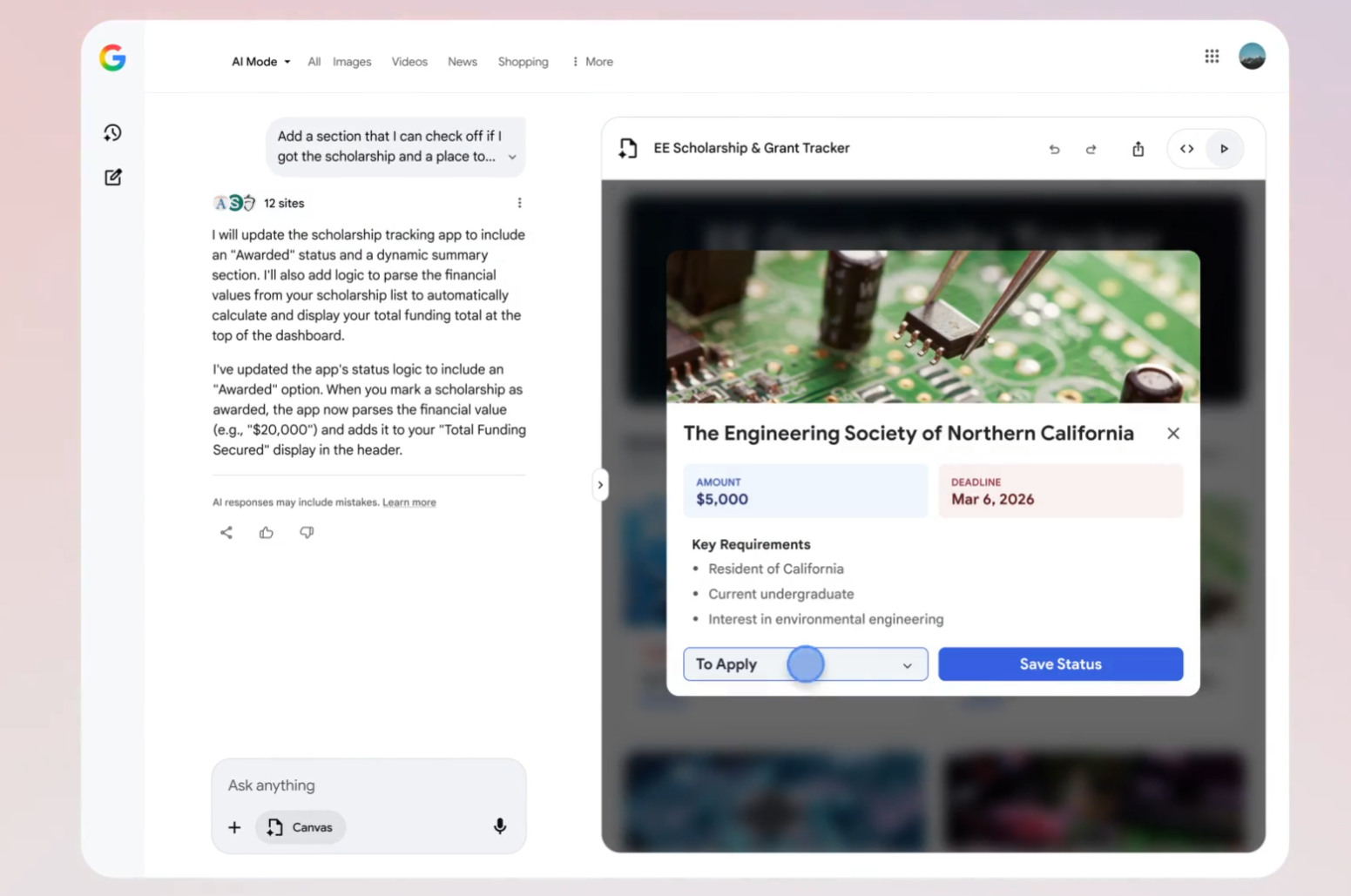
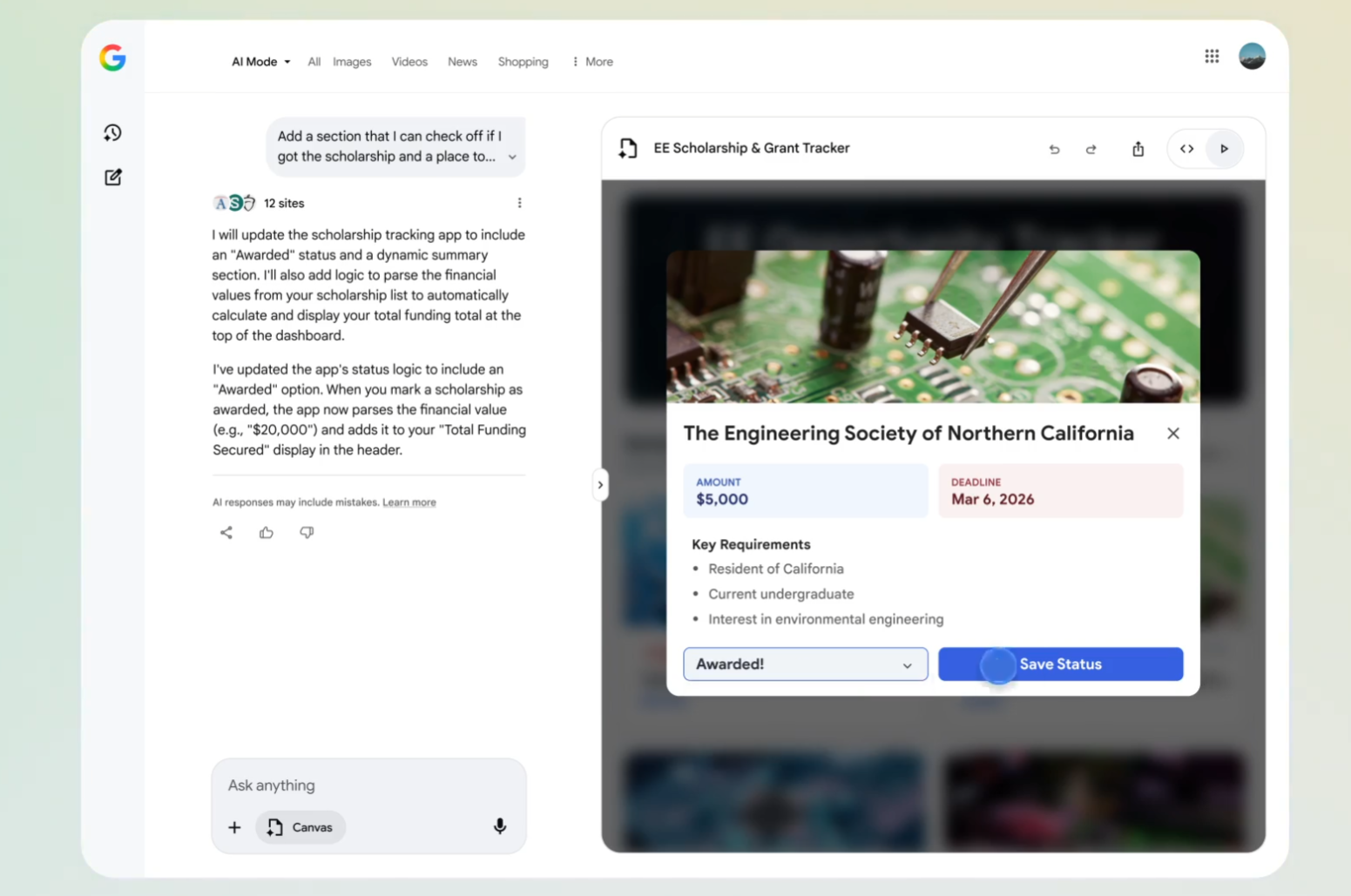
Instead of copying answers from a results page into a doc or spreadsheet, Canvas lets that same intent become a live interface. Picture a messy hunt for scholarship information turning into a dashboard that tracks requirements, deadlines, and dollar amounts in one place, all created via a short description rather than manual data entry or custom coding. Search no longer stops at “here are some links” or even “here is a summary”; it now continues into “here is a tool you can use.”
Intent now compiles directly into tools
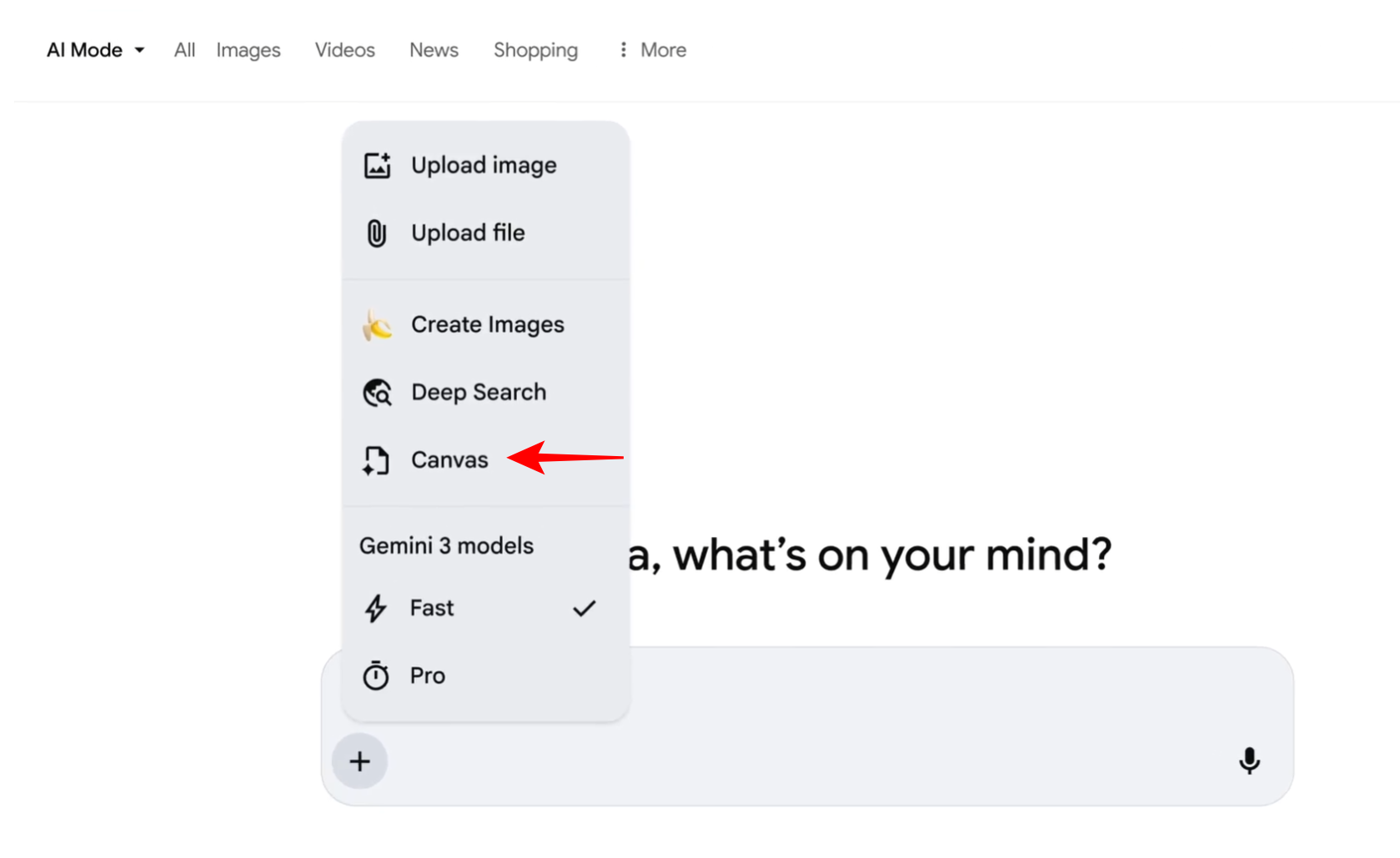
The most radical shift is that a search query can now be the specification for an app. Activating Canvas from the “+” menu in AI Mode and describing what you want yields “a working prototype in the Canvas side panel,” assembled from fresh web information and the Knowledge Graph.
From there, the same conversational flow that used to tune an answer now tunes behavior: test the prototype, ask for changes, and watch the system update both interface and code.
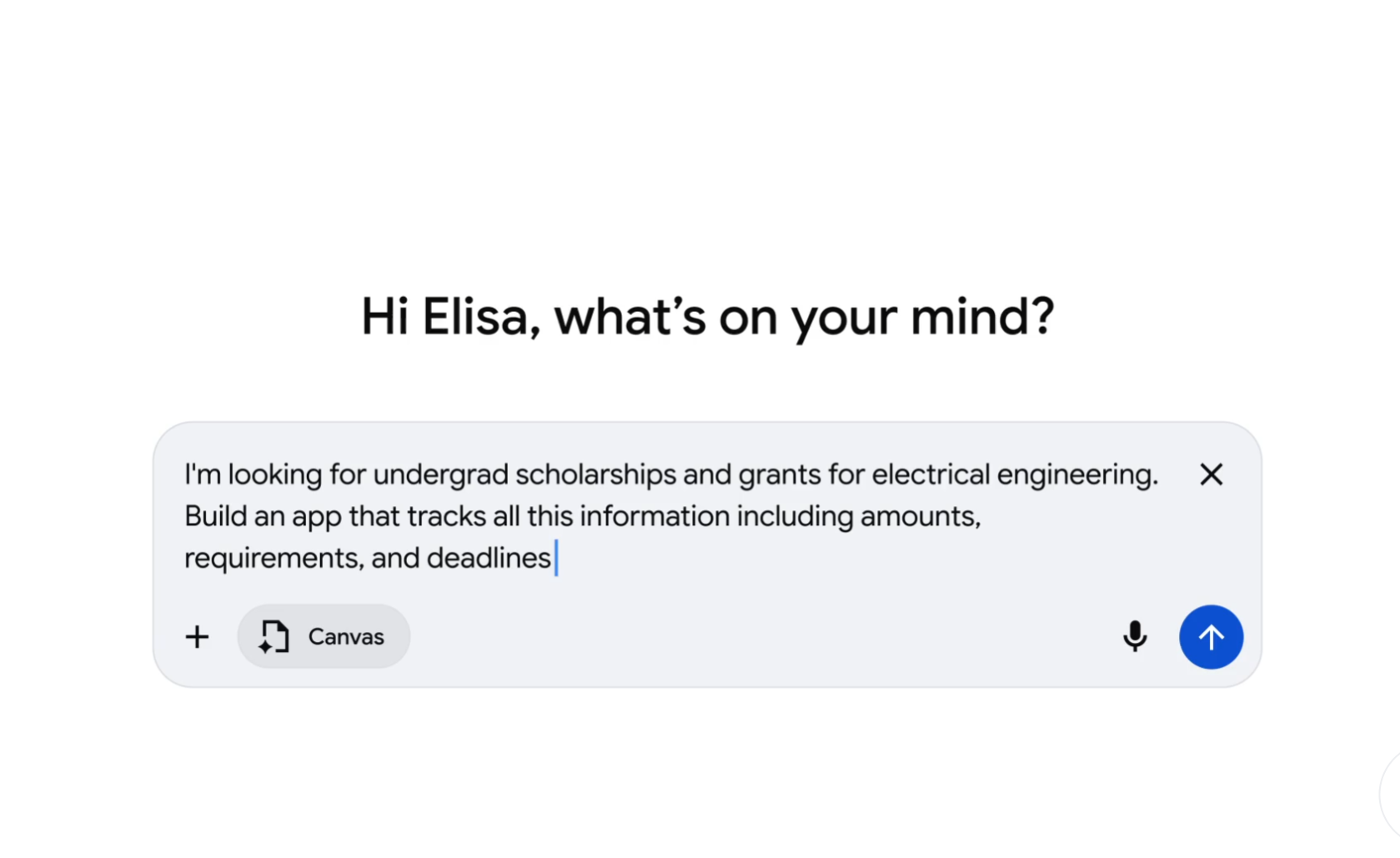
Early testers are already taking Canvas beyond basic demos. You can ask for a subway-tracking dashboard and see it generate a functional prototype in seconds, then refine it to a specific New York neighborhood with one follow-up request. Everyday prompts like “build a flashcard app from my biology outline” or “create a dashboard for scholarship deadlines” deliver working, inspectable code you can copy and tweak.
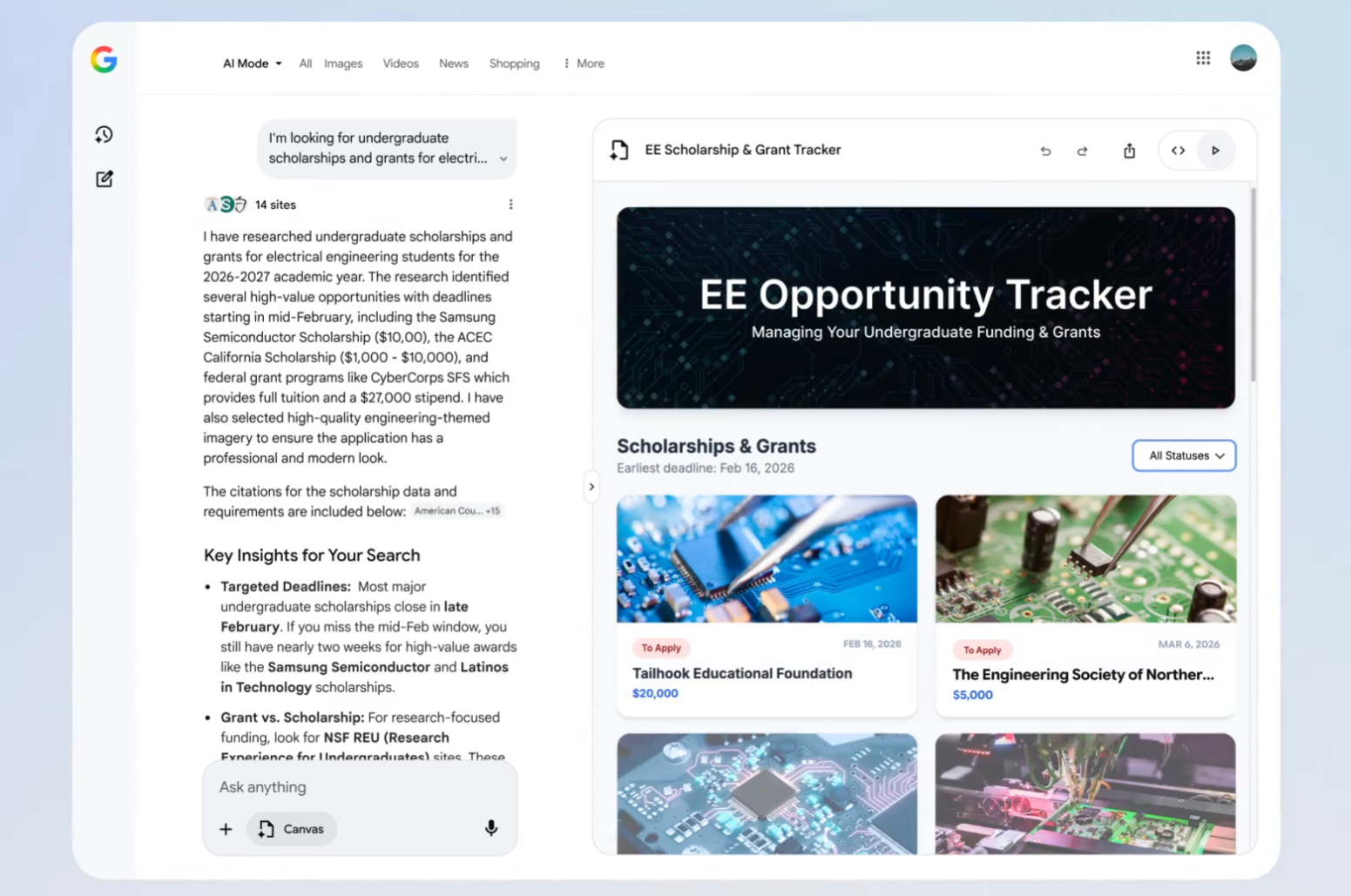
The flow stays simple: describe your goal, get the interface and code, then iterate conversationally instead of hand-editing files.
Coding becomes a side effect of thinking
Under the hood, Canvas is still writing HTML or React and wiring up logic, but that complexity is treated as an implementation detail. You can toggle between a live preview and the underlying code, which is valuable for anyone who wants to learn or to export the result, but the primary interaction is conversational. This is where the feature feels less like “AI in search” and more like a cultural shift in how software is made.
The experience reads like pair-programming without the programming: explain a vague idea, see the AI’s thought process on one side and code streaming into Canvas on the other, and then tweak requirements in plain language when the prototype needs adjustment.
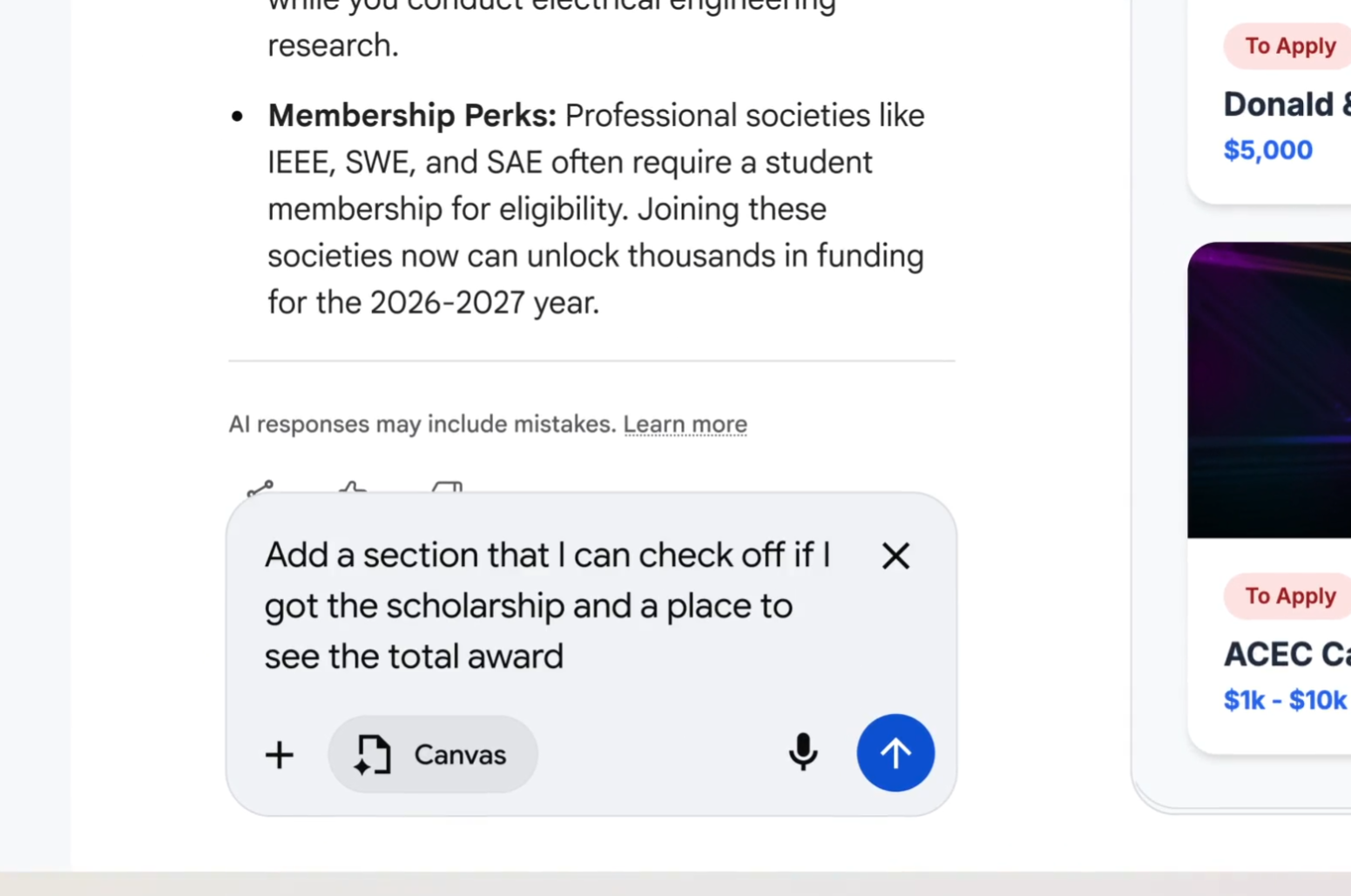
This is “vibe coding” where you hold the intention, the system handles the scaffolding, and code outputs become a by-product rather than the central artifact. In Canvas, code moves closer to a UI for intent capture than a hand-crafted object.
Live web data becomes part of the interface
Because Canvas is embedded in AI Mode, it inherits real-time access to the open web and Google’s own knowledge graph, which gives these mini-apps an unusually fresh and connected data source. Prototypes “pull together the freshest information from the web,” which matters when the tool you are building – say, a scholarship tracker or price dashboard – depends on constantly changing inputs.
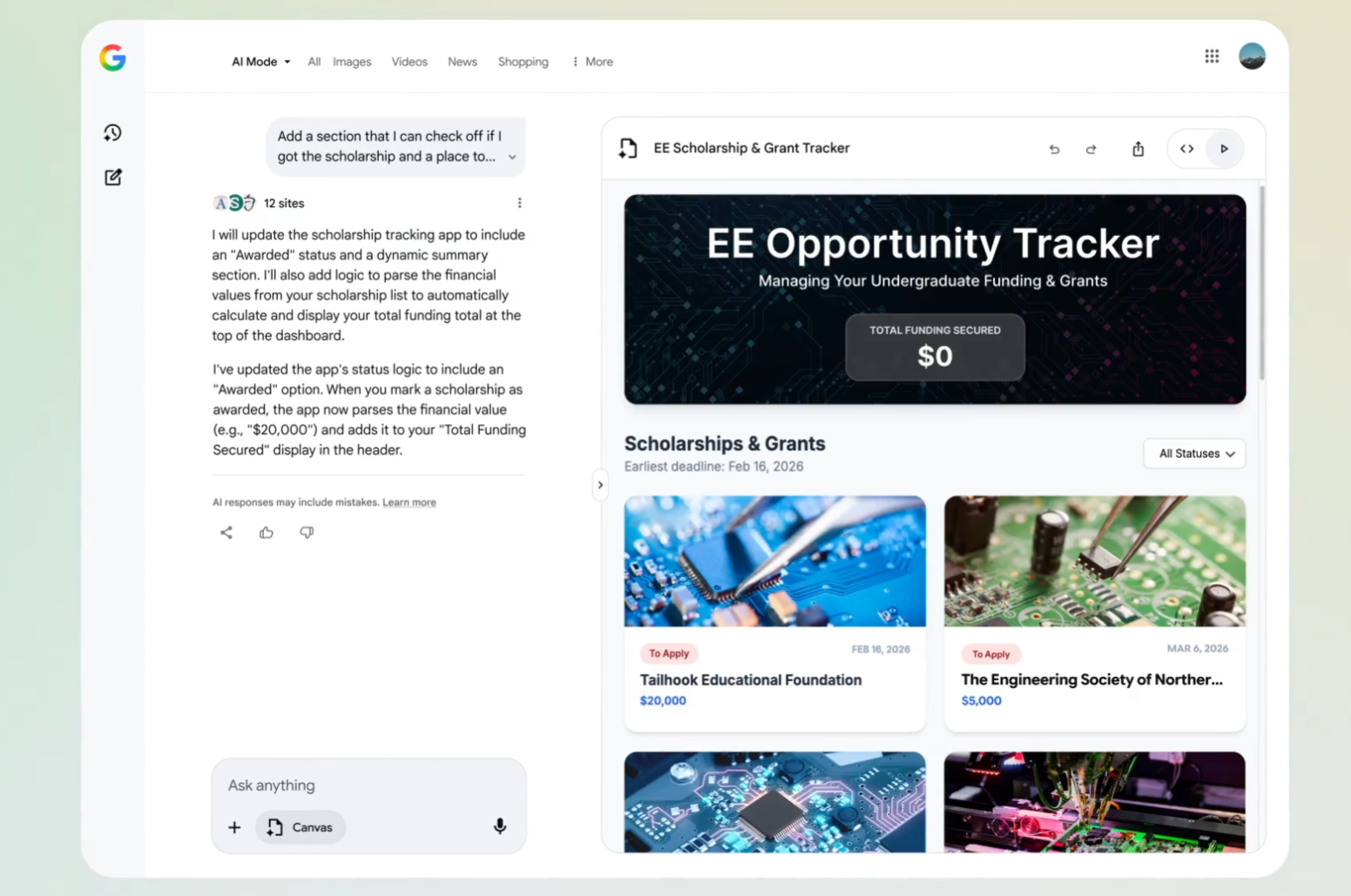
The result is a kind of semi-live application layer on top of Search: not as robust as a production app, but more dynamic and context-aware than a static document or screenshot.
The real disruption is to “no-code,” not pro dev tools
It is tempting to view Canvas as a rival to IDEs and professional development environments, but the overlap seems limited. Serious engineers still need tight control over versioning, testing, deployment, and infrastructure, and today’s Canvas prototypes look more like elaborate drafts than production systems. Where Canvas lands a heavier blow is in the space occupied by no-code builders and templated website tools.
Previously, turning a research workflow into a dashboard might involve signing up for a separate platform, learning its conventions, wiring data sources, and dealing with exports. Now, you can remain inside a familiar search box, describe the same outcome, and receive a functioning prototype that can be iterated conversationally and exported as code if needed. For many light-to-medium use cases – internal dashboards, study helpers, travel planners – that will be “good enough,” and the friction of switching tools will make Canvas the default experimentation space.
Search becomes a place to stay, not just pass through
For years, Google has nudged users to spend more time inside Search results, from direct answers to generative overviews. Canvas intensifies that trend by giving people a reason not just to read or compare, but to build and maintain ongoing projects without leaving the search context. You can imagine a world where a student’s study plan, a freelancer’s lead tracker, and a family’s vacation planner all live as persistent Canvases, each fed by live web data and AI reasoning.
Canvas works as an AI-powered collaboration tool for working through plans and projects “over time,” hinting at persistence and shared editing as the next logical steps. Once projects and lightweight tools live inside Search, the default behavior shifts from “search, click away, close tab” to “search, create, revisit, refine.” That redefines Search from a gateway into the web to an operating environment of its own.
The guardrails and gaps that still matter
None of this means Canvas instantly democratizes software in a perfectly smooth way. Availability is still limited to U.S. users searching in English, and the feature remains bound by AI’s strengths and weaknesses, including hallucinations, brittle edge cases, and potential security blind spots in auto-generated code. Prototypes can require manual tweaks, whether to narrow a data source or to fix quirks in layout and functionality.
There are also deeper questions about openness. Canvas lives inside a proprietary ecosystem, and apps built there rely on Google’s infrastructure, models, and data access, which could create new forms of lock-in even as they lower the barrier to entry.
How to think about Canvas as a user right now
For most people, the practical takeaway is that search now gives back more than information; it can give back a running tool. That suggests experimenting with small, high-leverage projects where an 80-percent-right prototype saves more time than it costs to correct.
A reasonable mental model is to treat Canvas as a rapid-prototyping partner rather than a finished-app factory. Start with a concrete outcome (“track these 10 scholarships,” “plan a 5-day Tokyo trip within a budget,” “generate and test landing page variations”), let Canvas generate a first pass, and then decide whether to live inside that prototype or export the code to a more controlled environment. The more clearly the intent is described, the more Canvas can compress the distance between idea and working interface.
Why Canvas in AI mode feels like a genuine game-changer
The phrase “game-changer” is overused, but Canvas in AI Mode earns the label because it redefines what counts as a normal outcome of a search. In the old model, a good search session yielded understanding; in this new model, a good search session can yield a custom tool that encodes that understanding and keeps working for you in the background.
By collapsing discovery, design, and implementation into a single, conversational loop, Canvas shifts software creation closer to everyday thinking and away from specialized skill sets. That does not replace professional development, but it does broaden who gets to turn a passing intent – “I should track this,” “I should visualize that,” “I should automate this” – into a live, working artifact right inside the world’s most familiar search box.
A brief look ahead for search-native app building
If this early version is any indication, the next phase of Search will be defined less by how well it ranks links and more by how well it composes tools from those links in response to natural language. As Google expands Canvas beyond the U.S. and stitches it into more of its ecosystem, the line between “search query,” “document,” and “app” is likely to blur even further.
The bigger question is not whether people will use search to get answers – they already do – but whether they come to expect search to hand them systems: dashboards that quietly update, planners that adapt, and micro-apps that assemble themselves from intent. Canvas in AI Mode is the first visible sign that Google intends to make that expectation feel normal.