- What to know
- Can you set a secret code in Nioh 3
- Where co-op is accessed in Nioh 3
- How to set a secret code in Nioh 3 for co-op
- Important matching conditions you must meet
- Common issues and how to fix them
- Hosting vs joining: understanding roles
- When secret codes may not work
- Practical tips for smooth co-op sessions
- Making private co-op seamless in Nioh 3
What to know
- You must access co-op through a Shrine.
- Use “Become Visitor” to join a friend’s mission.
- Set match conditions to Secret Code and enter a six-digit number.
- Both players must use the exact same code and mission to connect.
If you want smooth co-op sessions inside Nioh 3, setting a secret code is the most reliable way to join your friends without interference from random matchmaking. Instead of hoping you appear in each other’s session, the secret code system filters searches so only players using the same code can connect.
This method works quickly once you understand the flow, and it only takes a minute to set up properly.
| Feature | Requirement | Why It Matters |
|---|---|---|
| Access Point | Shrine interaction | Co-op options are locked behind shrines |
| Mode Option | Become Visitor | Join a friend’s active mission |
| Match Type | Secret Code | Private matchmaking filter |
| Code Format | Six-digit number | Must match exactly |
| Confirmation | Press Space, then Search | Activates the filter |
| Limitation | Not supported in some areas (e.g., Eternal Rift) | Certain zones restrict co-op |
Can you set a secret code in Nioh 3
Online matchmaking in Nioh 3 can pair you with any available player searching the same mission. That works fine if you just want help. But if you’re coordinating builds, farming specific bosses, or progressing together, you need a guaranteed connection.
The secret code system creates a private matchmaking channel. If you and your friend use the same six-digit number and search for the same mission, the game prioritizes that match.
Without the code, you risk being paired with random players or not matching at all.
Where co-op is accessed in Nioh 3
All online sessions begin at a Shrine. Shrines serve as fast travel points, healing hubs, and multiplayer access terminals.
You cannot set a secret code from the open world menu. The process must begin at a shrine inside a mission.
Additionally, both players must be attempting to connect within the same mission instance. If one player is idle in a hub or different activity, matchmaking will fail.
How to set a secret code in Nioh 3 for co-op
Step 1
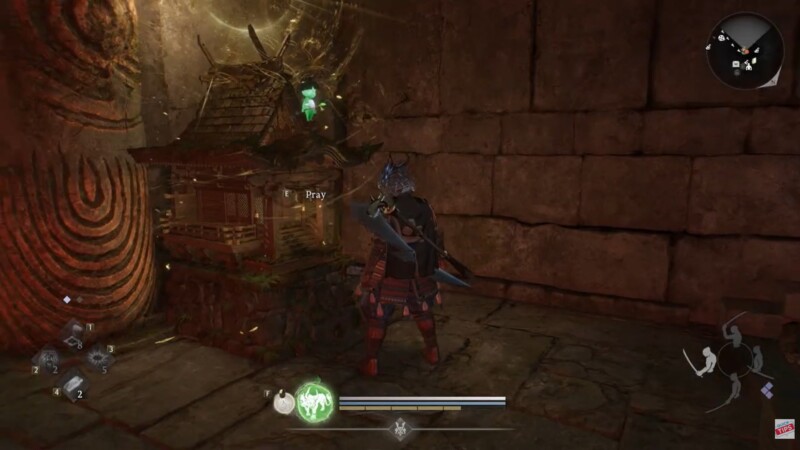
Approach a Shrine inside your mission and hold E to pray. This opens the shrine interface.
Step 2
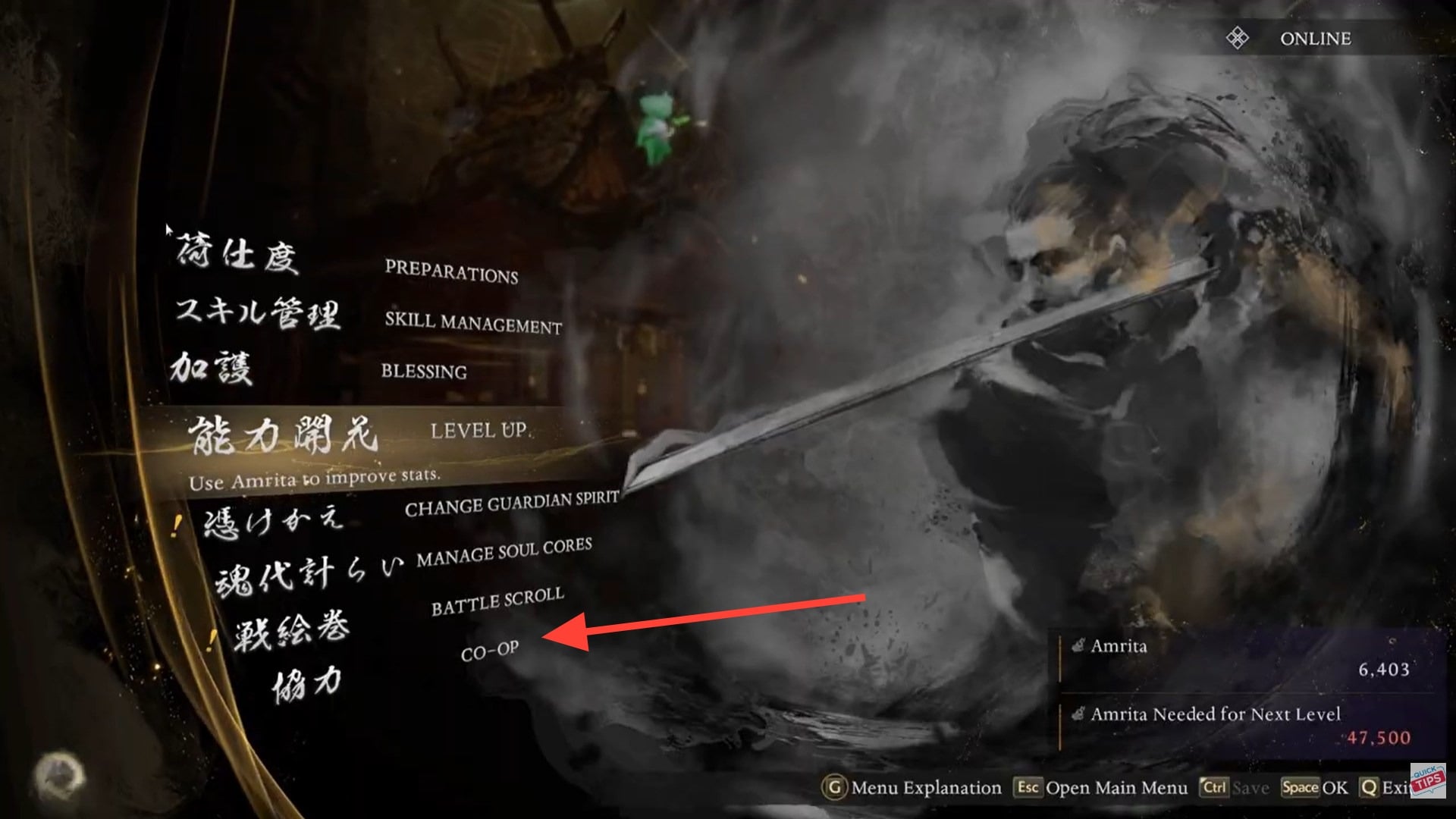
Navigate to the Co-op menu within the shrine options.
Step 3
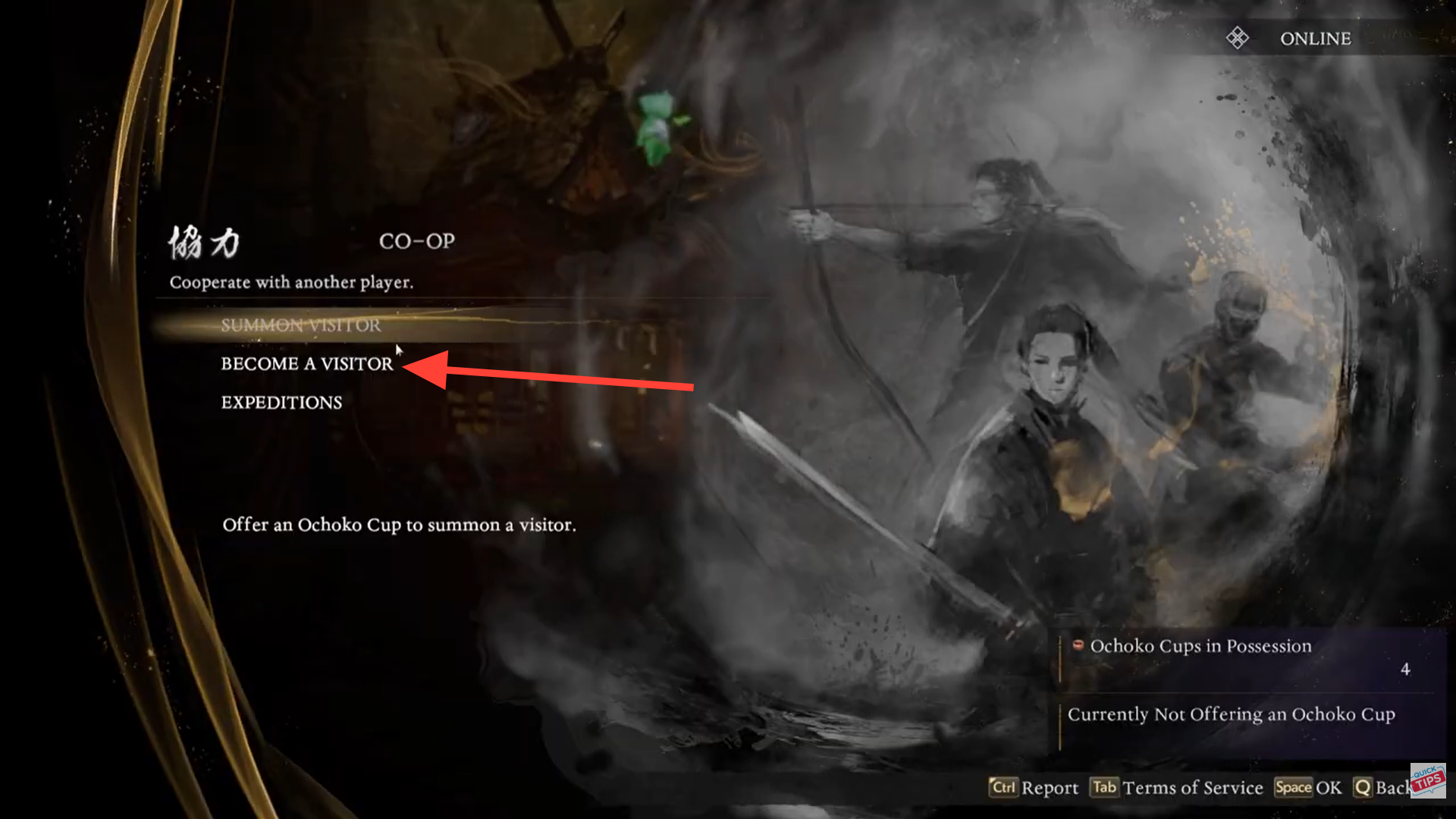
If you want to join your friend’s world, select “Become Visitor.”
If you are hosting and want them to join you, they must select Become Visitor on their end.
Step 4
In the match conditions menu, change the filter to “Secret Code.”
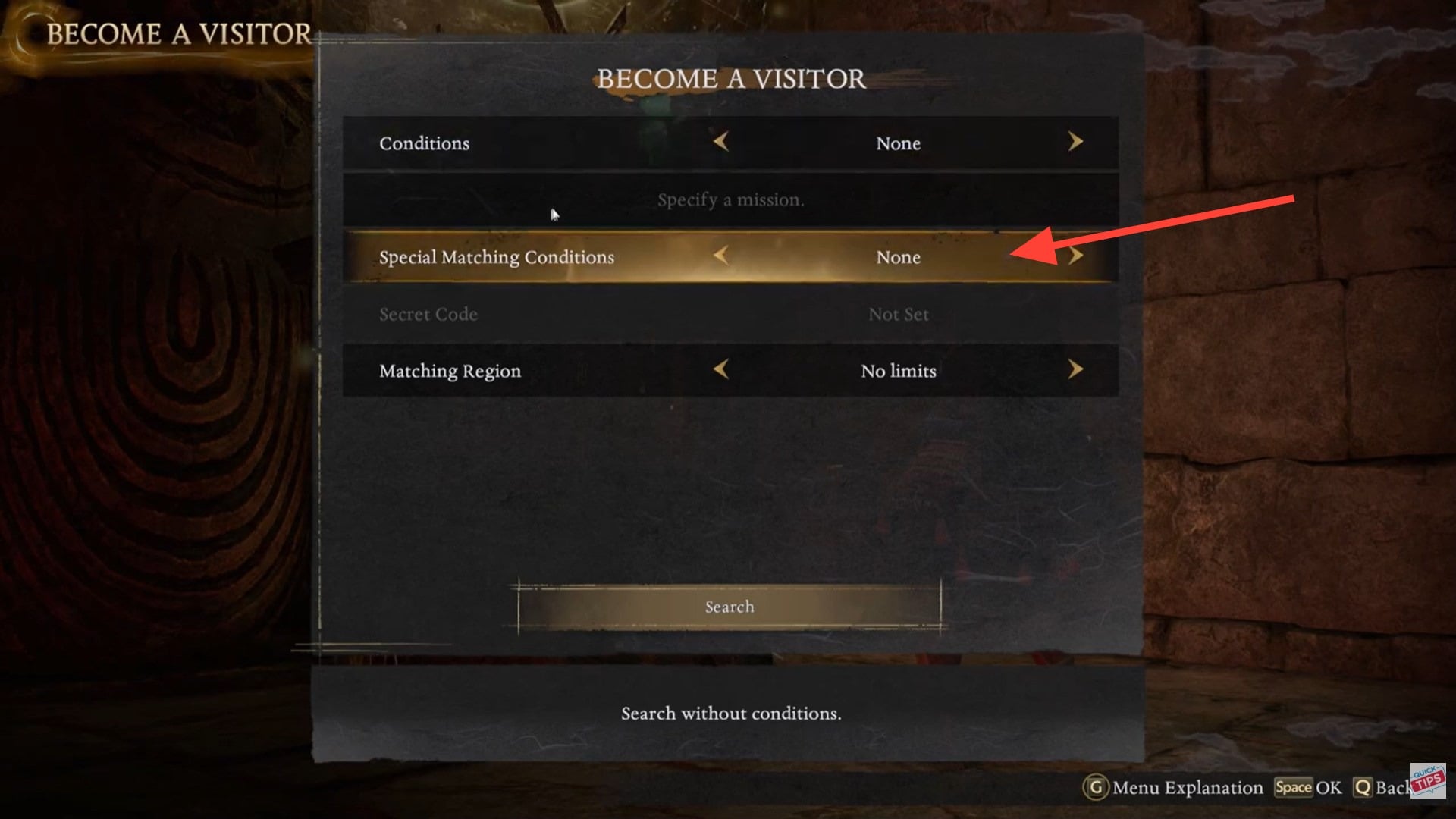
Step 5
Enter a six-digit number. The code can be any combination, but it must match your friend’s exactly.
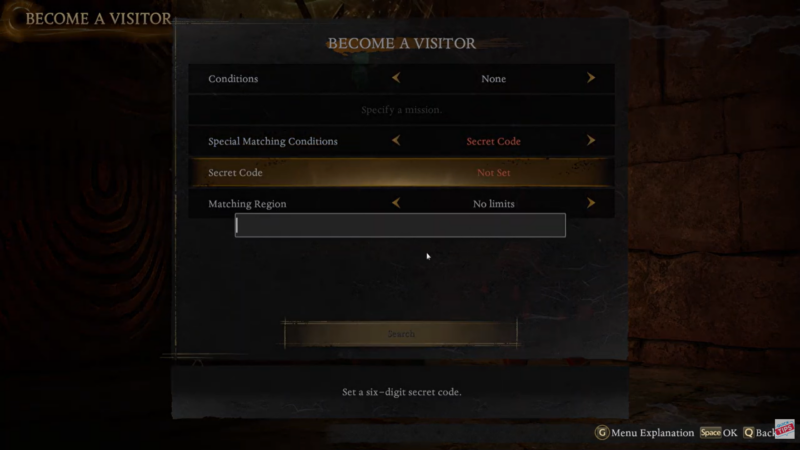
Step 6
Press Space to confirm the code entry.
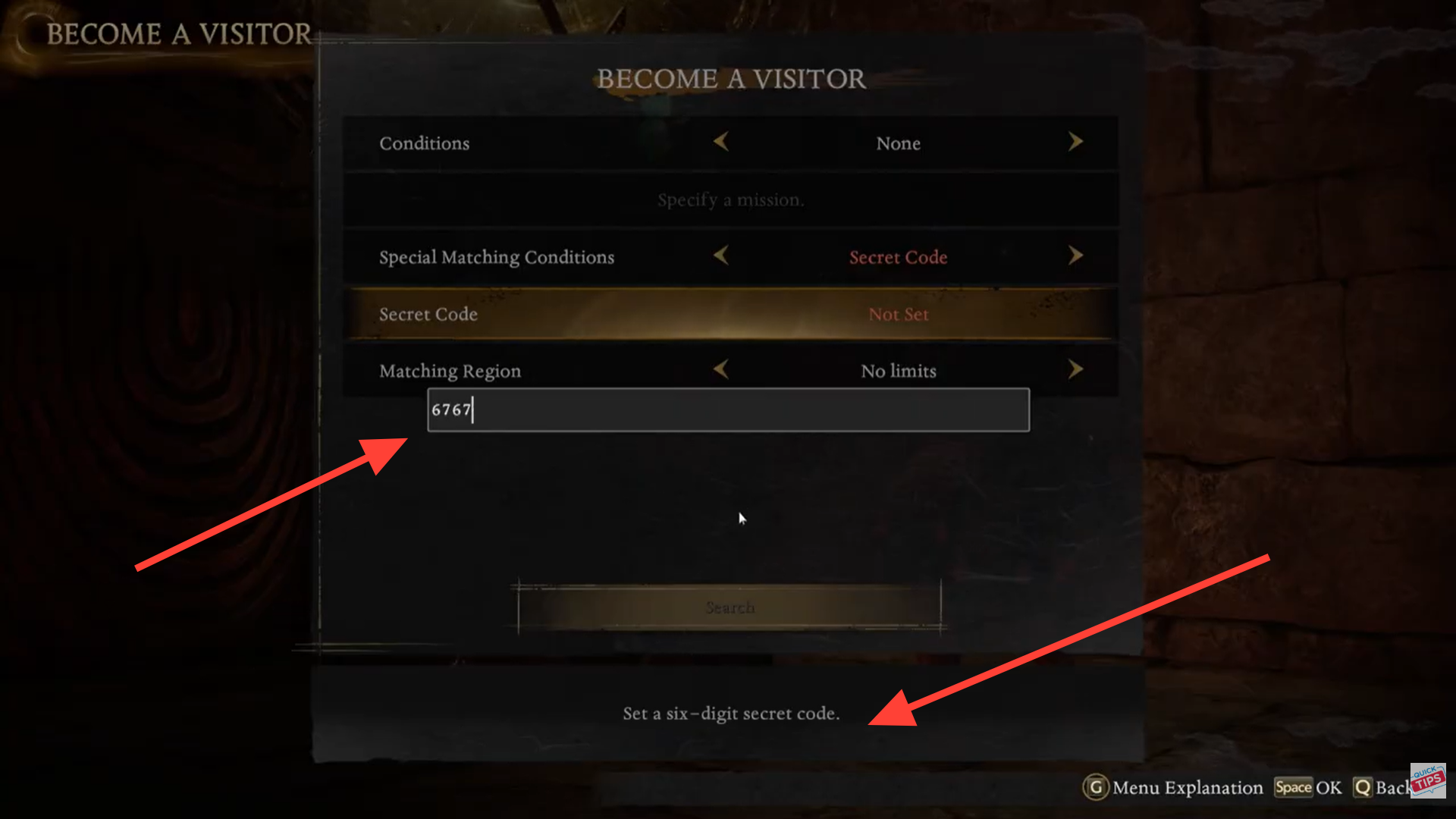
Step 7
Select Search to begin matchmaking under the secret code filter.
If your friend is simultaneously searching for the same mission using the identical six-digit code, the connection should initiate automatically.
Important matching conditions you must meet
Even with a secret code, matchmaking will not work unless all these conditions are aligned:
| Condition | Must Match? | Explanation |
|---|---|---|
| Mission | Yes | Both players must search the same mission |
| Code | Yes | Six-digit code must be identical |
| Online Status | Yes | Both must be connected to servers |
| Region Restrictions | Usually No | Secret code overrides general filters |
| Restricted Areas | Yes | Some zones block co-op |
The video demonstration notes that certain areas, such as the Eternal Rift, may not support this feature. If you cannot match, double-check that you are not in a restricted activity zone.
Common issues and how to fix them
Connection failures usually happen for one of three reasons:
First, mismatched mission selection. Even if the code matches, you cannot join different missions.
Second, incorrect code entry. A single digit difference prevents connection.
Third, attempting to connect from a restricted area such as special challenge zones or specific endgame activities.
If matchmaking fails, exit the search, re-enter the code, confirm it again, and restart the search together.
Hosting vs joining: understanding roles
In Nioh 3’s system, one player effectively hosts the mission instance, and the other joins as a Visitor.
| Role | What You Do | What Your Friend Does |
|---|---|---|
| Host | Start mission normally | Wait at shrine and Become Visitor |
| Visitor | Select Become Visitor | Join host mission |
| Both | Use same secret code | Use same secret code |
If you both attempt to host at the same time, matchmaking will not function correctly. Decide who is hosting before entering the shrine.
When secret codes may not work
There are limitations. Some endgame or special event areas limit co-op entirely. The Eternal Rift has been noted as a potential area where secret code matching may not function.
If you encounter repeated failures, test the code system in a standard story mission first. That helps confirm whether the issue is zone-based or connection-related.
Practical tips for smooth co-op sessions
Use simple codes that are easy to communicate, such as repeating numbers. Avoid rapidly changing codes mid-session. If your connection drops, both players should exit and re-enter the shrine interface before retrying.
Also, remember that progress typically follows the host’s mission state. Visitors assist but may not always receive identical progression triggers depending on mission design.
Making private co-op seamless in Nioh 3
Setting a secret code in Nioh 3 takes less than a minute, but it eliminates most matchmaking frustration. By praying at a shrine, selecting Become Visitor, setting match conditions to Secret Code, entering a six-digit number, and confirming the search, you create a direct connection channel between you and your friend.
As long as both players search the same mission with the same code—and avoid restricted areas like the Eternal Rift—you can reliably join each other without random players interrupting your session.
Private co-op becomes simple once you understand the flow.