


- What to know
- Quick overview of item removal methods in Pokémon Pokopia
- Why stacked items become a problem in Pokémon Pokopia
- Best methods to delete or dispose items in Pokopia
- Choosing the best method for clearing inventory space
- Future updates may introduce an item deletion feature
- Managing your inventory efficiently in Pokémon Pokopia
What to know
- Pokémon Pokopia does not currently include a direct trash or delete button for items.
- You can remove stacked items by trading them at the Pokémon Center for other resources.
- Another method is creating a hidden disposal pit where items are dropped and buried.
- The trading method is generally more efficient because you gain useful materials while clearing inventory.
Pokémon Pokopia features an inventory system where items automatically stack together, which helps with storage but can become a problem when you accumulate large quantities of unwanted materials. Since the game currently lacks a dedicated trash or destroy function, players must rely on alternative methods to remove stacks of items. Fortunately, there are two reliable approaches that allow you to clear inventory space without breaking your progression: trading the items at the Pokémon Center or disposing of them manually in the world.
Quick overview of item removal methods in Pokémon Pokopia
| Method | Difficulty | Best Use Case | Benefit |
|---|---|---|---|
| Pokémon Center Trading | Easy | Excess crafting materials | Converts unwanted items into useful resources |
| Disposal Pit Method | Very Easy | Completely unwanted items | Permanently removes items from inventory |
| Inventory Management | Passive | Prevent future clutter | Keeps stack sizes manageable |
Why stacked items become a problem in Pokémon Pokopia
The inventory system in Pokémon Pokopia automatically groups identical items into stacks, which is convenient for organization but can quickly fill your inventory if you collect too many materials. Items such as bricks, crafting resources, or building blocks often accumulate faster than they are used.
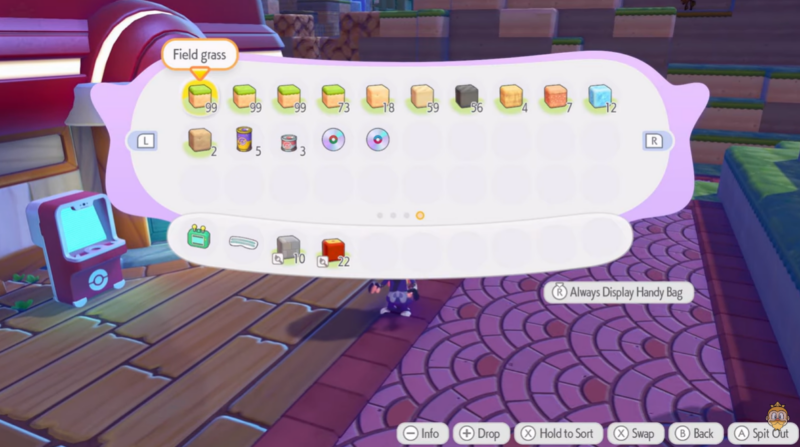
Because the game currently does not include a built-in trash can or delete option, players cannot simply remove unwanted stacks through the interface. This means clearing inventory space requires interacting with the world or using game systems like trading.
Understanding how to remove these stacks efficiently is important, especially when your inventory becomes full and prevents you from collecting new resources.
Best methods to delete or dispose items in Pokopia
1 – Trading method for clearing surplus items
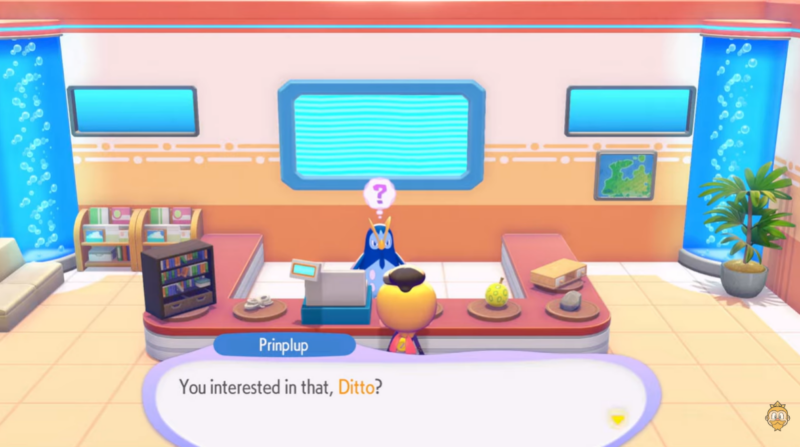
One of the most effective methods for clearing unwanted stacks is trading them at the Pokémon Center. This approach not only frees inventory space but also allows you to convert useless materials into something valuable.
Step 1
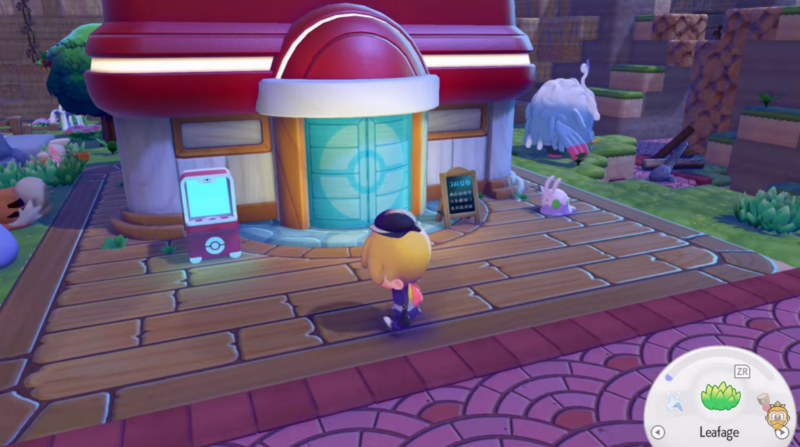
Travel to the Pokémon Center, which acts as a central hub for various interactions including trading items.
Step 2
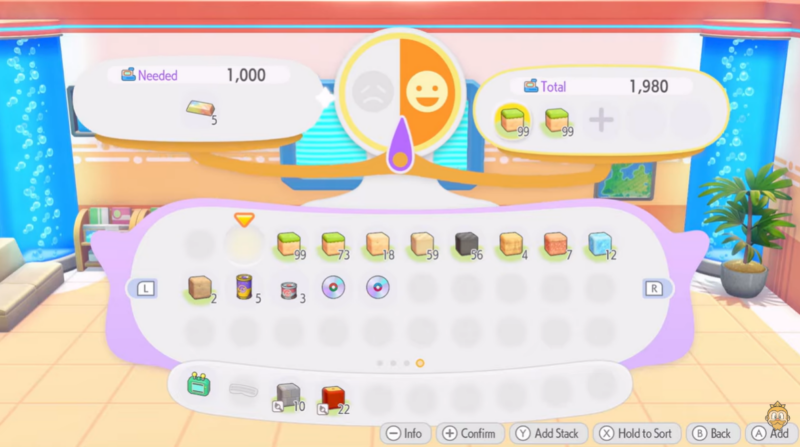
Open the trading interface and review the available exchange options. Many materials that may seem useless in your inventory can still be traded for other resources.
Step 3
Select the stacked items you want to remove. Items like bricks and other crafting materials are commonly accepted in trade exchanges.
Step 4
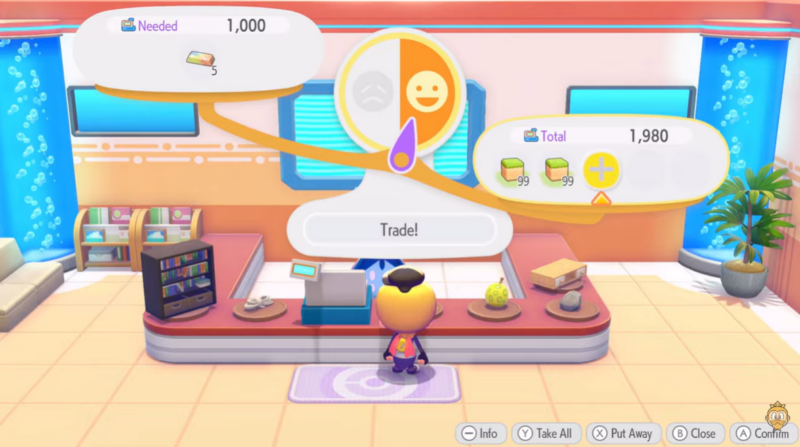
Complete the trade and receive the offered items. For example, some trades can convert basic building materials into Pokémon ingots or other useful crafting components.
Step 5
Repeat the process until your unwanted stacks are fully traded away and your inventory space is cleared.
This method is widely considered the best solution because you are effectively recycling unused materials instead of simply destroying them.
2 – Disposal pit method for dumping extra items
If you have items that cannot be traded or you simply want to remove them permanently, you can dispose of them using a simple in-world trick.
Step 1
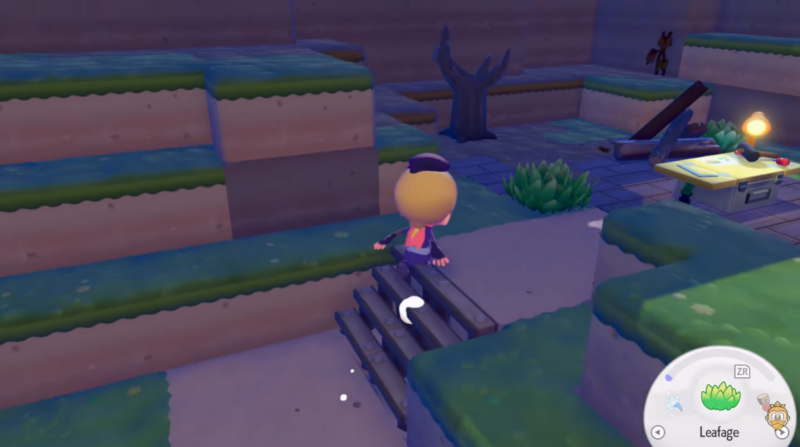
Travel to a quiet or secluded area of the map where you are unlikely to interact with the terrain frequently.
Step 2
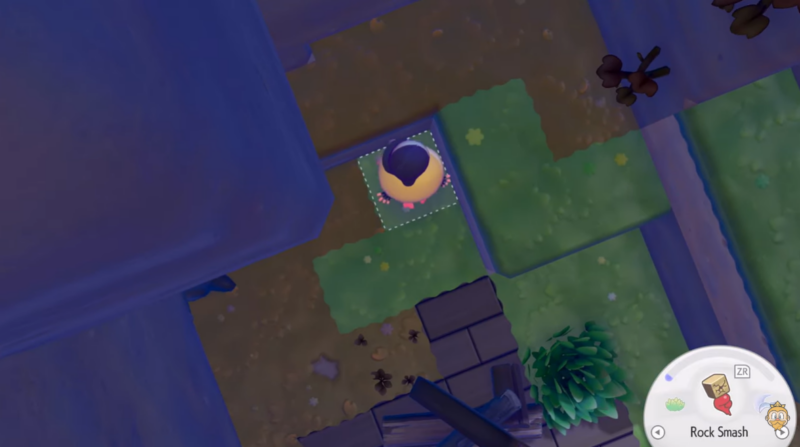
Use your digging tool to dig two blocks down into the ground, creating a small pit.
Step 3
Open your inventory and drop the stacked items you want to destroy into the hole.
Step 4
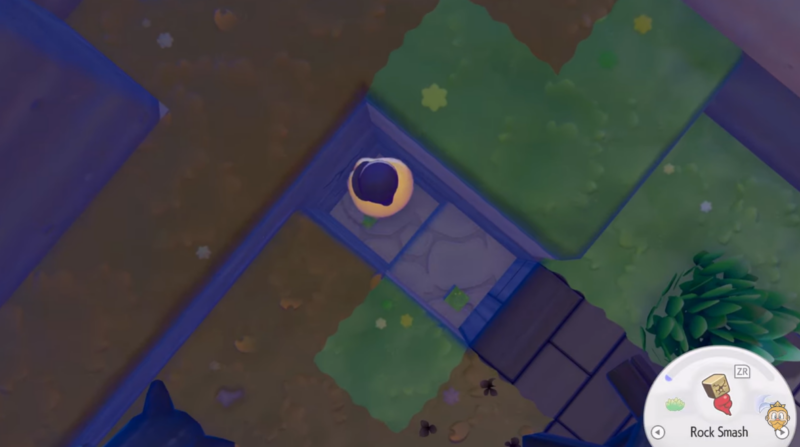
Once the items are inside the pit, fill the hole back up with blocks so it is completely sealed.
Step 5
Leave the area. The buried items remain inaccessible, effectively acting as a permanent disposal method.
While simple, this method permanently removes items from your accessible inventory, making it useful when you want to quickly clear large stacks.
Choosing the best method for clearing inventory space
Both approaches solve the problem of stacked items, but they serve different purposes depending on your situation.
Trading is usually the better choice because it converts unwanted materials into something useful instead of wasting them. This is especially valuable during crafting progression where extra resources can be turned into ingots or other crafting components.

The disposal pit method is best reserved for items that cannot be traded or when you want to quickly clear space without traveling to the Pokémon Center.
Until the game introduces an official delete feature, these two methods remain the primary ways to manage unwanted stacks.
Future updates may introduce an item deletion feature
Many players hope that future updates will introduce a dedicated trash or destroy option within the inventory system. Such a feature would simplify inventory management and remove the need for manual disposal methods.
For now, trading and manual disposal remain the only reliable ways to remove stacked items in Pokémon Pokopia.
Managing your inventory efficiently in Pokémon Pokopia
Inventory management becomes increasingly important as you gather more crafting materials and resources across the world. Regularly clearing unused stacks prevents clutter and ensures you always have space for rare or important items.
By using trading whenever possible and reserving disposal pits for items you truly do not need, you can maintain a clean inventory while still benefiting from extra resources.




