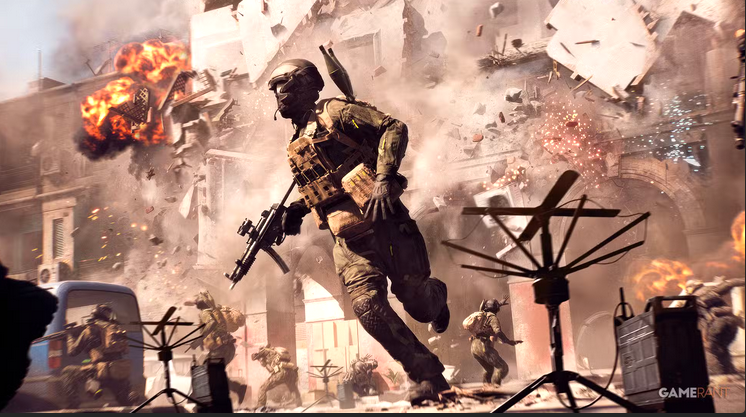
Battlefield 6 overhauls the spawn beacon system, turning it into a limited-use “Deploy Beacon” assigned to the Assault class for more tactical and team-focused gameplay.
The spawn beacon has always been a defining feature of Battlefield’s squad-based combat. In Battlefield 6, DICE has redesigned the system to better reflect the series’ evolving emphasis on coordination and movement. The classic sniper beacon is gone; in its place stands a refined “Deploy Beacon” built for Assault players and team-driven tactics.
What the Deploy Beacon does in Battlefield 6
The Deploy Beacon in Battlefield 6 serves as a temporary squad respawn point, allowing team members to return to battle closer to objectives or flanking routes. Unlike previous games, where Recon players could endlessly drop spawn points from afar, Battlefield 6’s system focuses on balance and coordination.
Here’s what’s changed from older versions:
| Feature | Battlefield 2042 | Battlefield 6 |
|---|---|---|
| Class Access | Recon | Assault |
| Uses | Unlimited | Limited per squad |
| Destruction | Manual | Auto-destructs when deployer respawns on it |
| Intended Role | Long-range sniper tool | Tactical frontline support |
| Team Use | Passive | Coordinated squad asset |
Why the Deploy Beacon moved from Recon to Assault
For years, Recon mains dominated beacon use, often planting them in obscure corners to sustain lone-wolf playstyles. DICE has intentionally broken from that tradition in Battlefield 6.
Encouraging frontline teamwork
The new Deploy Beacon supports team pushes rather than isolated camping. Assault players can now set up temporary spawn points during advances, enabling faster regrouping and flanking opportunities.
Reducing exploit potential
In past games, beacons could turn into “infinite respawn hubs” behind enemy lines. With Battlefield 6’s new rules—limited uses and automatic self-destruction—the system rewards smart, timely placement rather than abuse.
Strengthening class identity
Assault’s role as a frontliner aligns perfectly with a forward-deployed spawn beacon. Meanwhile, Recon’s toolkit is being rebalanced toward spotting and information, focusing less on mobility and more on tactical awareness.
How to use the deploy beacon effectively
Step 1
Equip the Deploy Beacon gadget on the Assault class loadout under your secondary gadget slot.
Step 2
Approach a secure forward position—ideally behind cover or close to an objective—to minimize immediate destruction.
Step 3
Deploy the beacon by pressing the gadget key; it will automatically self-place at your feet if terrain prevents the original location.
Step 4
Communicate with your squad to spawn on the beacon, enabling rapid squad-wide redeployment for flanking or objective pushes.
Step 5
After each squad member spawns, the beacon’s single-use per player depletes; plan placements to coincide with major assaults or defenses.
Step 6
Monitor for enemy pings—if your beacon icon appears on the minimap, prepare to defend it or reposition to avoid destruction.
Battlefield 6’s new Deploy Beacon represents a fundamental shift in how players control respawn flow. It rewards communication, planning, and mobility over static defense or solo play. This isn’t just a gadget—it’s a statement of intent from DICE: Battlefield is once again about squads, not individuals.