

Follow this concise guide to learn the Basics of Building in Where Winds Meet.
Building in Where Winds Meet unlocks after you clear the level‑25 “Building: One Last Job” Exploration quest, which teaches the core construction tools and systems. From then on you can drop blueprints and place pieces to build houses or utility structures almost anywhere in the open world, with only certain quest zones blocking construction and showing a “Current area not allowed for construction!” warning when you try.
How to unlock building
Unlocking building starts with the “Building: One Last Job” Exploration quest, which appears in your Quest tab once you hit level 25. Head to Halo Peak in central Sundara Land, Qinghe, then talk to Yang Yuan near the local Boundary Stone to kick off the quest and run through the basic building tutorial.


(Image Credit: Youtube/Trophygamers)
Basics of building
Follow the steps below to understand all the basics of Building:
Step 1
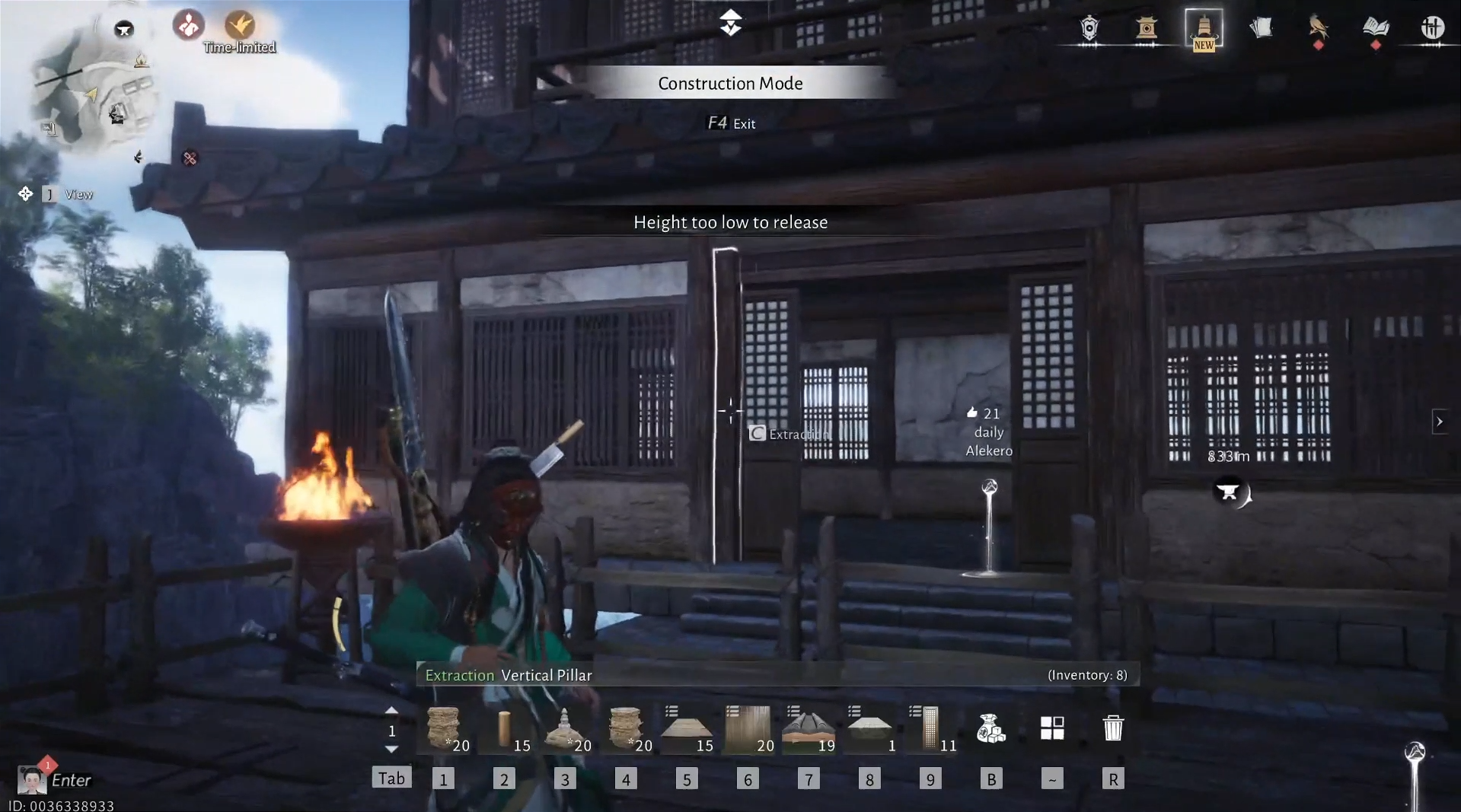
Press the F4 key or Function Wheel + R2 on the controller to activate Construction Mode.

Step 2
Press L3 on a controller or the – key on your keyboard to enable Free Camera, giving you full camera control to move freely and place building blocks with ease.

Step 3
On PS5, click R3 to activate Recycle Mode. If you’re on keyboard and mouse, press R or select the Trash Can icon instead. Once enabled, move close to a placed component until the Recycle prompt appears. Interacting with it will dismantle the item and send it back to your inventory.

Step 4
If you need Construction items, you can craft them anytime using the Craft option in your inventory.

Step 5
You can build freely and unleash your creativity, or use Diagrams, which provide a prebuilt structure blueprint—you just need to place the correct building blocks.
Screen recording by: NerdsChalk
What all can you build in Where Winds Meet
Construction Mode lets you place structures and decorations—from walls and doors to furniture and landscaping. You can also use pre-made diagrams, which auto-assemble when supplied with materials, quickly turning an empty plot into a functional or decorative build. Here are some examples of what you can build:
Pre-Designed Structures
- Low-Level Inn Design — A basic starting building you can place.
- Multi-Story House Design — A taller residence with multiple floors.
- Tall Tower Diagram — A vertical tower layout.
- Maze Diagram — A labyrinth-style structure you can build.
- Wooden Bridge Diagram — A bridge you can place to cross gaps/water.
- Four-Rafter House Diagram — A classic house framework the game often uses in quests.
Doors & Decorative Features
- Black Tile Outer & Inner Corners
- Decorative Debris
- Bamboo Rolled Curtain
- Lion (statue)
- Huadai Plaque
- Flowing Tree
Guild base construction
In some versions (like the Chinese server), guilds can build structures in their guild base once the feature is unlocked and members have the right permissions. That system uses construction tools similar to solo building and lets officers/place buildings within the guild territory. On the global version, guild building isn’t fully live yet, but this is planned in future updates.
These are just a few examples—there’s much more to explore!
Thanks for taking the time to go through this Basics of Building guide. If it helped you understand things better, do share your thoughts, impressions, or doubts in the comments section. We keep a close watch and try to respond promptly to ensure you always get the support you need.



