

- What to know
- Arknights Endfield power transmission objective details
- Where this objective takes place in Arknights Endfield
- Understanding the relay-based power system
-
How to transmit power to the Protocol Resonance Tower in Arknights Endfield – Valley Reboot
- Step 1: Locate and activate the power source
- Step 2: Place the first relay pole near the generator
- Step 3: Climb upward using the terrain
- Step 4: Place a relay pole at the upper platform edge
- Step 5: Continue relaying power toward the tower
- Step 6: Watch the distance indicator carefully
- Step 7: Make the final connection to the tower
- Activating the Protocol Resonance Tower
- Common mistakes and how to avoid them
- Why this objective matters
- Tips for future power transmission puzzles
What to know
- The objective is part of the Valley Reboot main quest
- You must manually route power using Integrated Relay Poles
- Line-of-sight and distance limits determine valid connections
- Correct relay placement matters more than speed
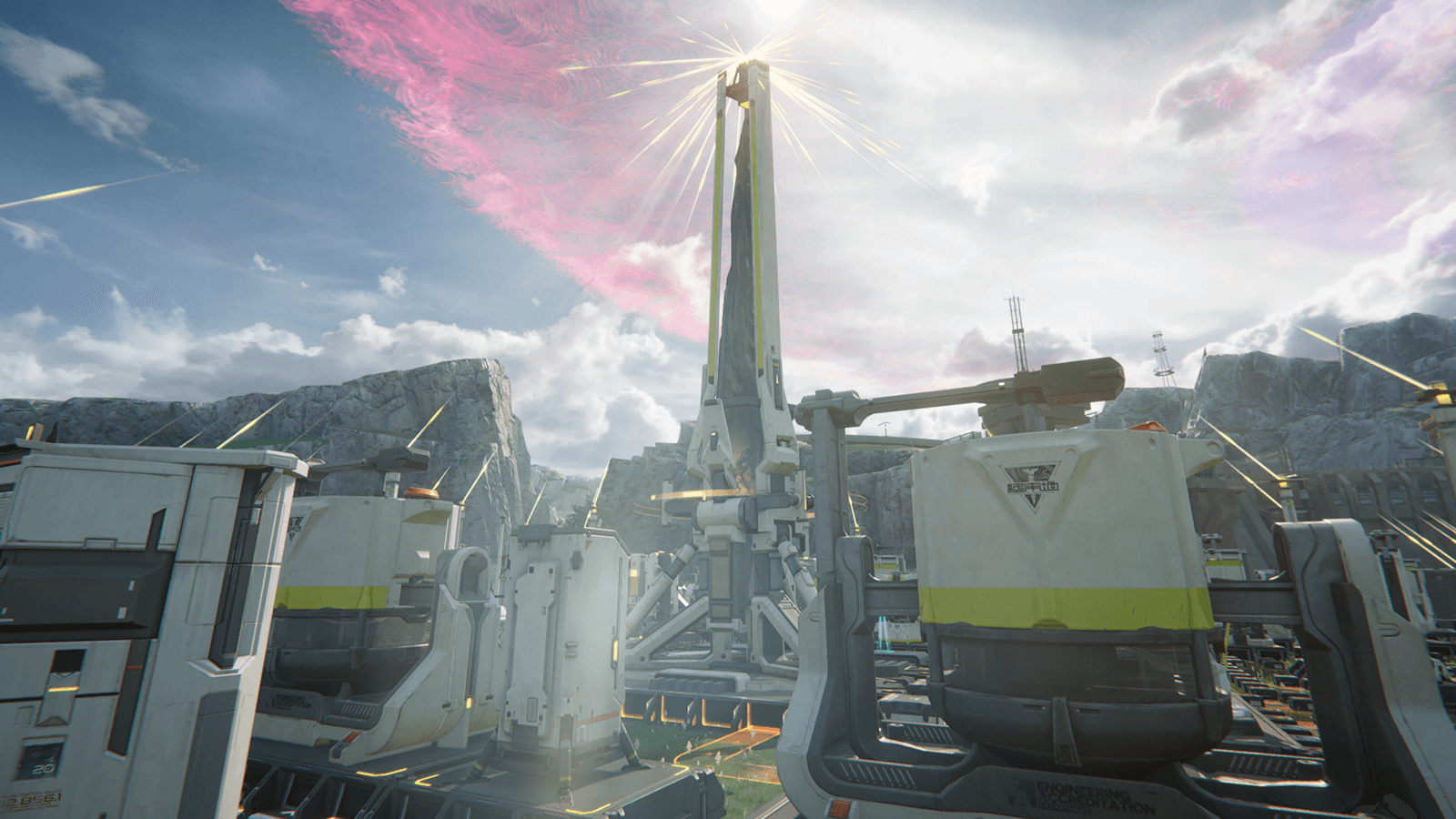
During the Valley Reboot quest in Arknights: Endfield, you’ll be tasked with an objective that shifts focus away from combat and into environmental problem-solving: Transmit Power to the Protocol Resonance Tower.
This objective introduces you to Endfield’s power transmission system, where electricity must be routed manually from a generator to a distant structure using relay poles. The task can feel confusing at first, especially if wires keep turning red or refusing to connect. Once you understand the rules behind relay placement, however, the solution becomes straightforward.
This guide explains where to start, how the relay system works, and exactly how to route power all the way to the Protocol Resonance Tower without frustration.
Arknights Endfield power transmission objective details
| Element | Details |
|---|---|
| Quest | Valley Reboot |
| Objective | Transmit Power to the Protocol Resonance Tower |
| Core mechanic | Integrated Relay Poles |
| Main challenge | Distance, elevation, and line-of-sight |
| Combat required | No |
| Completion trigger | Powering and activating the tower |
Where this objective takes place in Arknights Endfield
The objective is located in the Valley region, along a path that leads upward toward the Protocol Resonance Tower. The area combines rocky terrain, wooden scaffolding, ladders, and elevated platforms, all of which are deliberately placed to guide your relay route.
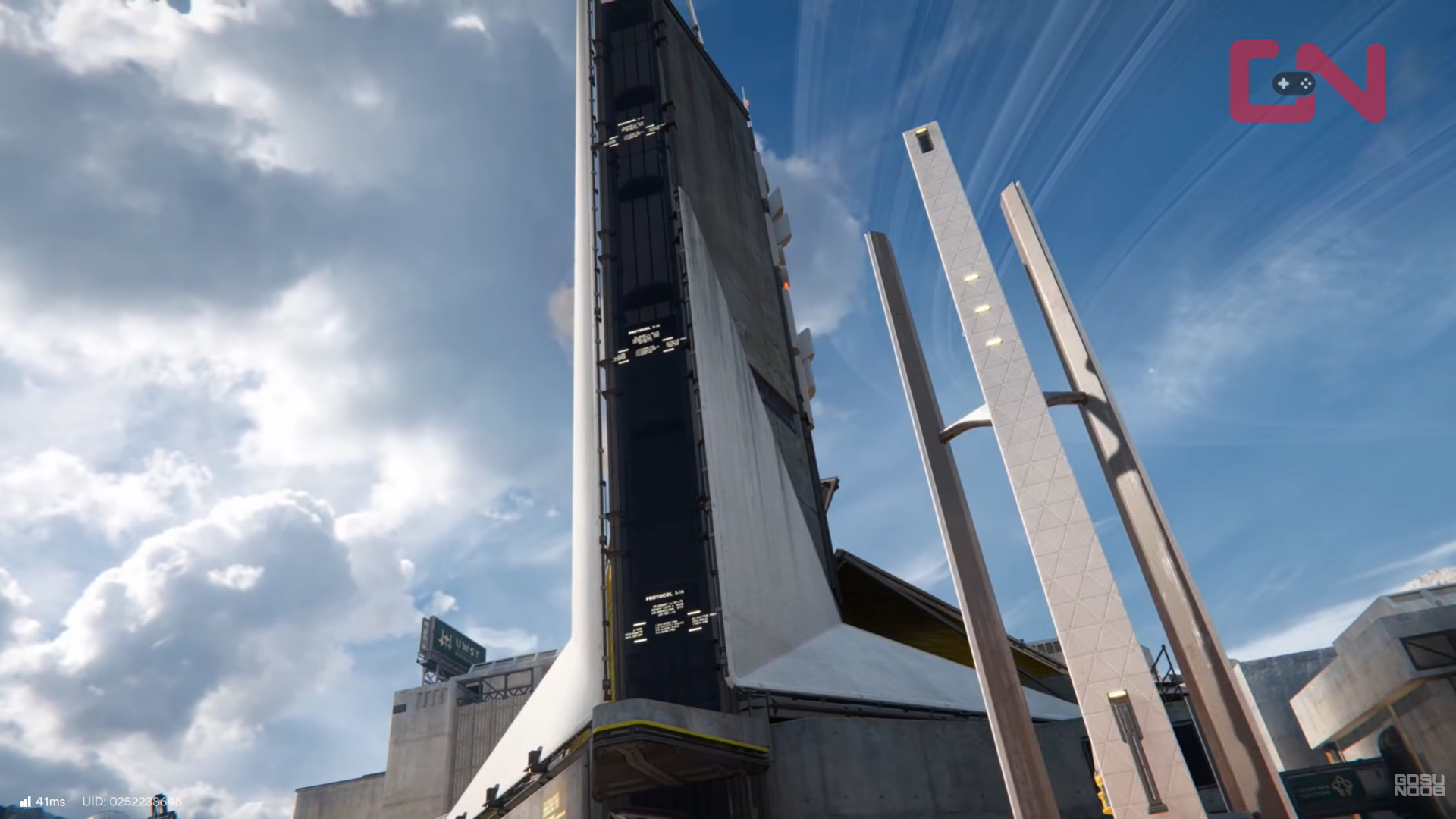
At ground level, you’ll find a generator that serves as the power source. From there, the terrain rises sharply, forcing you to bridge vertical gaps using relay poles rather than a single direct connection.
Understanding the relay-based power system
Before placing anything, it’s important to understand how power transmission works in Endfield.
How relay poles function
Integrated Relay Poles act as connection anchors. Each pole can:
- Receive power from a generator or another pole
- Transmit power forward to another pole or a structure
- Maintain only one continuous connection chain
You are essentially building a daisy chain from the generator to the tower.
Connection rules you must follow
- Distance limit: Each pole must be placed within a certain range of the previous node
- Line of sight: The wire must not pass through solid terrain
- Elevation matters: Height differences often require extra relays
If a connection is valid, the power line appears blue. If invalid, it turns red and cannot be confirmed.
How to transmit power to the Protocol Resonance Tower in Arknights Endfield – Valley Reboot
Step 1: Locate and activate the power source
Begin at the generator located near the base of AIC. Interact with the power output node to start the power routing process.
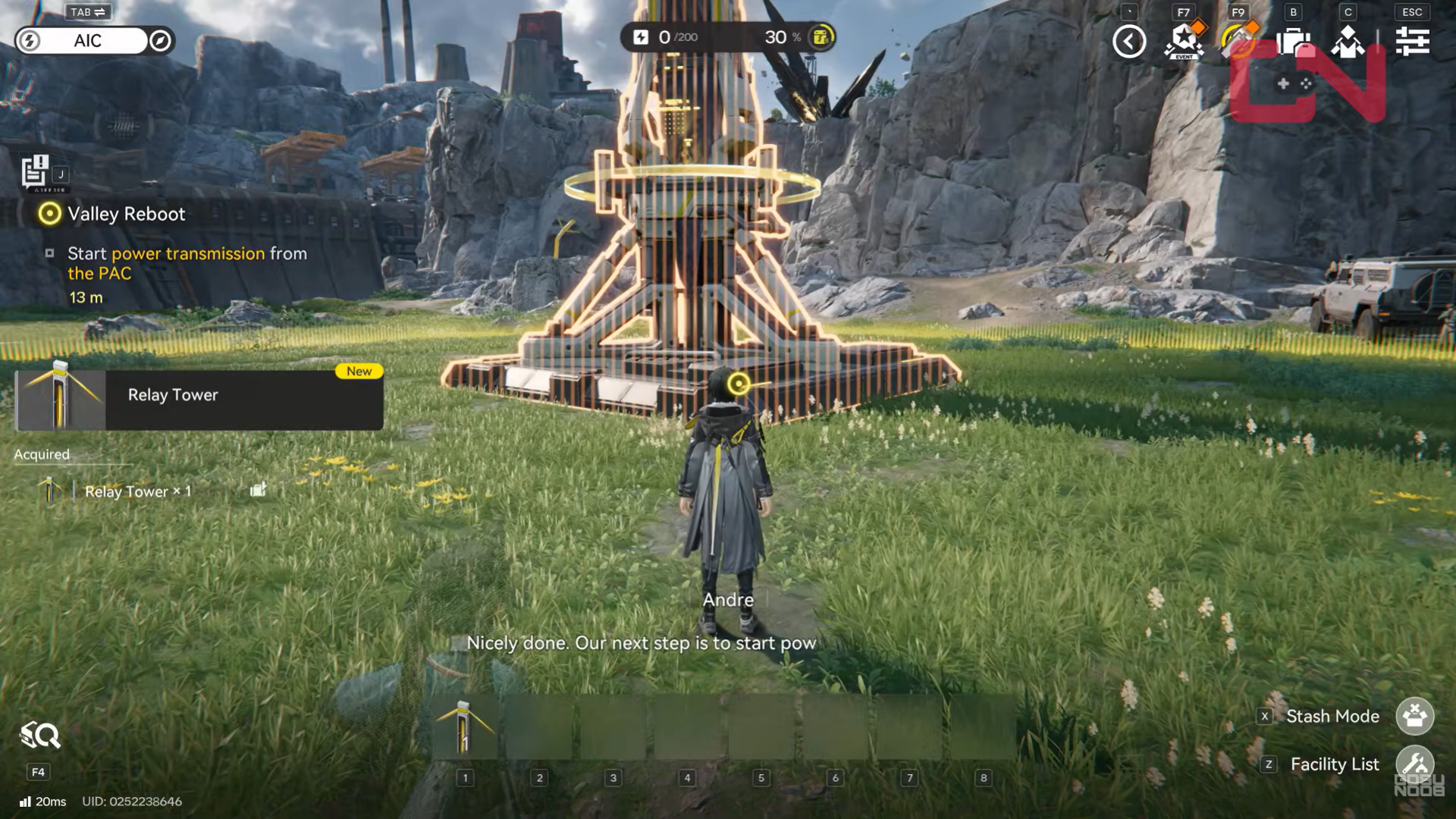
Once activated, the game allows you to begin placing Integrated Relay Poles and drawing connections outward from the generator.
This generator is the only power source for this objective, so every connection must ultimately trace back to it.
Step 2: Place the first relay pole near the generator
From the generator, move toward the wooden scaffolding and rocky ledges that lead uphill.
Place your first Integrated Relay Pole on flat ground where it has a clear, unobstructed view back to the generator. Avoid placing it too close to walls or rocks, as these can block the connection line.
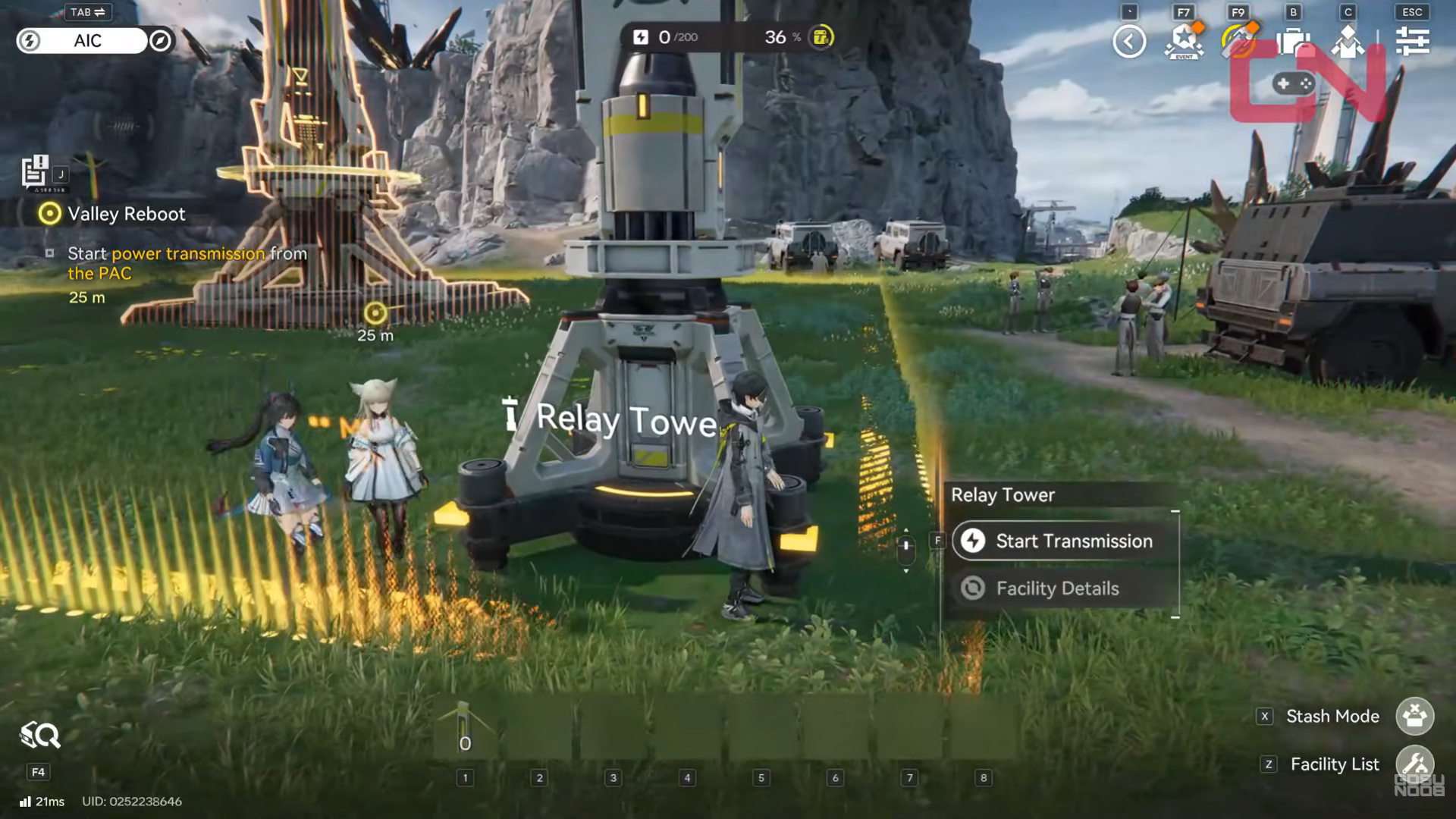
Once placed, connect the wire from the generator to this first pole. Confirm that the line turns blue.
Step 3: Climb upward using the terrain
After establishing the first relay, climb the ladders and wooden platforms nearby. The environment is designed to naturally funnel you upward, so follow the scaffolding path rather than trying to cut across cliffs.
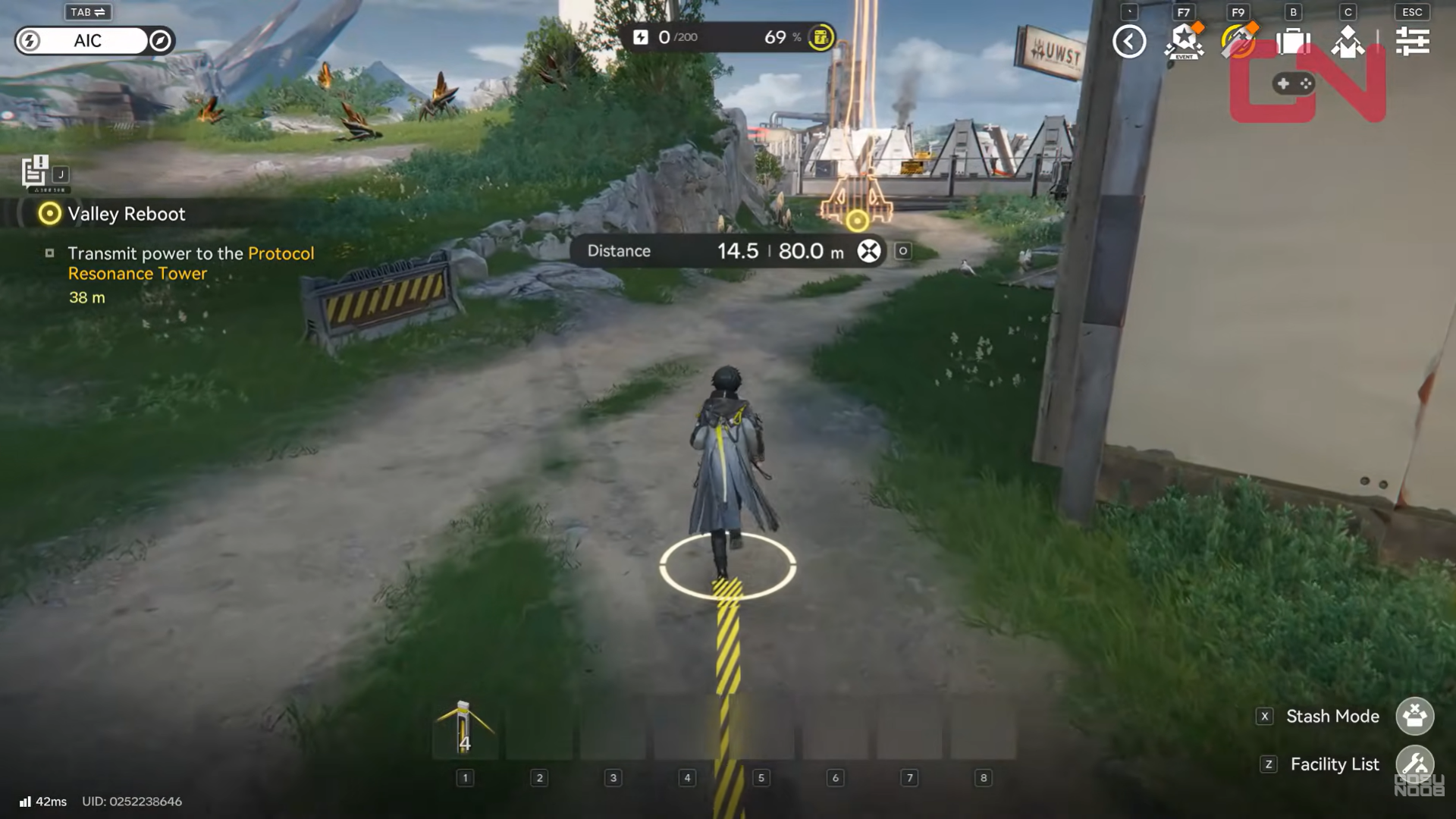
As you gain elevation, keep an eye on the previous relay’s position. You’ll need to stay within its maximum transmission range.
Step 4: Place a relay pole at the upper platform edge
At the top of the wooden scaffolding, place another relay pole near the edge of the platform. This spot is critical because it allows you to “turn the corner” toward the tower.
Connect the previous pole to this one. If the line turns red, adjust the pole slightly closer or reposition it to restore line of sight.
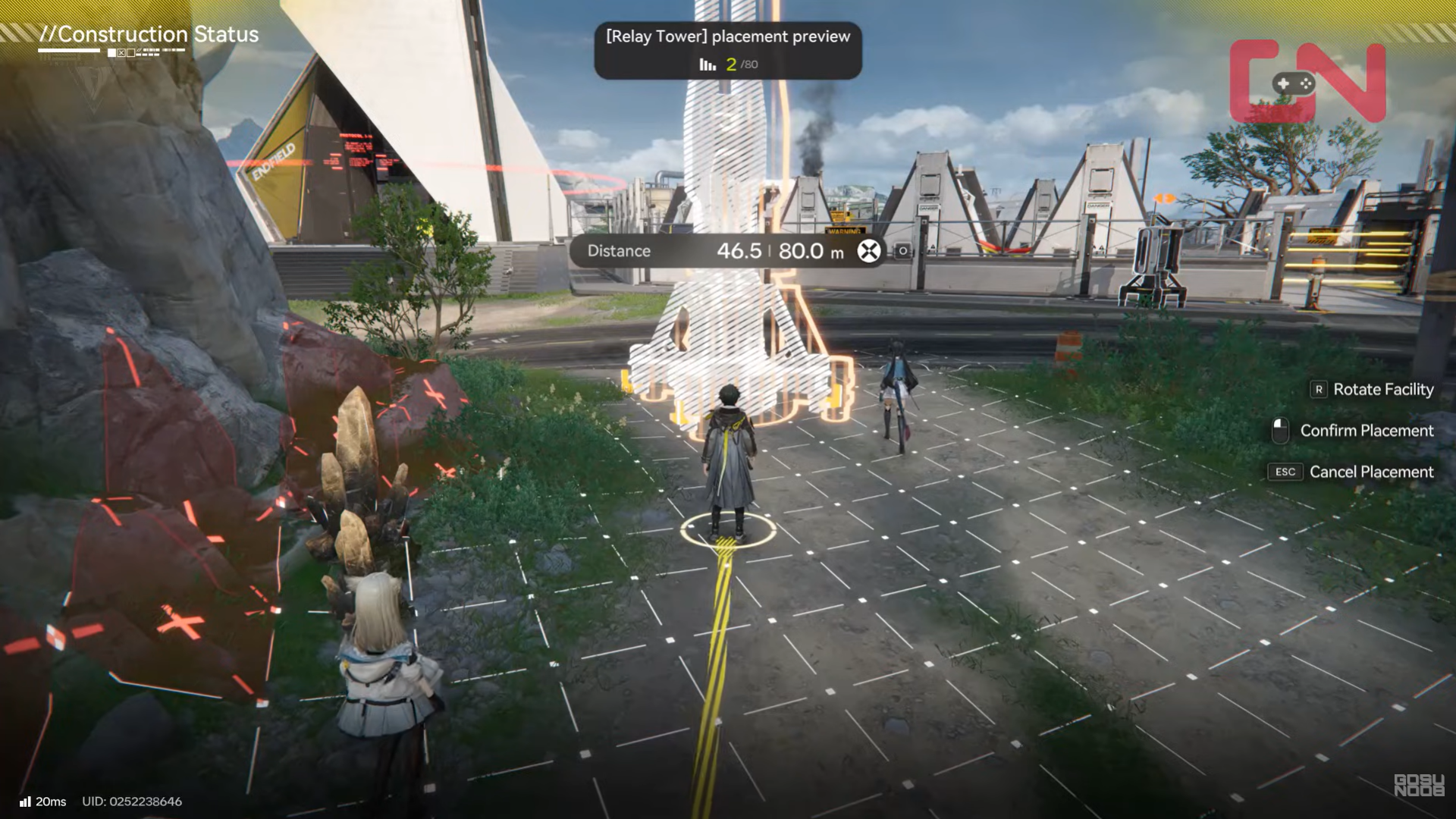
This relay acts as a bridge between the lower generator area and the higher approach to the tower.
Step 5: Continue relaying power toward the tower
From the elevated platform, move toward the Protocol Resonance Tower, placing additional relay poles as needed. There is no fixed number of poles—you use as many as required to maintain valid connections.
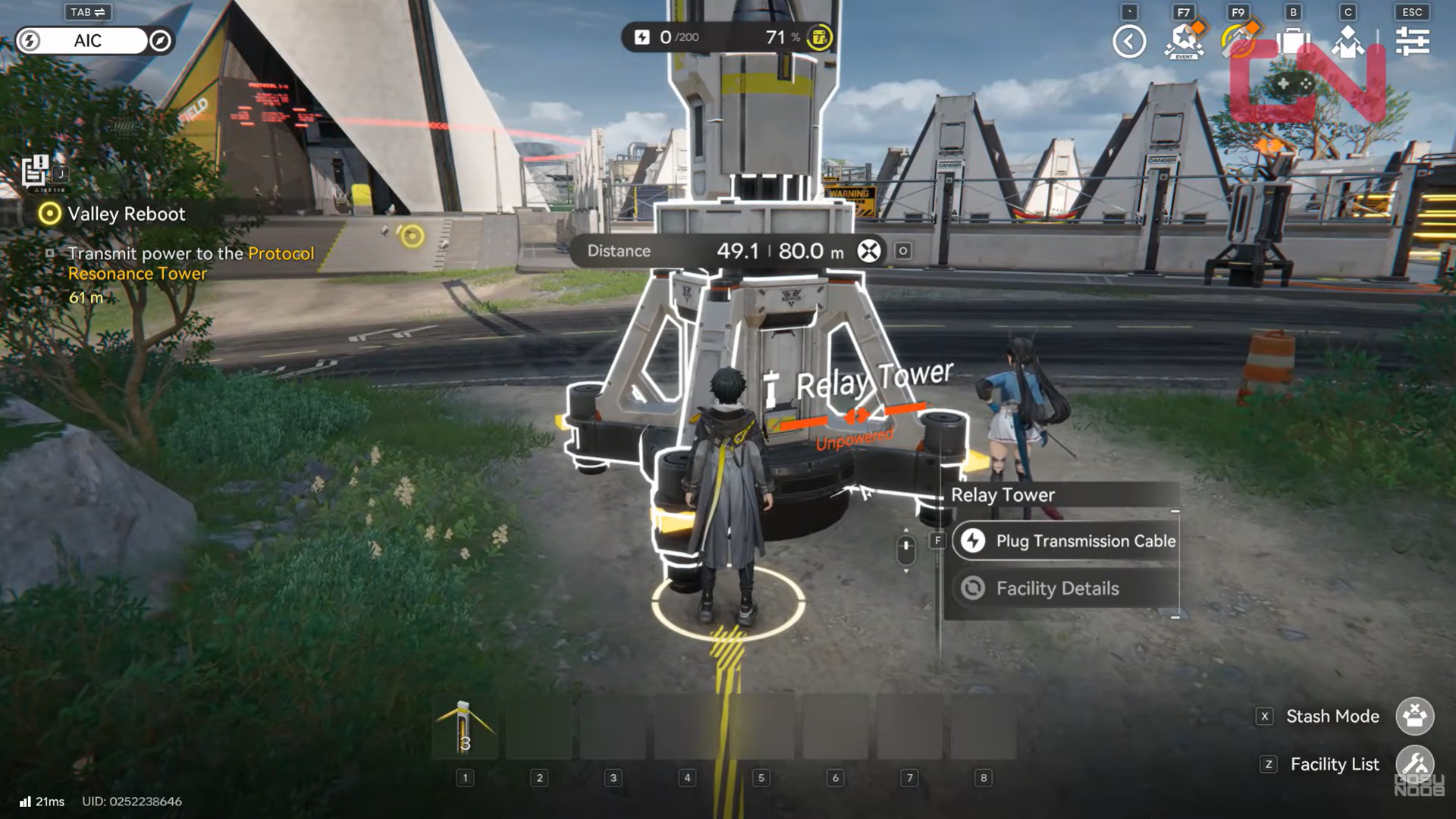
As a rule of thumb:
- Place relays at natural stopping points
- Avoid extreme distances between poles
- Keep wires clear of rocks, cliffs, and walls
Whenever the wire turns red, stop and adjust before moving forward.
Step 6: Watch the distance indicator carefully
One of the most common issues players face is exceeding the maximum connection distance. Even if line-of-sight looks clear, the system will refuse the link if the pole is too far away.
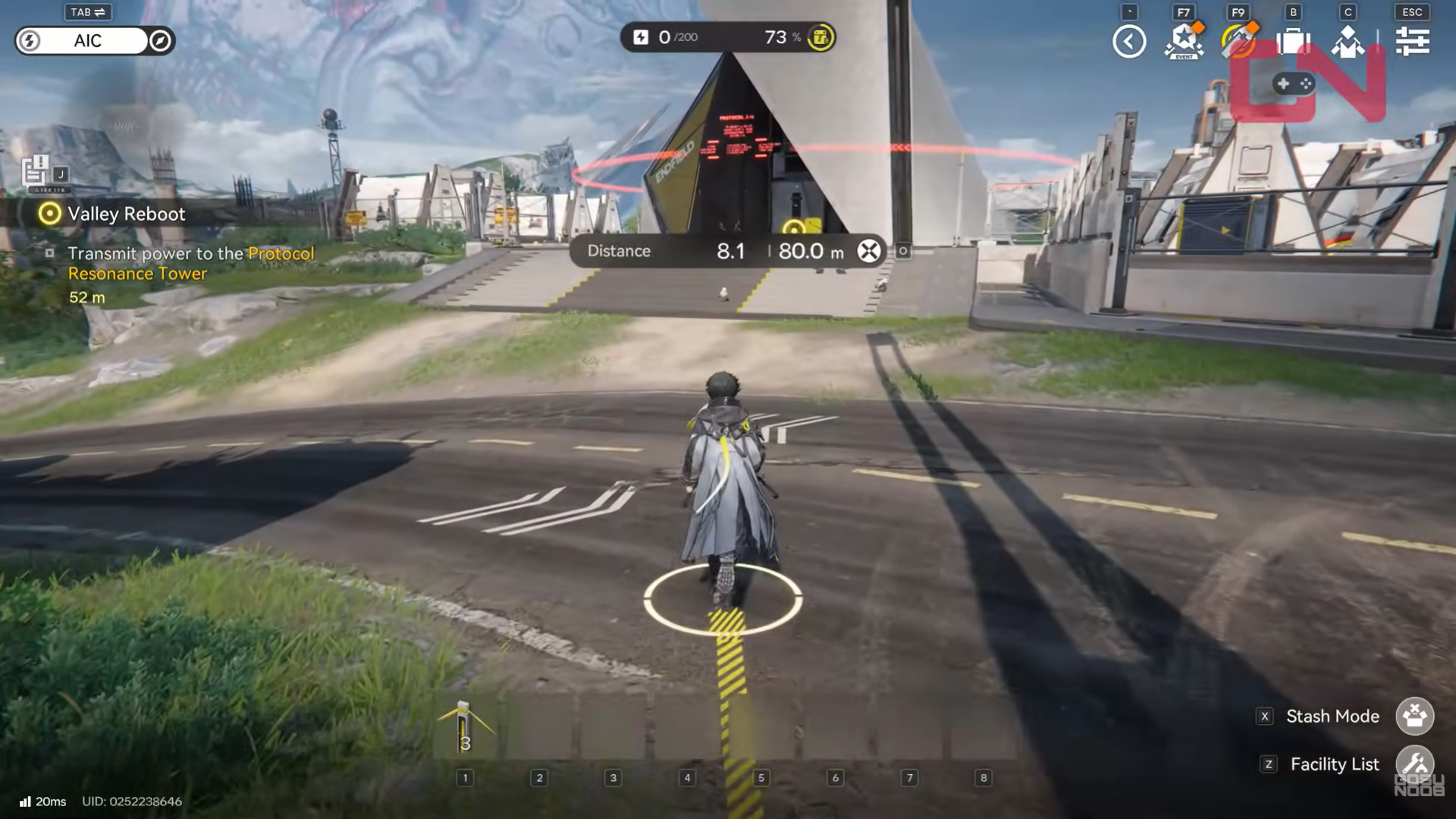
If this happens, simply place an extra relay pole in between. The system is forgiving and gives you enough poles to finish the route comfortably.
Step 7: Make the final connection to the tower
Once you’re close enough to the Protocol Resonance Tower, look for its power input socket near the base.
Connect the wire from your final relay pole directly into this input node. If everything is set up correctly, the tower will immediately light up, confirming that power transmission is successful.
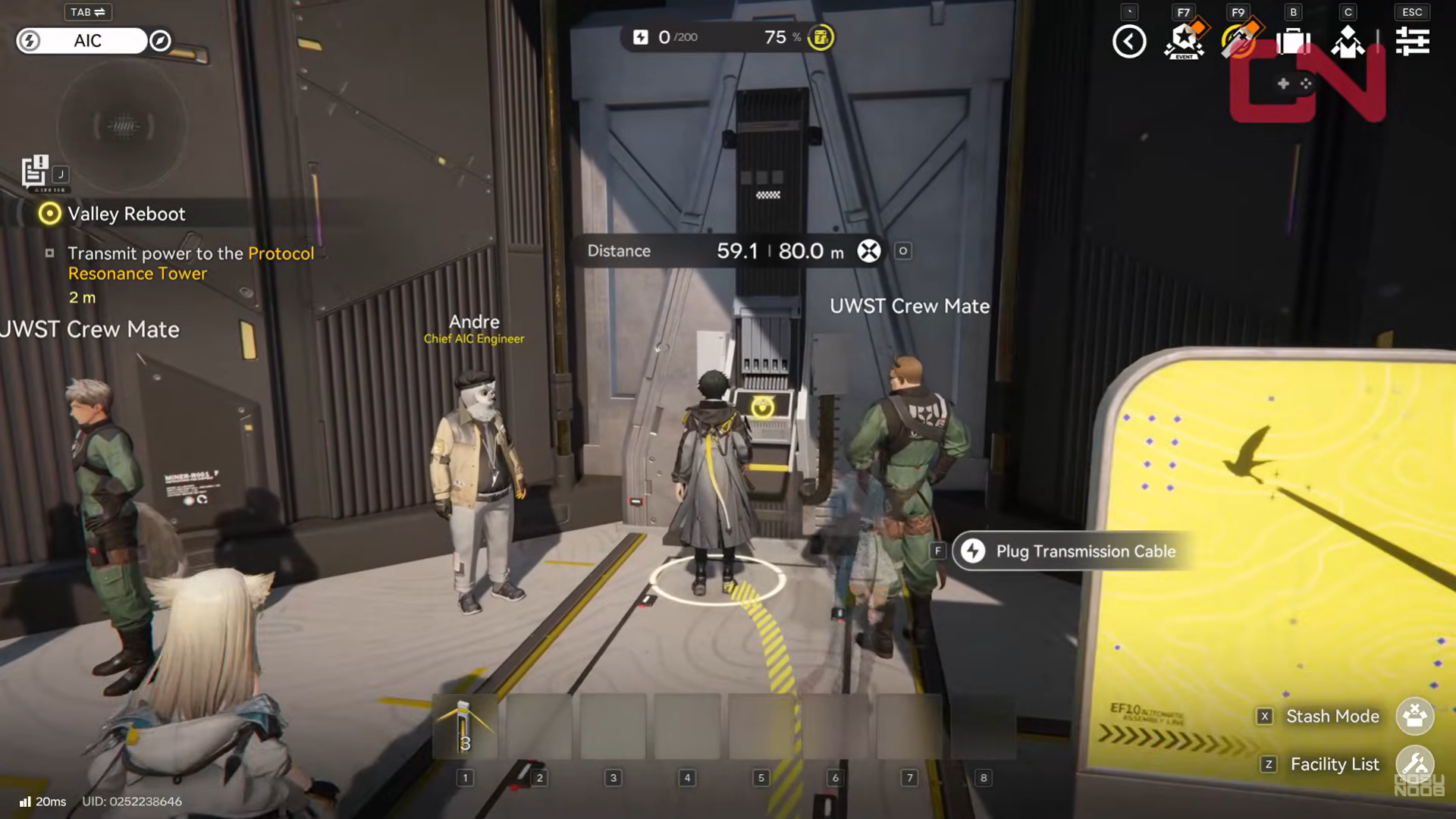
The quest objective will update to Activate the Protocol Resonance Tower.
Activating the Protocol Resonance Tower
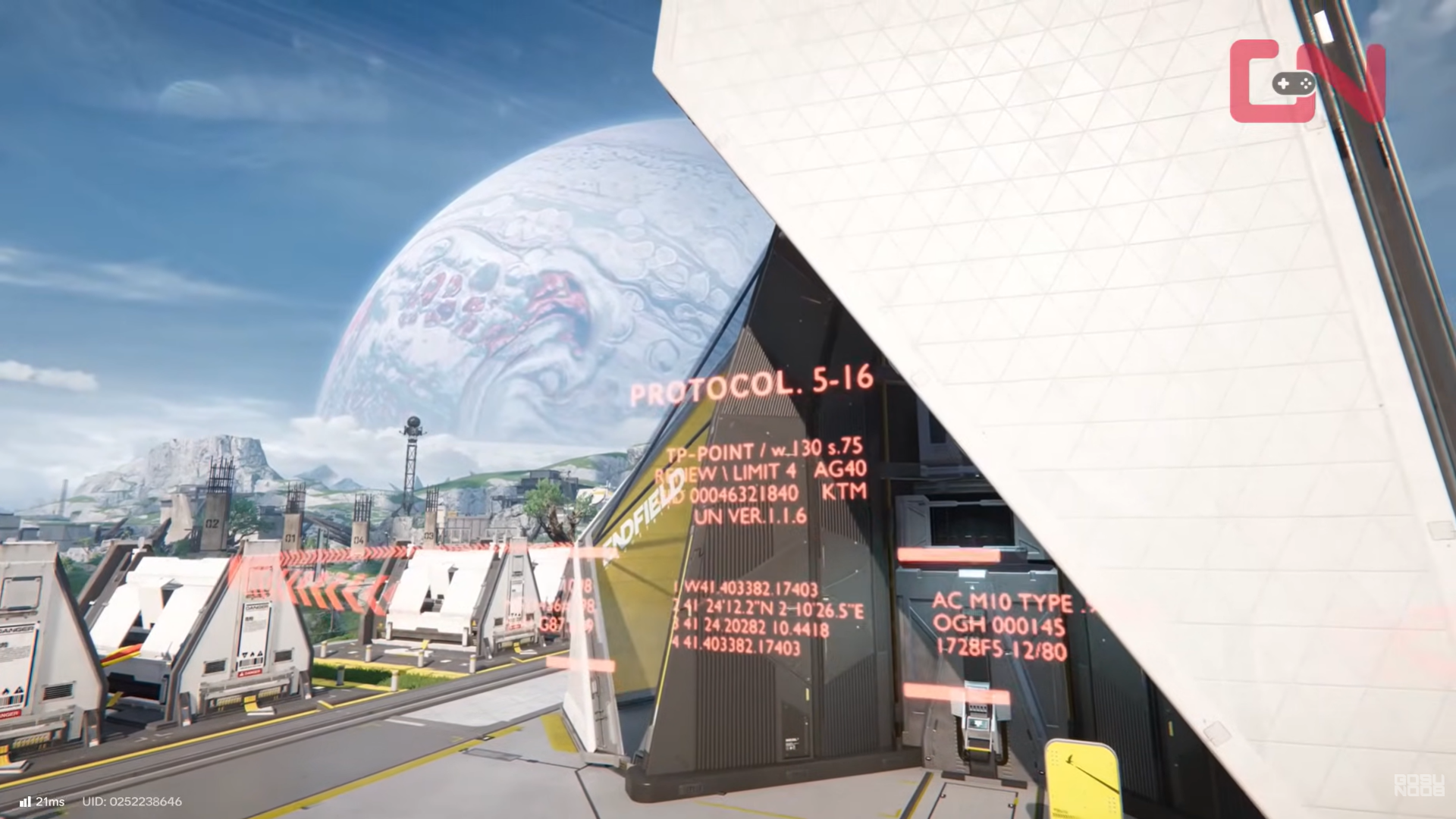
With power successfully transmitted, interact with the tower to activate it. This final interaction completes the objective and advances the Valley Reboot quest.
There is no combat phase tied to this step—the challenge is entirely about setup and correct routing.
Common mistakes and how to avoid them
One frequent mistake is trying to run a single long connection from the generator to the tower. The distance is intentionally too far, forcing relay usage.
Another issue is placing poles behind rocks or railings. Even partial obstruction can break line-of-sight and invalidate the connection.
Finally, some players rush ahead without checking wire color. Always confirm that each segment is blue before moving on.
Why this objective matters
The Protocol Resonance Tower objective teaches a core Endfield system that appears repeatedly later:
- Powering facilities
- Activating large-scale devices
- Solving traversal and exploration puzzles
Learning how relay distance and elevation work here saves time in more complex scenarios later in the game.
Tips for future power transmission puzzles
Transmitting power to the Protocol Resonance Tower in Arknights: Endfield is less about speed and more about understanding the relay system. Once you respect distance limits, maintain line-of-sight, and follow the terrain’s intended path, the objective becomes smooth and logical.
- Think vertically, not just horizontally
- Use terrain edges as relay anchors
- Don’t hesitate to place extra poles
- Adjust placement instead of forcing connections
Efficiency comes from stability, not minimal pole usage.
Take your time, place relays deliberately, and the tower will come online without trouble.
We hope this transmitting power to protocol resonance tower guide for Arknights: Endfield offered all the clarity you were looking for and made your experience smoother. If you have any feedback, suggestions, or questions, drop them in the comments below. We actively read and respond, so feel free to reach out whenever you need extra help or guidance.




