

What to know
-
Open the settings menu by clicking the gear icon in the top right corner of the launcher.
-
Ensure you are in the “Launcher Settings” section on the left sidebar.
-
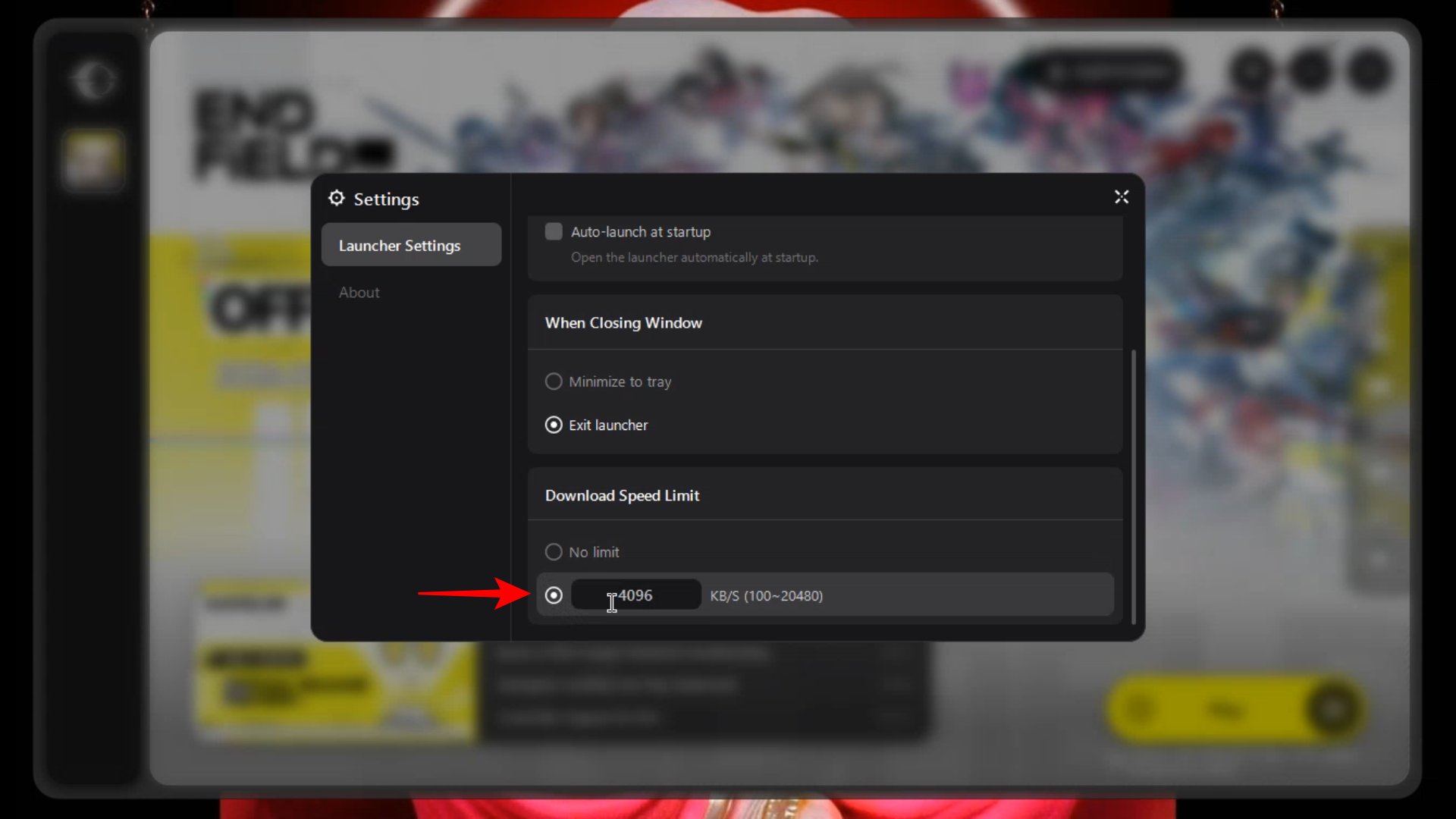
Scroll to the bottom of the menu to find the “Download Speed Limit” options.
-
You can toggle from “No limit” to a custom value between 100 and 20,480 KB/s.
Managing your internet bandwidth is essential when downloading large games like Arknights: Endfield. To prevent the launcher from consuming all your available speed and slowing down other tasks, the GRYPHLINK launcher includes a built-in feature to restrict download rates.
How to Set a Download Limit on the GRYPHLINK Launcher
Setting a cap on your download speed is a straightforward process within the launcher’s interface:
Step 1: Open Launcher Settings
Look for the gear icon at the top right of the main launcher screen and click it to open the Settings window.
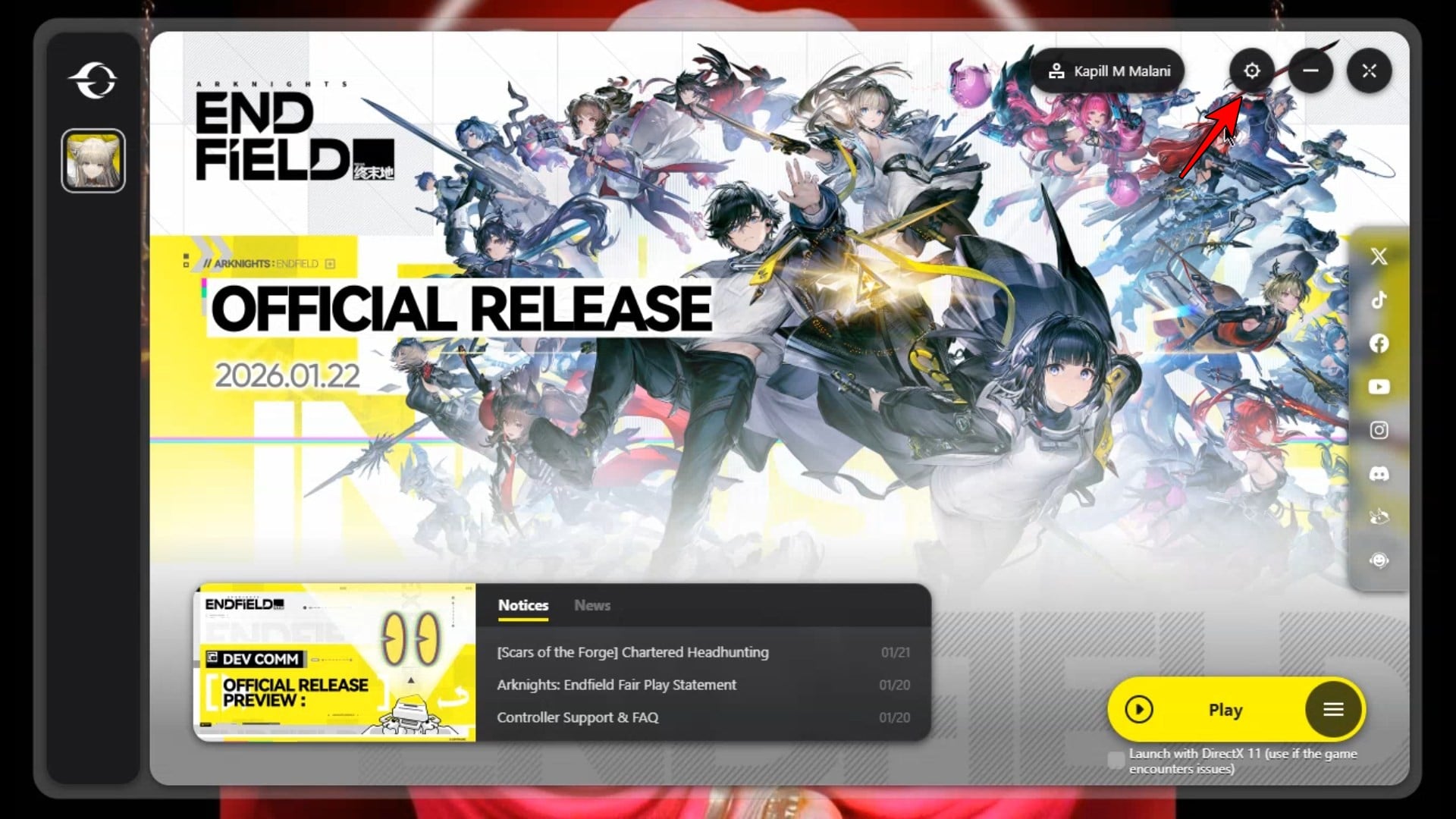
On the left-hand side of the pop-up window, select the “Launcher Settings” tab.
Step 3: Locate the Limit Section
Scroll down until you see the “Download Speed Limit” header at the bottom of the list.
Step 4: Enable Custom Speed
By default, this is set to “No limit.” Click the radio button next to the numerical input box to enable a custom cap.
Step 5: Enter Your Desired Speed
Type in the maximum speed you want the launcher to use in KB/s. The launcher supports a range from 100 KB/s up to 20,480 KB/s.
Step 6: Close to Save
The settings are applied immediately. You can click the “X” at the top right of the settings window to return to the main dashboard.
By adjusting the Download Speed Limit in the GRYPHLINK launcher settings, you can easily control how much bandwidth Arknights: Endfield uses during its installation and update processes.




