
What to know
-
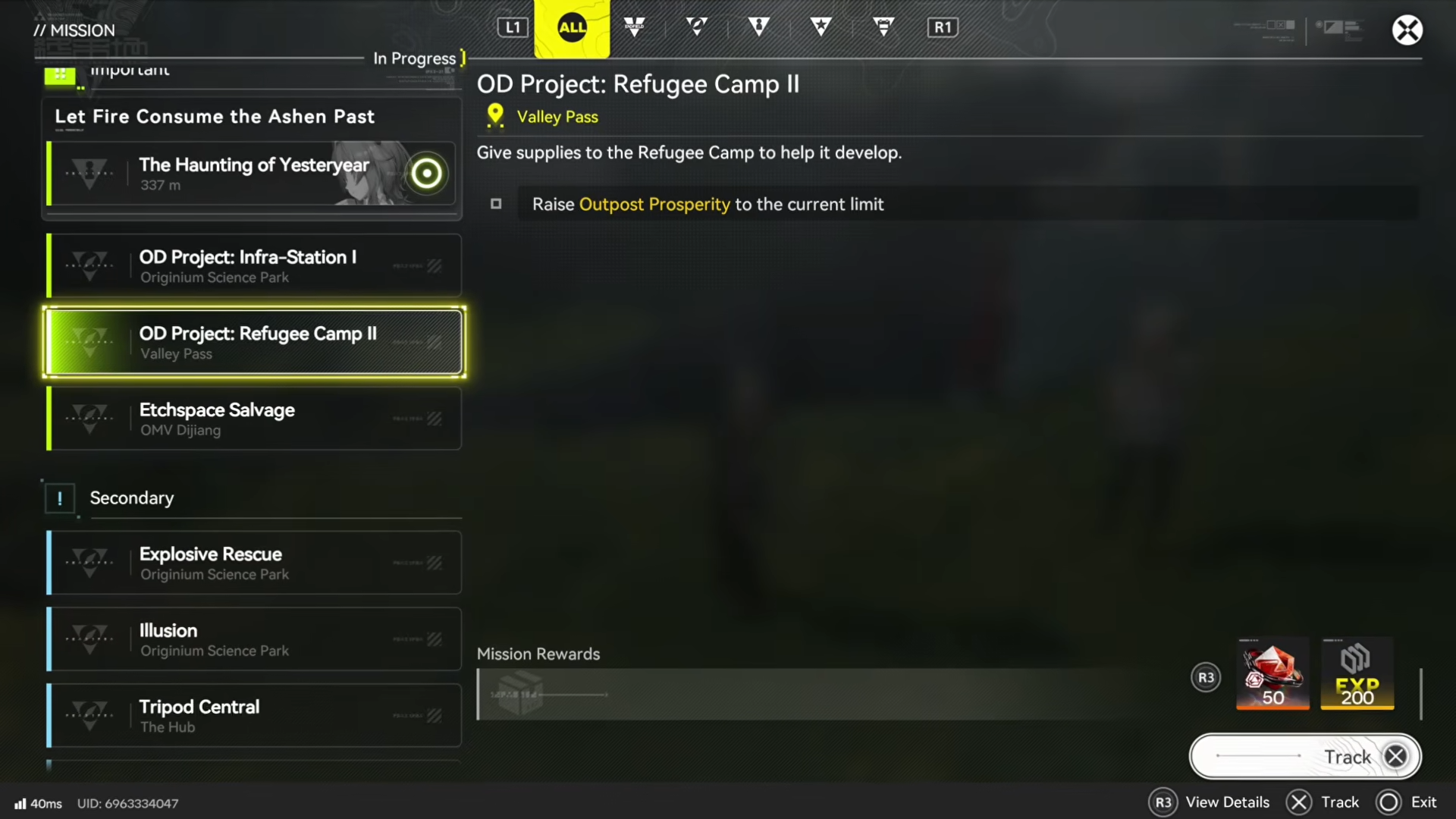
The objective is to raise your Outpost Prosperity to the current limit shown in the outpost info/management screen.
-
You increase Prosperity by trading (contributing) materials, and different items can be worth different amounts per unit.
-
Production-line automation (mining/output → refining/molding → bank/depot) is the most reliable way to progress while you do other tasks.
-
Don’t let your storage cap out—when the bank/depot hits its maximum, production can effectively stall until you deposit again.
In Arknights: Endfield, OD Project: Refugee Camp 2 is one of those progression checkpoints that’s less about combat and more about getting your outpost economy flowing. If you set up even a small automated line and stay on top of deposits, you can push Prosperity to the cap without turning the quest into a grind.
| Topic | Quick details |
|---|---|
| Goal | Raise Outpost Prosperity to the current limit shown in the outpost info/management screen. |
| How Prosperity increases | Contribute/trade materials for Prosperity points; items have different unit values. |
| Best speed-up lever | Automate production so materials stockpile while you play (or while you’re away). |
| Common blocker | Bank/depot capacity limit—when full, you need to deposit/contribute to keep production moving. |
How Outpost Prosperity works in Refugee Camp 2
When you track Refugee Camp 2, the game points you to the outpost info/management screen where Outpost Prosperity and its cap are displayed.
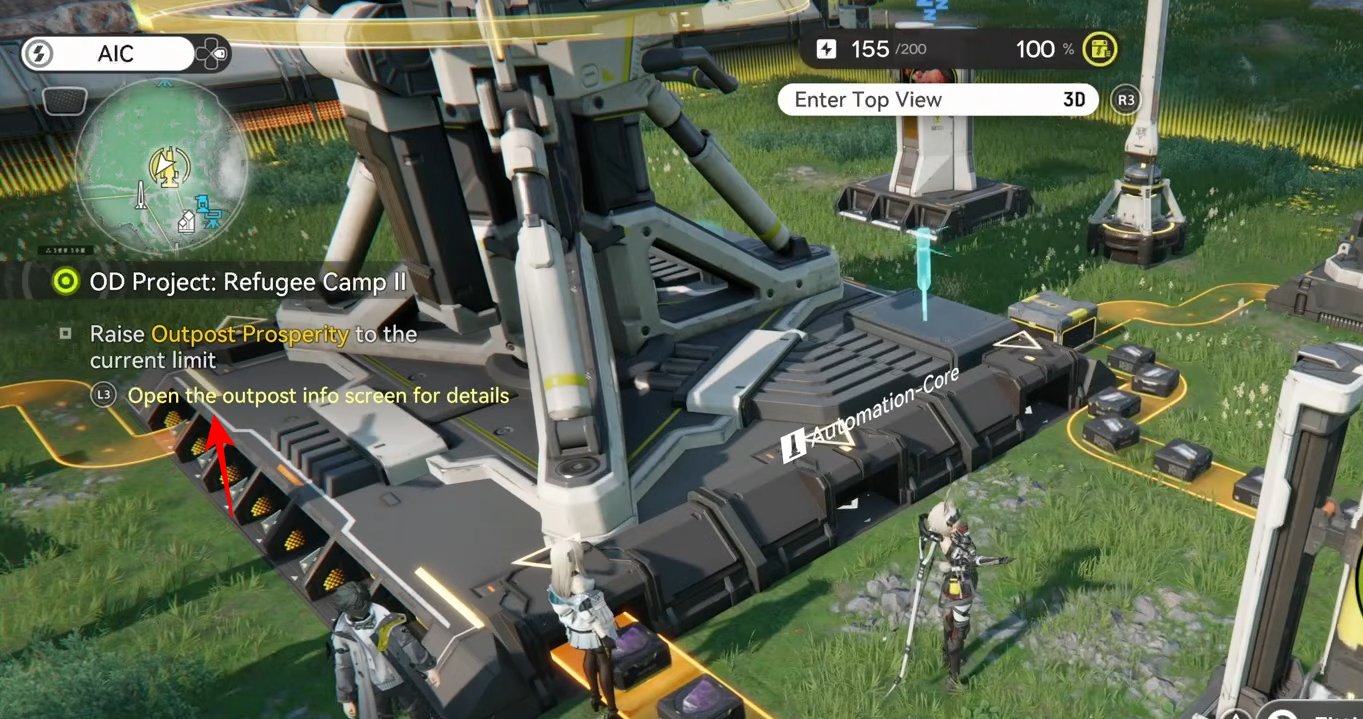
Your job is simply to feed the system: contribute materials repeatedly until the Prosperity value reaches that cap.
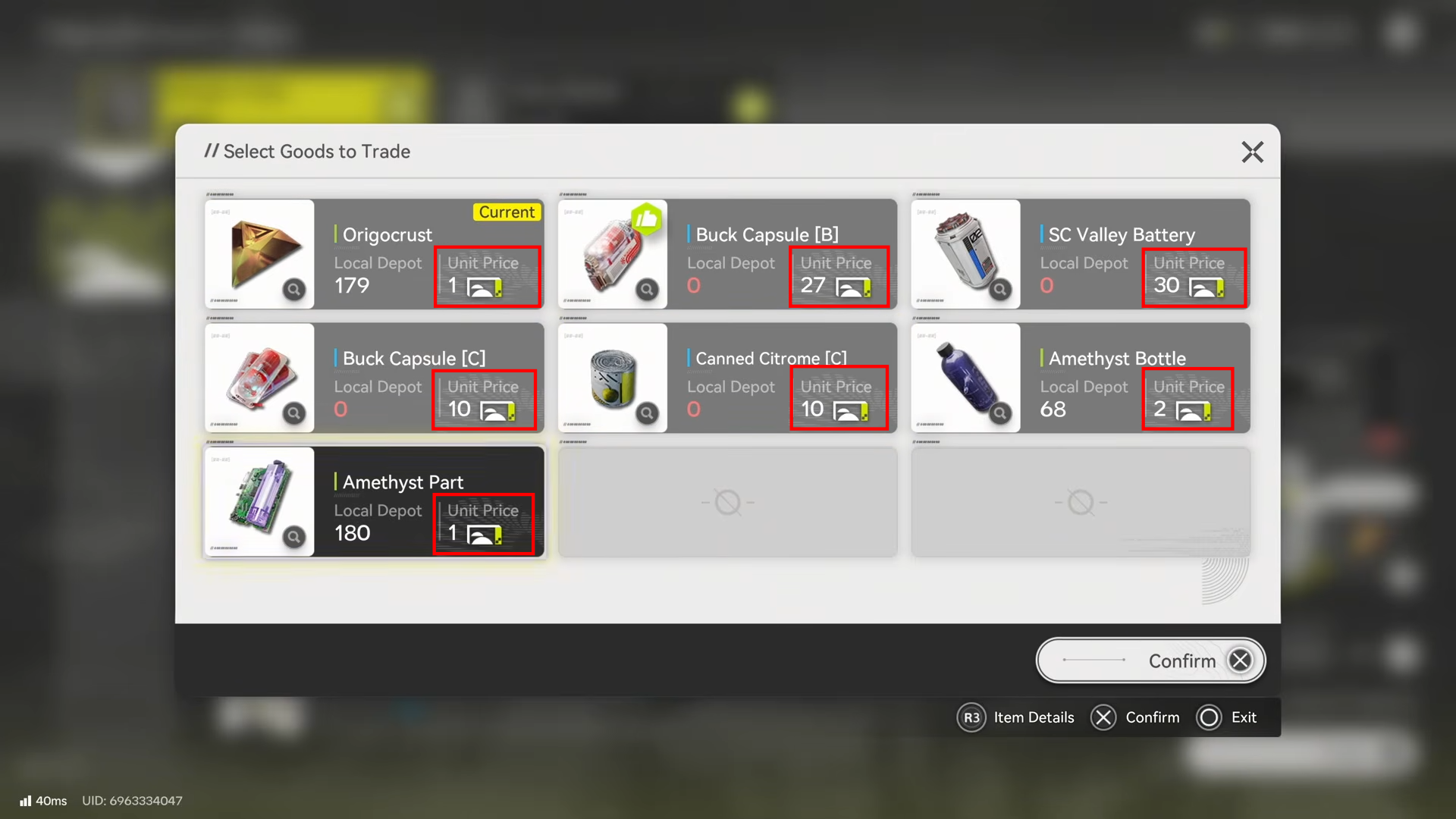
The important detail is that contributions aren’t all equal—each material shows a unit price/value, so some items push Prosperity faster per stack than others.
That’s why an automated line that produces higher-value turn-in items can noticeably shorten the time it takes to hit the limit.
How to contribute materials efficiently without wasting time
Contributing is straightforward, but efficiency comes from choosing what you contribute and how you keep it flowing. You can swap the selected turn-in material in the contribution UI.
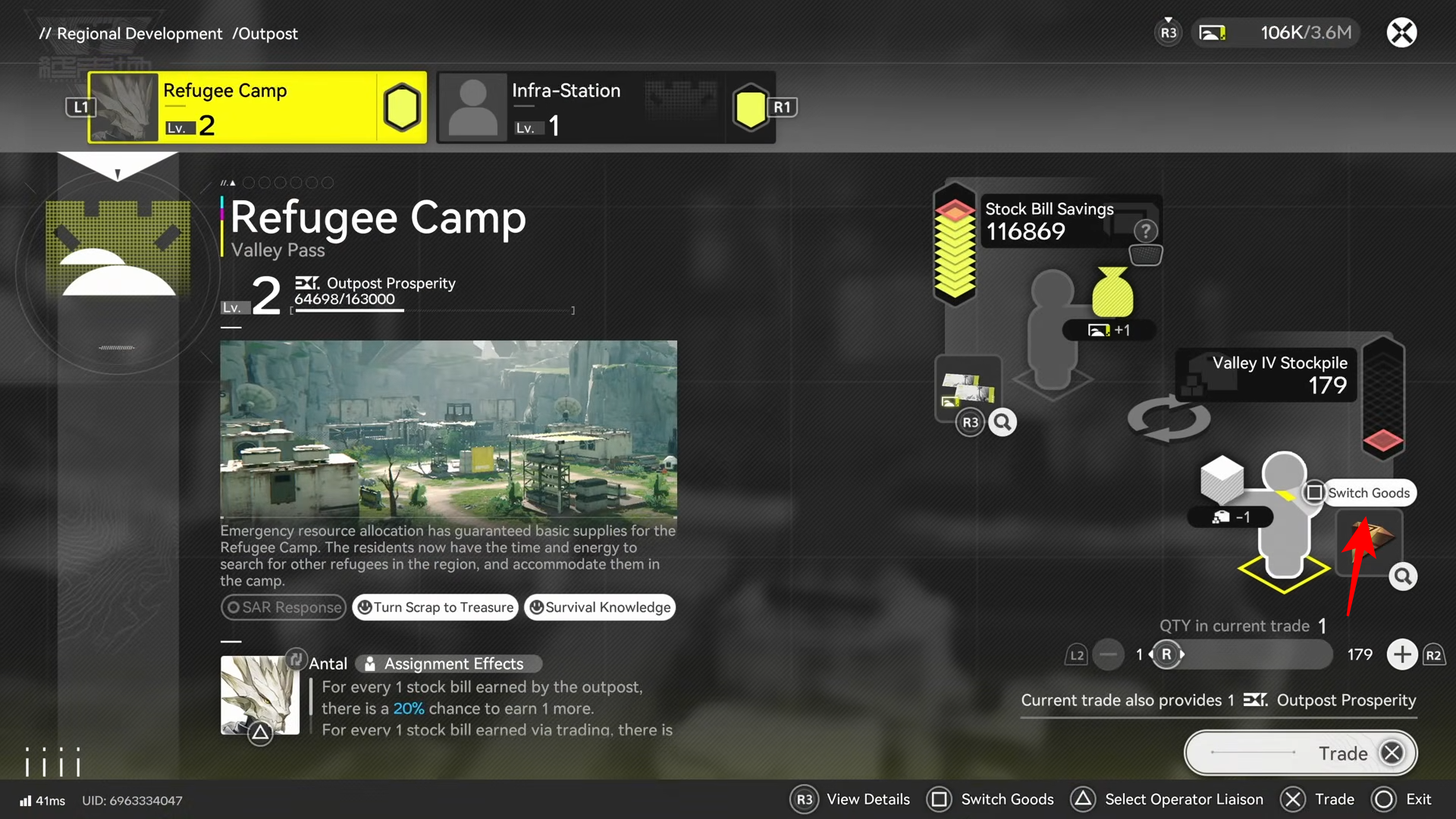
And see each item’s unit price, letting you prioritize better-paying items when you have options.
Also keep an eye on storage limits: your bank/depot has a maximum capacity (the cap can vary and increases as you progress), and once you hit it, you’ll want to deposit/contribute again so your automated production doesn’t stop building up useful stock.
How to set up an automated Prosperity farm
The core idea is to build a simple loop that continuously creates turn-in materials and routes them back into your bank/depot so you can periodically mass-contribute.
Step 1: Pick a base with open space
Go to one of your bases that has enough empty room to place a small production line (you’ll be laying machines and belts/tracks).
Step 2: Create a basic “output to refining” line
Use an output port (a bank output/pack output style port) to output a raw material you can process consistently. Route it via belts/tracks into a refining unit so it becomes a processed intermediate material.
Step 3: Turn intermediates into a higher-value item
If the item you want to turn in needs multiple steps, add the next machine (for example, a molding unit) after refining.
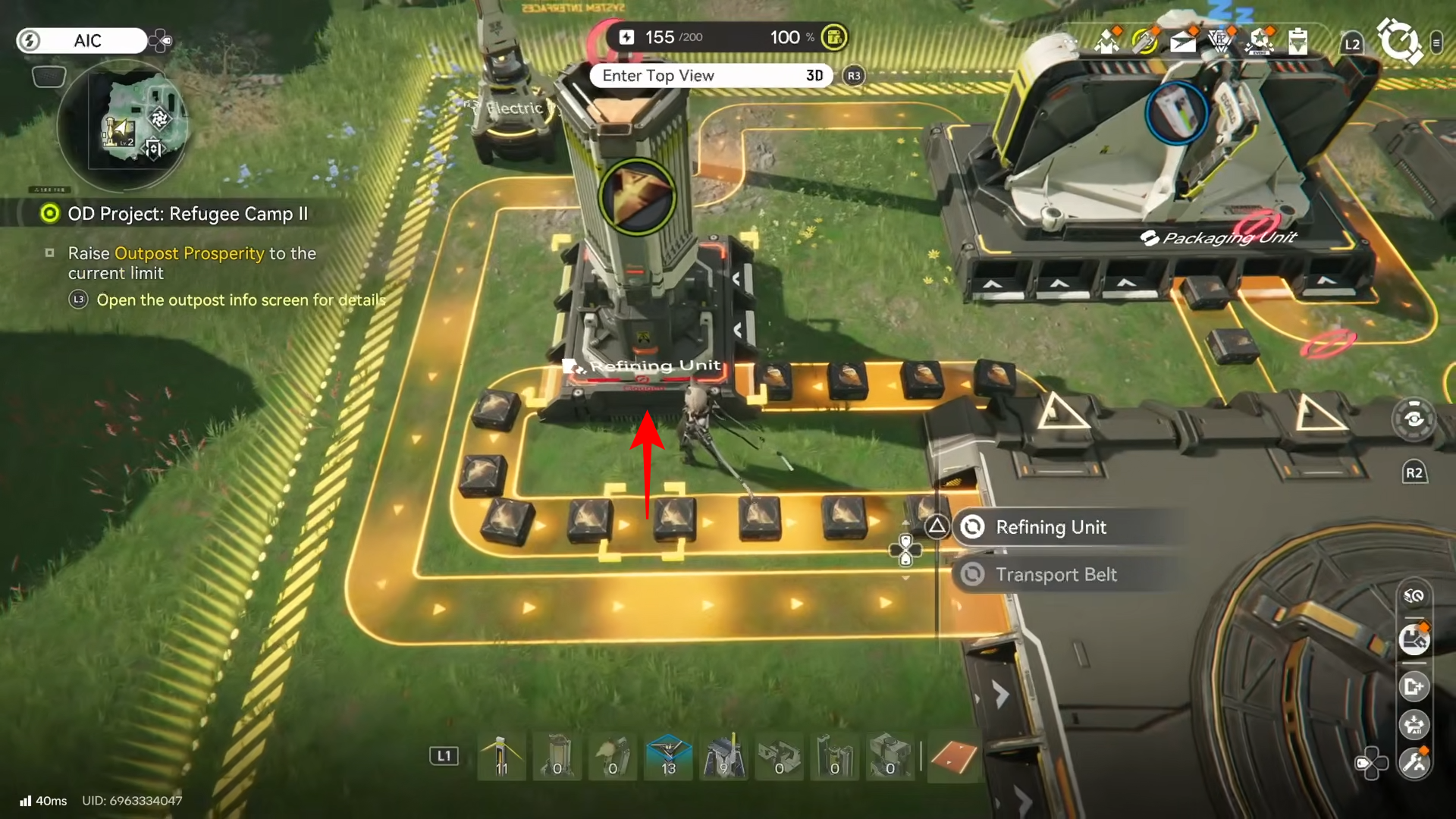
Route the refined output into molding to create the final turn-in item (like bottles in one common setup).
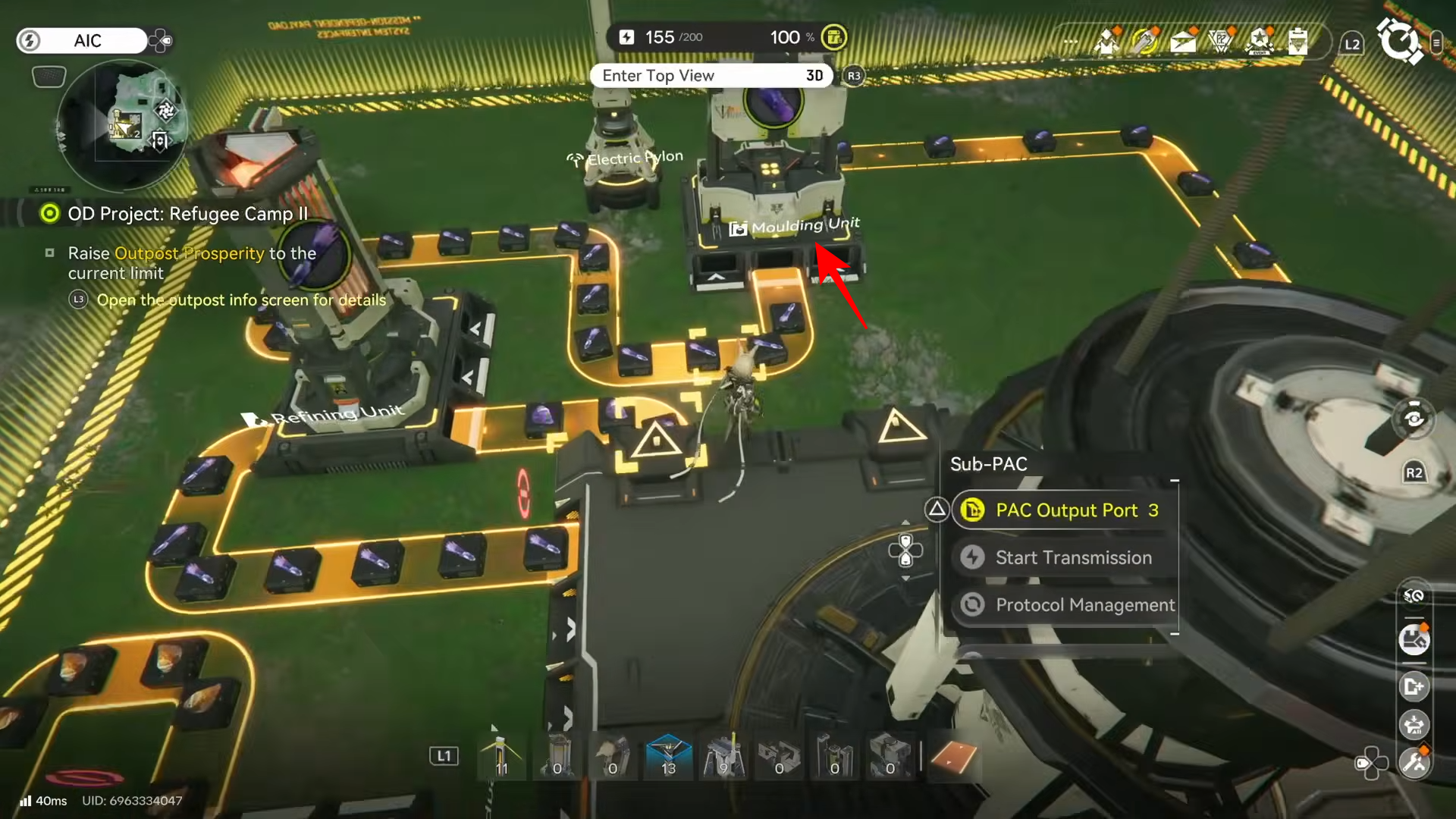
Step 4: Route the finished item back into your bank/depot
Connect the final machine’s output back into your bank so finished goods automatically stack up in storage. This is what turns the quest into a background process instead of a manual crafting chore.
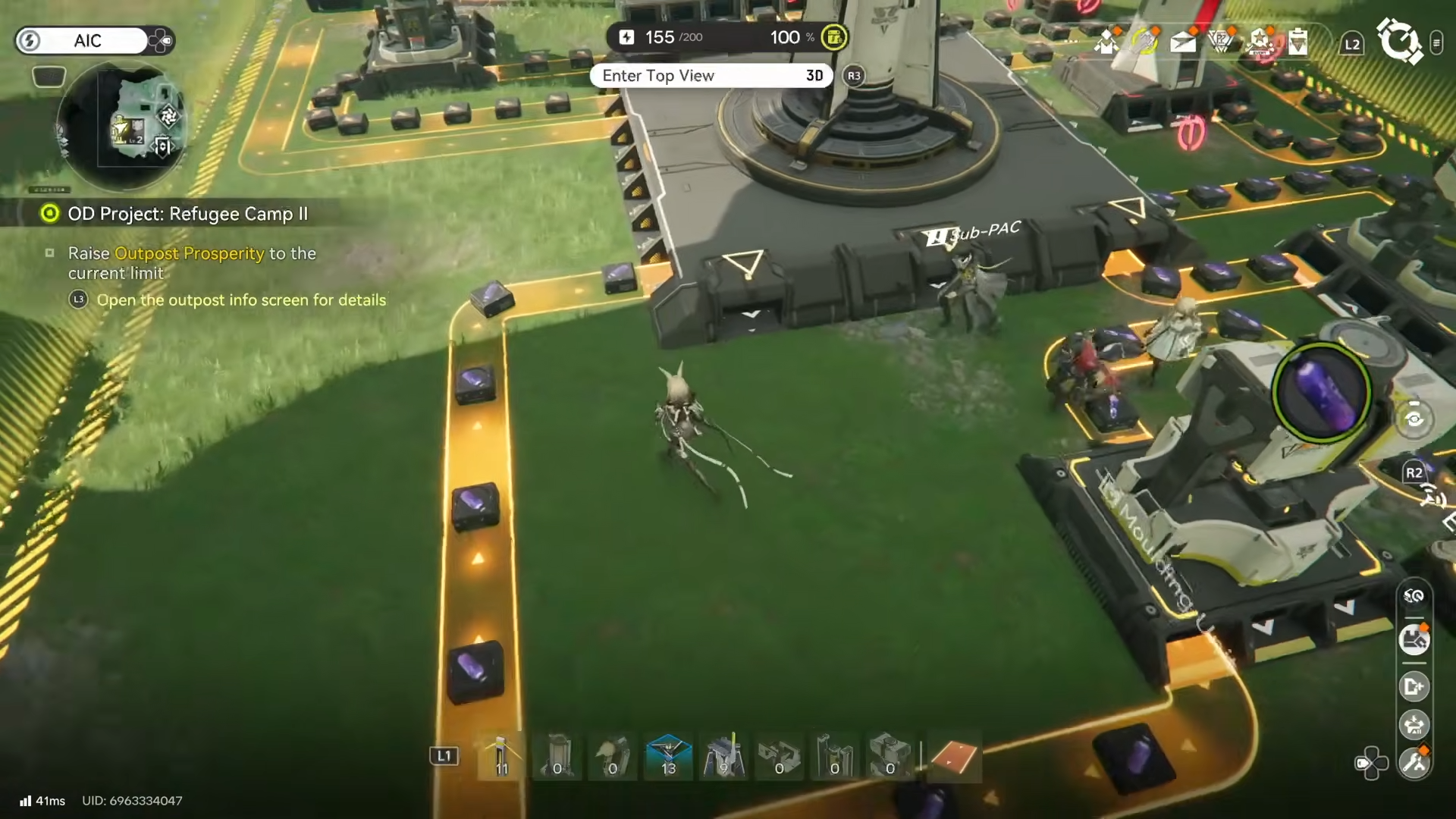
Step 5: Duplicate lines for multiple materials (optional, but faster)
To speed things up, build parallel lines that produce other turn-in materials at the same time (for example, a second line that outputs a different raw resource into a refining unit, then returns it to the bank). More lines means more total contribution value per hour—just make sure your power and space can support it.
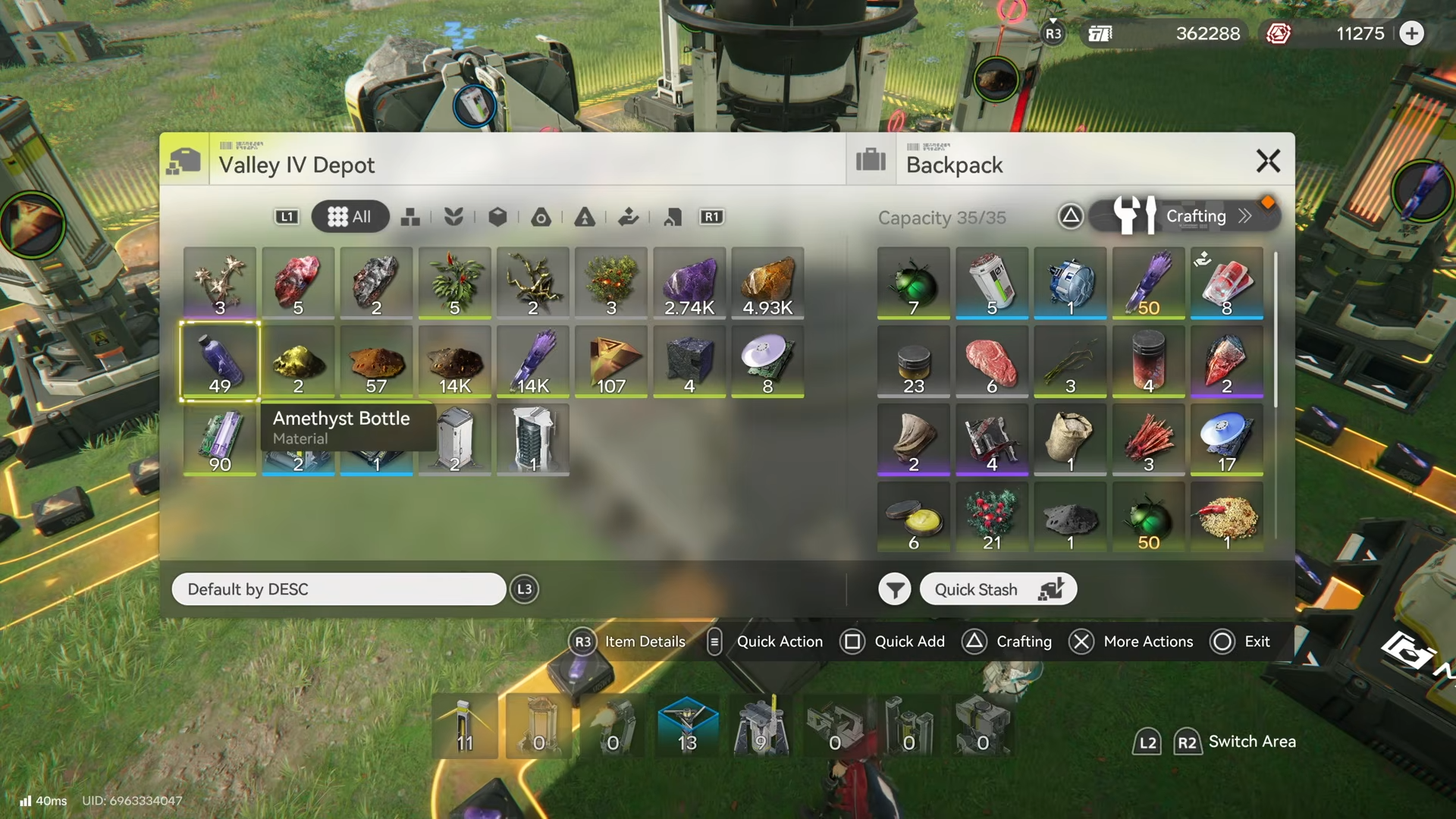
Step 6: Contribute in batches before you hit capacity
Let the system run while you do missions, then periodically open the outpost management/info screen and contribute your stockpiled materials. If you regularly hit storage capacity, contribute more often so production keeps moving instead of stalling.
Locations you’ll interact with
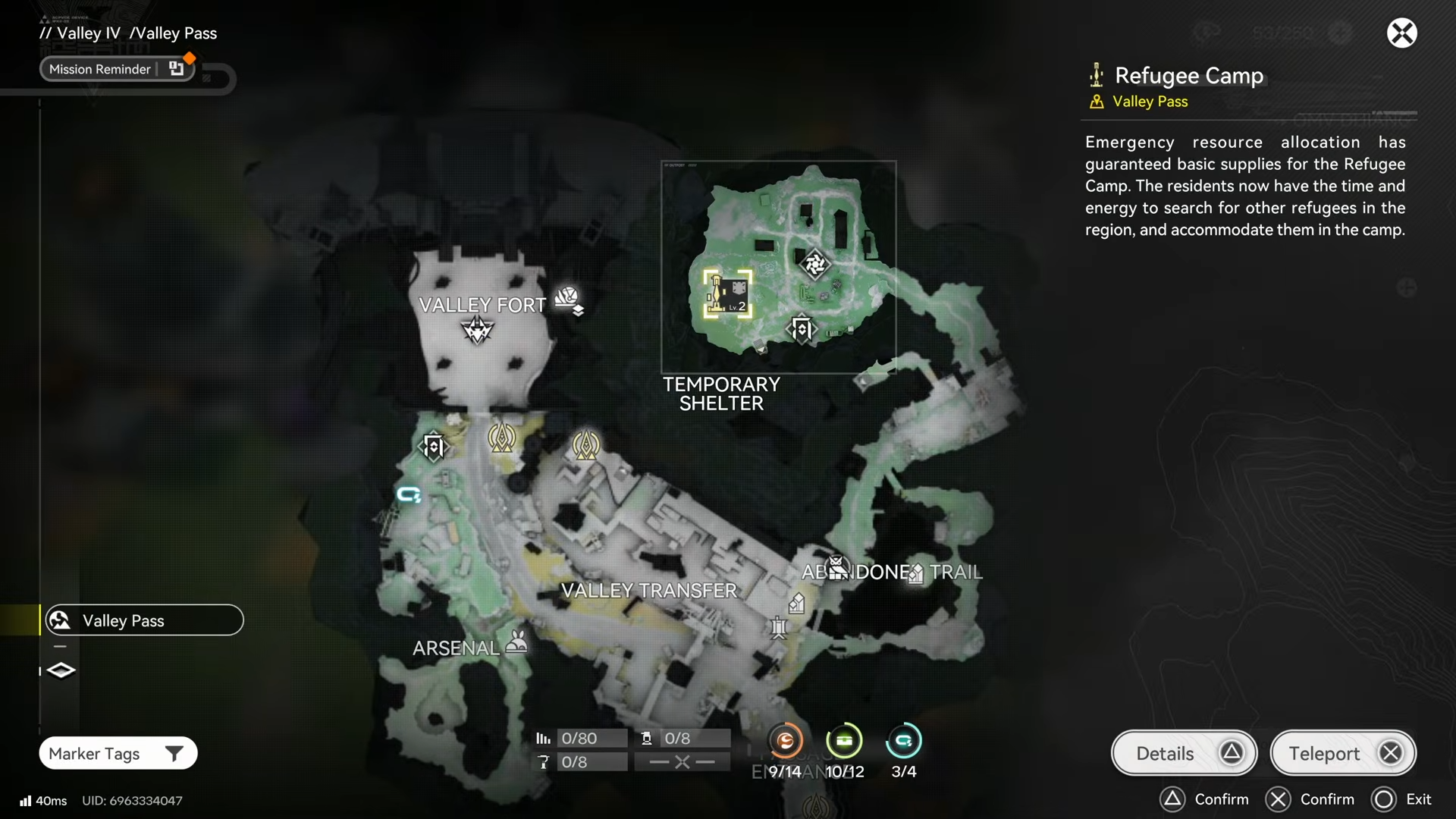
You’ll mainly bounce between the Refugee Camp outpost interface (to check the Prosperity cap and contribute materials) and one of your bases where you have enough room to place refining/molding production lines that feed materials back into your bank.
Getting Refugee Camp 2 done with less waiting
If the progress feels slow, it usually means one of three things: you’re contributing low-value items, your production lines are too small, or your bank/depot keeps filling and halting your flow. Prioritize higher unit-price contributions when possible, scale to multiple parallel lines, and make a habit of depositing before you cap out.
Refugee Camp 2 is a production-check quest: once you treat Prosperity like an automation target (not a manual grind), the cap becomes a matter of time and throughput. Keep your lines running, contribute in batches, and you’ll reliably hit the current limit and move on.