
What to know
-
“Daily Missing Robots” is a repeatable daily task that sends you to a marked search area on the world map.
-
The “robots” you’re looking for resemble small boxes/clusters, not humanoid units.
-
You complete the quest by finding and interacting with three spots (placing a communication beacon at each).
-
If you get stuck, sweeping the outer edge of the search circle often works because targets frequently appear around the perimeter.
The “Missing Robots” daily quest is a short scavenger hunt inside a highlighted circle on your map, and it’s designed to be completed quickly once you know what to look for. The loop is always the same: teleport to the quest area, find three interactable robot-box clusters, and activate them.
Quick reference table
| Item | What it means for you |
|---|---|
| Quest start point | Select “Daily Missing Robots” in the mission log to get a marked map location. |
| Search area | All three targets spawn inside the large circle. |
| Targets | Box-like “robots” with an interaction prompt when you’re close. |
| Completion condition | Interact at 3 spots to place communication beacons. |
How the “Missing Robots” daily works in practice
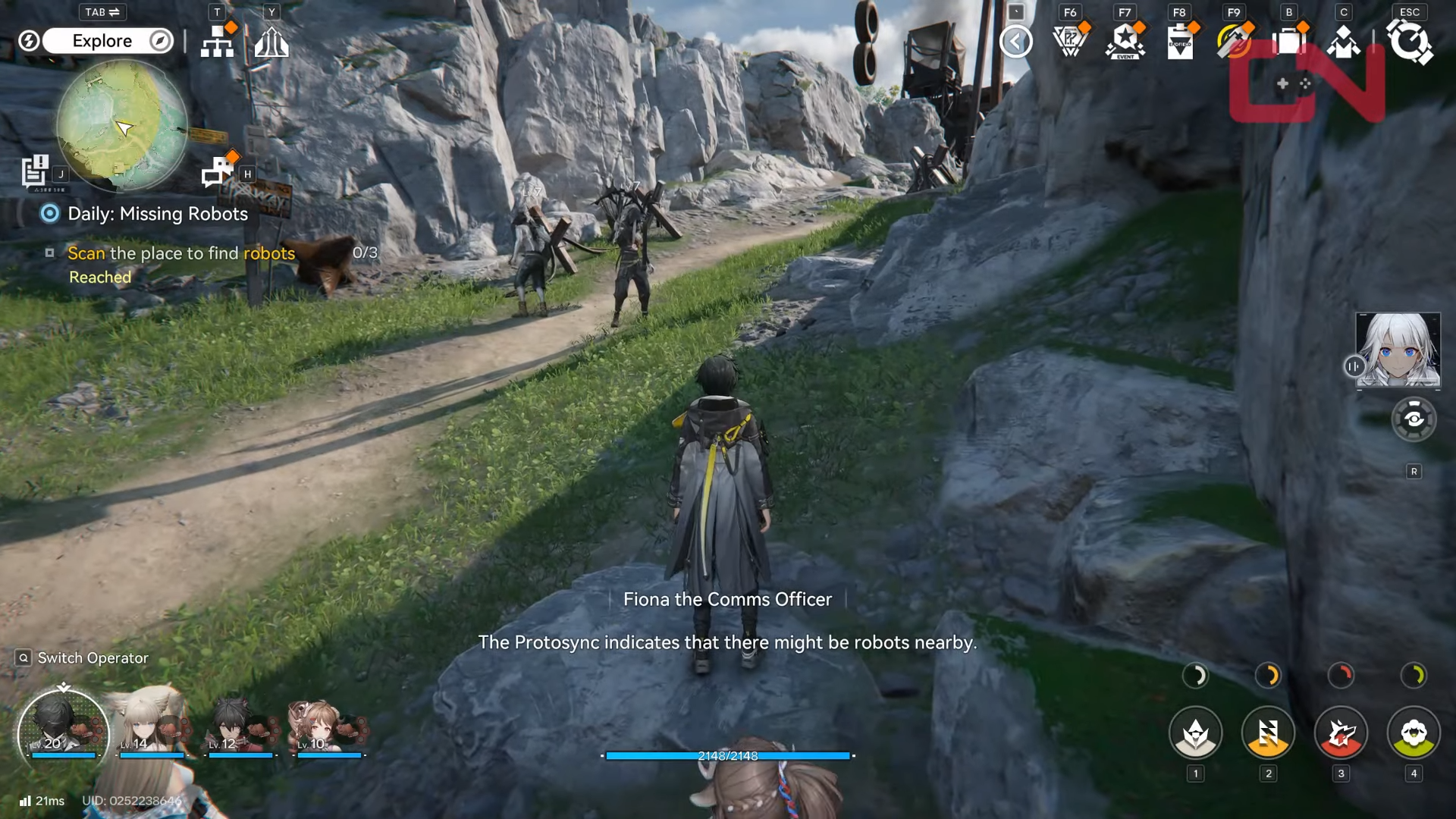
When you select “Daily Missing Robots” in your mission log, the game directs you to a specific map location and displays a search area shaped like a large circle. Inside that circle, you’re searching for interactable box clusters; when you press the interact key (commonly shown as “F” on PC), you place a “communication beacon,” which counts as one of the three required interactions.
What you’re actually looking for
You can spot the objectives faster if you focus on:
-
Small box-like clusters (often mixed with scrap or container-looking props).
-
An icon/interaction prompt that appears when you’re close enough.
-
Targets that are slightly off your direct path (behind a rock, up a small incline, or near a ledge).
How to complete it quickly (step-by-step)
Step 1
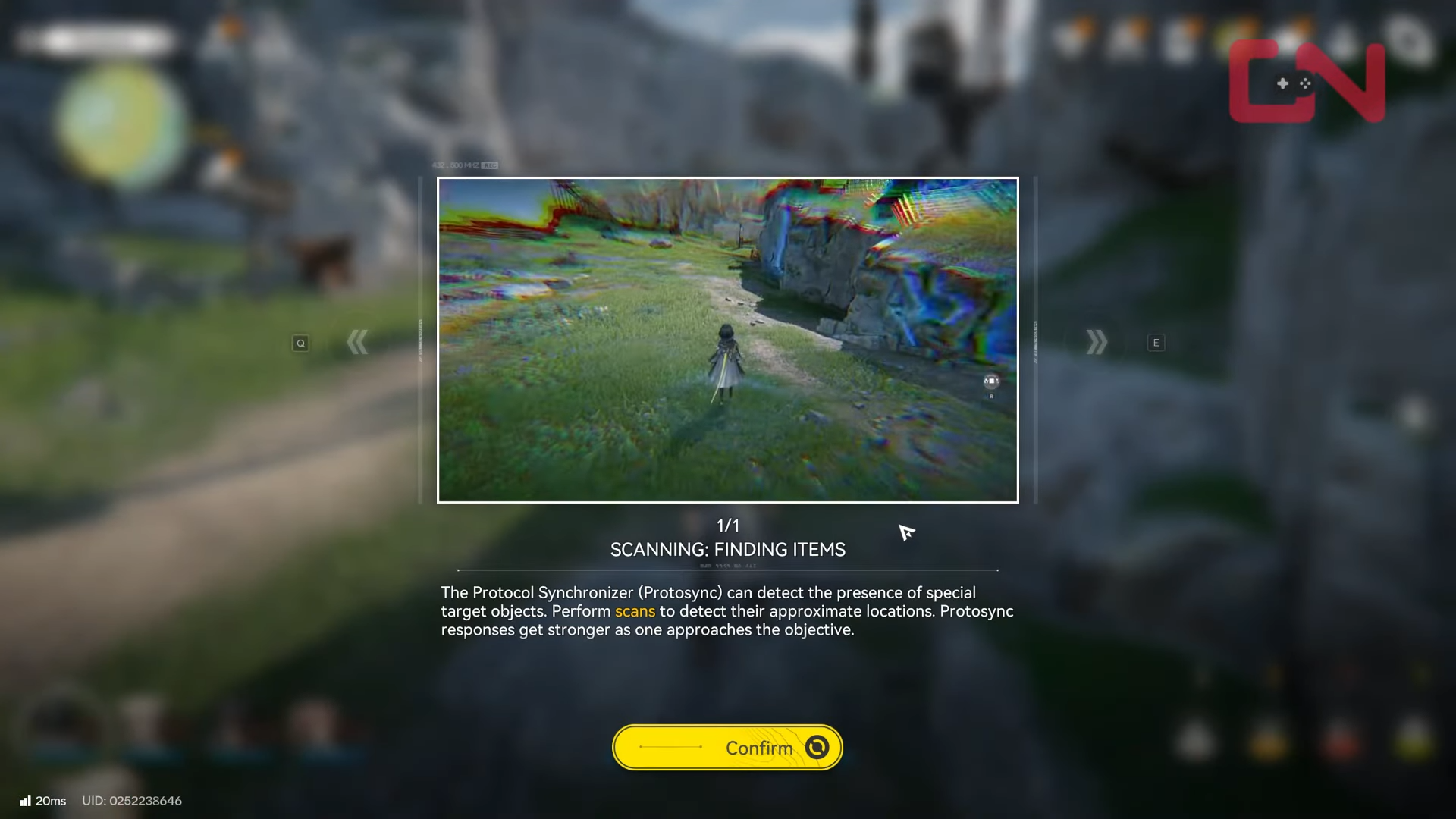
Open the mission log and select “Daily Missing Robots,” then follow the navigation prompt to the marked area.
Step 2
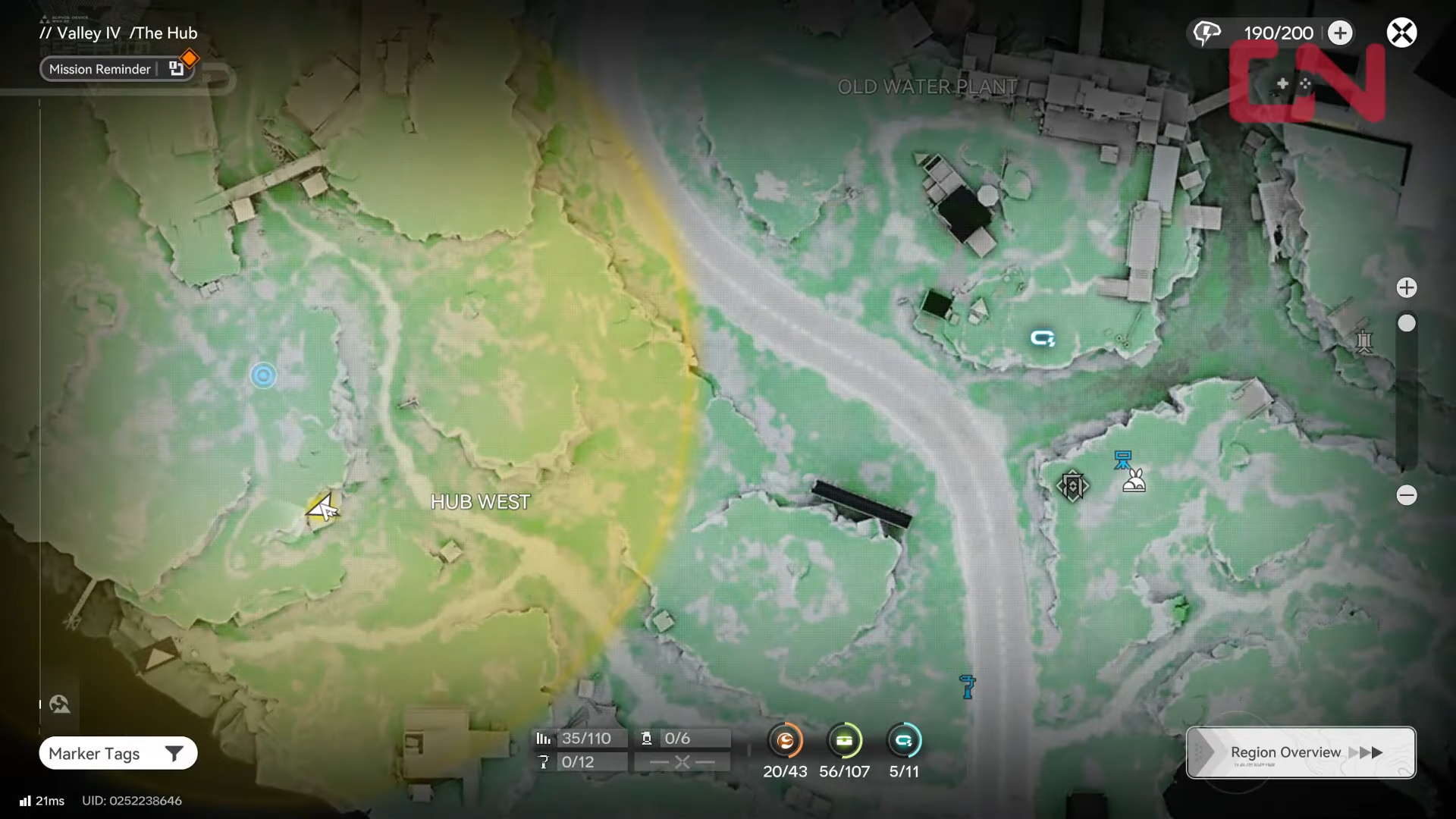
Once you arrive, identify the full search circle and start moving along the outer edge instead of zig-zagging through the middle.
Step 3
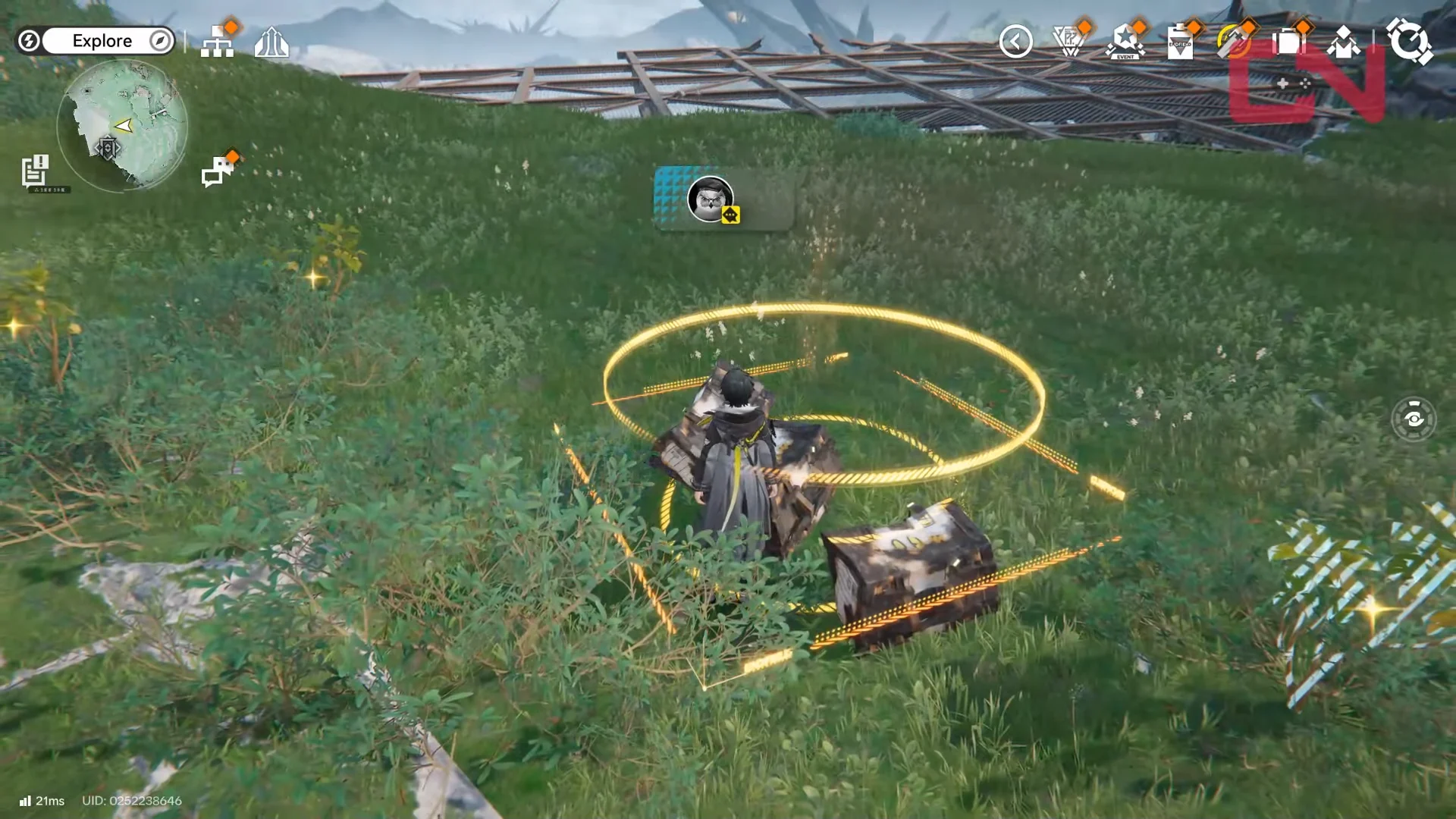
Look for box clusters; when you see one with an interaction prompt, interact to place the communication beacon.
Step 4
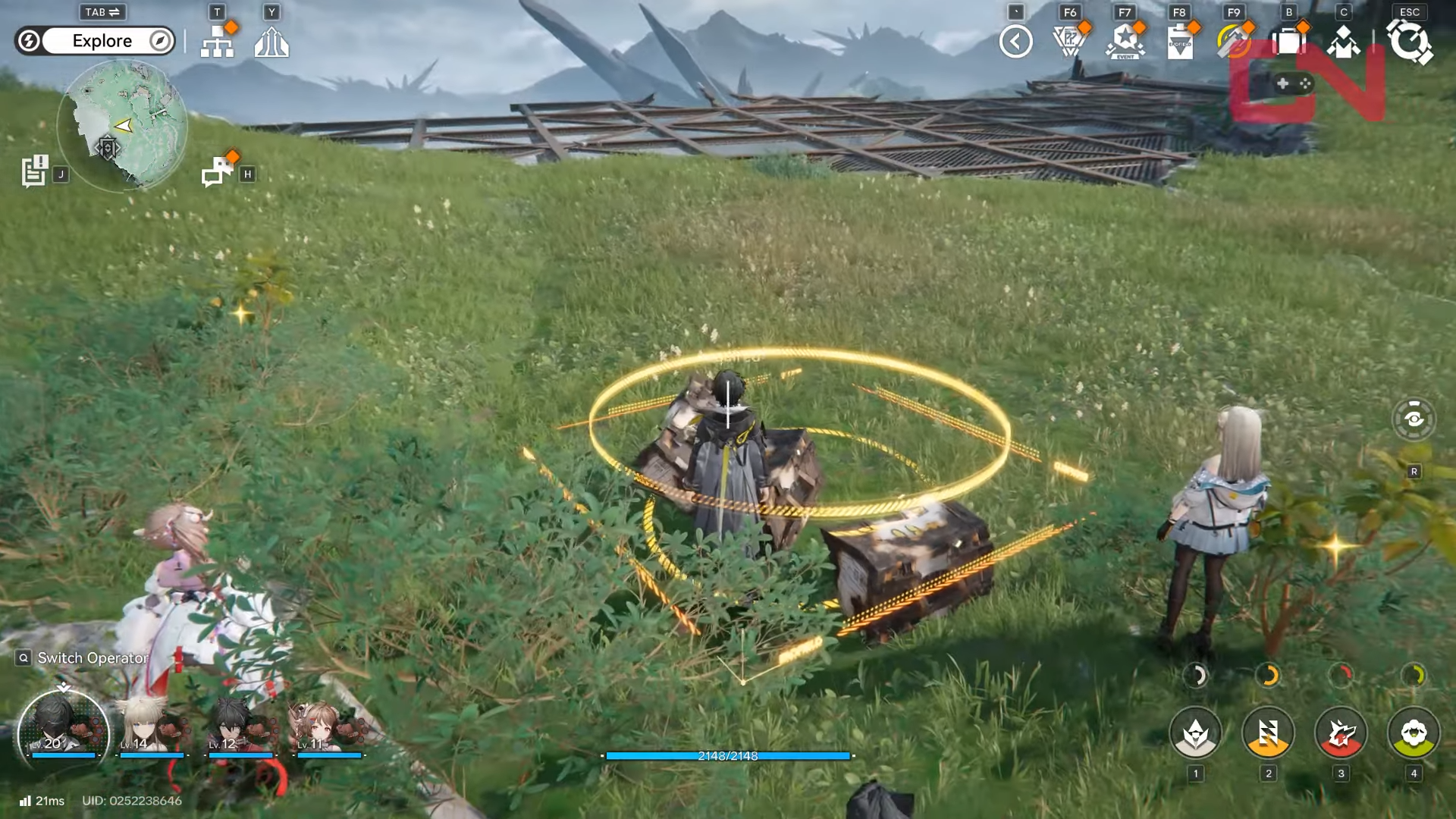
Repeat until you’ve placed three beacons. If you find one, do a quick scan of the surrounding 20–40 meters—another target is often nearby.
Step 5
If you can’t find the next one, widen your sweep along the perimeter and re-check any spots with heavy box/scrap clutter.
Common problems and fixes
The biggest time sink is searching randomly rather than doing a consistent perimeter sweep. Another issue is overlooking elevation: a target can be slightly above or below you, so it helps to pause and do a quick 360-degree look whenever you see box clutter.