

What to know
-
HC Valley Battery crafting uses a Packaging Unit recipe: Steel Part x10 + Dense Originium Powder x15 per battery (10 seconds).
-
HC Valley Batteries are used to provide 1100 Power to Thermal Banks (increasing your AIC power capacity).
-
The Packaging Unit is a Basic II (Processing tree) facility unlocked via the Packaging Tech node, and it has a 6×4 footprint.
-
A good layout prevents clogs by splitting Steel Parts: prioritize the Packaging Unit, and route excess into a Protocol Stash.
In Arknights: Endfield, if your base is constantly power-limited, the cleanest mid-game fix is a dedicated “steel battery” line – turn mined inputs into Steel Parts and Dense Originium Powder, package them into HC Valley Batteries, then load those batteries into a Thermal Bank for a big, stable power jump.
| Piece | What it does | Key details to match |
|---|---|---|
| Packaging Unit | Crafts HC Valley Batteries | Recipe: Steel Part x10 + Dense Originium Powder x15, 10 seconds per craft; Basic II, Processing tree, 6×4 size. |
| HC Valley Battery | The “purple”/HC battery you’re producing | Used to provide 1100 Power to Thermal Banks; can also be traded at outposts. |
| Thermal Bank | Converts batteries into usable base power capacity | HC Valley Battery is mainly used here to provide 1100 Power. |
| Splitters + Protocol Stash | Prevents bottlenecks | Split Steel Parts so the Packaging Unit gets priority, and overflow Steel Parts (and optionally extra batteries) go to storage. |
How the 1100-power steel battery chain works
You’re building two parallel production streams that meet at the Packaging Unit: one stream makes Steel Parts, the other makes Dense Originium Powder, and the Packaging Unit combines them into HC Valley Batteries.
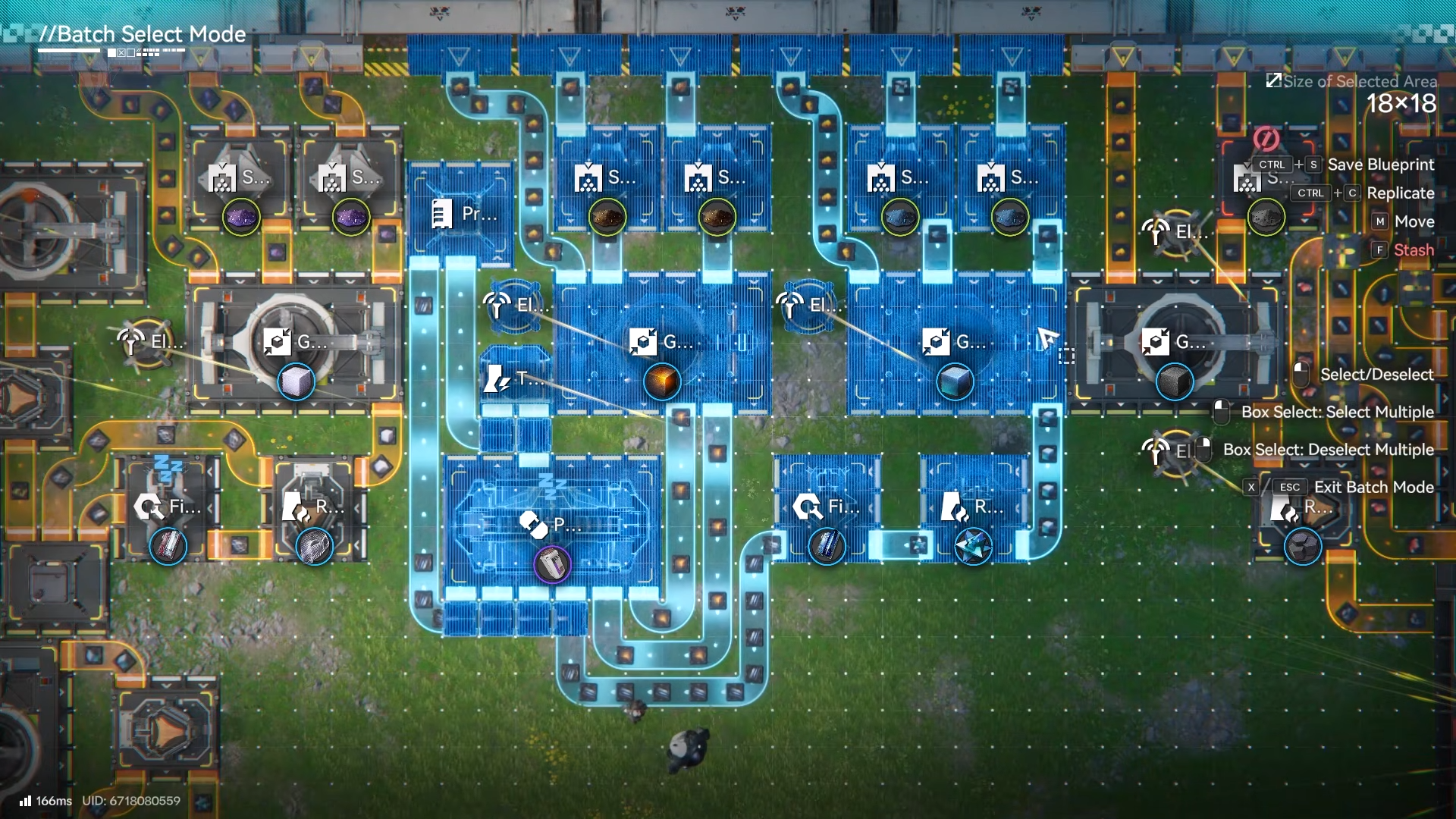
Once batteries are coming out, you feed most of them into a Thermal Bank to realize the 1100 Power gain, and route any extra into storage so production doesn’t jam.
How to build the Steel Parts line for batteries
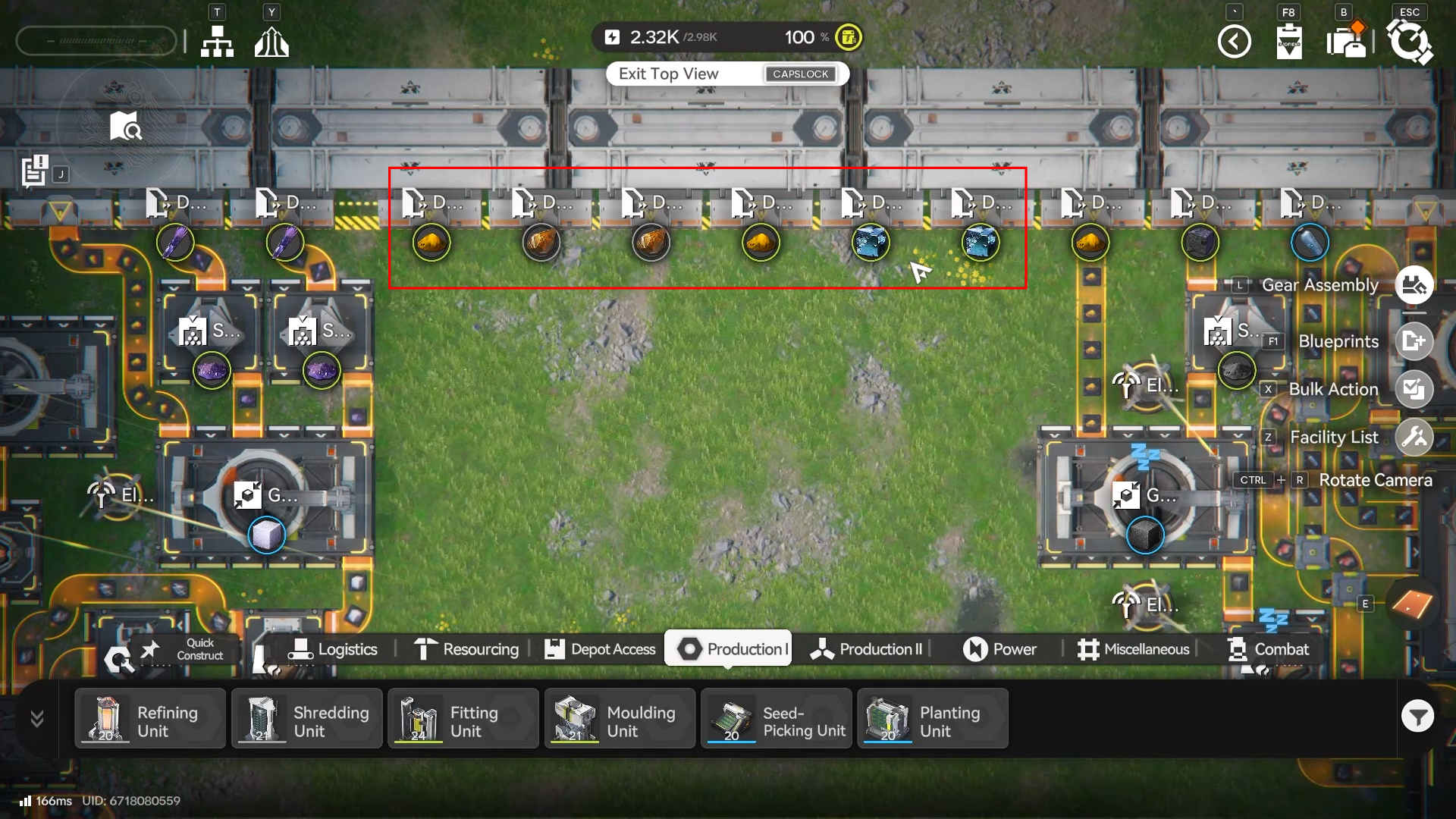
Step 1: Set up your input unloading
Place depot unloaders for your refined Ferrium (cooked), originium ore, and sandleaf powder so you can route them cleanly into early processing.
Step 2: Shred and grind to get the powdered materials
Use shredding units for Ferrium and originium ore.
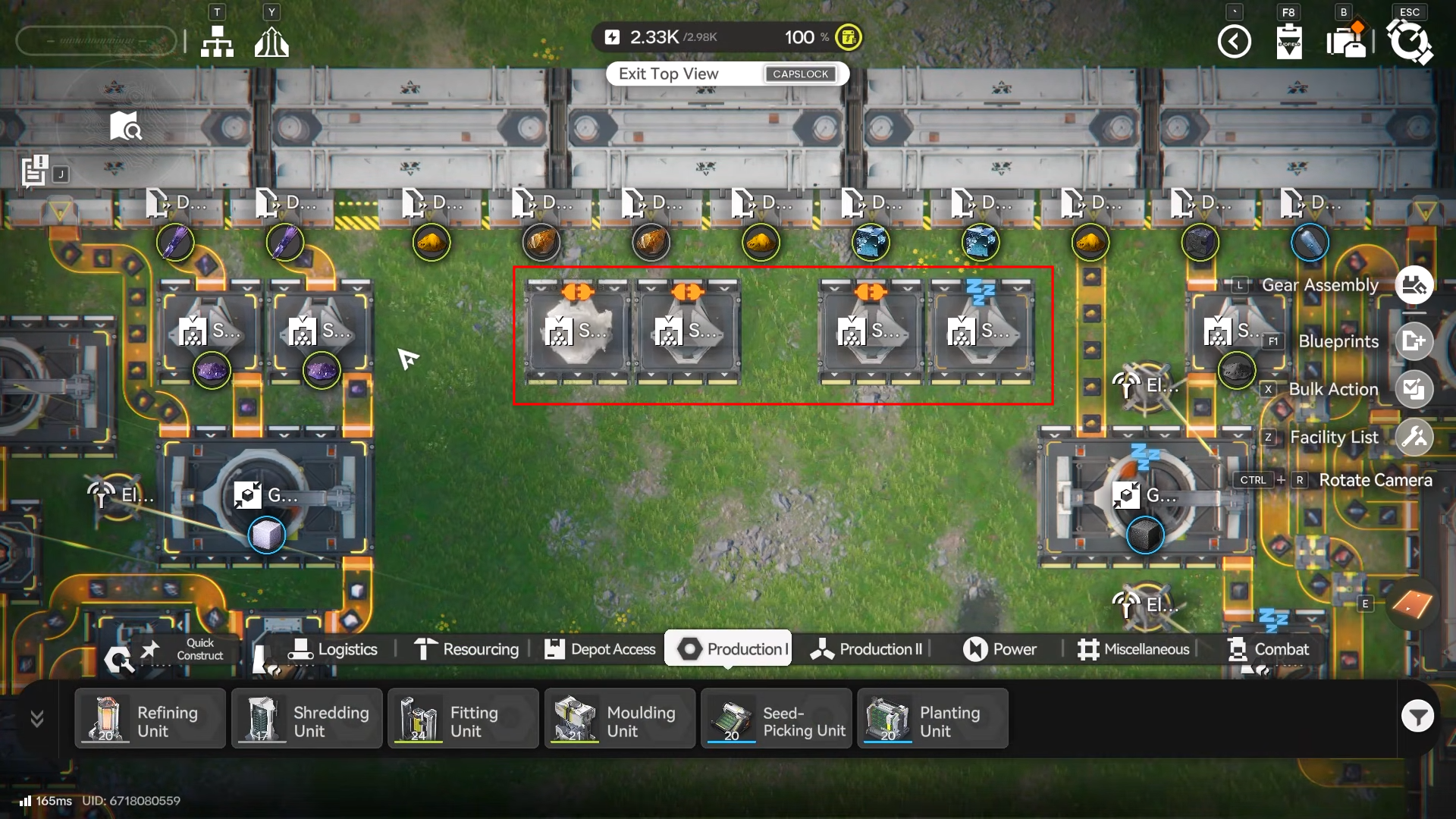
Then place grinding units directly after shredding to produce the dense powdered outputs you’ll need downstream.
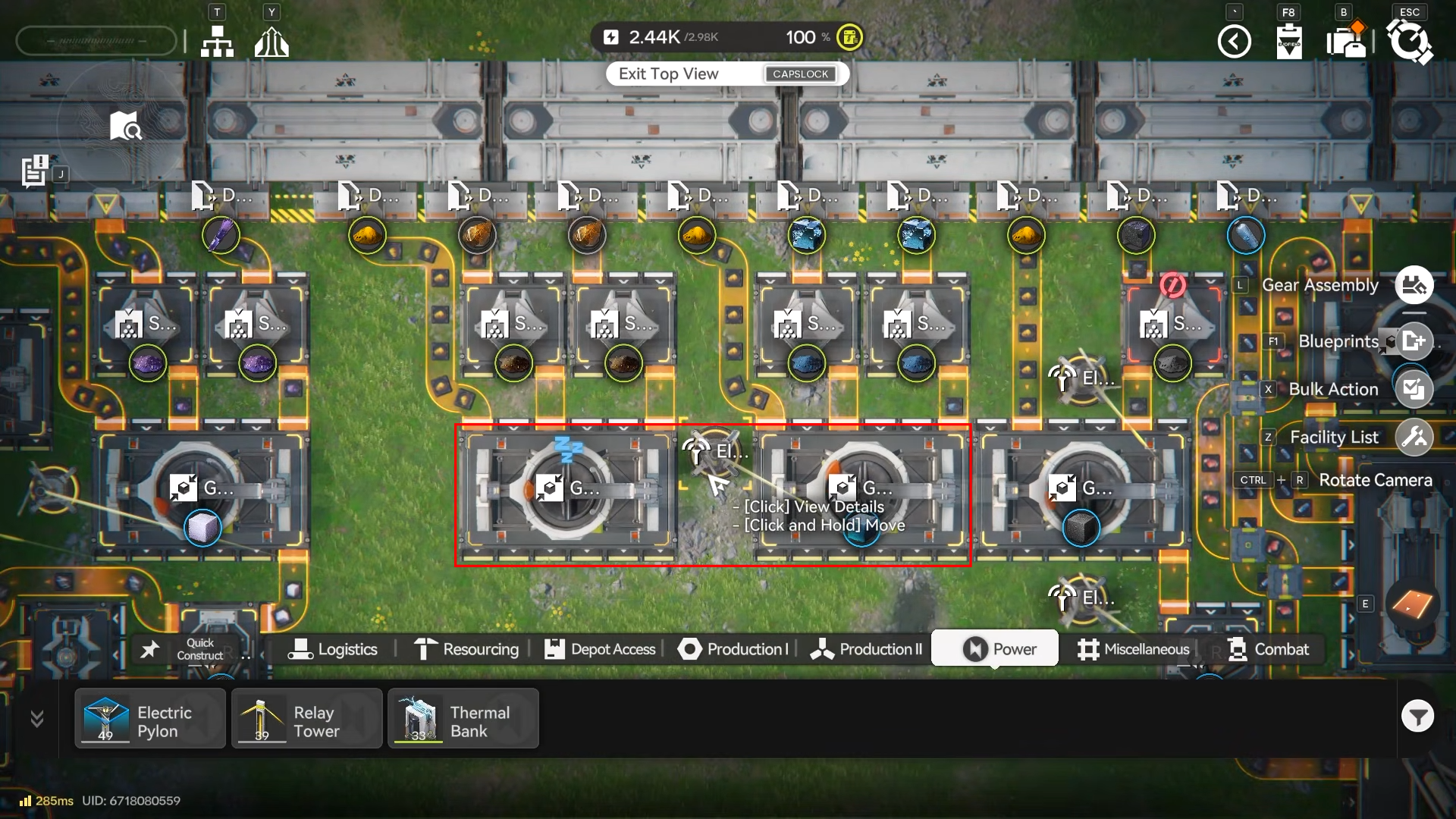
Step 3: Refine dense Ferrium output into steel
Route the Ferrium dense powder into a refining unit to produce steel, which becomes the base material for Steel Parts.
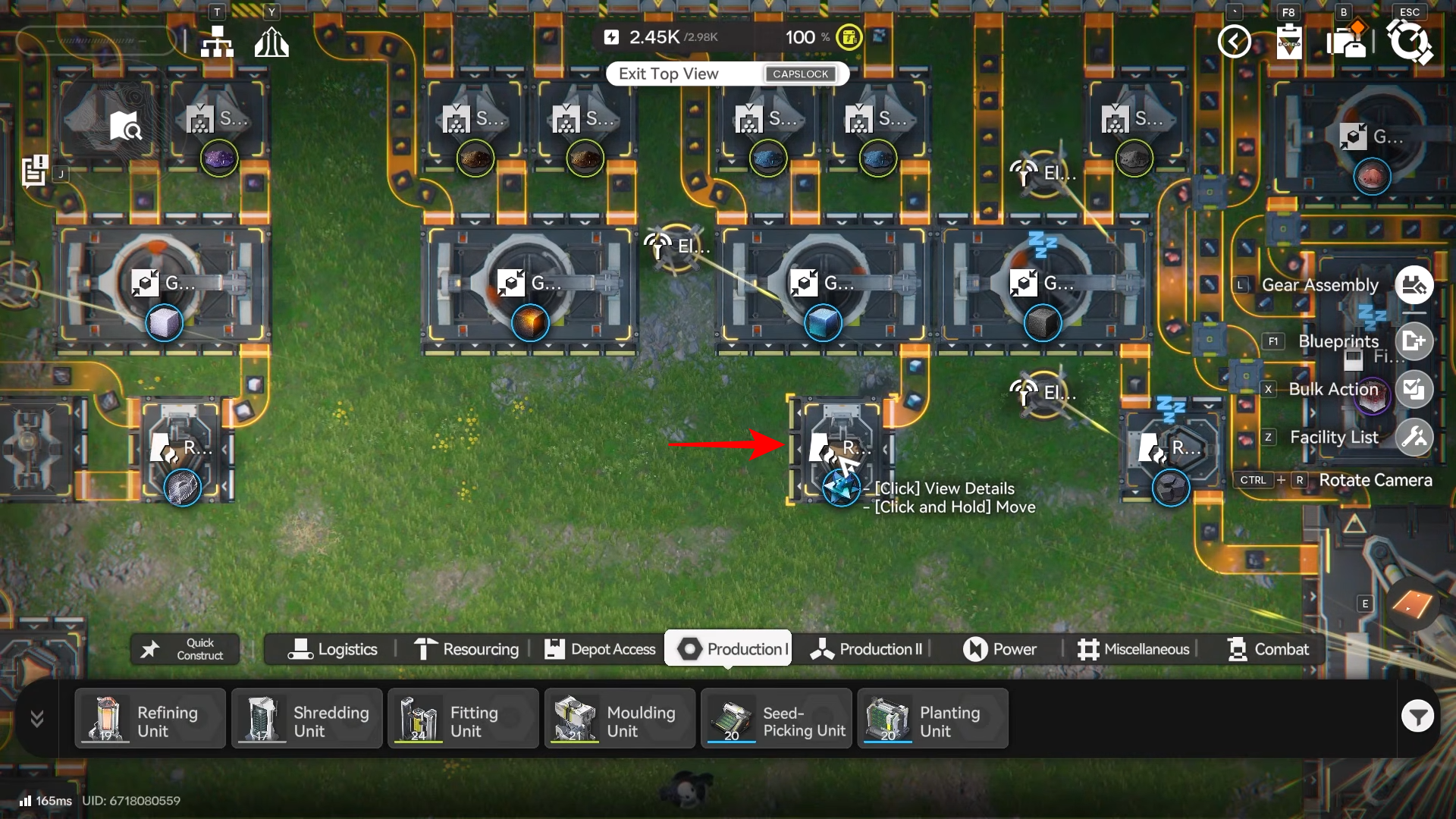
Step 4: Convert steel into Steel Parts
Place a fitting unit after steel production and route steel into it to create Steel Parts for the Packaging Unit recipe.
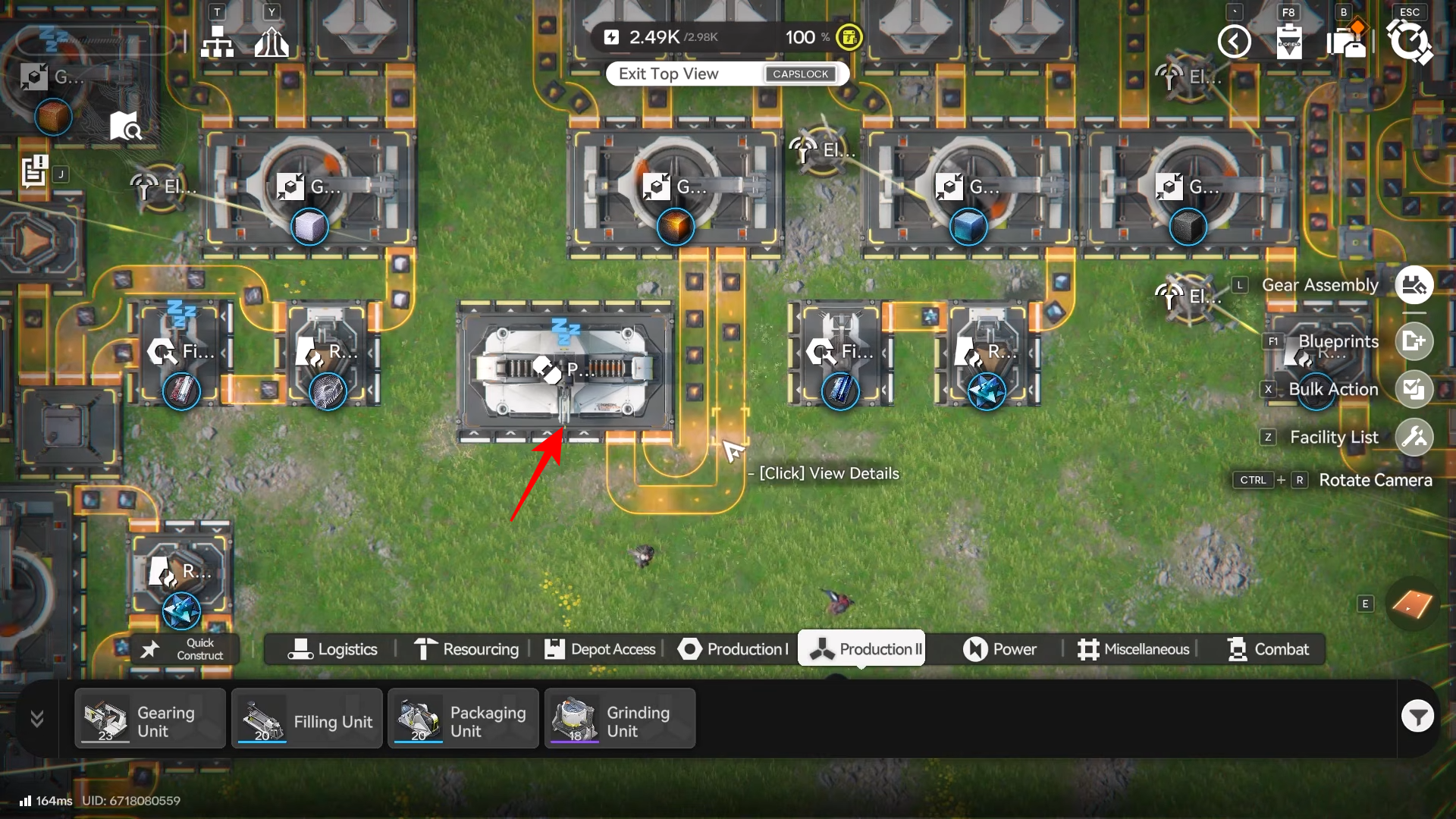
How to craft HC Valley Batteries in the Packaging Unit
Step 1: Place and unlock the Packaging Unit
Unlock Packaging Unit via the Packaging Tech node (Processing tree, Basic II), then place it (6×4 footprint) where you have room for clean belt routing.
Step 2: Feed Dense Originium Powder into the Packaging Unit
Route Dense Originium Powder to one input of the Packaging Unit and keep the belt steady, since the recipe consumes 15 per craft.
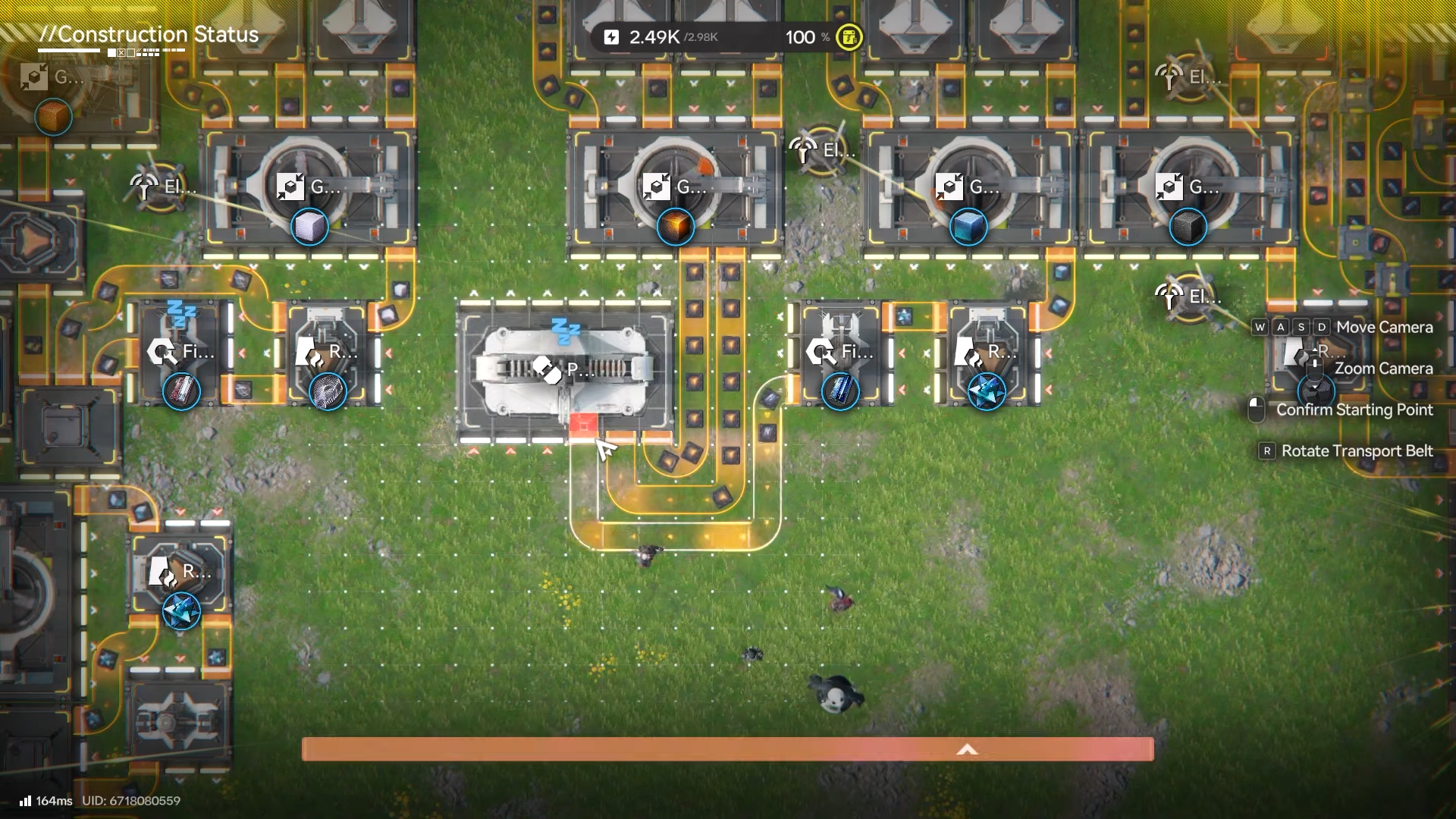
Step 3: Feed Steel Parts into the Packaging Unit
Route Steel Parts to the other input, since the recipe consumes 10 Steel Parts per craft.
Step 4: Verify the recipe and rate
The Packaging Unit crafts 1 HC Valley Battery per 10 seconds using Steel Part x10 and Dense Originium Powder x15.
How to route batteries to get the full 1100 Power
Step 1: Feed batteries into a Thermal Bank
Send the main battery output into a Thermal Bank, since HC Valley Batteries are mainly used to provide 1100 Power to Thermal Banks.
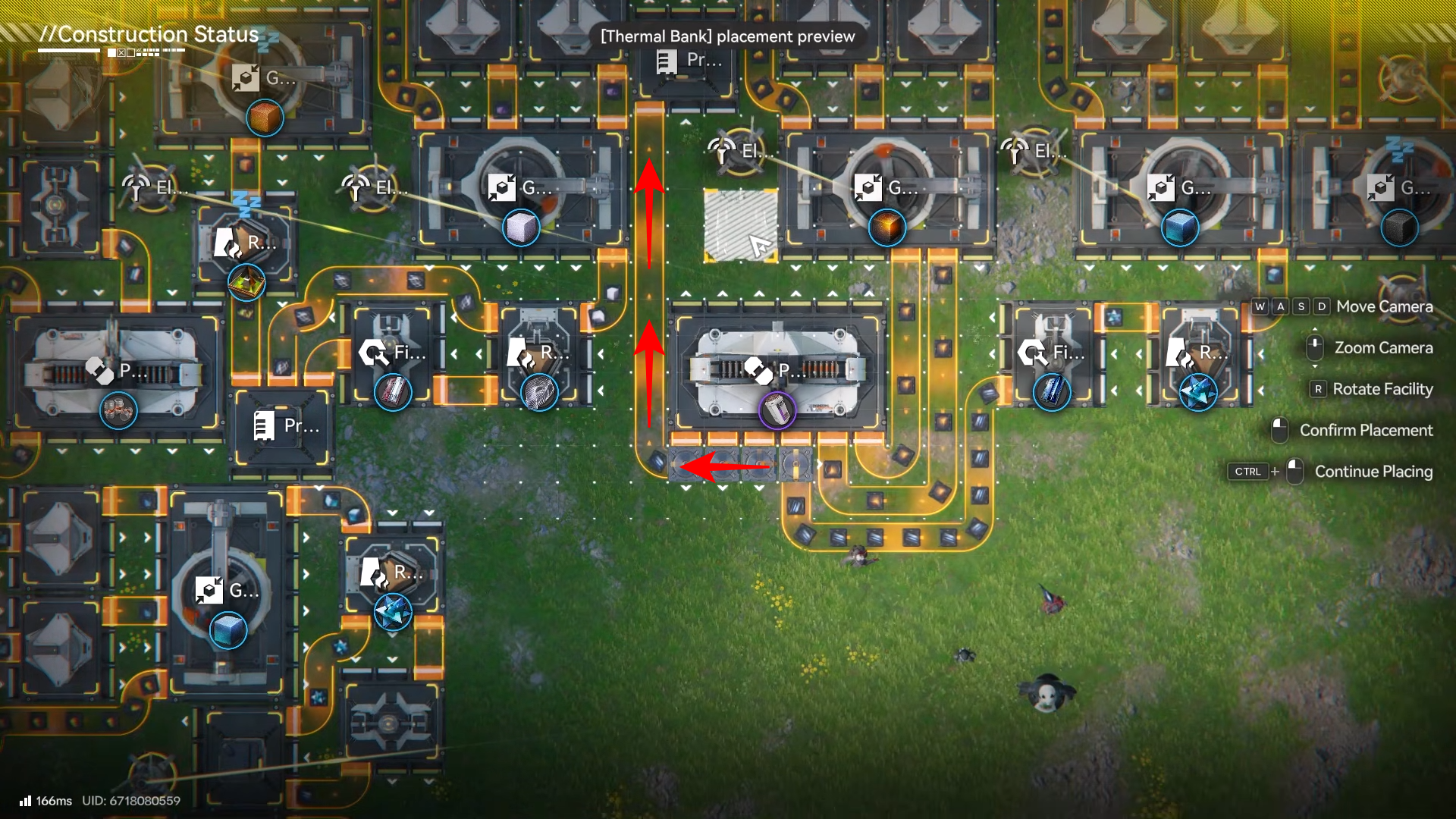
Step 2: Store overflow batteries (optional but recommended)
Use splitters so most batteries go to the Thermal Bank, and divert a smaller share into storage so the line doesn’t back up if the bank is saturated.
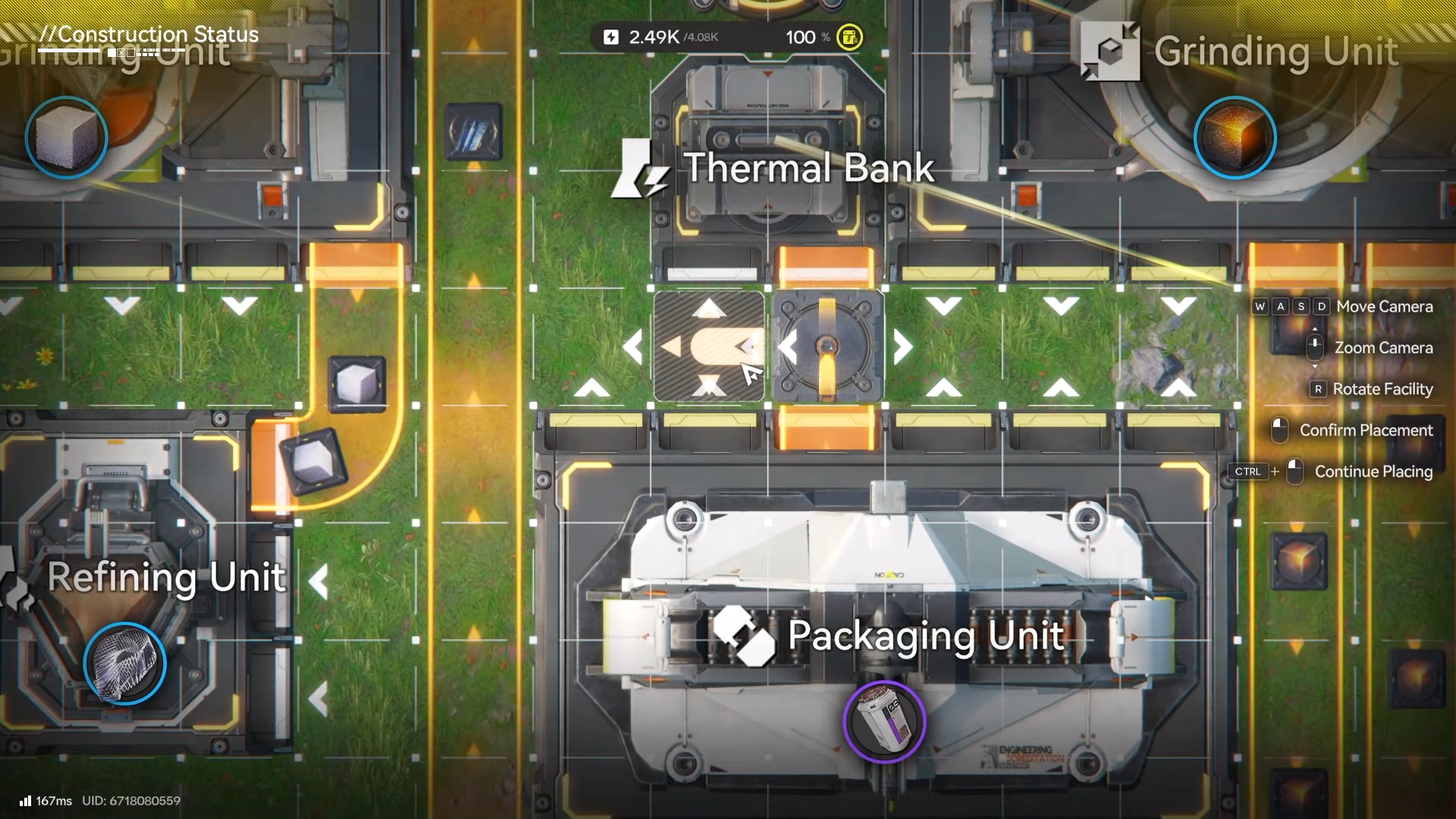
Step 3: Prevent Steel Parts from clogging
Add a splitter chain on the Steel Parts belt so the Packaging Unit is the preferred destination. While excess Steel Parts route into a Protocol Stash for buffering.
A practical way to wrap this build into your base
Keep the battery factory slightly separated from your main bus so its belts don’t tangle with general-purpose crafting, and leave space for one or more storage blocks next to the splitters.
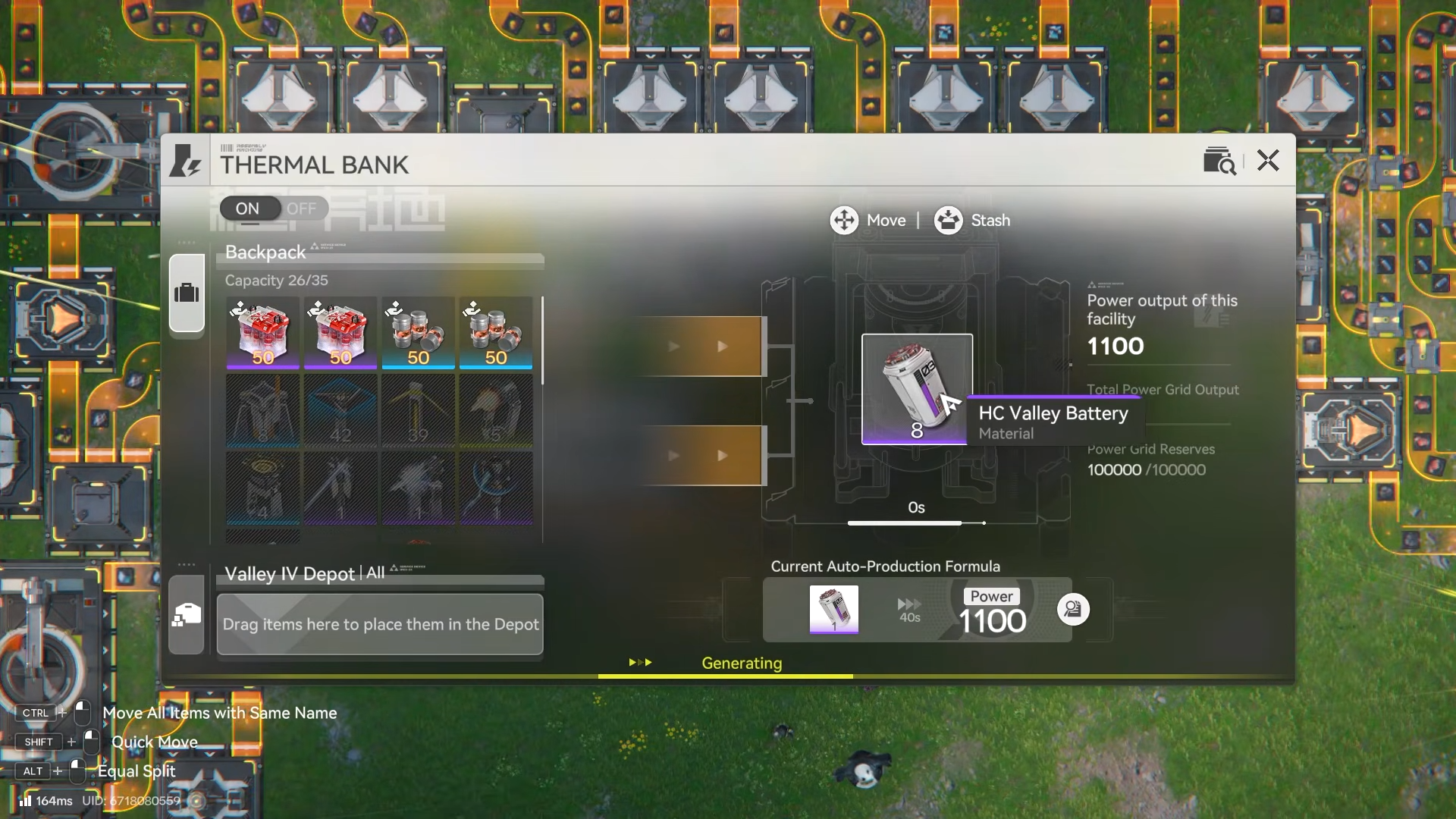
If you later expand, scale by duplicating the Packaging Unit feed lines rather than overloading one belt, since the recipe pulls fixed amounts every craft cycle.
If you want one focused project that noticeably changes how your base runs, a dedicated HC Valley Battery line into a Thermal Bank is a strong upgrade: it targets your power ceiling directly, adds 1100 Power, and stays stable when you buffer overflow.




